
기술

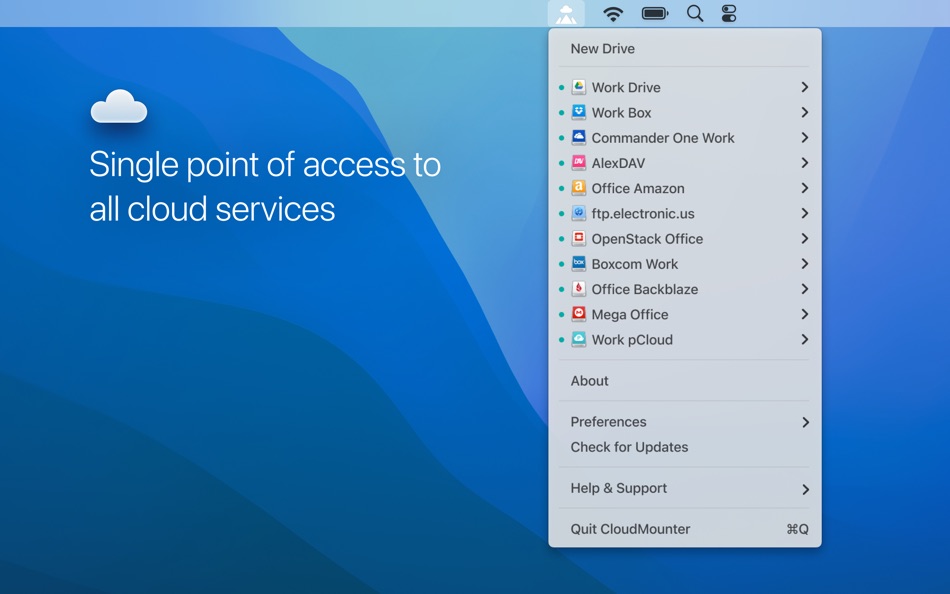
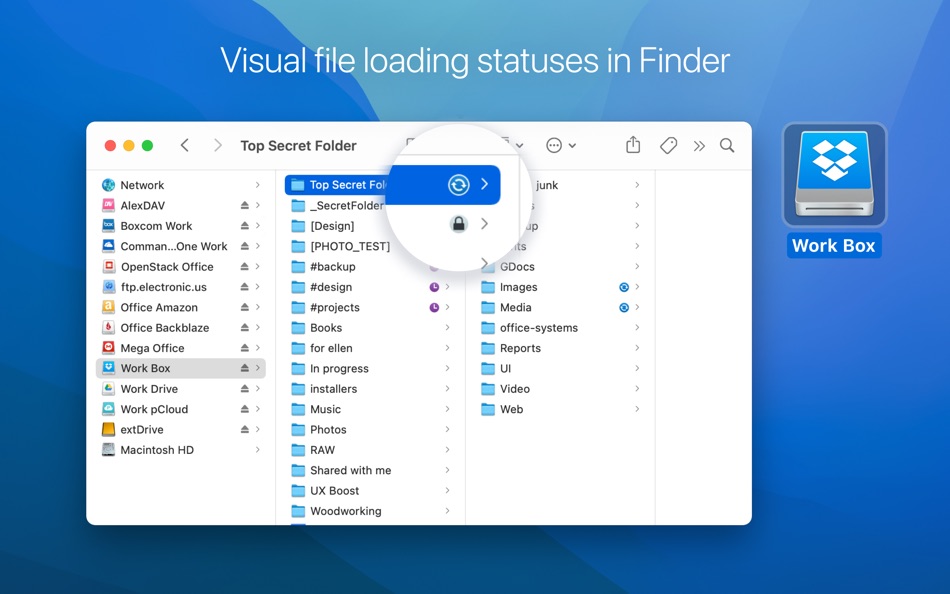
CloudMounter offers a seamless way to integrate and manage all your cloud storages right from your Mac. It mounts cloud drive accounts like Dropbox, Google Drive, OneDrive, Amazon S3 and others as regular drives on your Mac, letting you work with online-stored files just as you would with local ones. Effortlessly access, create, edit, download and upload files using this revolutionary cloud management tool.
Key features & benefits:
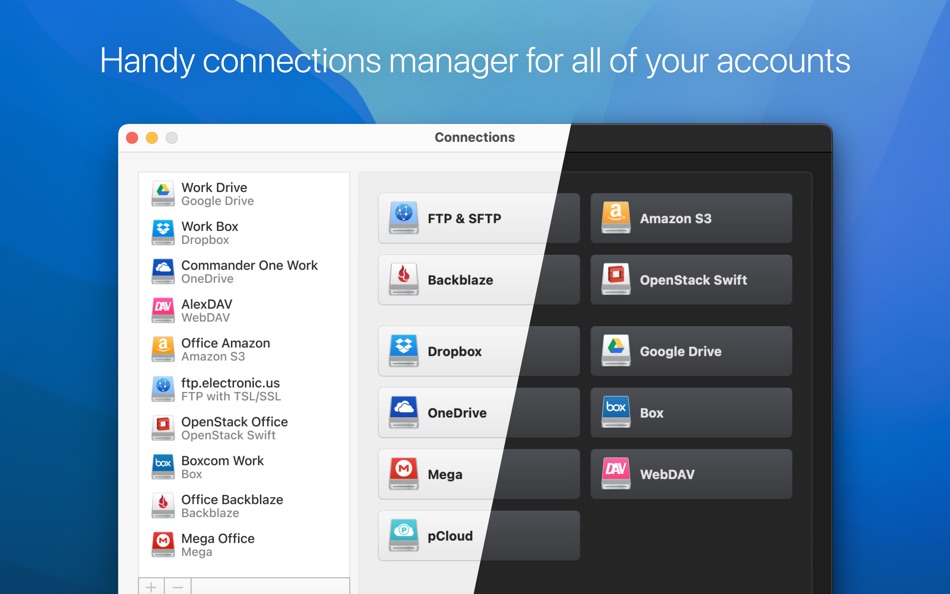
- Multiple Cloud Support: Connect to popular cloud services such as Dropbox, Google Drive, OneDrive, Amazon S3 bucket and many others. Access all your cloud storage accounts in one convenient place to easily edit and save files online.
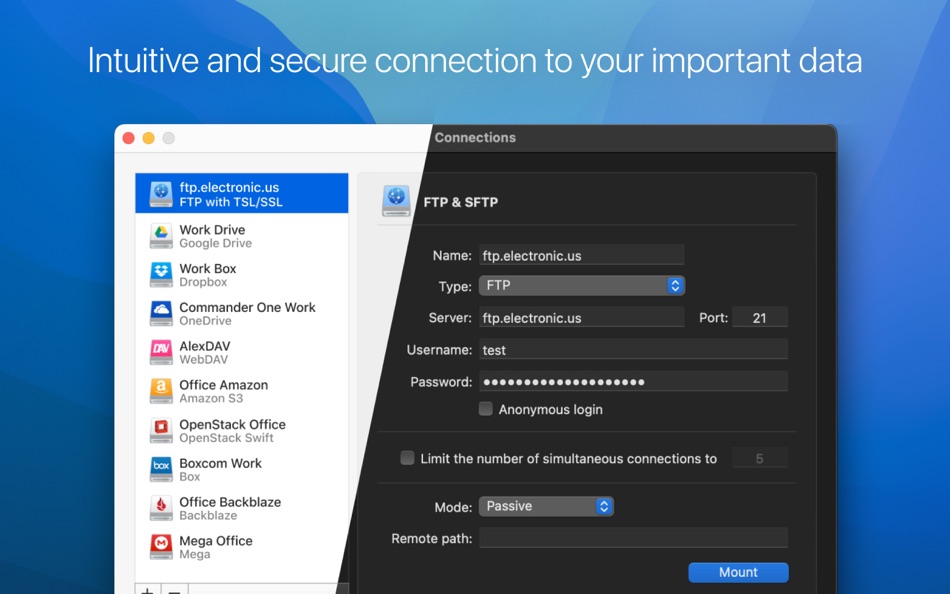
- Server & Protocol Integration: Full support for FTP, SFTP, WebDAV, S3 and more. Seamlessly manage your remote servers and map network drive on a Mac to download and upload data/files with ease.
- Extend Your Disk Space: With CloudMounter, a versatile cloud storage client, your Mac's storage capacity becomes virtually unlimited. It's a game-changer for those running out of local storage, especially when they can connect to cloud storage directly.
Safety and Privacy First:
CloudMounter isn’t just about convenience; it's about security.
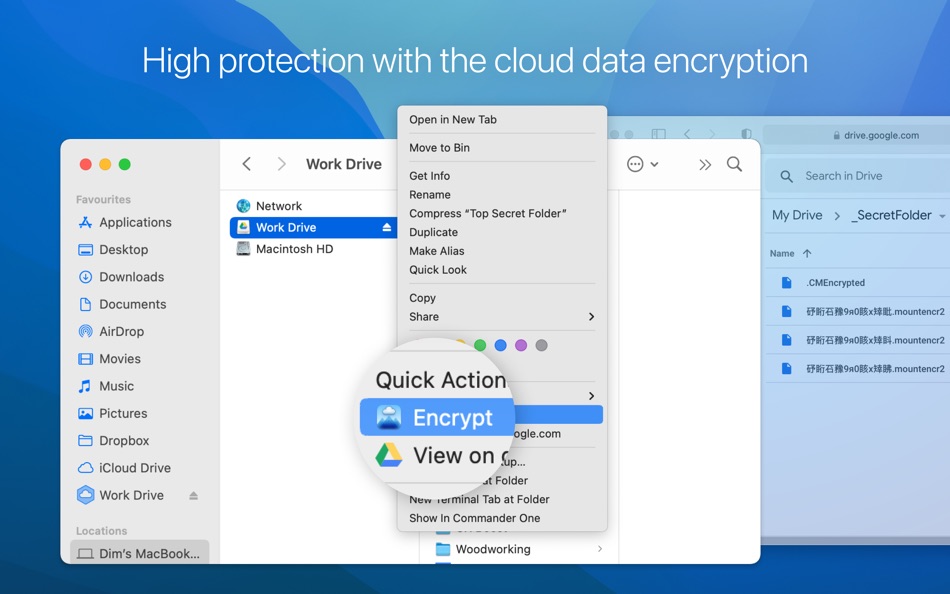
- Solid Encryption: Only users with the master password can decrypt files and view data. Elsewhere, it appears as gibberish.
- Trusted Connections: All connections use the native APIs of cloud services. Your login credentials are only used for logging in and are never shared with third parties.
- Secure SFTP Access: Use FIDO/FIDO2 compatible hardware authentication keys (YubiKey, OnlyKey, Titan Security Key, FEITIAN ePass, etc.) and Two-factor authentication (2FA) for enhanced protection on SFTP servers.
- macOS Keychain Integration: Credentials for connected online services are stored securely in the macOS Keychain, ensuring an added layer of security.
- Control access to AWS resources securely: Use the AWS Identity and Access Management (IAM) service to govern user access to AWS resources through permission management.
Expanded Service Options with Subscription:
- Multiple active connections of each service (Dropbox, Google Drive, OneDrive)
- Amazon S3
- Box
- Backblaze B2
- pCloud
- FTP/FTPS/FTPES
- SFTP
- WebDAV
- OpenStack Swift
- Mega
- Dropbox Business
- Google Shared Drives (formerly known as "Team Drives")
Available Plan Tiers:
- Free: Use three major Personal Cloud Services with Encryption (one active connection each). Dropbox Business, Google Drive Shared drives, and other services are accessible in read-only mode. To fully manage all supported services with Data Encryption, upgrade your plan.
- Annual Subscription: Access all services for 1 year with unlimited connections (7-day free trial).
- Lifetime: One-time purchase for unlimited access to all services with unlimited connections.
Subscription Details:
- Subscriptions renew automatically unless they are canceled.
- Current active subscriptions cannot be canceled.
- To prevent auto-renewal, it should be disabled at least 24 hours before the current subscription ends.
- Upon renewal, the subscription fee you've selected will be automatically charged from your account within 24 hours before the next period begins, as detailed in the pricing tiers mentioned above.
Privacy Policy here: https://www.electronic.us/company/policies/
Terms of Use here: https://www.electronic.us/company/policies/terms/
Join thousands of satisfied Mac users - try CloudMounter today and embrace the power of a unified, secure, and expansive cloud file manager, all from the comfort of your Mac.
Disclaimer: This app is not affiliated with Google, Dropbox, Microsoft, Amazon, Backblaze or any other trademarks mentioned.
Ad
스크린샷
새로운 기능
- 버전: 4.16
- 업데이트:
- Added: displaying transfer speed in Activity Log.
Improved: canceling file uploads.
Improved: displaying the app icon in dark mode.
Improved: file list update on Dropbox connections.
Fixed: renaming files when using the macFUSE mount type.
Fixed: uploading files when using the macFUSE mount type.
Fixed: displaying the contents of encrypted folders.
Fixed: pasting a password in the password prompt window.
가격 내역
-
* 인앱 구매 - 오늘: 무료
- 최소: 무료
- 최대: 무료
가격 추적
개발자
포인트 (4)
-

- 649 Mudu
- +1
-
- 583 Raphael Pinheiro
- +1
-
- 663 IMO FUCASHI
- +1
-
- 1 Tazior
- +1




순위 (0)
0 ☹️
목록 (1)
- CloudMounter: Cloud Manager

리뷰 (0)
첫 번째 리뷰를 남겨보세요 🌟
추가 정보
 https://www.electronic.us/products/cloudmounter/
 «CloudMounter: Cloud Manager». 플랫폼: macOS. 카테고리: 생산성. 개발자: «Eltima LLC». 첫 번째 릴리스: . 마지막 업데이트: . 현재 가격: 무료. 이 타이틀은 아직 AppAgg에서 평가나 리뷰를 받지 못했습니다. 목록: 공개: 1, 비공개: 3. 추적된 포인트: 확인됨: 4, 간접: 0. 사용 가능한 언어: Chinese, Czech, Dutch, English, French, German, Hindi, Indonesian, Italian, Japanese, Korean, Polish, Portuguese, Spanish, Turkish, Ukrainian. AppAgg는 «CloudMounter: Cloud Manager»의 가격 기록, 평점 및 사용자 피드백을 추적합니다. 향후 할인 및 업데이트 받기: RSS에서 확인할 수 있습니다. AppAgg는 애플리케이션을 호스팅하거나 소프트웨어를 배포하지 않습니다. 모든 상표, 로고 및 스크린샷은 해당 소유자의 자산입니다.
댓글 (0)
가장 먼저 댓글을 남겨주세요 🌟
CloudMounter: Cloud Manager 단축 URL: 복사됨!- 🌟 공유하기
- Mac App Store
Ad
당신은 또한 같은 수 있습니다
-
- Cloud Server
- macOS 앱: 생산성 게시자: Adam Kopec
- 무료
- 목록: 1 + 0 순위: 0 리뷰: 0
- 포인트: 1 + 0 댓글: 0 버전: 2.2.2 Manage users and their access to files and folders stored on the server effortlessly. Cloud Server works as a centralized file storage server with built-in data encryption. These files ⥯
-
- Cloud Outliner – Nested Lists
- macOS 앱: 생산성 게시자: Denys Ievenko
- * 무료
- 목록: 1 + 3 순위: 0 리뷰: 0
- 포인트: 1 + 0 댓글: 0 버전: 3.4.1 Cloud Outliner helps you turn ideas and tasks into clear, structured lists. Capture thoughts instantly, organize them visually, and keep everything synchronized across your Mac, ... ⥯
-
- Cloud-1 drive for all storages
- macOS 앱: 생산성 게시자: V Kontakte OOO
- 무료
- 목록: 1 + 0 순위: 0 리뷰: 0
- 포인트: 2 + 0 댓글: 0 버전: 25.04.0031 Cloud storage on your computer: you will be able to work with photos, videos and files of all formats from anywhere in the world and on any operating system. Cloud can replace external ⥯
-
- Cloud Snippets
- macOS 앱: 생산성 게시자: SageScope Tech
- 무료
- 목록: 0 + 0 순위: 0 리뷰: 0
- 포인트: 1 + 0 댓글: 0 버전: 1.9.5 Cloud Snippets is a modern iCloud-backed Snippets and Clipboard Manager for MacOS and iOS - Save and quickly paste your frequently-used snippets of text and items from your Clipboard ... ⥯
-
- Manager for Arduino
- macOS 앱: 생산성 게시자: Fabrizio Boco
- * $10.99
- 목록: 0 + 0 순위: 0 리뷰: 0
- 포인트: 0 + 0 댓글: 0 버전: 23.2.0 Supported Boards: UNO R4 WiFi, UNO, Nano, MEGA2560, ESP32/8622, Zero, MKR1000, Nano 33 IoT, Teensy e nRF52 BLE, Raspberry Pico Pi W (also using SDK). ESP32, Raspberry Pico and Pico W ... ⥯
-
- Spaceify Cloud
- macOS 앱: 생산성 게시자: Babylon Cloud
- 무료
- 목록: 0 + 0 순위: 0 리뷰: 0
- 포인트: 0 + 0 댓글: 0 버전: 3.3.11 Spaceify is an all-in-one app that allows you to backup, sync and share all your documents, photos and videos at any time. Each user has an unlimited number of devices that can be ... ⥯
-
- Lava File Manager
- macOS 앱: 생산성 게시자: Ebey Tech LLC
- $2.99
- 목록: 0 + 1 순위: 0 리뷰: 0
- 포인트: 12 + 0 댓글: 0 버전: 1.3 Lava File Manager is a modern file manager that focuses on type-grouping rather than traditional directory display. Users can create a directory location in the navigation view and ... ⥯
- 새로운
- File Manager Master
- macOS 앱: 생산성 게시자: Mehmet Sami Aslangil
- $2.99
- 목록: 0 + 0 순위: 0 리뷰: 0
- 포인트: 0 + 0 댓글: 0 버전: 1.0 File Manager Master - Professional File Management for macOS Transform your Mac file management with File Manager for mac, the comprehensive file manager designed for macOS. Perfect ... ⥯
-
- Syfly Password Manager
- macOS 앱: 생산성 게시자: Syfly LLC
- 무료
- 목록: 0 + 0 순위: 0 리뷰: 0
- 포인트: 3 + 0 댓글: 0 버전: 3.0.2 Syfly Password Manager Extension goes beyond just a secure place to store your passwords. It provides incredible sharing and collaboration options to quickly and safely get your ... ⥯
-
- NordPass Password Manager
- macOS 앱: 생산성 게시자: Nordvpn S.A.
- 무료
- 목록: 0 + 1 순위: 0 리뷰: 0
- 포인트: 1 + 0 댓글: 0 버전: 7.2.16 NordPass is your freedom from password stress. Generate and securely store strong passwords and autofill them with a single click. Designed by the security experts behind NordVPN, the ... ⥯
-
- Clipboard Manager Pro
- macOS 앱: 생산성 게시자: Cederic Schmid
- * 무료
- 목록: 0 + 0 순위: 0 리뷰: 0
- 포인트: 0 + 0 댓글: 0 버전: 1.0 Clipboard History Pro helps you remember everything you copy on your Mac. Every time you copy text, images, links, or files, the app saves them in a clean, searchable history so you ... ⥯
-
- Aliases Manager Pro - Cleaner
- macOS 앱: 생산성 게시자: Yan Li
- 무료
- 목록: 0 + 0 순위: 0 리뷰: 0
- 포인트: 1 + 0 댓글: 0 버전: 1.0 Aliases Manager Pro is the professional version of Aliases Manager, Aliases Manager Pro also includes scan and remove useless and invalid alias files from folder (Not only the home ... ⥯
-
- Wannago? Manager Desktop
- macOS 앱: 생산성 게시자: Knuckleheads
- 무료
- 목록: 0 + 0 순위: 0 리뷰: 0
- 포인트: 0 + 0 댓글: 0 버전: 2.7.4 Attendee List: With the Wannago? Manager app you can view your event attendee list, view information about each attendee, and print tickets. Access Management: Scan attendee s paper or ⥯
-
- Disk-O: Your cloud manager
- macOS 앱: 생산성 게시자: VK LLC
- * 무료
- 목록: 1 + 1 순위: 0 리뷰: 0
- 포인트: 5 + 0 댓글: 0 버전: 2025.04.0024 Store files in the cloud and not on your computer! Frees up space on your device Disk-O: works directly with your files: your documents are instantly updated on your cloud storage ... ⥯