
기술

Simplify your digital document workflow with PDF2U, the all-in-one PDF utility designed specifically for macOS. Whether you’re a professional, student, or casual user, PDF2U makes managing your PDFs effortless, fast, and secure.
Key Features
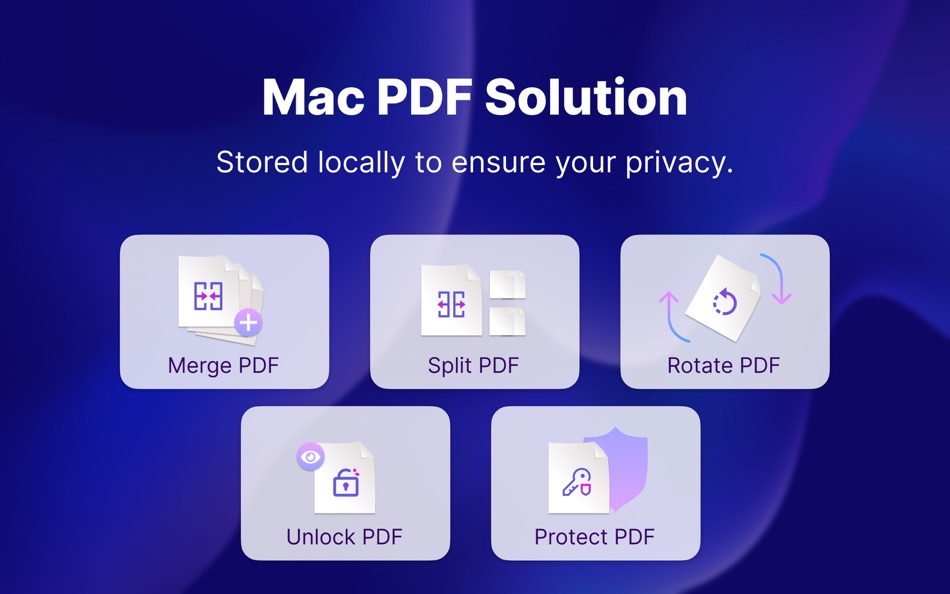
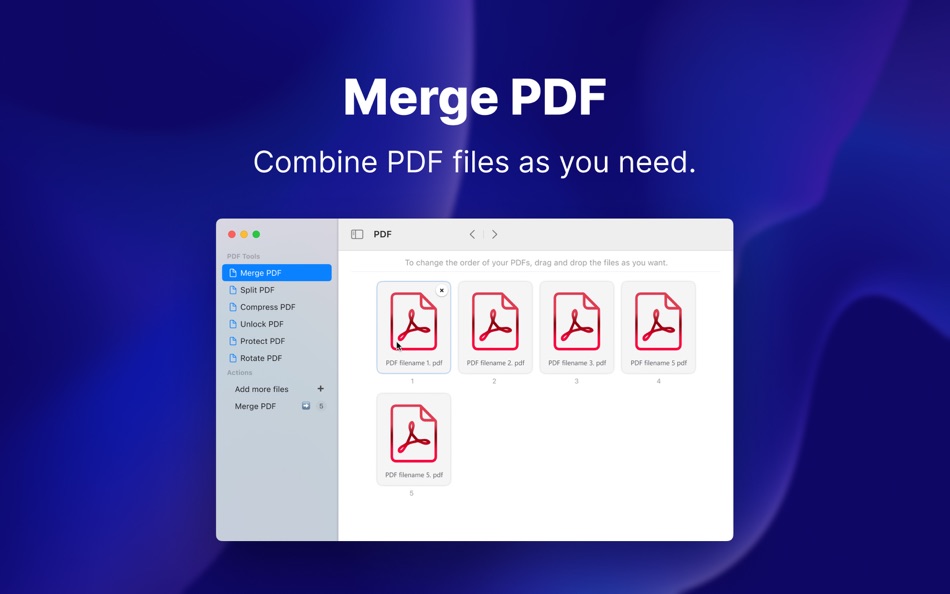
Merge PDFs: Combine multiple PDF files into one cohesive document with just a few clicks.
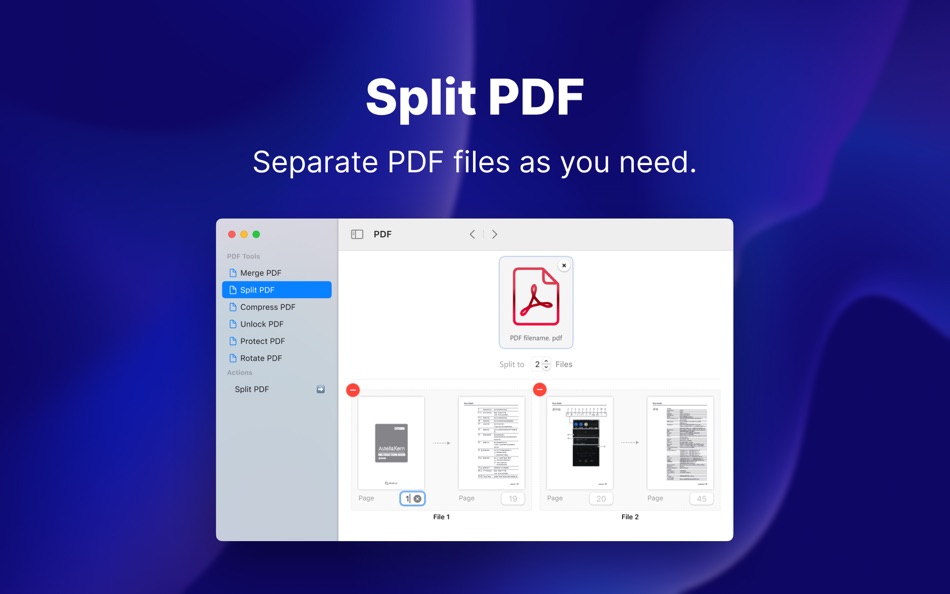
Split PDFs: Easily extract specific pages or divide large PDFs into smaller, more manageable files.
Unlock & Protect: Remove restrictions from password-protected files or secure your documents with robust encryption.
Rotate PDFs: Correct orientation issues effortlessly, ensuring your documents are always perfectly aligned.
Why Choose PDF2U?
User-Friendly Interface: Intuitive design that makes PDF management accessible to everyone.
Fast & Reliable: Enjoy lightning-fast processing times, powered by advanced algorithms.
Completely Free: No hidden fees or in-app purchases – get professional PDF solutions at no cost.
Enhance Your Productivity
PDF2U for macOS is built to help you streamline your document tasks and focus on what matters. Whether you need to consolidate reports, extract key information, or optimize file sizes for easy sharing, PDF2U is your trusted PDF companion.
Download PDF2U today and experience the ultimate PDF utility for macOS – your one-stop solution for all PDF needs.
For support and more information, visit pdf2u.com.
Elevate your document management with PDF2U – simple, powerful, and free.
스크린샷
가격
- 오늘: 무료
- 최소: 무료
- 최대: 무료
가격 추적
개발자
포인트
-

- 10,448 Simon Chan
- +1

순위
0 ☹️
목록
0 ☹️
리뷰
첫 번째 리뷰를 남겨보세요 🌟
추가 정보
- 버전: 1.0.4
- 카테고리:
macOS 앱›생산성 - 운영체제:
macOS,macOS 10.15 이상 - 크기:
2 Mb - 지원되는 언어:
Chinese,Czech,Danish,Dutch,English,Finnish,French,German,Greek,Hungarian,Italian,Japanese,Korean,Norwegian,Polish,Portuguese,Russian,Spanish,Swedish,Thai,Turkish - 콘텐츠 등급:
4+ - Mac App Store 개의 평가:
0 - 업데이트:
- 출시일:
주소록
- 웹사이트:
 https://pdf2u.com/
Nero PDF2U: PDF Toolbox 단축 URL: 복사됨!- 🌟 공유하기
- Mac App Store
당신은 또한 같은 수 있습니다
-
- PDF Compressor & PDF Toolbox
- macOS 앱: 생산성 게시자: 青青 余
- * 무료
- 목록: 0 + 0 순위: 0 리뷰: 0
- 포인트: 1 + 0 버전: 6.3.3 PDF Squeezer - PDF Toolbox is designed for operating PDF files and contains almost all operations you can imagine, such as: compress, merge, split, extract, insert, extract image, ... ⥯
-
- PDF Master - AI & PDF
- macOS 앱: 생산성 게시자: PDF Technologies, Inc.
- 무료
- 목록: 0 + 0 순위: 0 리뷰: 0
- 포인트: 6 + 0 버전: 1.3.0 PDF Master incorporates AI technology to empower your productivity. AI enables advanced features like AI translation, AI rewriting and AI error correction. Besides, PDF Master s rich ... ⥯
- 새로운
- PDF Converter: Reader Editor ®
- macOS 앱: 생산성 게시자: Netron
- * 무료
- 목록: 0 + 0 순위: 0 리뷰: 0
- 포인트: 0 + 0 버전: 1.0.1 PDF Convertor is a modern and efficient PDF workspace built for macOS. With fast conversions, essential PDF tools, secure signing, OCR, and AI-powered PDF chat, it helps you manage ... ⥯
-
- PDF Photos - Converter
- macOS 앱: 생산성 게시자: 崴 杨
- * 무료
- 목록: 0 + 0 순위: 0 리뷰: 0
- 포인트: 0 + 0 버전: 1.3.2 "PDF Photos" is a special converter for PDF files and images. Supports batch conversion of PDF files to image files, supports image output quality customization, and image compression ... ⥯
-
- PDF Attributes
- macOS 앱: 생산성 게시자: Alexey Nikitin & Alexandr Bondar
- 무료
- 목록: 1 + 1 순위: 0 리뷰: 0
- 포인트: 2 + 0 버전: 2.1.2 PDF Attributes are perfect to view and edit basic information about a document Base featured * Edit basic attributes * Detail info about the document * Preview and read PDF document ... ⥯
-
- PDF Squeezer 4
- macOS 앱: 생산성 게시자: Daniel Witt
- $19.99
- 목록: 2 + 3 순위: 0 리뷰: 0
- 포인트: 2 + 0 버전: 4.6.2 PDF Squeezer for macOS makes compressing PDFs easier than ever. Simply drag and drop your file into the app, and it quickly reduces the file size without compromising quality. At the ... ⥯
-
- PDF Editor : PDF Reader,Signer
- macOS 앱: 생산성 게시자: AppDash LLC
- 무료
- 목록: 0 + 1 순위: 0 리뷰: 0
- 포인트: 7 + 66 (4.2) 버전: 1.4.4 PDF Editor is a powerful and user-friendly tool specifically designed for handling PDF files. It integrates a wealth of features that empower you when dealing with PDF files. Here is a ⥯
-
- PDF to JPG - A Batch Converter
- macOS 앱: 생산성 게시자: RootRise Technologies Pvt. Ltd.
- $2.99
- 목록: 0 + 0 순위: 0 리뷰: 0
- 포인트: 0 + 0 버전: 8.0 PDF to JPG is as simple as effective conversion tool for fastest way to batch convert PDF documents into best quality images. PDF to JPG converts each PDF page into JPEG, JPEG2000, ... ⥯
-
- PDF to JPG Converter - JPEG
- macOS 앱: 생산성 게시자: Asad Ahsan
- * 무료
- 목록: 0 + 0 순위: 0 리뷰: 0
- 포인트: 0 + 3 (3.7) 버전: 1.0.2 PDF to JPG Converter Fast, Free & Easy PDF to JPG or PNG Images Conversion Looking for a simple and reliable way to convert PDF to JPG or PNG on your device? The PDF to JPG Converter ... ⥯
-
- PDF Converter, Reader & Editor
- macOS 앱: 생산성 게시자: Muhammad Afzal Noor Muhammad
- * 무료
- 목록: 0 + 1 순위: 0 리뷰: 0
- 포인트: 5 + 0 버전: 6.4 PDF converter is for everyone who wants to convert File to PDF or into other formats or vice versa, without any hassle. This PDF Maker , PDF Reader, PDF Viewer comes with multiple ... ⥯
-
- PDF Shrink: Compress your PDFs
- macOS 앱: 생산성 게시자: Erik Wegener
- $2.99
- 목록: 0 + 1 순위: 0 리뷰: 0
- 포인트: 4 + 0 버전: 1.2.2 PDF Shrink makes it quick and easy to compress your PDF files! There are two presets (High and Medium) that should work for the majority of users, but you can also select custom ... ⥯
-
- PDF Editor - Expert Edit Sign
- macOS 앱: 생산성 게시자: Rainbow Factory LTD - Sticky Notes
- 무료
- 목록: 0 + 1 순위: 0 리뷰: 0
- 포인트: 4 + 18 (4.6) 버전: 1.3 PDF Editor is a powerful PDF annotator for Mac and iOS . It allows you to add notes, highlights, comments, and annotations to your PDF documents with ease. With a user-friendly ... ⥯
-
- PDF Vault
- macOS 앱: 생산성 게시자: 坤 刘
- 무료
- 목록: 0 + 1 순위: 0 리뷰: 0
- 포인트: 1 + 0 버전: 3.0.1 PDF Vault is an easy to use utility to store and encrypt your PDF files. Store and encrypt PDF files - 2 Steps: 1. Launch "PDF Vault", set your password. (First time required). 2. ... ⥯
-
- PDF-Form-Filler Lite
- macOS 앱: 생산성 게시자: Yong Chen
- 무료
- 목록: 0 + 0 순위: 0 리뷰: 0
- 포인트: 1 + 0 버전: 2.2.3 PDF-Form-Filler Lite is a app help you to edit your pdf files. With it you can overlay the text, images, check mark, cross mark and signature onto your pdf files. So you can use it to ... ⥯