
| Dezvoltator: | Xelaton Software (11) | ||
| Preț: | $5.99 | ||
| Clasificări: | 0 | ||
| Recenzii: | 0 Scrie o recenzie | ||
| Comentarii: | 0 Postează comentariu | ||
| Liste: | 0 + 0 | ||
| Punctele: | 1 + 0 ¡ | ||
| Mac App Store | |||
Descriere

Special features of Note-C
### „Open“ storage of your texts Each entry is stored in a separate file, and you can freely choose the location where your entries should be stored. Note-C automatically creates a corresponding, clear folder structure, in which you also can quickly find your entries outside Note-C.
By choosing the location of your choice, you can also conveniently sync your entries through a cloud service using your cloud directory as the storing-location.
In addition, the entries are saved in the open txt format so that you can easily open your entries with other text editors. You keep full control over your entries at any time.
Alternatively, you can also save your entries in the open Textbundle-package-format, which combines all the data of an entry in a file. This is done by a single click in the preferences of Note-C. All information about the Textbundle-format can be found at www.textbundle.org.
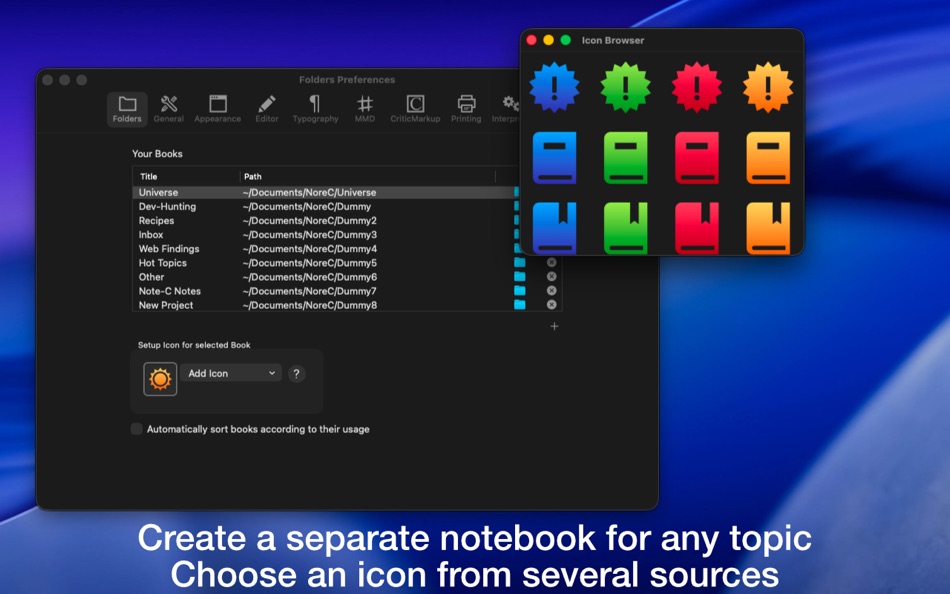
### Creating Multiple Notebooks
Note-C allows you to create as many notebooks as you like, so that you can save your entries, for example, thematically separated from each other.
### Special Editor and Full-Screen Modes
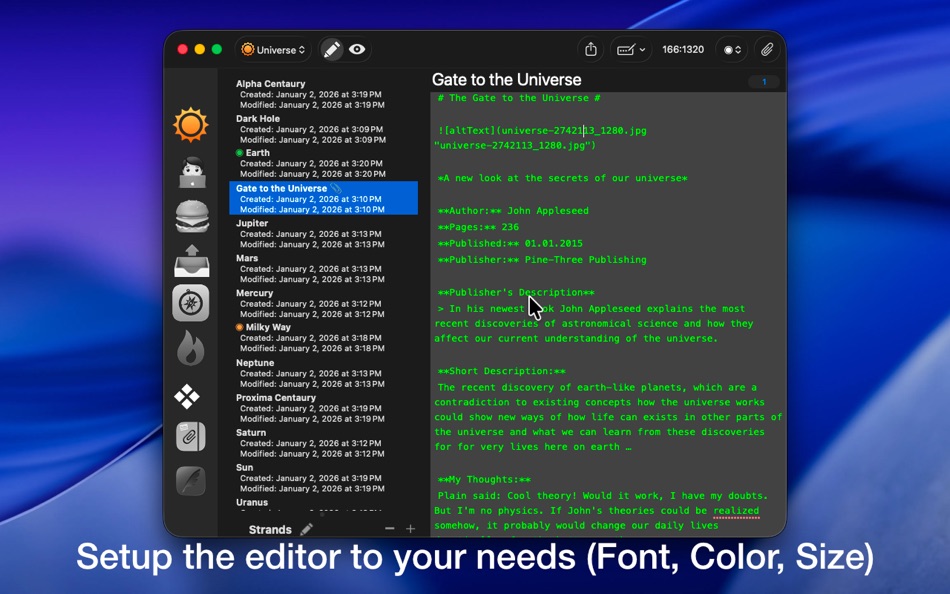
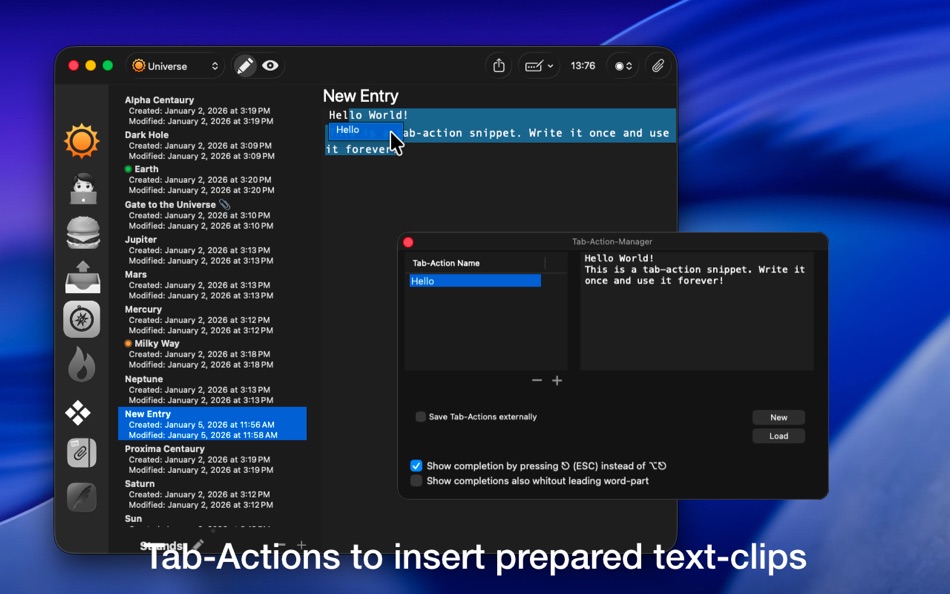
The Note-C editor has many useful features that make writing more efficient and eliminating the need of using the mouse, such as automatic list recognition (* and - characters) or moving text passages using keyboard shortcuts. Furthermore, Note-C offers a built-in Tab-Action-Manager, where you can define texts that are inserted into your entries by a keyword and the Tab-key. In addition, you can visually adjust the editor to your needs in many areas: colors of font and background, font size and type, line spacing and other options.
In addition, Note-C also offers a distraction-free mode in addition to the well-known full-screen mode, where you can concentrate completely on the text.
### Markup Support
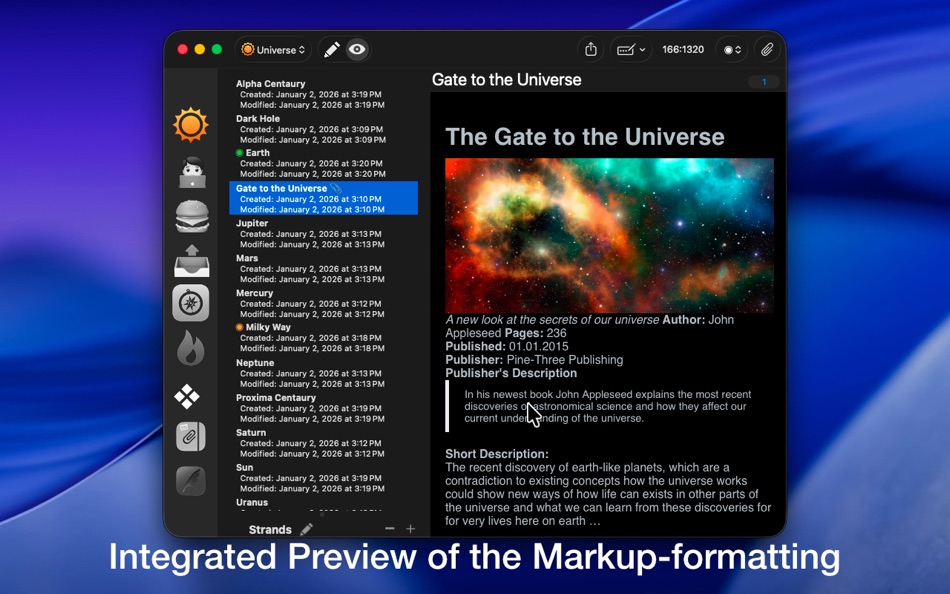
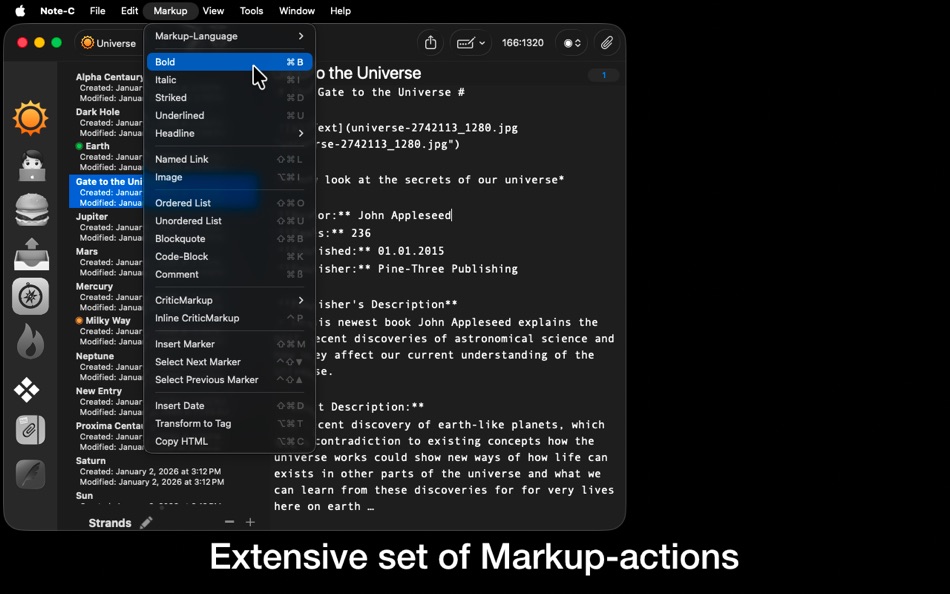
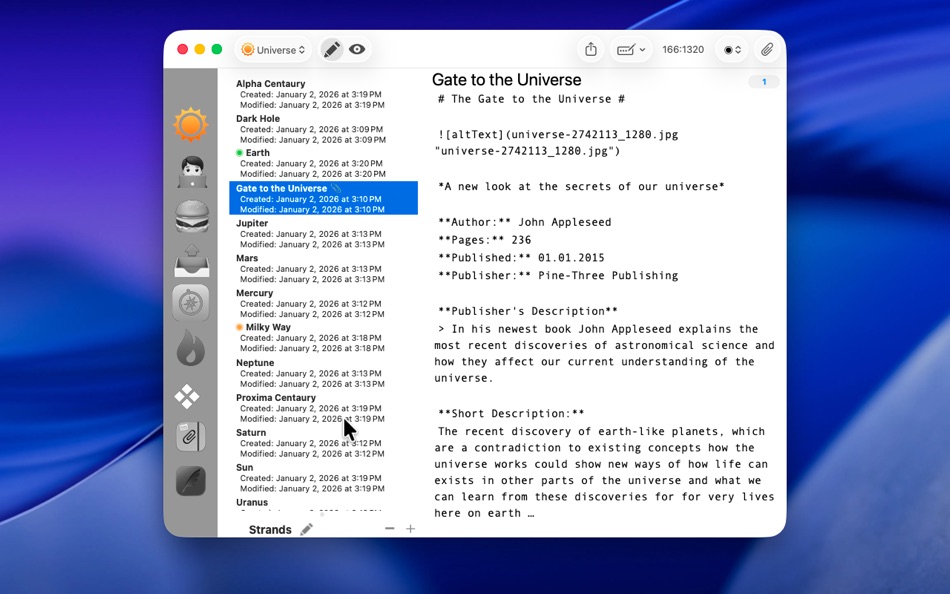
Note-C supports the following markup languages: Markdown, MultiMarkdown, MarkdownExtra, Textile, BBCode, Wikitext, HTML and Smark. All languages supported by Note-C have a rich set of keyboard shortcuts that allow you to efficiently format your texts. In addition, Note-C offers a built-in preview mode to view your formatted entries.
### Collecting External Files
You can create a collection of files for each entry. These files are stored in a separate folder for each entry. Note-C offers the possibility to view many of these files directly in Note-C. Note: Files can not be inserted directly into the text of entries, but you can add images using markup.
### Exporting Entries
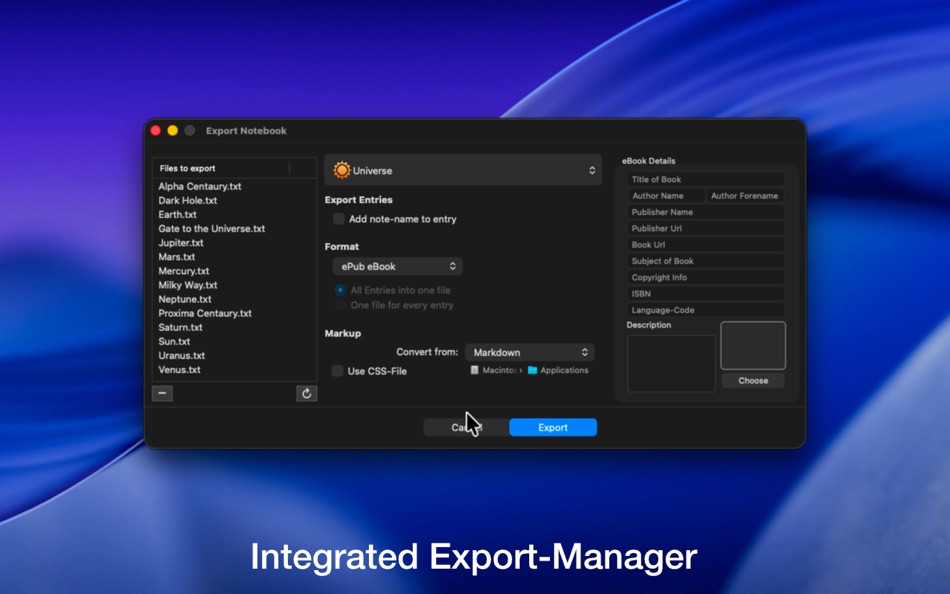
Note-C provides its own Export-Manager, which allows you to export your typed entries into various text formats. The supported formats are plain text, RTF (text only), RTFD, HTML, Doc (text only), ODT (text only), Textbundle, Textpack and PDF. In addition, the export manager of Note-C offers the possibility to export the desired entries as an ePub eBook file.
### Questions?
For more information about Note-C, visit Xelaton.com. There, you can also send me a message in case of problems or questions via the contact form!
Ad
Capturi de ecran

Ce este nou
- Versiune: 2.6.3
- Actualizată:
- ## New:
- Note-C now adopts the new window design in macOS 26
## Improvements:
- Improved command for the action "Move cursor to end of paragraph and perform linebreak"
- TextButler: when a new recipe is created in the settings, it is selected immediately
- TextButler - new ingredients: uppercase letters, lowercase letters, capitalization, basic HTML entity encoding and decoding
- Improvements when reading and writing Textbundle and Textpack files
- Layout of the TextButler interface adapted to the new window scheme of macOS 26
- Minor adjustments to the TextButler settings to work better with macOS Tahoe
## Bug Fixes:
- Fixes a bug when inserting markup via shortcut without selected text, where the undo command does not restore the original state
- An unedited label in the settings is now displayed correctly
## Internal markup parser:
### Smark:
- Improvements in handling bold, underlined, and strikethrough markups
Istoricul prețurilor
- Azi: $5.99
- Minim: $5.99
- Maxim: $7.99
Urmăriți prețurile
Dezvoltator
- Xelaton Software
- Platforme: macOS Aplicații (11)
- Liste: 2 + 1
- Punctele: 4 + 0 ¡
- Clasificări: 0
- Recenzii: 0
- Comentarii: 0
- Reduceri: 0
- Videoclipuri: 0
- RSS: Abonează-te
Ad
Punctele (1)
-

- 543 MichaelTheGeek
- +1

Clasificări (0)
0 ☹️
Liste (0)
0 ☹️
- Note-C
Recenzii (0)
Fii primul care a revizuit 🌟
Informații suplimentare
- Versiune: 2.6.3
- Categorie:
macOS Aplicații›Productivitate - SO:
macOS,macOS 10.13 sau o versiune ulterioară - Mărimea:
4 Mb - Limbă acceptată:
English,French,German - Evaluarea conținutului:
4+ - Mac App Store Evaluare:
0 - Actualizată:
- Data lansării:
Agendă
 https://www.xelaton.com/en/Applications/Note-C
Comentarii (0)
Fii primul care comentează 🌟
«Note-C». Platforma: macOS. Categorie: Productivitate. Dezvoltator: «Xelaton Software». Prima lansare: . Ultima actualizare: . Prețul actual: $5.99. Cel mai mic preț înregistrat: $5.99 (). Cel mai mare preț înregistrat: $7.99 (). Acest titlu nu a primit încă evaluări sau recenzii pe AppAgg. Puncte urmărite: confirmate 1, indirecte 0. Limbi disponibile: English, French, German. AppAgg urmărește istoricul prețurilor, evaluările și feedbackul utilizatorilor pentru «Note-C». Urmăriți reducerile și actualizările viitoare prin RSS. AppAgg nu găzduiește aplicații și nu distribuie software. Toate mărcile comerciale, siglele și capturile de ecran aparțin proprietarilor respectivi.
Note-C Adresă URL scurtă: Copiate!- 🌟 Trimite
- Mac App Store
S-ar putea sa-ti placa si
-
- Note'n'do Web Clipper
- macOS Aplicații: Productivitate De: Alex Stotz
- Gratuit
- Liste: 0 + 0 Clasificări: 0 Recenzii: 0
- Punctele: 0 + 0 Comentarii: 0 Versiune: 2.22.42 Please note that this web clipper is specifically designed for use with the NND application. Note'n'do Web Clipper allows you to create snippets from web pages. All snippets are ... ⥯
-
- Note App For Google Keep
- macOS Aplicații: Productivitate De: Farhana Farooq
- * Gratuit
- Liste: 0 + 0 Clasificări: 0 Recenzii: 0
- Punctele: 1 + 0 Comentarii: 0 Versiune: 1.0.4 Introducing the ultimate Notes app designed to make note-taking, organizing, and creativity easier than ever! With our powerful and intuitive features, you can capture your ideas, ... ⥯
-
- Note & Writing - ConniePad
- macOS Aplicații: Productivitate De: Huy Le
- $59.99
- Liste: 0 + 0 Clasificări: 0 Recenzii: 0
- Punctele: 0 + 0 Comentarii: 0 Versiune: 7.0.38 ConniePad is built for those who need speed, flexibility, and total control over their notes without relying on the internet. Why ConniePad? - Works Anywhere No login, no cloud ... ⥯
-
- Capture Note - Note On Screen
- macOS Aplicații: Productivitate De: Jaeil Roh
- Gratuit
- Liste: 0 + 0 Clasificări: 0 Recenzii: 0
- Punctele: 2 + 0 Comentarii: 0 Versiune: 0.1.15 "Capture Note" provides fastest and easiest way to make notes over the screenshot. You can easily take screenshots and writes notes on them. You can easily save it image file or copy ... ⥯
-
- base note
- macOS Aplicații: Productivitate De: Alistair Dark
- $2.99
- Liste: 0 + 0 Clasificări: 0 Recenzii: 0
- Punctele: 0 + 0 Comentarii: 0 Versiune: 1.61 Drowning in complex features and information overload? Base Note is the radically simple writing app designed as a sanctuary for your thoughts. Cut through the noise, regain focus, and ⥯
-
- App Note Maker
- macOS Aplicații: Productivitate De: Ebey Tech LLC
- * $1.99
- Liste: 0 + 1 Clasificări: 0 Recenzii: 0
- Punctele: 1 + 0 Comentarii: 0 Versiune: 1.0 Innovative concept for creating and managing notes for individual apps. Add apps into a main list and create notes for the apps. When a chosen app's UI is focused the built-in menubar ... ⥯
-
- Notebook : AI Note Taker App
- macOS Aplicații: Productivitate De: ZEN TECH
- * Gratuit
- Liste: 0 + 0 Clasificări: 0 Recenzii: 0
- Punctele: 0 + 0 Comentarii: 0 Versiune: 1.0.1 Turn your content into insights with Notebook - AI Note Taker, your ultimate AI-powered learning and productivity companion. Millions of students, professionals, creators, researchers, ⥯
- Nou
- Lightning Note
- macOS Aplicații: Productivitate De: 庆 田
- Gratuit
- Liste: 0 + 0 Clasificări: 0 Recenzii: 0
- Punctele: 0 + 0 Comentarii: 0 Versiune: 1.0.11 Lightning Note provides the easy to use and fast note function on Mac system. The wonderful function it provides as below: 1> One click to open the note from top menu bar 2> Support ... ⥯
-
- Flash Note - No Dock
- macOS Aplicații: Productivitate De: Paulo Martins
- $4.99
- Liste: 0 + 0 Clasificări: 0 Recenzii: 0
- Punctele: 0 + 0 Comentarii: 0 Versiune: 1.0.3 Take notes instantly, distraction-free. Flash Note is a minimalist app that lets you capture notes instantly from your Mac s menu bar. Never lose an idea or an important note again ... ⥯
- -100%
- Handy Note - Sticky Notes
- macOS Aplicații: Productivitate De: FIPLAB Ltd
- ▼ Gratuit
$4.99-100% - Liste: 0 + 1 Clasificări: 0 Recenzii: 0
- Punctele: 6 + 0 Comentarii: 0 Versiune: 1.0.5 Handy Note is a beautifully crafted sticky note app for your Mac. Quickly jot down ideas, tasks and important information - and keep it all visible right on your desktop. Search with ... ⥯
-
- Sticky Notes – Note Widget
- macOS Aplicații: Productivitate De: AppYogi Software
- $9.99
- Liste: 0 + 1 Clasificări: 0 Recenzii: 0
- Punctele: 13 + 0 Comentarii: 0 Versiune: 2.3 The Simplest Way to Take Notes on Your Mac Sticky Notes lets you jot down thoughts, reminders, and to-do lists instantly right on your Mac desktop. Whether you re organizing your day, ... ⥯
-
- Quick Note Taking – Type
- macOS Aplicații: Productivitate De: Papercones Inc.
- * Gratuit
- Liste: 1 + 1 Clasificări: 0 Recenzii: 0
- Punctele: 11 + 0 Comentarii: 0 Versiune: 1.5.1 Type lets you quickly capture notes from anywhere. Type does quick note-taking better than Quick Notes Justin Pot, Lifehacker Being able to quickly note without being taken out of my ... ⥯
-
- Jot it down - Minimal note app
- macOS Aplicații: Productivitate De: Huong Do
- * Gratuit
- Liste: 1 + 0 Clasificări: 0 Recenzii: 0
- Punctele: 5 + 0 Comentarii: 0 Versiune: 2.2.0 A simple app to quickly note down ideas or checklists. Highlights: - No formatting - focus on your contents only. - Window always stays on top. - Can copy checklist with Markdown ... ⥯
-
- AI Note Taker App: Voice Notes
- macOS Aplicații: Productivitate De: Abdul Haseeb
- $4.99
- Liste: 0 + 0 Clasificări: 0 Recenzii: 0
- Punctele: 1 + 0 Comentarii: 0 Versiune: 1.0.1 AI Note Taker Smart Notes, Voice Memos, and Instant Document Creation Experience the next generation of note taking with AI Note Taker, the all-in-one solution designed to help you ... ⥯