
| Dezvoltator: | Alexander Kovrazhkin (1) | ||
| Preț: | Gratuit | ||
| Clasificări: | 0 | ||
| Recenzii: | 0 Scrie o recenzie | ||
| Comentarii: | 0 Postează comentariu | ||
| Liste: | 0 + 1 | ||
| Punctele: | 1 + 1 (5.0) ¡ | ||
| App Store | |||
Descriere

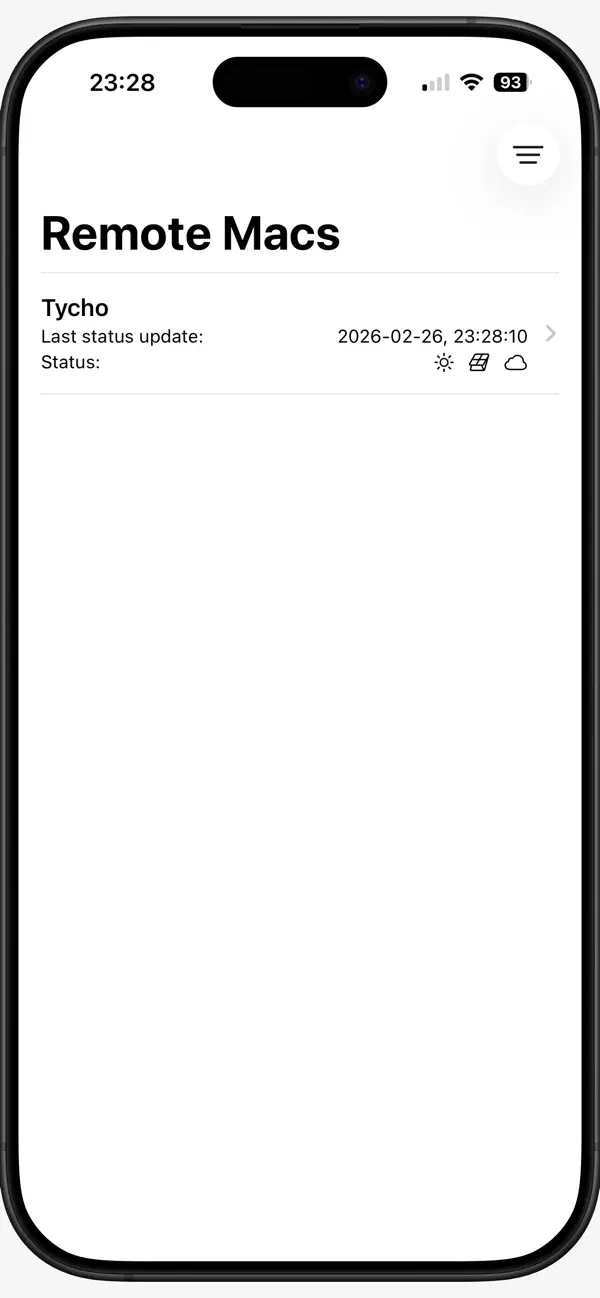
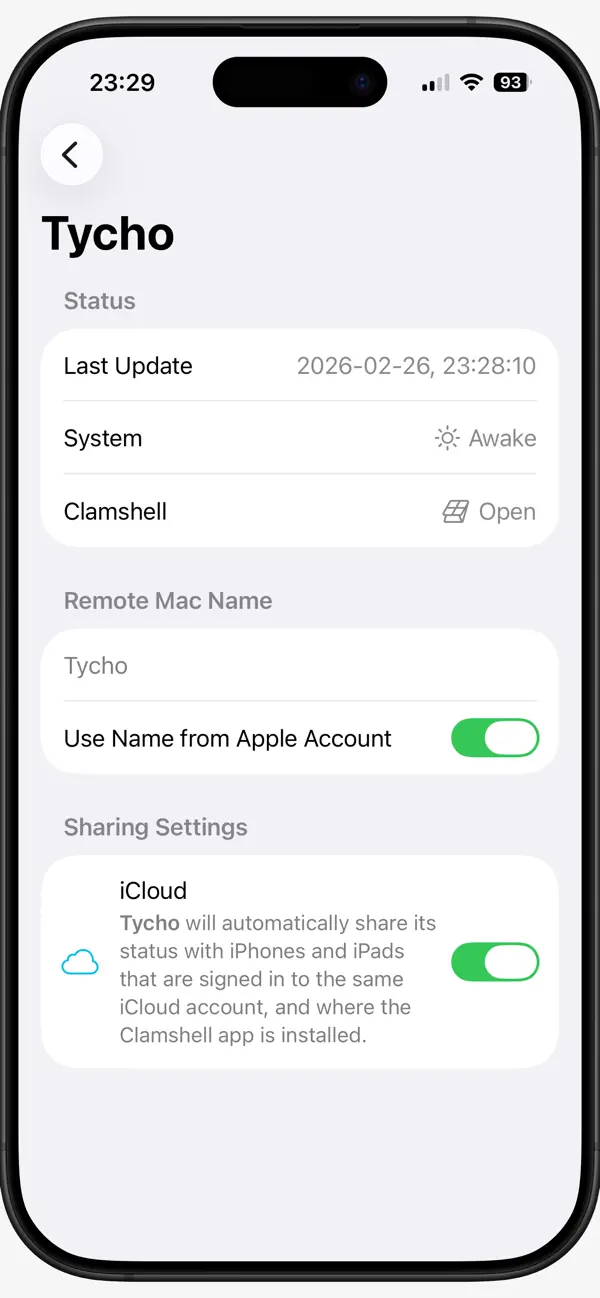
This is an iOS version of the Clamshell app. It provides monitoring states of all your Macs from your iPhones and iPads that are signed in to the same iCloud account.
Clamshell now supports sharing the laptop lid statuses and system statuses (Awake, Sleeping, Logging out, Restarting, Shutting down, Restarted, Shut Down, User Logged Out, App Terminated). More statuses will come in the year.
No data is shared with third-party providers. Clamshell is not using any external servers but only Apple's iCloud servers. You're in full control of your data!
Note for users of iMac, Mac mini, Mac Studio, and Mac Pro: Clamshell is useful for you finally! Use it to monitor statuses of your Mac desktops remotely from iPhone/iPad. Yay!
Ad
Capturi de ecran
Ce este nou
- Versiune: 2.1
- Actualizată:
- Clamshell now supports sharing system statuses with iCloud: Awake, Sleeping, Logging out, Restarting, Shutting down, Restarted, Shut Down, User Logged Out, App Terminated.
To see these statuses in the iOS version of the Clamshell app, you should update macOS and iOS versions on all your devices to the 2.1+.
Note for users of iMac, Mac mini, Mac Studio, and Mac Pro: Clamshell is useful for you finally! Use it to monitor statuses of your Mac desktops remotely from iPhone/iPad. Yay!
Istoricul prețurilor
- Azi: Gratuit
- Minim: Gratuit
- Maxim: Gratuit
Urmăriți prețurile
Ad
Dezvoltator
- Alexander Kovrazhkin
- Platforme: iOS Aplicații (1)
- Liste: 0 + 1
- Punctele: 1 + 1 ¡
- Clasificări: 0
- Recenzii: 0
- Comentarii: 0
- Reduceri: 0
- Videoclipuri: 0
- RSS: Abonează-te
Punctele (1)
-

- 543 MichaelTheGeek
- +1

Clasificări (0)
0 ☹️
Liste (0)
0 ☹️
- Clamshell
Recenzii (0)
Fii primul care a revizuit 🌟
Comentarii (0)
Fii primul care comentează 🌟
Informații suplimentare
- Versiune: 2.1
- Categorie:
iOS Aplicații›Utilități - SO:
iPad,iPhone,macOS,iOS 18.4 sau o versiune ulterioară - Mărimea:
8 Mb - Limbă acceptată:
English - Evaluarea conținutului:
4+ - App Store Evaluare:
5.0(1) - Actualizată:
- Data lansării:
«Clamshell». Platforma: iOS. Categorie: Utilități. Dezvoltator: «Alexander Kovrazhkin». Prima lansare: . Ultima actualizare: . Prețul actual: gratuit. Acest titlu nu a primit încă evaluări sau recenzii pe AppAgg. Puncte urmărite: confirmate 1, indirecte 1. Magazin: App Store. Evaluare magazin: 5.0. Voturi: 1. Limbi disponibile: English. AppAgg urmărește istoricul prețurilor, evaluările și feedbackul utilizatorilor pentru «Clamshell». Urmăriți reducerile și actualizările viitoare prin RSS. AppAgg nu găzduiește aplicații și nu distribuie software. Toate mărcile comerciale, siglele și capturile de ecran aparțin proprietarilor respectivi.
Clamshell Adresă URL scurtă: Copiate!- 🌟 Trimite
- App Store
S-ar putea sa-ti placa si
- Nou
- Clamshell - AI Funny Replies
- iOS Aplicații: Divertisment De: Make Work Fun Corporation
- Gratuit
- Liste: 0 + 0 Clasificări: 0 Recenzii: 0
- Punctele: 0 + 0 Comentarii: 0 Versiune: 1.0.1 AI-powered replies for every chat. 100% Free. Actually funny. Clamshell is an AI app that makes you funnier in real time. Connect Discord or WhatsApp, and our AI learns your humor ... ⥯
-
- Lark Cake Shop
- iOS Aplicații: Mâncare și băutură De: Express Delivery Group Inc.
- Gratuit
- Liste: 0 + 0 Clasificări: 0 Recenzii: 0
- Punctele: 0 + 5 (5.0) Comentarii: 0 Versiune: 1.20.0 We specialize in the rich, sweet and delicious. Whenever possible we use the freshest locally produced or distributed ingredients in our products. We crack our own eggs every day. We ... ⥯