
| ผู้พัฒนา: | SeungWoo Lee (3) | ||
| ราคา: | $1.00 | ||
| การจัดอันดับ: | 0 | ||
| ความเห็น: | 0 เขียนความเห็น | ||
| ความเห็น: | 0 โพสต์ความคิดเห็น | ||
| รายการ: | 0 + 0 | ||
| แต้มแล: | 0 + 0 ¡ | ||
| Mac App Store | |||
คำอธิบาย

A simple cleaning mode for your screen.
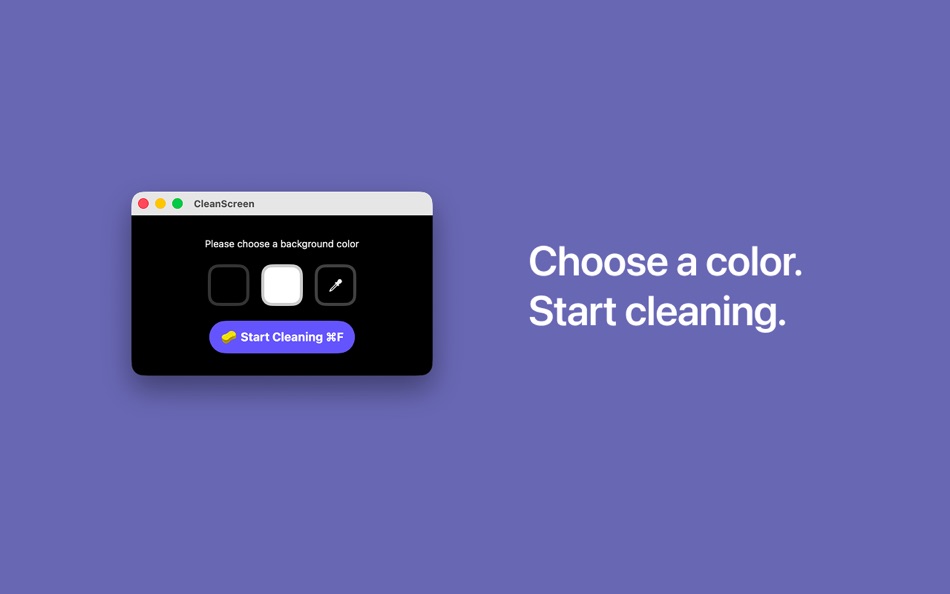
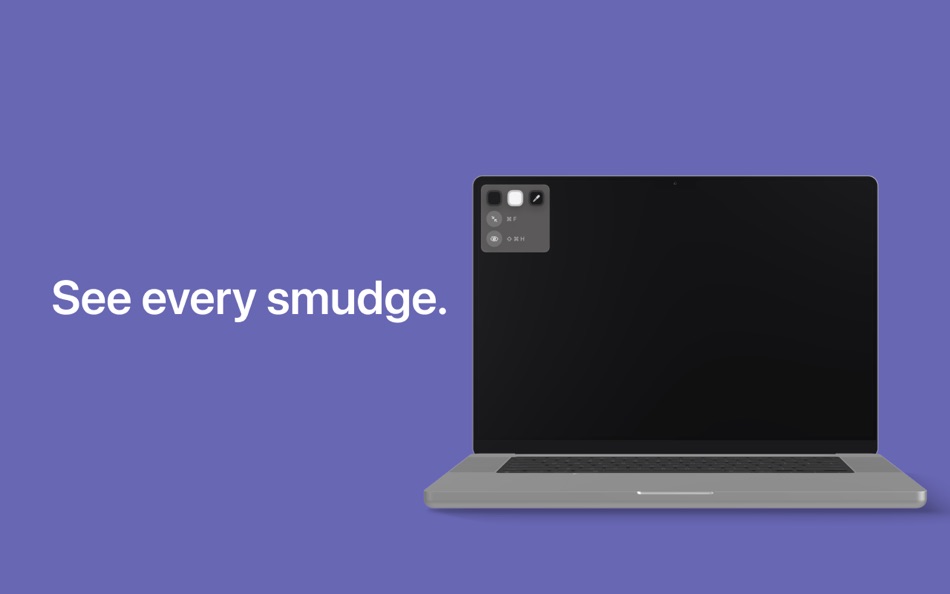
CleanScreen turns your display into a solid, distraction-free surface so you can easily wipe away dust, fingerprints, and smudges.
Features
• Full-screen solid color display
• Instantly reveal fingerprints and smudges
• Choose the color that works best for you
• Minimal and lightweight
• Perfect for quick screen cleaning
No setup required.
Just open the app, pick a color, and start cleaning.
Keep your screen spotless.
Ad
ภาพหน้าจอ

มีอะไรใหม่
- เวอร์ชัน: 1.0.1
- อัปเดต:
- Improved compatibility by adjusting the minimum supported macOS version.
ประวัติราคา
- วันนี้: $1.00
- ต่ำสุด: $1.00
- มากที่สุด: $1.00
ติดตามราคา
ผู้พัฒนา
- seungwoo Lee
- แพลตฟอร์ม: iOS แอป (2) macOS แอป (1)
- รายการ: 0 + 0
- แต้มแล: 0 + 0 ¡
- การจัดอันดับ: 0
- ความเห็น: 0
- ความเห็น: 0
- ลดราคา: 0
- วิดีโอ: 0
- RSS: ติดตาม
แต้มแล (0)
0 ☹️
การจัดอันดับ (0)
0 ☹️
รายการ (0)
0 ☹️
- CleanScreen
ความเห็น (0)
แสดงรีวิวเป็นคนแรกเลย 🌟
ข้อมูลเพิ่มเติม
«CleanScreen». แพลตฟอร์ม: macOS. หมวดหมู่: ยูทิลิตี้. ผู้พัฒนา: «SeungWoo Lee». การเปิดตัวครั้งแรก: . อัปเดตล่าสุด: . ราคาปัจจุบัน: $1.00. ราคาต่ำสุดที่บันทึกไว้: $1.00. ราคาสูงสุดที่บันทึกไว้: $1.00. ชื่อนี้ยังไม่ได้รับการให้คะแนนหรือบทวิจารณ์บน AppAgg ภาษาที่ใช้ได้: Arabic, Chinese, English, French, Japanese, Korean, Russian, Spanish. AppAgg ติดตามประวัติราคา การให้คะแนน และคำติชมของผู้ใช้ «CleanScreen». ส่วนลดและอัปเดตในอนาคต: RSS. AppAgg ไม่ได้โฮสต์แอปพลิเคชันหรือแจกจ่ายซอฟต์แวร์ เครื่องหมายการค้า โลโก้ และภาพหน้าจอทั้งหมดเป็นของเจ้าของที่เกี่ยวข้อง
ความเห็น (0)
เป็นคนแรกที่แสดงความเห็น 🌟
CleanScreen URL แบบสั้น: คัดลอกแล้ว!- 🌟 แชร์
- Mac App Store
Ad
คุณอาจชอบ
-
- Clean
- macOS แอป: ยูทิลิตี้ โดย: Median Tech, s.r.o.
- ฟรี
- รายการ: 0 + 2 การจัดอันดับ: 0 ความเห็น: 0
- แต้มแล: 3 + 0 ความเห็น: 0 เวอร์ชัน: 1.0.3 Clean your desktop with one click or clean automatically every day. Why you need Clean: Take a look at your desktop right now and think -- how many of those files do you actually need? ⥯
-
- Screen Grabber
- macOS แอป: ยูทิลิตี้ โดย: Cornelius Rautenbach
- ฟรี
- รายการ: 0 + 0 การจัดอันดับ: 0 ความเห็น: 0
- แต้มแล: 0 + 0 ความเห็น: 0 เวอร์ชัน: 1.1.3 Screen Grabber is a powerful yet simple screenshot tool for macOS that lets you capture, annotate, and save screenshots with ease. FEATURES: - Quick capture with customizable keyboard ... ⥯
-
- Clean keyboard
- macOS แอป: ยูทิลิตี้ โดย: Ewgeniy Isurov
- $1.99
- รายการ: 0 + 0 การจัดอันดับ: 0 ความเห็น: 0
- แต้มแล: 0 + 0 ความเห็น: 0 เวอร์ชัน: 1.1 Clean Keyboard is a simple utility that lets you safely clean your keyboard without triggering unwanted keystrokes. Whether you re removing dust, wiping away fingerprints, or just ... ⥯
-
- Screen Guard
- macOS แอป: ยูทิลิตี้ โดย: Life Changing AI LLC
- ฟรี
- รายการ: 0 + 0 การจัดอันดับ: 0 ความเห็น: 0
- แต้มแล: 0 + 0 ความเห็น: 0 เวอร์ชัน: 1.2 Screen Guard keeps your private windows out of sight the moment you start screen mirroring or connect an external monitor or unlock your Mac so you can focus on your presentation ... ⥯
-
- Screen Expander
- macOS แอป: ยูทิลิตี้ โดย: Vitalii Vashchenko
- $6.99
- รายการ: 0 + 0 การจัดอันดับ: 0 ความเห็น: 0
- แต้มแล: 0 + 0 ความเห็น: 0 เวอร์ชัน: 1.3.2 Let the display of your MacBook to automatically adjust to the apps you're using. Screen Expander is not a resolution switcher even though it can be used as one. It was designed as a ... ⥯
-
- Screen Replay - 屏幕回放
- macOS แอป: ยูทิลิตี้ โดย: 冰心 李
- $0.99
- รายการ: 0 + 0 การจัดอันดับ: 0 ความเห็น: 0
- แต้มแล: 0 + 0 ความเห็น: 0 เวอร์ชัน: 1.0.8 Always On, Always Ready Screen Replay is a revolutionary app that transforms your screen into a powerful memory tool. With a single click, you can rewind and instantly replay the last ... ⥯
-
- Screen Curtain
- macOS แอป: ยูทิลิตี้ โดย: Alexandr Dimerets
- $2.99
- รายการ: 0 + 0 การจัดอันดับ: 0 ความเห็น: 0
- แต้มแล: 0 + 0 ความเห็น: 0 เวอร์ชัน: 1.3.1 This small and non-intrusive application helps you "hide" all your icons from the desktop instantly and, of course, you can have them back at any time! Screen Curtain is highly ... ⥯
-
- Screen Annotation+
- macOS แอป: ยูทิลิตี้ โดย: 金玲 李
- $0.99
- รายการ: 0 + 1 การจัดอันดับ: 0 ความเห็น: 0
- แต้มแล: 8 + 0 ความเห็น: 0 เวอร์ชัน: 3.0.2 Screen Annotation+ is a lightweight but powerful screen annotation tool, especially suitable for users who need to frequently perform screen annotation and demonstration. It has the ... ⥯
- ใหม่
- Screen Clean Mode
- macOS แอป: ยูทิลิตี้ โดย: 鑫 赵
- ฟรี
- รายการ: 0 + 0 การจัดอันดับ: 0 ความเห็น: 0
- แต้มแล: 0 + 0 ความเห็น: 0 เวอร์ชัน: 1.0.1 Screen Clean Mode: clean your Mac screen without accidental clicks Screen Clean Mode helps you clean your Mac screen without mis-clicks or unwanted actions. When Cleaning Mode is ... ⥯
-
- Screen Mirror
- macOS แอป: ยูทิลิตี้ โดย: 代莉 陈
- $4.99
- รายการ: 2 + 1 การจัดอันดับ: 0 ความเห็น: 0
- แต้มแล: 0 + 0 ความเห็น: 0 เวอร์ชัน: 4.0 Screen Mirror is the simplest and easiest way to capture, edit and share your iDevice's screen with friends. Screen Mirror is the most powerful app for mirroring and display your ... ⥯
-
- Screen Brush Ultra
- macOS แอป: ยูทิลิตี้ โดย: 君 许
- * ฟรี
- รายการ: 0 + 1 การจัดอันดับ: 0 ความเห็น: 0
- แต้มแล: 2 + 0 ความเห็น: 0 เวอร์ชัน: 7.1 Screen Brush Ultra is a useful utility which allows you to draw and write directly on your desktop above all of your running application windows. It is a tool which designed for ... ⥯
-
- Screen Recorder - App Recorder
- macOS แอป: ยูทิลิตี้ โดย: 裕涛 兰
- ฟรี
- รายการ: 0 + 1 การจัดอันดับ: 0 ความเห็น: 0
- แต้มแล: 2 + 0 ความเห็น: 0 เวอร์ชัน: 1.0.10 Screen Recorder is a powerful Mac screen recording software that allows you to record any on-screen activity in high definition. Features: - Record system sound - Record screen - ... ⥯
-
- Screen Annotation
- macOS แอป: ยูทิลิตี้ โดย: Nguyen Vu
- ฟรี
- รายการ: 1 + 0 การจัดอันดับ: 0 ความเห็น: 0
- แต้มแล: 1 + 0 ความเห็น: 0 เวอร์ชัน: 1.0 Screen Annotation, Drawing Desktop or Presentation Annotation You can draw line, arrow, rectangle, circle on Desktop Screen to help describe you presentation effectively and clearly. ... ⥯
-
- Screen Translate
- macOS แอป: ยูทิลิตี้ โดย: 韩 明洁
- ฟรี
- รายการ: 0 + 0 การจัดอันดับ: 0 ความเห็น: 0
- แต้มแล: 1 + 0 ความเห็น: 0 เวอร์ชัน: 1.0 Screen translate uses macOS's built-in translation interface, supporting mutual translation between up to 19 languages. By capturing the screen image, performing Apple's text ... ⥯