
| Dezvoltator: | Jigar Patel (4) | ||
| Preț: | * Gratuit | ||
| Clasificări: | 0 | ||
| Recenzii: | 0 Scrie o recenzie | ||
| Liste: | 0 + 0 | ||
| Punctele: | 0 + 0 ¡ | ||
| Mac App Store | |||
Descriere

PresenterEye provides a real-time preview of your external display right on your laptop screen. Whether you're presenting to a classroom, boardroom, or conference hall, you'll always know exactly what your audience sees—without turning around.
PERFECT FOR:
Presenters & Public Speakers
Teachers & Trainers
Live Streamers & Content Creators
Conference Speakers
Sales Professionals
Anyone using projectors or external monitors
KEY FEATURES:
Real-Time Preview
Live capture of your external display with minimal lag
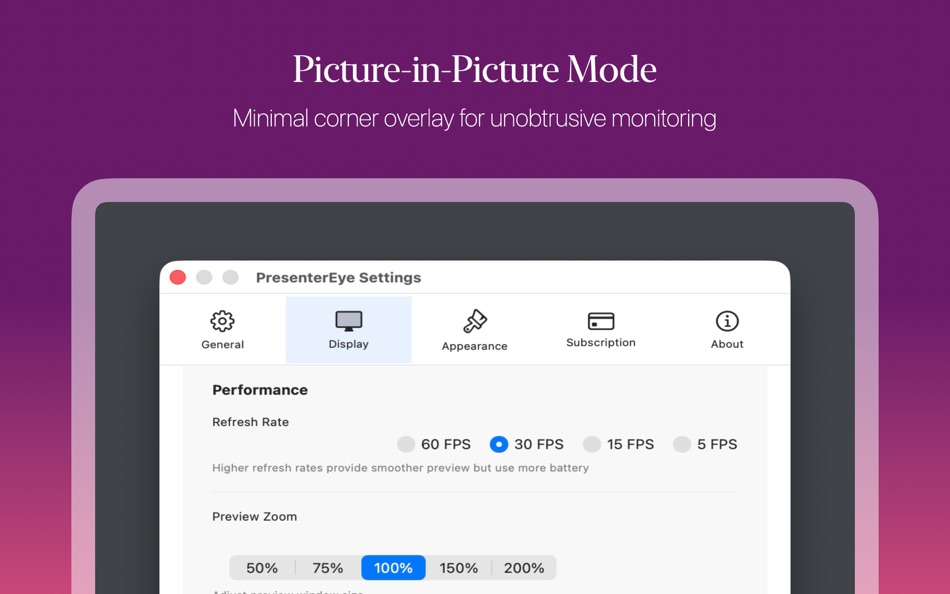
Adjustable refresh rates (5-60 FPS) for optimal performance
Support for multiple external displays
Automatic display detection
Flexible Window Controls
Resizable preview window with zoom (50%-200%)
Picture-in-Picture mode for minimal overlay
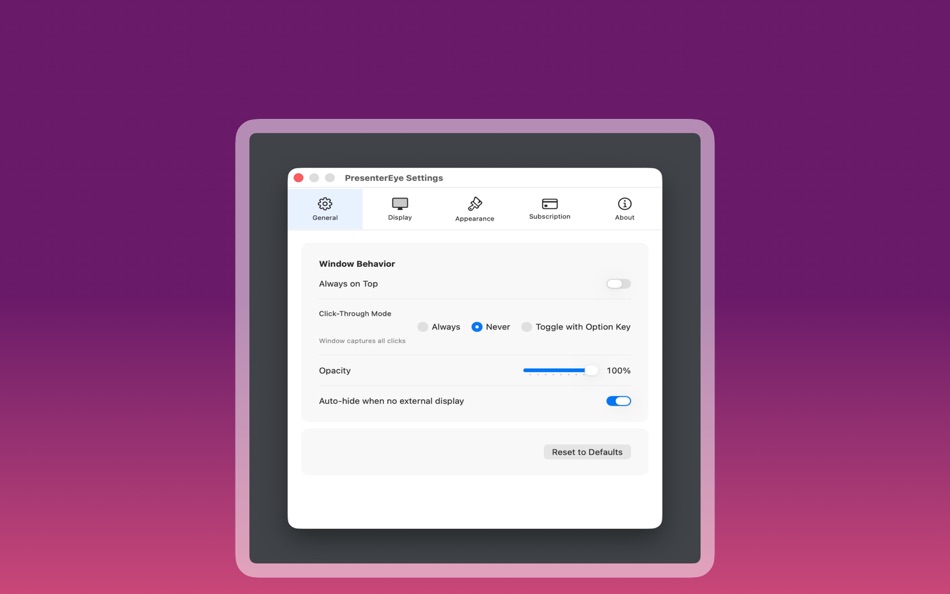
Always-on-top option for constant visibility
Adjustable opacity (20%-100%)
Smart click-through modes
Screenshot Capture
Instant screenshot to clipboard
Save screenshots to Desktop with timestamp
Quick capture without interrupting your presentation
Automatic Finder reveal
Customizable Appearance
Choose from multiple border colors
Adjustable border width
Custom opacity settings
Dark mode support
Performance Options
Multiple refresh rate presets
Battery-friendly lower refresh modes
Smooth 60 FPS for critical presentations
Minimal CPU usage
Smart Controls
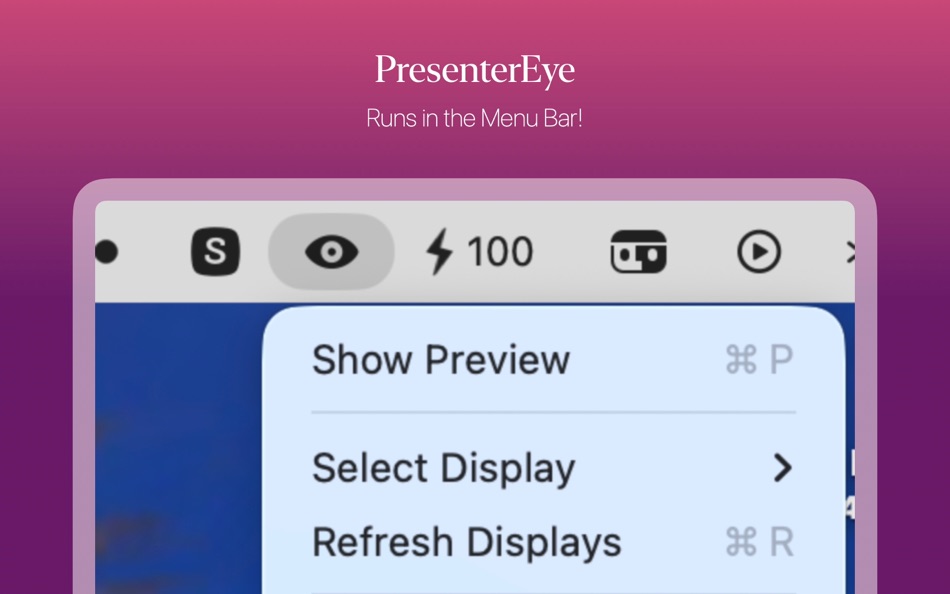
Menu bar icon for quick access
Global keyboard shortcuts (⌘⇧P to toggle)
Display selection from menu bar
Easy settings access
Picture-in-Picture
Compact corner preview mode
Four corner position options
Three size presets (Small, Medium, Large)
Always stays on top
Privacy & Permissions
Requires Screen Recording permission (system requirement)
All processing happens locally on your Mac
No data collection or cloud uploads
Your presentations stay private
PRICING:
7-day free trial with full features
One-time lifetime purchase option
Flexible subscription plans
All features included in every plan
SYSTEM REQUIREMENTS:
macOS 11.0 or later
Screen Recording permission
External display or projector
KEYBOARD SHORTCUTS:
⌘⇧P - Toggle Preview Window
⌘, - Open Settings
⌥ (Option) - Click-through toggle
Stop turning your back on your audience. Stay engaged, maintain eye contact, and deliver better presentations with PresenterEye.
Download now and start your free 7-day trial!
Terms of Use: https://www.apple.com/legal/internet-services/itunes/dev/stdeula/
Capturi de ecran

Ce este nou
- Versiune: 1.1
- Actualizată:
- Fix issue with unlock full features still appearing after subscription.
Preț
-
* Achiziții în aplicație - Azi: Gratuit
- Minim: Gratuit
- Maxim: Gratuit
Urmăriți prețurile
Dezvoltator
- Jigar Patel
- Platforme: iOS Aplicații (2) macOS Aplicații (2)
- Liste: 0 + 0
- Punctele: 0 + 1 ¡
- Clasificări: 0
- Recenzii: 0
- Reduceri: 0
- Videoclipuri: 0
- RSS: Abonează-te
Punctele
0 ☹️
Clasificări
0 ☹️
Liste
0 ☹️
Recenzii
Fii primul care a revizuit 🌟
Informații suplimentare
- Versiune: 1.1
- Categorie:
macOS Aplicații›Utilități - SO:
macOS,macOS 26.0 sau o versiune ulterioară - Mărimea:
711 Kb - Limbă acceptată:
English - Evaluarea conținutului:
4+ - Mac App Store Evaluare:
0 - Actualizată:
- Data lansării:
Agendă
- Website:
 https://minimalmuse.cc/presentereye
PresenterEye - Display Preview Adresă URL scurtă: Copiate!- 🌟 Trimite
- Mac App Store
S-ar putea sa-ti placa si
-
- Display Maid
- macOS Aplicații: Utilități De: Funk-iSoft LLC
- $5.99
- Liste: 0 + 0 Clasificări: 0 Recenzii: 0
- Punctele: 0 + 0 Versiune: 3.3.10 Display Maid allows you to save and restore window locations based on your display configuration or user created profiles. If you have a laptop that you use with one or more external ... ⥯
-
- Display Menu
- macOS Aplicații: Utilități De: Milch im Gemüsefach
- Gratuit
- Liste: 0 + 0 Clasificări: 0 Recenzii: 0
- Punctele: 0 + 0 Versiune: 2.2.5 Display Menu shows a status item in your menu bar that lets you change your display settings with a single click. Depending on your display setup, you can set the screen resolution, ... ⥯
-
- Display Connection Information
- macOS Aplicații: Utilități De: Daniel Gauthier
- $3.99
- Liste: 0 + 0 Clasificări: 0 Recenzii: 0
- Punctele: 0 + 0 Versiune: 26.1 ¡Hola! Bonjour! Hallo! Now in Spanish, French & German, and fully accessible with VoiceOver support and a new Increase Contrast Mode for crystal-clear details. Unlock the true ... ⥯
-
- Preview Folders
- macOS Aplicații: Utilități De: Sergei Saliukov
- Gratuit
- Liste: 0 + 0 Clasificări: 0 Recenzii: 0
- Punctele: 1 + 0 Versiune: 26.0.1 This handy extension lets you preview the contents of any folder How to Use? 1. Open Settings and go to General -> Login Items & Extensions 2. Scroll down to the "Extensions" section ... ⥯
-
- Eye-Friendly
- macOS Aplicații: Utilități De: Jörg Jacobsen
- $4.99
- Liste: 1 + 1 Clasificări: 0 Recenzii: 0
- Punctele: 0 + 0 Versiune: 1.2 Display Resolution Switching gets casual. Four mice in Macworld review Recommended by Marco Arment (www.marco.org/2013/02/21/eye-friendly) Have to get real work done? Get more screen ... ⥯
-
- Display Flow + Care
- macOS Aplicații: Utilități De: Longwave Studio
- $0.99
- Liste: 0 + 0 Clasificări: 0 Recenzii: 0
- Punctele: 0 + 0 Versiune: 1.5 Display Flow + Care is your essential macOS app for maintaining the health of your external display, whether it s an OLED, Mini Led, IPS, or any other screen technology. Display Flow + ⥯
-
- Eye Break: A 20/20/20 Timer
- macOS Aplicații: Utilități De: Ryan Peters Productions
- Gratuit
- Liste: 0 + 0 Clasificări: 0 Recenzii: 0
- Punctele: 0 + 0 Versiune: 1.1.1 Eye Break: A 20/20/20 Timer Protect Your Eyes, Enhance Your Productivity Discover Eye Break:20/20/20, the intuitive macOS app designed to safeguard your vision and boost your ... ⥯
-
- Display My IP
- macOS Aplicații: Utilități De: Tsvetkov Oleg
- Gratuit
- Liste: 0 + 0 Clasificări: 0 Recenzii: 0
- Punctele: 1 + 0 Versiune: 1.8 Display My IP app displays your public IP address and country in the macOS menu bar and notify you when your IP address changes. Also, you can see a list of local addresses in the ... ⥯
-
- Display Arranger
- macOS Aplicații: Utilități De: HDH Analytics Inc.
- $3.99
- Liste: 0 + 1 Clasificări: 0 Recenzii: 0
- Punctele: 2 + 0 Versiune: 1.5 Annoyed that your mouse isn't going between your screens properly? Tired of having to adjust your settings to fix the problem? Maybe you like to use your laptop on a stand and on your ... ⥯
-
- Display Maestro
- macOS Aplicații: Utilități De: Koingo Software, Inc.
- $6.99
- Liste: 0 + 0 Clasificări: 0 Recenzii: 0
- Punctele: 0 + 0 Versiune: 5.0.2 :: Unlock all display resolutions :: Display Maestro gives you full control over attached displays, allowing the usage of all available resolutions and bit depths. This is done by ... ⥯
-
- Display REC
- macOS Aplicații: Utilități De: 韩 明洁
- $99.99
- Liste: 0 + 0 Clasificări: 0 Recenzii: 0
- Punctele: 0 + 0 Versiune: 1.3 REC in car save outside video into storage as evidence after emergency. The device is recording forever, remove oldest video for storage new video part. Yet, Display REC designed for ... ⥯
-
- Dry Eye Reading
- macOS Aplicații: Utilități De: Pieter Yoshua Natanael
- $8.99
- Liste: 0 + 0 Clasificări: 0 Recenzii: 0
- Punctele: 0 + 0 Versiune: 1.0 Paste your text seamlessly and enjoy a personalized, eye-friendly journey through every word. With Dry Eye Read, say hello to a new era of reading comfort. Key features include: ... ⥯
-
- Folder Preview
- macOS Aplicații: Utilități De: Anybox LTD
- $2.99
- Liste: 4 + 3 Clasificări: 0 Recenzii: 0
- Punctele: 6 + 0 Versiune: 2.5 Folder Preview provides a Quick Look extension to preview contents in Finder. Before started, you will have to enable Quick Look extension in System Settings. Then you can press ... ⥯
-
- iDock-Dock Window Preview
- macOS Aplicații: Utilități De: 宁波上官科技有限公司
- Gratuit
- Liste: 0 + 0 Clasificări: 0 Recenzii: 0
- Punctele: 13 + 0 Versiune: 1.1.6 [The premier application window preview tool for the Dock on Mac] [Efficiently switch and manage application windows to improve the user experience! ] 1. Quickly view windows Move the ... ⥯