
| Sviluppatore: | Pedro Ferreira (5) | ||
| Prezzo: | $2.99 | ||
| Classificazioni: | 0 | ||
| Recensioni: | 0 Scrivi una recensione | ||
| Listes: | 0 + 0 | ||
| Punti: | 0 + 0 ¡ | ||
| Mac App Store | |||
Descrizione

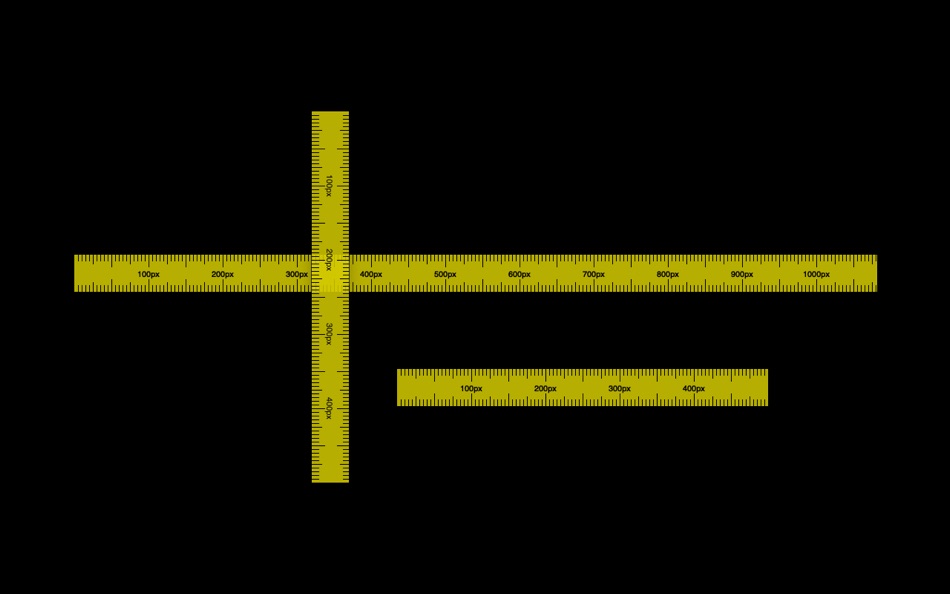
- Horizontal or vertical orientation.
- Has an option to show the measure from the start of the ruler to the mouse position.
- Also an option to show the middle and quarter lengths.
# Mouse shortcuts
- Left click: Click and hold to drag the ruler around. If pressed on the edges of the ruler then it resizes it.
- Middle click: rotate the ruler.
- Right click: open the context menu.
# Keyboard shortcuts
## Ruler window
- ⌘ + ( n )ew ruler --> create a new ruler
- ⌘ + ( c )lose ruler --> close the selected ruler
- ⌘ + ( o )ptions --> open the options window
- ⌘ + ( r )otate --> rotate the ruler window
- ⌘ + ( d )ivisions --> toggle the divisions option
- ⌘ + ( a )lways above --> toggle the always-above option
## Options window
- esc key --> closes the window
Screenshot


Prezzo
- Oggi: $2.99
- Minimo: $0.99
- Massimo: $2.99
Monitora prezzi
Sviluppatore
- Pedro Ferreira
- Piattaforme: macOS App (5)
- Listes: 0 + 1
- Punti: 9 + 0 ¡
- Classificazioni: 0
- Recensioni: 0
- Sconti: 0
- Video: 0
- RSS: Sottoscrivi
Punti
0 ☹️
Classificazioni
0 ☹️
Listes
0 ☹️
Recensioni
Scrivi tu la prima recensione 🌟
Informazioni aggiuntive
Screen ruler - measure tool URL breve: Copiato!- 🌟 Condividi
- Mac App Store
Ti potrebbero piacere anche
-
- i1deltaE measure tool
- macOS App: Utility di: Boudewijn Krijger
- $8.99
- Listes: 0 + 0 Classificazioni: 0 Recensioni: 0
- Punti: 0 + 0 Versione: 2.3 i1deltaE measure tool allows you to take spot measurements using a USB connected X-Rite i1 Spectrophotometer (i1Pro or i1 Pro 2, NOT i1Pro 3). After calibration, you simply do two spot ⥯
-
- Screen Brush Ultra
- macOS App: Utility di: 君 许
- * Gratis
- Listes: 0 + 1 Classificazioni: 0 Recensioni: 0
- Punti: 2 + 0 Versione: 7.1 Screen Brush Ultra is a useful utility which allows you to draw and write directly on your desktop above all of your running application windows. It is a tool which designed for ... ⥯
-
- Screen Guard
- macOS App: Utility di: Life Changing AI LLC
- Gratis
- Listes: 0 + 0 Classificazioni: 0 Recensioni: 0
- Punti: 0 + 0 Versione: 1.2 Screen Guard keeps your private windows out of sight the moment you start screen mirroring or connect an external monitor or unlock your Mac so you can focus on your presentation ... ⥯
-
- Screen Shader for Safari
- macOS App: Utility di: Alfredo Grassau
- $2.99
- Listes: 0 + 0 Classificazioni: 0 Recensioni: 0
- Punti: 0 + 2 (5.0) Versione: 1.0.7 Screen Shader for Safari applies a color tint to any website, making it easier to read, especially at night. Here s what our safari extension offers: Features: · Color tint overlay: ... ⥯
-
- Ruler · CM, MM, Inches
- macOS App: Utility di: Xi'an 7kit Technology Co., Ltd.
- $0.99
- Listes: 0 + 1 Classificazioni: 0 Recensioni: 0
- Punti: 11 + 0 Versione: 26.1 Ditch bulky tools! Measure lengths, widths, and diagonals precisely anywhere with just your Mac. Features Smart Multi-Mode Measure * Switch units freely: cm/mm, inch/fractions, with ... ⥯
-
- Screen Replay - 屏幕回放
- macOS App: Utility di: 冰心 李
- $0.99
- Listes: 0 + 0 Classificazioni: 0 Recensioni: 0
- Punti: 0 + 0 Versione: 1.0.8 Always On, Always Ready Screen Replay is a revolutionary app that transforms your screen into a powerful memory tool. With a single click, you can rewind and instantly replay the last ... ⥯
-
- Screen Expander
- macOS App: Utility di: Vitalii Vashchenko
- $6.99
- Listes: 0 + 0 Classificazioni: 0 Recensioni: 0
- Punti: 0 + 0 Versione: 1.3.2 Let the display of your MacBook to automatically adjust to the apps you're using. Screen Expander is not a resolution switcher even though it can be used as one. It was designed as a ... ⥯
-
- Screen Annotation+
- macOS App: Utility di: 金玲 李
- $0.99
- Listes: 0 + 1 Classificazioni: 0 Recensioni: 0
- Punti: 8 + 0 Versione: 3.0.2 Screen Annotation+ is a lightweight but powerful screen annotation tool, especially suitable for users who need to frequently perform screen annotation and demonstration. It has the ... ⥯
-
- Measure Screen
- macOS App: Utility di: Angel Landoni
- * $0.99
- Listes: 0 + 0 Classificazioni: 0 Recensioni: 0
- Punti: 0 + 0 Versione: 1.0 Measure Screen was designed to provide a simple and beautiful UI, combine with the power of the real time modification. The application gives you the control to create guides and rules ⥯
-
- Screen Mirror
- macOS App: Utility di: 代莉 陈
- $4.99
- Listes: 2 + 1 Classificazioni: 0 Recensioni: 0
- Punti: 0 + 0 Versione: 4.0 Screen Mirror is the simplest and easiest way to capture, edit and share your iDevice's screen with friends. Screen Mirror is the most powerful app for mirroring and display your ... ⥯
-
- Screen Snapshot
- macOS App: Utility di: SEASOFT LTD.
- * Gratis
- Listes: 0 + 0 Classificazioni: 0 Recensioni: 0
- Punti: 0 + 0 Versione: 5.5.0 Screen Snapshot is an easy-to-use and powerful snipping tool. Simple and intuitive user interface makes your work easier and efficient. With built-in editor feature, you can easy to ... ⥯
-
- Screen Recorder - App Recorder
- macOS App: Utility di: 裕涛 兰
- Gratis
- Listes: 0 + 1 Classificazioni: 0 Recensioni: 0
- Punti: 2 + 0 Versione: 1.0.10 Screen Recorder is a powerful Mac screen recording software that allows you to record any on-screen activity in high definition. Features: - Record system sound - Record screen - ... ⥯
-
- Screen Magnifier
- macOS App: Utility di: Kyrylo Kovalin
- $9.99
- Listes: 0 + 0 Classificazioni: 0 Recensioni: 0
- Punti: 0 + 0 Versione: 1.0 Screen Magnifier - See Every Detail, Read Every Word, Focus What Matters Transform your Mac into a powerful magnification and focus tool with Screen Magnifier. Whether you're a ... ⥯
-
- Screen Recorder - RecordX
- macOS App: Utility di: 哲 魏
- Gratis
- Listes: 0 + 0 Classificazioni: 0 Recensioni: 0
- Punti: 2 + 404 (4.5) Versione: 3.5 Screen Recorder - RecordX is a powerful professional recording application, including high-definition screen recording up to 4K resolution 60 frames, camera recording & voice ... ⥯