
| Utvecklare: | Takuto Nakamura (22) | ||
| Pris: | Gratis | ||
| Betyg: | 0 | ||
| Recensioner: | 0 Skriv en recension | ||
| Listor: | 0 + 1 | ||
| Poäng: | 5 + 0 ¡ | ||
| Mac App Store | |||
Beskrivning
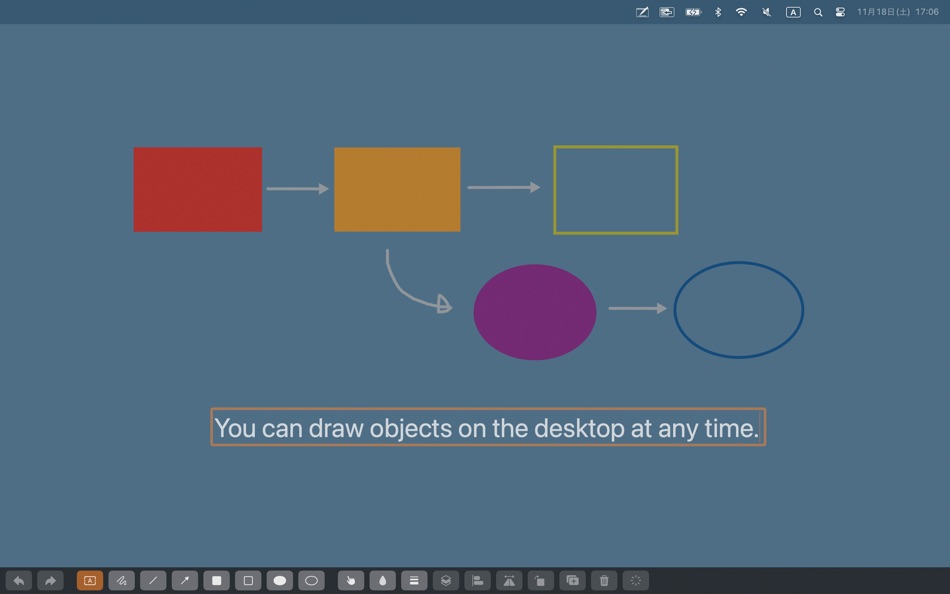
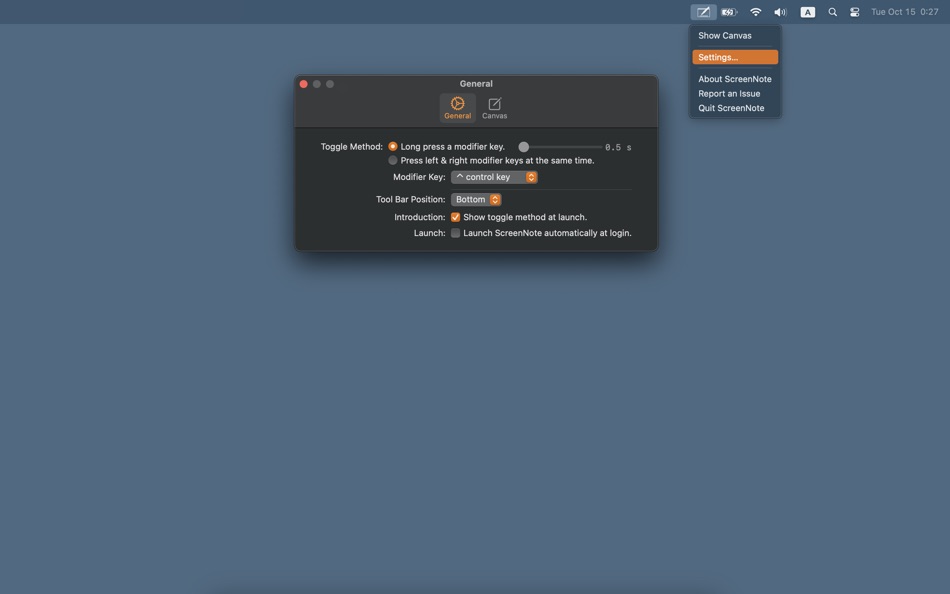
You can toggle its state (show/hide) by long pressing the modifier key or pressing the left & right side modifier keys (command, shift, option, control) simultaneously.
Let's use ScreenNote when you hold a workshop or perform a presentation.
Note: The developer may end support for older macOS without notice.
Skärmbilder
Nya
- Version: 4.4
- Uppdaterad:
- Modifications
- When specifying long press of modifier key as the toggle method, you can now specify the seconds to hold down.
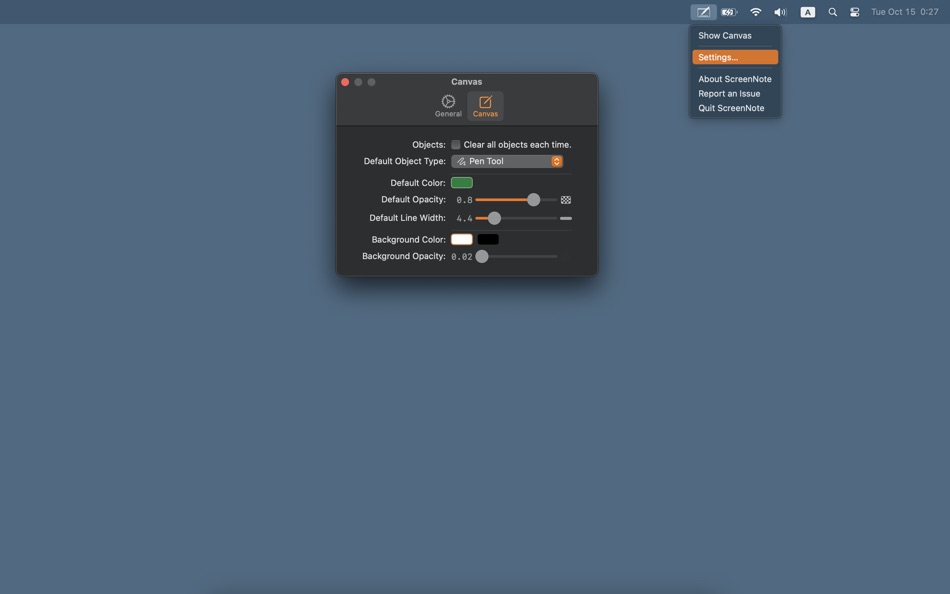
- You can now set the default tool.
- Fixed a bug that caused the settings screen to appear when launching the app on macOS Sequoia.
Pris
- Idag: Gratis
- Minsta: Gratis
- Maximalt: $4.99
Bevaka priser
Utvecklare
- Takuto Nakamura
- Plattformar: iOS Appar (8) macOS Appar (14)
- Listor: 1 + 7
- Poäng: 46 + 8 ¡
- Betyg: 0
- Recensioner: 0
- Rabatter: 0
- Videor: 0
- RSS: Prenumerera
Poäng
-

- 541 MichaelTheGeek
- +1
-
- 10,877 Simon Chan
- +1
-
- 885 Net
- +1
-
- 1 pooki
- +1
-
- 4,388 mohb
- +1


Betyg
0 ☹️
Listor
0 ☹️
- ScreenNote
Recensioner
Var den första att granska 🌟
Ytterligare information
- Version: 4.4
- Kategori:
macOS Appar›Utilities - OS:
macOS,macOS 13.0 och senare - Storlek:
1 Mb - Språk som stöds:
English,Japanese - Innehållsrankning:
4+ - Mac App Store Betyg:
0 - Uppdaterad:
- Utgivningsdatum:
ScreenNote Kort webbadress: Kopierad!- 🌟 Dela
- Mac App Store
Du kanske också gillar
-
- Screen Guard
- macOS Appar: Utilities Av: Life Changing AI LLC
- Gratis
- Listor: 0 + 0 Betyg: 0 Recensioner: 0
- Poäng: 0 + 0 Version: 1.2 Screen Guard keeps your private windows out of sight the moment you start screen mirroring or connect an external monitor or unlock your Mac so you can focus on your presentation ... ⥯
-
- Screen Grabber
- macOS Appar: Utilities Av: Cornelius Rautenbach
- Gratis
- Listor: 0 + 0 Betyg: 0 Recensioner: 0
- Poäng: 0 + 0 Version: 1.1.2 Screen Grabber is a powerful yet simple screenshot tool for macOS that lets you capture, annotate, and save screenshots with ease. FEATURES: - Quick capture with customizable keyboard ... ⥯
-
- Screen Shader for Safari
- macOS Appar: Utilities Av: Alfredo Grassau
- $2.99
- Listor: 0 + 0 Betyg: 0 Recensioner: 0
- Poäng: 0 + 3 (4.0) Version: 1.0.7 Screen Shader for Safari applies a color tint to any website, making it easier to read, especially at night. Here s what our safari extension offers: Features: · Color tint overlay: ... ⥯
-
- Screen Expander
- macOS Appar: Utilities Av: Vitalii Vashchenko
- $6.99
- Listor: 0 + 0 Betyg: 0 Recensioner: 0
- Poäng: 0 + 0 Version: 1.3.2 Let the display of your MacBook to automatically adjust to the apps you're using. Screen Expander is not a resolution switcher even though it can be used as one. It was designed as a ... ⥯
-
- Screen Replay - 屏幕回放
- macOS Appar: Utilities Av: 冰心 李
- $0.99
- Listor: 0 + 0 Betyg: 0 Recensioner: 0
- Poäng: 0 + 0 Version: 1.0.8 Always On, Always Ready Screen Replay is a revolutionary app that transforms your screen into a powerful memory tool. With a single click, you can rewind and instantly replay the last ... ⥯
-
- Screen Annotation+
- macOS Appar: Utilities Av: 金玲 李
- $0.99
- Listor: 0 + 1 Betyg: 0 Recensioner: 0
- Poäng: 8 + 0 Version: 3.0.2 Screen Annotation+ is a lightweight but powerful screen annotation tool, especially suitable for users who need to frequently perform screen annotation and demonstration. It has the ... ⥯
-
- Note Calculator - Text Editor
- macOS Appar: Utilities Av: woojooin
- $0.99
- Listor: 0 + 0 Betyg: 0 Recensioner: 0
- Poäng: 10 + 4 (5.0) Version: 2.4 Note Calculator is a text-based calculator. Sometimes, performing calculations involving multiple equations can be challenging with a basic calculator, right? Using an app like Excel ... ⥯
-
- Screen Record Lite - Recorder
- macOS Appar: Utilities Av: 仕涛 张
- Gratis
- Listor: 0 + 0 Betyg: 0 Recensioner: 0
- Poäng: 0 + 0 Version: 3.4.5 Screen Record Lite is a professional screen record software, what you see is what you get. It is easy to record your screen, which capture system audio, record audio from built-in such ⥯
-
- Screen Snapshot
- macOS Appar: Utilities Av: SEASOFT LTD.
- * Gratis
- Listor: 0 + 0 Betyg: 0 Recensioner: 0
- Poäng: 0 + 0 Version: 5.5.0 Screen Snapshot is an easy-to-use and powerful snipping tool. Simple and intuitive user interface makes your work easier and efficient. With built-in editor feature, you can easy to ... ⥯
-
- Screen Mirror
- macOS Appar: Utilities Av: 代莉 陈
- $4.99
- Listor: 2 + 1 Betyg: 0 Recensioner: 0
- Poäng: 0 + 0 Version: 4.0 Screen Mirror is the simplest and easiest way to capture, edit and share your iDevice's screen with friends. Screen Mirror is the most powerful app for mirroring and display your ... ⥯
-
- Screen Brush Ultra
- macOS Appar: Utilities Av: 君 许
- * Gratis
- Listor: 0 + 1 Betyg: 0 Recensioner: 0
- Poäng: 2 + 0 Version: 7.1 Screen Brush Ultra is a useful utility which allows you to draw and write directly on your desktop above all of your running application windows. It is a tool which designed for ... ⥯
-
- Screen Recorder - App Recorder
- macOS Appar: Utilities Av: 裕涛 兰
- Gratis
- Listor: 0 + 1 Betyg: 0 Recensioner: 0
- Poäng: 2 + 0 Version: 1.0.10 Screen Recorder is a powerful Mac screen recording software that allows you to record any on-screen activity in high definition. Features: - Record system sound - Record screen - ... ⥯
-
- Screen Recorder - RecordX
- macOS Appar: Utilities Av: 哲 魏
- Gratis
- Listor: 0 + 0 Betyg: 0 Recensioner: 0
- Poäng: 2 + 423 (4.5) Version: 3.5 Screen Recorder - RecordX is a powerful professional recording application, including high-definition screen recording up to 4K resolution 60 frames, camera recording & voice ... ⥯
-
- Screen Annotation
- macOS Appar: Utilities Av: Nguyen Vu
- Gratis
- Listor: 1 + 0 Betyg: 0 Recensioner: 0
- Poäng: 1 + 0 Version: 1.0 Screen Annotation, Drawing Desktop or Presentation Annotation You can draw line, arrow, rectangle, circle on Desktop Screen to help describe you presentation effectively and clearly. ... ⥯