
| Sviluppatore: | woojooin (12) | ||
| Prezzo: | $3.99 | ||
| Classificazioni: | 0 | ||
| Recensioni: | 0 Scrivi una recensione | ||
| Listes: | 0 + 0 | ||
| Punti: | 0 + 0 ¡ | ||
| Mac App Store | |||
Descrizione
- Do you want to know what kinds of data you have in your Mac and storages ?
- Do you want to know how much data of them are occupying your disk ?
- Do you want to know detailed usage of disk space ?
- Do you want to check and clean unnecessary big data files and make more space more easily ?
If you want one of them you'd better have TreeSize !!
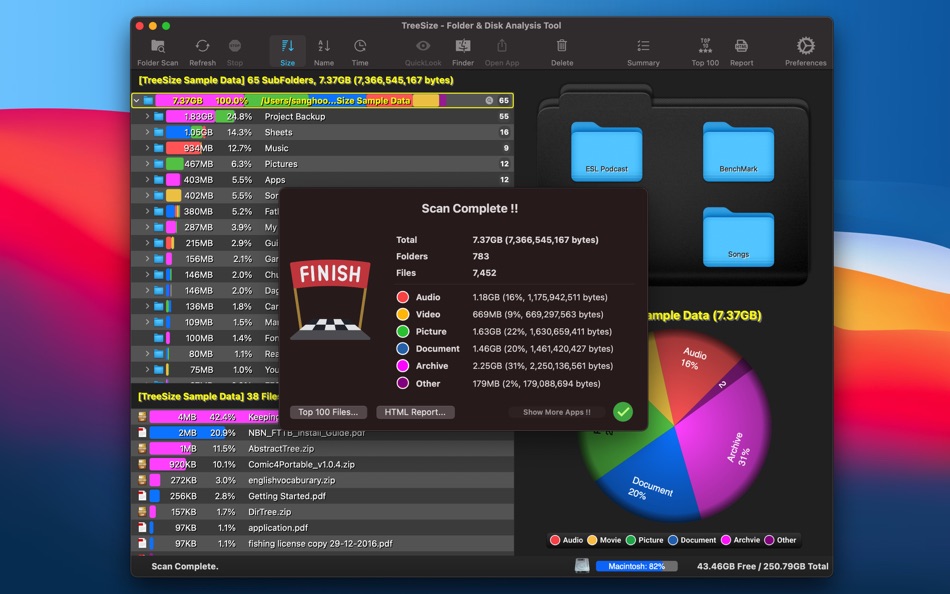
TreeSize gives you the easiest way to see what kind, how much, where the data is in your Mac.
*** KEY FEATURES:
It's very easy and intuitive to use : just drag folder and disk or open it !!
It shows kinds of data in rainbow color so that you can see how much they are at one glance !!
It shows classical tree structure so that you can easily navigate to where you want to go.
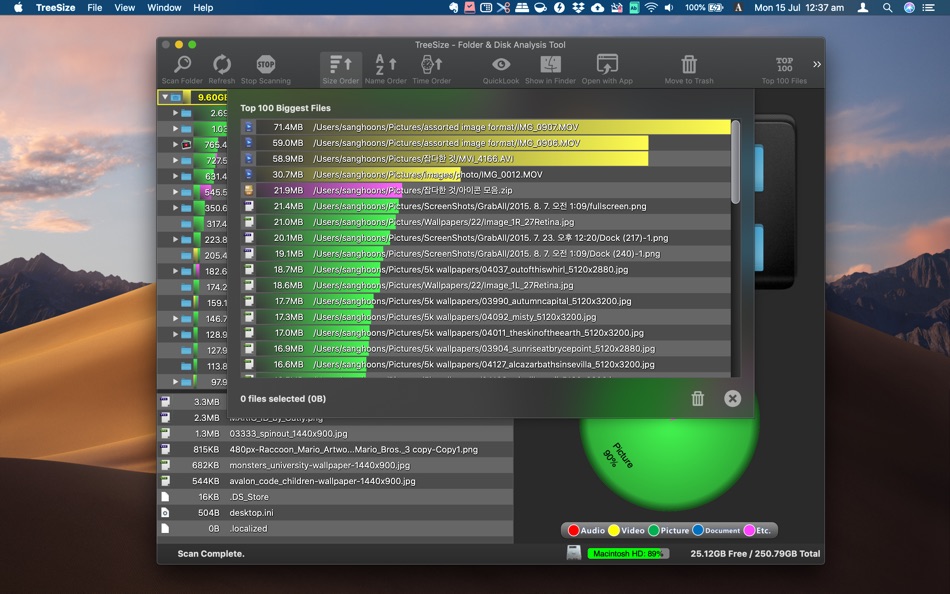
It shows the biggest 100 items and lets you pick them up and clean.
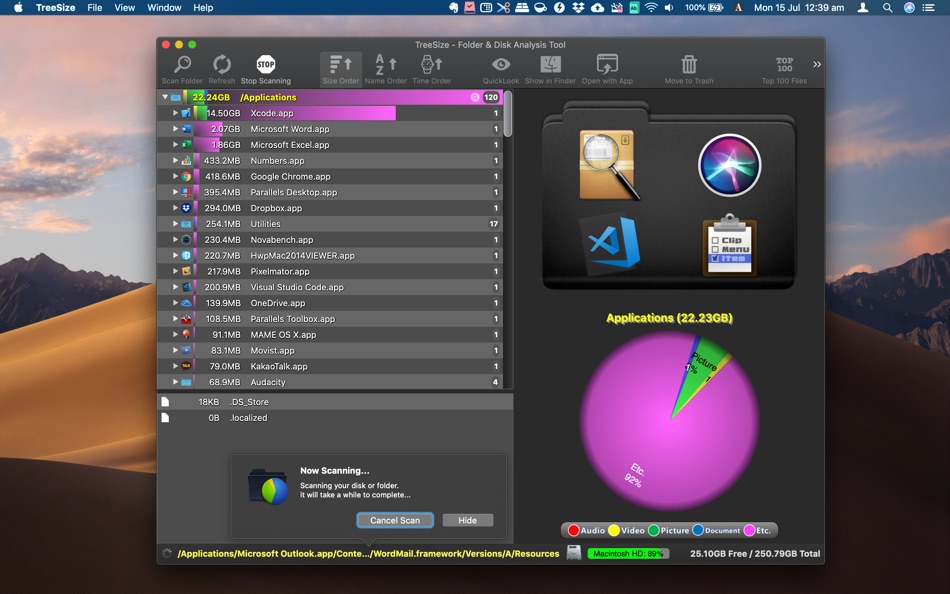
It shows all items in order of size, name or date.
You can check the content of file by Quick look panel.
You can see any file or folder in Finder by one click.
You can open any file with proper application by one click.
Added 'Open with TreeSize' in Service Menu.
Ad
Screenshot
Prezzo
- Oggi: $3.99
- Minimo: $3.99
- Massimo: $3.99
Monitora prezzi
Ad
Sviluppatore
Punti
0 ☹️
Classificazioni
0 ☹️
Listes
0 ☹️
- TreeSize - Disk Usage
Recensioni
Scrivi tu la prima recensione 🌟
Informazioni aggiuntive
TreeSize - Disk Usage URL breve: Copiato!- 🌟 Condividi
- Mac App Store
Ti potrebbero piacere anche
-
- Disk Usage - Widgets
- macOS App: Utility di: Guang Hui YANG
- $1.99
- Listes: 0 + 0 Classificazioni: 0 Recensioni: 0
- Punti: 0 + 0 Versione: 1.13 Disk Usage - Widgets is ideal for those who want a clean and efficient Mac. It's the simplest way to avoid sudden storage shortages. You can monitor your system, USB, network drives ... ⥯
-
- Disk Usage Widgets
- macOS App: Utility di: Sergei Saliukov
- Gratis
- Listes: 0 + 0 Classificazioni: 0 Recensioni: 0
- Punti: 1 + 0 Versione: 26.1.3 Stay informed with Disk Usage Widgets right from your home screen! The app provides real-time storage data through convenient widgets, eliminating the need to open settings. Keep your ... ⥯
-
- Tree Size
- macOS App: Utility di: 冬洋 梁
- $9.99
- Listes: 0 + 0 Classificazioni: 0 Recensioni: 0
- Punti: 0 + 0 Versione: 3.0.1 Tree Size is easy to find large files,Powerful tool to cleaning up disk,also can find hide files.Use tree to display a list of files and folders.Show with size,Arrange By (Size, Name, ... ⥯
-
- Disk Map: Visualize Disk Usage
- macOS App: Utility di: FIPLAB Ltd
- $4.99
- Listes: 1 + 4 Classificazioni: 0 Recensioni: 0
- Punti: 2 + 0 Versione: 2.81 Disk Map makes it easy to visualize the files and folders that are cluttering up all your internal and external storage drives. It enables you to quickly locate, delete or compress ... ⥯
-
- Visualizes Disk Usage
- macOS App: Utility di: 柱荣 李
- $1.99
- Listes: 0 + 1 Classificazioni: 0 Recensioni: 0
- Punti: 5 + 0 Versione: 1.2 Understand your storage at a glance. This app lets you scan any folder on your Mac and instantly see how your disk space is being used through a clean, interactive visual treemap. ... ⥯
-
- Disk & Folder Analyzer
- macOS App: Utility di: Cem Sungu
- Gratis
- Listes: 0 + 0 Classificazioni: 0 Recensioni: 0
- Punti: 0 + 0 Versione: 1.2 (2) "Disk & Folder Analyzer is your ultimate solution for managing disk space and optimizing storage on your device. With its intuitive interface and powerful scanning capabilities, you ... ⥯
-
- Disk Analyzer Pro
- macOS App: Utility di: Shrishail Rana
- $5.99
- Listes: 0 + 0 Classificazioni: 0 Recensioni: 0
- Punti: 3 + 0 Versione: 4.6.0 50% Discount for limited time Fast and Easy Disk Space Analyzer and Disk Cleanup App NOW GET YOUR SPACE BACK JUST BY ONE CLICK >>>>> GET RID OF LARGE AND OBSOLETE FILES >>>>> FIND AND ... ⥯
-
- Disk Xray
- macOS App: Utility di: Umaporn Staszczyk
- * Gratis
- Listes: 1 + 0 Classificazioni: 5 (1) Recensioni: 0
- Punti: 5 + 0 Versione: 5.4 Disk Xray The Ultimate Mac Cleanup and Optimization Tool Speed up your Mac and reclaim valuable storage with Disk Xray, the all-in-one utility designed to keep your system clean, ... ⥯
-
- Disk Diag
- macOS App: Utility di: Rocky Sand Studio Ltd.
- * Gratis
- Listes: 4 + 1 Classificazioni: 5 (1) Recensioni: 0
- Punti: 16 + 0 Versione: 2.0.7 Disk Diag is an amazing all-in-one disk cleaner to help you clean up your hard drive with ease. First time I ve been speechless & husband is amazed" It works with just two clicks and ... ⥯
-
- Disk Unmounter
- macOS App: Utility di: woojooin
- $0.99
- Listes: 1 + 0 Classificazioni: 0 Recensioni: 0
- Punti: 0 + 0 Versione: 1.61 Disk Mounter is simple utility that gives you easier way to manage external disks & volumes. You can unmount and eject disk volume by just one-click. When disk gets mounted, unmounted ... ⥯
-
- Tree to csv
- macOS App: Utility di: Stuart Marshall
- * Gratis
- Listes: 0 + 0 Classificazioni: 0 Recensioni: 0
- Punti: 0 + 0 Versione: 1.1.1 Tree to CSV lets you convert GEDCOM genealogy files into CSV spreadsheets. Family tree software and websites allow you to store and visualise your family history in a great many ways. ... ⥯
-
- Disk Space Analyzer: Inspector
- macOS App: Utility di: Nektony LLC
- * Gratis
- Listes: 1 + 0 Classificazioni: 0 Recensioni: 0
- Punti: 11 + 0 Versione: 6.0 The best storage analyzer for Mac. Running out of disk space? Need to know what is taking the most space in your storage? Analyze your storage usage with Disk Space Analyzer. Disk ... ⥯
-
- Disk space matrix
- macOS App: Utility di: 栋梁 周
- $1.99
- Listes: 1 + 1 Classificazioni: 0 Recensioni: 0
- Punti: 4 + 0 Versione: 1.0.0 Analyze the actual size and disk usage of each file and folder in a directory on your disk, and display them in the form of a matrix tree. You can click on a certain directory, and the ⥯
- Nuova
- Disk Space Status Bar Station
- macOS App: Utility di: Whatever Apps
- $0.99
- Listes: 0 + 0 Classificazioni: 0 Recensioni: 0
- Punti: 0 + 0 Versione: 1.0 A tiny disk monitor that lives in your Mac menu bar. See your available storage without opening Activity Monitor and without cluttering your Dock. Features Multiple icon styles Color ... ⥯