
Marcaje
| Dezvoltator: | mcp-tool-shop (9) | ||
| Preț: | Gratuit | ||
| Scor: | 600 Argint | ||
| Clasamente: | 0 | ||
| Comentarii: | 0 Postează comentariu | ||
| Liste: | 0 0 | ||
| Puncte: | 0 | ||
| +1 Punct | |||
Pe scurt
CommandUI este o aplicație creată de mcp-tool-shop, din categoria „Instrumente pentru dezvoltatori”.
Lansată , încă destul de proaspătă.
Gratuită, fără reclame, fără cumpărături în aplicație. Doar tu și aplicația.
Microsoft Store e integrat în Windows, deci se instalează din câteva clicuri.
Scorul AppAgg e 600. „Argint”, și asta nu e deloc rău.
Doar 6 megabyți, încape chiar și pe un disc plin.
Clasificare de vârstă „EVERYONE”: merge și pentru copii.
Vorbește o singură limbă, și nu e româna.
Nimeni de pe AppAgg n-a evaluat-o încă. Șansa ta să fii primul e chiar acum.
Dezvoltatorul mai are 8 aplicații pe AppAgg. Merită o privire.
Vrei să afli primul de actualizări și aplicații noi? Urmărește dezvoltatorul sau abonează-te la RSS. Notificările push vin prin aplicația AppAgg Alerts pentru Android și iOS.
Alte platforme 0
Istoricul prețurilor 0
- Prețul actual: Gratuit
- Minim: Gratuit
- Maxim: Gratuit
Propriul tău flux pe pagina principală
Capturi de ecran 5
Descriere

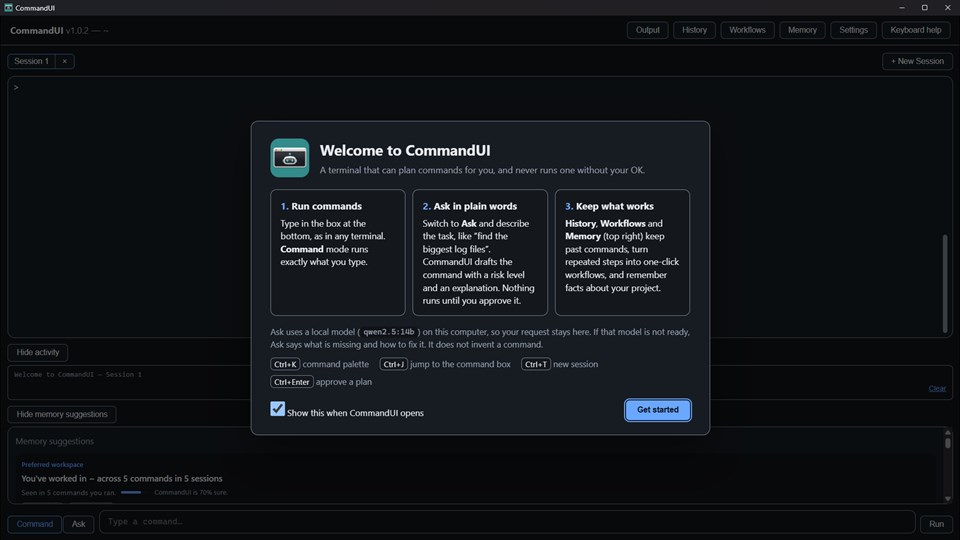
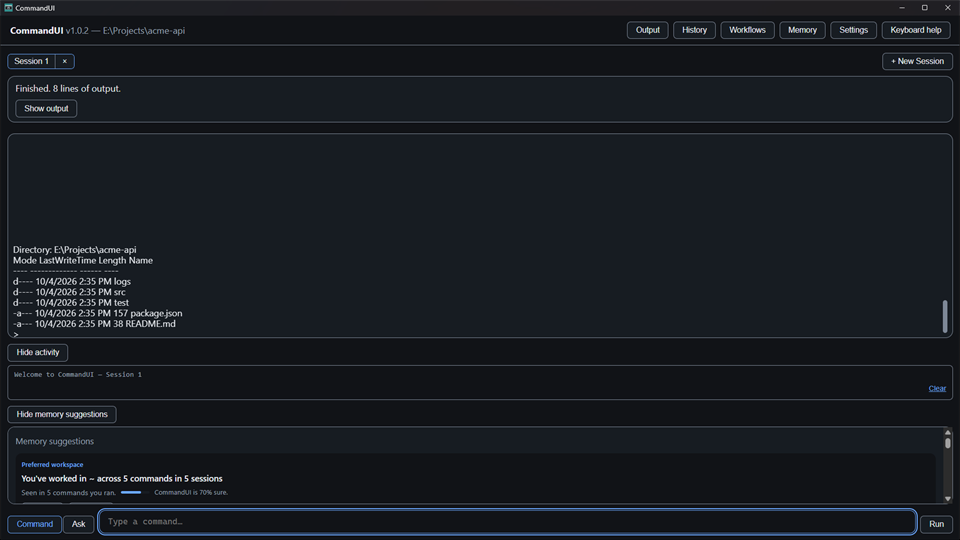
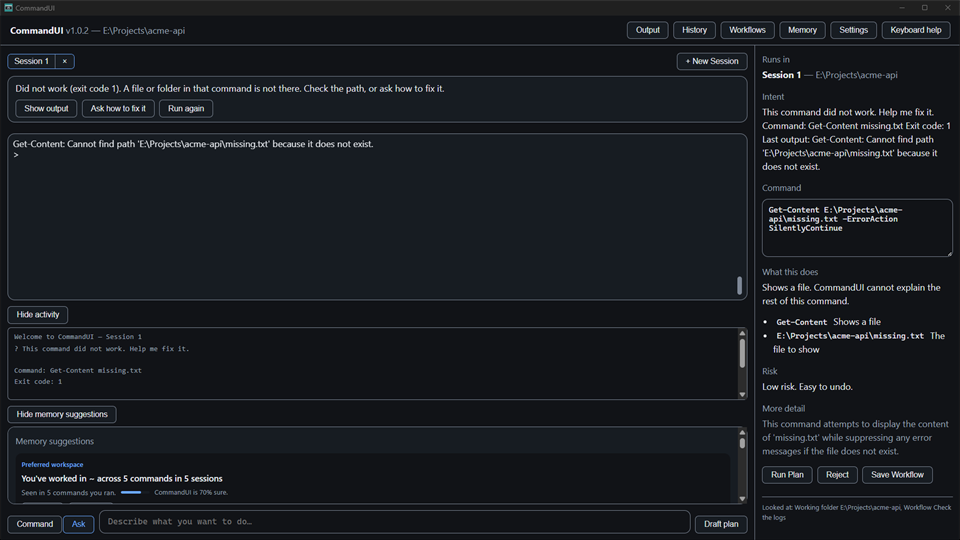
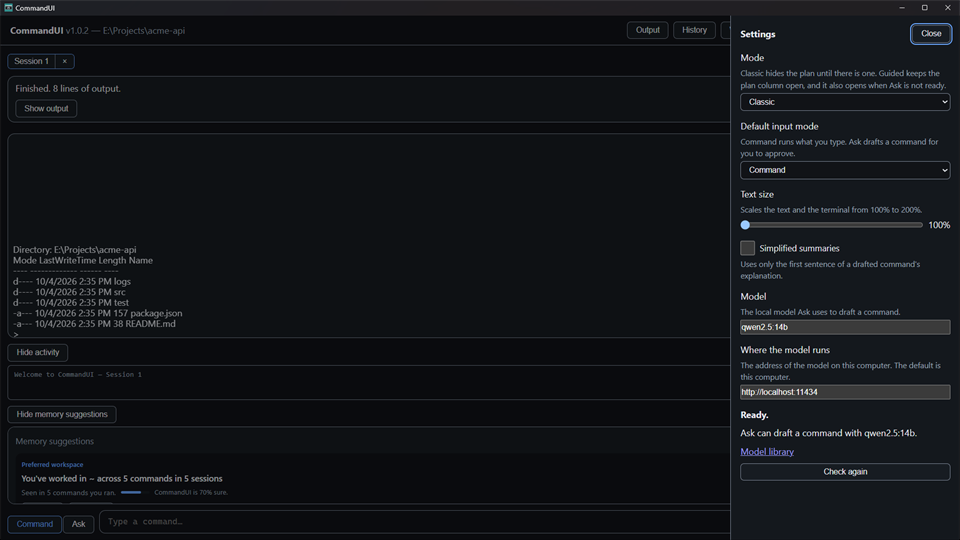
Every command ends with one plain sentence that says whether it worked, and what to do if it did not. A failure offers Ask how to fix it and Run again.
Ask lets you describe what you want in plain words. CommandUI drafts a command, explains it, and shows its risk in words. Nothing runs until you choose Run Plan. A command that deletes files or needs higher permissions also waits until you type the folder name.
Designed for the keyboard and for screen readers:
• Results and errors are announced once, without moving your focus.
• Output lists each command as plain text, one region per command.
• F1 opens keyboard help. Ctrl+Shift+R jumps to the last result. Ctrl+Shift+A switches between Command and Ask.
• Text from 100% to 200%, panels you can hide, and Windows contrast themes and reduced motion respected.
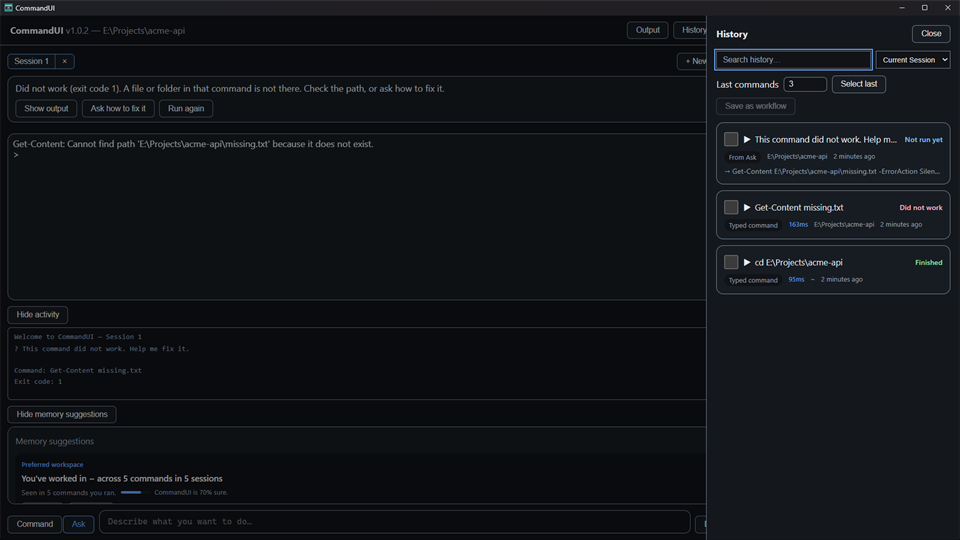
You still get a real shell, with your own profile and more than one session. Make workflows from the commands you run, search your history, and read or delete what CommandUI has noticed.
Everything stays on your computer. Ask uses a model on this computer through Ollama (qwen2.5:14b). If that model is not installed or not running, CommandUI says so and does not invent a command. CommandUI sends no telemetry.
De la dezvoltator
Liste 0
-
 CommandUI
Puncte 0
-

- +1 Punct

Clasamente 0
-
- Evaluarea ta
Dezvoltator 9
- mcp-tool-shop
- Urmăritori: 0
- Platforme: Windows Aplicații (9)
- Reduceri: 0
- Liste: 0 0
- Puncte: 0
- Clasamente: 0
- Comentarii: 0
- Videoclipuri: 0
- RSS: Abonează-te
Ce este nou
- Versiune: PC
- Ultima actualizare:
- A new design around accessibility. Every result now ends in a plain sentence, with Ask how to fix it and Run again. Results and errors are announced to screen readers, Output shows each command as plain text, and every action has a keyboard path (F1 lists them). Text size goes from 100% to 200%. Workflows can be created and edited, and a delete can be undone. PowerShell sessions start cleanly in your home folder. Ask says when its local model is not ready instead of guessing, and the first request waits while the model loads. New icon. Testing with Narrator, NVDA and Windows contrast themes comes in a later update.
Informații suplimentare
- Data lansării:
- Categorie:
Aplicații pentru Windows›Instrumente pentru dezvoltatori - SO:
PC - Dimensiune:
6 Mb - Limbi disponibile:
Engleză - Evaluarea conținutului:
EVERYONE - Windows Store Evaluare: ¡
0 - Website:
 https://mcptoolshop.com/
Scor AppAgg
Scor AppAgg estimat pentru
CommandUI
Dezvoltator: mcp-tool-shop
Un scor mai mare reflectă de obicei rezultate mai bune pentru indicatorii urmăriți de AppAgg.
Bazat pe: popularitate · evaluări ale utilizatorilor · actualitate · oferte · date din magazine · activitatea comunității
Recalculat zilnic pe baza datelor AppAgg actualizate.
Comentarii 0 ¡
Distribuie
CommandUI Adresă URL scurtă: Copiat!- Windows Store

