
Bokmärken
| Utvecklare: | TST Technology (1) | ||
| Pris: | Gratis | ||
| Helhetsbetyg: | 1 140 Silver | ||
| Rankningar: | 0 | ||
| Kommentarer: | 0 Skriv kommentar | ||
| Listor: | 0 0 | ||
| Poäng: | 0 | ||
| +1 Poäng | |||
Sammanfattning
Möt CtrlOps - Linux Server Manager, en app från TST Technology i kategorin ”Utvecklarverktyg”.
Släpptes , så den är fortfarande ganska färsk.
Gratis, ingen reklam, inga inbyggda köp. Bara du och appen.
Microsoft Store är inbyggd i Windows, så installationen tar bara ett par klick.
AppAgg-betyget är 1 140. Silver, och det är inte alls dåligt.
Bara 19 megabyte, får plats även på en full hårddisk.
Åldersgräns ”EVERYONE”, så det passar även barn.
Pratar bara ett språk, och det är inte svenska.
Har du använt den? Din recension blir den första här.
Det är utvecklarens enda app på AppAgg. Än så länge.
Vill du vara först med att höra om uppdateringar och nya appar? Följ utvecklaren eller prenumerera på vårt RSS-flöde. Pushnotiser kommer via appen AppAgg Alerts för Android och iOS.
Andra plattformar 0
Prishistorik 0
- Aktuellt pris: Gratis
- Minimum: Gratis
- Maximum: Gratis
Ditt eget flöde på startsidan
Skärmbilder 7
Video 1
Beskrivning

Who it's for
Developers, DevOps engineers, sysadmins, and IT agencies managing their own Linux servers, without needing a dedicated ops hire or a pile of separate tools.
What you get
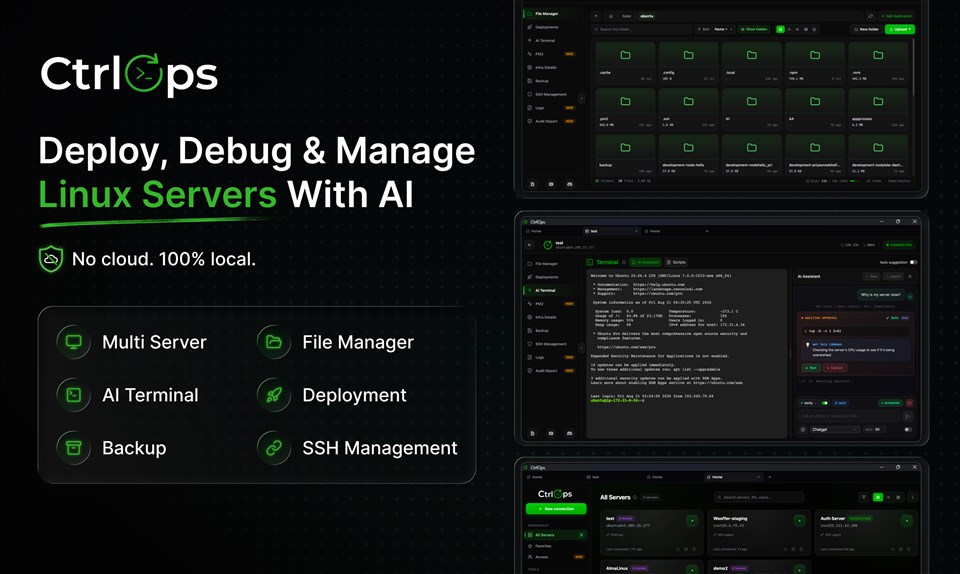
SSH terminal and server manager. Connect to every server by name, not raw IP. Switch between multiple servers in isolated tabs, each with its own persistent session.
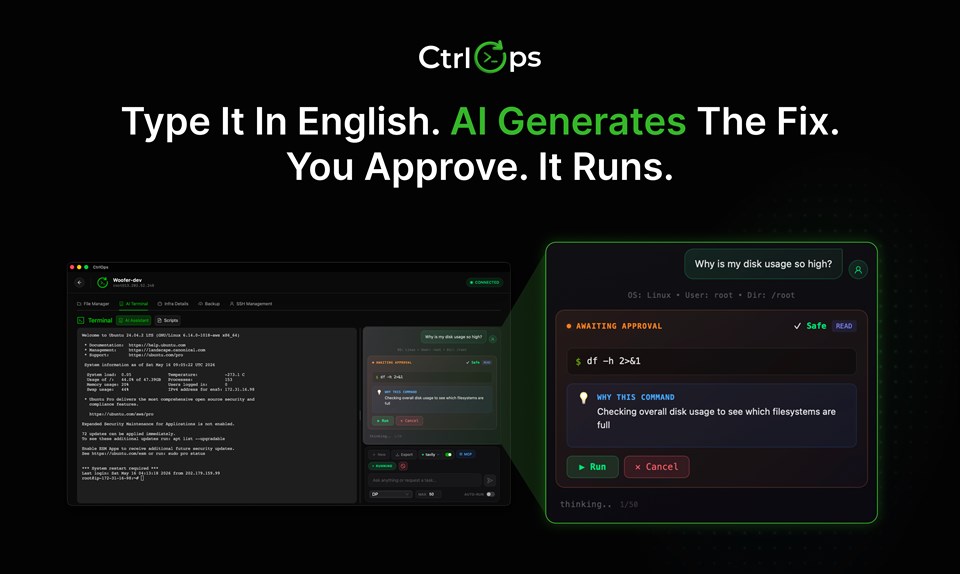
AI Terminal. Describe a problem in plain English. The AI investigates your server's real state, proposes a fix, explains what it does, and only runs after you approve it.
Real-time monitoring. Live CPU, memory, disk, and network for every connected server, no SSH session required to check.
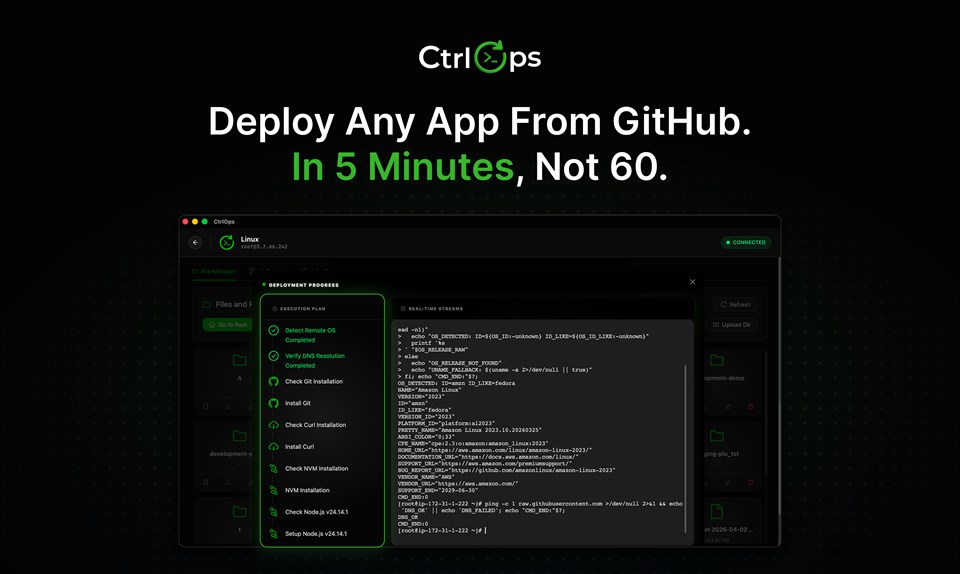
One-click deployment. Ship Node, React, and Next.js apps straight from GitHub. PM2, Nginx or Apache, and SSL are configured automatically.
File manager. Browse, upload, download, and unzip remote files visually. Set permissions from a checkbox grid, no chmod required.
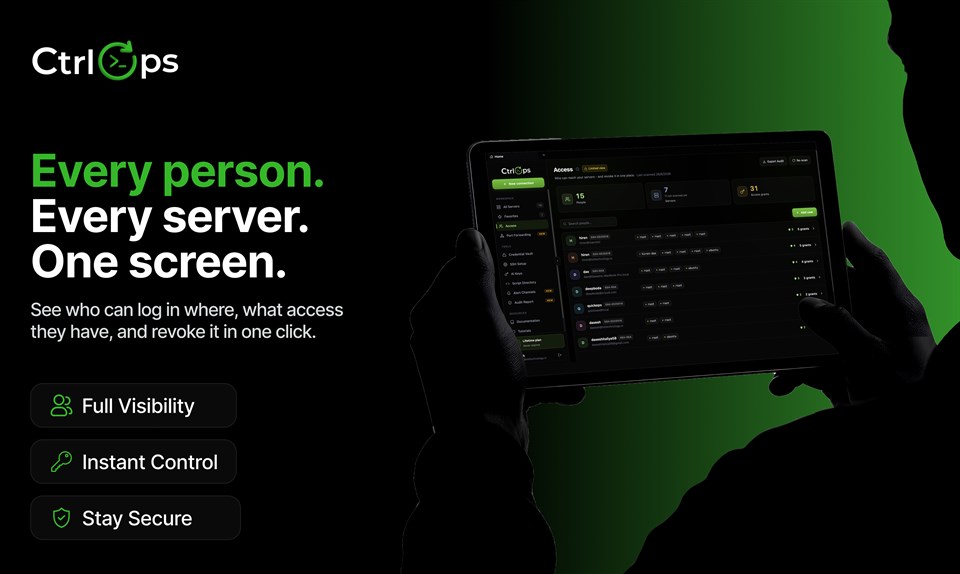
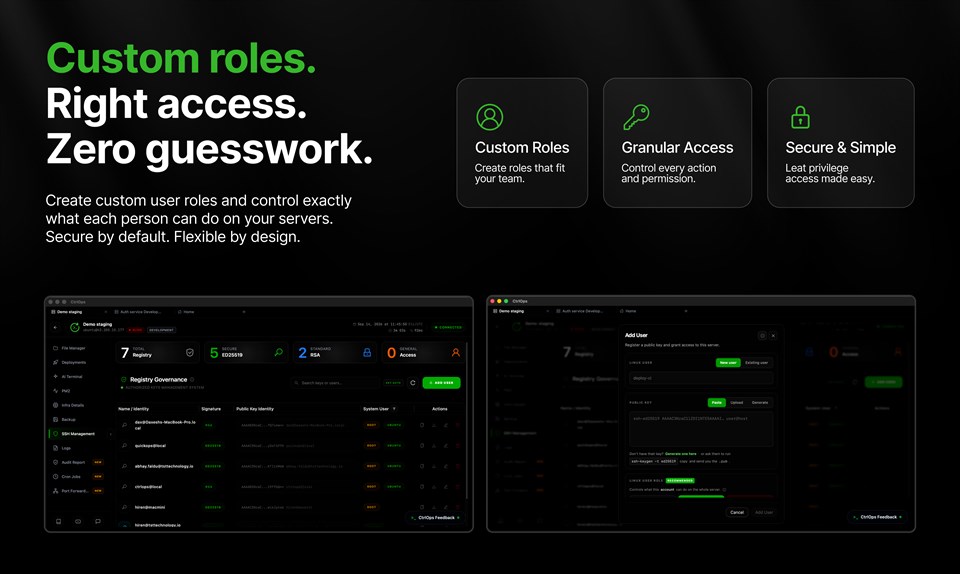
Access management. Scan your whole fleet to see who has access to what, and offboard someone from every server in one action.
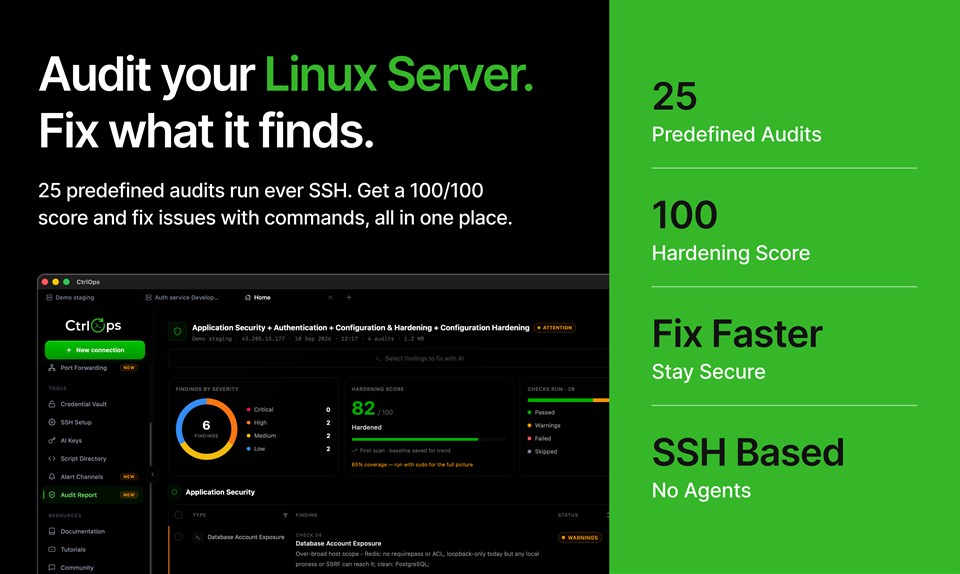
Security audits. Run 25 checks over SSH for a hardening score, a downloadable PDF report, and AI-assisted fixes with your approval.
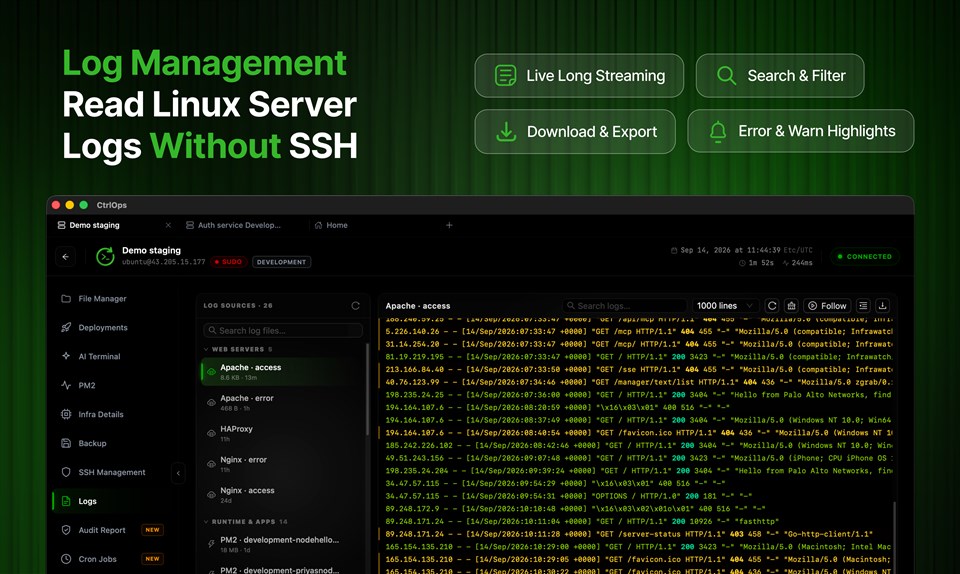
Backups, cron jobs, log management, PM2 process management, port forwarding, and a script directory for the commands you retype every week.
LICENSE
CtrlOps is free to download. Full access requires a license, which is
purchased on our website and activated inside the app. Purchases are not
processed through the Microsoft Store commerce system.
Looking for a Termius alternative for Windows? Try CtrlOps for SSH, SFTP, server monitoring, and AI-powered server management.
Learn more at https://ctrlops.io
Från utvecklaren
Listor 0
-
 CtrlOps - Linux Server Manager
Poäng 0
-

- +1 Poäng

Rankningar 0
-
- Ditt betyg
Utvecklare 1
- TST Technology
- Följare: 0
- Plattformar: Windows Appar (1)
- Erbjudanden: 0
- Listor: 0 0
- Poäng: 0
- Rankningar: 0
- Kommentarer: 0
- Videor: 1
- RSS: Prenumerera
Nyheter
- Version: PC
- Senast uppdaterad:
- November 14, 2026·8 new · 3 fixes (v2.0.0)
New | 8
1. Docker Management
2. Compose Stacks and Builds from Code
3. One-Click Apps and Databases
4. Domains and HTTPS for Containers
5. Volume Backups
6. Free, Personal, Team, and Enterprise Plans
7. Easier Add Server
8. Password-Protected Keys
Fixes | 2
1. Tabs Stay Loaded
2. Error Details You Can Copy
- CtrlOps 1.1.6 - The Server Alerts Update
• Server Alerts - A new Alerts tab on every server. Turn on ready-made alerts for high CPU, memory or swap, low disk space or inodes, a stopped service, failed systemd units, a reboot, a website going down, an expiring SSL certificate, SSH brute force or a failed cron job. Alerts reach Slack, Telegram or a webhook, even while CtrlOps is closed.
• Set alerts from Infra Details - Turn on or edit the CPU, memory and storage alerts right from their cards.
• Feedback inside the app - Report a bug or share an idea with screenshots from Feedback in the sidebar, and see every release under What's New.
• Quicker everyday work - Double-click a server card to connect, open a PM2 process's logs from its row, and select and copy text in the AI chat and log viewers, with a copy button on every suggested command.
• Safer editing - The cron job wizard asks before discarding unsaved work, and Keep editing takes you straight to the tab with your unsaved file.
• Room for longer names - File and folder names up to 255 characters, and app names up to 80 in one-click deployment. Long names no longer break dialogs or notifications.
• Fixes - Clearer names for downloaded cron logs, a wider Git tooltip, Credential Vault colors that match the app, a disconnect prompt that stays on top, and a feedback form that starts fresh after you send.
Ytterligare information
- Utgivningsdatum:
- Kategori:
Windows-appar›Utvecklarverktyg - OS:
PC - Storlek:
19 Mb - Språk som stöds:
Engelska - Innehållsklassificering:
EVERYONE - Windows Store Betyg: ¡
0 - Webbplats:
 https://tsttechnology.io/
AppAgg-betyg
Uppskattat AppAgg-betyg för
CtrlOps - Linux Server Manager
Utvecklare: TST Technology
Ett högre betyg speglar oftast bättre resultat för de faktorer som AppAgg bedömer.
Baserat på: popularitet · användarbetyg · aktualitet · erbjudanden · butiksdata · communityaktivitet
Räknas om dagligen med färska AppAgg-data.
Kommentarer 0 ¡
Dela
CtrlOps - Linux Server Manager Kort webbadress: Kopierad!- Windows Store

