
Marcaje
| Dezvoltator: | netDesk.IT - Massimo Pagano (4) | ||
| Preț: | $3.69 Nou | ||
| Scor: | 600 Argint | ||
| Clasamente: | 0 | ||
| Comentarii: | 0 Postează comentariu | ||
| Liste: | 0 0 | ||
| Puncte: | 0 | ||
| +1 Punct | |||
Pe scurt
Hide Users este o aplicație creată de netDesk.IT - Massimo Pagano, din categoria „Instrumente pentru dezvoltatori”.
Noutate: a apărut , deci ești printre primii.
$3.69. Niciodată la reducere pe AppAgg, nici măcar o dată. Setează o alertă de preț. Noi nu uităm, chiar dacă tu uiți.
Microsoft Store e integrat în Windows, deci se instalează din câteva clicuri.
Scorul AppAgg e 600. „Argint”, și asta nu e deloc rău.
Clasificare de vârstă „EVERYONE”: merge și pentru copii.
Știe 5 limbi, dar româna n-a învățat-o încă.
Nimeni de pe AppAgg n-a evaluat-o încă. Șansa ta să fii primul e chiar acum.
Dezvoltatorul mai are 3 aplicații pe AppAgg. Merită o privire.
Vrei să afli primul de reduceri, actualizări și aplicații noi? Setează o alertă de preț, urmărește dezvoltatorul sau abonează-te la RSS. Notificările push vin prin aplicația AppAgg Alerts pentru Android și iOS.
Capturi de ecran 5
Alte platforme 0
Istoricul prețurilor 0
- Prețul actual: $3.69
- Minim: $3.69
- Maxim: $3.69
Propriul tău flux pe pagina principală
Descriere

What it does
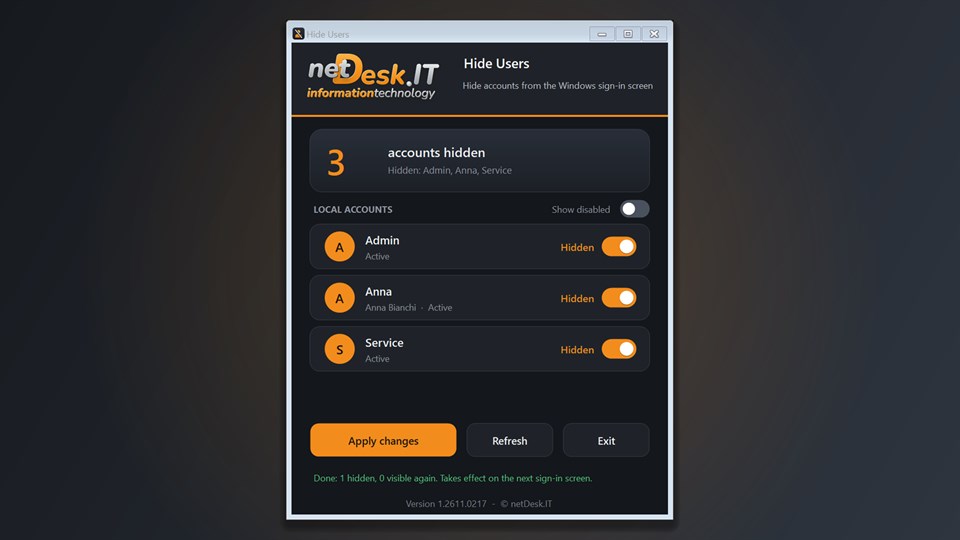
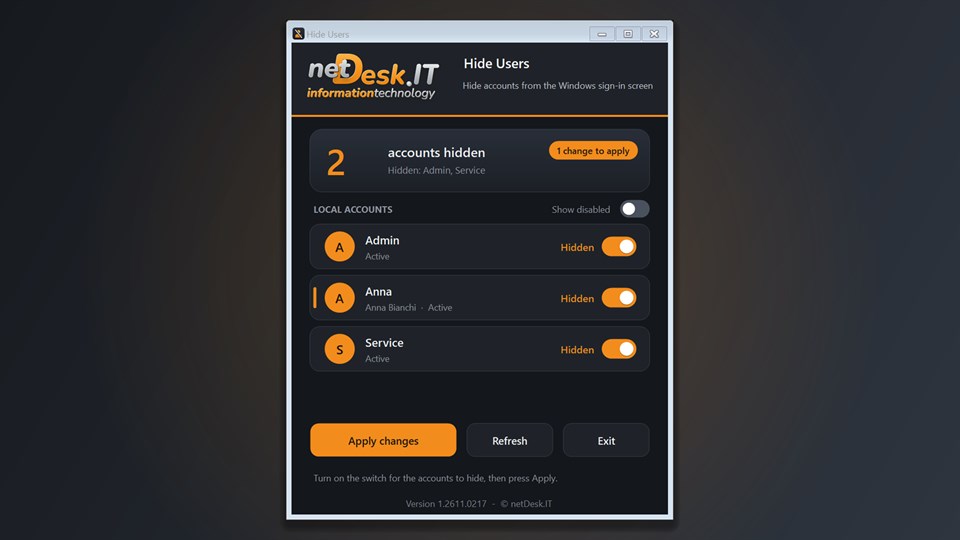
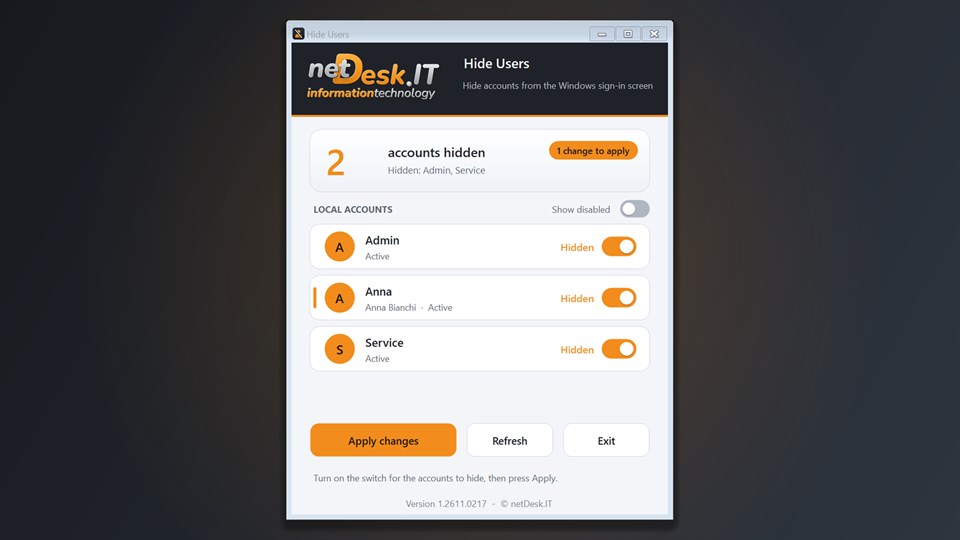
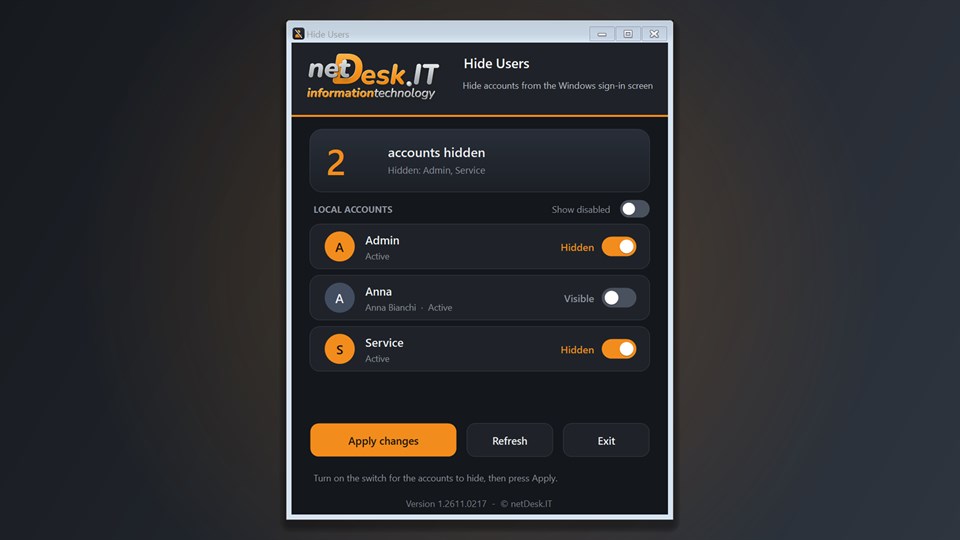
• List of local accounts: for each one you see the name, the full name and the status (active, disabled or no longer present).
• One switch per account: turn it on to hide the account, turn it off to show it again.
• Several changes at once: choose as many accounts as you like, a summary shows the changes still to apply, and one button confirms them.
• A safeguard: at least one enabled administrator account always stays visible. If a change would hide them all, Hide Users does not apply it and explains why; it also warns you if no enabled account would appear on the sign-in screen.
• Adaptive window: it grows to show all the accounts without a scroll bar, within the limits of the screen, and it can be resized.
• Easy to undo: to make an account visible again, just turn its switch off.
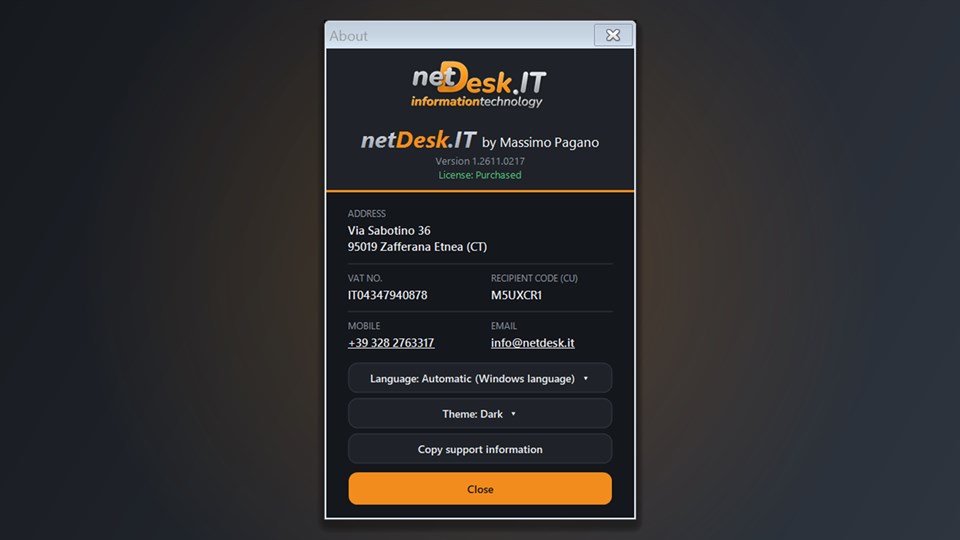
• 5 languages: Italian, English, French, German and Spanish. The app starts in the Windows language and you can change it from the About window.
How to sign in to a hidden account
If the sign-in screen offers it, choose “Other user” and type the user name and password: this depends on the Windows configuration (sign-in policies, PIN, Microsoft account). The change takes effect from the next sign-in screen.
Privacy and security
The app has no network features and sends no data to anyone. Changing the list of hidden accounts requires administrator privileges: if you start Hide Users as a normal user, you can view the list and the app offers to reopen as administrator (Windows asks for confirmation); if you decline, the list stays read-only and nothing is changed.
Who it is for
For anyone who manages a shared PC, a fixed workstation, a counter or a home PC and wants a tidier sign-in screen, without service or administration accounts in view.
Note: hiding an account is not a security measure. It tidies the sign-in screen; protection still depends on passwords.
7-day free trial; after it, hiding or showing accounts requires buying the app from the Store. Accounts already hidden stay hidden until you buy it.
De la dezvoltator
Liste 0
-
 Hide Users
Puncte 0
-

- +1 Punct

Clasamente 0
-
- Evaluarea ta
Dezvoltator 4
- netDesk.IT - Massimo Pagano
- Urmăritori: 0
- Platforme: Windows Aplicații (4)
- Reduceri: 0
- Liste: 0 0
- Puncte: 0
- Clasamente: 0
- Comentarii: 0
- Videoclipuri: 0
- RSS: Abonează-te
Ce este nou
- Versiune: PC
- Ultima actualizare:
- • Hide local accounts from the Windows sign-in screen.
• One switch per account, with a summary of the changes to apply.
• Interface in 5 languages.
Informații suplimentare
- Data lansării:
- Categorie:
Aplicații pentru Windows›Instrumente pentru dezvoltatori - SO:
PC - Dimensiune:
675 Kb - Limbi disponibile:
Engleză,Franceză,Germană,Italiană,Spaniolă - Evaluarea conținutului:
EVERYONE - Windows Store Evaluare: ¡
0 - Website:
 https://www.netdesk.it
Scor AppAgg
Scor AppAgg estimat pentru
Hide Users
Dezvoltator: netDesk.IT - Massimo Pagano
Un scor mai mare reflectă de obicei rezultate mai bune pentru indicatorii urmăriți de AppAgg.
Bazat pe: popularitate · evaluări ale utilizatorilor · actualitate · oferte · date din magazine · activitatea comunității
Recalculat zilnic pe baza datelor AppAgg actualizate.
Comentarii 0 ¡
Distribuie
Hide Users Adresă URL scurtă: Copiat!- Windows Store

