
Marcaje
| Dezvoltator: | Webspace IN (19) | ||
| Preț: | * $6.99 Nou | ||
| Scor: | 1.450 Aur | ||
| Clasamente: | 0 | ||
| Comentarii: | 0 Postează comentariu | ||
| Liste: | 0 0 | ||
| Puncte: | 0 | ||
| +1 Punct | |||
Pe scurt
Fă cunoștință cu Hostbench, o aplicație de la Webspace IN din categoria „Instrumente pentru dezvoltatori”.
Noutate: a apărut , deci ești printre primii.
$6.99 și nicio reducere pe AppAgg până acum. O nucă tare.
Microsoft Store e integrat în Windows, deci se instalează din câteva clicuri.
Scorul AppAgg e 1.450. Asta înseamnă „Aur”.
Clasificare de vârstă „EVERYONE”: merge și pentru copii.
Vorbește o singură limbă, și nu e româna.
Liniște totală deocamdată. Nicio notă, niciun comentariu. Rupe tăcerea.
Dezvoltatorul mai are 18 aplicații pe AppAgg. Merită o privire.
Vrei să afli primul de reduceri, actualizări și aplicații noi? Setează o alertă de preț, urmărește dezvoltatorul sau abonează-te la RSS. Notificările push vin prin aplicația AppAgg Alerts pentru Android și iOS.
Alte platforme 0
Istoricul prețurilor 0
- Prețul actual: $6.99
- Minim: $6.99
- Maxim: $6.99
Propriul tău flux pe pagina principală
Capturi de ecran 10
Descriere

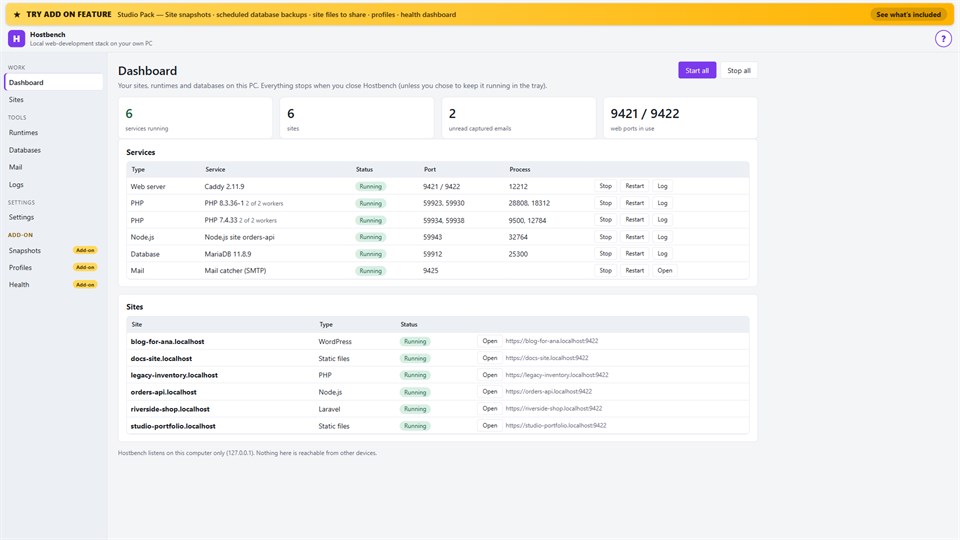
Hostbench is for PHP, Laravel and WordPress developers, Node.js developers, freelancers and agencies with many client sites, and students learning web development. It serves your own projects on your own PC (127.0.0.1) only. It does not host sites for other people and does not deploy anywhere.
HOW IT WORKS
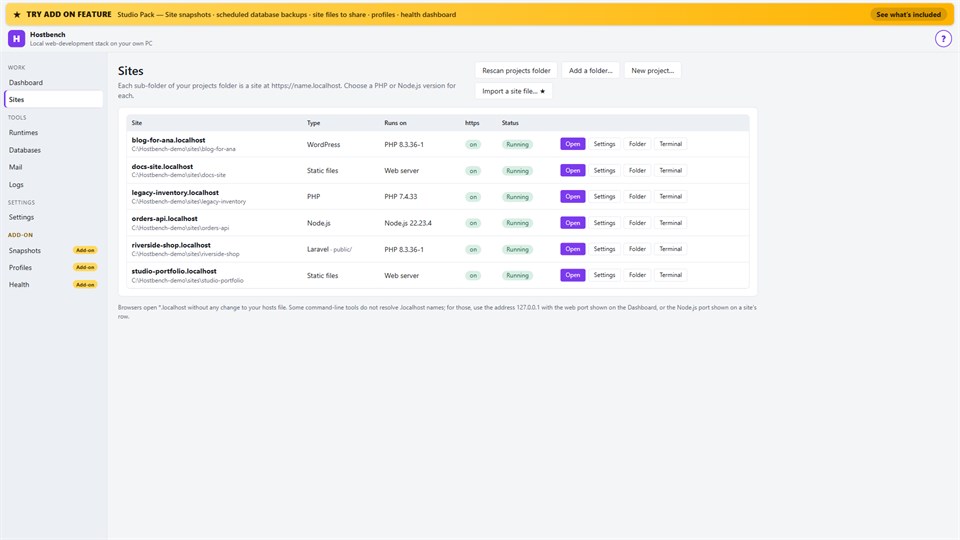
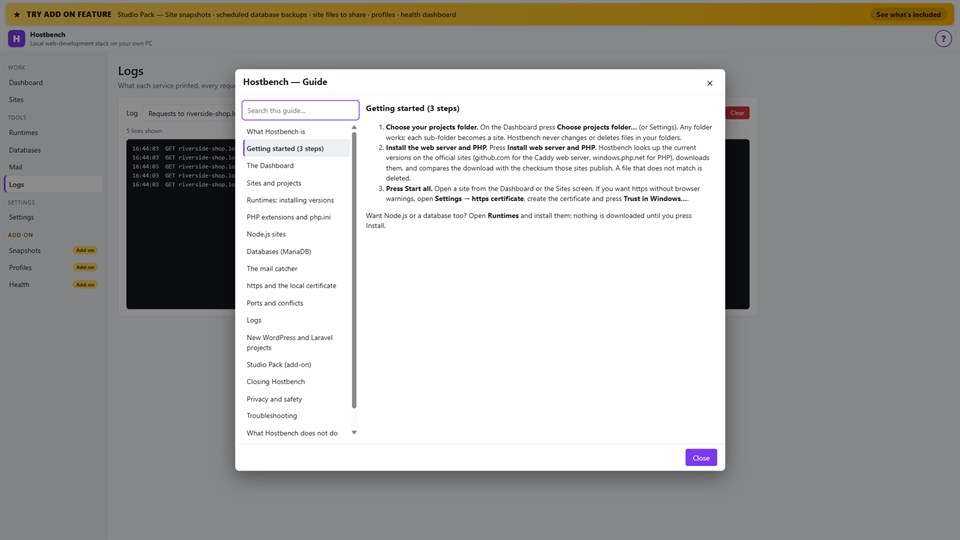
1. Choose your projects folder. Every sub-folder becomes a site: the folder "shop" is https://shop.localhost.
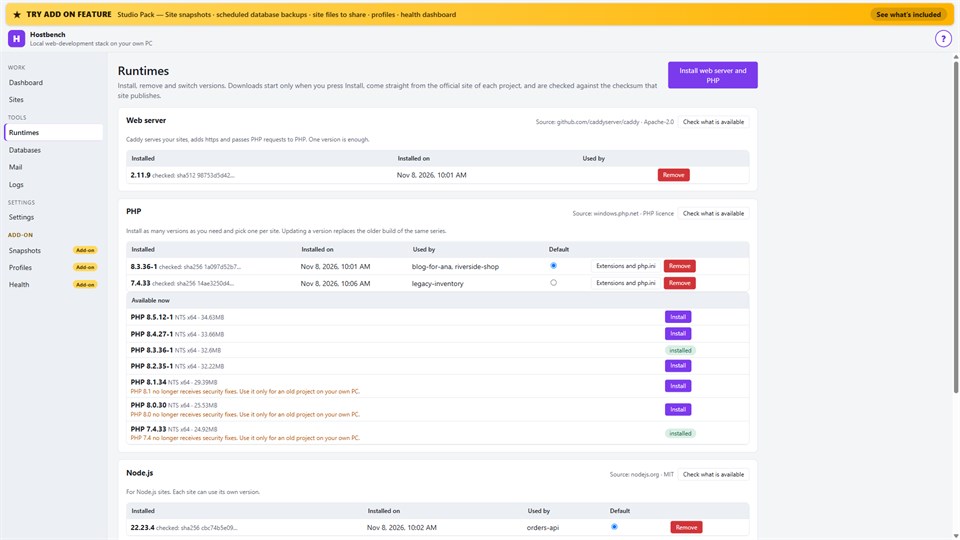
2. Install what you need. Hostbench downloads the web server, PHP, Node.js and MariaDB from their official sites when you press Install, and checks every file against the checksum the site publishes. The publisher of Hostbench hosts nothing.
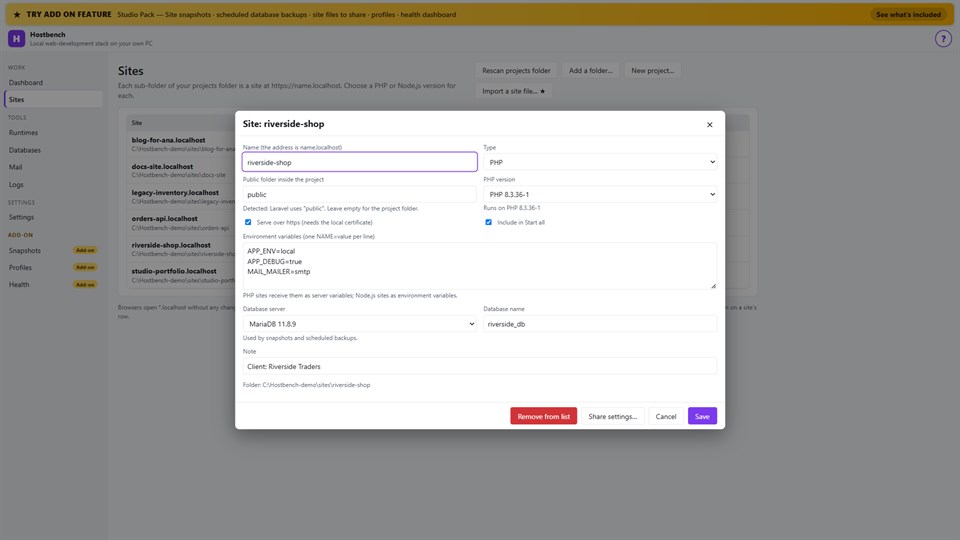
3. Pick a version per site: PHP 8.3 for one client, PHP 7.4 for an old client site, Node.js 22 for an API.
4. Press Start all. Open the site. Close Hostbench and everything stops.
EVERYTHING IN THE ONE-TIME PURCHASE
• Sites from folders with *.localhost addresses (no hosts-file editing for browsers); Laravel, Symfony, WordPress, plain PHP, static and Node.js projects are recognised, including the public folder
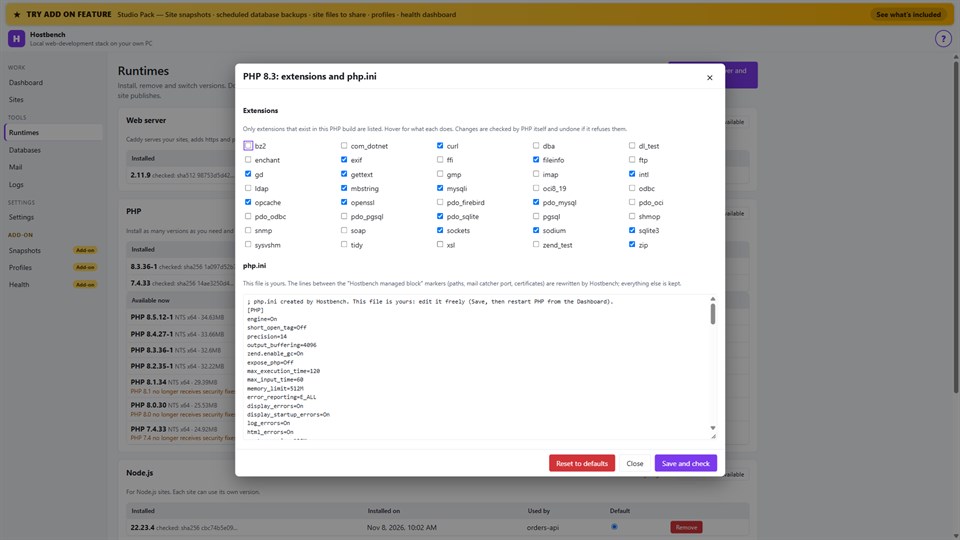
• Several PHP versions and Node.js versions installed side by side, chosen per site; each install is checksum-verified; versions without security support are marked
• https that works: Hostbench creates its own certificate authority for this PC, limited to .localhost names, and — only after your confirmation in Windows — trusts it for your account. Remove it again in one click
• A web server (Caddy) with PHP running through FastCGI worker pools, and Node.js sites proxied behind the same https address
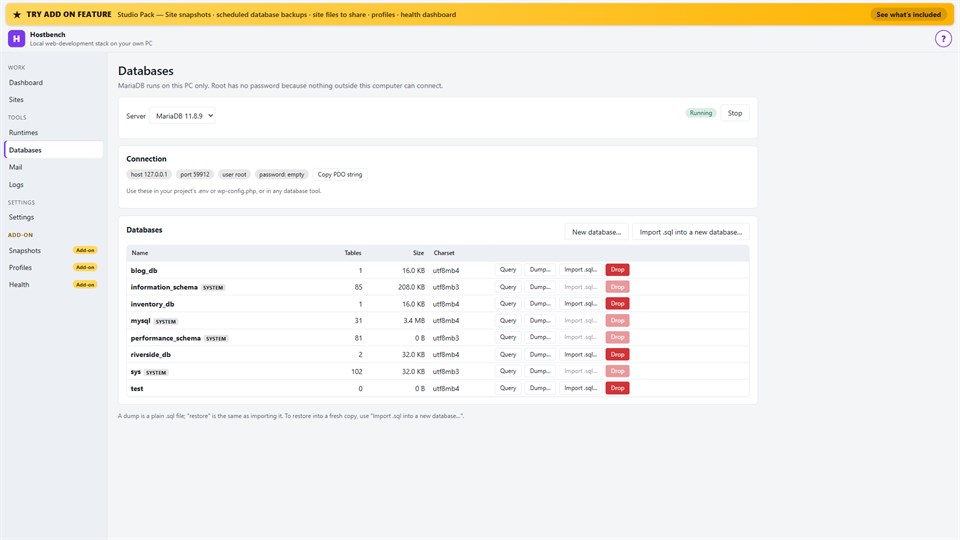
• MariaDB server with a database screen: create, drop, dump, import a .sql file, restore into a copy, run a quick query
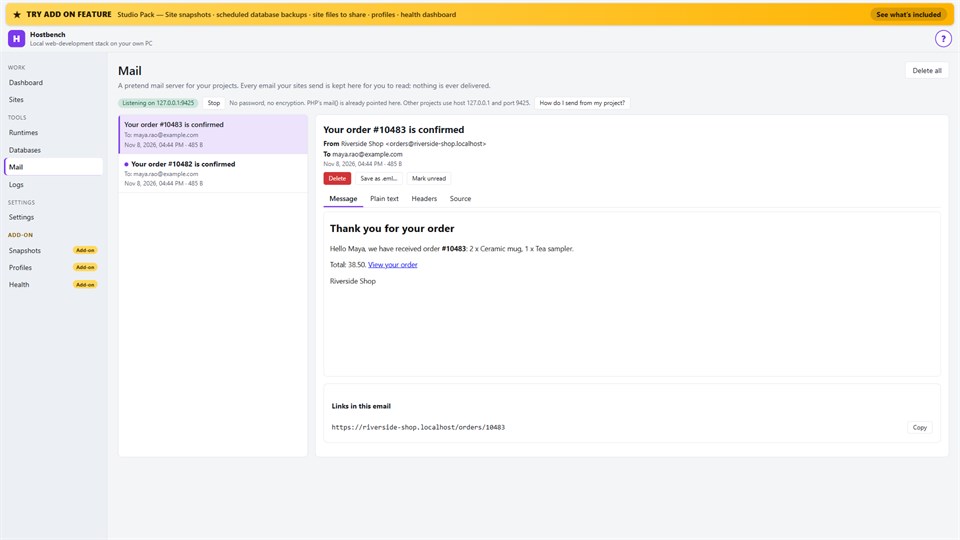
• Mail catcher: everything your sites send arrives in the Mail screen, with the message, text, headers, source, links and attachments. PHP's mail() is already connected. Nothing is ever delivered to anyone
• PHP extension switches and a PHP settings file editor for every PHP version, checked by PHP itself before a change is kept
• Per-site environment variables, a Terminal button with the site's PHP, Node.js and Composer on the PATH
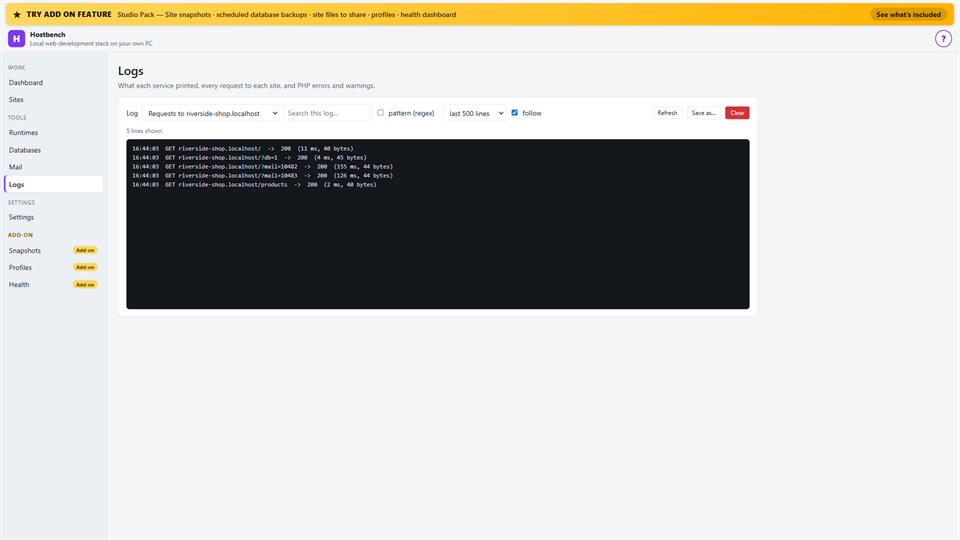
• Logs for every service, every request to every site and PHP errors, with search and regular expressions
• Port conflict detection: when ports 80 and 443 are busy (for example IIS), Hostbench switches to fallback ports (8080 and 8443), shows the addresses with the port and names the program holding the port when Windows reports it
• New WordPress and Laravel projects in one step (WordPress from wordpress.org, Laravel through Composer)
• Everything stops when you close the window (or keep it running in the tray if you choose); no process is left behind
• One "?" guide explains every screen
ADD-ON: STUDIO PACK (optional monthly subscription)
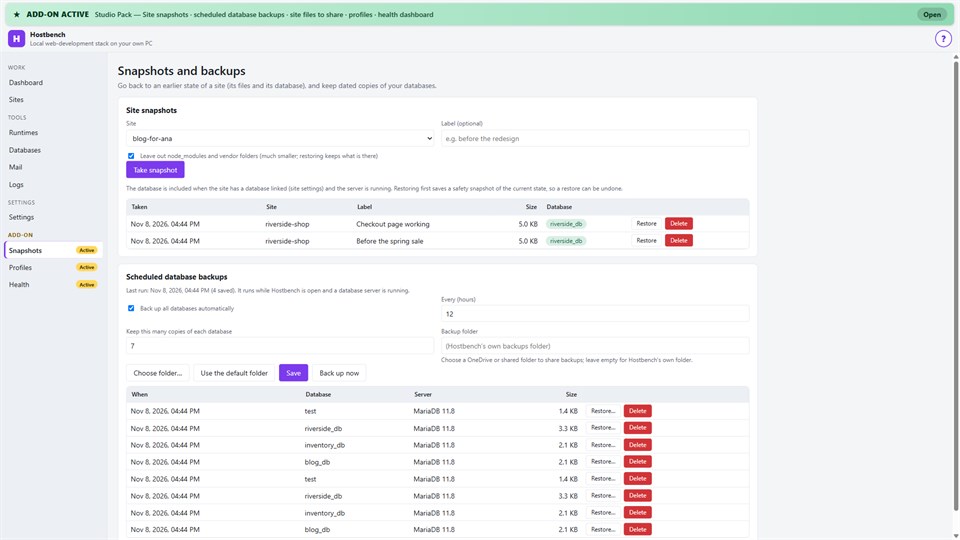
• Site snapshots and restore — a site's files and its database in one snapshot; a safety copy is taken before every restore
• Scheduled database backups — dated dumps every N hours to a folder you choose, newest copies kept
• Site files to share — export a site's settings (type, public folder, versions, PHP extensions, start command) as one small file; a colleague imports it and picks their own folder; secrets stay out unless you include them
• Profiles — name a set of sites, databases and the mail catcher and switch to it with one click
• Health dashboard — every site is checked through the real web server, with the answer code, the time and what to look at
PRIVACY
No telemetry, no advertising, no account. Your projects, databases and captured emails stay on your PC. The only network use is the downloads you start from the Runtimes screen or a new project, and the Microsoft Store licence check. Every Hostbench service listens on 127.0.0.1 only.
GOOD TO KNOW
Hostbench downloads runtimes on request, so the first set-up needs an internet connection. PHP 8 builds need the Microsoft Visual C++ Redistributable 2015–2022 (x64); Hostbench tells you if it is missing. Firefox keeps its own certificate list, so the saved certificate file must be imported there. This version includes MariaDB as its database server; PostgreSQL, MySQL, Redis-compatible caches and Xdebug setup are not included. Hostbench is tested with the programs from the official sites listed above; it is not affiliated with their projects.
De la dezvoltator
Liste 0
-
 Hostbench
Puncte 0
-

- +1 Punct

Clasamente 0
-
- Evaluarea ta
Dezvoltator 19
- Webspace IN
- Urmăritori: 0
- Platforme: Windows Aplicații (19)
- Reduceri: 0
- Liste: 0 0
- Puncte: 0
- Clasamente: 0
- Comentarii: 0
- Videoclipuri: 0
- RSS: Abonează-te
Ce este nou
- Versiune: PC
- Ultima actualizare:
- Initial release — introducing Hostbench to the Microsoft Store.
Informații suplimentare
- Data lansării:
- Categorie:
Aplicații pentru Windows›Instrumente pentru dezvoltatori - SO:
PC - Dimensiune:
158 Mb - Limbi disponibile:
Engleză - Evaluarea conținutului:
EVERYONE - Windows Store Evaluare: ¡
0 - Website:
 https://webspacein.com/contact
Scor AppAgg
Scor AppAgg estimat pentru
Hostbench
Dezvoltator: Webspace IN
Un scor mai mare reflectă de obicei rezultate mai bune pentru indicatorii urmăriți de AppAgg.
Bazat pe: popularitate · evaluări ale utilizatorilor · actualitate · oferte · date din magazine · activitatea comunității
Recalculat zilnic pe baza datelor AppAgg actualizate.
Comentarii 0 ¡
Distribuie
Hostbench Adresă URL scurtă: Copiat!- Windows Store

