
ที่บันทึกไว้
เลือกชื่อที่จะแสดงในเมนูที่บันทึกไว้ของคุณ
เสร็จแล้ว
| ผู้พัฒนา: | stargazer07 (7) | ||
| ราคา: | $0.99 | ||
| การประเมิน: | 500 บรอนซ์ | ||
| การจัดอันดับ: | 0 | ||
| ความเห็น: | 0 โพสต์ความคิดเห็น | ||
| รายการ: | 0 + 0 | ||
| แต้มแล: | 0 + 0 ¡ | ||
| +1 แต้มแล | |||
คำอธิบาย

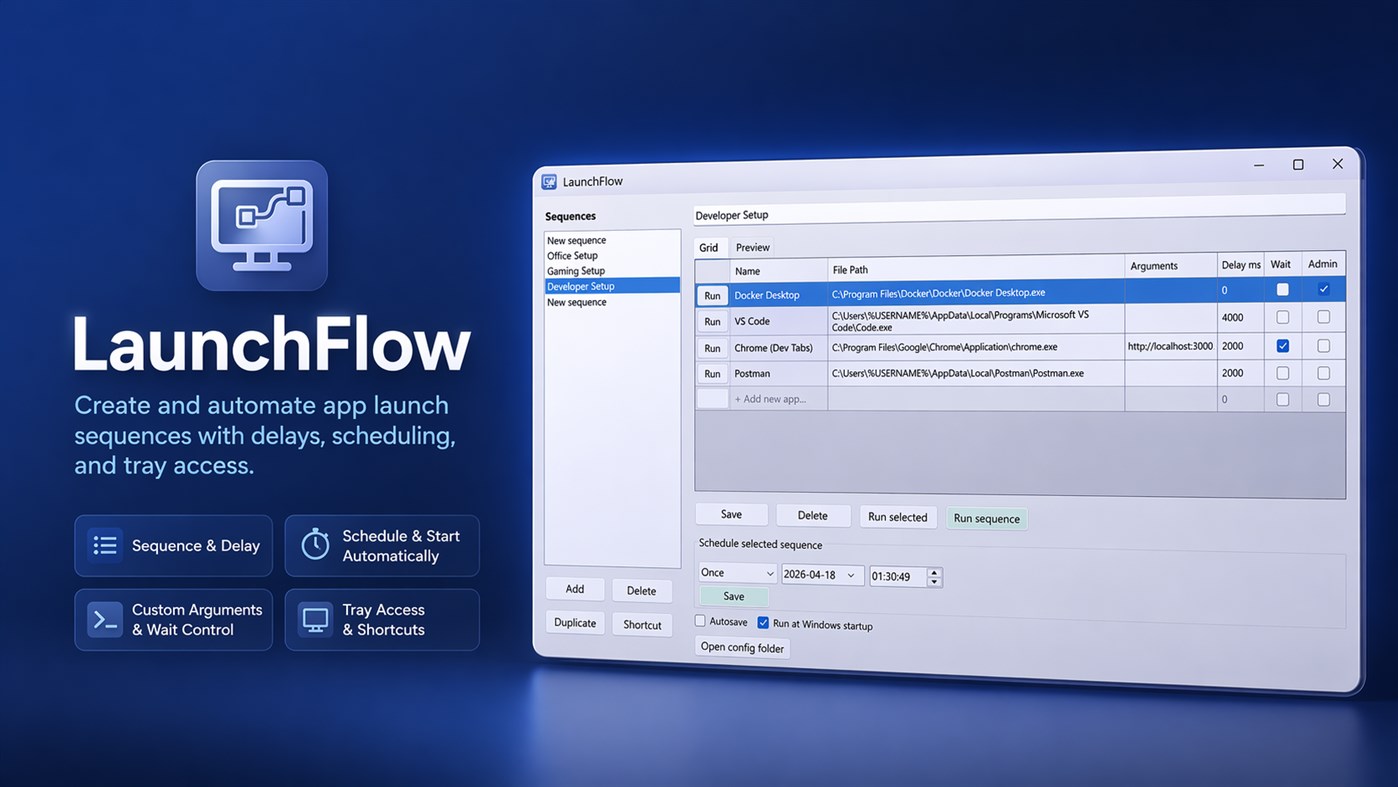
Instead of dealing with complex Windows Task Scheduler setups, LaunchFlow lets you create clean, reusable launch sequences with full control over execution order, delays, and behavior.
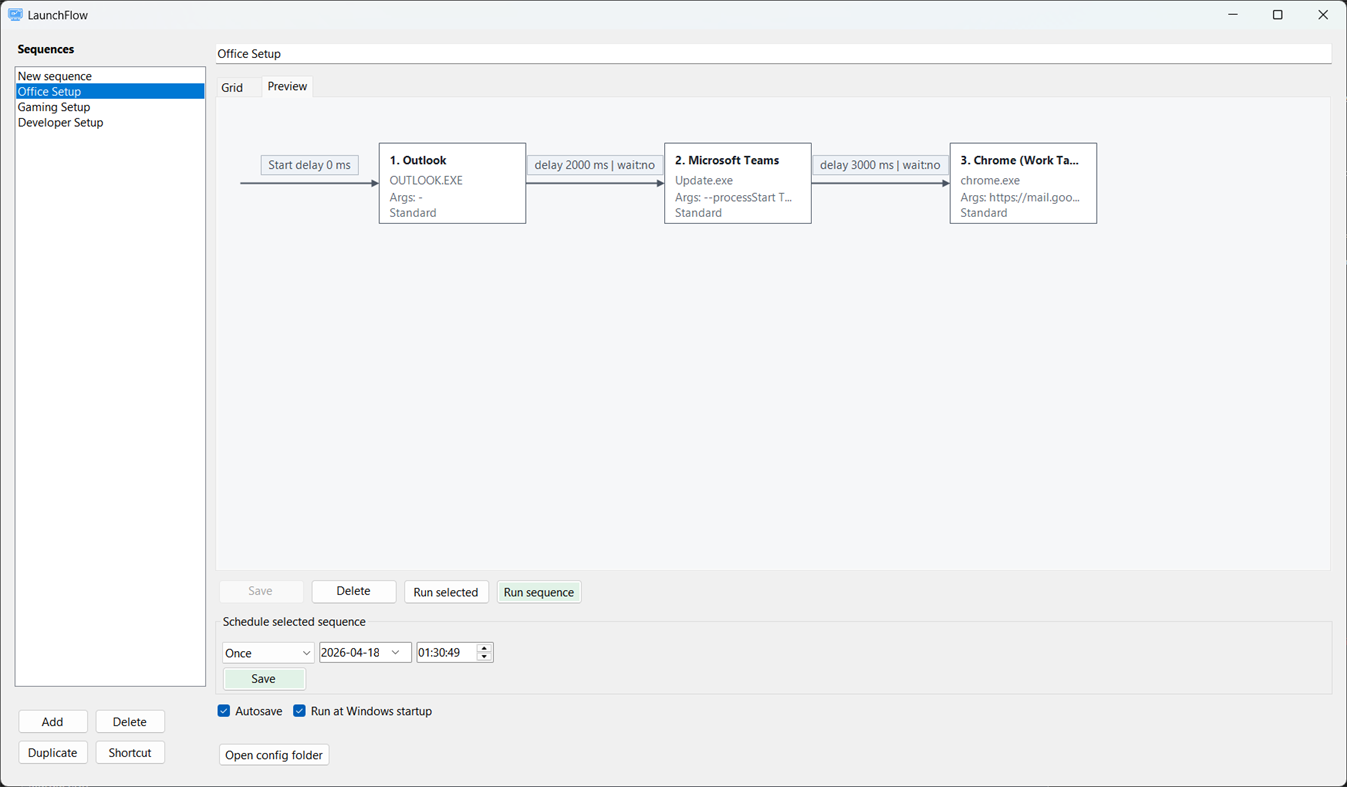
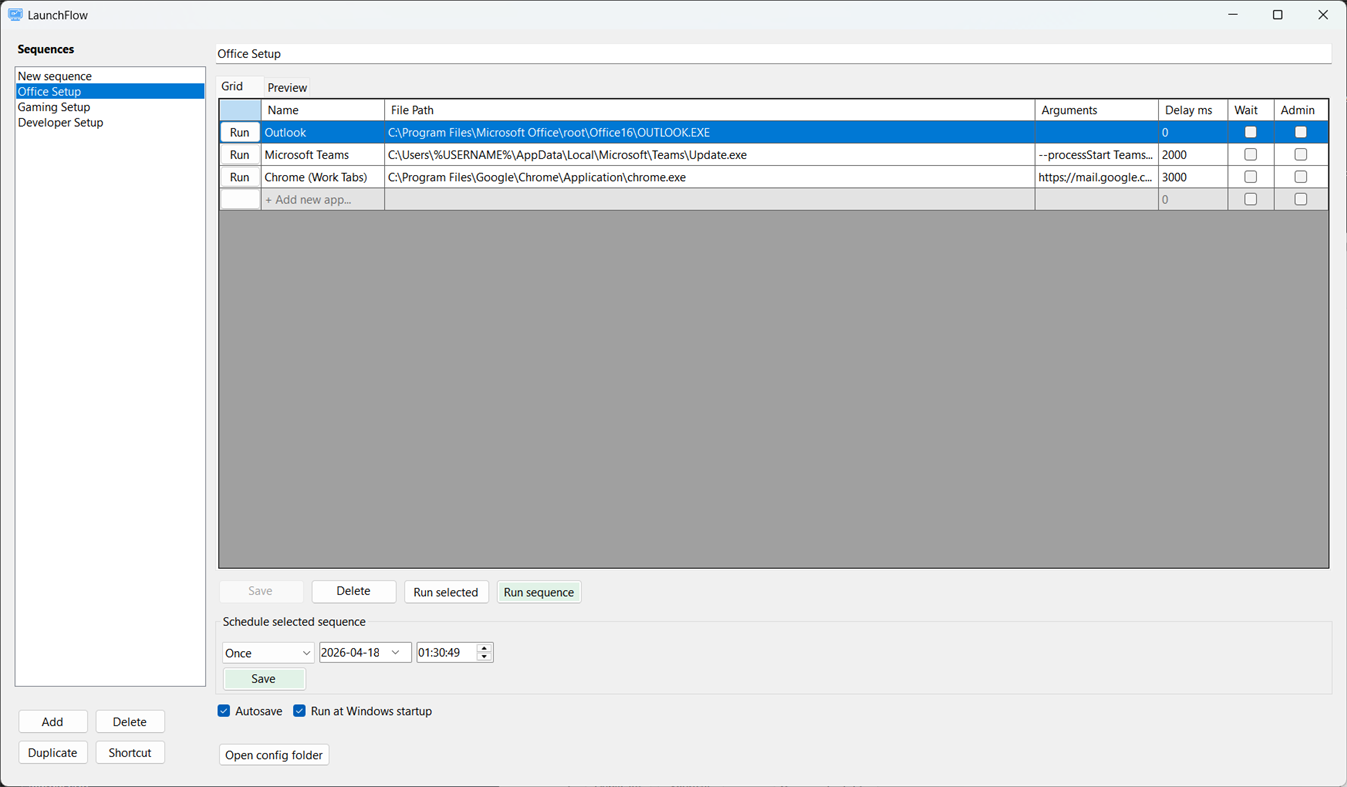
You can define a sequence of applications or scripts, configure arguments, add delays between steps, and decide whether each step should wait for the previous one to finish.
LaunchFlow is built for developers, power users, and anyone who regularly starts multiple tools in a specific order.
Key capabilities include:
• Create named launch sequences
• Add .exe, .bat, and .cmd files
• Configure custom arguments per app
• Add delays between steps
• Run items sequentially with optional wait logic
• Run individual steps or full sequences
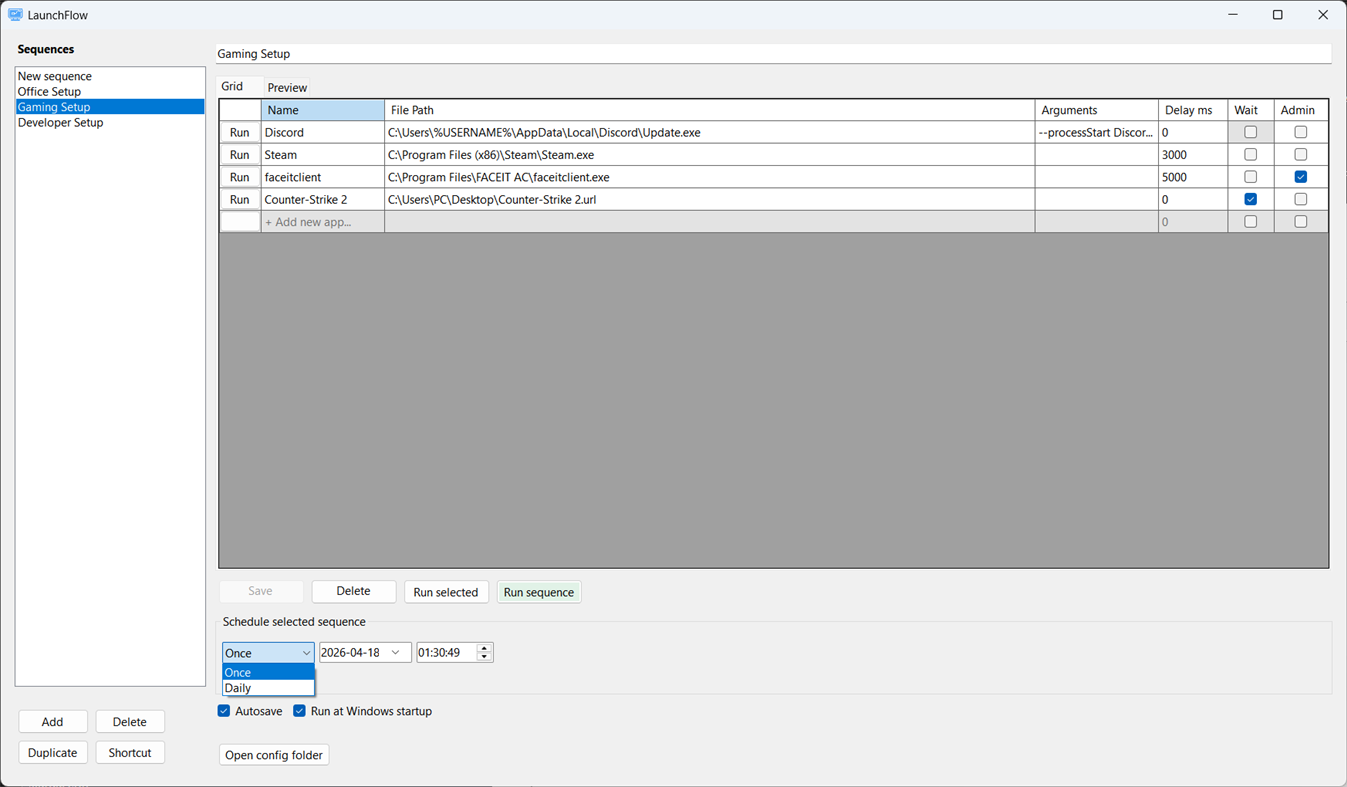
• Schedule sequences (once or daily)
• Minimize to system tray
• Launch recent sequences from tray menu
• Create desktop shortcuts for direct execution
• Optional Windows startup integration
• Optional autosave mode
All data is stored locally as JSON in your AppData folder. LaunchFlow does not rely on external services or cloud storage.
The app is designed with simplicity, performance, and low resource usage in mind. No unnecessary dependencies, no background services, and no complexity.
Perfect for:
- Developers starting local environments
- Automating daily tool setups
- Power users replacing Task Scheduler for simple flows
LaunchFlow helps you take control of how your apps start — cleanly and efficiently.
ภาพหน้าจอ
Ad
ประวัติราคา
- ราคาปัจจุบัน: $0.99
- ต่ำสุด: $0.99
- มากที่สุด: $0.99
ติดตามราคา
การประเมิน AppAgg
500
การประเมิน AppAgg โดยประมาณสำหรับ
LaunchFlow
500 บรอนซ์
การประเมินที่สูงขึ้นมักหมายถึงสัญญาณบน AppAgg ที่แข็งแกร่งขึ้น
อิงจาก: ความนิยม · คะแนนจากผู้ใช้ · ความสดใหม่ · ดีล · ข้อมูลร้านค้า · กิจกรรมชุมชน
คำนวณใหม่ทุกวันจากข้อมูล AppAgg ล่าสุด.
URL แบบสั้น: คัดลอกแล้ว!
มีอะไรใหม่
- เวอร์ชัน: PC
- อัปเดตล่าสุด:
ข้อมูลเพิ่มเติม
- วันที่วางจำหน่าย:
- หมวดหมู่:
Windows แอป›เครื่องมือสำหรับนักพัฒนา - ระบบปฏิบัติการ:
PC - ขนาด:
320 Kb - ภาษาที่สนับสนุน:
English - การจัดประเภทเนื้อหา:
EVERYONE - Windows Store คะแนนโดย:
0
 https://launchflow-a1t.pages.dev/privacy-policy
ผู้พัฒนา
- stargazer07
- แพลตฟอร์ม: Windows แอป (7)
- รายการ: 0 + 0
- แต้มแล: 0 + 0 ¡
- การจัดอันดับ: 0
- ความเห็น: 0
- ลดราคา: 0
- วิดีโอ: 0
- RSS: ติดตาม
รายการ (0)
0
- LaunchFlow
แต้มแล (0)
0
การจัดอันดับ (0)
0
ความเห็น (0)
เป็นคนแรกที่แสดงความเห็น
สรุป
LaunchFlow URL แบบสั้น: คัดลอกแล้ว!- แชร์
- Windows Store
«LaunchFlow». แพลตฟอร์ม: Windows. หมวดหมู่: เครื่องมือสำหรับนักพัฒนา. ผู้พัฒนา: «stargazer07». การเปิดตัวครั้งแรก: . อัปเดตล่าสุด: . ราคาปัจจุบัน: $0.99. ราคาต่ำสุดที่บันทึกไว้: $0.99. ราคาสูงสุดที่บันทึกไว้: $0.99. ชื่อนี้ยังไม่ได้รับการให้คะแนนหรือบทวิจารณ์บน AppAgg ภาษาที่ใช้ได้: English. AppAgg ติดตามประวัติราคา การให้คะแนน และคำติชมของผู้ใช้ «LaunchFlow». AppAgg ไม่ได้โฮสต์แอปพลิเคชันหรือแจกจ่ายซอฟต์แวร์ เครื่องหมายการค้า โลโก้ และภาพหน้าจอทั้งหมดเป็นของเจ้าของที่เกี่ยวข้อง ส่วนลดและอัปเดตในอนาคต: RSS
คล้ายกัน
-
- Flow CSV Viewer
- Windows แอป: เครื่องมือสำหรับนักพัฒนา โดย: Waveworks
- ฟรี
- รายการ: 0 0 0
- แต้มแล: 1 + 10 760 เวอร์ชัน: PC Flow CSV Viewer is a light-weight tool for viewing, plotting and analyzing time series data files in CSV format. It's designed to be extremely quick and easy to use. It opens any valid ⥯
-
- Launch Project
- Windows แอป: เครื่องมือสำหรับนักพัฒนา โดย: Umut Nacak
- $9.99
- รายการ: 0 0 0
- แต้มแล: 0 + 0 500 เวอร์ชัน: PC Add your development environment folders/apps/commands for ease of access. Launch selected apps for a quick development experience. Run commands in the integrated terminal. ⥯
-
- Microsoft PowerToys
- Windows แอป: เครื่องมือสำหรับนักพัฒนา โดย: Microsoft Corporation
- ฟรี
- รายการ: 3 + 2 4 (1) 0
- แต้มแล: 4 + 3,340 9K เวอร์ชัน: PC Microsoft PowerToys is a collection of utilities that help you customize Windows and streamline everyday tasks. PowerToys includes over 25 utilities to help you customize and optimize ... ⥯
-
- Ubuntu on Windows
- Windows แอป: เครื่องมือสำหรับนักพัฒนา โดย: Canonical Group Limited
- ฟรี
- รายการ: 2 0 0
- แต้มแล: 11 + 912 5K เวอร์ชัน: PC Ubuntu on Windows allows you to use Ubuntu Terminal and run Ubuntu command line utilities including bash, ssh, git, apt and many more. Please note that Windows 10 S does not support ... ⥯
-
- Metaforce+
- Windows แอป: เครื่องมือสำหรับนักพัฒนา โดย: Metaforce+
- * ฟรี
- รายการ: 2 0 0
- แต้มแล: 2 + 0 770 เวอร์ชัน: PC Metaforce is a powerful salesforce administration and development tool which helps you to manage and customize your salesforce organizations faster and easier! Core Features: #1: Org ... ⥯
-
- SearchInFiles
- Windows แอป: เครื่องมือสำหรับนักพัฒนา โดย: Andrew Whitechapel
- ฟรี
- รายการ: 1 + 1 0 0
- แต้มแล: 1 + 2 650 เวอร์ชัน: PC A simple app that allows you to search for text in files. You can search in any files in any folder to which you have access. One example is searching for a supported API in the ... ⥯
-
- Python Install Manager
- Windows แอป: เครื่องมือสำหรับนักพัฒนา โดย: Python Software Foundation
- ฟรี
- รายการ: 0 + 1 0 0
- แต้มแล: 3 + 19 1K เวอร์ชัน: PC The Python install manager helps you to install, manage, and launch Python on Windows. After install, the "py" command is your tool of choice - try "py help" to see what it can do! ... ⥯
-
- Quick Icons
- Windows แอป: เครื่องมือสำหรับนักพัฒนา โดย: Neonway
- $4.99
- รายการ: 0 0 0
- แต้มแล: 0 + 13 830 เวอร์ชัน: PC Try 1 day for FREE! Save over 80% compared to a set of equivalent apps and tools. Quick Icons combines 6 apps in one easy-to-use app: 1. App Icons Creator, 2. App Launch Images ... ⥯
-
- Json Code Converter
- Windows แอป: เครื่องมือสำหรับนักพัฒนา โดย: B4C Studio
- $2.19
- รายการ: 0 0 0
- แต้มแล: 0 + 0 500 เวอร์ชัน: PC Json Code Converter is an application convert JSON into gorgeous, typesafe code in many programming languages. Json Code Converter supports many programing languages and file types: - ... ⥯
-
- DSE Inline Diff
- Windows แอป: เครื่องมือสำหรับนักพัฒนา โดย: Data Safety Expert
- ฟรี
- รายการ: 0 + 1 0 0
- แต้มแล: 2 + 1 590 เวอร์ชัน: PC Text file comparison tool. Compares two text files and displays differences in different colors. Also compares different lines and displays different characters in different colors. ... ⥯
-
- Halo 5: Guardians Local Server
- Windows แอป: เครื่องมือสำหรับนักพัฒนา โดย: Microsoft Studios
- ฟรี
- รายการ: 0 + 1 0 0
- แต้มแล: 1 + 16 1K เวอร์ชัน: PC REQUIRES HALO 5: GUARDIANS ON XBOX ONE. THIS IS A TOOL FOR HOSTING LOCAL MULTIPLAYER MATCHES AND DOES NOT CONTAIN ACTUAL GAME CONTENT Halo 5: Guardians Local Server provides a new way ... ⥯
-
- Console Output
- Windows แอป: เครื่องมือสำหรับนักพัฒนา โดย: Michael S. Scherotter
- ฟรี
- รายการ: 0 + 1 0 0
- แต้มแล: 1 + 3 620 เวอร์ชัน: PC Add real-time text console output to any app. This is great for debugging and testing scenarios. Launch the app with the consoleoutput: protocol handler and then send messages to it ... ⥯
-
- Real-Time JavaScript Tool
- Windows แอป: เครื่องมือสำหรับนักพัฒนา โดย: 25/8
- $12.99
- รายการ: 0 + 1 0 0
- แต้มแล: 1 + 0 550 เวอร์ชัน: PC Real-Time JavaScript Tool is a tool that allows JavaScript codes to be executed in Real-Time! The tool can be used for multiple tasks such as calculations, automation, data ... ⥯