
Marcaje
Alege un titlu pentru acest marcaj.
Marcaj salvat
| Dezvoltator: | LEVELHARD (3) | ||
| Preț: | Gratuit | ||
| Scor: | 1.500 Aur | ||
| Clasamente: | 0 | ||
| Comentarii: | 0 Postează comentariu | ||
| Liste: | 0 + 0 | ||
| Puncte: | 0 + 13 (2.5) ¡ | ||
| +1 Puncte | |||
Capturi de ecran
Publicitate
Descriere

Free, offline, no account, no ads, no telemetry.
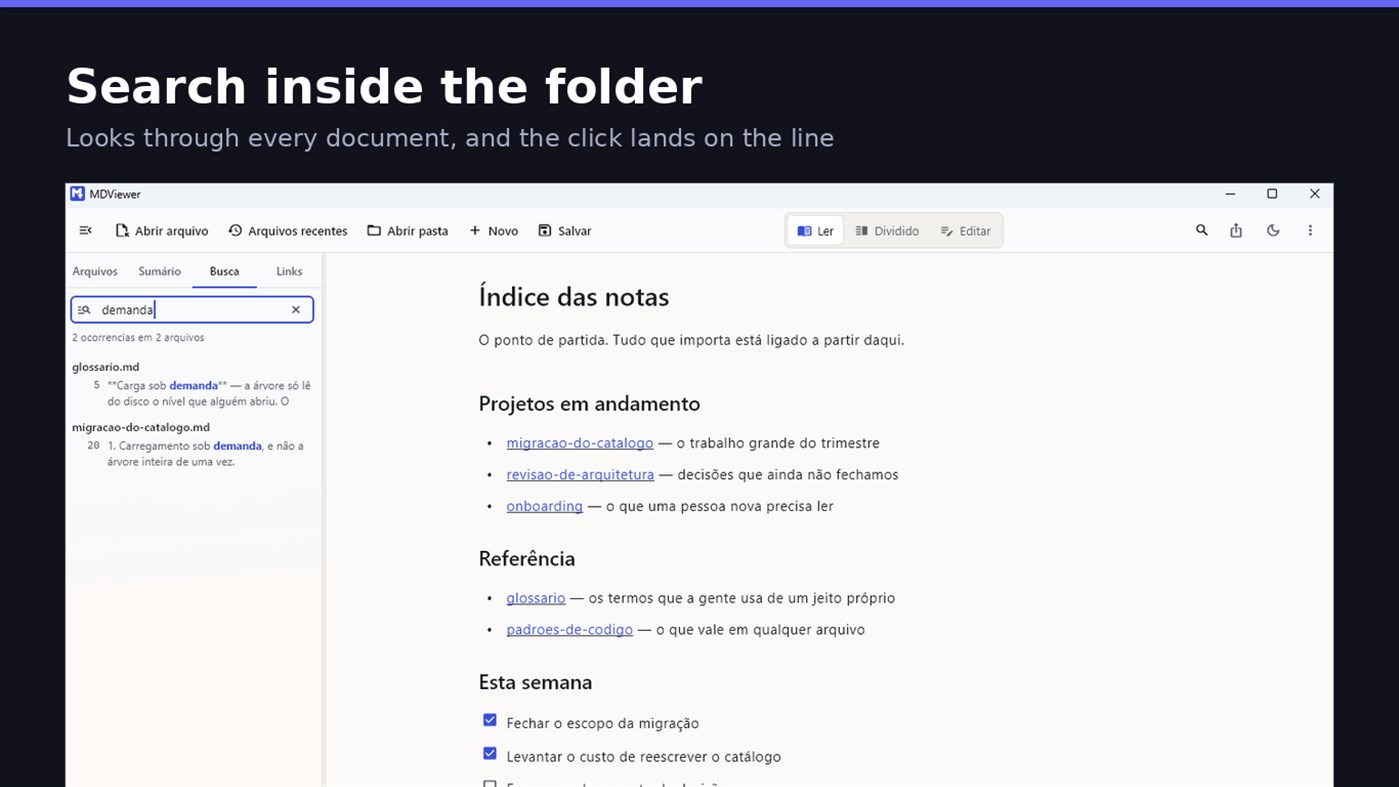
FIND WHAT YOU WROTE
Search by content across the folder with Ctrl+Shift+F: MDViewer looks for the term inside every document, shows the snippet with the word highlighted, and clicking takes you to the file with the line already selected. Filter by name finds the file even in a subfolder you never opened, showing the path to it.
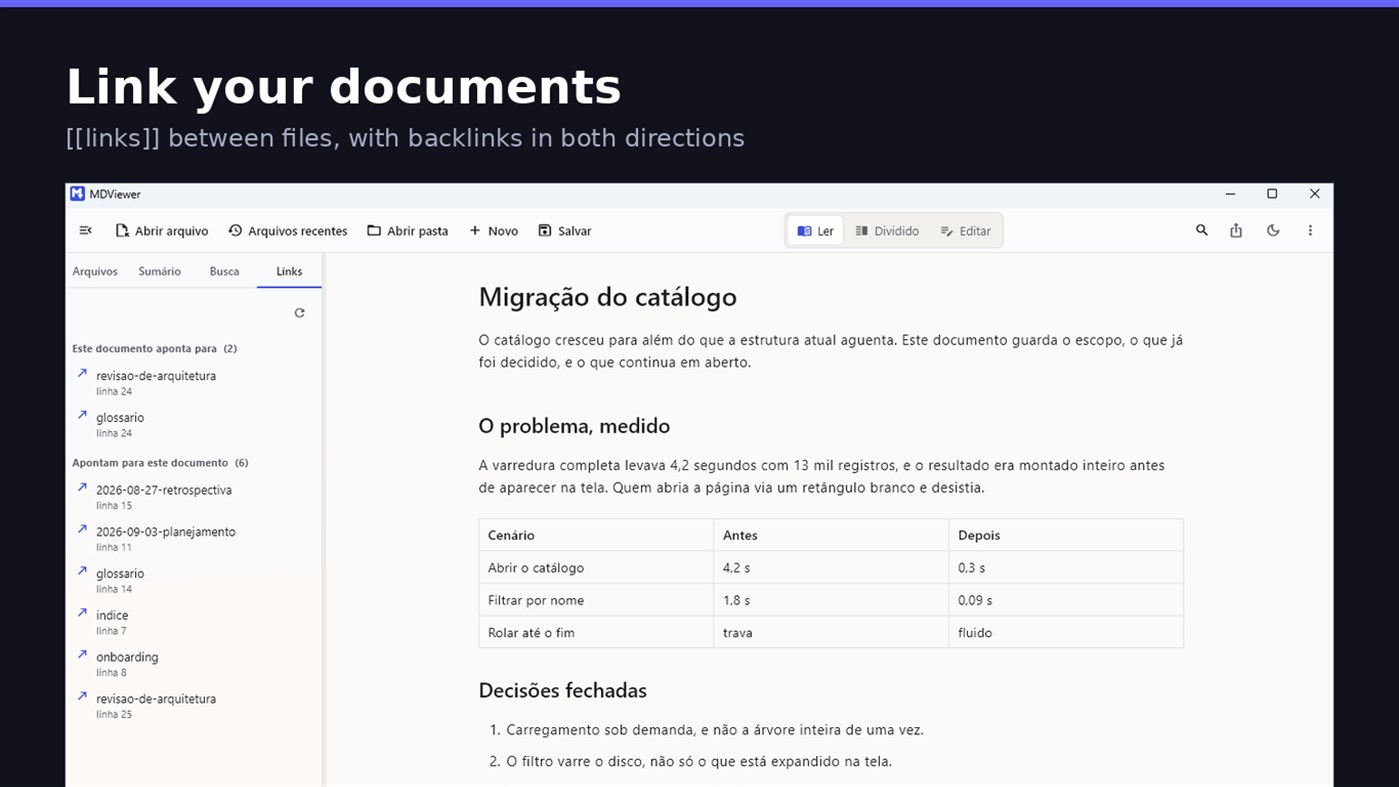
LINK YOUR DOCUMENTS TOGETHER
Write [[document-name]] and it becomes a clickable link. [[document#section]] jumps straight to the section; [[document|the text you want]] shows your own label. The Links tab shows both directions: where this document points, and who points to it, and a backlink takes you to the exact line where the link was written. A link to a target that does not exist is marked, instead of silently doing nothing.
READ
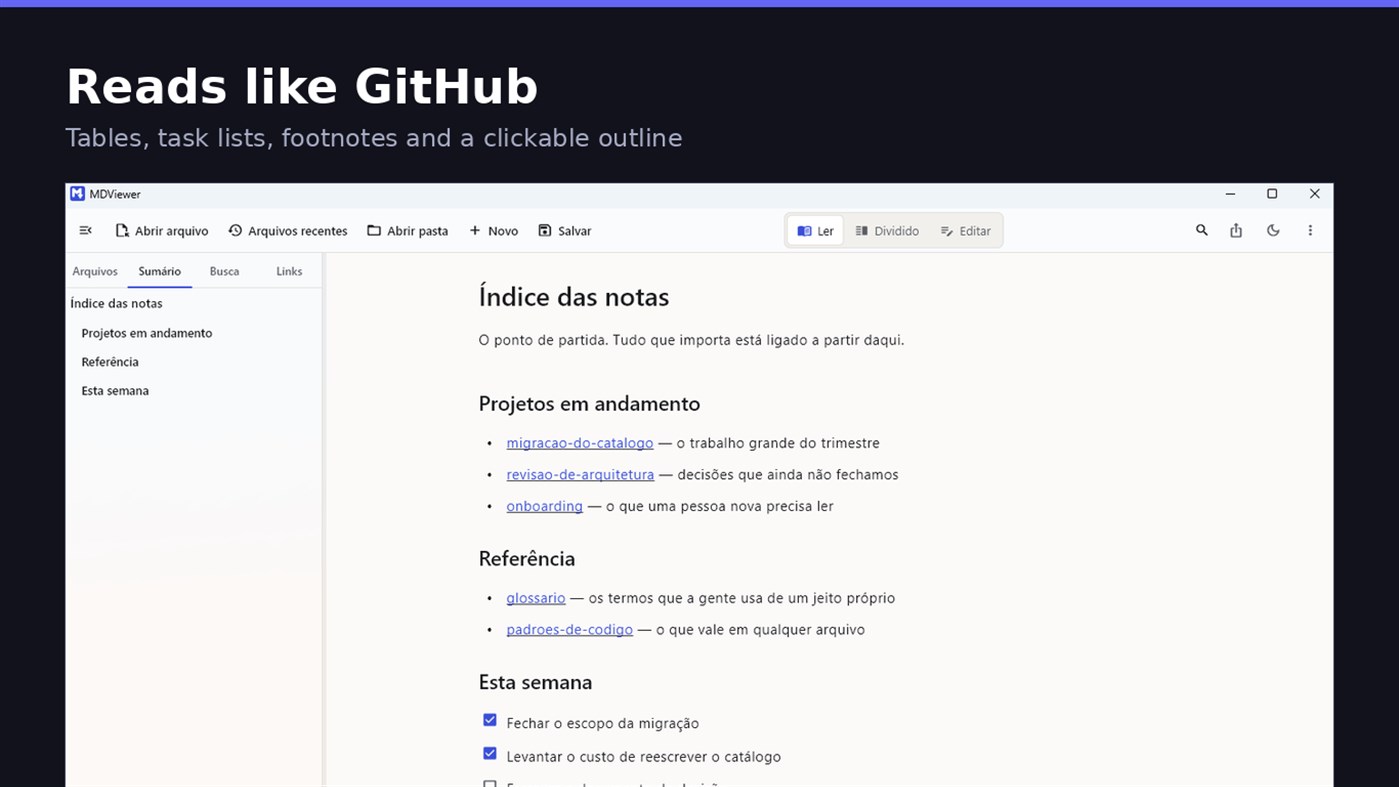
• GitHub Flavored Markdown: tables, task lists, strikethrough, footnotes and code blocks
• A reading column with a comfortable width, instead of text stretched across the screen
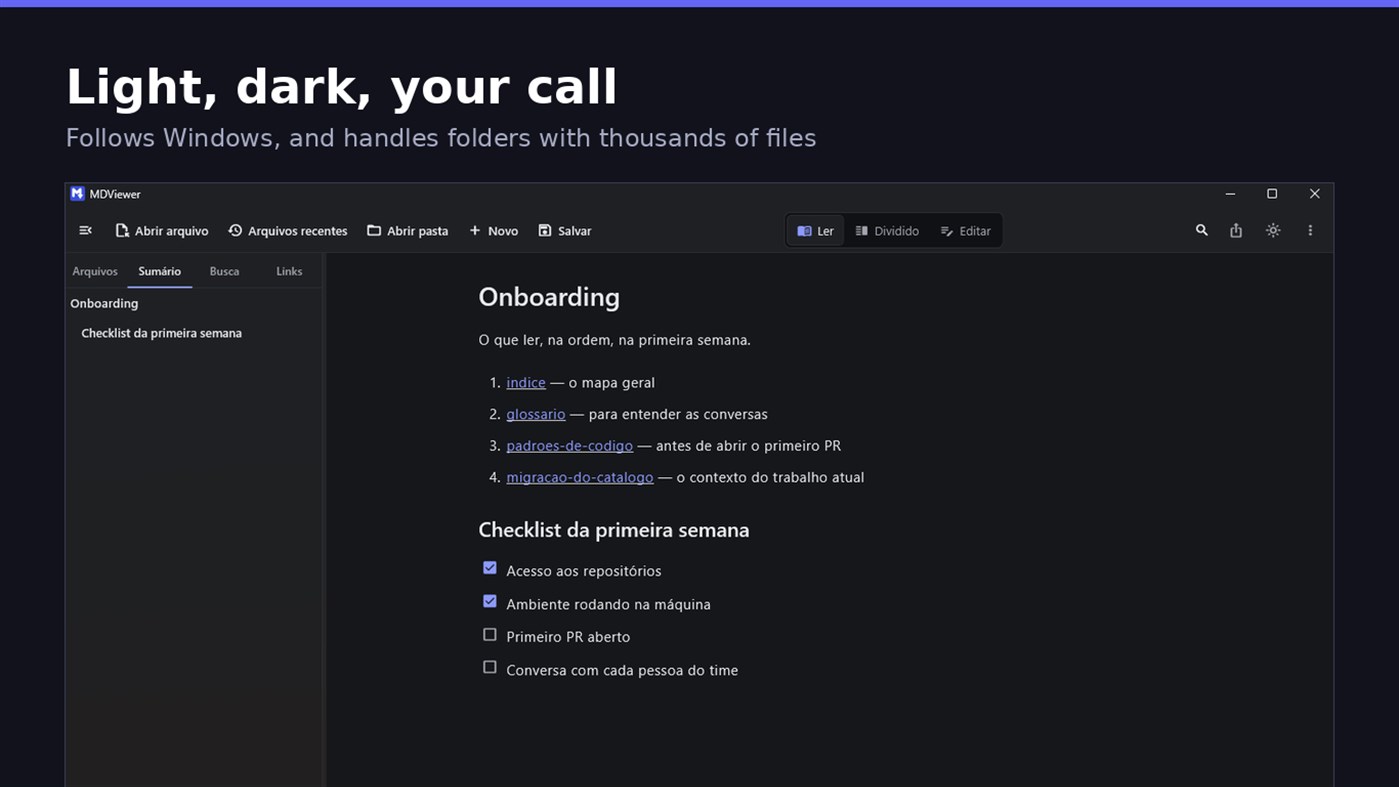
• Clickable document outline, to jump between sections
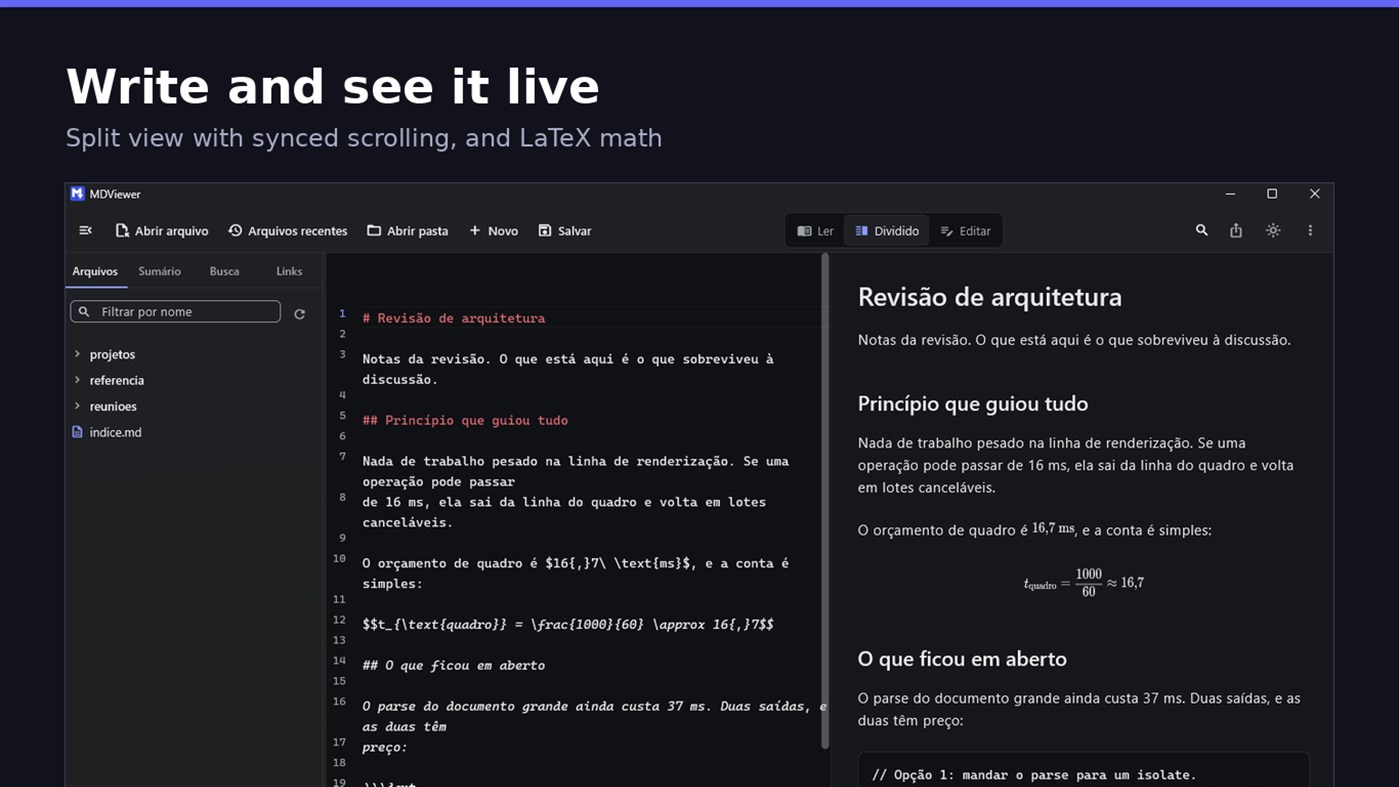
• LaTeX math
• Task checkboxes you tick with one click, written back to the file
• Light and dark themes, following Windows
EDIT
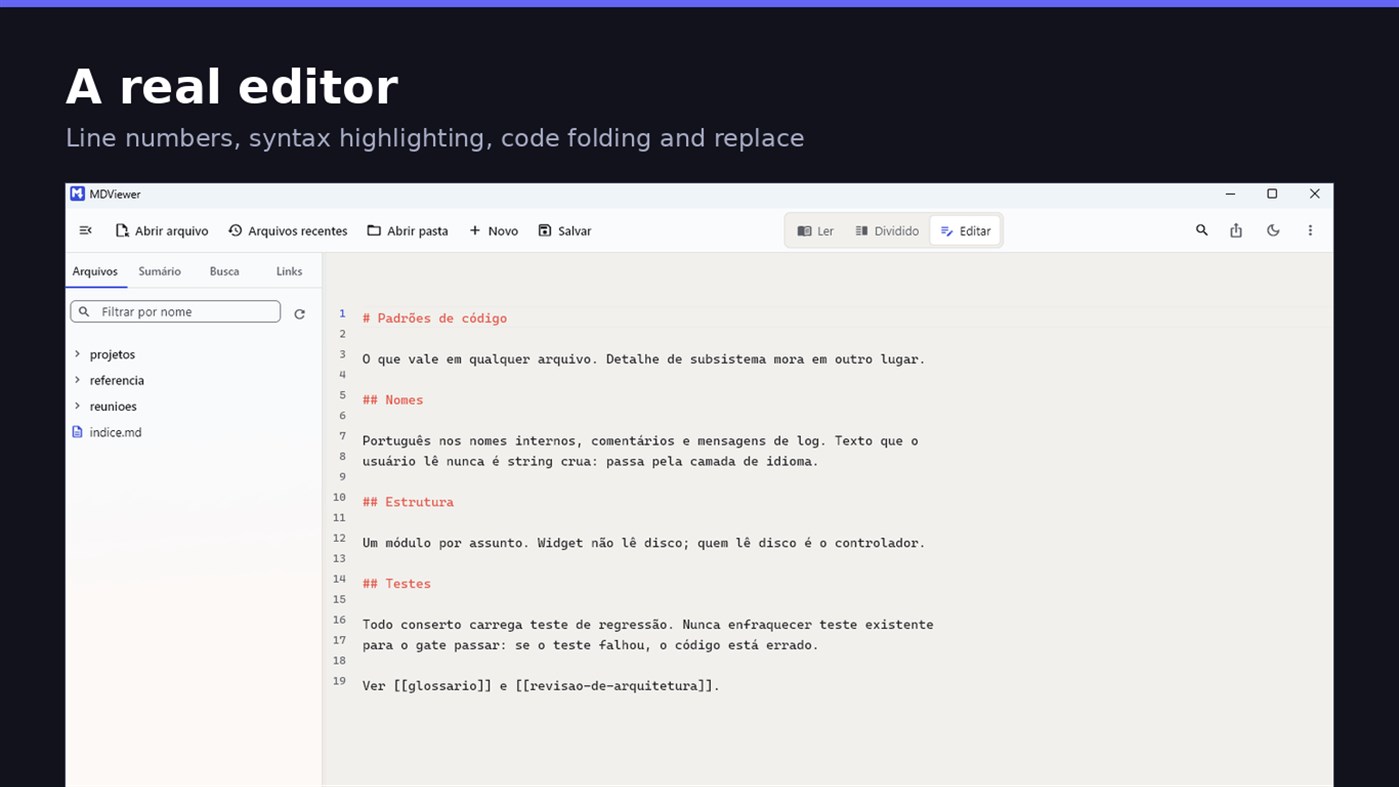
• Editor with line numbers, syntax highlighting, code folding, undo and redo, find and replace
• Split view, text on one side and result on the other, scrolling together
• Draft saved automatically, and recovered if the app closes without saving
• A warning when the file changes outside the app
• Nothing is written to your file unless you say so
HOLD UP UNDER LOAD
In a folder with thirteen thousand documents, MDViewer opens without freezing the screen. The folder tree loads on demand and skips .git and node_modules. Search, filtering and the link index run off the rendering thread, in batches, and are cancelled the moment you keep typing. This is measured every release, and the app logs any operation that goes over the frame budget.
FIT INTO WINDOWS
• File association for .md, .markdown and .mdx, with its own document icon
• Single instance: a second file becomes a tab, not another window
• Document tabs, and a taskbar dot while any document has unsaved changes
• Taskbar progress while exporting PDF
• Mica background on Windows 11, with the reading area always solid
• Drag and drop a file or a folder onto the window
• Export to HTML and PDF, and print
• Interface in Portuguese, English and Spanish
PRIVACY
MDViewer has no account, uploads nothing anywhere, and works without an internet connection. There is no remote telemetry: the log stays on your machine, and the app has a shortcut to open its folder.
Made by LEVELHARD.
Alte platforme
| MDViewerWindows Store1K AurEști aici | Gratuit |
Deocamdată doar în acest magazin.
Istoricul prețurilor
- Prețul actual: Gratuit
- Minim: Gratuit
- Maxim: Gratuit
Urmărește prețurile Adaugă într-o listă pentru a primi alerte de reduceri prin e-mail sau push
Liste 0
0
- MDViewer
Puncte 0
0
Clasamente 0
-

- Evaluarea ta

Comentarii 0 ¡
Fii primul care comentează
Dezvoltator
- LEVELHARD
- Urmăritori: 0
- Platforme: Windows Aplicații (3)
- Reduceri: 0
- Liste: 0 + 0
- Puncte: 0 + 13 ¡
- Clasamente: 0
- Comentarii: 0
- Videoclipuri: 0
- RSS: Abonează-te
Ce este nou
- Versiune: PC
- Ultima actualizare:
- This version makes the editor easier to use and reading more complete.
• Command palette (Ctrl+Shift+P): type what you want to do, like "pdf" or "theme", and see the key for each command.
• Formatting toolbar in the editor, and a key for every format: Ctrl+Shift+1 to 3 headings, Ctrl+Shift+7, 8 and 9 lists and tasks, Ctrl+Shift+Q quote, Ctrl+T table.
• The editor understands Markdown: Enter continues the list, Tab builds the sublist, and pasting an address over text creates the link.
• Mermaid diagrams drawn in reading view, in light and dark themes, with no internet.
• Select and copy text in reading view.
• Chinese, Japanese and Korean with the right font, on screen and in exported PDFs.
Informații suplimentare
- Data lansării:
- Categorie:
Aplicații pentru Windows›Instrumente pentru dezvoltatori - SO:
PC - Mărimea:
20 Mb - Limbi disponibile:
Engleză,Portugheză,Spaniolă - Evaluarea conținutului:
EVERYONE - Windows Store Evaluare: ¡
2.5(13) - Website:
 https://levelhard.com.br
Scor AppAgg
1.500
Scor AppAgg estimat pentru
MDViewer
Dezvoltator: LEVELHARD
1.500 Aur
Un scor mai mare reflectă de obicei rezultate mai bune pentru indicatorii urmăriți de AppAgg.
Bazat pe: popularitate · evaluări ale utilizatorilor · actualitate · oferte · date din magazine · activitatea comunității
Recalculat zilnic pe baza datelor AppAgg actualizate.
Insignă pentru site:  Copiat!
Pe scurt
MDViewer Adresă URL scurtă: Copiat!- Windows Store
Pe AppAgg poți urmări „MDViewer”, o aplicație de la LEVELHARD pentru Windows, din categoria Instrumente pentru dezvoltatori. Scor AppAgg: 1.500 (Aur). Puncte AppAgg ale aplicației — confirmate: 0; indirecte: 13. Liste publice care includ aplicația: 0. Utilizatori care au salvat-o în liste private: 0. Utilizatorii AppAgg nu au evaluat încă această aplicație. Punctele confirmate înregistrează accesările magazinului de către utilizatorii autentificați pe AppAgg. Cele indirecte se bazează pe datele magazinelor. Cele două contoare arată numărul listelor publice și al utilizatorilor care au salvat aplicația sau jocul în liste private. Aplicația a fost lansată prima dată la . Ultima actualizare a aplicației: . Aplicația este momentan disponibilă gratuit. Evaluarea actuală a aplicației în Windows Store: 2.5. Număr de voturi: 13. Aplicația este disponibilă în următoarele limbi: Engleză, Portugheză, Spaniolă. Consultă istoricul prețurilor, adaugă aplicația într-o listă sau urmărește dezvoltatorul. Urmărește ofertele și actualizările viitoare ale aplicației prin RSS. AppAgg nu găzduiește și nu distribuie această aplicație. Toate mărcile comerciale, siglele și capturile de ecran asociate aplicației aparțin proprietarilor lor.

