
Bookmarks
Choose a title for this bookmark.
Bookmark saved
| Developer: | Saeid Khoorani (1) | ||
| Price: | * Free New | ||
| Score: | 1,450 Gold | ||
| Rankings: | 0 | ||
| Comments: | 0 Add a comment | ||
| Lists: | 0 + 0 | ||
| Points: | 0 + 0 ¡ | ||
| +1 Point | |||
Screenshots 10
Advertisement
Description

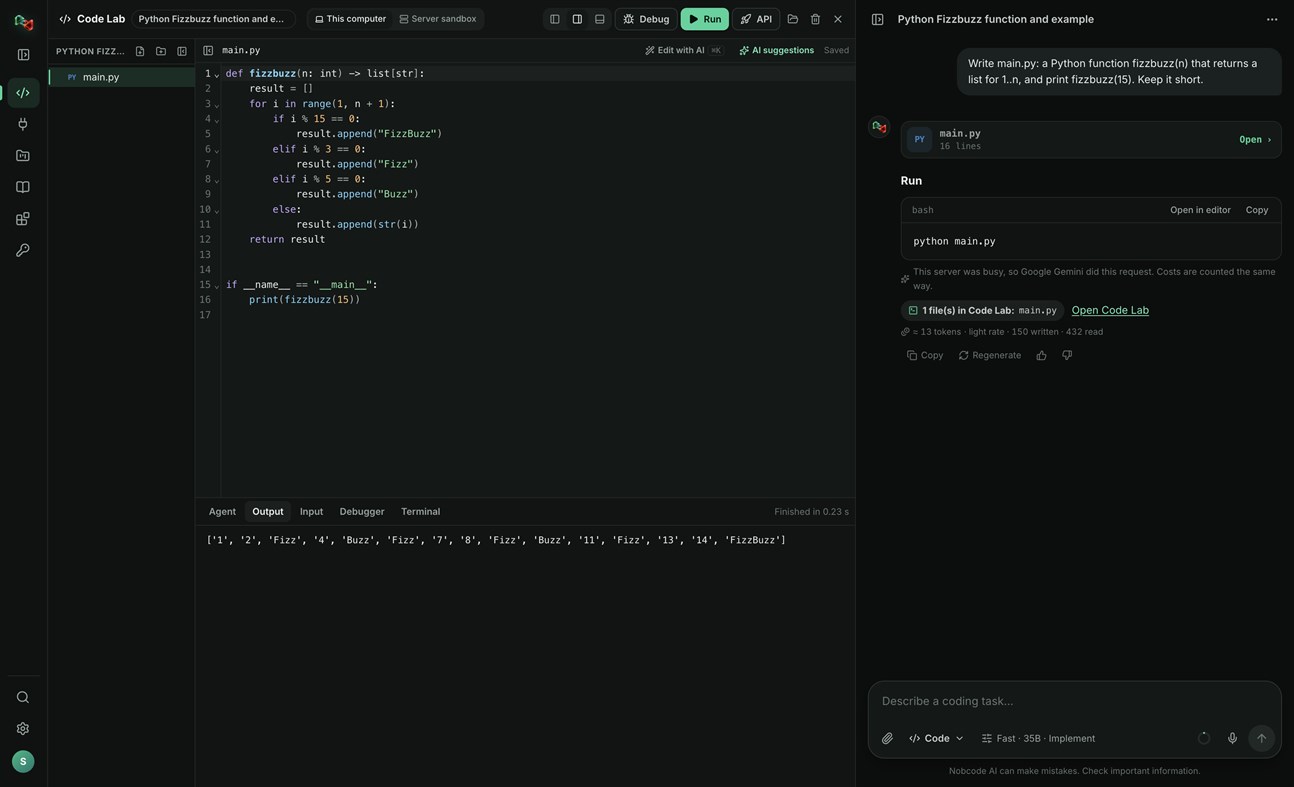
CODE LAB
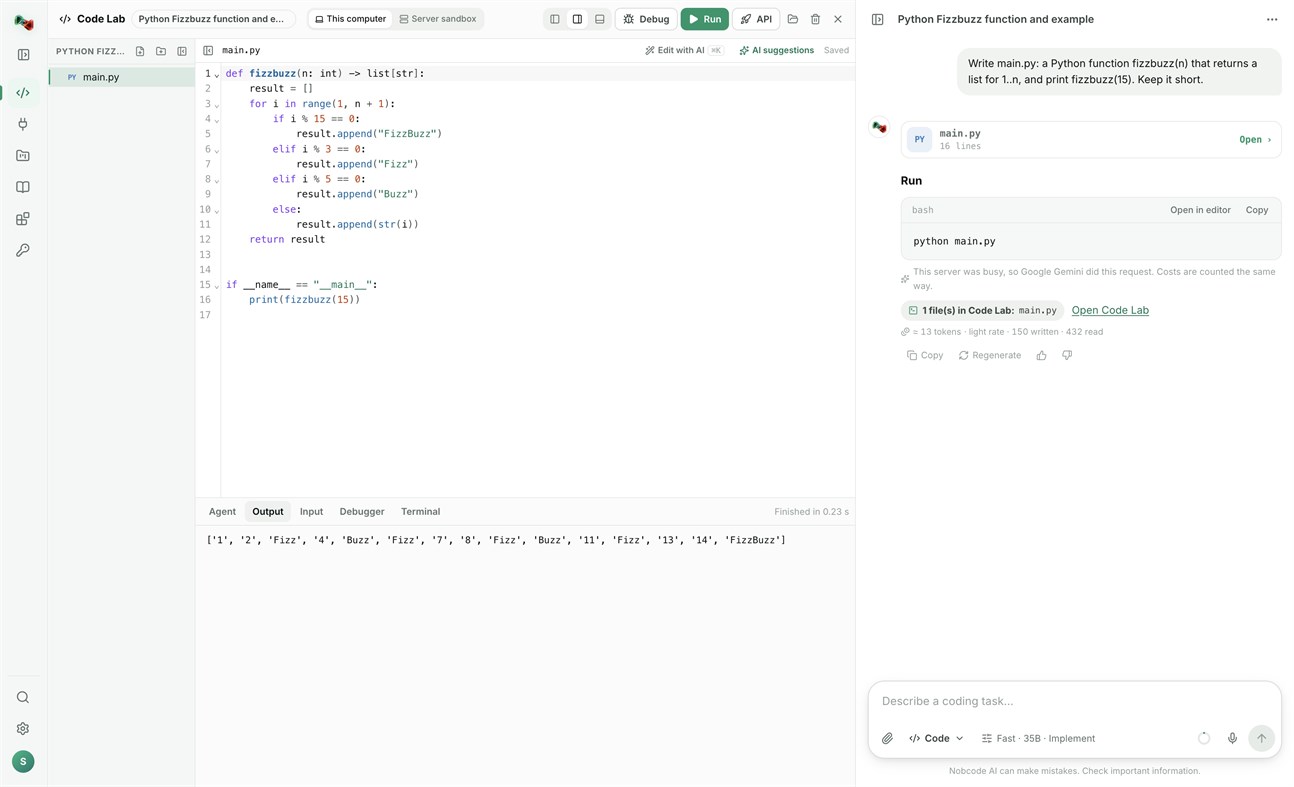
• Run code locally: Python, JavaScript and TypeScript, Go, C and C++, Rust, Java, C#, PHP, Ruby, shell and PowerShell scripts, and SQL, with your own compilers and interpreters.
• Open a terminal in your project folder.
• Link a folder on your PC: Code Lab and your files stay in sync both ways.
• The AI assistant proposes commands and file changes. Nothing runs or is written without your approval.
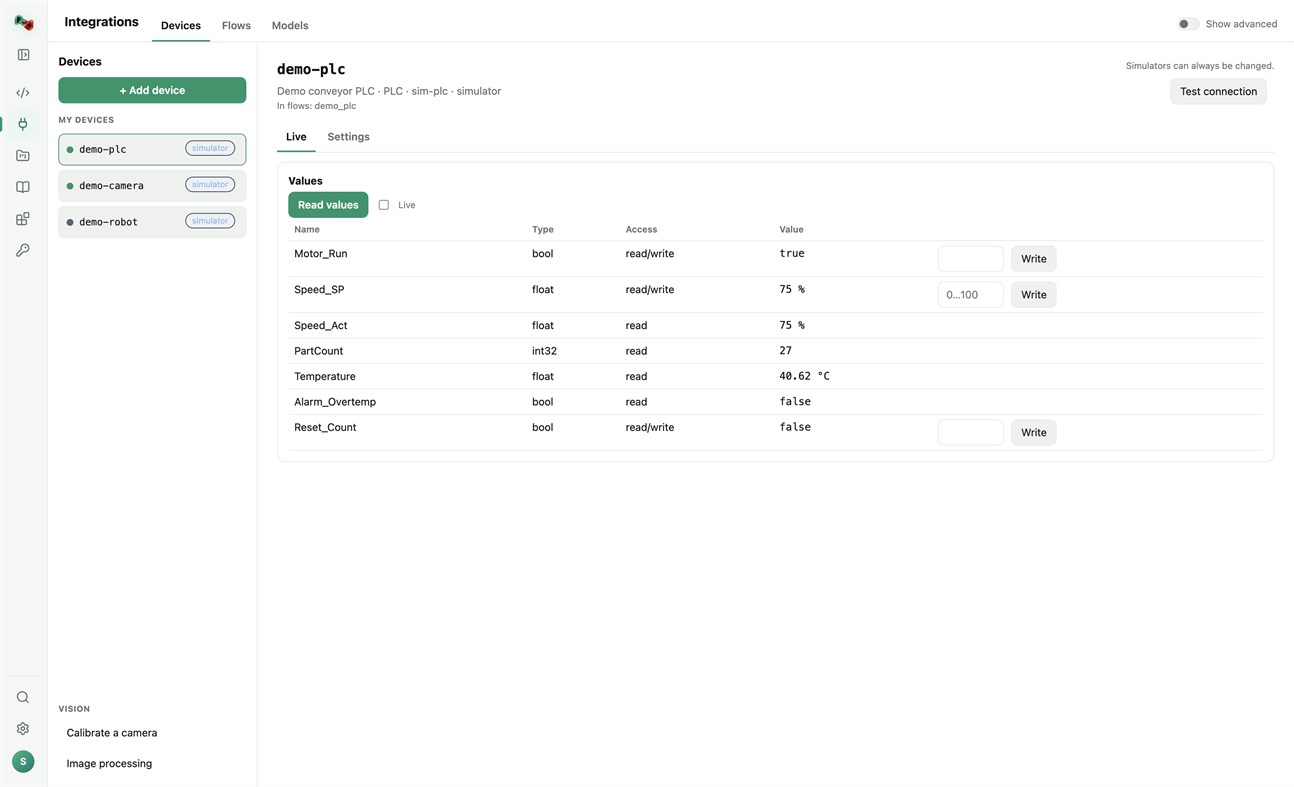
DEVICES: ADD YOUR OWN HARDWARE
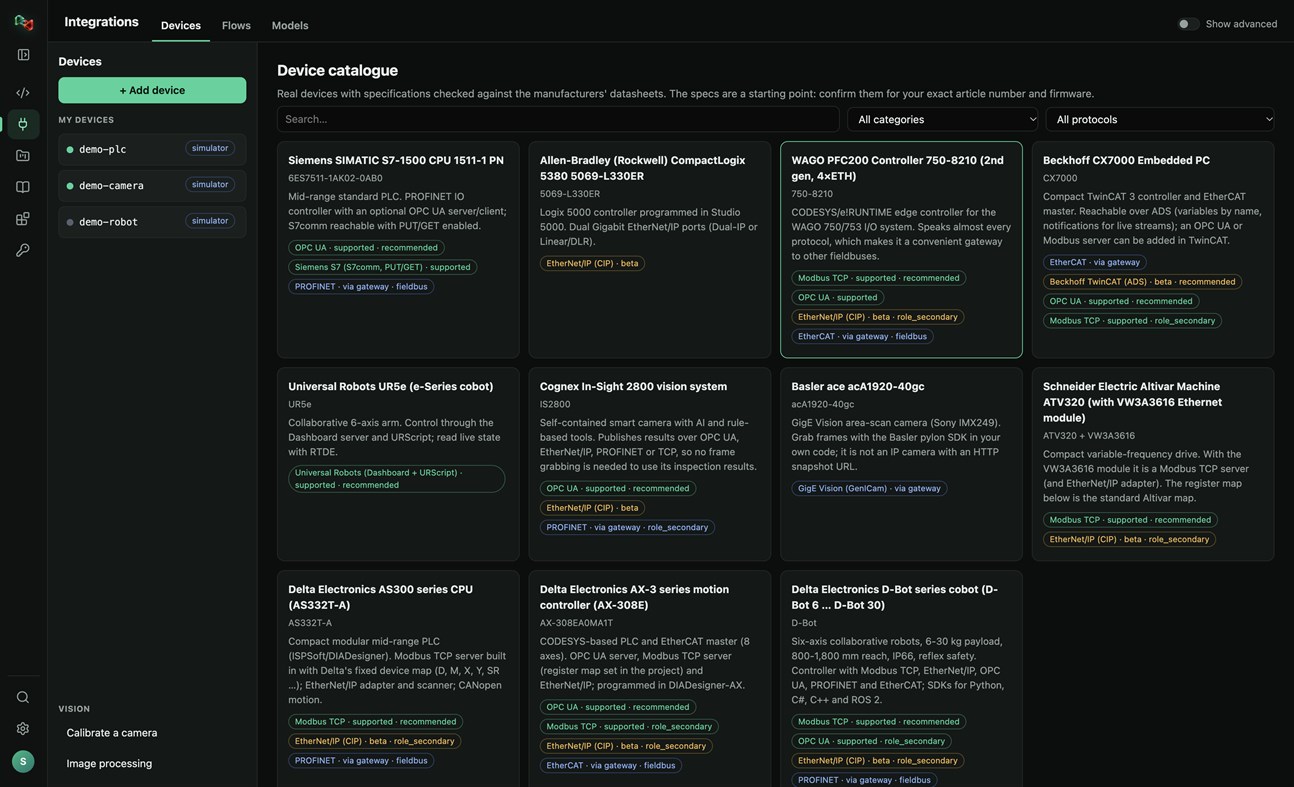
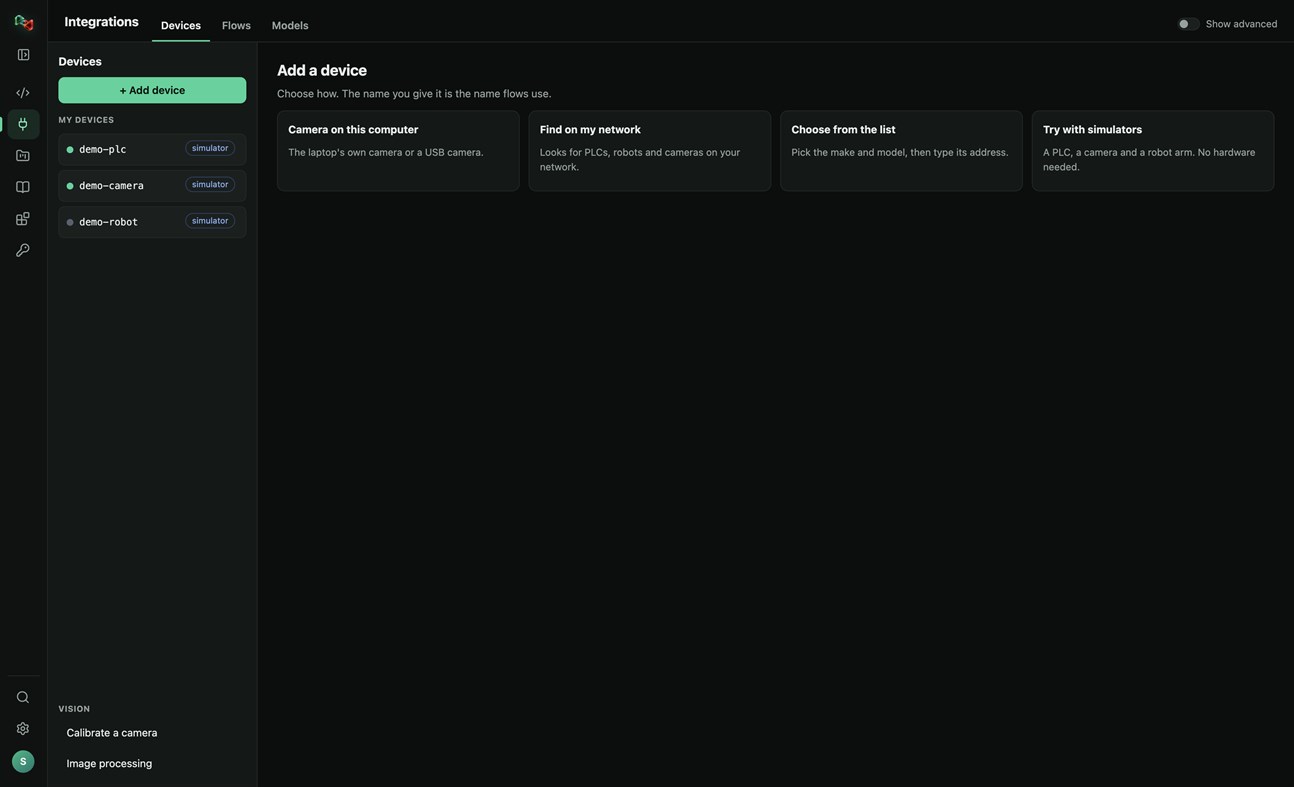
• Add a device in four ways: the camera of this PC or a USB camera, search your network for PLCs, robots and cameras, pick the make and model from a catalogue of real devices, or start with simulators (a PLC, a camera and a robot arm, no hardware needed).
• Connections: OPC UA, Siemens S7 (S7comm), Modbus TCP, Universal Robots, ROS and ROS 2 (rosbridge), IP cameras (HTTP snapshot, MJPEG, RTSP), serial RS-232/RS-485 and CAN through a USB adapter. EtherNet/IP and Beckhoff ADS are in beta.
• Watch live values and read and write tags. Real devices only accept writes and moves after you arm them; stop is always allowed.
• Calibrate a camera and try image processing on its pictures.
• Use your devices from your own code: the Python and JavaScript libraries read and write PLC values, take camera pictures and move robots by the device's name.
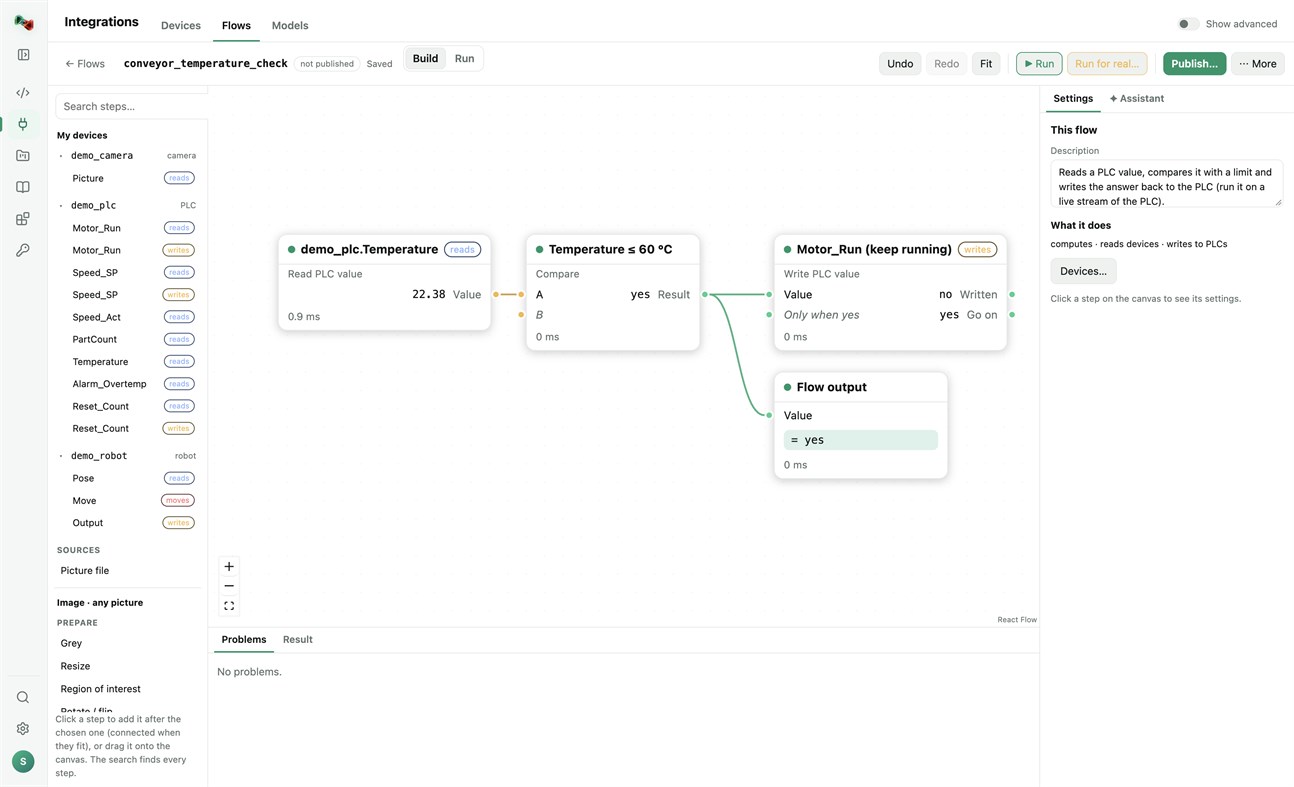
FLOWS: VISION AND AUTOMATION WITHOUT BOILERPLATE
• Build flows in a visual editor: a camera picture or a PLC value, then prepare, find (shapes, circles, known parts, QR codes, barcodes), measure (count, sizes in millimetres), decide (compare, OK/NOK) and act (write a PLC value, move a robot, keep the result).
• Start from a template (inspect parts with a camera, measure parts in millimetres, react to a PLC value) or let the assistant draft the flow.
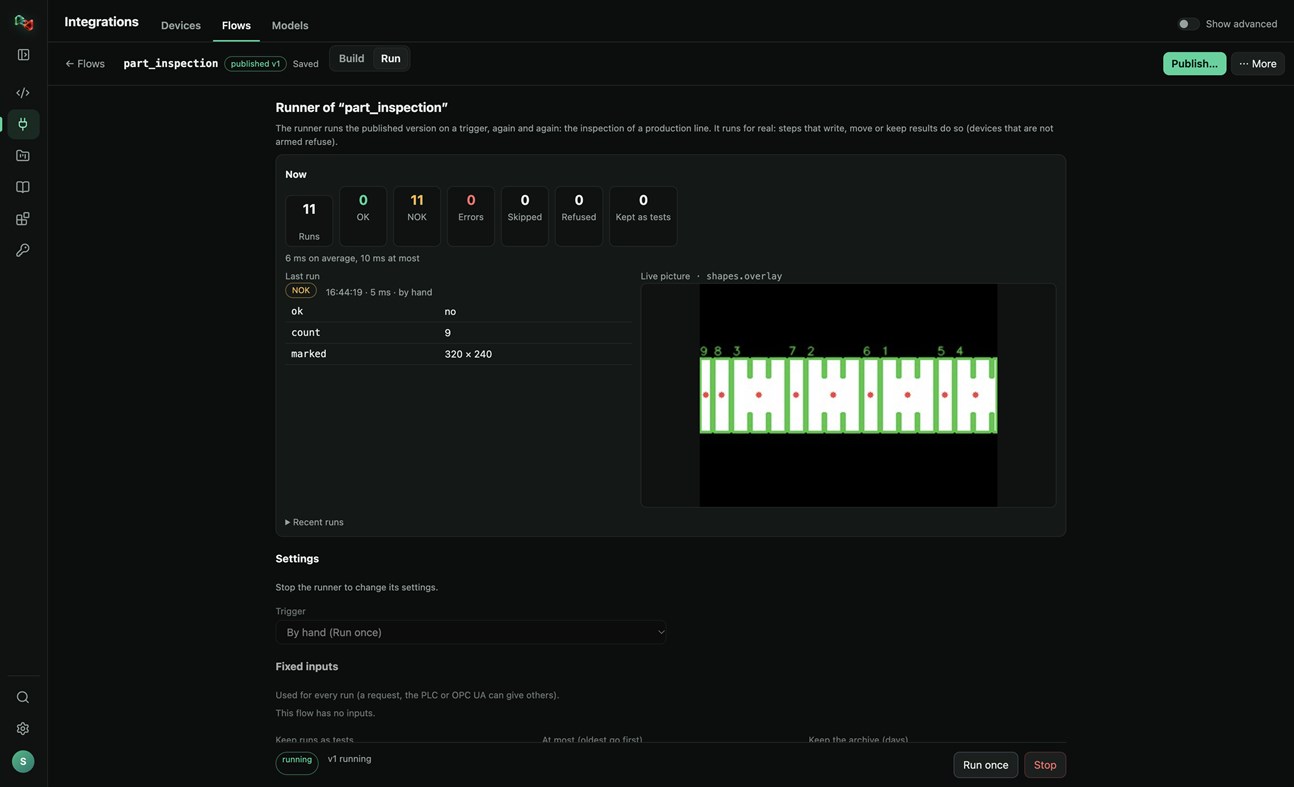
• Test with a picture, publish versions, and run them on a trigger: by hand, on a timer, PLC handshake, TCP socket, OPC UA or a live stream, with OK/NOK counts and the live picture. Your programs run published flows by name, in any language.
MODELS: TRAIN YOUR OWN OR USE READY ONES
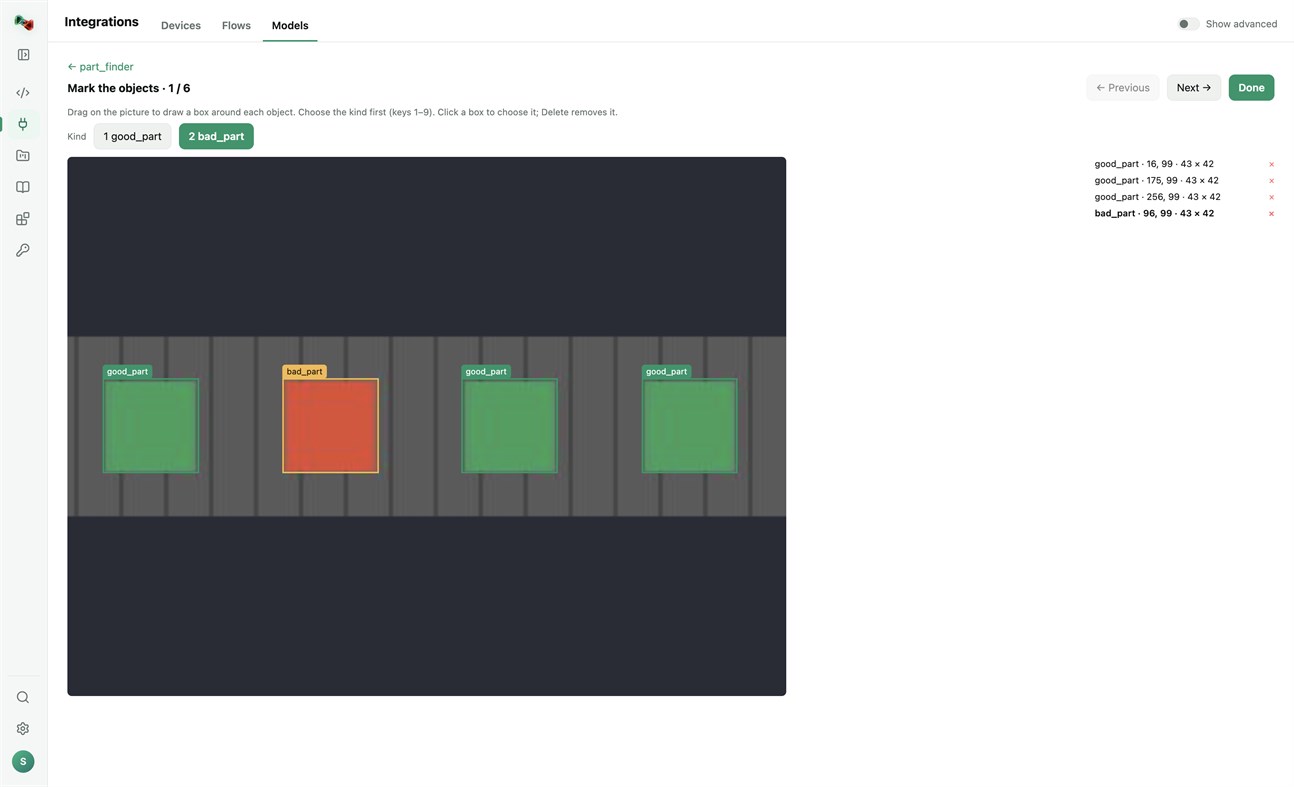
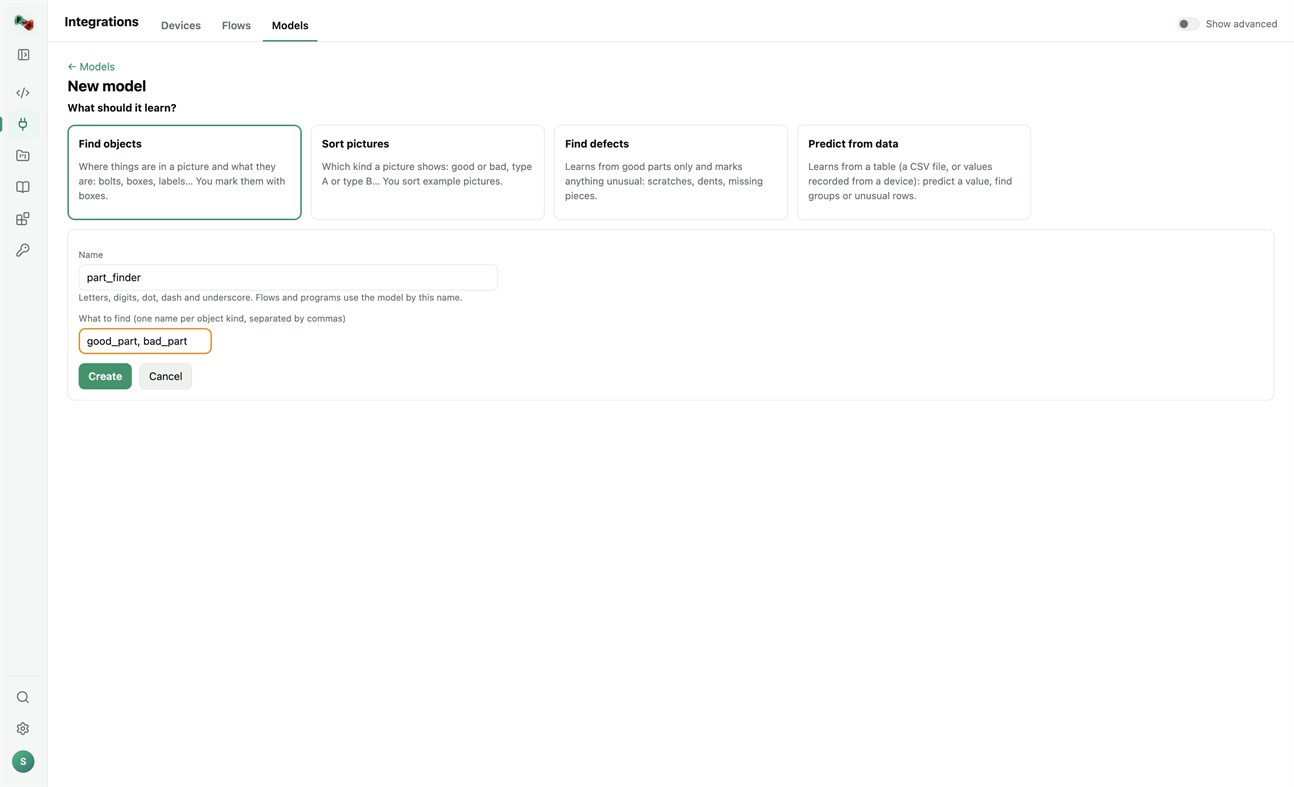
• Train models on this PC's processor; your pictures and tables stay on your computer. Find objects (you mark them with boxes), sort pictures, find defects (learns from good parts only) or predict from data (a CSV file or values recorded from a device). Training needs a one-time download of PyTorch and scikit-learn.
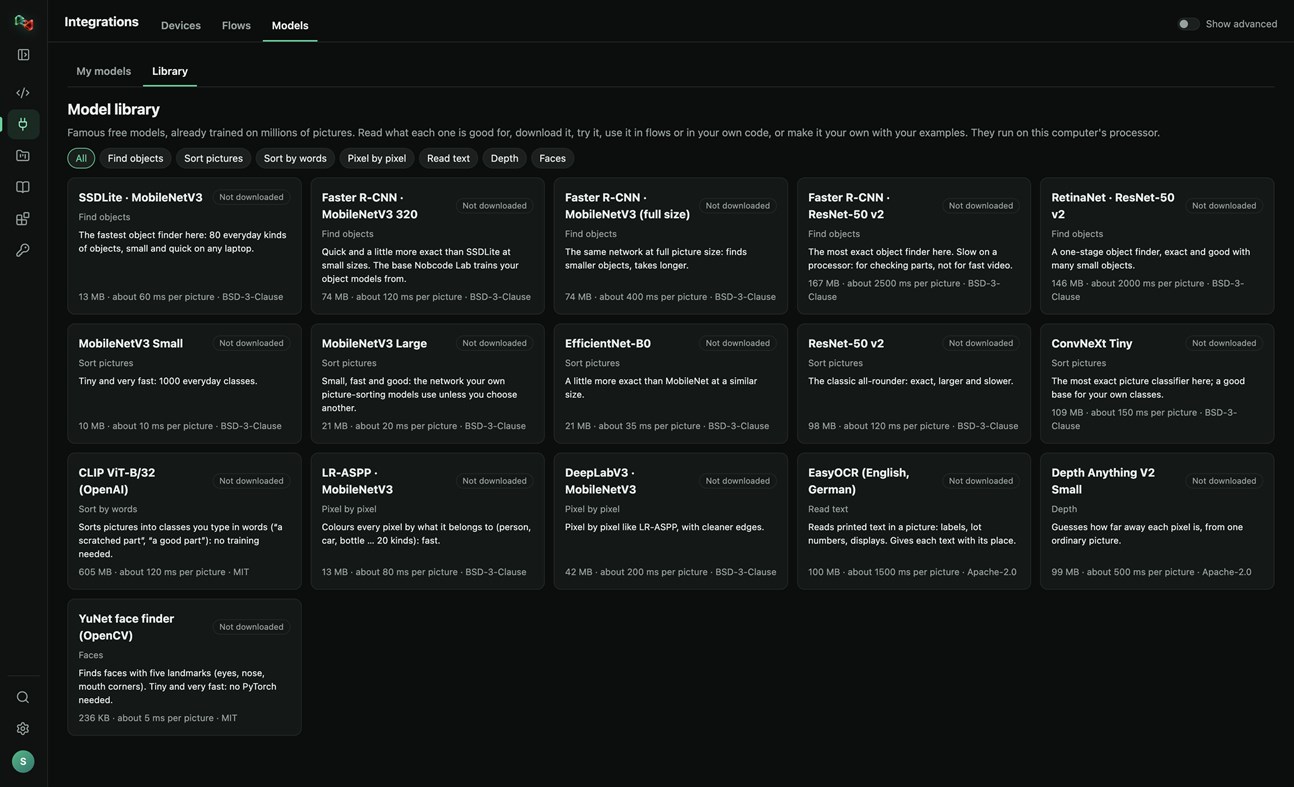
• A library of 16 free pretrained models: find objects, sort pictures, sort by words, pixel-by-pixel segmentation, read text, depth and faces. Read what each one is good for, try it, use it in flows or in your own code, or make it your own with your examples.
RECORDER: SEE WHAT HAPPENED BEFORE A FAULT
• Record the values of your PLCs and robots and the pictures of your cameras. The last 10 minutes to 24 hours stay on this PC.
• Incidents are saved by themselves when an alarm or fault switches on, a flow run is NOK or fails, or a device stops answering. Press Mark incident to save one by hand, with a note.
• Each incident shows what changed first, a replay of the values and pictures, and Where to look first: ranked leads with their evidence, compared with normal operation and with earlier incidents. A lead is not proof of the cause.
• Note what the cause was and what fixed it: the next incident like it shows that as a lead.
• Save an incident as CSV or as a report, or copy it for Code Lab's AI. The Recorder only reads: it never writes to a device or moves anything, and pictures stay on your computer.
Sign in with your browser. The app is made for code and machines: Code Lab with its AI chat, Integrations, Projects and Knowledge. The plain chat, images and 3D are on ai.nobco.de.
Your code runs on your computer, not on our servers, when you choose "This computer". The app keeps only a small local log for troubleshooting and sends no telemetry.
Basic chat works as a guest. Some features need a free Nobcode AI account; Premium plans are available on ai.nobco.de. An internet connection is required.
From the developer ¡
Are you the developer?
Your news at the top of the page, sent to followers by e-mail
Other platforms 0
| Nob Code LabWindows Store1K GoldWindowsIn-App Purchases | Free |
Only in this store right now.
Price History 0
- Current price: Free
- Minimum: Free
- Maximum: Free
Track prices Add to a list to get discount alerts by email or push
Lists 0
-
 Nob Code Lab
Points 0
-

- +1 Point

Rankings 0
-
- Your rating
Comments 0 ¡
Be the first to comment
Developer 1
- Saeid Khoorani
- Followers: 0
- Platforms: Windows Apps (1)
- Deals: 0
- Lists: 0 + 0
- Points: 0 + 0 ¡
- Rankings: 0
- Comments: 0
- Videos: 0
- RSS: Subscribe
What's new
- Version: PC
- Last Updated:
- New in 1.1.3: the Recorder (Integrations → Recorder). Record your devices' values and camera pictures; incidents are saved on alarms, NOK runs and lost connections, and each one shows what changed first and where to look first. New Nobcode logo.
Additional Information
- Release Date:
- Category:
Windows Apps›Developer tools - OS:
PC - Size:
169 Mb - Supported Languages:
English,German - Content Rating:
EVERYONE - Windows Store Rating: ¡
0 - Website:
 https://ai.nobco.de/desktop/
AppAgg Score
1,450
Estimated AppAgg Score for
Nob Code Lab
Developer: Saeid Khoorani
1,450 Gold
Higher scores usually reflect better results across AppAgg’s indicators.
Based on: popularity · ratings · freshness · deals · store data · community signals
Recalculated daily using fresh AppAgg data.
Website badge:  Copied!
Summary
Nob Code Lab Short URL: Copied!- Windows Store
On AppAgg, you can track the Windows app “Nob Code Lab” by Saeid Khoorani, listed under Developer tools. AppAgg Score: 1,450 (Gold). AppAgg Points for the app — confirmed: 0; indirect: 0. Public lists containing the app: 0. Users who have saved it in private lists: 0. AppAgg users have not rated the app yet. Confirmed Points record visits to a store by signed-in AppAgg users; indirect Points are based on store data. AppAgg counts public lists containing an app or game and users who have saved it in private lists. The app was first released on . The app was last updated on . The app is currently available for free. The app is available in these languages: English, German. Explore the price history, add the app to a list, or follow its developer. Follow future deals and updates for the app via its RSS feed. AppAgg does not host or distribute the app. All trademarks, logos, and screenshots related to the app belong to their respective owners.
You may also like
Recent discussions
 AppSpark Motion Create 26 The graphics are amazing! Now I can design my ball layouts and watch then spin in 3D animation.
 Jim Kirker40
 AppLocalDub – Real-Time Game Dubbing Hello Kırtay Interactive, I am using LocalDub - Real-Time Game Dubbing. I would like to know if Hind...
 rashid game53
 AppNauticPlayer This app is absolute cinema. Honestly, it’s one of the best media players I’ve ever tried, and I’m s...
 Manuel92
 AppScreen Beings This is my app so I’m a little bias but as someone from the ADHD community that teaches ADHD and neu...
 Tarelle Irwin54
 AppAadi vault good it ia a encrypter and good you my work on office
 Aditya Rai50
 AppTyping 365 | Daily Typing Trainer The best typing app ever. With Typing 365 you don’t have to force yourself for couple minutes traini...
 Ahmad Mozaffar50
 AppZefir Calendar — Calendar in the Taskbar excelente app! Superando todas as espectativas!
 Diógenes Magnus50
 AppBlazin IPTV Player This compact IPTV player is amazing. I threw multiple playlists at it and it handles it with no issu...
 Mike Anderson40
 AppCN Vault I Love this app CN Vault is a user-friendly app that helps keep your passwords safe and secure. If y...
 Marjuk Amin50
Recently viewed
AppAgg users ¡More →
Weekly questsSign in to get 3 quests every week and earn XP for them.

