
Marcaje
| Dezvoltator: | Orbyss (1) | ||
| Preț: | * Gratuit | ||
| Scor: | 1.270 Aur | ||
| Clasamente: | 0 | ||
| Comentarii: | 0 Postează comentariu | ||
| Liste: | 0 0 | ||
| Puncte: | 0 | ||
| +1 Punct | |||
Pe scurt
Orbyss Admin este o aplicație creată de Orbyss, din categoria „Instrumente pentru dezvoltatori”.
Merge chiar și pe HoloLens: Windows în realitate mixtă.
Există chiar și o versiune pentru Windows Mobile. Salutări din trecut.
Intrarea e gratis, dar magazinul dinăuntru e deschis.
Lansată , încă destul de proaspătă.
Merge chiar și pe Surface Hub, pentru sălile mari de ședințe.
Scorul AppAgg e 1.270. Asta înseamnă „Aur”.
Doar 20 de megabyți, încape chiar și pe un disc plin.
Clasificare de vârstă „EVERYONE”: merge și pentru copii.
Vorbește o singură limbă, și nu e româna.
Ai folosit-o? Recenzia ta ar fi prima de aici.
E singura aplicație a dezvoltatorului pe AppAgg. Deocamdată.
Vrei să afli primul de actualizări și aplicații noi? Urmărește dezvoltatorul sau abonează-te la RSS. Notificările push vin prin aplicația AppAgg Alerts pentru Android și iOS.
Alte platforme 0
 | Orbyss AdminWindows Store1K AurWindowsAchiziții în aplicație | Gratuit |
Deocamdată doar în acest magazin.
Istoricul prețurilor 0
- Prețul actual: Gratuit
- Minim: Gratuit
- Maxim: Gratuit
Propriul tău flux pe pagina principală
Capturi de ecran 9
Descriere
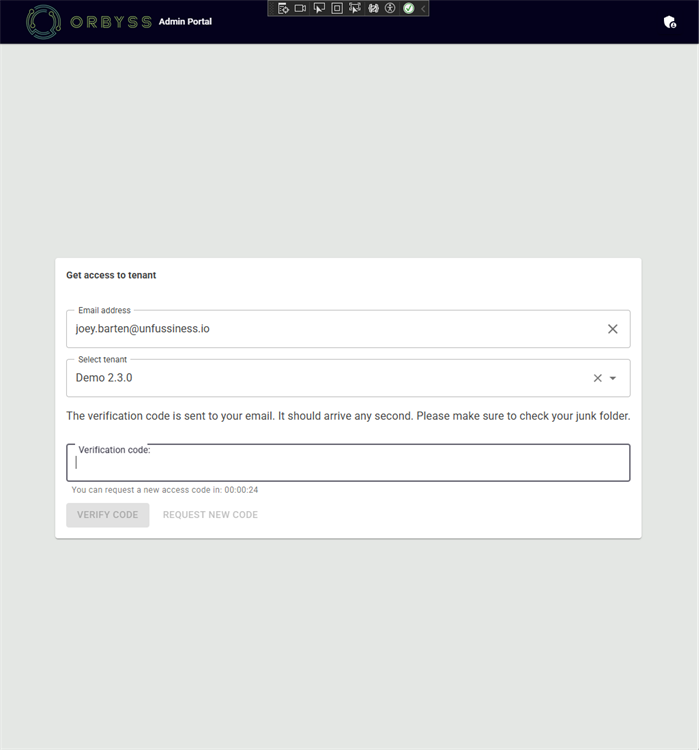
An Orbyss account is required to use this application. Accounts are not created automatically.
Access is granted by a tenant administrator or after a manual access request handled by Orbyss.
User will not be able to sign in without prior account provisioning and tenant authorization.
If you are interested in requesting access, please contact Orbyss by email: joey.barten@unfussiness.io.
Orbyss is a B2B software development company. On request, Orbyss can provision an environment and, within that environment, develop applications using the Orbyss platform for its customers.
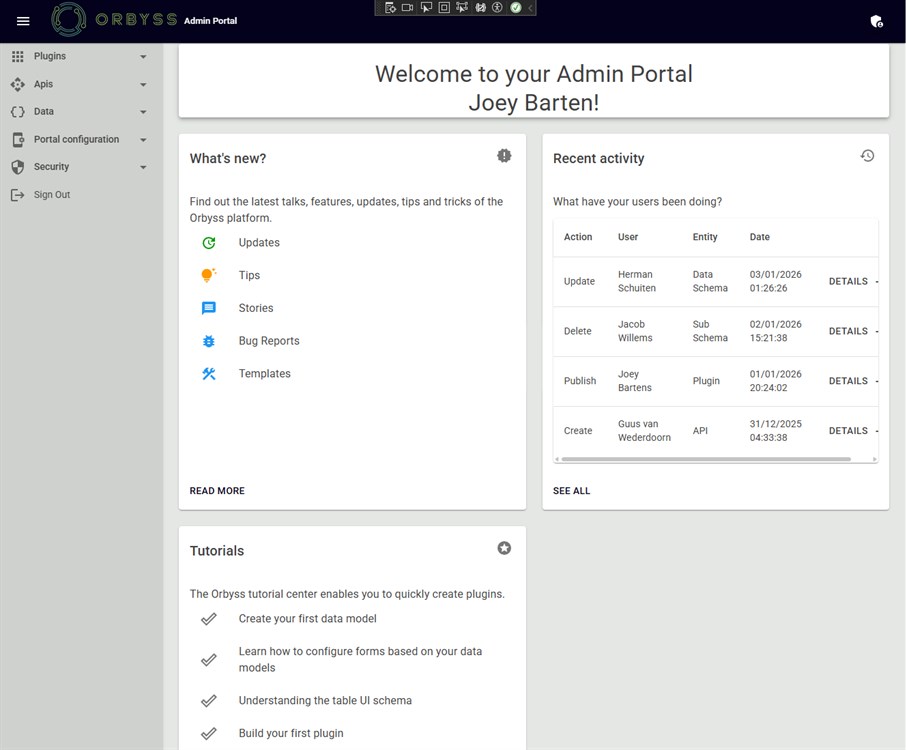
What is the Orbyss Admin Portal?
Orbyss Admin Portal is a multi-tenant developer platform for configuring, deploying, and operating Orbyss-powered applications. It centralizes data modeling, plugin management, access control, and deployment, while the platform handles authentication, APIs, and infrastructure.
Getting started in 4 steps
1. Request access
Request the creation of a tenant and receive an admin account. You then obtain secure access to the Admin Portal and sign into a tenant.
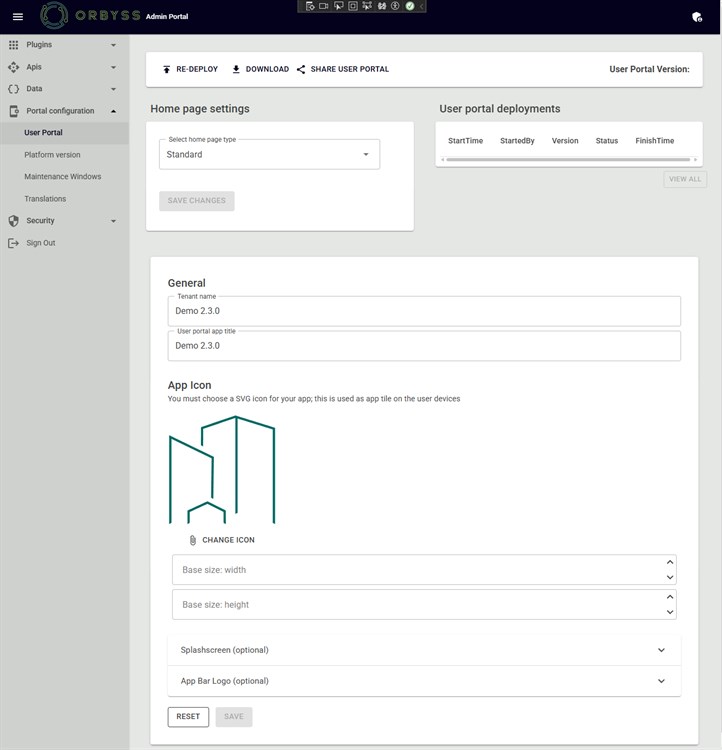
2. Configure branding
Configure the logo and title of the User Portal (your application).
3. Model data and build plugins
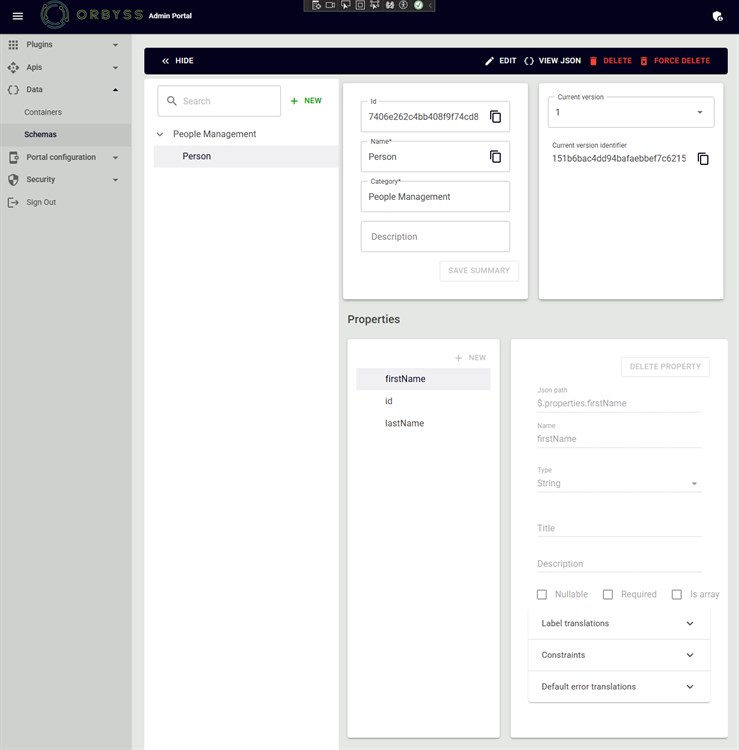
Define data schemas and build Razor-based plugins that consume the platform’s Data API.
4. Configure and deploy
Configure access, settings, and versions, then deploy the User Portal directly from the Admin Portal.
What can you do with the Orbyss Admin Portal?
- Manage multi-tenant environments
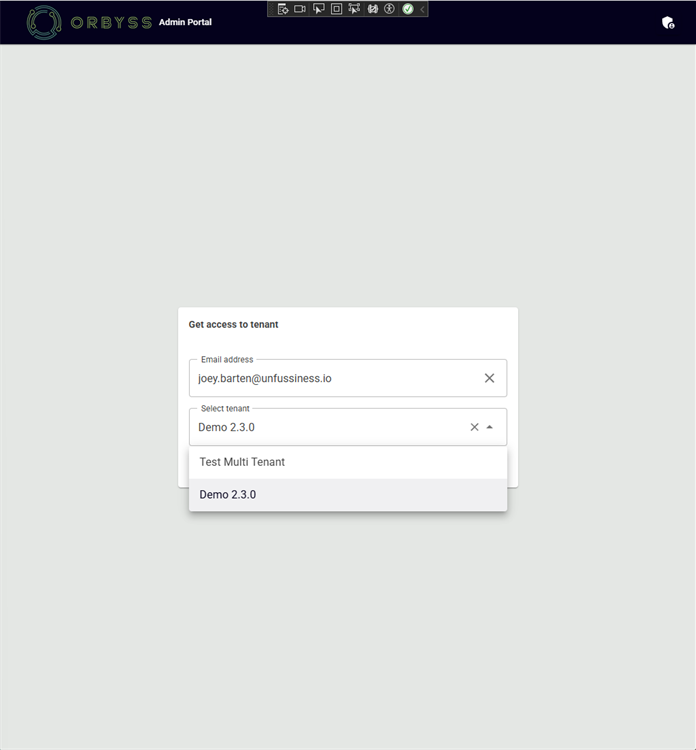
Securely access and administer multiple tenants, each representing a fully isolated User Portal application.
- Model and version data visually
Design data schemas, properties, constraints, translations, and sub-schemas without writing boilerplate API code.
- Configure data storage and containers
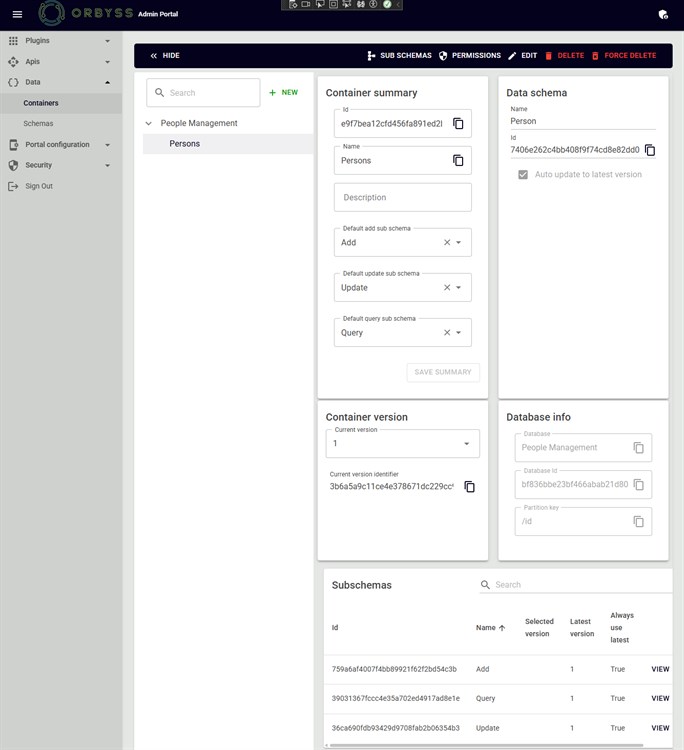
Bind schemas to managed data containers with versioning, partitioning, and controlled update behaviour.
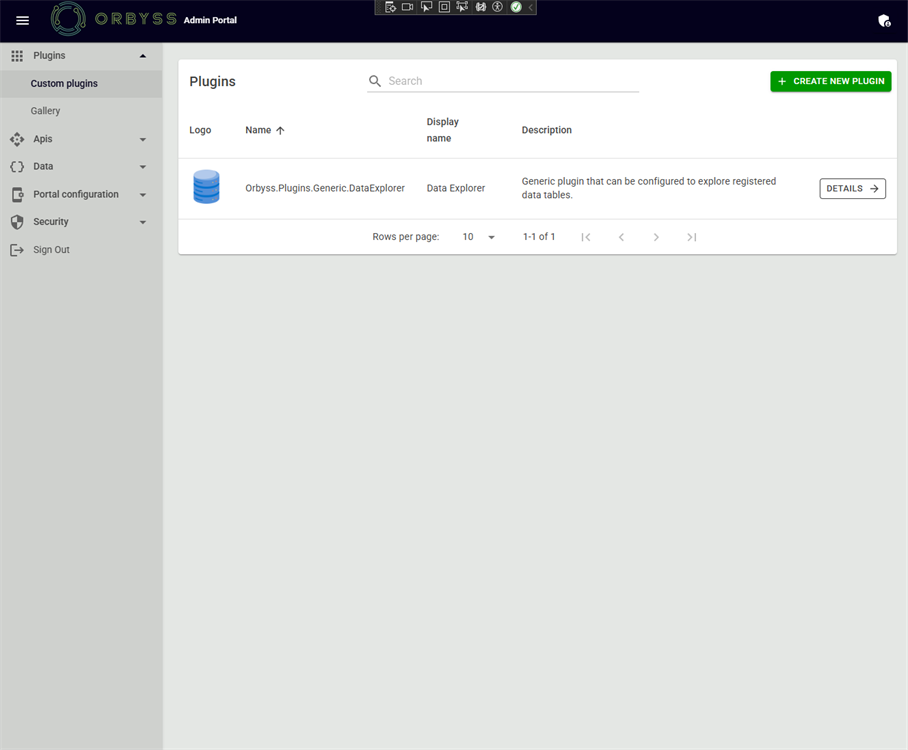
- Develop and deploy plugins
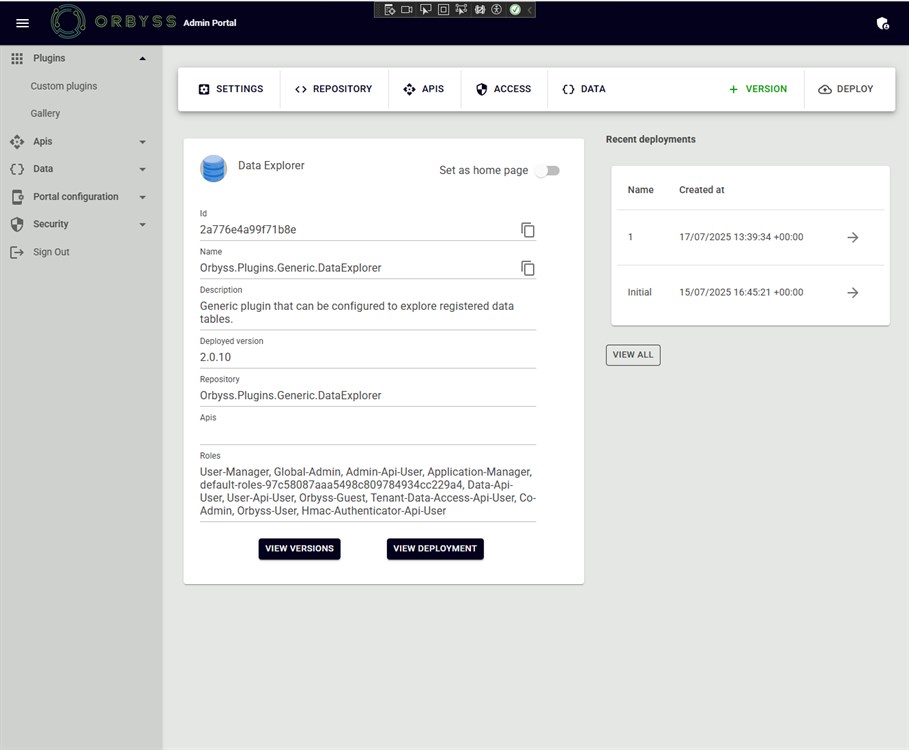
Build application functionality as plugins, manage versions, configure access roles, and deploy them to User Portals with full lifecycle control.
- Control application versions and deployments
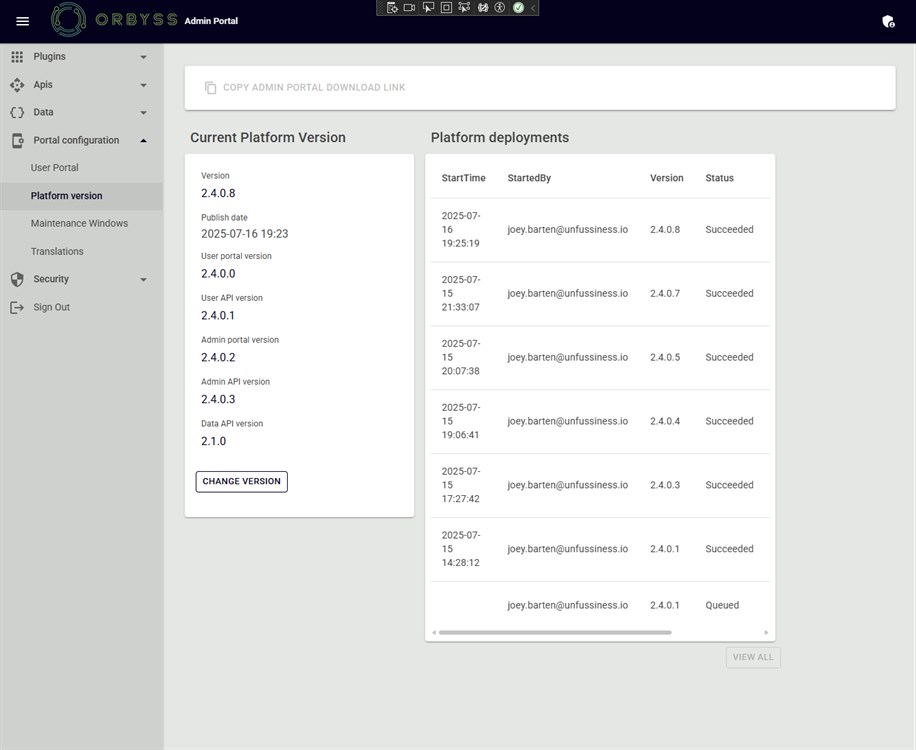
Track platform versions, User Portal versions, deployment history, and deployment status from a single interface.
- Configure User Portal behavior and branding
Manage home page configuration, application metadata, icons, and deployment settings for end-user applications.
Why Orbyss vs traditional application development
Traditional application development requires teams to repeatedly build and maintain the same foundational layers:
- Authentication and authorization
- Tenant isolation and access control
- API design and data CRUD endpoints
- Application bootstrapping and platform setup
- Deployment orchestration and version tracking
The Admin Portal removes operational complexity while keeping developers firmly in control of architecture, UI, and business logic.
Orbyss eliminates these repetitive concerns without becoming low-code. This minimal-code approach dramatically reduces development time and maintenance effort while preserving full developer flexibility and architectural control.
With Orbyss:
- Authentication, authorization, and tenant security are preconfigured
- A single, central Data API replaces custom CRUD APIs
- Data schemas are versioned and managed visually
- Application infrastructure is handled by the platform
- Developers focus on building UI and business logic
What do developers actually build?
Developers create Razor components and pages inside plugins. These plugins are configured, versioned, secured, and deployed through the Admin Portal.
Developers can create APIs without managing infrastructure, authentication, or authorization. Bootstrapping is handled by a utility library, and authentication and authorization settings are injected by the Admin Portal during deployment. The Admin Portal manages Docker images and deploys them to containers, allowing developers to focus solely on application logic and required endpoints.
Due to the Data API provisioned for each environment, developers no longer need to create APIs solely to interact with a database. Data is modeled, access is configured, and plugins interact with it through a uniform Data API interface. Custom APIs are only required for secure operations, expensive processing, or tasks that require software not compatible with each user device.
De la dezvoltator
Liste 0
-
 Orbyss Admin
Puncte 0
-

- +1 Punct

Clasamente 0
-
- Evaluarea ta
Dezvoltator 1
- Orbyss
- Urmăritori: 0
- Platforme: Windows Aplicații (1)
- Reduceri: 0
- Liste: 0 0
- Puncte: 0
- Clasamente: 0
- Comentarii: 0
- Videoclipuri: 0
- RSS: Abonează-te
Ce este nou
- Versiune: PC
- Ultima actualizare:
Informații suplimentare
- Data lansării:
- Categorie:
Aplicații pentru Windows›Instrumente pentru dezvoltatori - SO:
HoloLensMobilePCSurface Hub - Dimensiune:
20 Mb - Limbi disponibile:
Engleză - Evaluarea conținutului:
EVERYONE - Windows Store Evaluare: ¡
0 - Website:
 https://orbyss.io
Scor AppAgg
Scor AppAgg estimat pentru
Orbyss Admin
Dezvoltator: Orbyss
Un scor mai mare reflectă de obicei rezultate mai bune pentru indicatorii urmăriți de AppAgg.
Bazat pe: popularitate · evaluări ale utilizatorilor · actualitate · oferte · date din magazine · activitatea comunității
Recalculat zilnic pe baza datelor AppAgg actualizate.
Comentarii 0 ¡
Distribuie
Orbyss Admin Adresă URL scurtă: Copiat!- Windows Store

