
ที่บันทึกไว้
เลือกชื่อที่จะแสดงในเมนูที่บันทึกไว้ของคุณ
เสร็จแล้ว
| ผู้พัฒนา: | Whitewater Foundry (5) | ||
| ราคา: | $19.99 | ||
| การจัดอันดับ: | 0 | ||
| ความเห็น: | 0 โพสต์ความคิดเห็น | ||
| รายการ: | 0 + 0 | ||
| แต้มแล: | 0 + 60 (3.9) ¡ | ||
| Windows Store | |||
คำอธิบาย

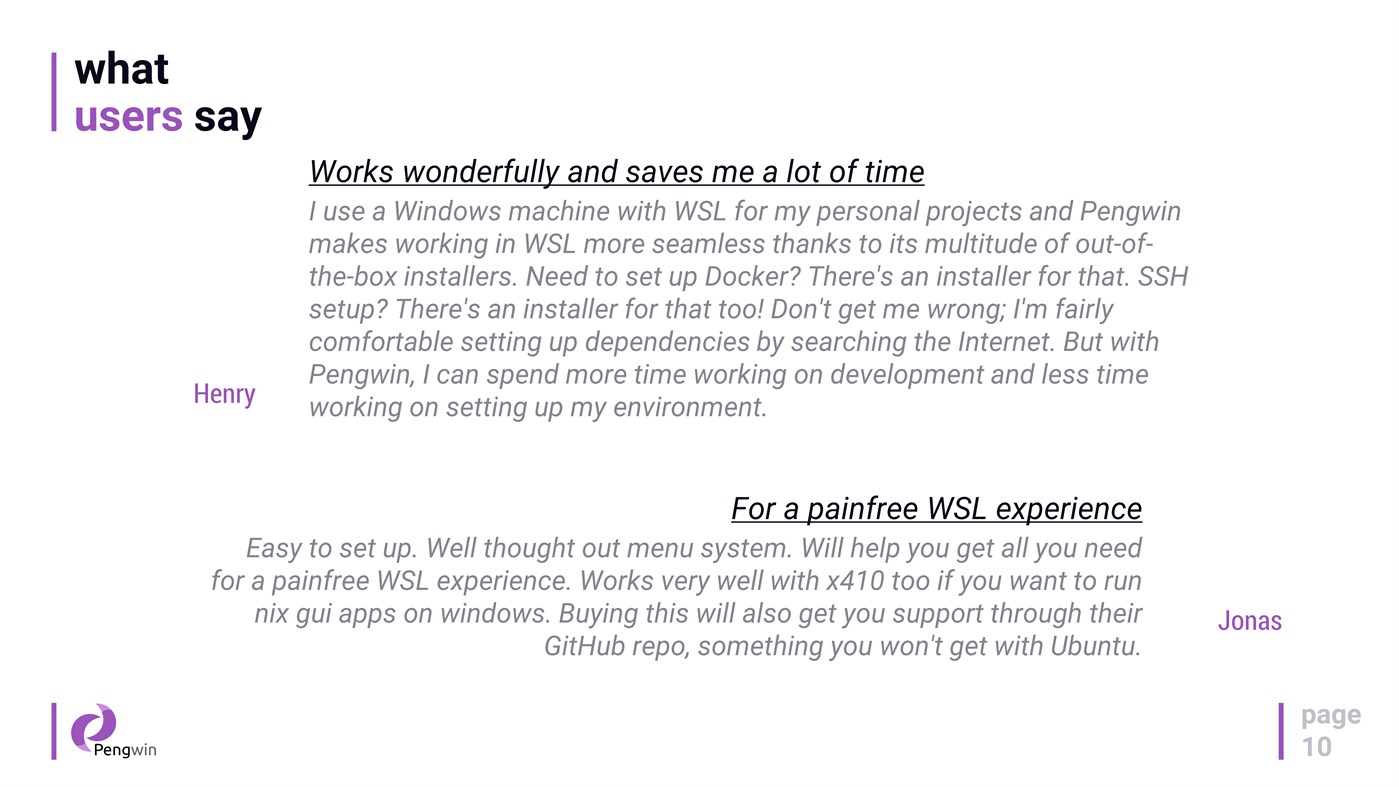
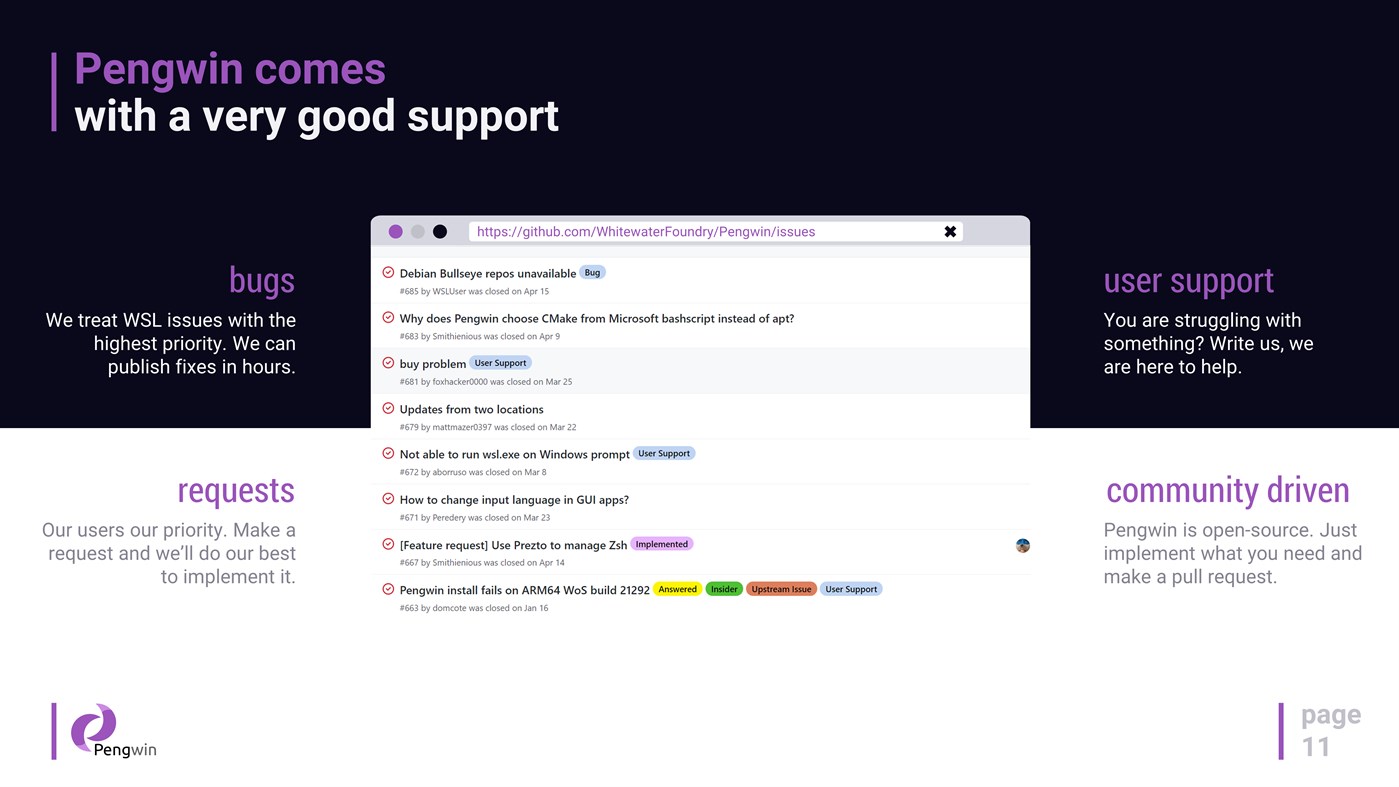
Pengwin is open-source, built by WSL users, and shaped by community feedback.
Why Pengwin
* Debian 13 (Trixie) foundation for stability, security, and a huge package ecosystem.
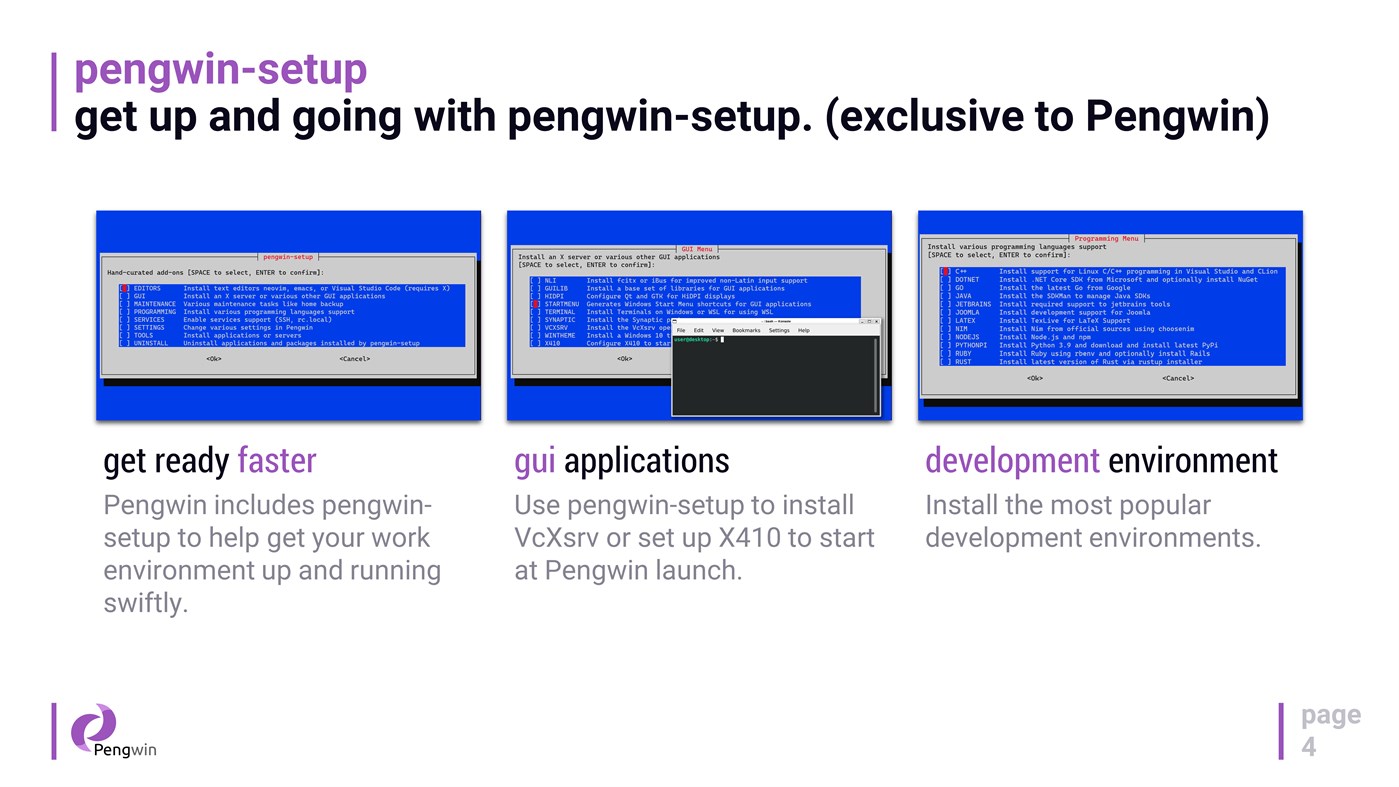
* Fast onboarding with `pengwin-setup`: guided setup and automation for dev tools, cloud tooling, and desktop environments.
* systemd support: enabled by default on new installs, and can be toggled on/off via pengwin-setup (existing installs opt in).
* Modern WSL export/import architecture: `wsl --export` / `wsl --import` preserves your icon and Windows Terminal profile when importing under a new name.
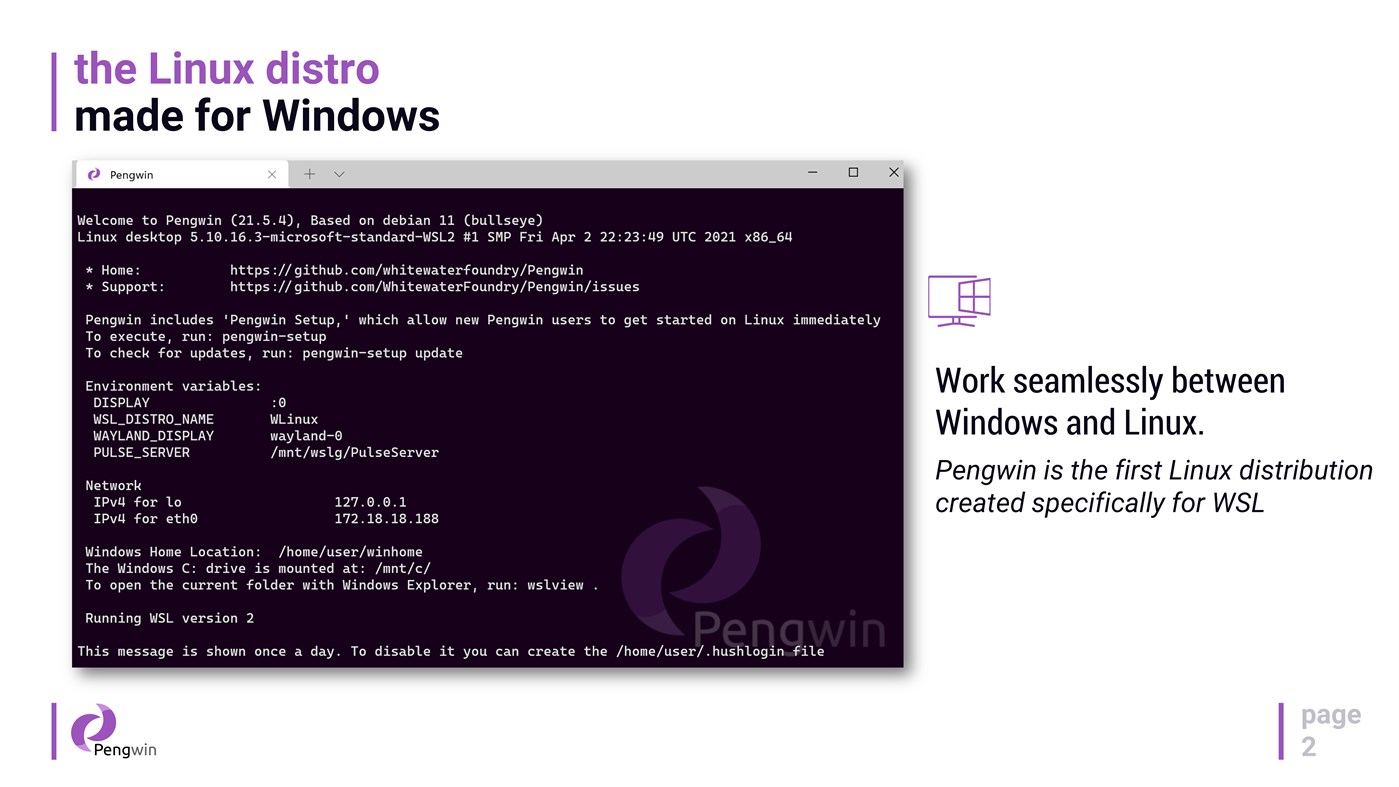
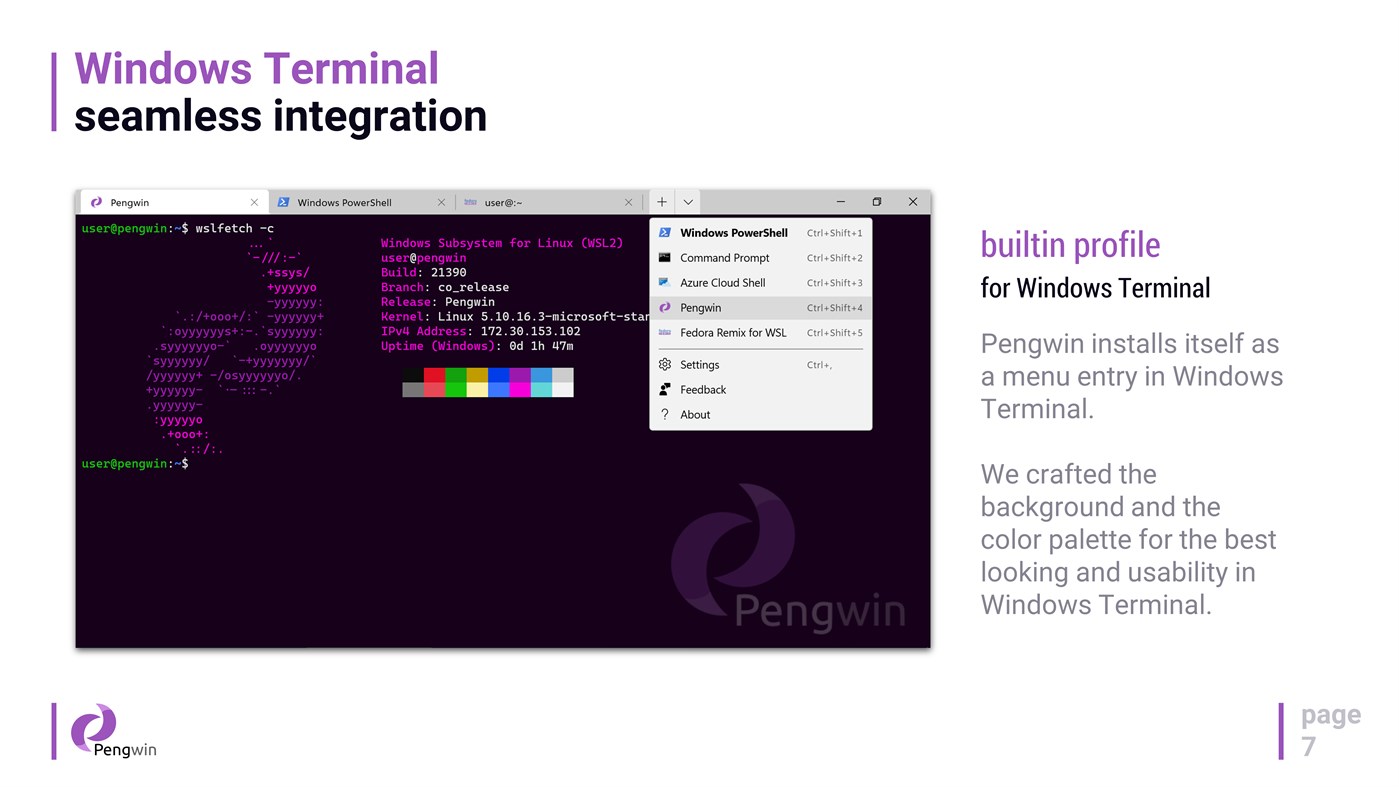
* Windows Terminal integration: Pengwin registers itself in Windows Terminal with a curated profile (colors/background) and improved launch behavior (starts in the current directory when launched via “Open with Windows Terminal” and when set as default).
* GPU acceleration + GPU video acceleration out of the box (no custom repos or manual environment hacks).
* Optional D3D12 acceleration toggle to disable hardware acceleration for driver compatibility or troubleshooting.
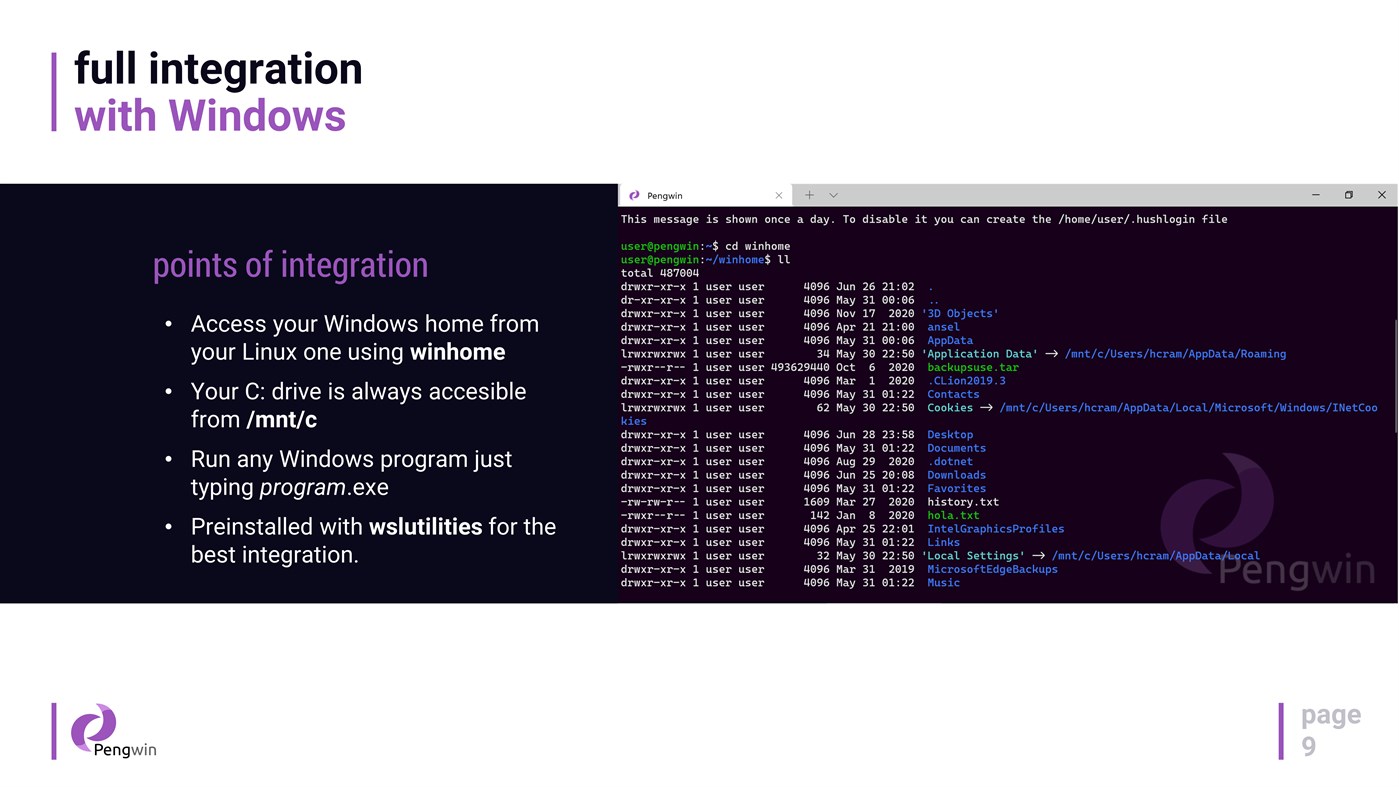
* wslu utilities included for Windows↔Linux workflows (open URLs/files, clipboard interop, Windows env vars, etc.).
What you can do with it
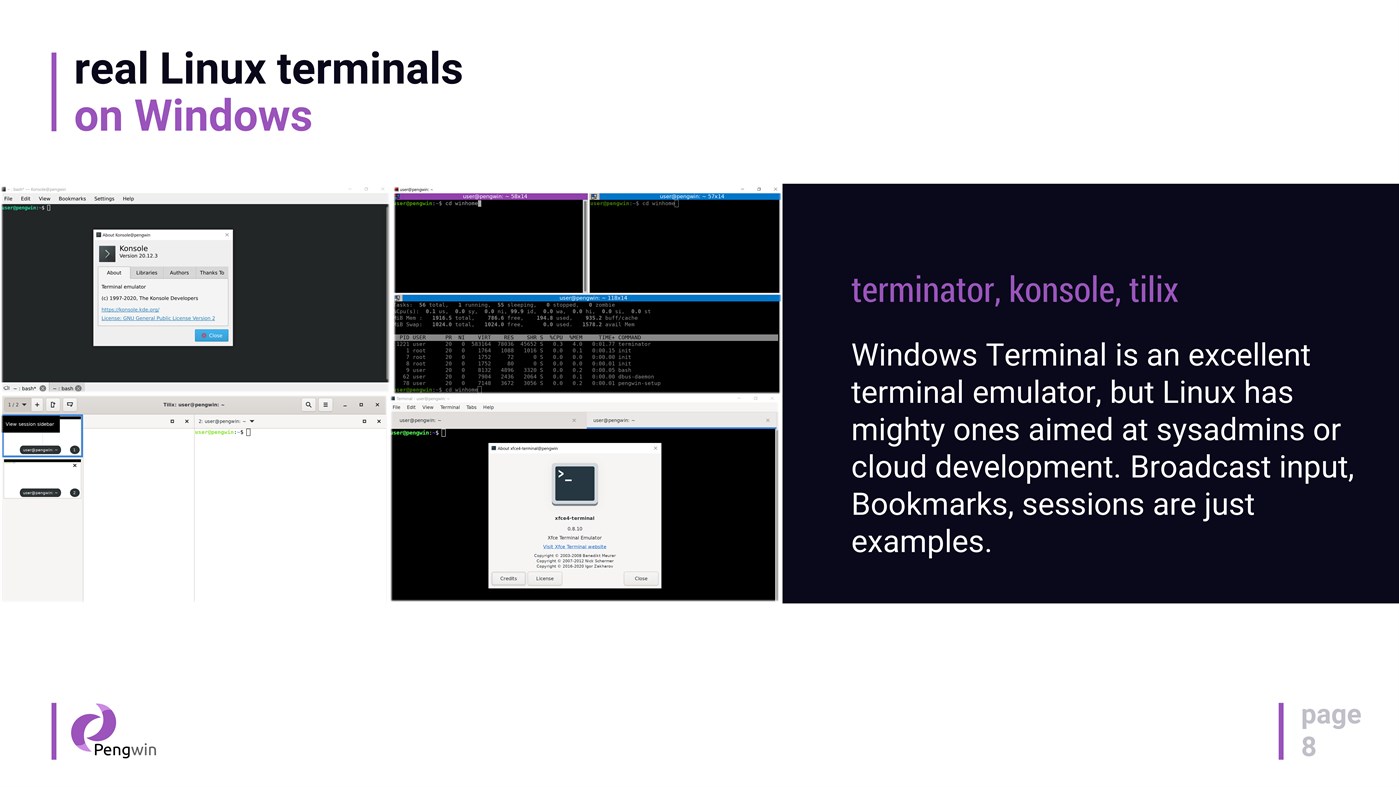
* Use a real Linux terminal on Windows: git, OpenSSH, Python, PowerShell, Bash, and more.
* Install developer stacks via version managers (e.g., pyenv, n, rbenv, SDKMAN!) and get modern toolchains quickly.
* Run local services for dev/test, including a one-click LAMP stack.
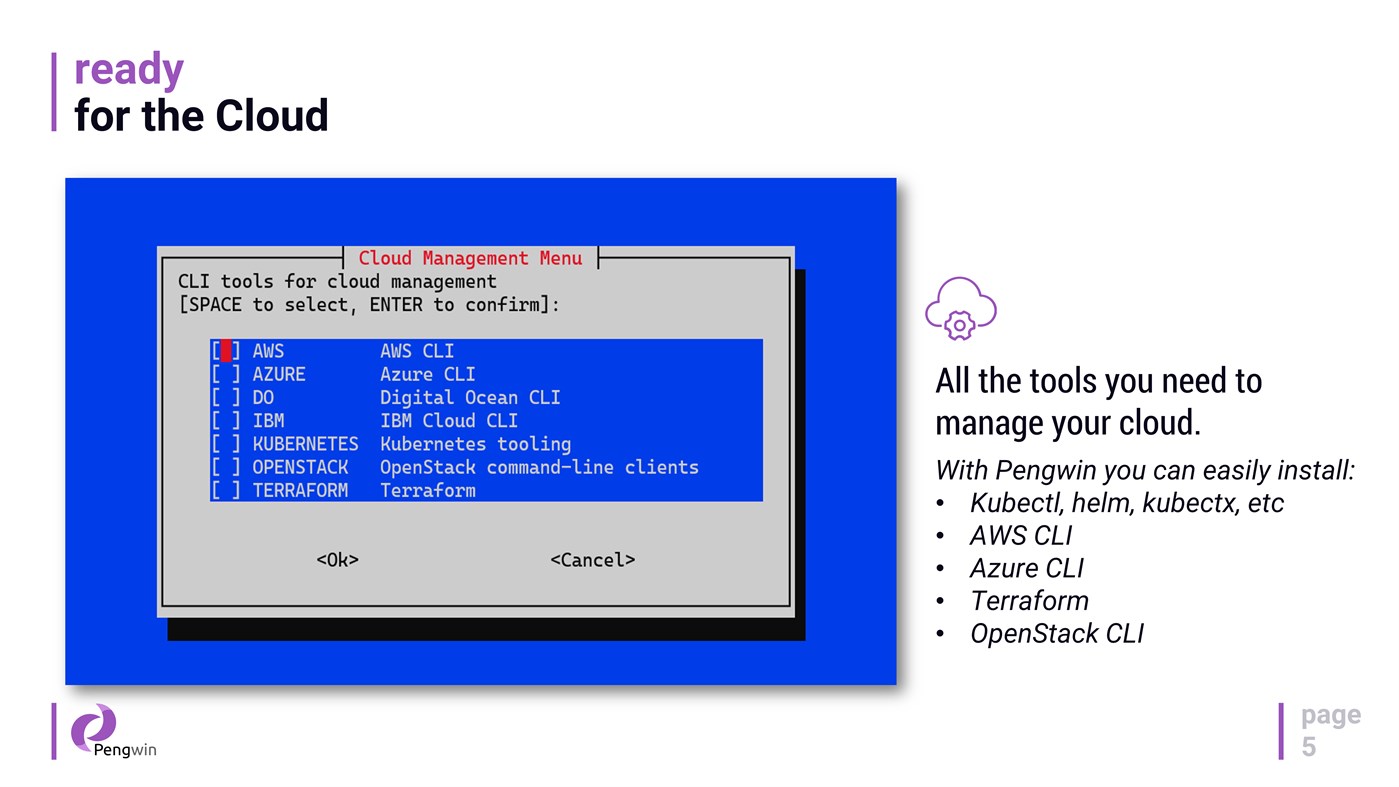
* Install cloud & DevOps tooling such as Terraform, Kubernetes tooling, and cloud CLIs via pengwin-setup.
* Run essential Linux GUI apps (IDEs, terminals, tools) with WSLg on Windows 11.
Desktop apps and WSL1 support
* Install a full Xfce desktop environment from pengwin-setup and launch it directly from the Windows Start Menu.
* On WSL1, pengwin-setup can install/configure VcXsrv or set up X410, and you can manage services using `wslsystemctl`.
Hybrid Windows + Linux workflow
Access your `C:` drive at `/mnt/c`, work in a mixed toolchain, and move seamlessly between ecosystems—Pengwin is designed to make the hybrid workflow feel native.
Notes
* Pengwin is Debian-based (not Ubuntu). For best results, follow Debian instructions when troubleshooting or installing packages.
* DISCLAIMER: Windows Insider Preview builds are not production-ready and may introduce incompatibilities. Support for Insider builds is best-effort.
Ad
ภาพหน้าจอ


ประวัติราคา
- ราคาปัจจุบัน: $19.99
- ต่ำสุด: $4.99
- มากที่สุด: $19.99
ติดตามราคา
ข้อมูลเพิ่มเติม
- วันที่วางจำหน่าย:
- หมวดหมู่:
Windows แอป›เครื่องมือสำหรับนักพัฒนา - ระบบปฏิบัติการ:
PC - ขนาด:
1 Gb - ภาษาที่สนับสนุน:
English - การจัดประเภทเนื้อหา:
EVERYONE - Windows Store คะแนนโดย:
3.9(60) - เว็บไซท์:
 https://whitewaterfoundry.com/
มีอะไรใหม่
- เวอร์ชัน: PC
- อัปเดต:
ผู้พัฒนา
- Whitewater Foundry
- แพลตฟอร์ม: Windows แอป (5)
- รายการ: 2 + 1
- แต้มแล: 2 + 101 ¡
- การจัดอันดับ: 0
- ความเห็น: 0
- ลดราคา: 0
- วิดีโอ: 0
- RSS: ติดตาม
รายการ (0)
0 ☹️
- Pengwin
แต้มแล (0)
0 ☹️
การจัดอันดับ (0)
0 ☹️
ความเห็น (0)
เป็นคนแรกที่แสดงความเห็น 🌟
«Pengwin». แพลตฟอร์ม: Windows. หมวดหมู่: เครื่องมือสำหรับนักพัฒนา. ผู้พัฒนา: «Whitewater Foundry». การเปิดตัวครั้งแรก: . อัปเดตล่าสุด: . ราคาปัจจุบัน: $19.99. ราคาต่ำสุดที่บันทึกไว้: $4.99 (). ราคาสูงสุดที่บันทึกไว้: $19.99 (). ชื่อนี้ยังไม่ได้รับการให้คะแนนหรือบทวิจารณ์บน AppAgg ร้านค้า: Windows Store. คะแนนร้านค้า: 3.9. โหวต: 60. ภาษาที่ใช้ได้: English. AppAgg ติดตามประวัติราคา การให้คะแนน และคำติชมของผู้ใช้ «Pengwin». ส่วนลดและอัปเดตในอนาคต: RSS. AppAgg ไม่ได้โฮสต์แอปพลิเคชันหรือแจกจ่ายซอฟต์แวร์ เครื่องหมายการค้า โลโก้ และภาพหน้าจอทั้งหมดเป็นของเจ้าของที่เกี่ยวข้อง
Pengwin URL แบบสั้น: คัดลอกแล้ว!- 🌟 แชร์
- Windows Store
คล้ายกัน
-
- Pengwin Enterprise 8
- Windows แอป: เครื่องมือสำหรับนักพัฒนา โดย: Whitewater Foundry
- $8.99
- รายการ: 0 0 0
- แต้มแล: 1 เวอร์ชัน: PC Pengwin Enterprise is a Windows Subsystem for Linux (WSL) solution compatible with mainstream enterprise Linux distributions such as **Oracle Linux** and **Red Hat Enterprise Linux**. ... ⥯
-
- Pengwin Enterprise 9
- Windows แอป: เครื่องมือสำหรับนักพัฒนา โดย: Whitewater Foundry
- $9.99
- รายการ: 0 0 0
- แต้มแล: 0 เวอร์ชัน: PC Pengwin Enterprise is a Windows Subsystem for Linux (WSL) solution compatible with mainstream enterprise Linux distributions such as **Oracle Linux** and **Red Hat Enterprise Linux**. ... ⥯