
Marcaje
| Dezvoltator: | PocketCmd (2) | ||
| Preț: | * Gratuit Nou | ||
| Scor: | 1.480 Aur | ||
| Clasamente: | 0 | ||
| Comentarii: | 0 Postează comentariu | ||
| Liste: | 0 0 | ||
| Puncte: | 0 | ||
| +1 Punct | |||
Pe scurt
PocketCmd: SSH Client & SFTP este o aplicație creată de PocketCmd, din categoria „Instrumente pentru dezvoltatori”.
Noutate: a apărut , deci ești printre primii.
Există și în Google Play, alege unde îți convine.
Intrarea e gratis, dar magazinul dinăuntru e deschis.
Microsoft Store e integrat în Windows, deci se instalează din câteva clicuri.
Scorul AppAgg e 1.480. Asta înseamnă „Aur”.
Doar 26 de megabyți, încape chiar și pe un disc plin.
Clasificare de vârstă „EVERYONE”: merge și pentru copii.
Vorbește o singură limbă, și nu e româna.
Ai folosit-o? Recenzia ta ar fi prima de aici.
Dezvoltatorul mai are 1 aplicație pe AppAgg. Merită o privire.
Vrei să afli primul de actualizări și aplicații noi? Urmărește dezvoltatorul sau abonează-te la RSS. Notificările push vin prin aplicația AppAgg Alerts pentru Android și iOS.
Alte platforme 1
 | PocketCmd: SSH Client & SFTPWindows Store1K AurWindowsAchiziții în aplicație | Gratuit |
 | PocketCmd: SSH Client & SFTPGoogle Play3K ArgintAndroidAchiziții în aplicație $4.99 – $99.99 | Gratuit |
Istoricul prețurilor 0
- Prețul actual: Gratuit
- Minim: Gratuit
- Maxim: Gratuit
Propriul tău flux pe pagina principală
Capturi de ecran 8
Video 1
Descriere
Free for one server, with no time limit. Pro removes the limits.
BUILT FOR THE DESKTOP
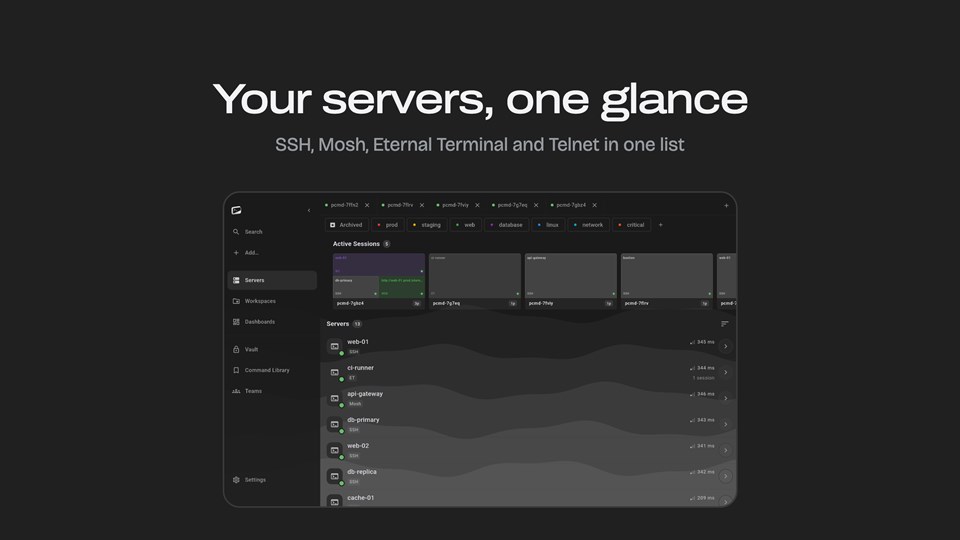
• A sidebar for your servers, session tabs, a command palette, right-click menus and drag-and-drop
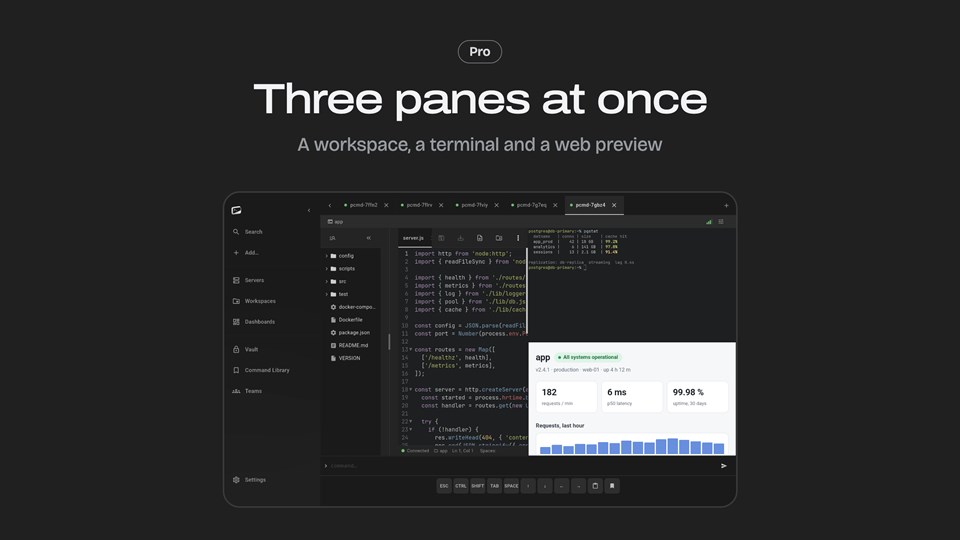
• Split the window into up to four panes, with terminals, a workspace and a web preview side by side (Pro)
• Your servers appear in File Explorer, so remote files open like local ones
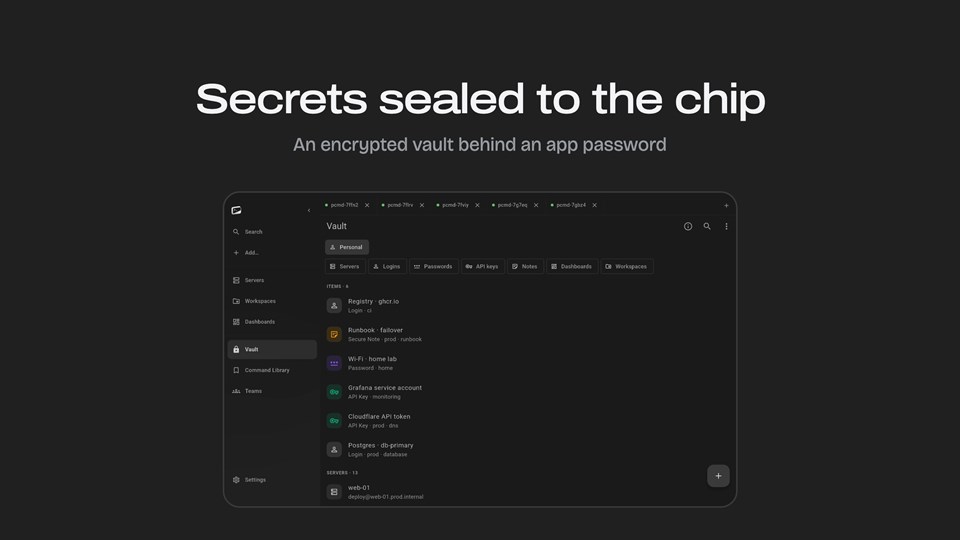
• Your vault key is sealed to the TPM 2.0 chip where your PC has one
A REAL TERMINAL
• Our own terminal renderer, written in C: libvterm parsing, FreeType and HarfBuzz, 24-bit color, 60 fps, no web view
• SSH on native libssh2 and OpenSSL, with every key format, two-factor and keyboard-interactive logins, and agent forwarding
• Mosh and Eternal Terminal: sessions survive network changes, sleep and even an app restart
• Telnet for the legacy gear that still needs it, with a warning before anything goes out unencrypted
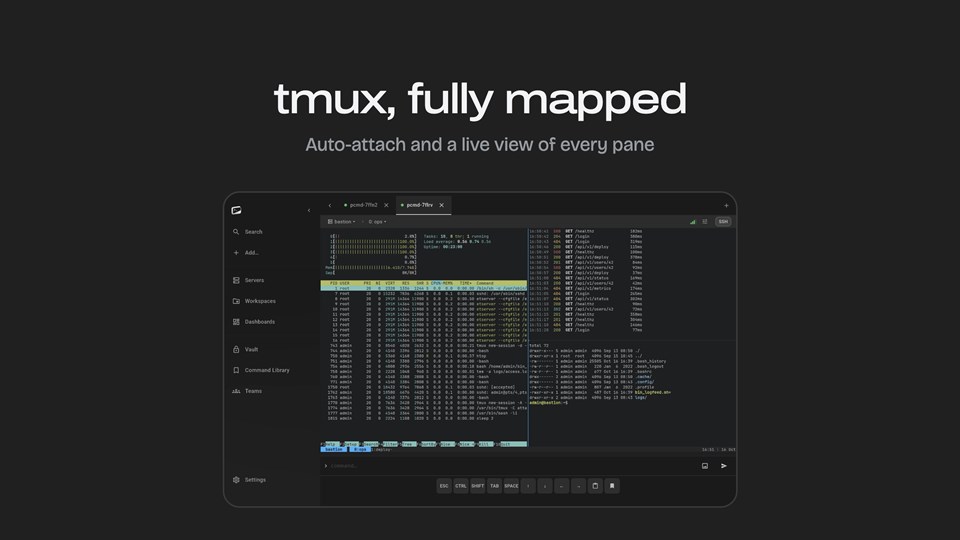
• tmux auto-attach, with a live view of every window and pane
FILES AND WORKSPACES
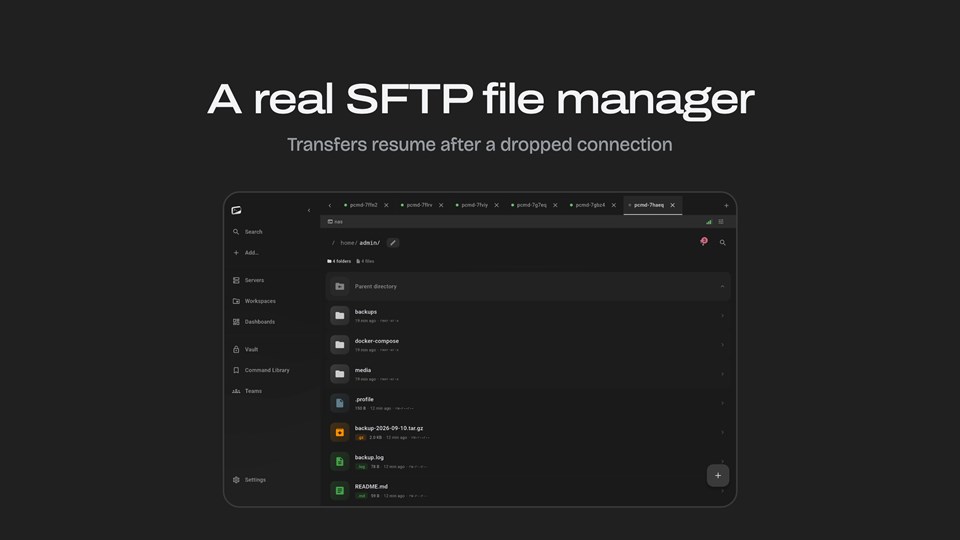
• A full SFTP file manager with permissions, symlinks, search and bookmarks
• Background transfers that resume after a dropped connection, verified with SHA-256
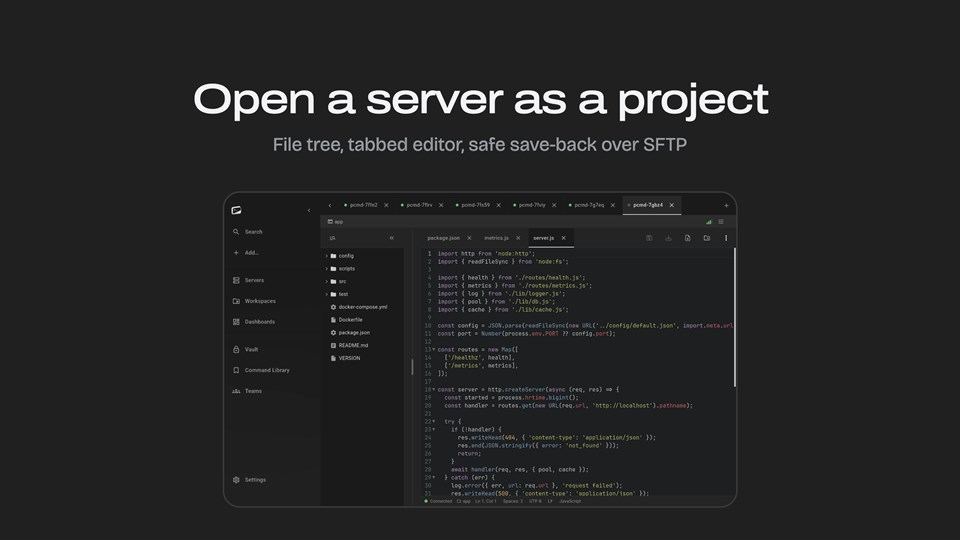
• Open a server folder as a workspace: file tree, tabbed code editor with syntax highlighting, folding, find and replace, a diff viewer, quick-open and search that runs on the server
• Saving checks for remote changes first, and unsaved edits are kept encrypted, never as plain text on disk
MONITORING WITHOUT AN AGENT
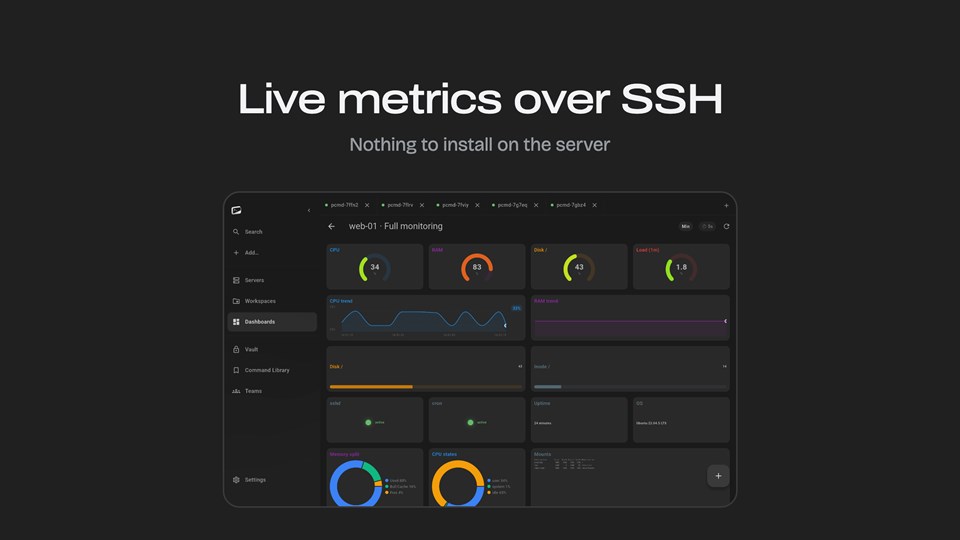
• Dashboards of live metrics over the SSH connection you already have: gauges, sparklines, bars, donuts and status cards
• Nothing to install on the server
• Threshold alerts pushed to your phone by your own self-hosted server (Pro)
SECURITY THAT IS NOT OPTIONAL
• An app password is always required, stretched with Argon2id
• Host keys are pinned on first connect and checked every time after
• An encrypted vault for passwords, key passphrases, API tokens and notes
• Generate SSH keys in the app, or import your SSH config and keys from files
ALSO IN THE BOX
• Port forwarding: local, remote and SOCKS5
• Snippets, command templates and a curated command library
• A web preview with developer tools for what your server is serving
• Encrypted backup and restore
OPTIONAL: YOUR OWN SERVER
PocketCmd connects to any SSH server as it is. If you want more, pair the optional companion server, a single open-source Go binary you host yourself, for zero-knowledge sync between your devices, teams with roles and shared vaults, and always-on alerts (Pro). Everything is encrypted on your PC before it leaves, so the server stores data it cannot read.
FREE AND PRO
Free: one saved server, one group, one dashboard and one workspace, with all four protocols, SFTP, tmux, port forwarding, the vault and every security feature. No account, no time limit.
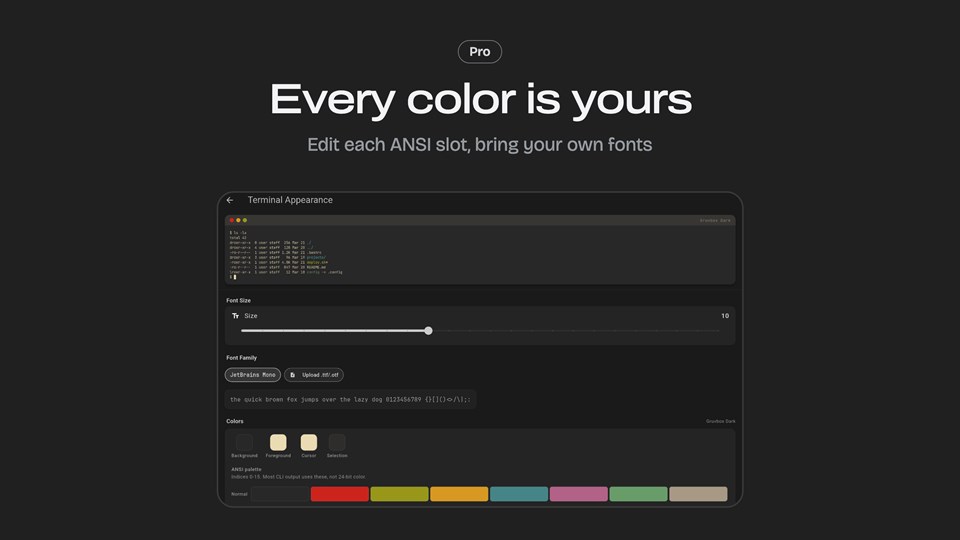
Pro: unlimited servers, groups, dashboards and workspaces, split panes, multi-hop SSH through jump hosts, every theme with the theme editors and custom fonts, protocol switching mid-session, sync, alerts and teams. Pro is an in-app purchase through Paddle: a monthly or yearly subscription, or a one-time lifetime license while those are available, from US$5 to US$149 depending on the plan (local prices vary). One license covers up to three of your devices, on Windows, Mac, Linux, iPhone, iPad and Android. If a subscription ends, nothing is deleted.
PRIVACY
Your PC connects directly to your servers. There is no PocketCmd account, no relay in between, no analytics and no ads.
De la dezvoltator
Liste 0
-
 PocketCmd: SSH Client & SFTP
Puncte 0
-

- +1 Punct

Clasamente 0
-
- Evaluarea ta
Dezvoltator 2
- PocketCmd
- Urmăritori: 0
- Platforme: Android Aplicații (1) Windows Aplicații (1)
- Reduceri: 0
- Liste: 0 0
- Puncte: 0
- Clasamente: 0
- Comentarii: 0
- Videoclipuri: 1
- RSS: Abonează-te
Ce este nou
- Versiune: PC
- Ultima actualizare:
Informații suplimentare
- Data lansării:
- Categorie:
Aplicații pentru Windows›Instrumente pentru dezvoltatori - SO:
PC - Dimensiune:
26 Mb - Limbi disponibile:
Engleză - Evaluarea conținutului:
EVERYONE - Windows Store Evaluare: ¡
0 - Website:
 https://pocketcmd.com
Scor AppAgg
Scor AppAgg estimat pentru
PocketCmd: SSH Client & SFTP
Dezvoltator: PocketCmd
Un scor mai mare reflectă de obicei rezultate mai bune pentru indicatorii urmăriți de AppAgg.
Bazat pe: popularitate · evaluări ale utilizatorilor · actualitate · oferte · date din magazine · activitatea comunității
Recalculat zilnic pe baza datelor AppAgg actualizate.
Comentarii 0 ¡
Distribuie
PocketCmd: SSH Client & SFTP Adresă URL scurtă: Copiat!- Windows Store

