
Gemte
Vælg det navn, der skal vises i menuen Gemte.
Færdig!
| Udvikler: | Aʀtʋʀ Cʀɘțʋ (10) | ||
| Pris: | * $17.99 | ||
| Vurdering: | 1,430 Sølv | ||
| Rangeringer: | 0 | ||
| Kommentarer: | 0 Skriv kommentar | ||
| Lister: | 0 + 0 | ||
| Point: | 0 + 0 ¡ | ||
| +1 Point | |||
Beskrivelse

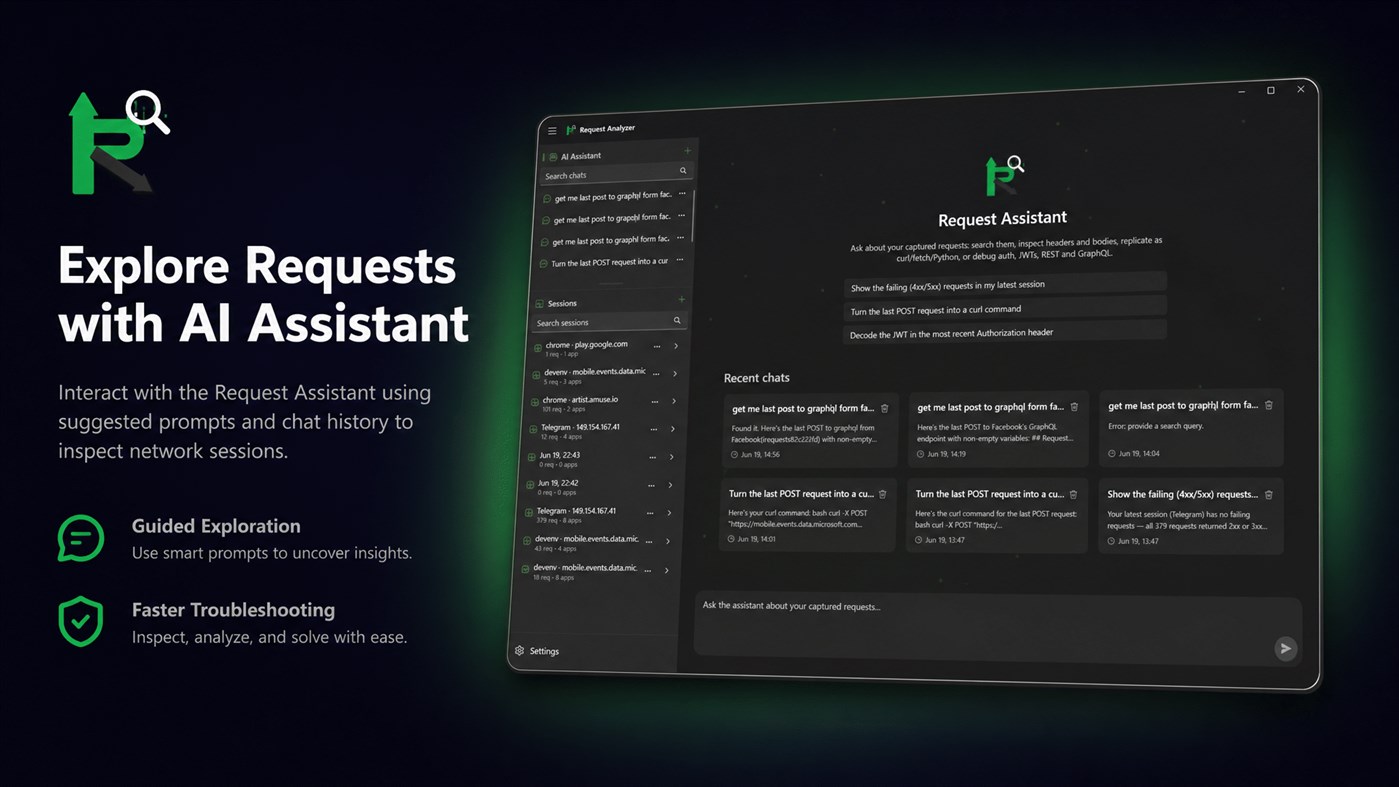
RequestAnalayzer is a modern, native desktop app for Windows 11 and 10 that transforms complex network traffic into a clean, searchable, and AI-readable timeline. Built on WinUI 3 and .NET 8, this powerful tool runs a local proxy, decrypts HTTPS traffic via a locally trusted certificate, attributes requests to the exact application that generated them, and lets you replay, duplicate, and export data in seconds. It features a built-in agentic AI assistant that reads, analyzes, and troubleshoots captured traffic locally in complete privacy, with no cloud account required.
Whether you are an API developer, QA engineer, or security researcher, RequestAnalayzer gives you unprecedented visibility into software communication. Stop struggling with traditional tools that force you to parse raw frames, guess port mappings, and manually copy payloads. RequestAnalayzer simplifies your workflow by consolidating system-wide traffic capture, process-based grouping, and intelligent AI analysis into a single, high-performance interface.
WHO IS REQUEST ANALAYZER DESIGNED FOR?
1. API and Backend Developers: Inspect headers, validate payload structures, verify exactly what your client sends and receives, and ensure compliance with API specifications.
2. Frontend and Desktop Engineers: Troubleshoot why a request fails inside your app by inspecting headers, cookies, and tokens in external test environments.
3. QA and Support Engineers: Easily reproduce issues, isolate broken endpoints, and capture comprehensive HAR archives for developer review without complex setups.
4. Security Researchers: Safely inspect third-party app traffic, analyze data transfer patterns, and perform security testing with full local control.
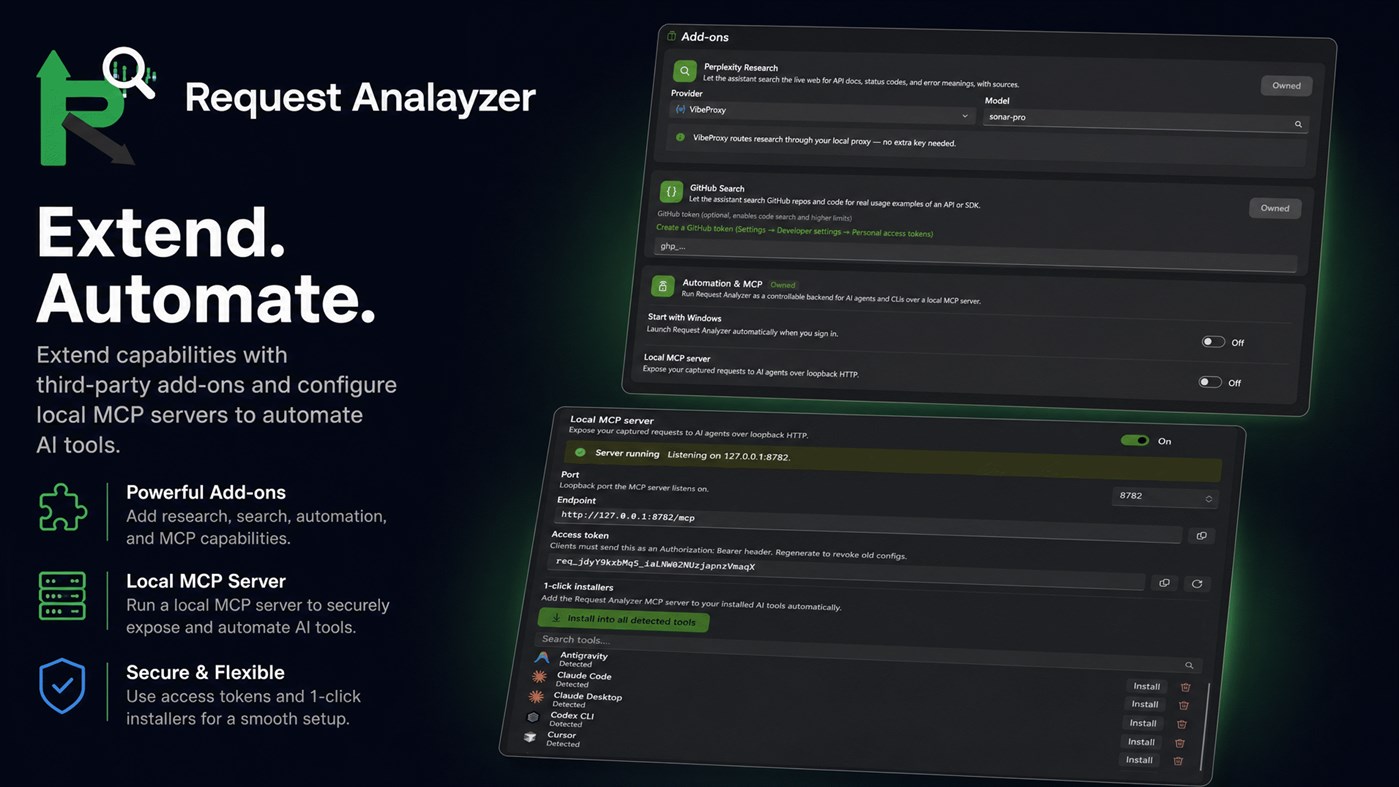
5. Advanced AI Users: Connect your existing development tools to live capture data using the built-in Model Context Protocol (MCP) server, allowing external agents to read your traffic.
CORE CAPABILITIES AND FEATURES
1. High-Performance Capture Engine
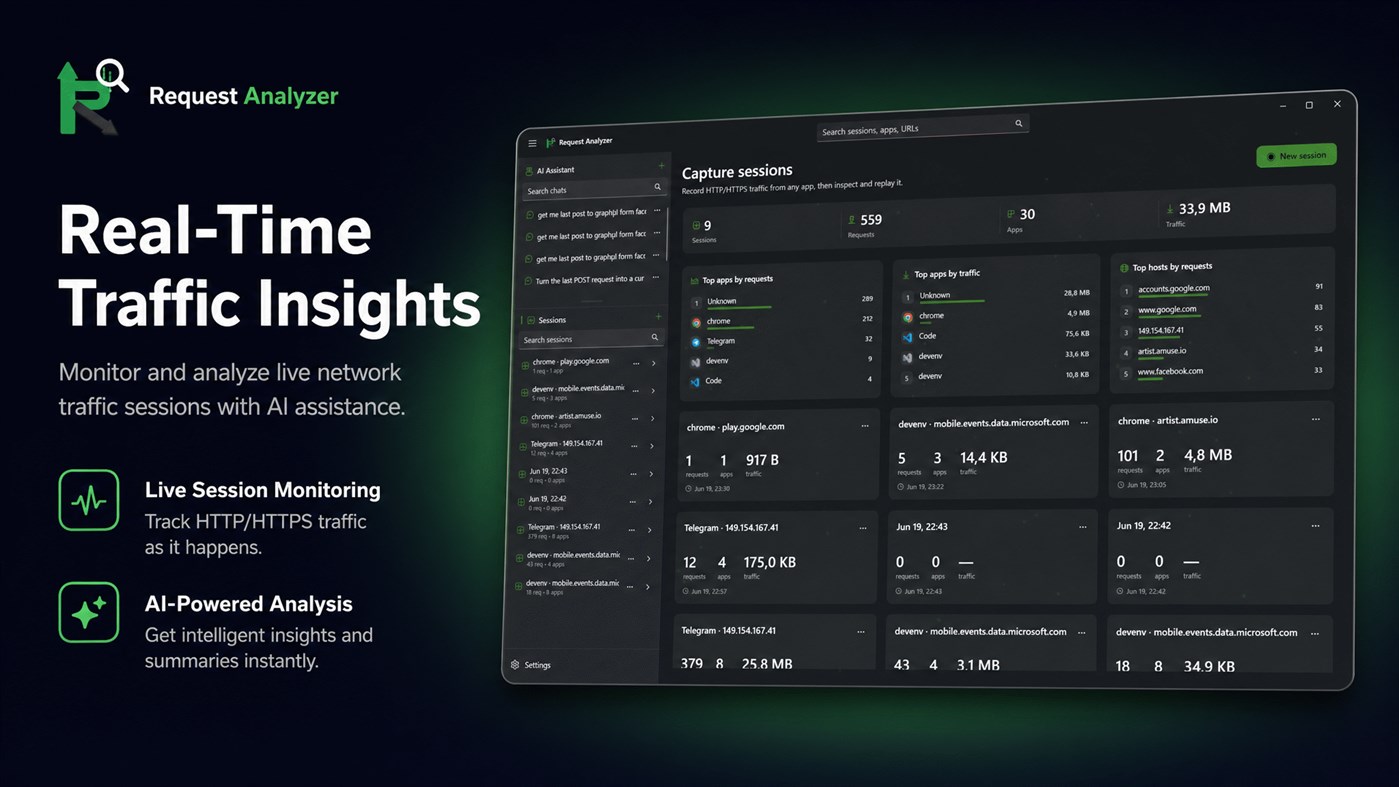
RequestAnalayzer runs a local MITM proxy on a loopback port, automatically configuring the Windows system proxy. It captures traffic from browsers, CLIs, Electron apps, and native Win32 processes without manual setup, and handles transparent decompression of gzip, brotli, and deflate so you always see readable text.
2. Secure HTTPS Decryption
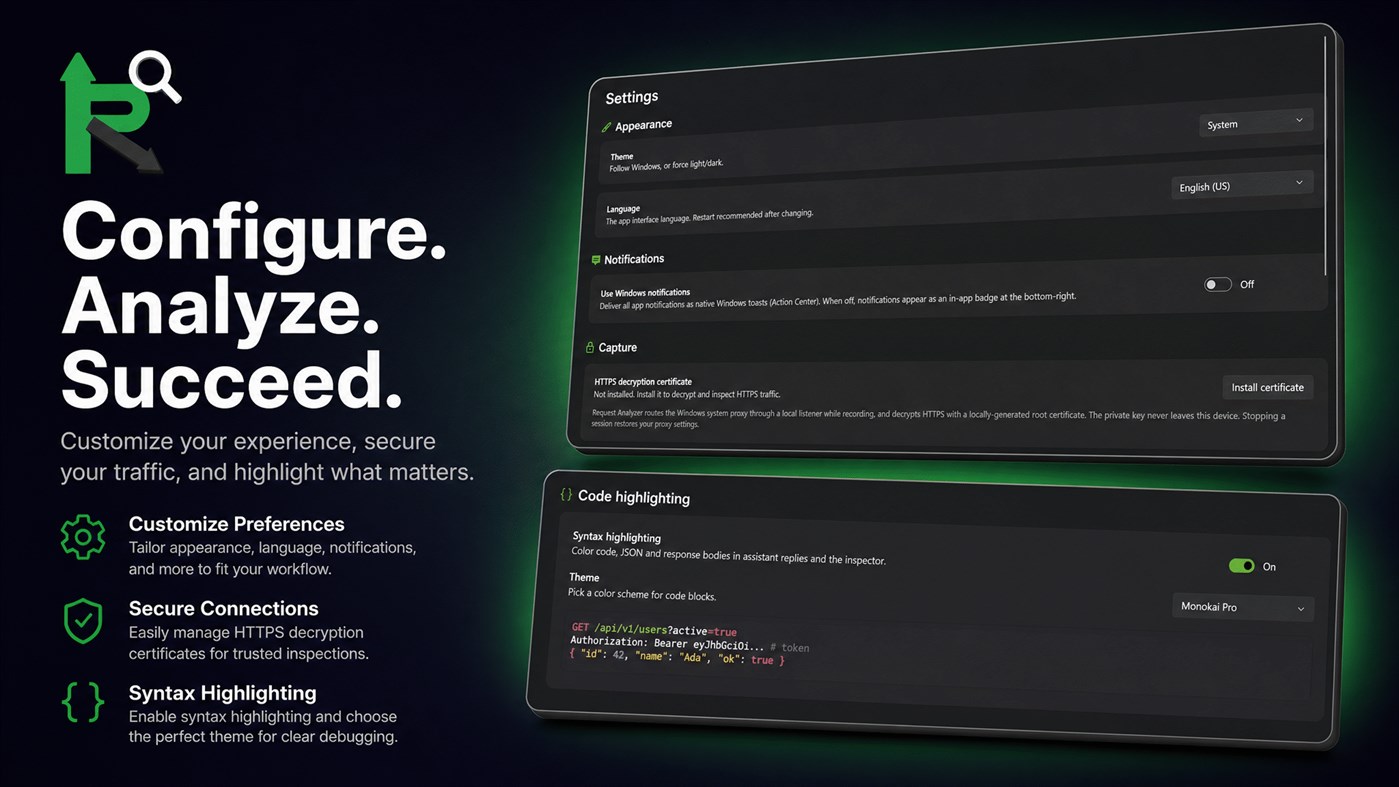
Inspect encrypted traffic safely. The app generates a unique, local root CA certificate on your machine. Once trusted, it decrypts HTTPS traffic during active recording sessions. If the certificate is untrusted, the app transparently passes traffic through (blind-tunneling), preserving your internet connection while capturing connection metadata. Private keys never leave your machine, ensuring absolute privacy.
3. Automatic Application Attribution
Unlike traditional tools that only show hostnames and ports, RequestAnalayzer maps every request back to the exact process that initiated it. Instantly see the process name, path, icon, and PID. Pin critical apps to the top of your timeline, ignore noisy processes, or clear irrelevant traffic with a single click.
4. Advanced Request Inspector
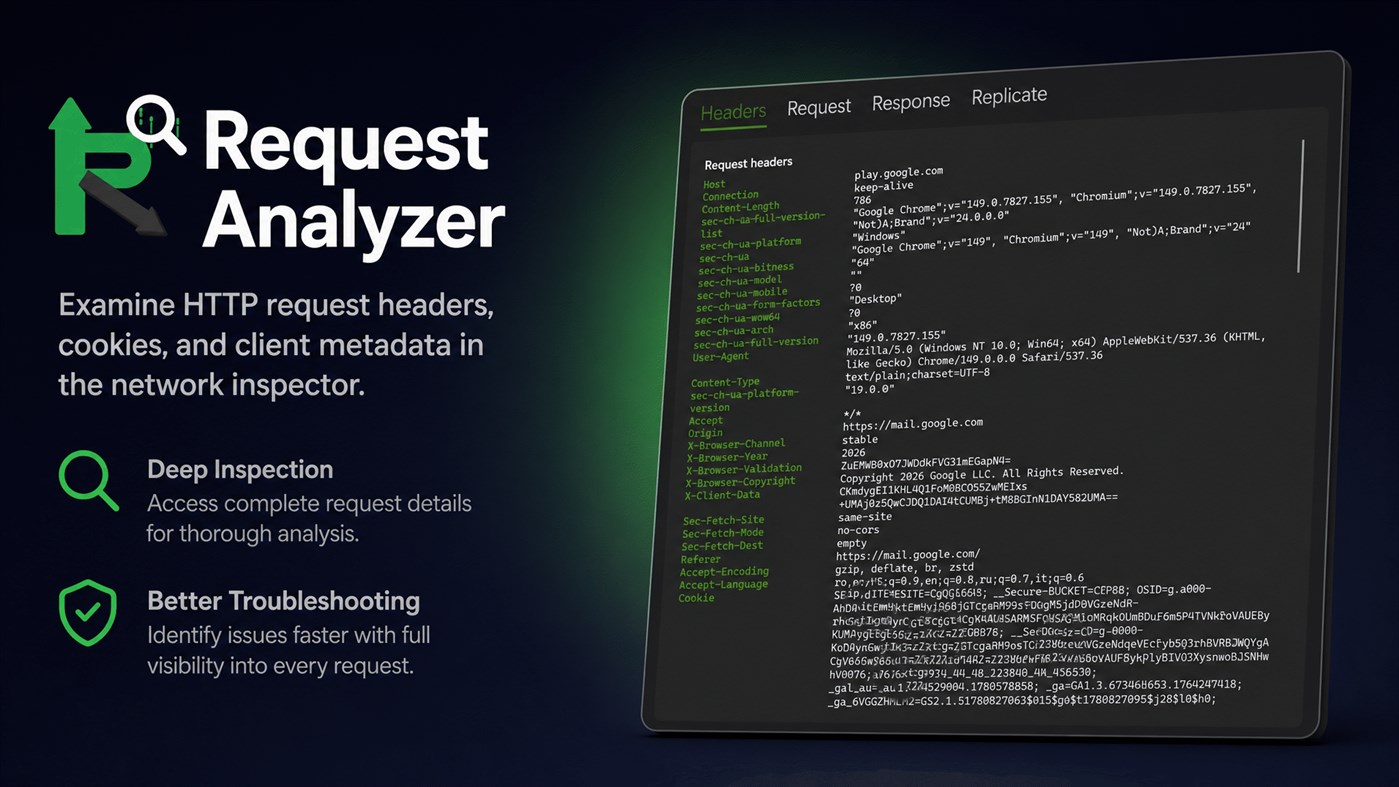
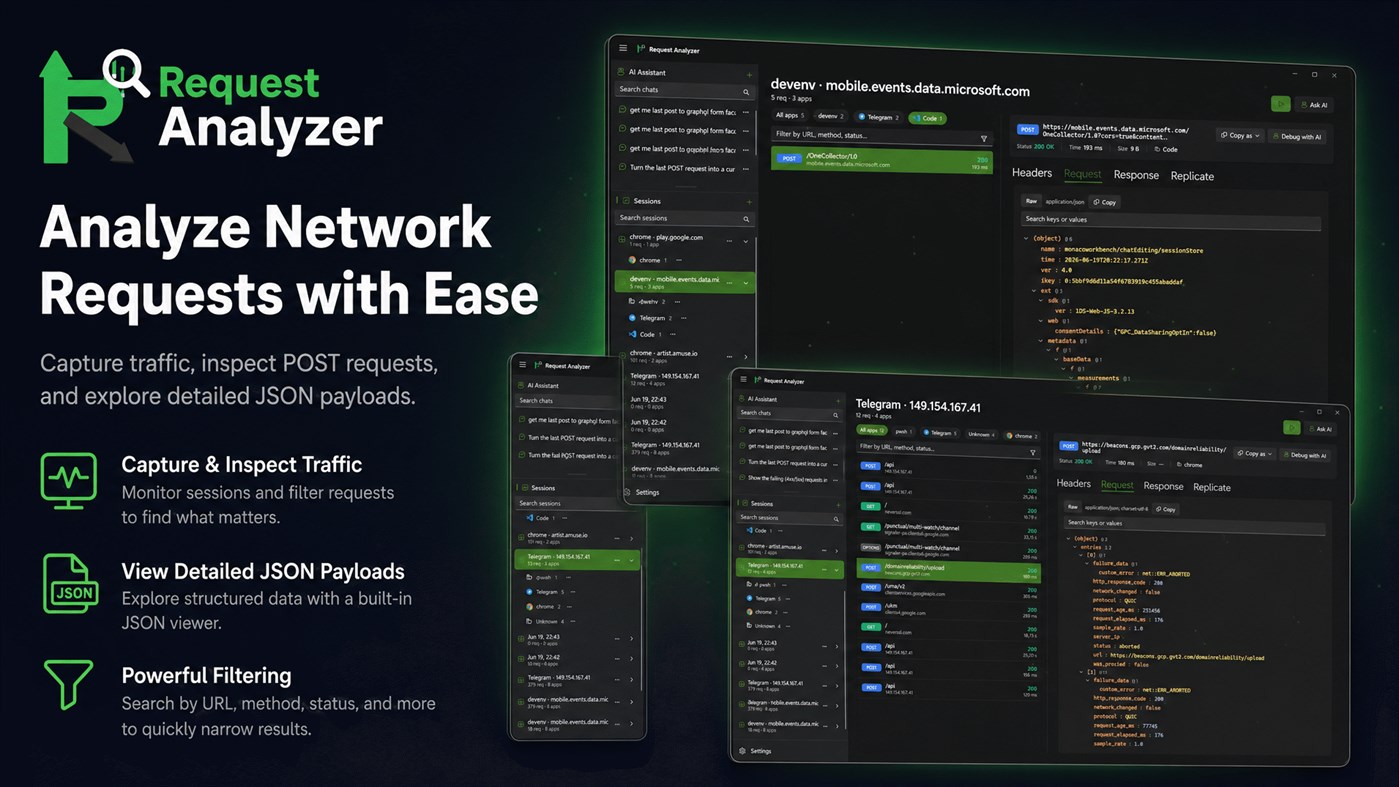
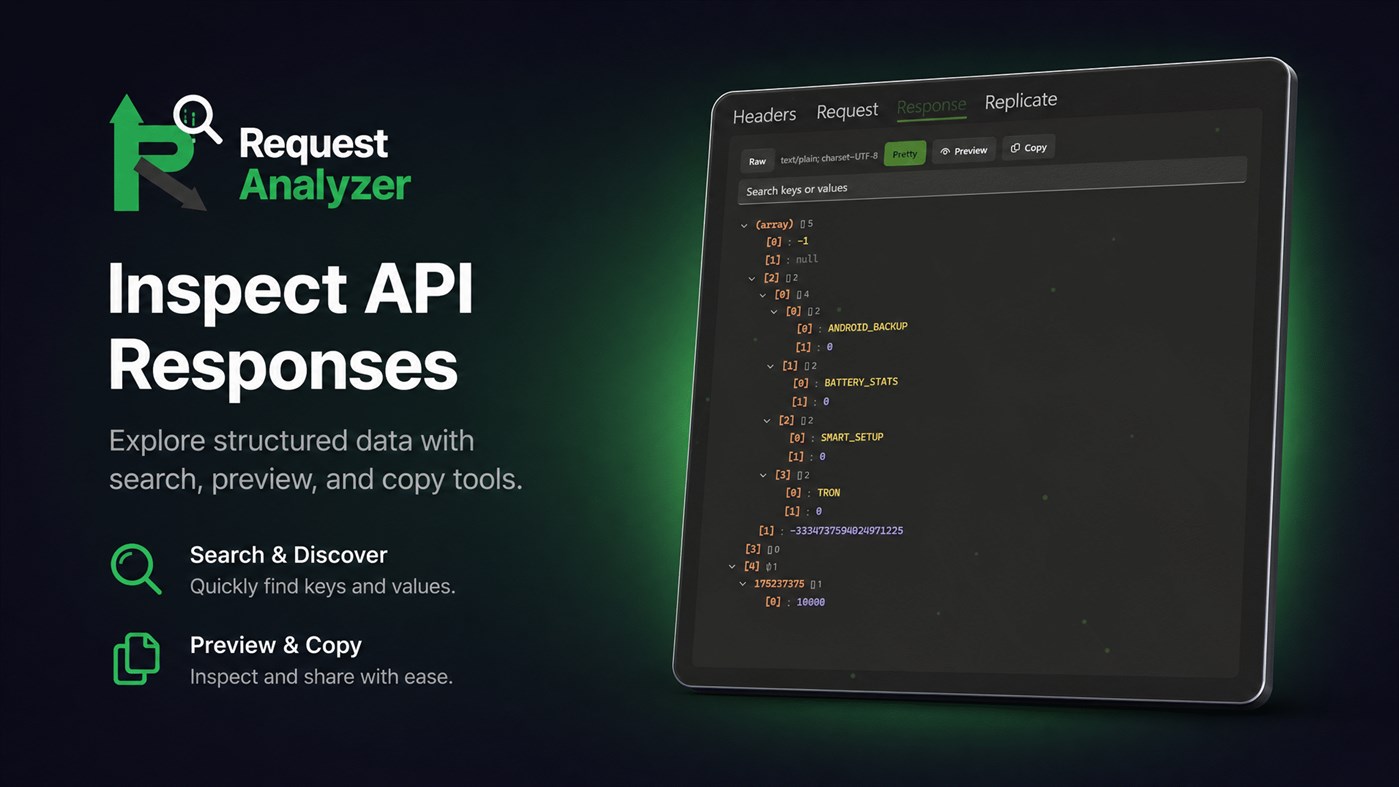
Analyze payloads with a professional dual-pane inspector showing method chips, URLs, status codes, response times, and sizes. Explore JSON, query strings, and form-urlencoded structures in a collapsible tree view with dotted-path copying. Includes toggle options between raw and pretty-print views, plus syntax highlighting across popular themes like Dracula, Nord, VS Code Dark, and GitHub Light.
5. Replay, Duplicate, and Export
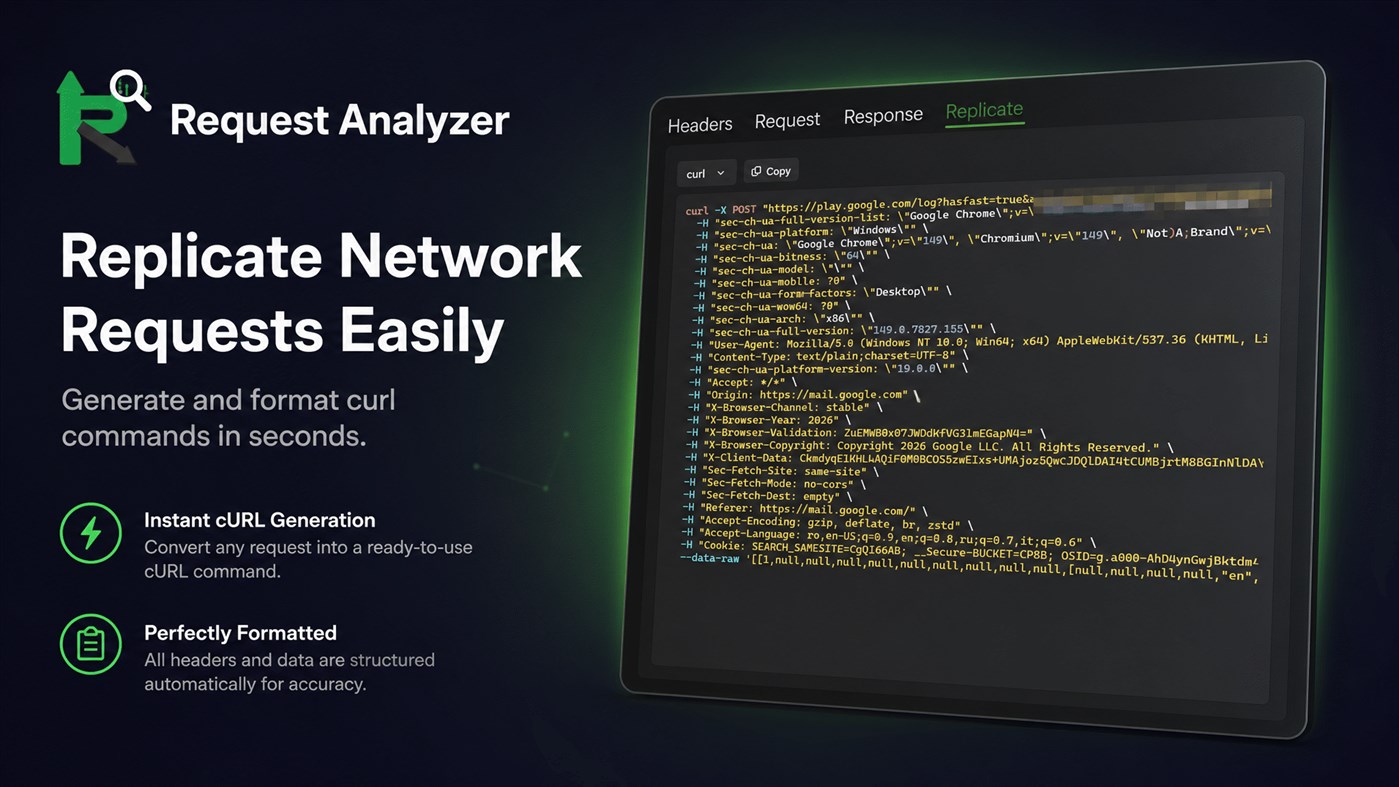
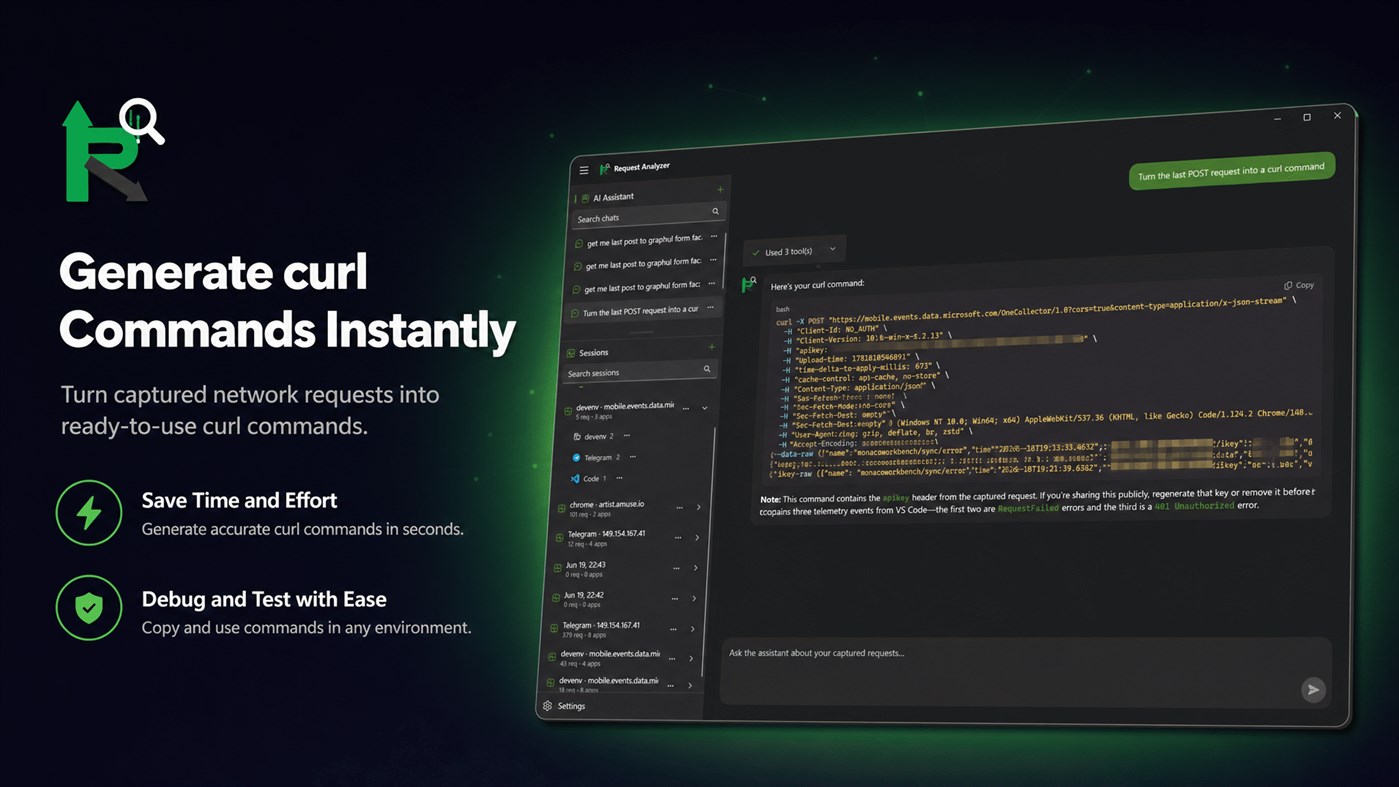
Duplicate any captured request as an instantly runnable code snippet (curl, JavaScript fetch, PowerShell, or Python). Replay requests directly inside the app to test server responses, or export complete HAR 1.2 files to share with your team or import into other developer tools.
6. Agentic AI Assistant for Traffic Analysis
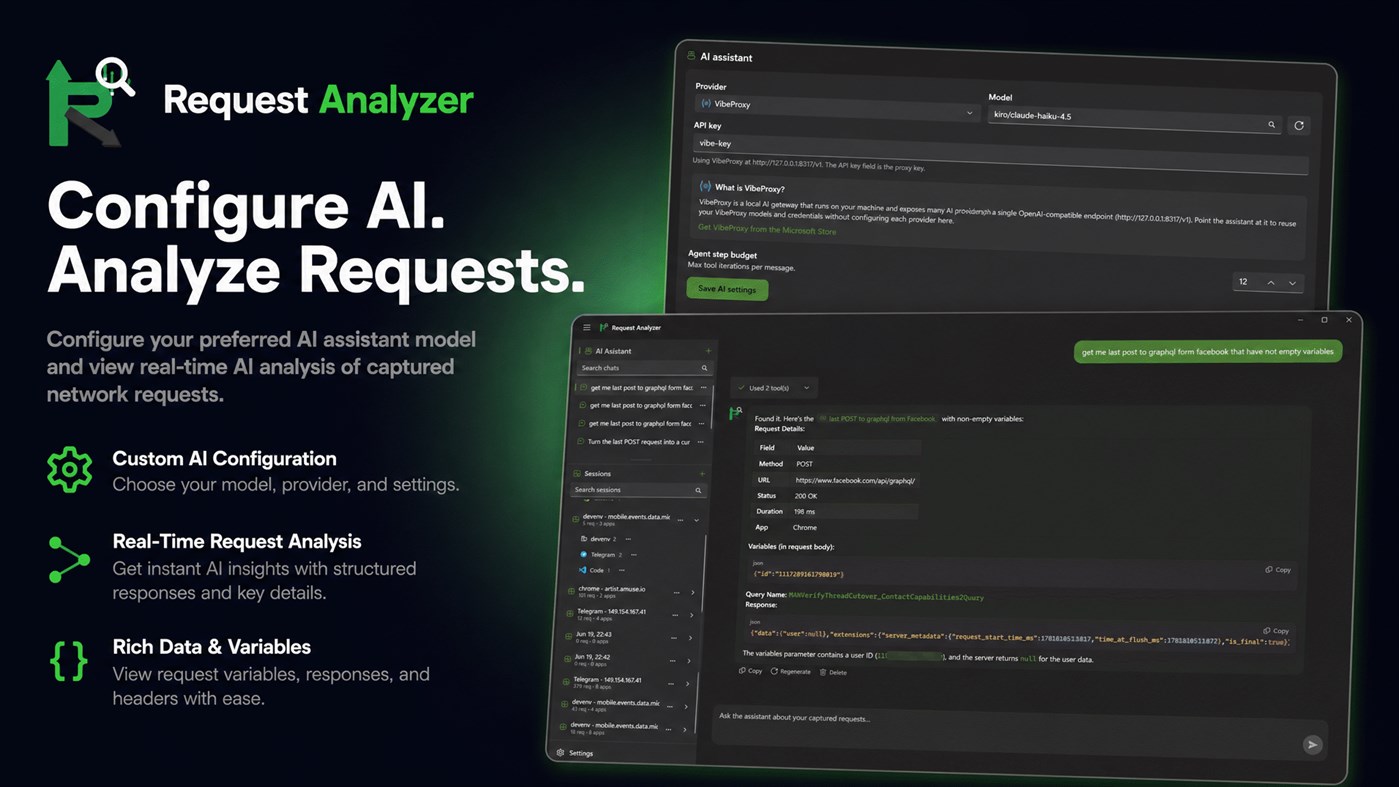
Take troubleshooting to the next level with an AI assistant that has full read access to your captured sessions. The agent can search requests, diff payloads, decode JWTs, analyze auth headers, and explain API failures. It executes diagnostic queries in a secure environment to isolate bugs. Clickable deep links in the chat let you jump directly from the AI's response to the corresponding request in your timeline.
7. Extensible AI Providers
Bring your own AI model to power your diagnostics. RequestAnalayzer supports Google Gemini, Vertex AI, OpenAI, and local OpenAI-compatible endpoints like VibeProxy. Configure multiple API keys, rotate them automatically, and set custom step budgets to manage how many iterations the agent performs per message.
8. Automation and MCP Server Integration
Turn RequestAnalayzer into a controllable backend for your favorite development environments. The built-in Model Context Protocol (MCP) server allows external AI tools to read and interact with your captured traffic. Easily integrate the app with Claude Desktop, Cursor, Windsurf, VS Code, Cline, Roo Code, and other tools.
9. Security and Crash Recovery
RequestAnalayzer keeps your system stable by saving your previous proxy settings and restoring them when the app closes. In the event of an unexpected shutdown, the app automatically repairs the system proxy configuration on the next launch, ensuring your internet connection is never left disabled.
10. Personalized Experience and Multilingual Localization
Enjoy a native Windows 11 design featuring Mica backdrops, smooth animations, and light/dark theme support. The app is localized for global use, supporting 30 languages including English, Spanish, German, French, Japanese, Chinese, Italian, Portuguese, and Russian, allowing you to work in your preferred language.
WHY IS REQUEST ANALAYZER DIFFERENT?
Traditional network debuggers are often bloated, hard to configure, and lack modern context. RequestAnalayzer bridges the gap between raw data collection and intelligent analysis. By combining system-wide traffic capture, precise process attribution, and a local, private AI assistant, it eliminates tedious manual troubleshooting. You no longer need to copy headers, guess which background app is making a connection, or upload sensitive logs to third-party cloud services. Everything happens locally and securely on your Windows machine.
Start capturing, inspecting, and replicating network requests today with RequestAnalayzer, and experience a faster, smarter way to troubleshoot your applications.
REAL-WORLD TROUBLESHOOTING SCENARIOS
Scenario 1: Resolving Failed API Integrations
When your client application encounters silent failures or unexpected status codes, start a capture session and pinpoint the failed request instantly. Open it in the inspector to examine raw headers and payload structures. Use the built-in AI assistant to compare the failed payload with your API documentation, identifying missing parameters or incorrect data types in seconds.
Scenario 2: Troubleshooting Auth Tokens Locally and Safely
Troubleshooting OAuth or JWT applications often requires copying tokens to third-party websites, risking credentials. RequestAnalayzer lets you decode JWT tokens directly within your local environment using the offline-capable AI assistant. Simply ask the assistant to decode the authorization header of a captured request. Everything is processed locally, keeping your tokens safe and private.
Scenario 3: Generating Quick Scripts to Reproduce Issues
Instead of manually writing a curl command to report a bug, right-click the captured request and copy it as a formatted curl command or Python script. Your team can run this script instantly to reproduce the issue, accelerating resolution times.
Scenario 4: Analyzing Traffic Across Multiple Apps
When running multiple microservices, it is difficult to track which process sent a specific request. RequestAnalayzer automatically labels each request with its source process name and PID. You can filter the timeline to focus exclusively on your target application, filtering out background OS updates, browser telemetry, and irrelevant network noise.
Ad
Skærmbilleder
Prishistorie
-
* Indkøb i appen - Nuværende pris: $17.99
- Minimum: $17.99
- Maksimalt: $17.99
Overvåg priser Føj til en liste for at få besked om rabatter via e-mail eller push
AppAgg-vurdering
1,430
Estimeret AppAgg-vurdering for
RequestAnalayzer
1,430 Sølv
Højere vurderinger betyder som regel stærkere signaler på AppAgg.
Baseret på: popularitet · brugervurderinger · aktualitet · tilbud · butiksdata · fællesskabsaktivitet
Genberegnes dagligt ud fra aktuelle AppAgg-data.
Kort webadresse: Kopieret!
Nyheder
- Version: PC
- Sidst opdateret:
Yderligere oplysninger
- Udgivelsesdato:
- Kategori:
Windows Apps›Udviklerværktøjer - Operativsystem:
HoloLens,Mobile,PC,Surface Hub - Størrelse:
68 Mb - Understøttet sprog:
Arabic,Chinese,Czech,Danish,Dutch,English,Finnish,French,German,Greek,Hebrew,Hungarian,Italian,Japanese,Korean,Norwegian,Polish,Portuguese,Romanian,Russian,Slovak,Spanish,Swedish,Thai,Turkish,Ukrainian,Vietnamese - Indholdsklassificering:
EVERYONE - Windows Store Bedømmelse:
0 - Websted:
 https://itsolution.md
Udvikler
- Aʀtʋʀ Cʀɘțʋ
- Platforme: Windows Apps (10)
- Lister: 0 + 0
- Point: 0 + 0 ¡
- Rangeringer: 0
- Kommentarer: 0
- Rabatter: 0
- Videoer: 0
- RSS: Abonner
Lister (0)
0
- RequestAnalayzer
Point (0)
0
Rangeringer (0)
0
Kommentarer (0)
Vær den første til at kommentere
Kort fortalt
RequestAnalayzer Kort webadresse: Kopieret!- Del
- Windows Store
«RequestAnalayzer». Platform: Windows. Kategori: Udviklerværktøjer. Udvikler: «Aʀtʋʀ Cʀɘțʋ». Første udgivelse: . Sidste opdatering: . Nuværende pris: $17.99. Laveste registrerede pris: $17.99. Højeste registrerede pris: $17.99. Denne titel har endnu ikke modtaget vurderinger eller anmeldelser på AppAgg. Tilgængelige sprog: Arabic, Chinese, Czech, Danish, Dutch, English, Finnish, French, German, Greek, Hebrew, Hungarian, Italian, Japanese, Korean, Norwegian, Polish, Portuguese, Romanian, Russian, Slovak, Spanish, Swedish, Thai, Turkish, Ukrainian, Vietnamese. AppAgg sporer prishistorik, vurderinger og brugerfeedback for «RequestAnalayzer». AppAgg hoster ikke applikationer eller distribuerer software. Alle varemærker, logoer og skærmbilleder tilhører deres respektive ejere. Følg fremtidige rabatter og opdateringer via RSS
Lignende
-
- SearchInFiles
- Windows Apps: Udviklerværktøjer Ved: Andrew Whitechapel
- Gratis
- Lister: 1 + 1 0 0
- Point: 1 + 0 660 · Sølv Version: PC A simple app that allows you to search for text in files. You can search in any files in any folder to which you have access. One example is searching for a supported API in the ...
-
- Karve
- Windows Apps: Udviklerværktøjer Ved: XAKPC Dev Labs
- $29.99
- Lister: 0 0 0
- Point: 0 + 0 740 · Sølv Version: PC Karve is a fast, offline, native API workspace built on WinUI 3, built around the .http and .rest files already scattered across your repos. It runs the exact same request files you ...
-
- Nightingale REST Client
- Windows Apps: Udviklerværktøjer Ved: Jenius Apps
- * Gratis
- Lister: 0 + 2 0 0
- Point: 0 + 137 23K · Platin Version: PC A modern, resource-friendly REST client for Windows. - Submit GET, POST, PATCH, and other HTTP requests. - Send multiple request in batches using collections. - Add multiple workspaces
-
- Clobbr - API load & speed test
- Windows Apps: Udviklerværktøjer Ved: Dan Mindru
- $32.49
- Lister: 0 0 0
- Point: 0 + 0 1K · Sølv Version: PC Clobbr is a developer tool that allows you to test your api endpoints to see how well they perform under multiple requests (clobber your apis!), in sequence or parallel. Regardless if ...
-
- ApiLight
- Windows Apps: Udviklerværktøjer Ved: KDApp
- $9.79
- Lister: 0 0 0
- Point: 0 + 0 580 · Bronze Version: PC ApiLight is a fast, lightweight API testing tool for Windows 11. Send HTTP requests (GET, POST, PUT, DELETE, PATCH), view formatted JSON responses, and manage your request collections ...
-
- Khallaf API Tester
- Windows Apps: Udviklerværktøjer Ved: a1systems
- Gratis
- Lister: 0 0 0
- Point: 0 + 0 560 · Bronze Version: PC Khallaf API Tester is a clean, lightweight Windows desktop tool for testing HTTP API endpoints built for developers who want speed and simplicity without the bloat. Build and send HTTP
- Ny
- Helena API Client
- Windows Apps: Udviklerværktøjer Ved: IDCT Bartosz Pachołek
- $1.09
- Lister: 0 0 0
- Point: 0 + 0 600 · Sølv Version: PC Helena is a light and native API client for building, sending, and debugging HTTP requests. No Electron, no account, and no telemetry. It runs as a single self-contained app and keeps ...
-
- XMLGridStudio
- Windows Apps: Udviklerværktøjer Ved: ElvenTek
- $99.99
- Lister: 0 0 0
- Point: 1 + 0 1K · Sølv Version: PC XMLGridStudio provides developers with the hierarchical XML grid editing tool and supports large XML files depending on your RAM. Highly-optimized to accomodate large XMLs. Edit a ...
-
- vegha
- Windows Apps: Udviklerværktøjer Ved: VAMC Consulting LLC
- Gratis
- Lister: 0 0 0
- Point: 0 + 0 590 · Bronze Version: PC Vegha is a fast, native, fully local API testing desktop app built for developers, QA engineers, and integration teams who live in an API client all day. Send HTTP, REST, GraphQL, gRPC
- Ny
- Rest Hippo
- Windows Apps: Udviklerværktøjer Ved: jkfigge
- Gratis
- Lister: 0 0 0
- Point: 0 + 0 970 · Sølv Version: PC Rest Hippo is a fast, native API client for developers who would rather build and debug requests than fight their tools. REST, GraphQL, WebSocket, and Server-Sent Events all live in ...
-
- Multi-Model AI Proxy for GitHub CoPilot and Visual Studio 2026 / Code
- Windows Apps: Udviklerværktøjer Ved: hayman.dev LTD
- Gratis
- Lister: 0 0 0
- Point: 0 + 0 1K · Sølv Version: PC Use models from OpenRouter, DeepSeek v4, Mimo (Xiaomi),, x.AI, Qwen and Z.ai (ZhiPu GLM), natively in Visual Studio's 2026 / Code's GitHub CoPilot chat window! The Multi-Model AI Proxy
-
- LocaGate
- Windows Apps: Udviklerværktøjer Ved: ChinhDEV
- Gratis
- Lister: 0 0 0
- Point: 0 + 0 780 · Sølv Version: PC LocaGate is a lightweight, self-hostable tunnel proxy that lets developers temporarily expose local web servers to the internet for testing and previewing purposes. It is designed for ...
-
- MayaLok
- Windows Apps: Udviklerværktøjer Ved: Raj Kumar Pamu
- Gratis
- Lister: 0 0 0
- Point: 0 + 0 580 · Bronze Version: PC MayaLok is a desktop API mock simulator built for developers and QA engineers who need to simulate backend APIs without depending on real services. Key Features: Mock REST & SOAP APIs ...
- Ny
- KanbanCode
- Windows Apps: Udviklerværktøjer Ved: Hidroteknik
- Gratis
- Lister: 0 0 0
- Point: 0 + 0 600 · Sølv Version: PC KanbanCode is a local-first desktop app that turns multiple AI coding agents into a coordinated development team. Instead of asking one AI assistant to do everything, KanbanCode lets ...