
| ผู้พัฒนา: | KS.STUDIO (15) | ||
| ราคา: | $0.99 | ||
| การจัดอันดับ: | 0 | ||
| ความเห็น: | 0 เขียนความเห็น | ||
| ความเห็น: | 0 โพสต์ความคิดเห็น | ||
| รายการ: | 0 + 1 | ||
| แต้มแล: | 2 + 0 ¡ | ||
| Windows Store | |||
คำอธิบาย
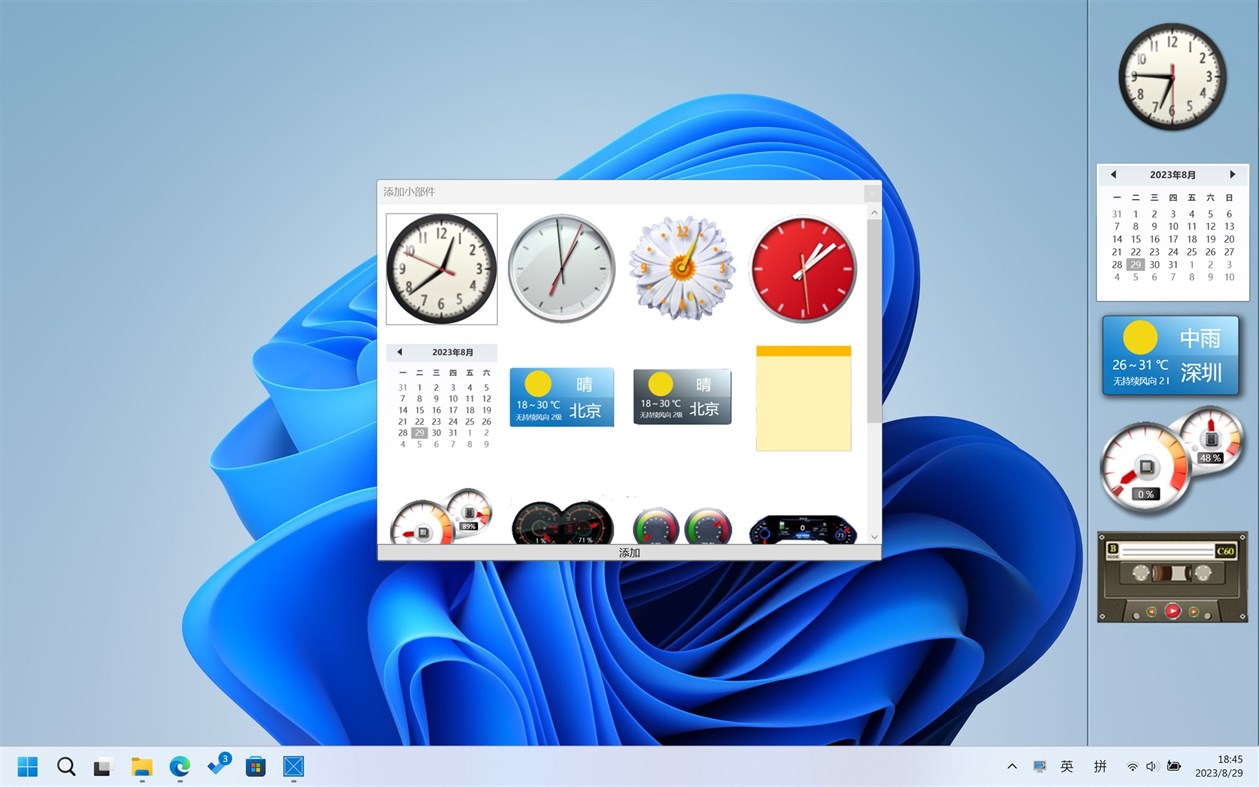
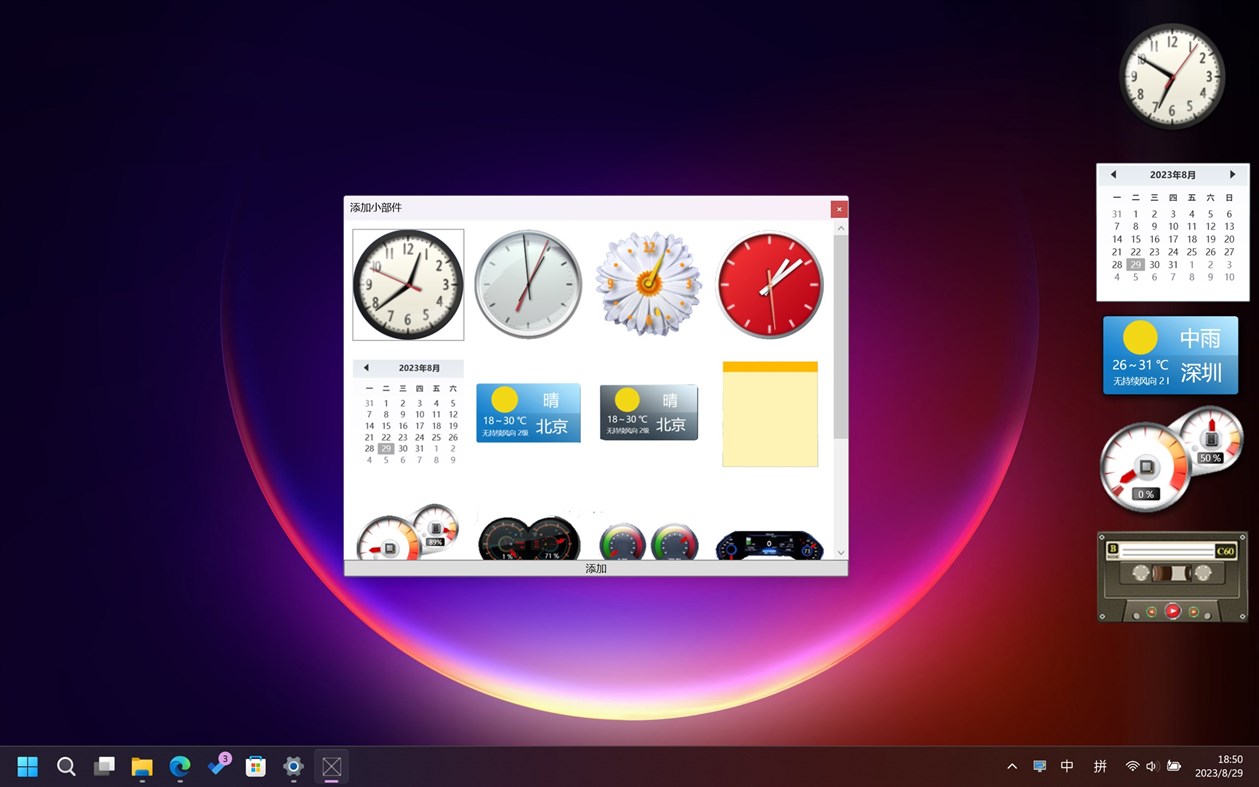
The sidebar can provide you with various conveniences, such as viewing time and date, weather forecast, desktop notes, RSS reader, etc. It takes up very little resources but can greatly enrich the system's functions. Welcome to experience!
Currently included widgets:
Clock, calendar, weather forecast, notes, resource viewer, music player, desktop football, desktop basketball, RSS reader, shortcuts, folder display, system tools, website favorites, search tools, image slides, system buttons, screenshot tools
Ad
ภาพหน้าจอ
มีอะไรใหม่
- เวอร์ชัน: PC
- อัปเดต:
ประวัติราคา
- วันนี้: $0.99
- ต่ำสุด: ฟรี
- มากที่สุด: $1.49
ติดตามราคา
ผู้พัฒนา
- KS.STUDIO
- แพลตฟอร์ม: Android แอป (1) Windows แอป (13) Steam เกม (1)
- รายการ: 2 + 1
- แต้มแล: 24 + 29 ¡
- การจัดอันดับ: 0
- ความเห็น: 0
- ความเห็น: 0
- ลดราคา: 0
- วิดีโอ: 1
- RSS: ติดตาม
แต้มแล (2)
-

- 11,058 Simon Chan
- +1


การจัดอันดับ (0)
0 ☹️
รายการ (0)
0 ☹️
- Start Sidebar
ความเห็น (0)
แสดงรีวิวเป็นคนแรกเลย 🌟
ข้อมูลเพิ่มเติม
- เวอร์ชัน: PC
- หมวดหมู่:
Windows แอป›การตั้งค่าส่วนบุคคล - ระบบปฏิบัติการ:
HoloLens,Mobile,PC,Surface Hub - ขนาด:
9 Mb - ภาษาที่สนับสนุน:
Chinese,English - การจัดประเภทเนื้อหา:
EVERYONE - Windows Store คะแนนโดย:
0 - อัปเดต:
- วันที่วางจำหน่าย:
«Start Sidebar». แพลตฟอร์ม: Windows. หมวดหมู่: การตั้งค่าส่วนบุคคล. ผู้พัฒนา: «KS.STUDIO». การเปิดตัวครั้งแรก: . อัปเดตล่าสุด: . ราคาปัจจุบัน: $0.99. ราคาต่ำสุดที่บันทึกไว้: $0.00 (). ราคาสูงสุดที่บันทึกไว้: $1.49 (). ชื่อนี้ยังไม่ได้รับการให้คะแนนหรือบทวิจารณ์บน AppAgg จุดที่ติดตาม: ยืนยันแล้ว 2, ทางอ้อม 0. ภาษาที่ใช้ได้: Chinese, English. AppAgg ติดตามประวัติราคา การให้คะแนน และคำติชมของผู้ใช้ «Start Sidebar». ส่วนลดและอัปเดตในอนาคต: RSS. AppAgg ไม่ได้โฮสต์แอปพลิเคชันหรือแจกจ่ายซอฟต์แวร์ เครื่องหมายการค้า โลโก้ และภาพหน้าจอทั้งหมดเป็นของเจ้าของที่เกี่ยวข้อง
ความเห็น (0)
เป็นคนแรกที่แสดงความเห็น 🌟
Start Sidebar URL แบบสั้น: คัดลอกแล้ว!- 🌟 แชร์
- Windows Store
Ad
คุณอาจชอบ
-
- Start Dock
- Windows แอป: การตั้งค่าส่วนบุคคล โดย: KS.STUDIO
- $0.99
- รายการ: 1 + 1 การจัดอันดับ: 0 ความเห็น: 0
- แต้มแล: 2 + 6 (3.0) ความเห็น: 0 เวอร์ชัน: PC Powerful WIN platform imitates dock, let your PC have Mac OS visual effect as well! ⥯
-
- Dynamic Theme
- Windows แอป: การตั้งค่าส่วนบุคคล โดย: Christophe Lavalle
- * ฟรี
- รายการ: 2 + 0 การจัดอันดับ: 0 ความเห็น: 0
- แต้มแล: 9 + 981 (4.5) ความเห็น: 0 เวอร์ชัน: PC This application is your ideal companion to personalize your experience with a new beautiful picture for your wallpaper and/or your lock screen each day. The pictures are coming from ... ⥯
-
- Taskbar+
- Windows แอป: การตั้งค่าส่วนบุคคล โดย: PeroSoftware.com
- * ฟรี
- รายการ: 0 + 1 การจัดอันดับ: 0 ความเห็น: 0
- แต้มแล: 6 + 1,808 (4.4) ความเห็น: 0 เวอร์ชัน: PC Taskbar+ is a lightweight utility that can make the taskbar transparent, translucent or colored on Windows 10 and 11. It provides a more friendly setting interface and more intuitively ⥯
-
- 4K Wallpapers :Desktop HD Wallpapers
- Windows แอป: การตั้งค่าส่วนบุคคล โดย: finetunesapp
- * ฟรี
- รายการ: 0 + 1 การจัดอันดับ: 0 ความเห็น: 0
- แต้มแล: 6 + 346 (4.2) ความเห็น: 0 เวอร์ชัน: PC Here s how you can get started with our 4K Wallpapers app in a few simple steps: Step 1: Browse Open the 4K Wallpapers app and start exploring our extensive gallery of high-resolution ... ⥯
-
- TaskbarX
- Windows แอป: การตั้งค่าส่วนบุคคล โดย: Chris Andriessen
- $1.99
- รายการ: 2 + 0 การจัดอันดับ: 0 ความเห็น: 0
- แต้มแล: 1 + 316 (3.0) ความเห็น: 0 เวอร์ชัน: PC NOTE (for Windows 11 users): TaskbarX is build for Windows 10. On Windows 11 TaskbarX can only be used to change the background style of the taskbar until Windows 11 version number ... ⥯
-
- 9Zen Wallpaper Changer
- Windows แอป: การตั้งค่าส่วนบุคคล โดย: Inspizen Inc
- * ฟรี
- รายการ: 1 + 0 การจัดอันดับ: 0 ความเห็น: 0
- แต้มแล: 2 + 44 (3.8) ความเห็น: 0 เวอร์ชัน: PC The ultimate app to change your lock screen and start/desktop screen wallpaper! Create your own collections or use the default Bing images collection. Browse beautiful collection of ... ⥯
-
- 4K HD Live Wallpaper
- Windows แอป: การตั้งค่าส่วนบุคคล โดย: Fragrance
- $1.69
- รายการ: 0 + 1 การจัดอันดับ: 0 ความเห็น: 0
- แต้มแล: 3 + 52 (4.8) ความเห็น: 0 เวอร์ชัน: PC This APP will start in full screen mode, so you can se it as screensaver, just leave it open, you can also use it in window mode! ⥯
-
- StartTiles
- Windows แอป: การตั้งค่าส่วนบุคคล โดย: Vbfnet Apps
- ฟรี
- รายการ: 0 + 0 การจัดอันดับ: 0 ความเห็น: 0
- แต้มแล: 2 + 10 (2.2) ความเห็น: 0 เวอร์ชัน: PC An App to customize your start screen by empowering you to create transparent or coloured Tiles. Any number of tiles with desired colour could be created which can be used to unclutter ⥯
-
- Live Tiles Anywhere
- Windows แอป: การตั้งค่าส่วนบุคคล โดย: Pasqui industry
- ฟรี
- รายการ: 0 + 0 การจัดอันดับ: 0 ความเห็น: 0
- แต้มแล: 2 + 51 (4.2) ความเห็น: 0 เวอร์ชัน: PC A new way of thinking and using Windows Live Tiles, this is Live Tiles Anywhere. LTA is the first app that allows you to create not only working custom Live Tiles, but also add Live ... ⥯
-
- Brightness Below Minimum Setter
- Windows แอป: การตั้งค่าส่วนบุคคล โดย: EvlarSoft LLC
- $3.99
- รายการ: 1 + 0 การจัดอันดับ: 0 ความเห็น: 0
- แต้มแล: 0 + 7 (3.6) ความเห็น: 0 เวอร์ชัน: PC Brightness Below Minimum Setter is the ultimate tool for achieving ultra-low brightness levels on your display, providing comfort for late-night work, reading, or reducing eye strain ... ⥯
-
- Pin Files
- Windows แอป: การตั้งค่าส่วนบุคคล โดย: Sergei Butko
- * ฟรี
- รายการ: 1 + 0 การจัดอันดับ: 0 ความเห็น: 0
- แต้มแล: 1 + 65 (4.5) ความเห็น: 0 เวอร์ชัน: PC Pin your documents, folders, webpages, pictures, videos, Steam games and other files (not executables) to the Start screen absolutely free and without ads! Just pick or drag and drop ... ⥯
-
- WallpaperMe
- Windows แอป: การตั้งค่าส่วนบุคคล โดย: SuperBird Industries
- ฟรี
- รายการ: 0 + 0 การจัดอันดับ: 0 ความเห็น: 0
- แต้มแล: 2 + 13 (4.5) ความเห็น: 0 เวอร์ชัน: PC Allows you to set the Bing Image of the Day (specific to your device's region) to be your Lockscreen, Desktop (Start background for Mobile), and/or Microsoft Band MeTile Image. You can ⥯
-
- Earth 3D Live Wallpaper
- Windows แอป: การตั้งค่าส่วนบุคคล โดย: Screensavers Store
- $1.99
- รายการ: 0 + 0 การจัดอันดับ: 0 ความเห็น: 0
- แต้มแล: 0 + 895 (4.3) ความเห็น: 0 เวอร์ชัน: PC Do you want to see our Earth from the space? To see the Earth from space is an unforgettable impression. It is soothing, beautiful and inspiring. Sadly, only the very lucky ones can ... ⥯
-
- StartButton
- Windows แอป: การตั้งค่าส่วนบุคคล โดย: chengcong
- $1.99
- รายการ: 0 + 0 การจัดอันดับ: 0 ความเห็น: 0
- แต้มแล: 0 + 16 (2.9) ความเห็น: 0 เวอร์ชัน: PC "StartButton" is a can change the Windows desktop start key (Win Button) Logo of the gadget, the mouse moved to the Start button on the right click Can pop-up window, a variety of key ... ⥯