
Salvate
Alege numele care va fi afișat în meniul Salvate.
Terminat!
| Dezvoltator: | Floor Steeg (1) | ||
| Preț: | * Gratuit | ||
| Clasificări: | 0 | ||
| Comentarii: | 0 Postează comentariu | ||
| Liste: | 1 + 2 | ||
| Punctele: | 8 + 0 ¡ | ||
| Mac App Store | |||
Descriere

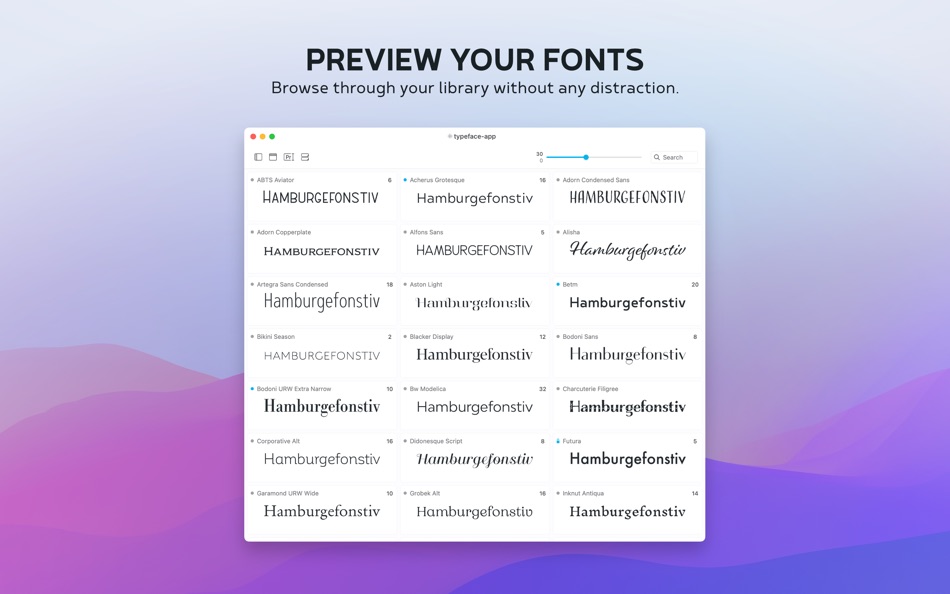
Good typography is one of the most important aspects of design, but finding the font that conveys just the right emotion can be a difficult task — especially if you're not sure yet what you're looking for. With a minimal interface and total focus on your fonts Typeface makes choosing fonts a delightful experience.
——
Free limited trial. One time in-app purchase to unlock all current features + 12 months of PRO updates.
No subscription, yours forever.
——
FOCUS ON YOUR FONTS
• Perfectly rendered previews
• Live customization of preview text, size, colors and more
• Intuitive & minimal UI that doesn't distract
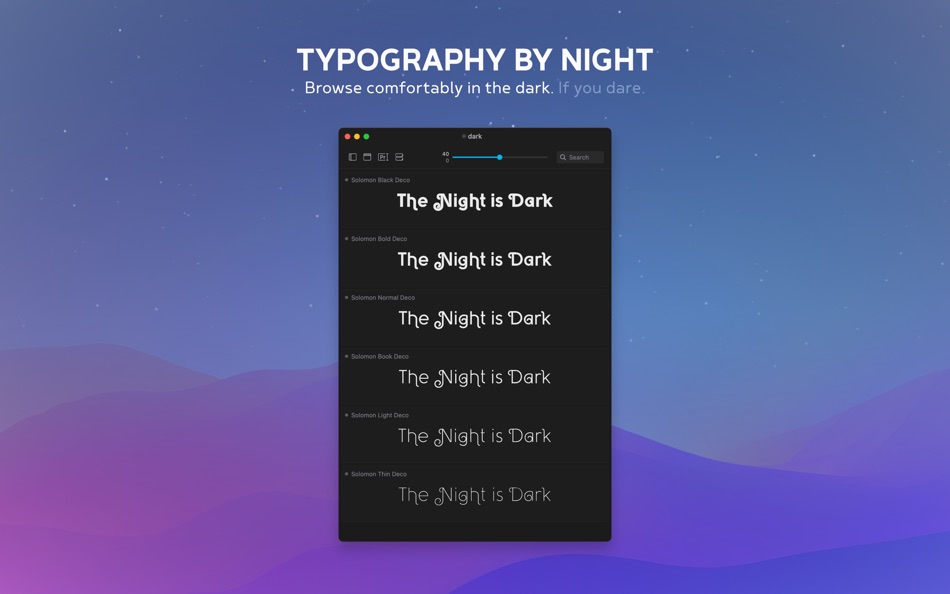
• Light & Dark theme for day and night
IN-DEPTH ORGANIZATION
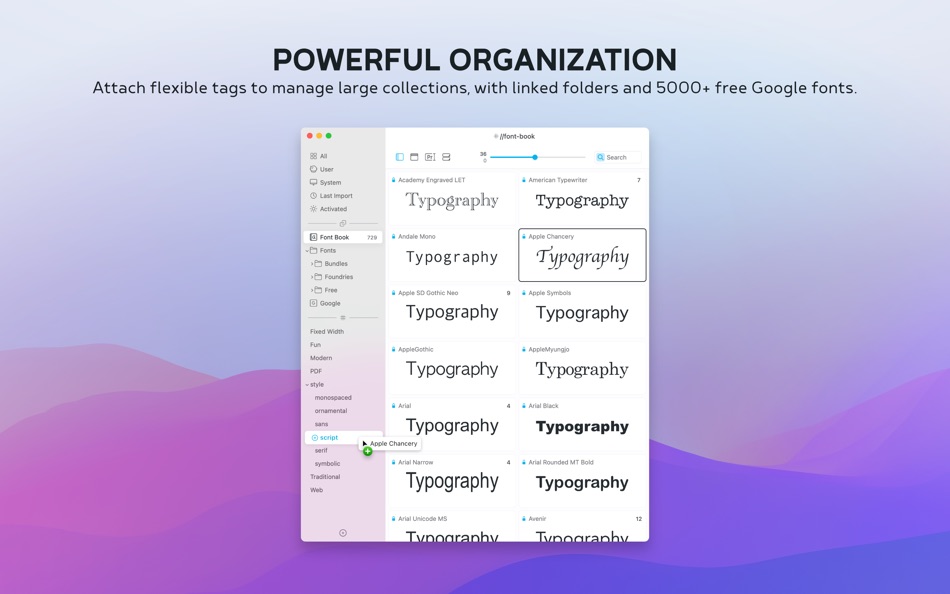
• Easy to use & flexible tagging system
• Powerful search & filters
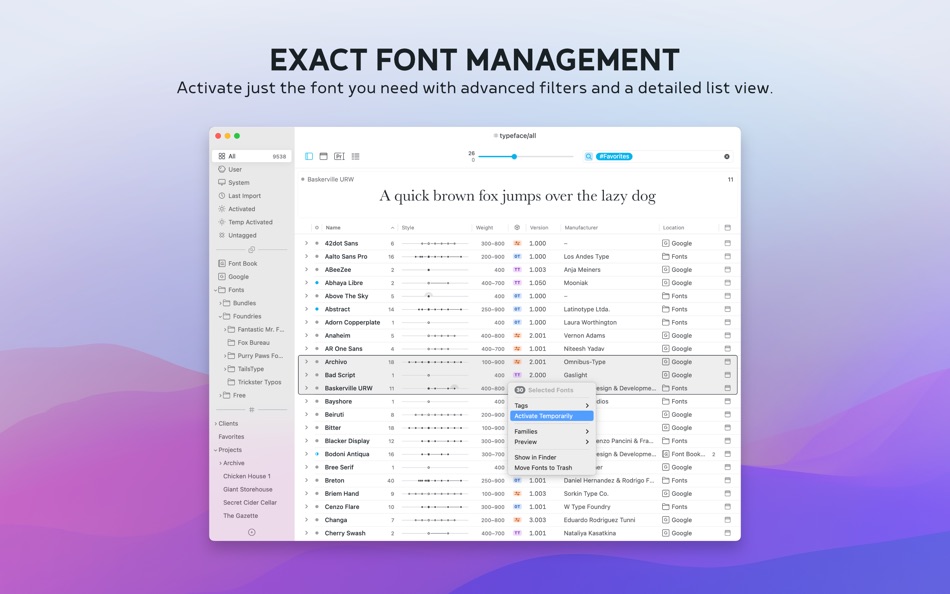
• Detailed metadata list overview [PRO]
• In-place font activation & deactivation [PRO]
IMPROVE YOUR WORKFLOW
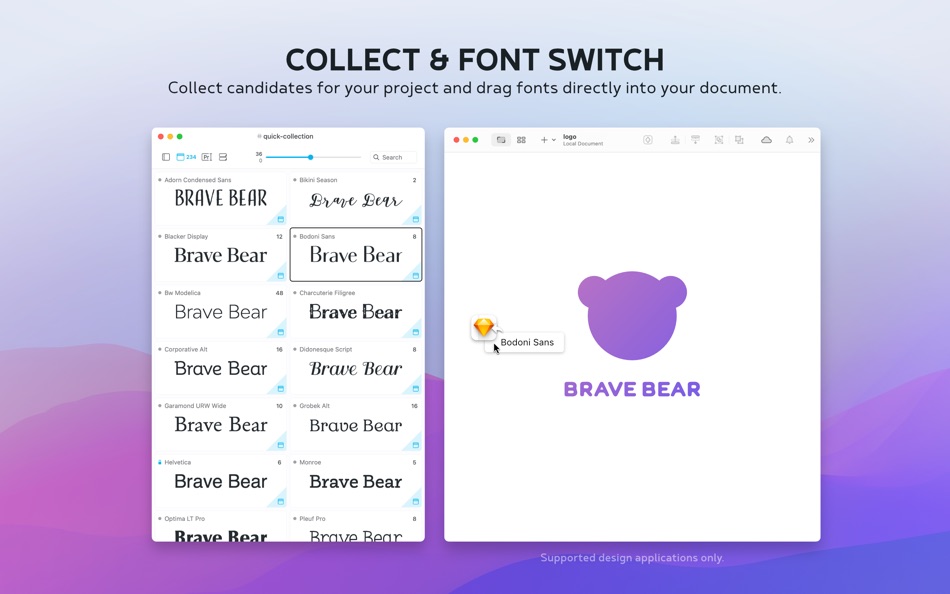
• Collect font candidates using the Quick Collection
• Review & refine your selection
• Switch fonts in leading design apps directly from the app [PRO]
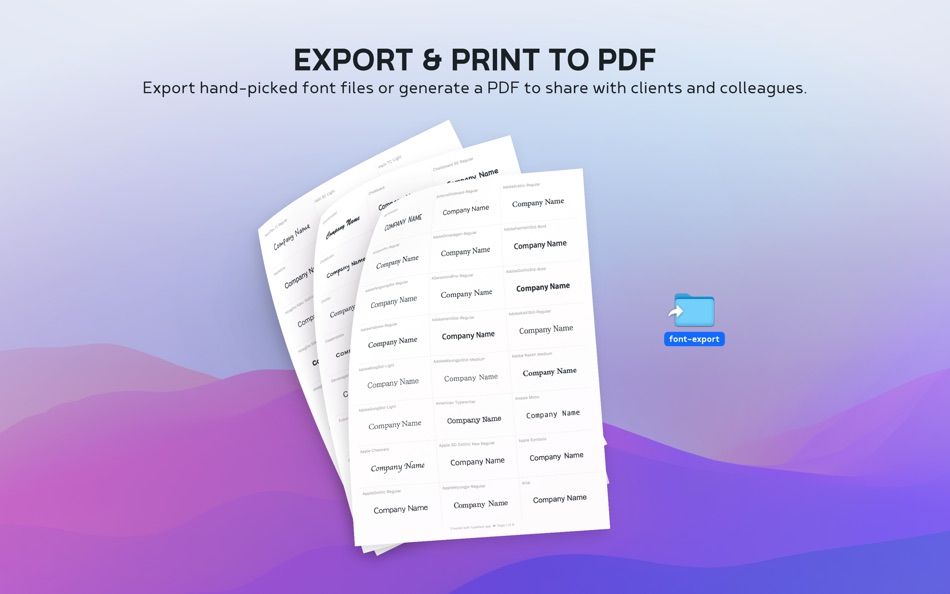
• Export a PDF to share with colleagues and clients
REVEAL EVERY DETAIL
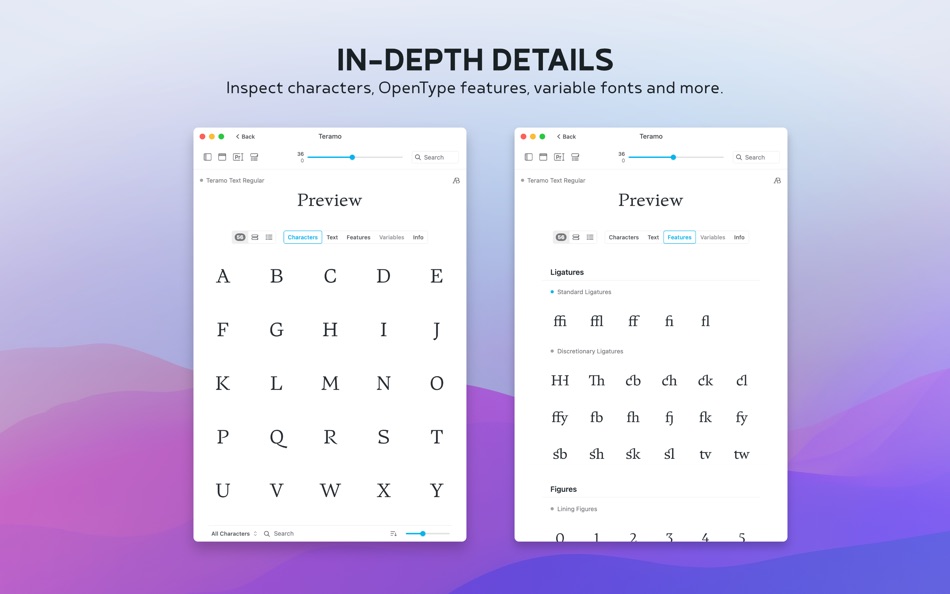
• View & export unicode characters [PRO]
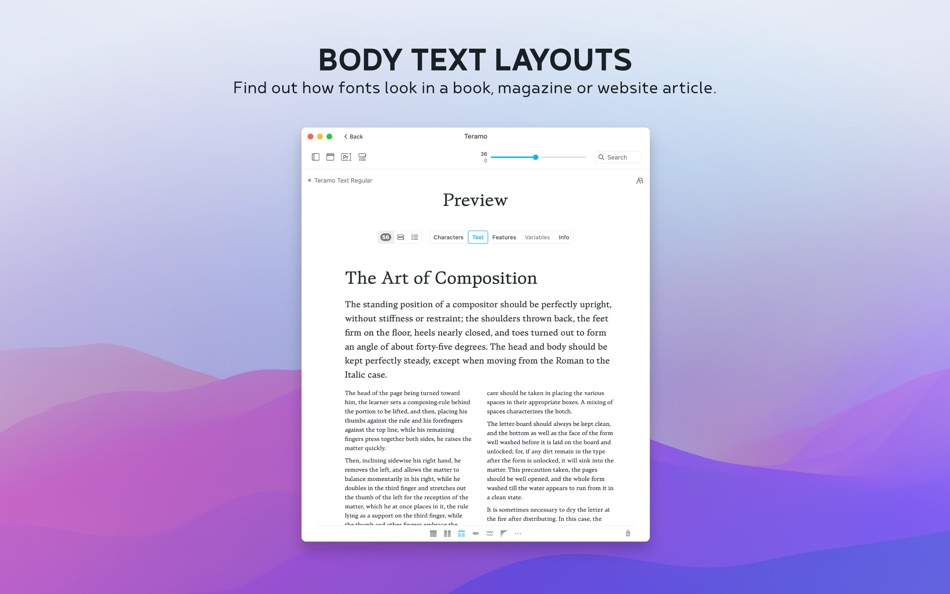
• Preview full body text layouts [PRO]
• Inspect OpenType font features [PRO]
• Fine-tune variable fonts [PRO]
AND MUCH MORE
• Sync imported folders and subfolders [PRO]
• 5000+ free fonts from the Google Fonts catalog, including variable fonts [PRO]
• Support for ttf, otf, dfont, ttc, woff and PostScript Type 1 font suitcase
• Migrate sets and collections from FontExplorer X / Suitcase Fusion / Font Book
• Temporary font activation [PRO]
• Group fonts by family
• Filter fonts by character support
• Auto font style classification
• Adjust letter s p a c i n g
• Left/right/center alignment
• Metrics overlay
• Dynamic previews
• Advanced OpenType support [PRO]
• Export & import tag backups
• Drag and drop font export [PRO]
• Convenient keyboard shortcuts
• Import Adobe fonts
• Auto activation [PRO]
• Tagged and Untagged meta-tags
• Background mode
• Font context info [PRO]
• Quick multi tagging [PRO]
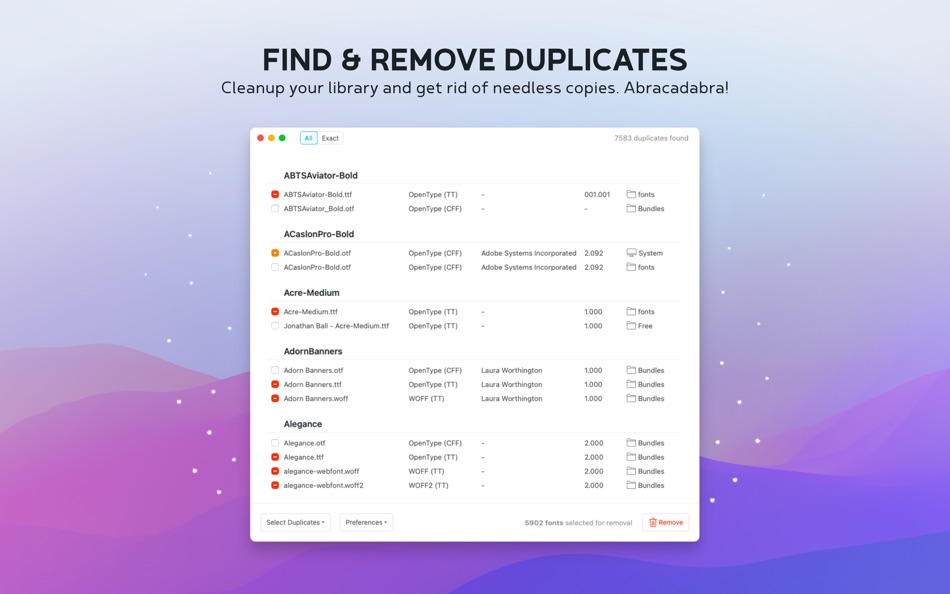
• Find & remove duplicate fonts [PRO]
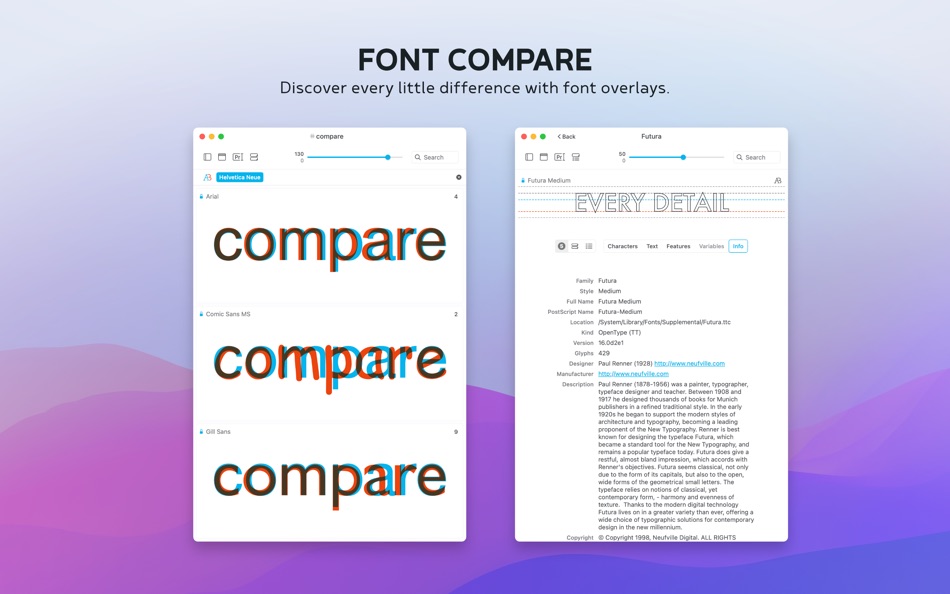
• Compare fonts using A/B font overlays
——
TYPEFACE PRO
The Typeface free download provides limited functionality to try out the app. Get PRO to unlock all these features:
• Import your own fonts and folders
• Persistent & temporary font activation
• Font characters overview
• Body text layout previews
• Detailed metadata list overview
• OpenType feature inspection
• Custom preview colors
• Pairing Studio
• Font Switch
• Family Editor
• Variable fonts tuning
• Find & remove duplicate fonts
• Multi tagging
• Advanced filters
• Variable Google Fonts
• Font context info
+ All PRO features released in upcoming 12 months
Typeface PRO is a one time purchase to unlock all current features.
In addition, you'll get new features released in the upcoming 12 months for free.
After 12 months you can extend your license to receive new updates & functionality.
Extending is optional — you can continue to use the app and all your permanently unlocked features, even after 12 months.
No subscription, no auto renewals.
——
Check out typefaceapp.com for more info, handy tips & support.
Ad
Capturi de ecran
Istoricul prețurilor
-
* Achiziții în aplicație - Prețul actual: Gratuit
- Minim: Gratuit
- Maxim: $19.99
Urmăriți prețurile
Informații suplimentare
- Data lansării:
- Categorie:
macOS Aplicații›Grafică și design - SO:
macOS,macOS 12.0 sau o versiune ulterioară - Mărimea:
16 Mb - Limbă acceptată:
Czech,Dutch,English,French,German,Japanese - Evaluarea conținutului:
4+ - Mac App Store Evaluare:
0 - Website:
 https://typefaceapp.com
Ce este nou
- Versiune: 4.3.0
- Actualizată:
- After many iterations and prototypes I’m proud to introduce a brand new Typeface module: Pairing Studio.
This new panel allows you to mix and match multiple fonts in text layouts, with a fresh interface fully dedicated to font combinations and iterative designing.
Pair exquisite display fonts to grab attention with clear text fonts that prioritize legibility for body copy.
Pick a family with multiple weights and create a satisfying hierarchy of styles.
Or just play around for fun and see what sticks.
Zero AI - only your creativity. Enjoy :)
NEW
• Pair fonts using the new Pairing Studio: choose Font › Pair... from the main menu (Command-K) or choose Pair... from the context menu
• Add new pairing candidates by dragging fonts from the main window, or use the Pair... option from the main menu/context menu
• Navigate through candidate fonts and styles in the Pairing Studio sidebar
• Duplicate pairing studios to rapidly iterate and compare layouts side by side
• Print text layouts in Pairing Studios and export to PDF
• Customize text appearance and content in detail Text layouts
• Add and remove Text layout blocks
• Duplicate, create and revert Text layout templates
• Added new text layout presets: Logo, Article, Manifesto, Hierarchy
• Open Text layout in a separate Pairing Studio
IMPROVED
• Keep a version history of text layout changes and allow restoring previous versions
• Prevent stretching of text block renders when adjusting font size or line height
• Refined text distribution algorithm to improve balancing of multiple text columns and making sure all content fits
• Accelerated drag detection when dragging fonts
• Render more uniform fallback glyphs when a font cannot display certain characters
• Allow empty blocks in Text layouts to create custom spacing
• Hide edited Text app presets from layout selector
• Removed What's New indicator for List view
• Reposition content and footer on printed pages to make margins more even
• Identify printing jobs by name in the printing queue and set default PDF file names
• Draw line metrics in text layouts
• Highlight text block when context menu is visible
• Removed default custom layout template
• Added Command-I keyboard shortcut to view details of currently selected font
FIXED
• Always activate fonts when choosing Font › Activate from the main menu instead of toggling activation
• Show correct context menu items when right clicking on multiple selected families in overview list
• Target single family in context menu when right clicking on single selected family in overview
• Prevent rendering too many text layout columns
• Update appearance of detail toolbar buttons when adjusting preview colors
• Display the same background color in text layout views as grid previews
• Always show resizing cursor when hovering over sidebar divider
• Correctly adjust sidebar size when a separate window is in full screen mode
• Properly output unmapped glyphs when printing font details
• Support Font Switch for Affinity by Canva without preferring Font Switch in Settings
• Use 'Detach' instead of 'Delete' for tag detach action in Detail Info tab
Dezvoltator
- Floor Steeg
- Platforme: macOS Aplicații (1)
- Liste: 1 + 2
- Punctele: 8 + 0 ¡
- Clasificări: 0
- Comentarii: 0
- Reduceri: 0
- Videoclipuri: 0
- RSS: Abonează-te
Liste (1)
- Typeface 4

Punctele (8)


Clasificări (0)
0 ☹️
Comentarii (0)
Fii primul care comentează 🌟
«Typeface 4». Platforma: macOS. Categorie: Grafică și design. Dezvoltator: «Floor Steeg». Prima lansare: . Ultima actualizare: . Prețul actual: gratuit. Acest titlu nu a primit încă evaluări sau recenzii pe AppAgg. Liste: publice 1, private 2. Puncte urmărite: confirmate 8, indirecte 0. Limbi disponibile: Czech, Dutch, English, French, German, Japanese. AppAgg urmărește istoricul prețurilor, evaluările și feedbackul utilizatorilor pentru «Typeface 4». Urmăriți reducerile și actualizările viitoare prin RSS. AppAgg nu găzduiește aplicații și nu distribuie software. Toate mărcile comerciale, siglele și capturile de ecran aparțin proprietarilor respectivi.
Typeface 4 Adresă URL scurtă: Copiate!- 🌟 Trimite
- Mac App Store
Similare
-
- Art Text 4 - AI Graphic Design
- macOS Aplicații: Grafică și design De: Belight Software, ltd
- * Gratuit
- Liste: 3 + 3 0 0
- Punctele: 9 Versiune: 4.5.8 Design eye-catching text based graphics, logos, postcards and greetings with Art Text - a graphic design app that powers up typography and lettering in your desktop publishing, social ... ⥯
-
- Best Fonts 5
- macOS Aplicații: Grafică și design De: Tomoyuki Okawa
- * Gratuit
- Liste: 0 0 0
- Punctele: 1 Versiune: 5.1.5 - Compare One Font Family Over Another For Making Styled Text - - Use Font Files That Aren't Even Installed in the System to Make Styled Text - Formerly known as FontsView, Best Fonts ... ⥯
-
- FontPeek
- macOS Aplicații: Grafică și design De: Abdelhak Akermi
- $9.99
- Liste: 0 0 0
- Punctele: 0 Versiune: 1.1.0 FontPeek is a lightweight menubar app for macOS that lets graphic designers, UI designers, and brand specialists quickly preview and explore installed fonts without leaving their ... ⥯
-
- Glyphs Mini 2
- macOS Aplicații: Grafică și design De: schriftgestaltung.de
- $45.99
- Liste: 1 + 1 0 0
- Punctele: 0 Versiune: 2.1.6 Create your own fonts! Glyphs Mini 2 is a slimmed-down version of the professional font editor Glyphs 2. Digitize your handwriting, draw a fun display typeface, or build an icon ... ⥯
-
- Fonts for Adobe Photoshop
- macOS Aplicații: Grafică și design De: Syed Sahib Sultan
- * $9.99
- Liste: 0 0 0
- Punctele: 1 Versiune: 1.1.6 Fonts for Adobe Photoshop Unlock creativity with our vast collection of over 1000 premium fonts! Whether you re designing for print, web, or digital media, this font library has ... ⥯
-
- WhatFont
- macOS Aplicații: Grafică și design De: Chengyin Liu
- Gratuit
- Liste: 0 0 0
- Punctele: 0 Versiune: 2.1.1 Ever wondered what typeface is used on a web page? WhatFont answers it for you. No need to dig through source codes. Activate WhatFont and you can hover on any text to see what font is ⥯