
ที่บันทึกไว้
เลือกชื่อที่จะแสดงในเมนูที่บันทึกไว้ของคุณ
เสร็จแล้ว
| ผู้พัฒนา: | Float Tech, LLC (18) | ||
| ราคา: | * ฟรี | ||
| การประเมิน: | 5,190 แพลทินัม | ||
| การจัดอันดับ: | 0 | ||
| ความเห็น: | 0 โพสต์ความคิดเห็น | ||
| รายการ: | 1 + 0 | ||
| แต้มแล: | 3 + 0 ¡ | ||
| +1 แต้มแล | |||
คำอธิบาย

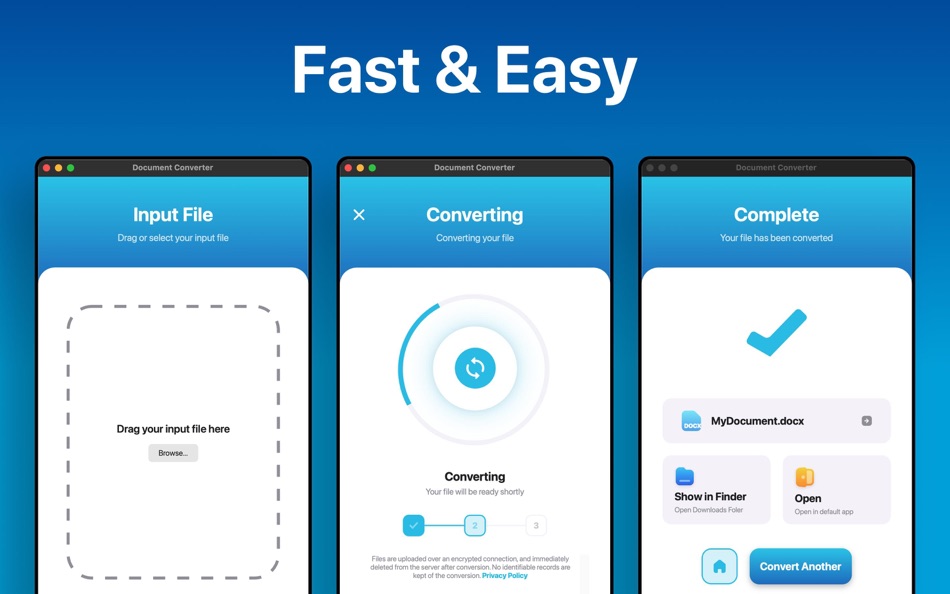
1. Drag in your input file
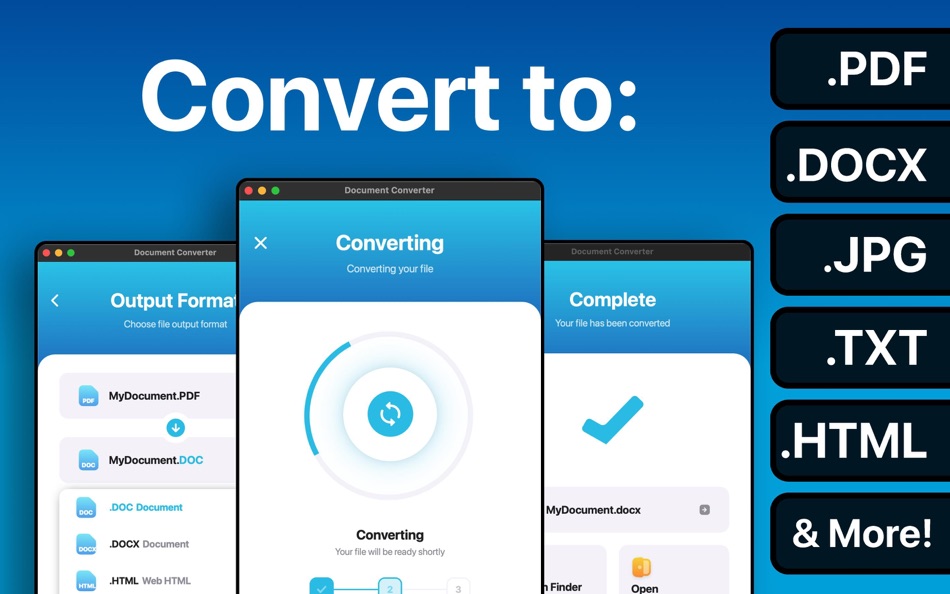
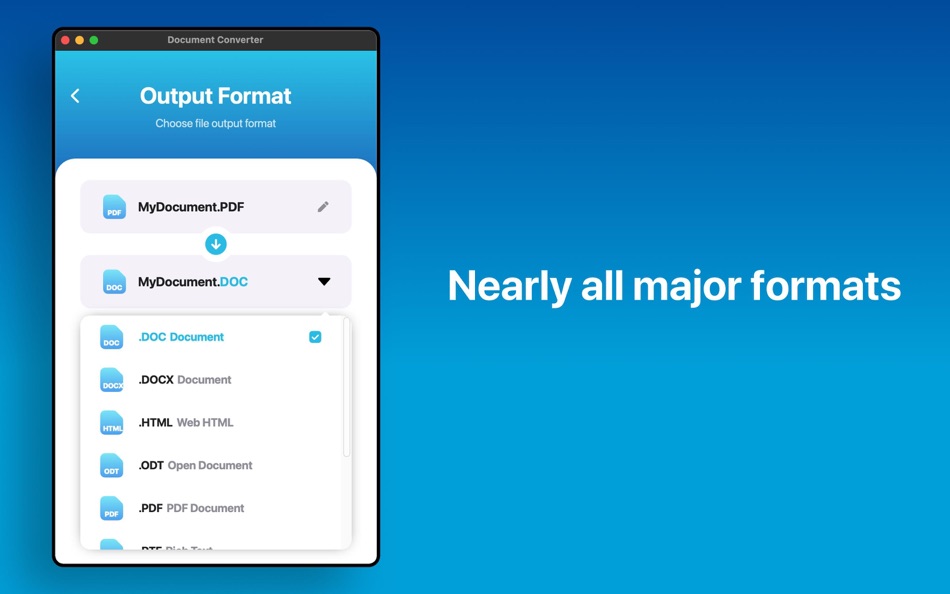
2. Choose your output format ( DOCX, PDF, JPG, TXT etc. )
3. Convert! It will only take a few seconds.
4. Done! Open or share your converted file
Here are the output formats you can choose from:
DOC, DOCX, HTML, ODT, PDF, RTF, TXT, JPG, PNG, JPEG, PNG
You can convert from dozens of input formats, here are some of the most popular formats we support converting from:
• Documents: ABW, DJVY, DOC, DOCM, DOCX, DOT, DOTX, HTML, HWP, LWP, MD, ODT, PAGES, PDF, RST, RTF, SDW, TEXT, TXT, WPD, WPS, ZABW and more!
• Ebooks: AZW, AZW3, AZW4, CBC, CBR, CBZ, CHM, EPUB, FB2, HTM, HTMLZ, LIT, LRF, MOBI, PDB, PML, PRC, RB, SNB, TCR, TXTZ and more!
• Images: HEIC, JPG, JPEG, PNG, ICO, SVG, EPS, BMP, GIF, NEF, TIFF and more!
• Spreadsheets: CSV, XLS, XLSX and more!
• Presentations: PPT, PPTX, KEY, PDF and more!
Save, Share or Open your converted files in your favorite apps immediately. All your converted files are saved right to your Downloads folder.
Conversions usually take less than 15 seconds!
Conversion is done on a secure cloud server, which makes conversion easier, faster and much more battery-friendly. You must have an internet connection to use this app. Files are immediately deleted from the server after conversion. While the files are immediately deleted after conversion or cancellation, you should be aware that by using this app, you agree that your files will be sent over to internet from the app to the conversion server.
We've also recently added support for local conversions for many popular conversion types. These conversions don't require a server, and are usually done almost instantly! We are continuing to add support for more local conversions with each update.
This app includes an optional auto-renewable subscription (Premium Pass): Premium Pass beings with a free trial period, then an auto-renewable monthly subscription when trial ends. Payment will be charged to your Apple account at confirmation of purchase and will automatically renew (at the duration/price selected) unless auto-renew is turned off at least 24 hrs before the end of the current period. Account will be charged for renewal within 24-hours prior to the end of the current period. Current subscription may not be cancelled during the active subscription period; however, you can manage your subscription and/or turn off auto-renewal by visiting your Apple Account Settings after purchase. Any unused portion of the free initial period will be forfeited when you purchase a subscription.
Privacy Policy: https://float.support/the-document-converter-mac/privacy
Terms of Use: https://float.support/the-document-converter-mac/terms
ภาพหน้าจอ
Ad
ประวัติราคา
-
* การซื้อภายในแอพ - ราคาปัจจุบัน: ฟรี
- ต่ำสุด: ฟรี
- มากที่สุด: ฟรี
ติดตามราคา
การประเมิน AppAgg
5,190
การประเมิน AppAgg โดยประมาณสำหรับ
The Document Converter
5,190 แพลทินัม
การประเมินที่สูงขึ้นมักหมายถึงสัญญาณบน AppAgg ที่แข็งแกร่งขึ้น
อิงจาก: ความนิยม · คะแนนจากผู้ใช้ · ความสดใหม่ · ดีล · ข้อมูลร้านค้า · กิจกรรมชุมชน
คำนวณใหม่ทุกวันจากข้อมูล AppAgg ล่าสุด.
URL แบบสั้น: คัดลอกแล้ว!
ข้อมูลเพิ่มเติม
- วันที่วางจำหน่าย:
- หมวดหมู่:
macOS แอป›ยูทิลิตี้ - ระบบปฏิบัติการ:
macOS,macOS 11.0 และสูงกว่า - ขนาด:
26 Mb - ภาษาที่สนับสนุน:
Chinese,Danish,Dutch,English,Finnish,French,German,Greek,Hindi,Indonesian,Italian,Japanese,Korean,Malay,Norwegian,Portuguese,Russian,Spanish,Swedish,Thai,Turkish,Vietnamese - การจัดประเภทเนื้อหา:
4+ - Mac App Store คะแนนโดย:
0
ผู้พัฒนา
รายการ (1)
- The Document Converter

แต้มแล (3)
-

- 10 Alantra Muqadas
- +1
-
- 6 Rosalie
- +1
-
- 65 Kai Lee
- +1



การจัดอันดับ (0)
0
ความเห็น (0)
เป็นคนแรกที่แสดงความเห็น
สรุป
The Document Converter URL แบบสั้น: คัดลอกแล้ว!- แชร์
- Mac App Store
«The Document Converter». แพลตฟอร์ม: macOS. หมวดหมู่: ยูทิลิตี้. ผู้พัฒนา: «Float Tech, LLC». การเปิดตัวครั้งแรก: . อัปเดตล่าสุด: . ราคาปัจจุบัน: ฟรี. ชื่อนี้ยังไม่ได้รับการให้คะแนนหรือบทวิจารณ์บน AppAgg รายการ: สาธารณะ 1, ส่วนตัว 0. จุดที่ติดตาม: ยืนยันแล้ว 3, ทางอ้อม 0. ภาษาที่ใช้ได้: Chinese, Danish, Dutch, English, Finnish, French, German, Greek, Hindi, Indonesian, Italian, Japanese, Korean, Malay, Norwegian, Portuguese, Russian, Spanish, Swedish, Thai, Turkish, Vietnamese. AppAgg ติดตามประวัติราคา การให้คะแนน และคำติชมของผู้ใช้ «The Document Converter». AppAgg ไม่ได้โฮสต์แอปพลิเคชันหรือแจกจ่ายซอฟต์แวร์ เครื่องหมายการค้า โลโก้ และภาพหน้าจอทั้งหมดเป็นของเจ้าของที่เกี่ยวข้อง ส่วนลดและอัปเดตในอนาคต: RSS
คล้ายกัน
-
- Any Document Converter
- macOS แอป: ยูทิลิตี้ โดย: 晖 向
- $2.99
- รายการ: 0 0 0
- แต้มแล: 0 + 0 500 เวอร์ชัน: 1.0 Any Document Converter is a powerful universal document conversion tool that can support a variety of different types of documents to convert each other, including many popular file ... ⥯
-
- PDF to Word Document Converter
- macOS แอป: ยูทิลิตี้ โดย: Muhammad Suleman
- * ฟรี
- รายการ: 0 0 0
- แต้มแล: 0 + 0 500 เวอร์ชัน: 1.2 Docly: Document Converter is a powerful all-in-one document format conversion app. It offers fast, accurate, and high-quality conversions with a modern, native macOS experience. The ... ⥯
-
- PDF & Document Converter
- macOS แอป: ยูทิลิตี้ โดย: 青青 余
- * ฟรี
- รายการ: 0 0 0
- แต้มแล: 1 + 0 520 เวอร์ชัน: 6.3.0 PDF to Word&Document Converter is an app that enables you to quickly convert PDF documents into other format files. The app comes with batch processing capabilities. user can easily ... ⥯
-
- Doxillion Document Converter
- macOS แอป: ยูทิลิตี้ โดย: NCH Software
- * ฟรี
- รายการ: 0 0 0
- แต้มแล: 1 + 0 3K เวอร์ชัน: 11.27 Doxillion is a quick and easy to use multi-format document file converter for Mac OSX. With just three easy steps, you can convert your documents to the format you need. Simply add the ⥯
-
- Document Writer Pro - For MS Word and Open Office
- macOS แอป: ยูทิลิตี้ โดย: 鑫 金
- $5.99
- รายการ: 0 0 0
- แต้มแล: 0 + 0 500 เวอร์ชัน: 1.1 Document Writer Pro is a magic,small and easy-to-use word processor that is designed to make writing convenient, efficient and comfortable. It is lean, fast and uncluttered. It starts ... ⥯
-
- Document Tool - Convert HTML and Docx Files
- macOS แอป: ยูทิลิตี้ โดย: 沦 彭
- ฟรี
- รายการ: 0 0 0
- แต้มแล: 0 + 0 500 เวอร์ชัน: 2.0 Document Tool is a generic document conversion tool that supports most of the commonly used document formats. If you need to convert HTML documents to different formats, such as Docx, ... ⥯
-
- Document Reader
- macOS แอป: ยูทิลิตี้ โดย: Cisdem Inc.
- ฟรี
- รายการ: 0 + 1 0 0
- แต้มแล: 1 + 0 550 เวอร์ชัน: 5.5.0 Cisdem Document Reader is a simple yet efficient document reader to open and view multiple Windows-based files, including PDF, WordPerfect, WPS, XPS, OXPS, DjVu, VSD, VSDX, VDX and ... ⥯
-
- Ebook Converter – EPUB to PDF
- macOS แอป: ยูทิลิตี้ โดย: Nasir Jamil
- * ฟรี
- รายการ: 0 0 0
- แต้มแล: 0 + 0 500 เวอร์ชัน: 1.0 Ebook Converter + is a powerful and easy-to-use ebook converter and file converter for macOS that lets you convert ebooks and documents into popular formats in seconds. Convert EPUB, ... ⥯
- ใหม่
- NotchDrop Converter
- macOS แอป: ยูทิลิตี้ โดย: Meet Patel
- $3.99
- รายการ: 0 + 1 0 0
- แต้มแล: 5 + 0 680 เวอร์ชัน: 1.1 MAKE YOUR NOTCH DO THE WORK. NotchDrop Converter is the ultimate productivity bridge for macOS. It transforms the "dead space" of your notch into a high-speed, intelligent file ... ⥯
-
- WPD Converter
- macOS แอป: ยูทิลิตี้ โดย: RootRise Technologies Pvt. Ltd.
- $4.99
- รายการ: 0 0 0
- แต้มแล: 0 + 0 500 เวอร์ชัน: 4.0 WPD Converter is a fast and easy way to batch convert Corel® WordPerfect® files (.wpd, .wp, .wpt) into Microsoft® Office Word (.docx, .doc), Open Office Text Document (.odt), PDF and ... ⥯
-
- 4Video Video Converter X
- macOS แอป: ยูทิลิตี้ โดย: 4Videosoft Studio
- $12.99
- รายการ: 0 + 1 0 0
- แต้มแล: 6 + 0 890 เวอร์ชัน: 10.2.81 Your Ultimate and Batch 8K/4K Video Converter & Editor Convert & Edit in 3 Simple Steps! 1. Select any video or audio from your device. 2. Convert to MP4, MOV, AVI, MKV, WMV, FLV, ... ⥯
-
- DVD-Video Converter-DVD to MP4
- macOS แอป: ยูทิลิตี้ โดย: Tipard Studio
- * $31.99
- รายการ: 0 + 1 0 0
- แต้มแล: 4 + 0 590 เวอร์ชัน: 3.9.27 As the best media converter, DVD-Video Converter provides you with a one-stop solution to convert DVDs and video files to any formats. It can rip any DVD and convert any video to MP4, ... ⥯
-
- Video Converter
- macOS แอป: ยูทิลิตี้ โดย: Justin Bush
- ฟรี
- รายการ: 0 0 0
- แต้มแล: 4 + 0 560 เวอร์ชัน: 1.1.7 Introducing Video Converter for macOS, the missing conversion app. Now optimized for Apple Silicon! Drag in your video file, select an output format and we'll handle the rest! Our ... ⥯
-
- Video Converter X2
- macOS แอป: ยูทิลิตี้ โดย: JingZhi He
- * ฟรี
- รายการ: 0 0 0
- แต้มแล: 1 + 0 520 เวอร์ชัน: 1.3.7 Video Converter X2 is a full-featured format conversion software that supports converting almost all multimedia file formats, including video MP4, AVI, 3GP, WMV, MKV, VOB, MOV, FLV; ... ⥯