
รายการโปรด
เลือกชื่อที่จะแสดงในเมนูรายการโปรดของคุณ
เสร็จแล้ว
| ผู้พัฒนา: | Digital Masterpieces GmbH (6) | ||
| ราคา: | ฟรี | ||
| การจัดอันดับ: | 0 | ||
| ความเห็น: | 0 โพสต์ความคิดเห็น | ||
| รายการ: | 4 + 0 | ||
| แต้มแล: | 4 + 8,023 (4.8) ¡ | ||
| App Store | |||
คำอธิบาย

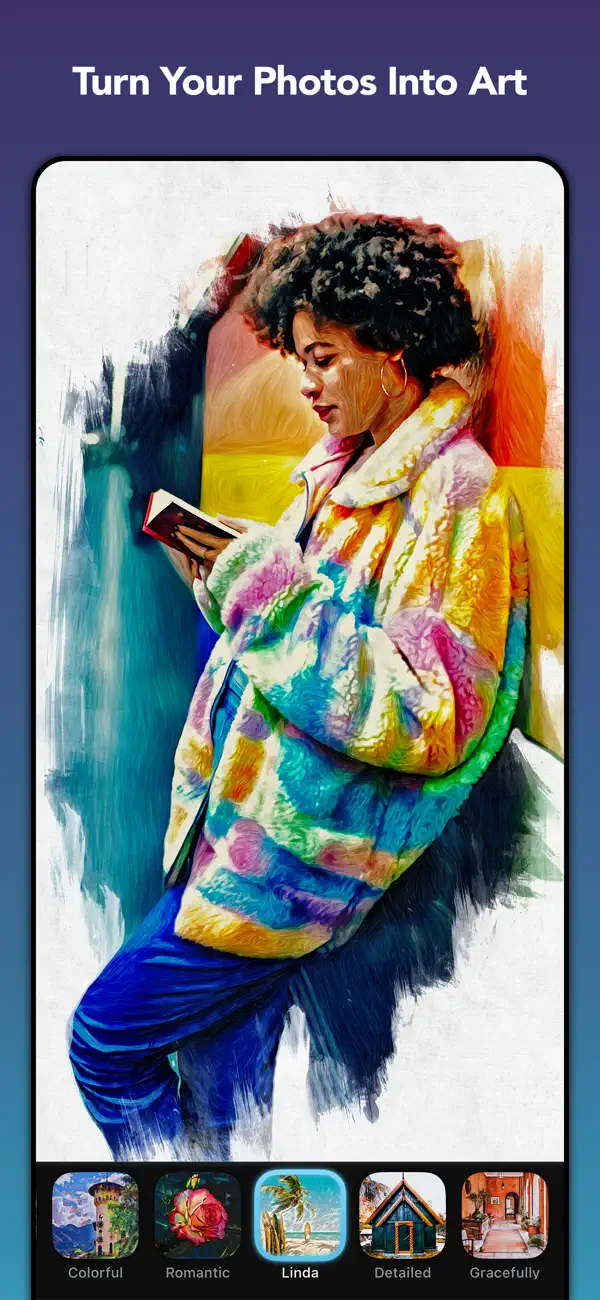
BeCasso combines powerful on-device AI with premium, hand-crafted artistic filters to help you create unique digital paintings — right on your iPhone, iPad, or Mac. Your images stay 100% private. Everything is processed directly on your device for fast, instant results and complete peace of mind. No internet required.
◆ High-Quality, High-Resolution Editing
BeCasso is built for professional-grade output. Export your creations in up to 64 megapixels, perfect for printing on canvas, posters, T-shirts — or even an entire book. Whether you're sharing online or producing large-format prints, your artwork always looks incredibly refined.
◆ A World of Artistic Styles
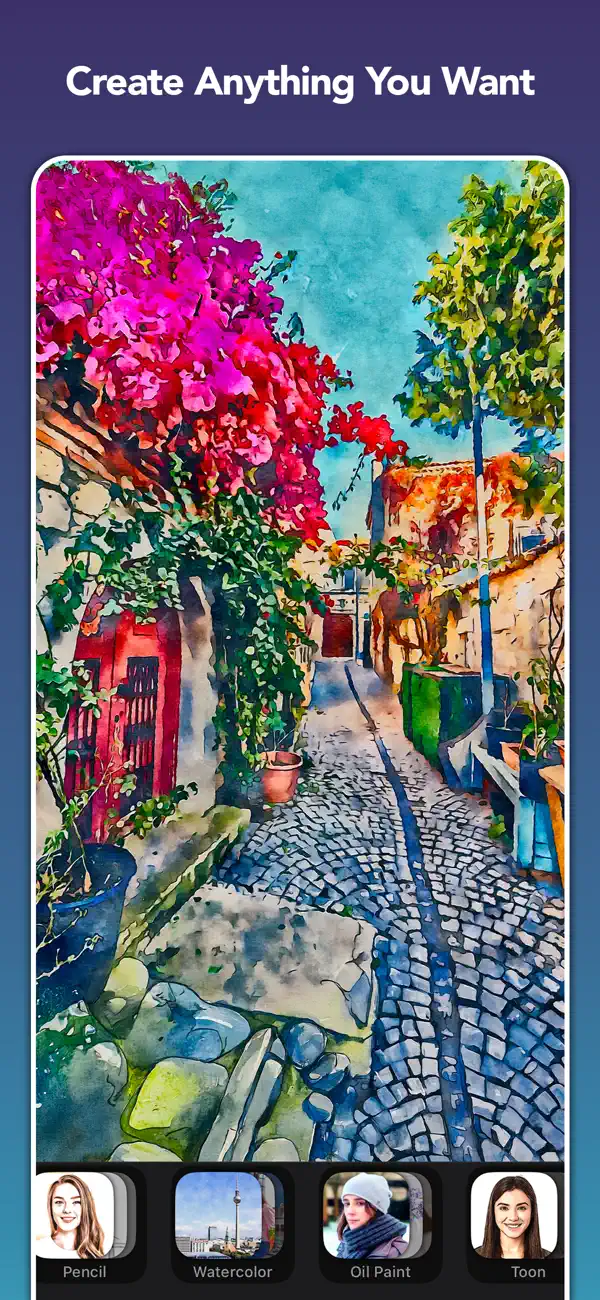
Explore hundreds of handcrafted, fully adjustable filters inspired by iconic artists like Picasso, van Gogh, and Munch. Create your own look with a variety of artistic mediums and styles, including:
• Watercolor
• Oil painting
• Pencil drawing
• Cartoon
• Pop art
• …and many more.
Combine artistic styles with color, canvas and vignette filters for unlimited creative options. With Custom Styles, you can even build and save your own unique presets.
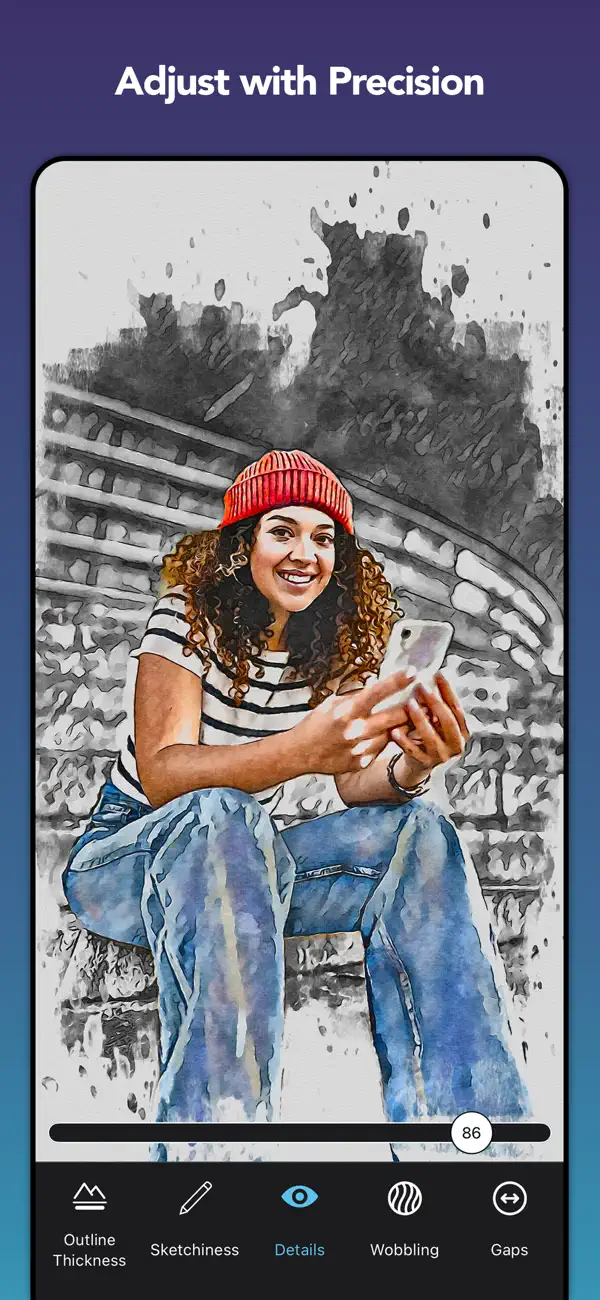
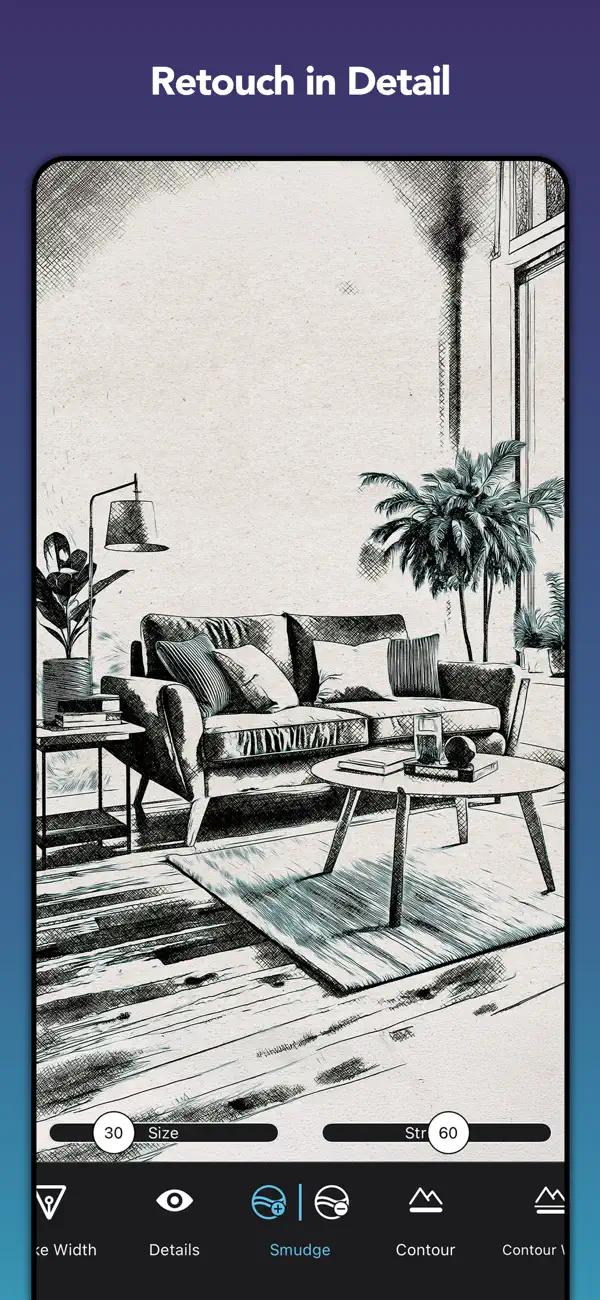
◆ Precise Editing Tools
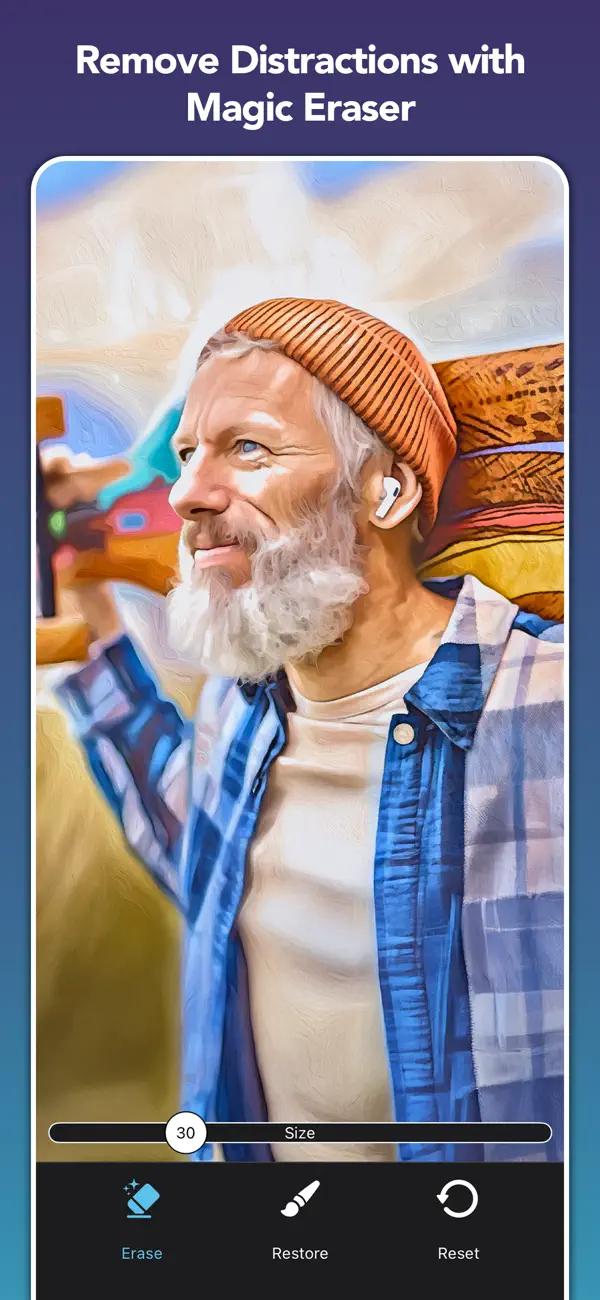
Take full control of your art creation. BeCasso's advanced editing and retouch tools let you fine-tune details with pixel-level accuracy — using your finger or Apple Pencil — directly in real time. Adjust every detail gently or boldly. Bring out colors, soften edges, deepen shadows, or highlight emotions — all with precision and ease.
◆ Projects — Your Creative Work, Always Saved
Never lose a creative idea in progress. Save your edits as a project and return at any time — right where you left off. Explore variations, experiment freely, and share your projects with others.
◆ Authentic Canvas & Paper Filter
Choose from a variety of fine-art papers and canvas textures to give your sketches an authentic, tactile finish. Combined with color filters and custom vignettes, you can set the perfect mood for every piece.
◆ Print & Share Your Creations
Create real-world art in just a few taps:
• Postcards via MyPostcard (worldwide delivery)
• Canvas prints and posters via CanvasPop with a 100% "Love It" guarantee
• High-quality large prints, made possible by BeCasso's ultra-high-resolution output
And of course, share your finished pieces instantly on Instagram, TikTok, Facebook, and more.
Download BeCasso for free and start creating artwork that feels truly yours.
◆ Key Features
• Transform photos into high-resolution* artwork (up to 64 MP)
• Hundreds of hand-curated artist-inspired styles
• Fully adjustable effects — fine-tune every detail*
• Pixel-precise retouch tools*
• Hundreds of color, vignette and canvas filters to create a perfect finish
• Extend your filter gallery by adding your very own styles, vignettes or logos*
• Personalize and save your very own styles with ease
• Save and revisit your work as projects — explore variations and share with others
• Real-time, on-device processing—no uploads, no waiting, no internet needed. 100% privacy assured
• Integrated postcard and canvas printing services
• Full RAW support for iPhone 14 Pro and DSLR images
• Optimized for iOS 26, iPhone 17 & iPhone 17 Pro
* Subscribe to BeCasso Pro to unlock all features.
◆ BeCasso Pro
To unlock BeCasso's full creative power, we offer weekly, monthly and yearly auto-renewing subscriptions.
Payment is charged to your credit card through your Apple account at confirmation of purchase. Subscription renews automatically unless you turn off auto-renewal in Apple account settings or cancel your subscription at least 24 hours prior to the end of the subscription period.
◆ Support
Questions or feedback? We're here 24/7.
Contact us at: support@digitalmasterpieces.com
Terms of Use: https://www.digitalmasterpieces.com/app-terms-of-use/
Ad
ภาพหน้าจอ
ประวัติราคา
- วันนี้: ฟรี
- ต่ำสุด: ฟรี
- มากที่สุด: $4.99
ติดตามราคา
มีอะไรใหม่
- เวอร์ชัน: 5.0.1
- อัปเดต:
- Introducing Projects
This update introduces the new Projects feature. You can now save your edits as projects, allowing you to return and continue your creative work at any time. To enhance usability, we have redesigned the start and finish screens for improved project management and clarity. Projects are automatically synchronized across your devices via iCloud, ensuring seamless access wherever you work.
Resume Your Last Editing Session
With this update, you can now pick up right where you left off. Our app remembers your unfinished edits, so even if you close it, you can return and continue your work seamlessly. This is the first step toward our upcoming Projects feature.
OS 26 and UI improvements
We’ve updated the app to run smoothly on the latest operating systems. You’ll notice better performance and improved stability. We also introduce a new fresh look with Liquid Glass. Several screens now feature the new Liquid Glass UI, giving your artwork more space and a cleaner editing experience.
Improved Zoom & Canvas Placement
We’ve redesigned the zoom view, so your canvas is easier to position — no more sliders getting in the way of your edits!
New Custom Magic Styles*
The Magic filter category just got a major upgrade! We've added more than 20 brand-new Magic Styles to give your photos even more artistic flair. But wait, there's more... you can now create your own Custom Styles! Just load any image, and BeCasso will learn its unique look—right on your device. Turn your favorite artwork or photo into a personalized style you can use again and again.
More Precision and Control
We've refined all sliders for better control and understandability. You can now see exact values and reset them easily—just double-tap the slider or tap the default value. The signature tool has also been improved, allowing you to move, rotate, and scale your signature freely with touch gestures.
Custom Vignettes
We've given the vignettes a massive overhaul! This update includes 13 new expressive vignettes and advanced customization tools. But that’s not all: You can now personalize your artwork even more by adding your own vignette images. Additionally, our new Auto Retouch feature ensures your main subject stands out.
Custom Signatures
You can now add your own logo, watermark, or signature to your artwork. Simply load your own signature from Files or Photos.
Image Playground**
Produce fun, original images in seconds with Image Playground directly on your device. Create entirely new images based on descriptions, with suggested concepts and styles such as illustration and animation. Use our app to turn your creations into high-quality art effortlessly.
macOS Support
Our app is now a native macOS app, offering enhanced performance and features. We've expanded device compatibility to include Intel Macs, ensuring a wider range of users can enjoy the app. To streamline your workflow, we've optimized the user experience with keyboard shortcuts, intuitive navigation, and a sleek, native macOS design. Plus, seamless Finder and file-system integration makes loading and saving images a breeze.
UX Improvements
We've made significant improvements across all platforms to enhance your experience. The user interface is now more intuitive, with features like hover support for iPad and improved Retouch Tools with a clear visual indicator of the retouch area.
Improved Auto Retouch
We have improved the Auto Retouch feature for you. Besides usability and cosmetic tweaks, we improved its speed as well as detection accuracy.
The latest version contains bug fixes and performance improvements.
If you have any questions or feedback for us, please feel free to send us an email at support@digitalmasterpieces.com. Our team is on hand 24 hours a day, so we’ll get right on it.
* iOS or iPadOS 18 required. Available on devices that support Apple Intelligence, only and the iPhone 14.
** Image playground is available on devices that support Apple Intelligence, only.
ข้อมูลเพิ่มเติม
 https://www.digitalmasterpieces.com/BeCasso
ผู้พัฒนา
- Digital Masterpieces GmbH
- แพลตฟอร์ม: iOS แอป (6)
- รายการ: 4 + 0
- แต้มแล: 9 + 65,668 ¡
- การจัดอันดับ: 0
- ความเห็น: 0
- ลดราคา: 0
- วิดีโอ: 0
- RSS: ติดตาม
รายการ (4)
- BeCasso: Photo to Painting App


แต้มแล (4)
-

- 104 Elnik MOBFILM
- +1
-
- 5 이상묵
- +1
-
- 14 박
- +1
-
- 467 Nick F
- +1


การจัดอันดับ (0)
0 ☹️
ความเห็น (0)
เป็นคนแรกที่แสดงความเห็น 🌟
«BeCasso: Photo to Painting App». แพลตฟอร์ม: iOS. หมวดหมู่: การถ่ายภาพ. ผู้พัฒนา: «Digital Masterpieces GmbH». การเปิดตัวครั้งแรก: . อัปเดตล่าสุด: . ราคาปัจจุบัน: ฟรี. ชื่อนี้ยังไม่ได้รับการให้คะแนนหรือบทวิจารณ์บน AppAgg รายการ: สาธารณะ 4, ส่วนตัว 0. จุดที่ติดตาม: ยืนยันแล้ว 4, ทางอ้อม 8,023. ร้านค้า: App Store. คะแนนร้านค้า: 4.8. โหวต: 8,023. ภาษาที่ใช้ได้: Arabic, Chinese, English, French, German, Italian, Japanese, Korean, Portuguese, Russian, Spanish, Swedish. AppAgg ติดตามประวัติราคา การให้คะแนน และคำติชมของผู้ใช้ «BeCasso: Photo to Painting App». ส่วนลดและอัปเดตในอนาคต: RSS. AppAgg ไม่ได้โฮสต์แอปพลิเคชันหรือแจกจ่ายซอฟต์แวร์ เครื่องหมายการค้า โลโก้ และภาพหน้าจอทั้งหมดเป็นของเจ้าของที่เกี่ยวข้อง
BeCasso: Photo to Painting App URL แบบสั้น: คัดลอกแล้ว!- 🌟 แชร์
- App Store
คล้ายกัน
-
- Photo Eraser - Remove Objects
- iOS แอป: การถ่ายภาพ โดย: AI Photo Editor Lab SRL
- ฟรี
- รายการ: 0 + 0 0 0
- แต้มแล: 3 + 21,573 (4.6) เวอร์ชัน: 3.7 Powered by advanced AI technology, Photo Eraser not only removes unwanted objects from your pictures but also seamlessly reconstructs the background to give you that perfect shot ... ⥯
-
- Passport Photo - PhotoAiD
- iOS แอป: การถ่ายภาพ โดย: Photo Aid
- ฟรี
- รายการ: 0 + 0 0 0
- แต้มแล: 2 + 14,874 (4.5) เวอร์ชัน: 3.4.0 Our app automatically adjusts your photo, enabling you to convert selfies into biometric passport-size photos that comply with all official requirements for passports, IDs, visas, ... ⥯
-
- Photo Collage - Collageable
- iOS แอป: การถ่ายภาพ โดย: IRONTECH LIMITED
- ฟรี
- รายการ: 0 + 0 0 0
- แต้มแล: 1 + 501,004 (4.8) เวอร์ชัน: 3.18.3 Easy, No.1 Photo Collage Maker! Create a beautiful photo collage in seconds. The pic collage app is fun to explore. Choose from tons of template designs and photo collage styles! The ... ⥯
-
- Photo Prints Now: CVS Photo
- iOS แอป: การถ่ายภาพ โดย: MEA Mobile
- ฟรี
- รายการ: 0 + 0 0 0
- แต้มแล: 0 + 288,498 (4.9) เวอร์ชัน: 20.8.2 CVS photo printing with Genuine Kodak Moments paper! Print to CVS Pharmacy or order photo prints & gifts home delivered. Send photos to print at any CVS location or for home delivery: ... ⥯
-
- Photo Lab: AI Trends & Filters
- iOS แอป: การถ่ายภาพ โดย: Linerock Investments LTD
- ฟรี
- รายการ: 2 + 0 0 0
- แต้มแล: 6 + 184,395 (4.7) เวอร์ชัน: 3.12.104 Get your photos to a new, awesome level. Add realistic effects and stylish filters in a tap. Join the ever-growing Photo Lab community of over 230 million fans: Downloading that app ... ⥯
-
- Body Tune - Face Photo Editor
- iOS แอป: การถ่ายภาพ โดย: Face & Body Tune Photo Editor, Societatea cu Raspundere Limitata
- ฟรี
- รายการ: 0 + 0 0 0
- แต้มแล: 3 + 149,585 (4.6) เวอร์ชัน: 2.6.5 Body Tune is a powerful body editor app with which you can easily get a slim and skinny body. Photo body reshaping has never been easier! Whether you want to slim, increase or ... ⥯
-
- Photo Up! Picture Editor App
- iOS แอป: การถ่ายภาพ โดย: Video editor & maker app
- ฟรี
- รายการ: 0 + 0 0 0
- แต้มแล: 4 + 3,394 (4.5) เวอร์ชัน: 1.8.0 Level up your photography and editing skills with Photo Up! the ultimate photo editor. Enhance your pics, create a stunning picture collage, apply elegant or fun filters, and much ... ⥯
-
- Photo Collage Maker PicJointer
- iOS แอป: การถ่ายภาพ โดย: Mosaic S.r.l.
- ฟรี
- รายการ: 1 + 0 0 0
- แต้มแล: 0 + 129,015 (4.5) เวอร์ชัน: 7.4.61 Amazing photo editor and collage maker to share your best moments and memories! Just back from holiday? Put your photos together easily and keep the holiday spirit on your social media ⥯
-
- Photo Retouch-Object Removal
- iOS แอป: การถ่ายภาพ โดย: Shenzhen Tushi Technology Co.,Ltd
- ฟรี
- รายการ: 2 + 0 0 0
- แต้มแล: 8 + 117,361 (4.5) เวอร์ชัน: 5.22 Ever wanted to remove unwanted people, unsightly pimples from a photo/video? Now you can. Photo Retouch can make people, blemish disappear as if they were never there. Very simple to ... ⥯
-
- Photo Editor
- iOS แอป: การถ่ายภาพ โดย: Maple Media Apps, LLC
- ฟรี
- รายการ: 1 + 0 5 (1) 0
- แต้มแล: 6 + 43,078 (4.6) เวอร์ชัน: 5.5.8 Photo Editor, is one of the most powerful design studios that fits in the palm of your hands. With over 50 million installs, Photo Editor is the premier all-in-one editor to fulfill ... ⥯
-
- Photo Scan App by Photomyne
- iOS แอป: การถ่ายภาพ โดย: Photomyne LTD
- ฟรี
- รายการ: 0 + 0 0 0
- แต้มแล: 1 + 89,069 (4.7) เวอร์ชัน: 32.6 Photomyne is the fastest and easiest way to turn photos, slides, negatives and other family keepsakes into a digital library spanning generations and share them with others. Download ... ⥯
-
- Photo Studio by Square
- iOS แอป: การถ่ายภาพ โดย: Block, Inc.
- ฟรี
- รายการ: 0 + 0 0 0
- แต้มแล: 0 + 3,818 (4.8) เวอร์ชัน: 1.4.7 Just snap, style, and sell. That s how remarkably easy the Square Photo Studio app is. Snap an ecommerce photo. Style your photo and remove the background. Sell your items instantly ... ⥯
-
- Photo Dance: AI Baby Dance
- iOS แอป: การถ่ายภาพ โดย: SPARKHUB PTE. LTD.
- ฟรี
- รายการ: 0 + 0 0 0
- แต้มแล: 3 + 2,470 (4.4) เวอร์ชัน: 2.0.2 The #1 AI Photo Dance App - Make Any Picture Dance & Sing! Turn photos into viral dance videos in seconds! Photo Dance uses cutting-edge AI to animate faces, full bodies, pets, and ... ⥯
-
- Photo Retouch - Erase Objects
- iOS แอป: การถ่ายภาพ โดย: Europosit
- ฟรี
- รายการ: 0 + 0 0 0
- แต้มแล: 1 + 2,783 (3.9) เวอร์ชัน: 2.7.1 Have you ever been photobombed? Yes? Bummer! If not, we bet you ve got plenty of pics that look really awesome but something or even somebody in these photos kind of spoils everything ... ⥯