
ที่บันทึกไว้
เลือกชื่อที่จะแสดงในเมนูที่บันทึกไว้ของคุณ
เสร็จแล้ว
| ผู้พัฒนา: | PSPDFKit GmbH (3) | ||
| ราคา: | ฟรี | ||
| การจัดอันดับ: | 0 | ||
| ความเห็น: | 0 โพสต์ความคิดเห็น | ||
| รายการ: | 1 + 2 | ||
| แต้มแล: | 3 + 9,054 (4.6) ¡ | ||
| App Store | |||
คำอธิบาย

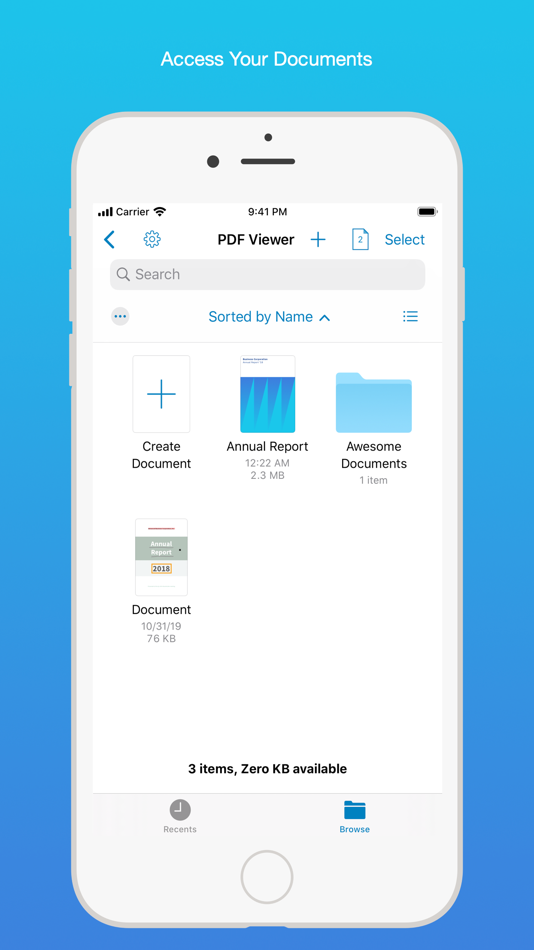
Access your files from iCloud, Dropbox, Box, OneDrive, Google Drive or any other cloud solution via Apple's familiar Document Browser interface.
+++ Listed as “Productivity lifesaver” on the App Store +++
"A streamlined interface packed with powerful features - it’s like having a desktop-quality PDF toolkit wherever we go" – App Store Editor Notes
“I'm impressed by how the folks at PSPDFKit have been able to fine-tune the document browser to the app's needs.” – MacStories.net
"If you want a PDF viewer that is designed for reading PDF books, this is it." – App Review
VIEW DOCUMENTS ON THE GO
• Easily import a PDF from your favorite cloud service provider, email, or directly off a website.
• Supports Open In Place, Drag & Drop and features the familiar Apple Document Browser interface from the Files app.
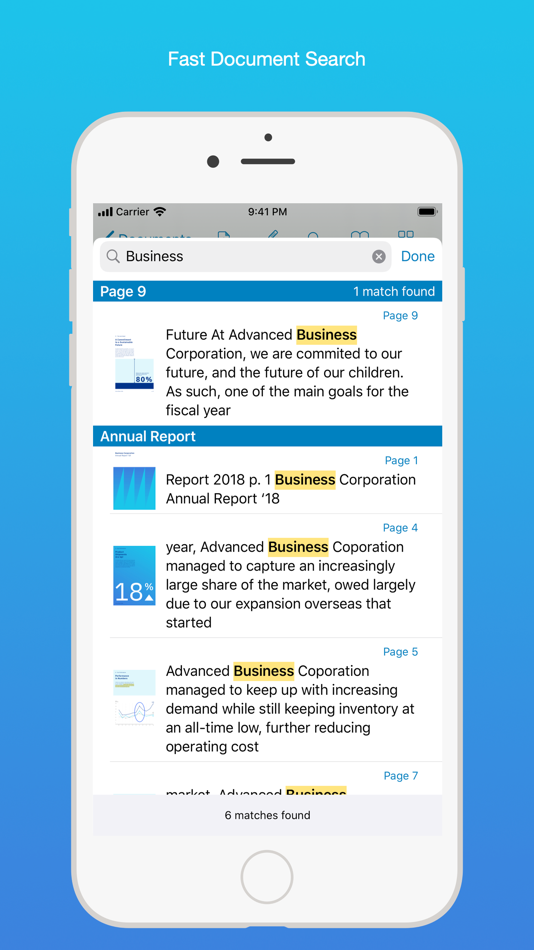
• Search for the exact text you are looking for within the document.
• Double tap on the screen to Smart Zoom directly to the text you want to read.
• Annotate images (JPEG, PNG) non-destructive, just like PDF documents. (PRO)
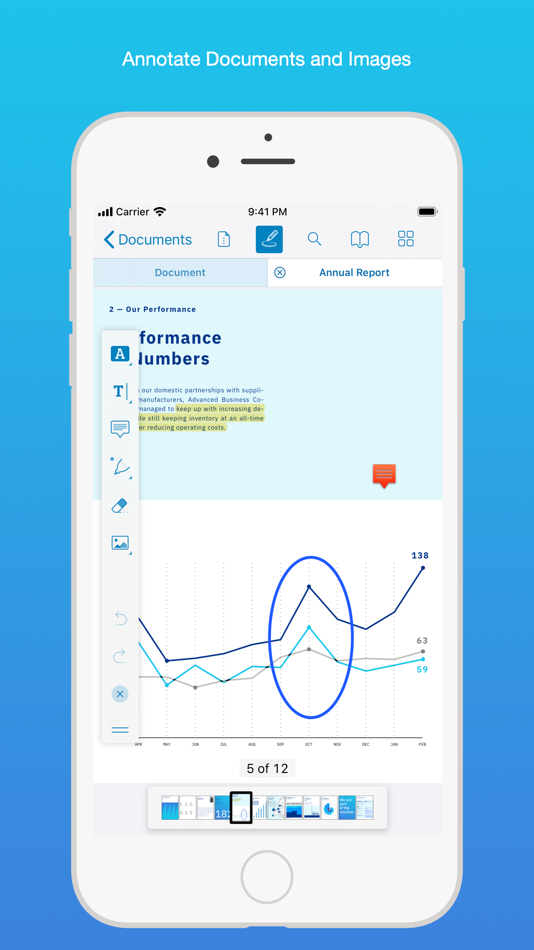
ANNOTATE WITH EASE
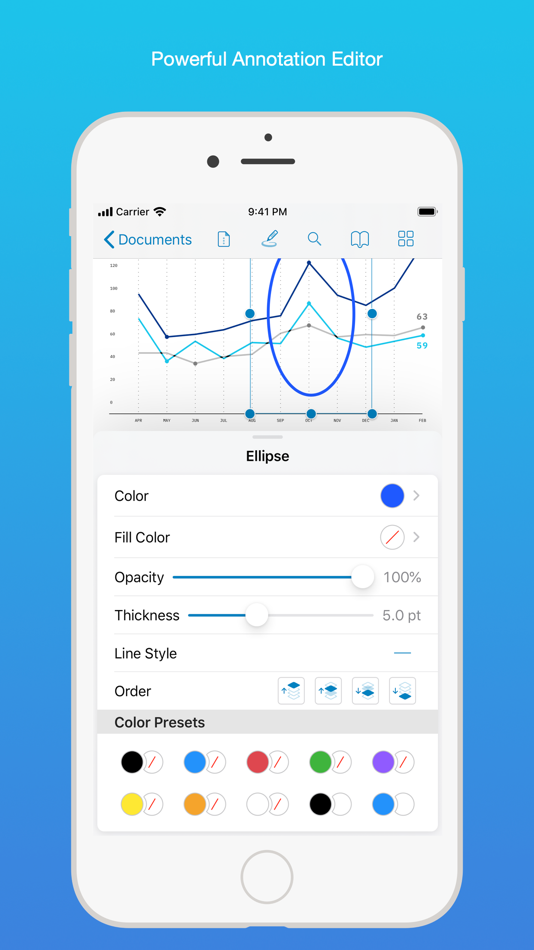
• While reviewing a document, use your finger or Apple Pencil to highlight and markup text.
• Leave comments by adding a note, text, or drawing directly on the PDF.
• Add images or audio.
• Reply to notes. (PRO)
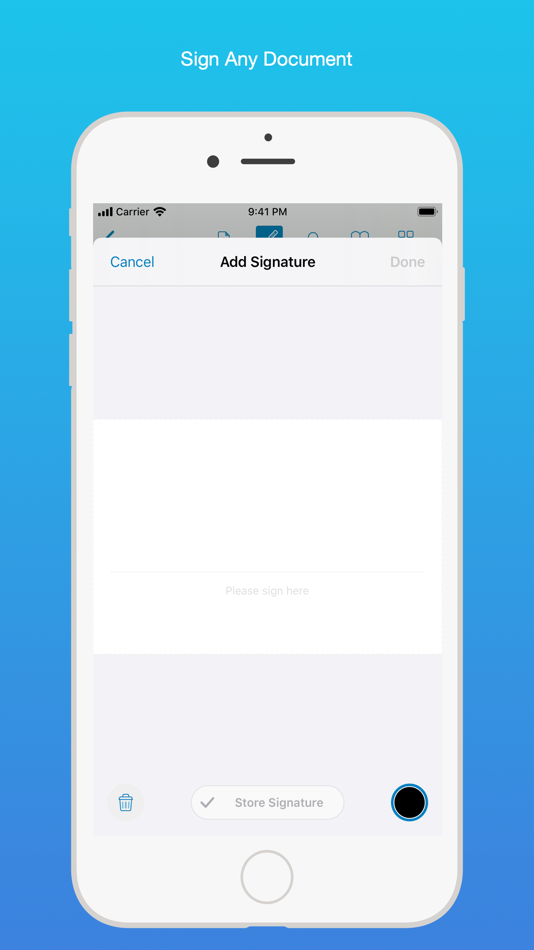
SIGN DOCUMENTS ANYWHERE
• Add your signature to any document using your finger or Apple Pencil.
• Move and resize your signature as needed.
• Flatten a document to ensure the signature doesn’t change.
CREATE AND EDIT PDFs
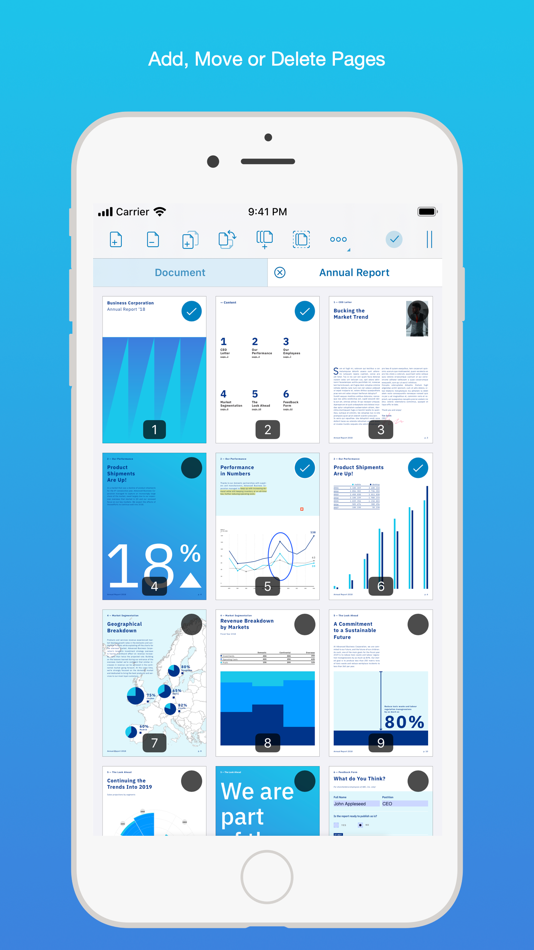
• Create new documents from existing documents by moving, rotating, deleting, or adding new pages.
• Combine multiple documents into a single one. (PRO)
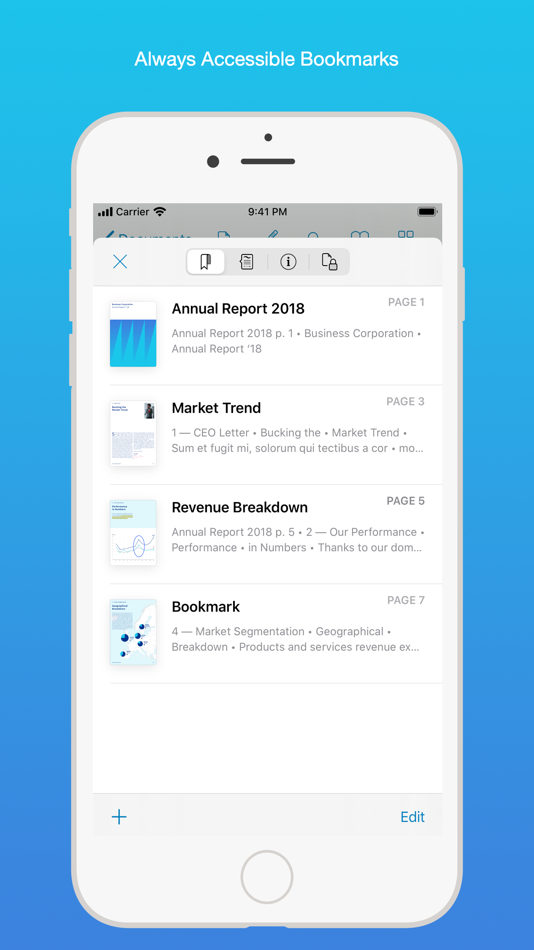
• Add bookmarks to easily return to certain pages in large documents.
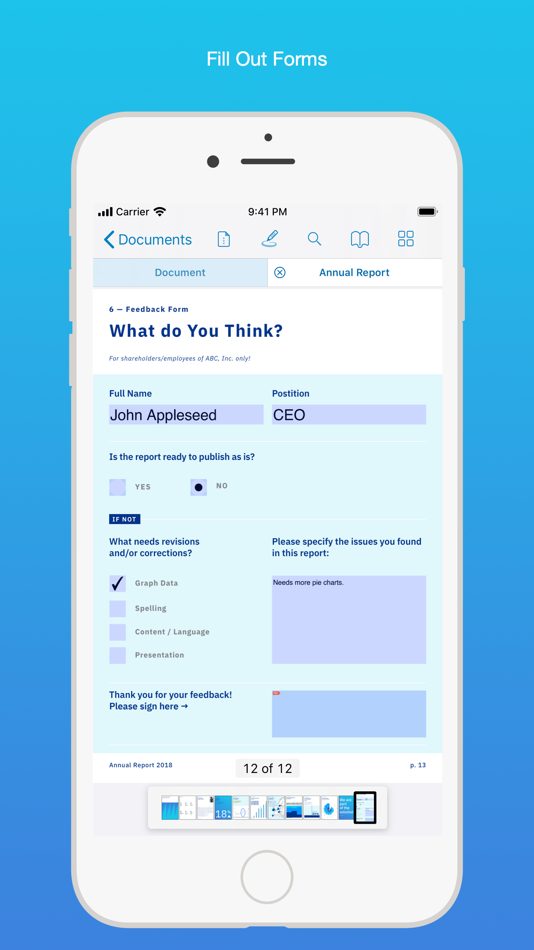
FILL OUT FORMS
• Quickly fill out PDF Forms by adding text to the fields.
• Flatten and secure the form once you’re done to ensure the document doesn’t change.
• Add a signature to any Form.
STORE, ORGANIZE AND SHARE
• Store documents, create folders and organize your documents.
• Share documents by printing, emailing or saving your edits back any cloud service.
PASSWORD PROTECT DOCUMENTS
• Read document metadata, title and keywords.
• Protect documents with user and owner passwords and limit permissions. (PRO)
AND SO MUCH MORE
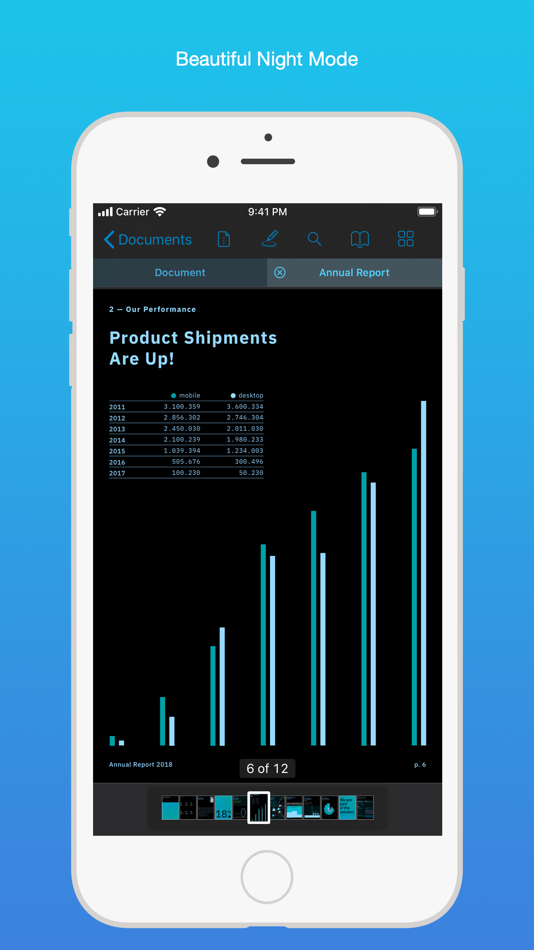
• Conveniently switch to night mode when viewing your documents at night.
• Present on external screens without the distraction of toolbars. (PRO)
• Have the text from a PDF read out loud to you with text-to-speech.
• PDF Viewer remembers where you were down to the page/position where you left off - even across devices.
PRICING
PDF Viewer comes with a large feature set, completely free. Some advanced features require the purchase of PDF Viewer Pro, available as a subscription. We offer 3-monthly and yearly subscription plans. There’s also a fully functional 7-day trial, so you can test PDF Viewer Pro (including document merging and password editing) before you commit. All plans unlock the app on iPhone and iPad.
TRUSTED BY COMPANIES YOU KNOW
PDF Viewer is built on top of and powered by PSPDFKit, the same PDF engine trusted around the world by companies like Dropbox, Box, IBM, Atlassian, SAP, and Lufthansa.
BE PART OF THE PDF VIEWER COMMUNITY
pdfviewer.io
twitter.com/pdfviewerapp
LEGAL
Duration and price of each subscription are displayed in PDF Viewers’ storefront, updated at the time of purchase. Payment will be charged to iTunes account at confirmation of purchase. Subscriptions automatically renew unless auto-renew is turned off no later than 24 hours before the end of the current period. Subscriptions and auto-renewal can be managed/turned off in the iTunes account settings. Any unused portion of a free trial period is forfeited as soon as a subscription is purchased.
Terms of Use: https://pdfviewer.io/terms
Privacy Policy: https://pdfviewer.io/privacy
Ad
ภาพหน้าจอ
ประวัติราคา
- วันนี้: ฟรี
- ต่ำสุด: ฟรี
- มากที่สุด: ฟรี
ติดตามราคา
มีอะไรใหม่
- เวอร์ชัน: 2026.4
- อัปเดต:
- Improved forms, editing, and annotation reliability in complex documents.
Here’s the full list of changes:
• Improves form interaction responsiveness in complex documents.
• Improves content editing in some accessible PDFs.
• Fixes an issue where some PDFs with problematic form elements could fail to open correctly.
• Fixes an issue where some form fields were not loaded correctly in certain documents.
• Fixes issues affecting text styling, text placement, and multiline text annotations in some PDFs.
• Fixes visual issues affecting redactions, highlights, and note annotation placement in certain documents.
• Improves reliability when saving edited documents.
We’d love to hear your feedback! If you have ideas or feature requests for future versions of the app, feel free to let us know. You can contact us using the in-app Support button on the settings screen.
If you enjoy the app, please write us a review and help spread the word! Thanks!
ข้อมูลเพิ่มเติม
- วันที่วางจำหน่าย:
- หมวดหมู่:
iOS แอป›ประสิทธิภาพการผลิต - ระบบปฏิบัติการ:
iPad,iPhone,macOS,iOS 16.0 และสูงกว่า - ขนาด:
108 Mb - ภาษาที่สนับสนุน:
Arabic,Chinese,Croatian,Czech,Danish,Dutch,English,Finnish,French,German,Greek,Hebrew,Indonesian,Italian,Japanese,Korean,Malay,Norwegian,Polish,Portuguese,Russian,Slovak,Spanish,Swedish,Thai,Turkish,Ukrainian - การจัดประเภทเนื้อหา:
4+ - App Store คะแนนโดย:
4.6(9,054) - X: pdfviewerapp
- เว็บไซท์:
 https://pdfviewer.io
ผู้พัฒนา
รายการ (1)
- PDF Viewer by Nutrient

แต้มแล (3)
-

- 13 ap
- +1
-
- 534 MichaelTheGeek
- +1
-
- 1 Adela
- +1


การจัดอันดับ (0)
0 ☹️
ความเห็น (0)
เป็นคนแรกที่แสดงความเห็น 🌟
«PDF Viewer by Nutrient». แพลตฟอร์ม: iOS. หมวดหมู่: ประสิทธิภาพการผลิต. ผู้พัฒนา: «PSPDFKit GmbH». การเปิดตัวครั้งแรก: . อัปเดตล่าสุด: . ราคาปัจจุบัน: ฟรี. ชื่อนี้ยังไม่ได้รับการให้คะแนนหรือบทวิจารณ์บน AppAgg รายการ: สาธารณะ 1, ส่วนตัว 2. จุดที่ติดตาม: ยืนยันแล้ว 3, ทางอ้อม 9,054. ร้านค้า: App Store. คะแนนร้านค้า: 4.6. โหวต: 9,054. ภาษาที่ใช้ได้: Arabic, Chinese, Croatian, Czech, Danish, Dutch, English, Finnish, French, German, Greek, Hebrew, Indonesian, Italian, Japanese, Korean, Malay, Norwegian, Polish, Portuguese, Russian, Slovak, Spanish, Swedish, Thai, Turkish, Ukrainian. AppAgg ติดตามประวัติราคา การให้คะแนน และคำติชมของผู้ใช้ «PDF Viewer by Nutrient». ส่วนลดและอัปเดตในอนาคต: RSS. AppAgg ไม่ได้โฮสต์แอปพลิเคชันหรือแจกจ่ายซอฟต์แวร์ เครื่องหมายการค้า โลโก้ และภาพหน้าจอทั้งหมดเป็นของเจ้าของที่เกี่ยวข้อง
PDF Viewer by Nutrient URL แบบสั้น: คัดลอกแล้ว!- 🌟 แชร์
- App Store
คล้ายกัน
-
- PDF Expert: Editor & Converter
- iOS แอป: ประสิทธิภาพการผลิต โดย: Readdle Technologies Limited
- ฟรี
- รายการ: 6 + 5 0 0
- แต้มแล: 11 + 214,376 (4.7) เวอร์ชัน: 7.25.4 Unlock your potential with a fast and easy PDF Expert app with all the features you need in a well-designed and intuitive user interface. BEST FOR iPHONE, iPAD, MAC & VISION PRO Read ... ⥯
-
- PDF Converter - Word to PDF
- iOS แอป: ประสิทธิภาพการผลิต โดย: Minimodev Technologies LTD
- ฟรี
- รายการ: 0 0 0
- แต้มแล: 3 + 31,474 (4.7) เวอร์ชัน: 1.8.2 Convert your documents from and to PDF in a 3 steps! 1. Select your input file 2. Choose output format from available ones 3. Convert! It will take only a few seconds It's just as easy ⥯
-
- PDF Reader – PDFelement
- iOS แอป: ประสิทธิภาพการผลิต โดย: Wondershare Technology (Hunan) Co.,Ltd.
- ฟรี
- รายการ: 1 0 0
- แต้มแล: 1 + 3,922 (4.3) เวอร์ชัน: 6.0.6 PDFelement - PDF Reader is a PDF reader using the latest technology. The newly connected Liquid Mode function allows you to enjoy the best reading experience. In addition, there are ... ⥯
-
- PDF Pro - Reader Editor Forms
- iOS แอป: ประสิทธิภาพการผลิต โดย: Dominic Rodemer
- ฟรี
- รายการ: 1 + 1 0 0
- แต้มแล: 0 + 6,730 (4.7) เวอร์ชัน: 5.7.1 PDF Pro lets you read, edit and annotate your PDF documents directly on your iPhone and iPad. Highlight text, take notes, embed shapes or draw with your finger. You can even embed ... ⥯
-
- PDF it All Document Converter
- iOS แอป: ประสิทธิภาพการผลิต โดย: DIGISET LLC
- ฟรี
- รายการ: 1 + 3 0 0
- แต้มแล: 3 + 7,775 (4.8) เวอร์ชัน: 6.0 PDF it All: Your All-in-One PDF Solution PDF it All is an advanced yet user-friendly tool designed for seamless PDF file editing and conversion. With this application, you can ... ⥯
-
- PDF Maker - Convert to PDF
- iOS แอป: ประสิทธิภาพการผลิต โดย: Kupertino Labs
- ฟรี
- รายการ: 1 0 0
- แต้มแล: 0 + 1,011 (4.6) เวอร์ชัน: 2.2.1 PDF Maker is a tool to convert any file from DOC, XLS, JPG, TXT, PPT, SVG to PDF easily. Make PDF files right on your iPhone using PDF Converter. Features: Pick DOCX, PPTX, XLSX file ... ⥯
-
- PDF Editor Reader
- iOS แอป: ประสิทธิภาพการผลิต โดย: SENRONG
- ฟรี
- รายการ: 0 0 0
- แต้มแล: 0 + 1,362 (4.0) เวอร์ชัน: 1.3.0 PDF Editor Reader: Free All-in-One Tool for Work & Life CORE FEATURES Convert to PDF: Turn documents (Word, Excel, ppt, ...), images, and more into PDFs in one tap. Split PDF by Page: ... ⥯
-
- PDF Calendar - Print & Share
- iOS แอป: ประสิทธิภาพการผลิต โดย: New Marketing Lab, Inc
- ฟรี
- รายการ: 0 0 0
- แต้มแล: 0 + 1,031 (4.4) เวอร์ชัน: 3.9 Print your calendar events or easily share them as PDF with the PDF Calendar app. The PDF Calendar app lets you generate a PDF file of all your iPhone or iPad calendars. From there, ... ⥯
-
- PDF Scanner・Document Scanner
- iOS แอป: ประสิทธิภาพการผลิต โดย: Games Wing
- ฟรี
- รายการ: 0 0 0
- แต้มแล: 1 + 1,813 (4.6) เวอร์ชัน: 1.8.5 In a world where paperwork seems to never end, the PDF scanner app is the solution you've been searching for. Say goodbye to cluttered desks and disorganized files - with this PDF ... ⥯
-
- PDF Voice Reader - Docs Aloud
- iOS แอป: ประสิทธิภาพการผลิต โดย: Storch
- ฟรี
- รายการ: 0 0 0
- แต้มแล: 2 + 948 (4.1) เวอร์ชัน: 8.0 Give Your Eyes a Rest Let Your Documents Speak! Tired of screen fatigue? PDF Voice Reader Docs Aloud turns your PDFs, Word files, and more into natural-sounding audio, so you can ... ⥯
-
- PDF Docs Voice Aloud Reader HD
- iOS แอป: ประสิทธิภาพการผลิต โดย: Amad Marwat
- ฟรี
- รายการ: 0 0 0
- แต้มแล: 0 + 1,203 (4.6) เวอร์ชัน: 1.0.6 Are you too busy to read pdf documents? Or maybe you have health problems that make reading difficult? If so, then you must try this app. The app can read aloud any pdf document that ... ⥯
-
- CamScanner - PDF Scanner App
- iOS แอป: ประสิทธิภาพการผลิต โดย: INTSIG Information Co., Ltd
- ฟรี
- รายการ: 2 + 2 0 0
- แต้มแล: 11 + 1,786,125 (4.9) เวอร์ชัน: 7.15.5 The most intelligent scanner app Trusted by 300M+ users CamScanner is an all-in-one scanner app. It turns your mobile device into a powerful portable scanner that recognizes text ... ⥯
-
- Notability: AI Notes & PDF app
- iOS แอป: ประสิทธิภาพการผลิต โดย: Ginger Labs
- ฟรี
- รายการ: 30 + 19 0 5 (2)
- แต้มแล: 28 + 445,350 (4.8) เวอร์ชัน: 16.1.1 From your first lecture to your next big meeting, Notability helps you think, learn, and work better. Take handwritten notes, annotate documents, record audio, and stay organized in ... ⥯
-
- Goodnotes: AI Notes, Docs, PDF
- iOS แอป: ประสิทธิภาพการผลิต โดย: Goodnotes Limited
- ฟรี
- รายการ: 42 + 32 0 0
- แต้มแล: 33 + 416,201 (4.7) เวอร์ชัน: 7.0.47 Goodnotes has always been the place to capture your ideas from quick notes to big plans. Now, it goes further. With powerful AI and new ways to capture information, Goodnotes helps you ⥯