
已保存
选择将在你的已保存菜单中显示的名称。
完成!
说明
SQLiteFlow is an SQLite editor for Mac & iOS which is intuitive, stable and reliable to use.
It includes the following features:
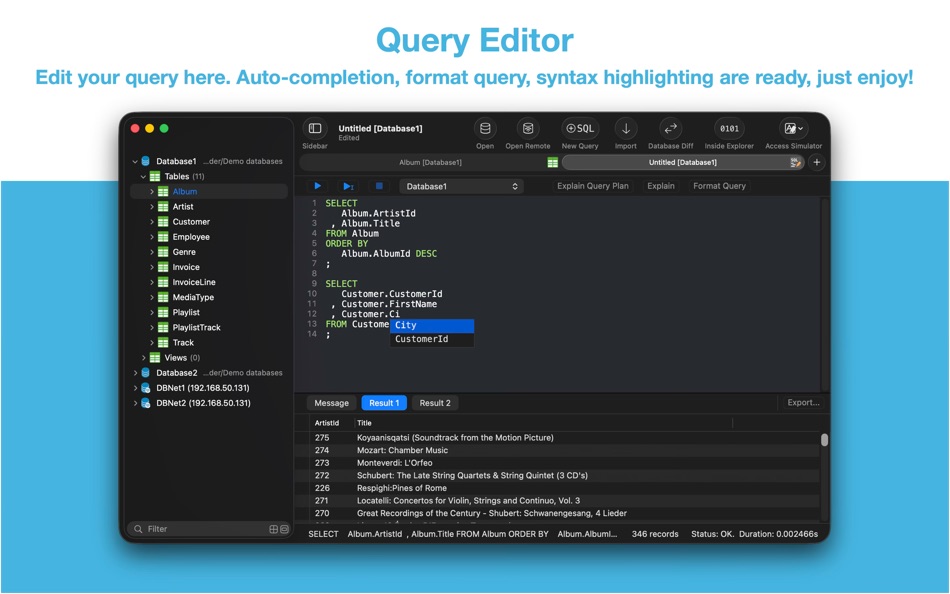
Query Editor
• Multi-query execution.
• Customize syntax highlighting.
• SQL auto-completion.
• Format query.
• Copy query as code.
• Paste recent query sessions.
• Explain query.
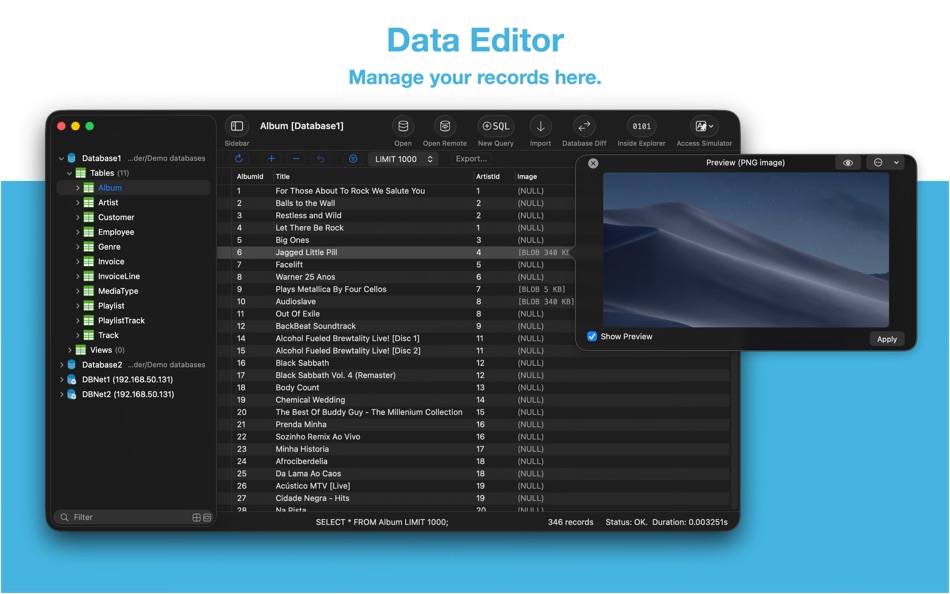
Data Editor
• View, edit, add or remove records.
• View table data with a convenient data filter.
• Edit blob data as hex or show it as preview if possible.
• Edit JSONB as JSON.
• Copy data to CSV,JSON, Markdown, and to Insert Statement or Update Statement if possible.
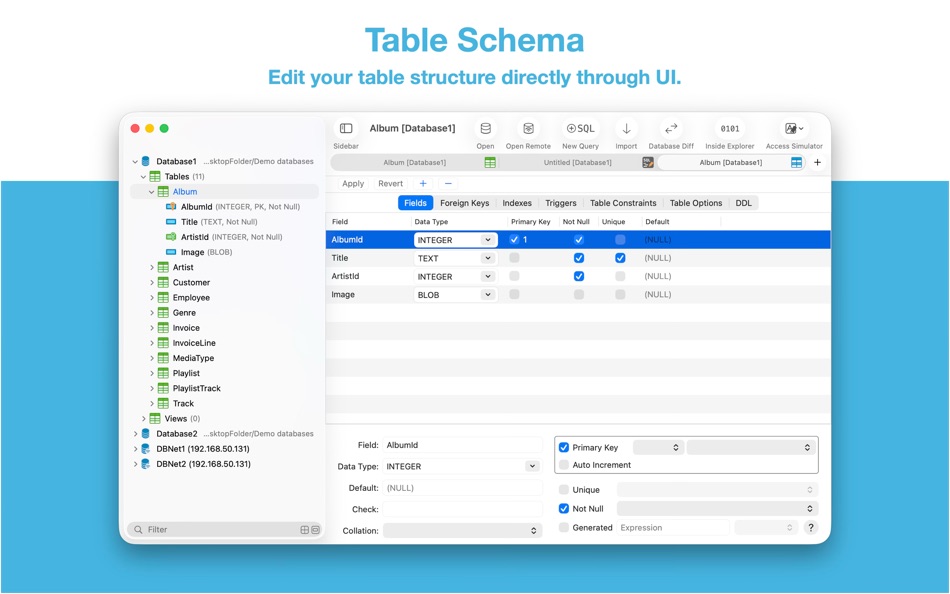
Table Schema
• View, edit or add table fields, indexes, foreign keys, checks.
• View triggers.
• View DDL.
• Preview the query that for altering table.
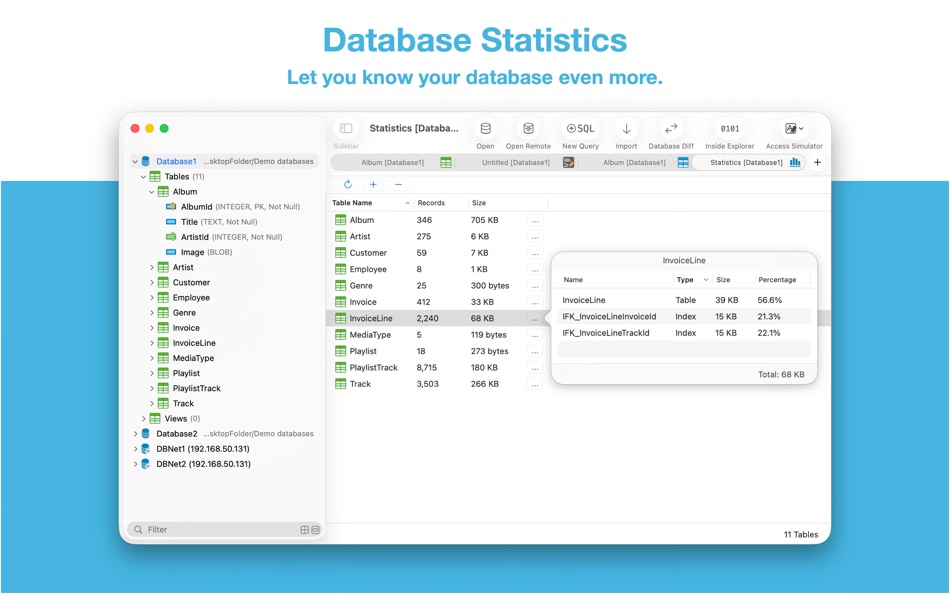
Database Statistics
• Display tables count and each table's records count.
• Display total size of each table, size of each table's content and size of each table's indexes.
ER Diagram
• Supports display ER diagram.
• Supports toggle field type hide or show.
• Supports Relationship Guessing.
• Supports copy as Mermaid markdown.
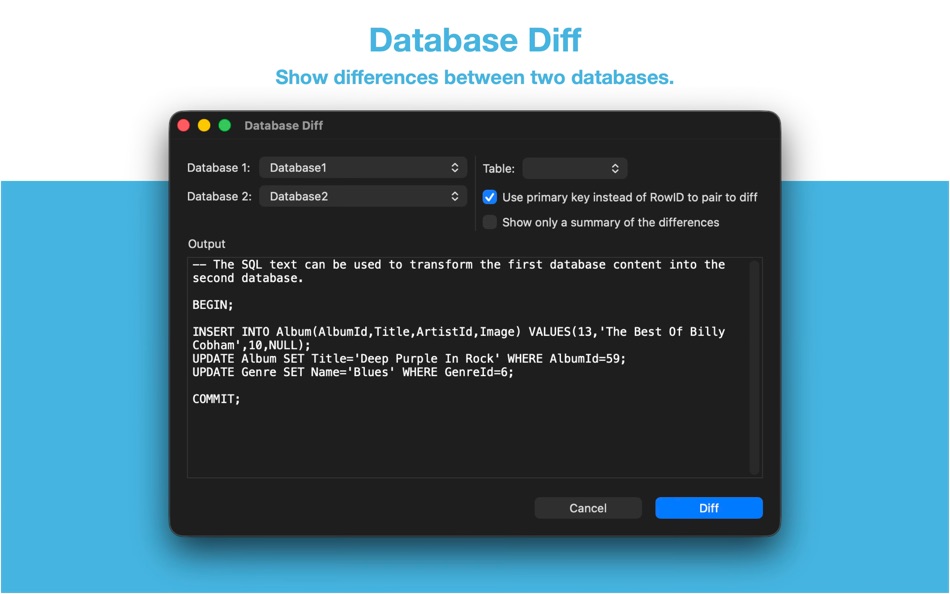
Database Diff
• Supports generate SQL text that can let you transform a database into another.
• Supports show a summary of the differences between two databases.
Import
• Supports import CSV data to a table.
• Supports import JSON data to a table.
• Supports import data by SQL file.
Export
• In Data Editor or Query Results, supports export data to CSV, JSON, Markdown or List.
• In Data Editor, supports export data to Insert Statement or Update Statement if possible.
Database Encryption
• Supports access encrypted SQLite database which is encrypted by SQLCipher library.
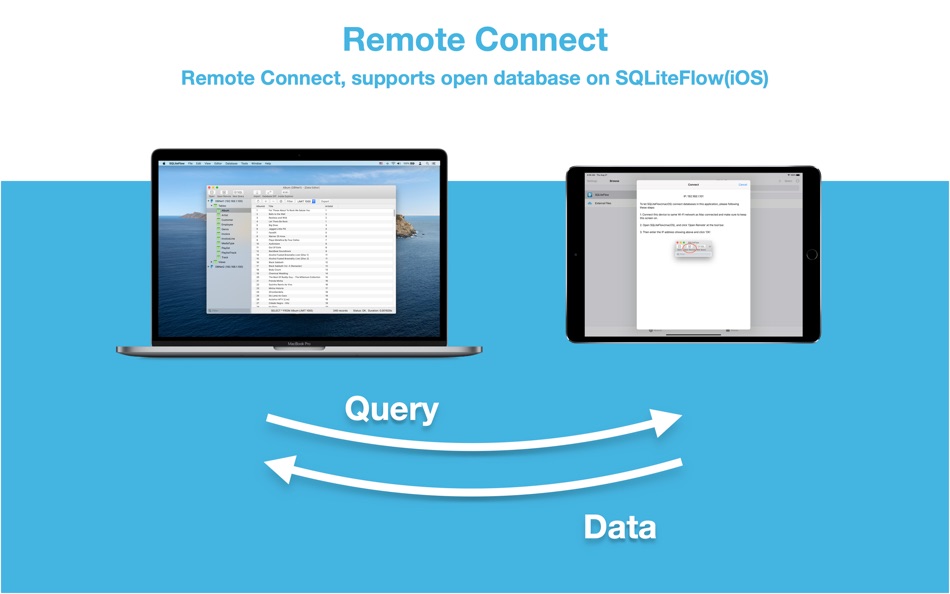
Remote Connect
• Supports open remote SQLite databases on SQLiteFlow(iOS). One use case is that you can debug query performance issue on your iPhone or iPad directly through your Mac.
Dark Mode
• Supports Dark Mode for macOS Mojave or later.
Drag and Drop
• Open databases and SQL scripts.
• Create multiple windows.
Access Apple simulator
• Supports access Apple simulator. So you can open your app's Documents directory more easily than before when developing your apps.
Handle Database File Name or Directory Changes
• One of a cool thing that benefit from this feature is, this makes SQLiteFlow can work friendly with your SQLite databases in iOS simulator.
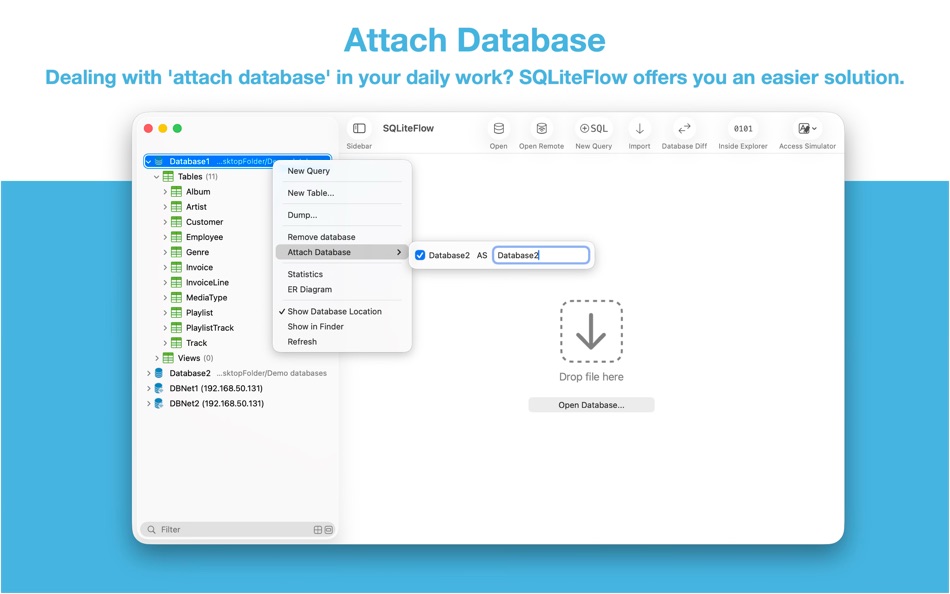
Attach Database
• Attach opened databases without any code. This is a very handy way to do attach database thing, and could save a lot of your time from writing ATTACH DATABASE commands if your business mode relies on it.
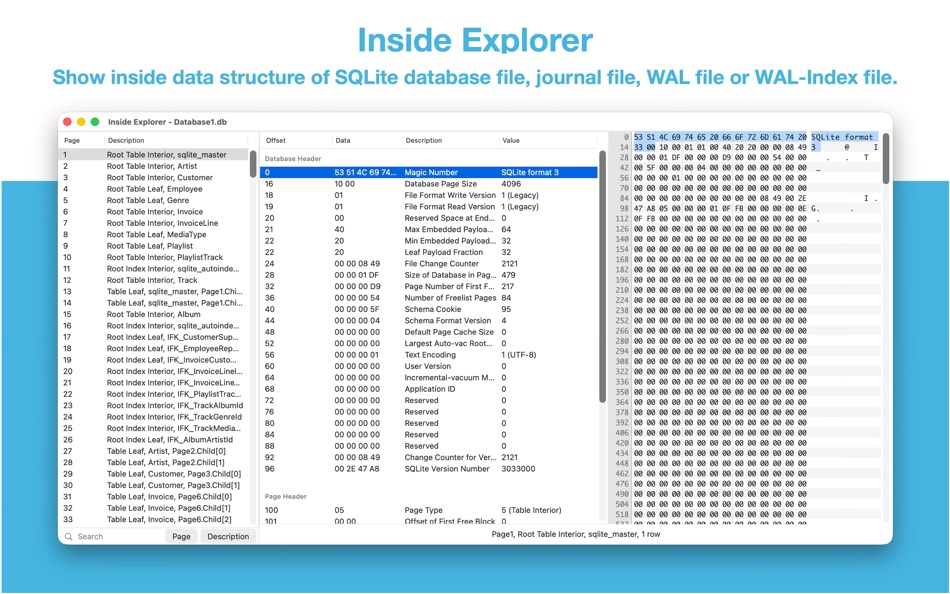
Inside Explorer
• Show binary data structure of SQLite database file, journal file, WAL file or WAL-Index file.
Shortcuts
• Supports "Run Query" action.
• Supports "Import CSV" action.
• Supports "Import JSON" action. (Requires macOS 14.0 or later.)
Create Function
• Supports create scalar function using a simple JavaScript routine.
Load Extension
• Supports SQLite load extension.
LLDB Co-worker
• Supports sfopen command. Let you open a copy of a temporary local database that originally in debugged device.
• Supports sfsave command. Let you copy the temporary local database (that originally created by sfopen command) to debugged device.
Terms of Use: https://www.apple.com/legal/internet-services/itunes/dev/stdeula/
Ad
屏幕截图


价格历史
-
* 提供应用内购商品 - 目前价格: 免费
- 最小值: 免费
- 最大值: $9.99
可选
其他信息
 https://www.sqliteflow.com/
新版变化
- 版本: 6.8.3
- 已更新:
- • Update SQLite library to version 3.53.0 (2026-04-09).
• Open database dialog now will default display the options view.
• Open database dialog now can persist the option "Allow select all file types".

积分 (6)
-

- 512 expat4i
- +1
-
- 39 Mick1234
- +1
-
- 1,089 眰恦(眰恦)
- +1
-
- 2,979 바람처어럼
- +1
-
- 11,341 Simon Chan
- +1
-
- 15 HoMeCracKeR
- +1





排名 (0)
0 ☹️
评论 (0)
成为第一个发表评论的人 🌟
«SQLiteFlow - SQLite Editor». 平台: macOS. 类别: 软件开发工具. 开发商: «晨亮 贾». 首次发布: . 最后更新: . 目前价格: 免费. 该条目尚未在 AppAgg 上获得评分或评论。 列表: 公开: 1, 私密: 0. 追踪点: 已确认: 6, 间接: 0. 可用语言: Chinese, English, Japanese. AppAgg 会跟踪 «SQLiteFlow - SQLite Editor»的价格历史、评分和用户反馈。 关注未来折扣和更新: RSS. AppAgg 不托管应用程序或分发软件。 所有商标、徽标和屏幕截图均属于其各自所有者。
SQLiteFlow - SQLite Editor 短网址: 已复制!- 🌟 分享
- Mac App Store
类似
-
- Base - SQLite Editor
- macOS 应用: 软件开发工具 来自: Menial
- * 免费
- 列表: 0 + 1 0 0
- 积分: 0 版本: 3.3.0 Base is for creating, designing, editing and browsing SQLite 3 database files. It's small, powerful and comfortable - a proper macOS application that's fast to launch and quick to get ... ⥯
-
- Strix SQLite Editor
- macOS 应用: 软件开发工具 来自: Robert Laabs
- $9.99
- 列表: 0 0 0
- 积分: 0 版本: 1.1.1 SQLiteBrowser is a powerful native macOS app for viewing, querying, and editing SQLite databases. Built with SwiftUI for blazing-fast performance. KEY FEATURES SAFE BY DEFAULT Your ... ⥯
-
- CoreData Studio: SQLite Editor
- macOS 应用: 软件开发工具 来自: Momentarium LLC
- $4.99
- 列表: 0 0 0
- 积分: 0 版本: 2.0 The Ultimate Developer Tool for CoreData and SwiftData. CoreData Studio is a professional SQLite viewer, editor, and database inspector built specifically for Apple developers. Stop ... ⥯
-
- SQLite Client by SQLPro
- macOS 应用: 软件开发工具 来自: Hankinsoft Development Inc
- $49.99
- 列表: 2 0 0
- 积分: 0 版本: 2026.30 SQLPro for SQLite is an advanced sqlite editor. It has an easy to navigate interface, with the ability to perform the most basic to advanced tasks. Features include: + Syntax ... ⥯
-
- SQLite Diff
- macOS 应用: 软件开发工具 来自: .com Solutions Inc.
- $9.99
- 列表: 0 0 0
- 积分: 0 版本: 1.31.0 SQLite Diff is a graphical comparison tool for SQLite database files, comparing both the schema and the data. Schema results include comparisons of tables/columns, triggers, indexes ... ⥯
-
- SQLite Names Extractor
- macOS 应用: 软件开发工具 来自: 春雷 杨
- 免费
- 列表: 0 0 0
- 积分: 0 版本: 1.1.5 This is a small tool for developers. It extracts SQLite table and field names and generates C/C++/Objective-C #define constants. This will save much of tedious and repetitive keyboard ... ⥯
-
- Editor Usage for Cursor AI
- macOS 应用: 软件开发工具 来自: Inside Internet
- $3.99
- 列表: 0 0 0
- 积分: 0 版本: 1.3.2 Effortlessly track your Cursor AI editor usage with our powerful menubar app, designed to keep you informed and in control of your requests. Whether you re a heavy user or just want to ⥯
-
- Native SQLite Manager
- macOS 应用: 软件开发工具 来自: Krystian Kolodziej
- $1.99
- 列表: 0 + 1 0 0
- 积分: 9 版本: 1.31.1 Native SQLite Manager is an minimalist SQLite database manager. Application features: - support for many versions of SQLite - support for SQLCipher - SQLite extensions support - ... ⥯
-
- WYSIWYG HTML Editor
- macOS 应用: 软件开发工具 来自: Wicher B Donga
- $22.99
- 列表: 0 0 5 (1)
- 积分: 0 版本: 26.1 WYSIWYG HTML Editor just got a major upgrade. You can now work seamlessly with: - HTML and CSS - JavaScript - React and JSX - Vue - Alpine - Markdown or any combination of these in a ... ⥯
-
- Py Editor for Python
- macOS 应用: 软件开发工具 来自: Andromeda Corp LTD
- * 免费
- 列表: 1 0 0
- 积分: 2 版本: 26.0.1 Python Editor is a native macOS application that lets you write and run Python code instantly, with no installation or configuration required. Python 3.11 is embedded directly in the ... ⥯
-
- Xliff Editor
- macOS 应用: 软件开发工具 来自: SweetP Productions, Inc.
- $19.99
- 列表: 0 + 2 0 0
- 积分: 0 版本: 3.3.2 Xliff Editor - its fast to load, easy to use, and has a low memory footprint. Did we forget to mention Inline tag protection, Search & Replace, Regex search, Fuzzy search, intuitive ... ⥯
-
- Mermaid Live Editor
- macOS 应用: 软件开发工具 来自: Omer UCEL
- $4.99
- 列表: 0 0 0
- 积分: 2 版本: 4.1 Transform text into beautiful diagrams with AI-powered assistance. This professional diagram editor supports Mermaid syntax to create flowcharts, timelines, user journey maps, charts, ... ⥯
-
- Bonsai JSON Editor
- macOS 应用: 软件开发工具 来自: Jerry COMBS
- $5.99
- 列表: 0 0 0
- 积分: 0 版本: 1.0 Bonsai is a native macOS JSON viewer, editor, and query tool built for developers who work with JSON every day. Open any JSON file and instantly explore it as an interactive, ... ⥯
-
- Brackets JSON Editor
- macOS 应用: 软件开发工具 来自: junichi nakamura
- $2.99
- 列表: 0 0 0
- 积分: 0 版本: 1.4 Brackets JSON Editor is simple and easy-to-use JSON editor. You can edit the JSON data displayed in the outline. ⥯