
ที่บันทึกไว้
เลือกชื่อที่จะแสดงในเมนูที่บันทึกไว้ของคุณ
เสร็จแล้ว
| ผู้พัฒนา: | Anders Borum (2) | ||
| ราคา: | ฟรี | ||
| การจัดอันดับ: | 0 | ||
| ความเห็น: | 0 โพสต์ความคิดเห็น | ||
| รายการ: | 4 + 2 | ||
| แต้มแล: | 12 + 1,317 (4.8) ¡ | ||
| +1 แต้มแล | |||
คำอธิบาย

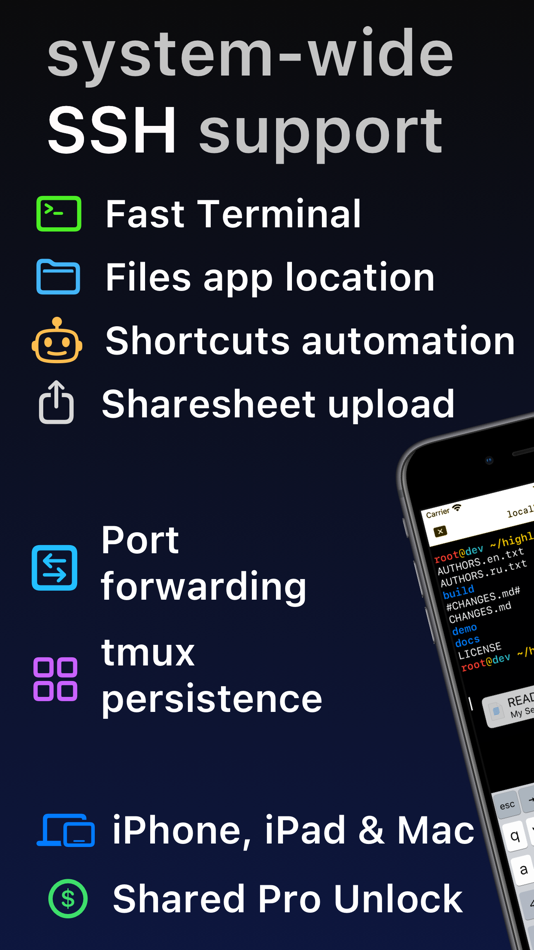
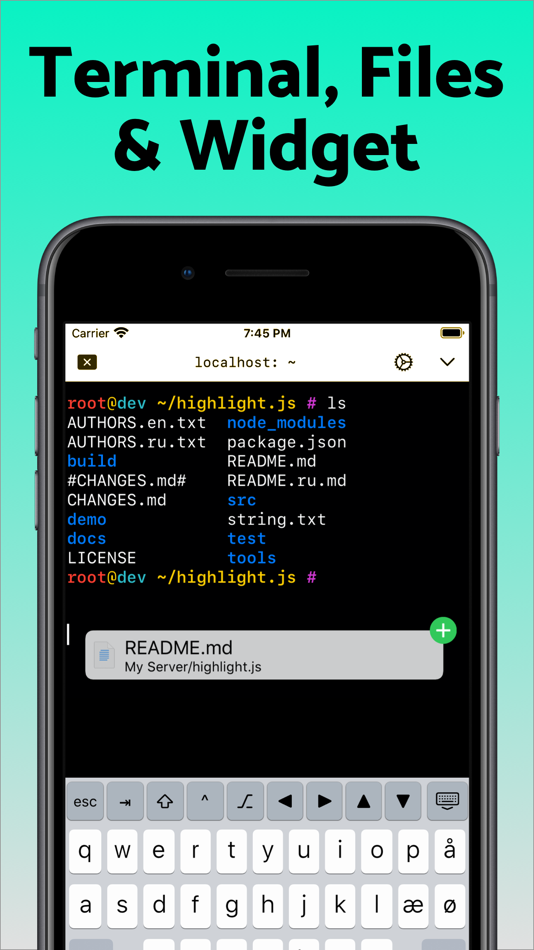
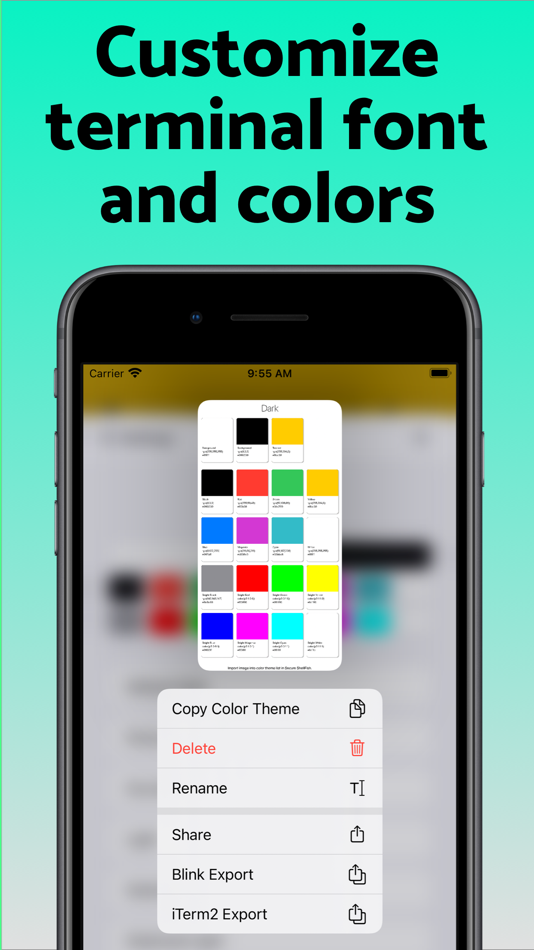
Terminal supports standard text editing gestures for selection, scrolling and copy/paste as well as custom gestures to send arrow keys and tabulator making shell entry and full screen editing with vim or emacs delightful. Bar above the keyboard makes it easy to type special keys and insert snippets.
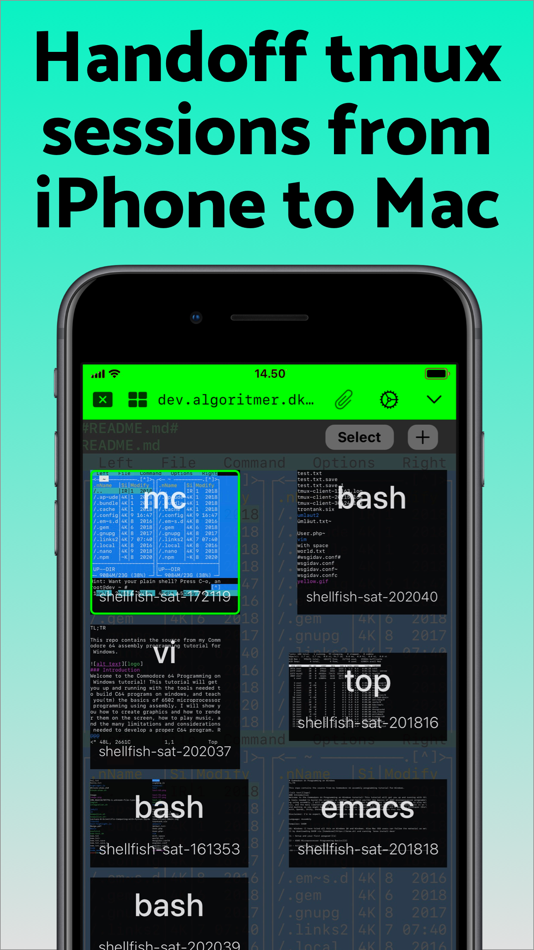
Select and drag filenames out of the terminal as actual files and drag files from other apps into the terminal to upload. Use built-in tmux support to persist terminal sessions if you lose Internet access, pick existing sessions with thumbnails and Handoff sessions between devices.
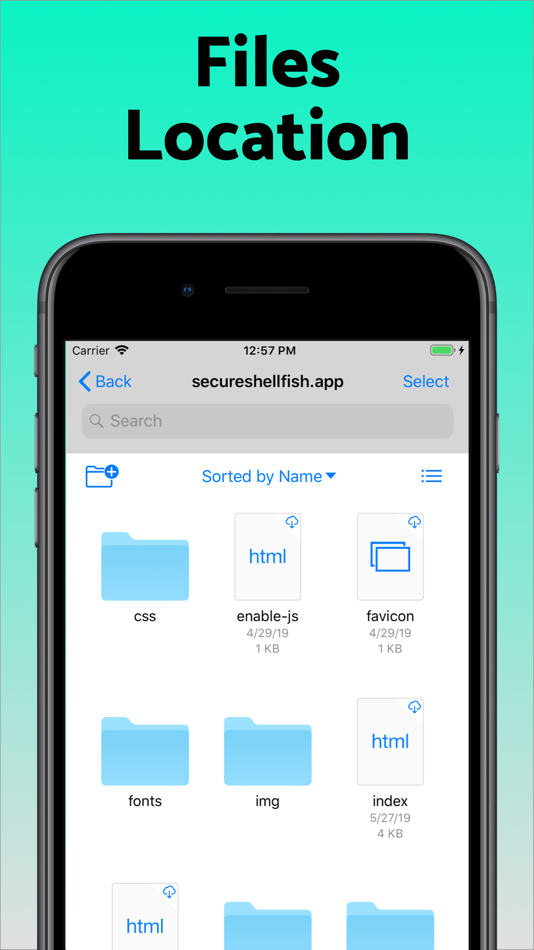
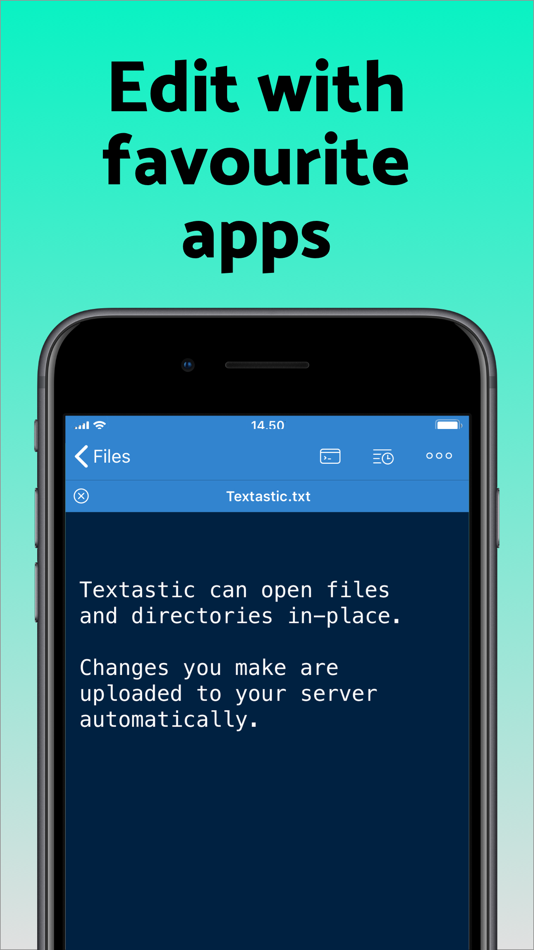
Server file system is available in the Files app and recently accessed files and directories are cached to make them available when offline. Use apps like Textastic and iA Writer for a native editing experience working on your remote server files.
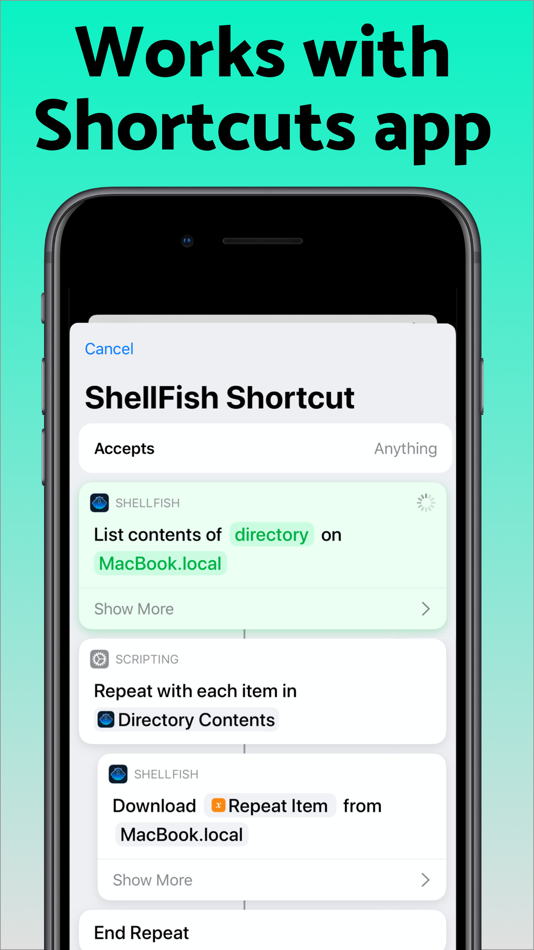
Upload files or entire directories from the share sheet with minimal friction as the last destination directory for each kind of file is remembered or automate file transfers in the Shortcuts app.
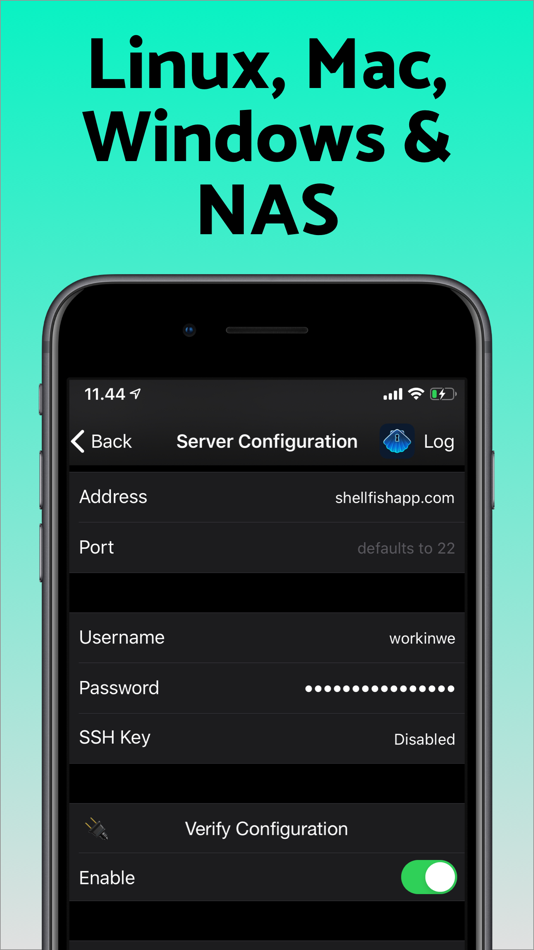
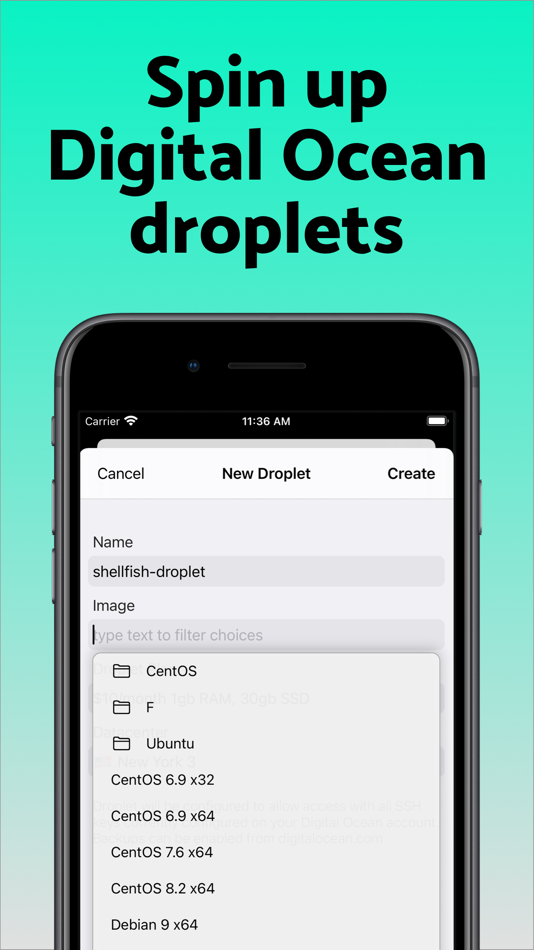
Connect to your Mac, Synology NAS and any other SSH server or create new Digital Ocean droplets right from the app.
Secure ShellFish is useful as a free app and paying pro users can disable ads in the terminal, upload through the Files app and configure unlimited number of servers.
Ad
ภาพหน้าจอ
ประวัติราคา
- ราคาปัจจุบัน: ฟรี
- ต่ำสุด: ฟรี
- มากที่สุด: ฟรี
ติดตามราคา
ข้อมูลเพิ่มเติม
- วันที่วางจำหน่าย:
- หมวดหมู่:
iOS แอป›เครื่องมือ - ระบบปฏิบัติการ:
Apple Watch,iPad,iPhone,macOS,iOS 17.4 และสูงกว่า - ขนาด:
110 Mb - ภาษาที่สนับสนุน:
English - การจัดประเภทเนื้อหา:
4+ - App Store คะแนนโดย:
4.8(1,317) - เว็บไซท์:
 https://secureshellfish.app/
มีอะไรใหม่
- เวอร์ชัน: 2026.14
- อัปเดต:
- Improvements to port forwarding showing duration + amount transferred in Settings and avoiding automatically starting a port forward alongside terminal when already using the same local or remote port.
Window > Move Tab to New Window menu action on iPad.
ผู้พัฒนา
- Anders Borum
- แพลตฟอร์ม: iOS แอป (2)
- รายการ: 8 + 6
- แต้มแล: 17 + 4,919 ¡
- การจัดอันดับ: 0
- ความเห็น: 0
- ลดราคา: 0
- วิดีโอ: 0
- RSS: ติดตาม
รายการ (4)
- SSH Client - Secure ShellFish


แต้มแล (12)
-

- 222 Study Planner
- +1
-
- 3,781 Dragon
- +1
-
- 767 Erin
- +1
-
- 322 Mudu
- +1
-
- 1,089 眰恦(眰恦)
- +1
-
- 19 Nathan Ward
- +1


การจัดอันดับ (0)
0 ☹️
ความเห็น (0)
เป็นคนแรกที่แสดงความเห็น 🌟
«SSH Client - Secure ShellFish». แพลตฟอร์ม: iOS. หมวดหมู่: เครื่องมือ. ผู้พัฒนา: «Anders Borum». การเปิดตัวครั้งแรก: . อัปเดตล่าสุด: . ราคาปัจจุบัน: ฟรี. ชื่อนี้ยังไม่ได้รับการให้คะแนนหรือบทวิจารณ์บน AppAgg รายการ: สาธารณะ 4, ส่วนตัว 2. จุดที่ติดตาม: ยืนยันแล้ว 12, ทางอ้อม 1,317. ร้านค้า: App Store. คะแนนร้านค้า: 4.8. โหวต: 1,317. ภาษาที่ใช้ได้: English. AppAgg ติดตามประวัติราคา การให้คะแนน และคำติชมของผู้ใช้ «SSH Client - Secure ShellFish». ส่วนลดและอัปเดตในอนาคต: RSS. AppAgg ไม่ได้โฮสต์แอปพลิเคชันหรือแจกจ่ายซอฟต์แวร์ เครื่องหมายการค้า โลโก้ และภาพหน้าจอทั้งหมดเป็นของเจ้าของที่เกี่ยวข้อง
SSH Client - Secure ShellFish URL แบบสั้น: คัดลอกแล้ว!- 🌟 แชร์
- App Store
คล้ายกัน
-
- SSH Client - Terminal & SFTP
- iOS แอป: เครื่องมือ โดย: Moon Technolabs Pvt Ltd
- ฟรี
- รายการ: 1 + 2 0 0
- แต้มแล: 5 + 396 (3.5) เวอร์ชัน: 4.9.8 Here is one of the most intelligent & advanced SSH Client apps to manage and connect remote servers for your iOS and Mac devices About SSH Client: SSH Client is an on-the-go SSH-Telnet ⥯
-
- Shelly - SSH Client
- iOS แอป: เครื่องมือ โดย: Touch Foo
- ฟรี
- รายการ: 1 0 0
- แต้มแล: 0 + 272 (4.4) เวอร์ชัน: 1.4.6 SSH client designed for usability and performance. RELIABLE AND FAST Hardware accelerated text rendering. Robust terminal emulation based on the PuTTY engine. Works great with programs ⥯
-
- Termius - Modern SSH Client
- iOS แอป: เครื่องมือ โดย: Termius Corporation
- ฟรี
- รายการ: 1 + 1 0 5 (1)
- แต้มแล: 7 + 18,140 (4.7) เวอร์ชัน: 7.3.3 Termius is an SSH client and terminal, as it should be. Connect with one tap from any mobile and desktop device no re-entering IP addresses, ports, and passwords. With a free Termius ... ⥯
-
- Termix: SSH Client & Terminal
- iOS แอป: เครื่องมือ โดย: Simon Zvara
- ฟรี
- รายการ: 0 0 0
- แต้มแล: 1 + 144 (4.8) เวอร์ชัน: 1.1.5 Termix is a modern SSH client and terminal developed by a European team of cybersecurity experts. It offers an unrivaled SSH and SFTP experience that enhances your productivity without ⥯
-
- NeoServer: SSH Client|Terminal
- iOS แอป: เครื่องมือ โดย: Space-Time Transformation Technology Co., Ltd.
- * ฟรี
- รายการ: 2 + 5 0 0
- แต้มแล: 18 + 270 (4.7) เวอร์ชัน: 8.1.7 NeoServer offers a comprehensive management solution via SSH without additional software installation for your servers, NAS (Network Attached Storage), and Linux-based routers across ... ⥯
-
- SSH Terminal+
- iOS แอป: เครื่องมือ โดย: 志鹏 潘
- ฟรี
- รายการ: 1 + 2 0 0
- แต้มแล: 4 + 191 (4.8) เวอร์ชัน: 2.3 SSH Terminal+: Terminal & Stats is a comprehensive SSH dashboard and terminal tool designed for developers and system administrators. Experience seamless server management with ... ⥯
-
- xTerminal - SSH Terminal Shell
- iOS แอป: เครื่องมือ โดย: 婉媚 邵
- ฟรี
- รายการ: 1 + 1 0 0
- แต้มแล: 4 + 1,879 (4.7) เวอร์ชัน: 4.0.1 xTerminal - Your Ultimate SSH Terminal Shell xTerminal is your all-in-one SSH terminal client for managing servers with speed and security. Whether you're an IT professional or a ... ⥯
-
- Juno Connect: Jupyter Client
- iOS แอป: เครื่องมือ โดย: Rational Matter
- $4.99
- รายการ: 3 + 1 0 0
- แต้มแล: 2 + 631 (4.6) เวอร์ชัน: 1.6.13 Juno Connect is a client app for Jupyter, a cloud-based computational environment. Juno Connect lets you leverage the computing power of a remote Jupyter server right from your iPhone ... ⥯
-
- HTTPBot: API & HTTP Client
- iOS แอป: เครื่องมือ โดย: Arvindh Sukumar
- * ฟรี
- รายการ: 2 + 3 0 0
- แต้มแล: 7 + 1,316 (4.5) เวอร์ชัน: 2026.2 HTTPBot is a powerful API client and debugger that lets you send HTTP/HTTPs requests, connect to WebSockets, inspect JSON & HTML responses, and debug APIs on the go. With HTTPBot, you ... ⥯
-
- ServerCat - SSH Terminal
- iOS แอป: เครื่องมือ โดย: Early Moon, LLC
- ฟรี
- รายการ: 3 0 0
- แต้มแล: 3 + 975 (4.6) เวอร์ชัน: 1.34.0 ServerCat is a Linux monitor and Docker Management & SSH Terminal app. ServerCat makes it easy to monitor your server status on your mobile. It shows detail running status of your ... ⥯
-
- MySQL Mobile Client
- iOS แอป: เครื่องมือ โดย: Filippo Maguolo
- ฟรี
- รายการ: 0 0 0
- แต้มแล: 0 + 198 (4.4) เวอร์ชัน: 43.0 DB Compass for MySQL allows you to access your MySQL database directly without any server setup. You can manage your data with a very clean and simple iOS user interface. FEATURES: ... ⥯
-
- Moshi: SSH & MOSH Terminal
- iOS แอป: เครื่องมือ โดย: FrontierOne Software
- * ฟรี
- รายการ: 0 + 1 0 0
- แต้มแล: 1 + 157 (4.7) เวอร์ชัน: 2.8.3 A mobile terminal designed for AI coding agents. Your coding agent runs on a server you're not always at your desk. Moshi bridges that gap. BUILT FOR AI AGENTS Check on Claude Code ... ⥯
-
- DNS Client
- iOS แอป: เครื่องมือ โดย: Sergii Kryvoblotskyi
- $0.99
- รายการ: 1 + 1 0 0
- แต้มแล: 3 + 146 (4.5) เวอร์ชัน: 1.2.4 DNS Client is a networking developer tool for debugging Domain Name Servers. It gives an ability to create requests in human-readable format and interprets responses. Supports all ... ⥯
-
- Git client - Working Copy
- iOS แอป: เครื่องมือ โดย: Anders Borum
- ฟรี
- รายการ: 6 + 4 0 0
- แต้มแล: 5 + 3,602 (4.9) เวอร์ชัน: 6.8.2 Access Git repositories on the go. Clone, edit, commit and push while allowing other apps access to repositories. Git is a important part of our work-life and iOS can take part in ... ⥯