
ที่บันทึกไว้
เลือกชื่อที่จะแสดงในเมนูที่บันทึกไว้ของคุณ
เสร็จแล้ว
| ผู้พัฒนา: | Casual Programmer, LLC (4) | ||
| ราคา: | $49.99 | ||
| การจัดอันดับ: | 0 | ||
| ความเห็น: | 0 โพสต์ความคิดเห็น | ||
| รายการ: | 1 + 1 | ||
| แต้มแล: | 2 + 0 ¡ | ||
| Mac App Store | |||
คำอธิบาย

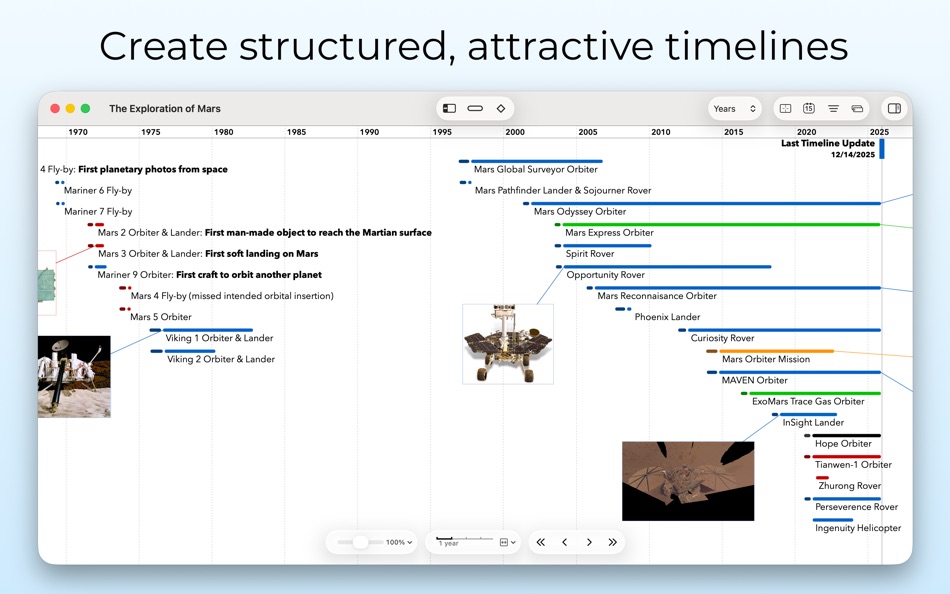
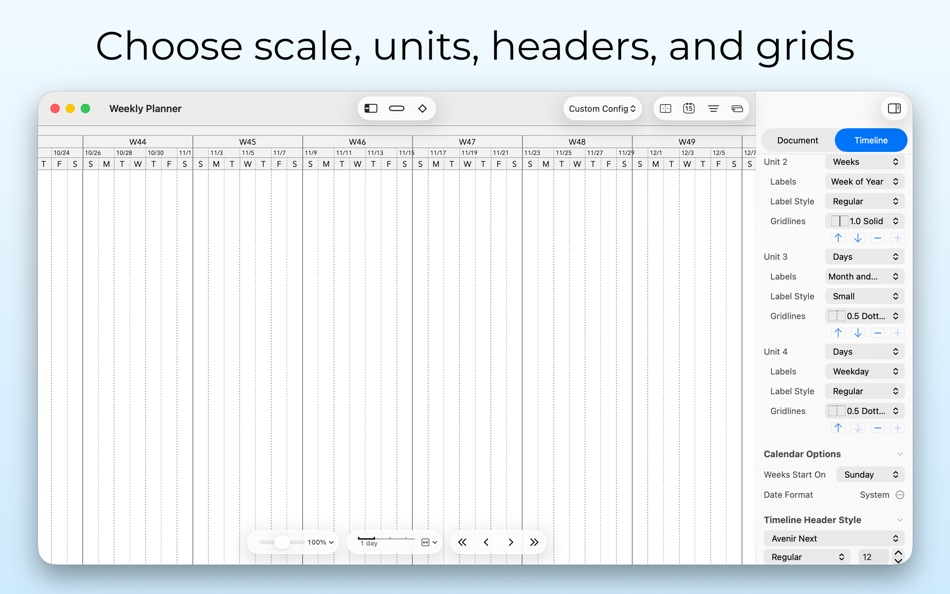
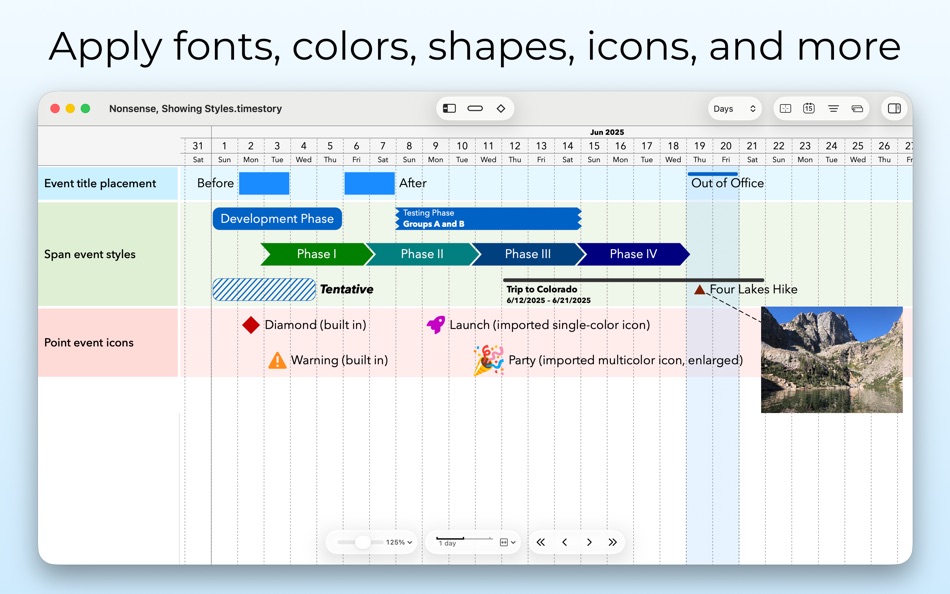
Sketch out events by pointing, clicking, dragging and dropping. Focus in on days, zoom out to decades, or set your scale anywhere in between. Style your documents, choosing fonts, sizes, event icons and shapes, and colors, and attaching your own images.
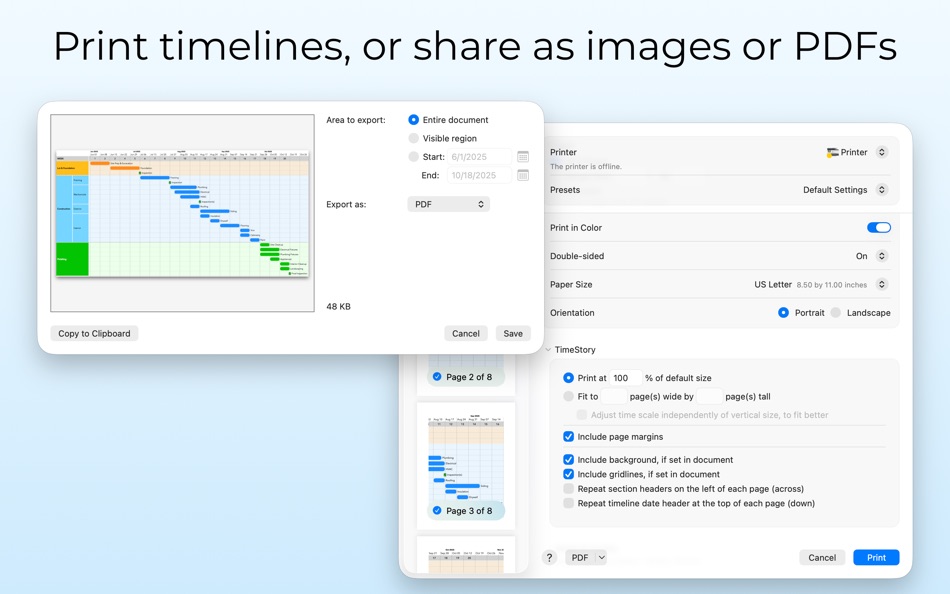
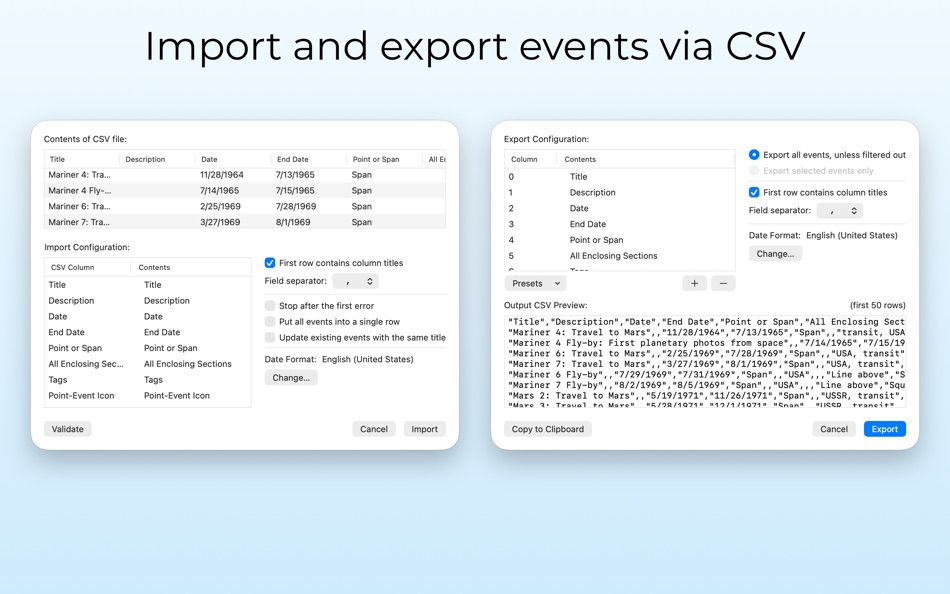
Present and organize your events directly, with quick filtering, zooming, highlighting, and navigation controls, or publish your work elsewhere with image and PDF export. Exchange event data using CSV import/export. Group your events into sections and subsections which can be rearranged or hidden. Automate your workflows and integrations with Shortcuts.
TimeStory is fast and simple enough to let you quickly capture rough ideas, and robust and flexible enough to let you build, refine, and publish even large, complex timelines.
Find more, including the full TimeStory User Guide and a time-limited free trial version, at our website: https://timestory.app/
Ad
ภาพหน้าจอ
ประวัติราคา
- ราคาปัจจุบัน: $49.99
- ต่ำสุด: $9.99
- มากที่สุด: $49.99
ติดตามราคา
มีอะไรใหม่
- เวอร์ชัน: 4.1
- อัปเดต:
- 4.1 brings big improvements for building and working with information-rich timelines or advanced import/export workflows!
Pop-out Description Fields: Events have always had a “Description” field where you could enter any text or notes, but it was always confined to the Inspector sidebar attached to the window. Now, click on the “pop-out” button and it will detach into a separate, fully resizable, text editor window, where you can comfortably edit or read even long-form text.
Custom Event Properties: Add your own fields to your events, from “Assignee” to “Percent Complete” to “Source” to anything else. They show up in the Inspector, just like the built-in fields, they are nicely formatted in the Event Details view, and you can use them as filtering criteria, including both exact matches and comparisons like “contains” or “less than”. They also support CSV import/export, so if you’re working with external data sources, you can keep all your properties together.
Improved Filtering UI: A pull-down menu next to the Event Filter input field lets you quickly add advanced filtering criteria like date ranges, custom property checks, tags, sections, and more.
Unique Event IDs for Import/Export: Export a set of events with unique IDs, modify that export, then re-import it and update the same events in place using TimeStory-managed unique ID fields.
Dive deeper at https://timestory.app/release-notes/, which has fuller descriptions with screenshots and links into the comprehensive online User Guide for each feature!
ข้อมูลเพิ่มเติม
- วันที่วางจำหน่าย:
- หมวดหมู่:
macOS แอป›ประสิทธิภาพการผลิต - ระบบปฏิบัติการ:
macOS,macOS 14 และสูงกว่า - ขนาด:
46 Mb - ภาษาที่สนับสนุน:
English - การจัดประเภทเนื้อหา:
4+ - Mac App Store คะแนนโดย:
0 - เว็บไซท์:
 https://timestory.app/
ผู้พัฒนา
รายการ (1)
- TimeStory


การจัดอันดับ (0)
0 ☹️
ความเห็น (0)
เป็นคนแรกที่แสดงความเห็น 🌟
«TimeStory». แพลตฟอร์ม: macOS. หมวดหมู่: ประสิทธิภาพการผลิต. ผู้พัฒนา: «Casual Programmer, LLC». การเปิดตัวครั้งแรก: . อัปเดตล่าสุด: . ราคาปัจจุบัน: $49.99. ราคาต่ำสุดที่บันทึกไว้: $9.99 (). ราคาสูงสุดที่บันทึกไว้: $49.99 (). ชื่อนี้ยังไม่ได้รับการให้คะแนนหรือบทวิจารณ์บน AppAgg รายการ: สาธารณะ 1, ส่วนตัว 1. จุดที่ติดตาม: ยืนยันแล้ว 2, ทางอ้อม 0. ภาษาที่ใช้ได้: English. AppAgg ติดตามประวัติราคา การให้คะแนน และคำติชมของผู้ใช้ «TimeStory». ส่วนลดและอัปเดตในอนาคต: RSS. AppAgg ไม่ได้โฮสต์แอปพลิเคชันหรือแจกจ่ายซอฟต์แวร์ เครื่องหมายการค้า โลโก้ และภาพหน้าจอทั้งหมดเป็นของเจ้าของที่เกี่ยวข้อง
TimeStory URL แบบสั้น: คัดลอกแล้ว!- 🌟 แชร์
- Mac App Store
คล้ายกัน
-
- Story Planner for Writers
- macOS แอป: ประสิทธิภาพการผลิต โดย: Bartolome Masco Lopez
- $12.99
- รายการ: 0 0 0
- แต้มแล: 2 เวอร์ชัน: 6.2 Story Planner is an easy-to-use yet powerful tool that helps you plot novels, screenplays, RPG campaigns, essays, and any kind of writing project. Whether you re outlining a new idea ... ⥯
-
- Time Zoneish
- macOS แอป: ประสิทธิภาพการผลิต โดย: ROSS EDWARD D MCKINLAY
- * ฟรี
- รายการ: 0 + 1 0 0
- แต้มแล: 5 เวอร์ชัน: 1.4 Time Zoneish lives in your menu bar, making it effortless to track time across the globe and schedule meetings with international contacts. Perfect for remote teams, freelancers, and ... ⥯
-
- Time Notch
- macOS แอป: ประสิทธิภาพการผลิต โดย: GetTranscribe
- * ฟรี
- รายการ: 0 0 0
- แต้มแล: 0 เวอร์ชัน: 1.0 Time Notch turns your MacBook notch into a live focus timer always visible, never in the way. While other timers hide in the menu bar, Time Notch puts your countdown exactly where your ⥯
-
- Time Code Jumper for YouTube
- macOS แอป: ประสิทธิภาพการผลิต โดย: Maksym Diachenko
- ฟรี
- รายการ: 0 0 0
- แต้มแล: 1 เวอร์ชัน: 1.2 Tired of navigating back to comments section when you clicked a time code? This extension let you jump back to a comment which you clicked a time code from. ⥯
-
- Time's Up
- macOS แอป: ประสิทธิภาพการผลิต โดย: Olivier Jobin
- $3.99
- รายการ: 0 0 0
- แต้มแล: 1 เวอร์ชัน: 1.0 Your Ultimate Session Companion Session Presets: Simplify your workflow with easy session management. Flexible Timer Controls: Start, pause, and reset your timers with a single click. ... ⥯
-
- Time Sink
- macOS แอป: ประสิทธิภาพการผลิต โดย: Many Tricks
- $4.99
- รายการ: 3 + 2 0 0
- แต้มแล: 2 เวอร์ชัน: 2.2.4 Time Sink helps you track how you spend your time on your Mac. It automatically logs opened windows and applications, and keeps track of how long you've spent using things in total ... ⥯
-
- Time Cube - Color Coded Timer
- macOS แอป: ประสิทธิภาพการผลิต โดย: Wise Tech Labs Private Limited
- $4.99
- รายการ: 0 + 1 0 0
- แต้มแล: 6 เวอร์ชัน: 1.9 Time Cube is a stress-free color based timer for individuals, teams, event organizers and trainers. Time Cube uses cognitive science with human peripheral vision to show remaining ... ⥯
-
- Time tracker - Be Constant
- macOS แอป: ประสิทธิภาพการผลิต โดย: Mohamed Bourga
- * ฟรี
- รายการ: 0 0 0
- แต้มแล: 3 เวอร์ชัน: 2.4 Time tracker - Be Constant is a practical study and work time keeper. It helps you concentrate on your goals and build productivity habits. Features Daily Time Goals Set the hours you ... ⥯
- ใหม่
- Time Shelf
- macOS แอป: ประสิทธิภาพการผลิต โดย: ESAT KEMAL EKREN
- * ฟรี
- รายการ: 0 0 0
- แต้มแล: 0 เวอร์ชัน: 1.1 Time Shelf is a native time tracker for people who want a calm, accurate view of focused work without a busy dashboard. Get started in seconds from the main window: add a title, ... ⥯
- ใหม่
- Time Tracking On A Thread
- macOS แอป: ประสิทธิภาพการผลิต โดย: Daniel Murcia
- $4.99
- รายการ: 0 0 0
- แต้มแล: 0 เวอร์ชัน: 1.0 Time, on a thread. Forget complex dashboards and endless subscriptions. Track My Time brings professional time tracking to your macOS Menu Bar with a single, intuitive gesture. Pull to ⥯
-
- Time Tracker DS
- macOS แอป: ประสิทธิภาพการผลิต โดย: Dejan Subotin
- ฟรี
- รายการ: 0 0 0
- แต้มแล: 0 เวอร์ชัน: 0.1.9 Time Tracker DS is a focused Mac app for capturing your workday without breaking flow. Start, pause, or switch tasks with a compact mini window and global shortcuts. A visual timeline ... ⥯
-
- Time Flies - Focus Timer
- macOS แอป: ประสิทธิภาพการผลิต โดย: Monkeys on a Rocket LLC
- ฟรี
- รายการ: 0 0 0
- แต้มแล: 0 เวอร์ชัน: 1.0.2 Time Flies is a cozy pomodoro focus timer that lives in your menu bar and helps you stay focused each day - Randomly generated cozy creatures that live in your menu bar - Keep them fed ⥯
-
- Time Station
- macOS แอป: ประสิทธิภาพการผลิต โดย: Minseok Jeon
- $1.99
- รายการ: 0 0 0
- แต้มแล: 0 เวอร์ชัน: 1.1 Time Station은 현재 시각과 스톱워치 기능을 한 눈에 보여주는 심플한 시계 앱입니다. 실시간 디지털 시계와 아날로그 스타일 바늘 지원 밀리초 단위 스톱워치 이력 기록 저장 기능 깔끔하고 집중력 높은 인터페이스 시계를 보기 위해 브라우저를 열 필요 없이, 언제든 책상 위에서 정확한 시간을 확인하고 기록할 수 ... ⥯
-
- Time Zone Converter and Clock
- macOS แอป: ประสิทธิภาพการผลิต โดย: Anton Skorniakov
- $4.99
- รายการ: 1 + 1 0 0
- แต้มแล: 0 เวอร์ชัน: 1.8.0 Calculate exact time anywhere in the world across time zones. Use the world clock to see the current time around the world. Please try our free web app with the same functionality at ... ⥯