
ที่บันทึกไว้
เลือกชื่อที่จะแสดงในเมนูที่บันทึกไว้ของคุณ
เสร็จแล้ว
| ผู้พัฒนา: | Best App Limited (17) | ||
| ราคา: | * ฟรี | ||
| การจัดอันดับ: | 0 | ||
| ความเห็น: | 0 โพสต์ความคิดเห็น | ||
| รายการ: | 1 + 0 | ||
| แต้มแล: | 1 + 0 ¡ | ||
| Mac App Store | |||
คำอธิบาย

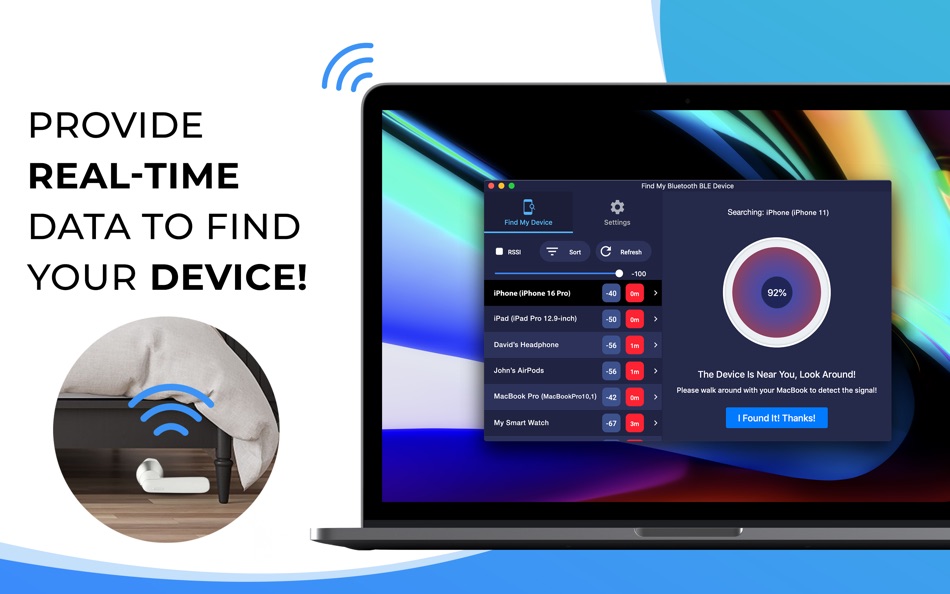
*** Find your lost Bluetooth device quickly, before its battery runs out! ***
*** Just use this app when you or your family misplace a device. It can save you the money you'd have to spend to buy a new one! ***
HOW TO FIND YOUR LOST DEVICES:
1. Find and select your lost device on the list.
2. Move around slowly and keep watching the signal strength, estimated distance, and hints on the screen of your MacBook.
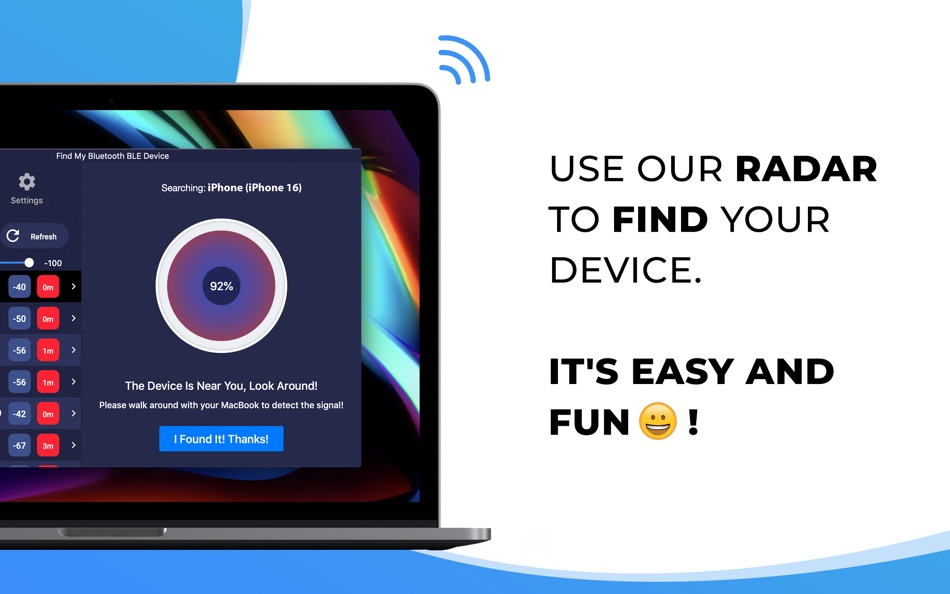
3. When it reads "The Device Is Near You, Look Around!", look around. You should find your device nearby.
KEY FEATURES:
• Bluetooth Radar can detect all nearby devices!
• Find your lost Bluetooth device using our radar. It's fun! No need to read a manual. **
• Show hints, signal strength, and the estimated distance between you and your lost device to help you find it quickly. **
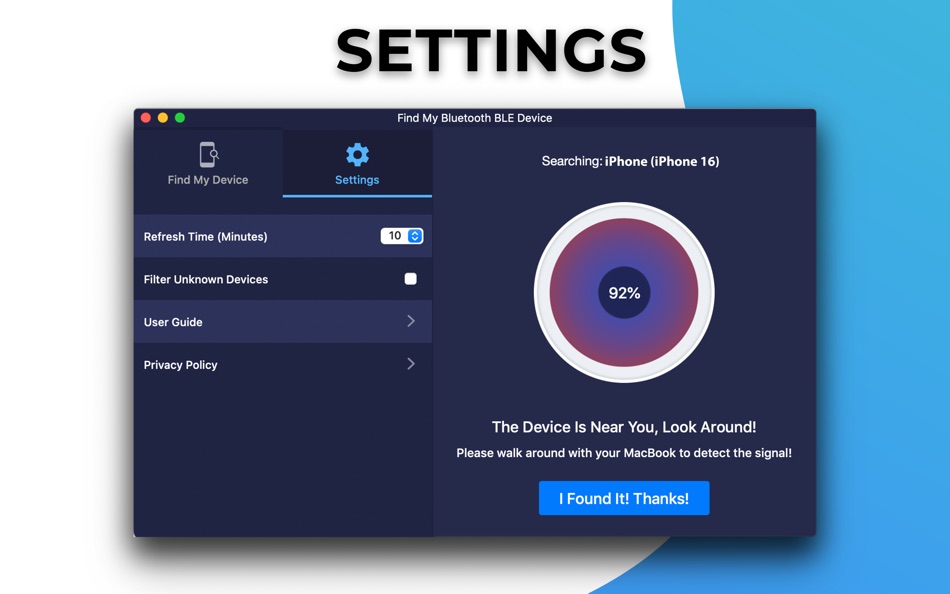
• Filter out Bluetooth devices based on their RSSI signal strength.
** Requires In-App Purchase.
THE APP CAN FIND THE FOLLOWING DEVICES:
• Apple Devices such as AirPods, AirTag, iPhones, iPads, Apple Watches, Apple Pencils, MacBooks.
• Smartphones, Tablets, Smart Watches, and Smart Bands such as Samsung Gear, Microsoft Band, Pixel Watch, Amazfit Band, etc.
• Bluetooth Headphones, Earbuds, and Speakers such as Bose, Beats, Galaxy Buds, JBL, Jabra, etc.
• Fitness Trackers such as Fitbits, Garmin, Oura, etc.
• All other Bluetooth BLE (Bluetooth Low Energy) Device.
SUBSCRIPTION:
Payment will be charged to iTunes Account at confirmation of purchase.
Subscription automatically renews unless auto-renew is turned off at least 24-hours before the end of the current period.
Account will be charged for renewal within 24-hours prior to the end of the current period. The cost depends on the selected plan.
Subscriptions may be managed by the user and auto-renewal may be turned off by going to the user's Account Settings after purchase.
Please contact support if you can't find your device.
Thank you!
Service Terms: http://www.9bestapp.com/terms/
Privacy Policy: http://www.9bestapp.com/resources/privacy-policy.html
Ad
ภาพหน้าจอ

ประวัติราคา
-
* การซื้อภายในแอพ - ราคาปัจจุบัน: ฟรี
- ต่ำสุด: ฟรี
- มากที่สุด: ฟรี
ติดตามราคา
มีอะไรใหม่
- เวอร์ชัน: 2.2.5
- อัปเดต:
- Thank you for using Find My Bluetooth BLE Device. We keep updating this app to bring you the latest performance improvements and bug fixes.
ข้อมูลเพิ่มเติม
ผู้พัฒนา
รายการ (1)
- Find My Bluetooth BLE Device

แต้มแล (1)
-

- 11,280 Simon Chan
- +1

การจัดอันดับ (0)
0 ☹️
ความเห็น (0)
เป็นคนแรกที่แสดงความเห็น 🌟
«Find My Bluetooth BLE Device». แพลตฟอร์ม: macOS. หมวดหมู่: ยูทิลิตี้. ผู้พัฒนา: «Best App Limited». การเปิดตัวครั้งแรก: . อัปเดตล่าสุด: . ราคาปัจจุบัน: ฟรี. ชื่อนี้ยังไม่ได้รับการให้คะแนนหรือบทวิจารณ์บน AppAgg รายการ: สาธารณะ 1, ส่วนตัว 0. จุดที่ติดตาม: ยืนยันแล้ว 1, ทางอ้อม 0. ภาษาที่ใช้ได้: English. AppAgg ติดตามประวัติราคา การให้คะแนน และคำติชมของผู้ใช้ «Find My Bluetooth BLE Device». ส่วนลดและอัปเดตในอนาคต: RSS. AppAgg ไม่ได้โฮสต์แอปพลิเคชันหรือแจกจ่ายซอฟต์แวร์ เครื่องหมายการค้า โลโก้ และภาพหน้าจอทั้งหมดเป็นของเจ้าของที่เกี่ยวข้อง
Find My Bluetooth BLE Device URL แบบสั้น: คัดลอกแล้ว!- 🌟 แชร์
- Mac App Store
คล้ายกัน
-
- BlueSpy: Find Bluetooth Device
- macOS แอป: ยูทิลิตี้ โดย: Phil Trevor
- $1.99
- รายการ: 0 0 0
- แต้มแล: 0 เวอร์ชัน: 1.0 Find your lost Bluetooth devices with ease. With BlueSpy: Find Bluetooth Device, you can quickly locate nearby Bluetooth devices directly from your Mac simple, accurate, and powerful. ... ⥯
-
- Find My Cursor - Mouse Finder
- macOS แอป: ยูทิลิตี้ โดย: Clement Rousseau
- * ฟรี
- รายการ: 0 0 0
- แต้มแล: 0 เวอร์ชัน: 1.1 Have you ever struggled to find your cursor on a large screen or during a presentation? Find My Cursor solves that problem with a simple and elegant solution: a dynamic ripple effect ... ⥯
-
- Device Checker & Device Test
- macOS แอป: ยูทิลิตี้ โดย: 余 张
- $0.99
- รายการ: 0 0 0
- แต้มแล: 0 เวอร์ชัน: 1.0.0 A comprehensive application for hardware and system diagnostics, designed to help users verify the functionality of their Device s essential components. Features Hardware Detection - ... ⥯
-
- Find and Replace Text in Files
- macOS แอป: ยูทิลิตี้ โดย: Thomas Osthege
- * ฟรี
- รายการ: 1 + 2 0 0
- แต้มแล: 4 เวอร์ชัน: 2.0.2 Find and Replace Text in Files Save hours of text editing process hundreds of files with a single click! Why this app? Stop the tedious opening and editing of individual files! This ... ⥯
-
- Bluetooth Hub
- macOS แอป: ยูทิลิตี้ โดย: Victor Jorgensen
- ฟรี
- รายการ: 0 0 0
- แต้มแล: 1 เวอร์ชัน: 1.0 Bluetooth Hub is a fast, keyboard first Bluetooth switcher for macOS. Instantly connect or disconnect paired devices, move audio output with one keystroke, and keep your favorites at ... ⥯
-
- Bluetooth Battery Monitor
- macOS แอป: ยูทิลิตี้ โดย: 仁超 张
- $0.99
- รายการ: 0 0 0
- แต้มแล: 0 เวอร์ชัน: 7.2.2 Bluetooth Battery Monitor is a practical tool designed for real-time battery monitoring of Bluetooth devices. It seamlessly connects to Bluetooth devices and provides real-time battery ⥯
-
- Device Guardian
- macOS แอป: ยูทิลิตี้ โดย: 春华 高
- * ฟรี
- รายการ: 0 0 0
- แต้มแล: 0 เวอร์ชัน: 1.0.3 Device Guardian is a security protection app designed specifically for MacBook. It provides anti-theft protection in public places such as cafés, libraries, and airports. When you need ⥯
-
- Find It Server
- macOS แอป: ยูทิลิตี้ โดย: Appersian
- ฟรี
- รายการ: 0 0 0
- แต้มแล: 0 เวอร์ชัน: 2.1 Find It is all you need to easily search, view, download, and share files from your Mac directly to your iPhone or iPad. Easily connect with your Mac with "Find It Server" and follow ... ⥯
-
- Find Any File (FAF)
- macOS แอป: ยูทิลิตี้ โดย: Thomas Tempelmann
- $8.00
- รายการ: 5 + 2 0 0
- แต้มแล: 1 เวอร์ชัน: 2.6.1 Search Beyond The Spotlight Unhappy with Spotlight because it does not find files that you know to be there? Use FAF to find every file on your disks, including those usually hidden. ... ⥯
-
- Bluetooth Mic Switch
- macOS แอป: ยูทิลิตี้ โดย: du nguyen
- ฟรี
- รายการ: 1 0 0
- แต้มแล: 0 เวอร์ชัน: 1.01 Fixes thebluetooth audio by automatically switching away from the bluetooth mic. (this fixes the bandwidth issues which causes horrible audio) Key Features: Detects when Bluetooth ... ⥯
-
- Find My RAW
- macOS แอป: ยูทิลิตี้ โดย: 实 许
- ฟรี
- รายการ: 1 0 0
- แต้มแล: 0 เวอร์ชัน: 1.0.0 You ve just purchased a valuable new camera, gone out to capture thousands of exquisite photos, and returned home to open your favorite photo editing software. You re all set to ... ⥯
-
- Device Information | | CPU-Z
- macOS แอป: ยูทิลิตี้ โดย: Md Zahidul Islam Mazumder
- ฟรี
- รายการ: 0 0 0
- แต้มแล: 0 เวอร์ชัน: 2 User can get his device information with our application. So, install & enjoy. ⥯
-
- Find My Screenshot
- macOS แอป: ยูทิลิตี้ โดย: Adish Padhani
- ฟรี
- รายการ: 1 0 0
- แต้มแล: 1 เวอร์ชัน: 1.13 Do you take a lot of screenshots? If a lot then this app is for you. == Search your screenshots, other PNG, and JPEG files == - Select a Directory/Folder where you keep your files - ... ⥯
-
- Auto Scroll and Find
- macOS แอป: ยูทิลิตี้ โดย: Alfredo Grassau
- $2.99
- รายการ: 0 + 1 0 0
- แต้มแล: 1 เวอร์ชัน: 1.0.16 "Auto Scroll and Find" for Safari: Dive Deeper into Infinite Scrolling Pages! Ever tried searching for something specific on a social media feed, only to manually scroll endlessly, ... ⥯