
| Dezvoltator: | Yaogang Lian (3) | ||
| Preț: | $9.99 | ||
| Clasificări: | 0 | ||
| Recenzii: | 0 Scrie o recenzie | ||
| Liste: | 3 + 2 | ||
| Punctele: | 2 + 0 ¡ | ||
| Mac App Store | |||
Descriere

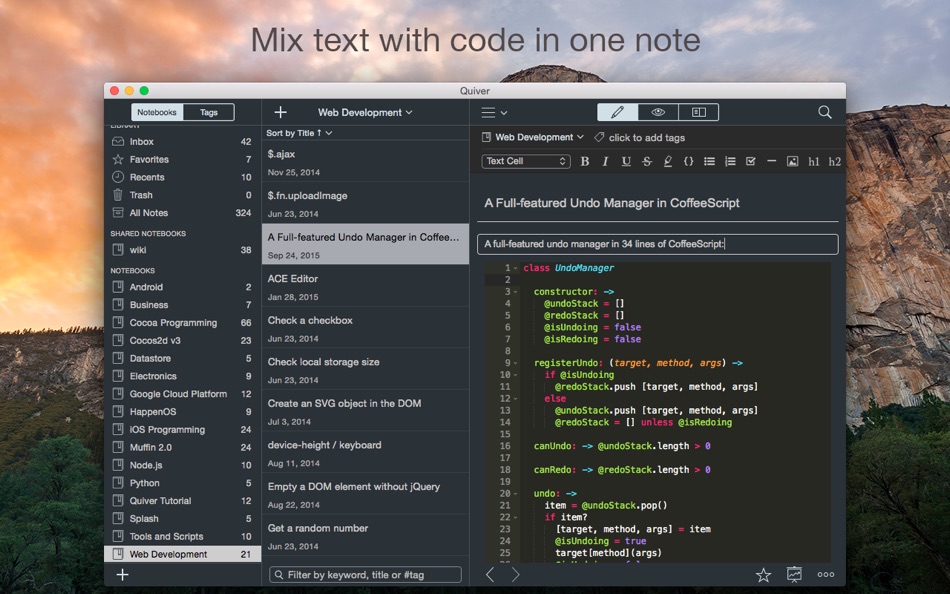
# Mix Text, Code, Markdown and LaTeX
A note in Quiver is comprised of cells --- snippets of text, code, Markdown, LaTeX (via MathJax) or diagrams (sequence diagram, flowchart). You can freely mix different cell types within one note. You can set different languages for different code cells, too.
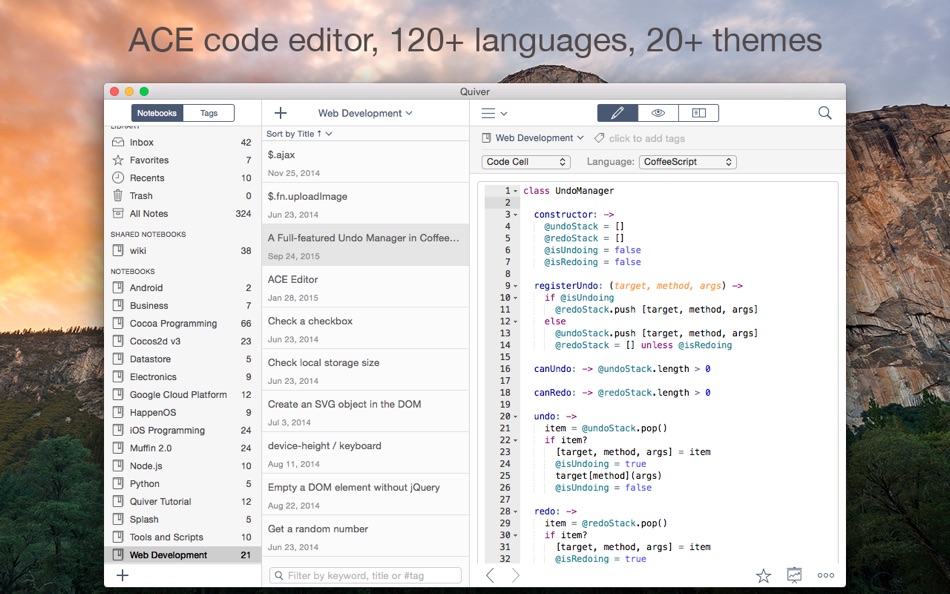
# An Awesome Code Editor
The programmer's notebook should make code editing effortless. Quiver packs the awesome ACE code editor in code cells, with syntax highlighting support for more than 120 languages, over 20 themes, automatic indent and outdent, and much more.
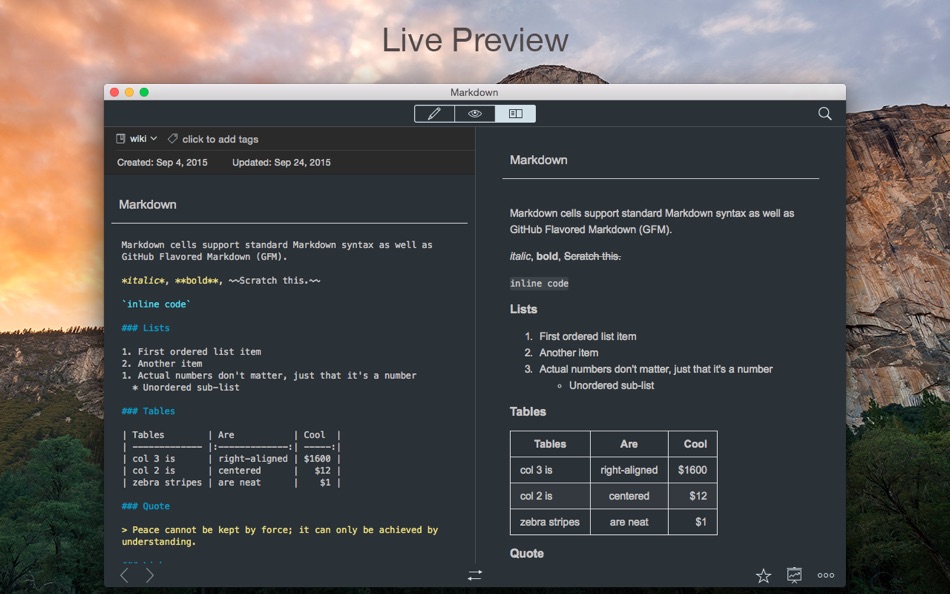
# Markdown Support
Quiver lets you write in Markdown with inline formatting and custom CSS options. A live preview window renders Markdown as you type.
# LaTeX Support
Quiver uses MathJax to typeset mathematical equations written in LaTeX. Please note that MathJax doesn't provide a full LaTeX environment. Only math-mode macros are supported.
# Images, Files and Links
Drag an image into a text cell and it will be saved locally with the note. Drag a file into a text cell and it will become a clickable file link. URLs in text cells are automatically detected.
# Instant Full-Text Search
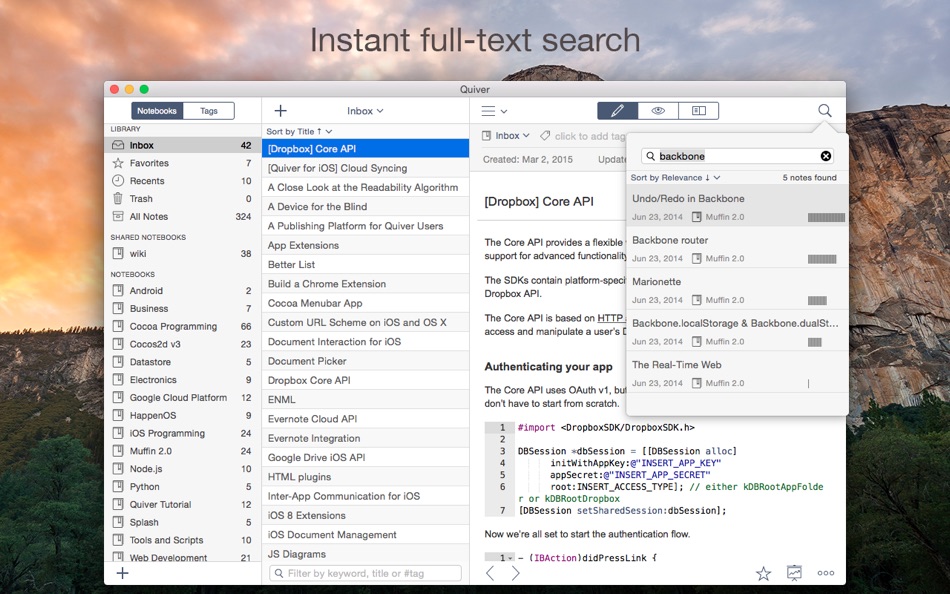
Notes are only useful if you can find them quickly. Quiver's full-text search is based on Search Kit, the same technology used to power Spotlight on your mac. That's how Quiver can search through thousands of notes in a blink of an eye.
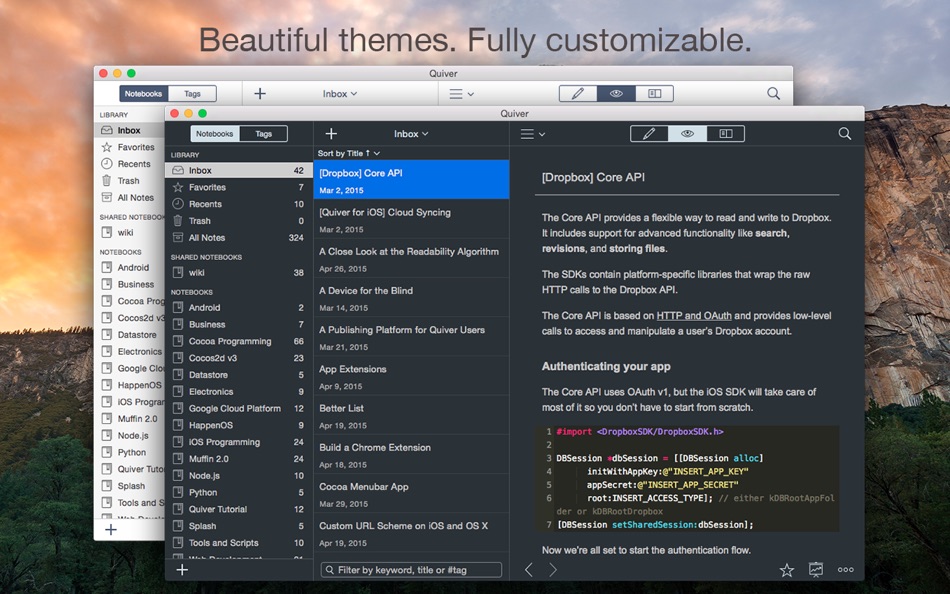
# Beautiful, Fully Customizable Themes
Quiver comes with several beautifully designed UI themes, and they are fully customizable.
# Live Preview
Quiver supports live preview of Markdown and LaTeX cells.
# Presentation Mode
Quiver provides a full-screen presentation mode for your notes. This is great for classroom use, team meetings, presentations, as well as reviewing notes on your own.
# Tags
Quiver has tagging support. You can assign multiple tags to a note or assign a tag to multiple notes at once. Combined with notebooks and linked notes, you have many different ways to organize your notes.
# Autosave
Quiver automatically saves all your changes as you work, so you never need to worry about losing changes.
# Plain JSON Data Format
Quiver saves all your data in plain JSON files. These data files reside on your local machine. You can easily export your notes in different format such as HTML and PDF.
# Cloud Syncing
Quiver lets you sync all your notes across multiple computers via Dropbox, iCloud Drive, Google Drive, or any other file-based cloud services.
# Team Collaboration
It’s easy to collaborate in Quiver. You can create a shared notebook so everyone on your team can view or edit notes in the notebook. This is a great way to build a shared knowledge base for the team.
# Version Control
Since Quiver stores all the data in plain JSON files, it’s easy to put the whole library (or a specific notebook) under version control. This is another way to collaborate with your team.
# Backup and Recovery
Quiver lets you back up your entire library with a single click. Restoring your library from a backup is just as easy.
# Integrations
Quiver doesn’t lock you in. It stores data in a well-documented plain JSON format. So it’s easy to write scripts to integrate Quiver notes with other tools you use. Common scripts are provided on the Quiver documentation site.
# Tutorials and Documentation
Quiver comes with in-app tutorials and a comprehensive online wiki. Anyone can contribute to the wiki and make it better.
Capturi de ecran
Ce este nou
- Versiune: 3.2.7
- Actualizată:
- * Fixed an issue with scroll sync
* Fixed an issue with the Evernote importer
* Bumped up the number of recent notes to 50
Preț
- Azi: $9.99
- Minim: $9.99
- Maxim: $9.99
Urmăriți prețurile
Dezvoltator
- Yaogang Lian
- Platforme: iOS Aplicații (2) macOS Aplicații (1)
- Liste: 3 + 2
- Punctele: 4 + 63 ¡
- Clasificări: 0
- Recenzii: 0
- Reduceri: 0
- Videoclipuri: 0
- RSS: Abonează-te


Clasificări
0 ☹️
Liste


Recenzii
Fii primul care a revizuit 🌟
Informații suplimentare
- Versiune: 3.2.7
- Categorie:
macOS Aplicații›Productivitate - SO:
macOS,macOS 10.10 sau o versiune ulterioară - Mărimea:
9 Mb - Limbă acceptată:
English - Evaluarea conținutului:
4+ - Mac App Store Evaluare:
0 - Actualizată:
- Data lansării:
Quiver - take better notes Adresă URL scurtă: Copiate!- 🌟 Trimite
- Mac App Store
S-ar putea sa-ti placa si
- Nou
- Better Clipboard
- macOS Aplicații: Productivitate De: Diego Rivera
- * Gratuit
- Liste: 0 + 0 Clasificări: 0 Recenzii: 0
- Punctele: 0 + 0 Versiune: 1.1.3 Better Clipboard is a fast clipboard app and manager for macOS that saves your copy and paste history in a floating window. Instantly browse, search, and pin clipboard items using a ... ⥯
-
- Take a Shortcut!
- macOS Aplicații: Productivitate De: SŁAWOMIR ZAK
- $2.99
- Liste: 0 + 0 Clasificări: 0 Recenzii: 0
- Punctele: 0 + 0 Versiune: 1.0 Ready to unlock your Mac's full potential? Say goodbye to tedious mouse clicks and transform your workflow into a model of speed and efficiency. Take a Shortcut is a gamified trainer ... ⥯
-
- Notes Air - Simple Notes
- macOS Aplicații: Productivitate De: Air Apps Systems
- Gratuit
- Liste: 0 + 0 Clasificări: 0 Recenzii: 0
- Punctele: 3 + 8 (4.4) Versiune: 2025.8.1 Simple and easy-to-use notepad. Generate Text Based on Your Input, and stay organized. Download the app now! Notes AIR is a simple notepad where you can create, edit and capture your ... ⥯
-
- Notes Archive 1.0
- macOS Aplicații: Productivitate De: Audio Dropboxes
- $7.99
- Liste: 0 + 0 Clasificări: 0 Recenzii: 0
- Punctele: 0 + 0 Versiune: 1.0 Notes Archive is your personal knowledge management system for handwritten documents. Scan, search, and organize notes like never before all securely stored in your private iCloud. We ... ⥯
-
- Notes.ai
- macOS Aplicații: Productivitate De: Meisheng Zhou
- * Gratuit
- Liste: 1 + 2 Clasificări: 0 Recenzii: 0
- Punctele: 8 + 0 Versiune: 3.0.2 Quickly and easily transcribe audio files into organized transcripts using local AI models. Whether you're recording a meeting, lecture, or other important audio, Notes.ai quickly and ... ⥯
-
- Notes for Lucky
- macOS Aplicații: Productivitate De: And a Dinosaur
- $0.99
- Liste: 0 + 0 Clasificări: 0 Recenzii: 0
- Punctele: 0 + 0 Versiune: 1.0.1 Lucky Notes is a companion app to the Lucky Safari extension. It is a very basic notes app that lets you save text snippets. When you search with Lucky, it will also search through ... ⥯
-
- Notes and Thoughts
- macOS Aplicații: Productivitate De: Kevin Chromik
- Gratuit
- Liste: 1 + 0 Clasificări: 0 Recenzii: 0
- Punctele: 2 + 0 Versiune: 1.6.6 Little Note redefines the way you take notes on your iPhone. Designed with simplicity and efficiency in mind, it sits quietly in your menubar, ready to capture your thoughts and ideas ... ⥯
-
- Notes Writer - for Note Taking
- macOS Aplicații: Productivitate De: Global Executive Consultants (Shanghai) Ltd
- $4.99
- Liste: 0 + 0 Clasificări: 0 Recenzii: 0
- Punctele: 0 + 0 Versiune: 6.8 Students, teachers, and business professionals use Note Writer daily to take notes, annotate PDFs, mark-up photos, record lectures, provide audio feedback and more. It is uniquely ... ⥯
-
- Notes for Safari
- macOS Aplicații: Productivitate De: luca calciano
- $0.99
- Liste: 0 + 0 Clasificări: 0 Recenzii: 0
- Punctele: 0 + 0 Versiune: 1.3 The quickest way to take notes on Safari! Need to take notes and save them when you are browsing on internet? This will no longer be a problem when using this app... you will always ... ⥯
-
- Notes Web Clipper
- macOS Aplicații: Productivitate De: Anton Podviaznikov
- Gratuit
- Liste: 1 + 0 Clasificări: 0 Recenzii: 0
- Punctele: 1 + 0 Versiune: 1.0 Save content from the web to the Notes app. ⥯
-
- Notes from book - Noteillum
- macOS Aplicații: Productivitate De: Hrvoje Vukovic
- * Gratuit
- Liste: 0 + 0 Clasificări: 0 Recenzii: 0
- Punctele: 0 + 0 Versiune: 1.8.0 Noteillum - Your Personal Reading Companion Transform how you capture, organize, and rediscover insights from your favorite books. Noteillum helps you build a powerful personal ... ⥯
-
- Better Calculator
- macOS Aplicații: Productivitate De: Joachim Neumann
- Gratuit
- Liste: 0 + 0 Clasificări: 0 Recenzii: 0
- Punctele: 0 + 7 (3.1) Versiune: 3.0 This high precision calculator is an open source hobby project. If you find a bug, you can create an issue at https://github.com/joachimneumann/Calculator ⥯
-
- Notability: AI Notes & PDF app
- macOS Aplicații: Productivitate De: Ginger Labs
- Gratuit
- Liste: 30 + 19 Clasificări: 5 (2) Recenzii: 0
- Punctele: 28 + 437,507 (4.8) Versiune: 15.3.6 From your first lecture to your next big meeting, Notability helps you think, learn, and work better. Take handwritten notes, annotate documents, record audio, and stay organized in ... ⥯
-
- Goodnotes: AI Notes, Docs, PDF
- macOS Aplicații: Productivitate De: Goodnotes Limited
- Gratuit
- Liste: 42 + 32 Clasificări: 0 Recenzii: 0
- Punctele: 33 + 394,034 (4.7) Versiune: 7.0.30 Goodnotes has always been the place to capture your ideas from quick notes to big plans. Now, it goes further. With powerful AI and new ways to capture information, Goodnotes helps you ⥯