
| 개발자: | Rizer Creative Ltd (3) | ||
| 가격: | $20.00 | ||
| 순위: | 0 | ||
| 리뷰: | 0 리뷰 작성 | ||
| 목록: | 6 + 4 | ||
| 포인트: | 2 + 131 (4.1) ¡ | ||
| App Store | |||
기술

DRAWING
• Pixel perfect painting mode automatically removes double pixels when doing line art.
• Round, square, and matrix dither brushes.
• Line tool, which can be locked to isometric angles.
• Rectangle and ellipse tools.
LAYERS OF ANIMATION
• Layers are shared across the whole project, which means every layer has its own timeline.
• Static image layers for background and foreground elements that are the same on every frame.
• 18 layer blend modes.
• Rename layers.
• Reorder layers and frames by using drag and drop.
• Scrubbable timeline.
• Advanced onion skin options.
• Select multiple layers or frames at once to quickly make bulk adjustments.
• Use high resolution reference layers to pixel over your sketches and photos.
COLOR
• Four color selection modes: a square picker with an infinitely scrolling hue slider, sliders for HSB and RGB, hex code input, and the project palette.
• Eyedropper to sample any color from the canvas.
• Bucket fill, with contiguous or discontiguous options.
• Color replace across the whole project.
SELECTION
• Freehand, rectangular, and color selection.
• Use the active selection as a mask.
• Cut or copy the selected pixels and paste them to any app that supports pasting images.
TRANSFORM
• Move without needing to select. Position the image on or off the canvas without clipping.
• Scale uniformly up and down, or squash and stretch.
• Rotate by any angle.
• Flip horizontally and vertically.
IMPORT & EXPORT
• Import any static image, or a GIF.
• Import and export Aseprite documents (requires iPadOS 13 ore newer).
• Import and export Photoshop documents (PSDs).
• Use magnification when sharing to upscale without the results looking blurry.
• Export as a single image or image sequence as PNG, TIFF, or JPEG-2000.
• Export animated images as GIF or APNG.
• Export QuickTime movies with H264 or HEVC codecs.
• Export as a sprite sheet, with configurable columns.
Screenshot artwork by Genuine Human, waneella, Chelsea Faust, and rachels_ham.
Find out more at pixaki.com.
스크린샷
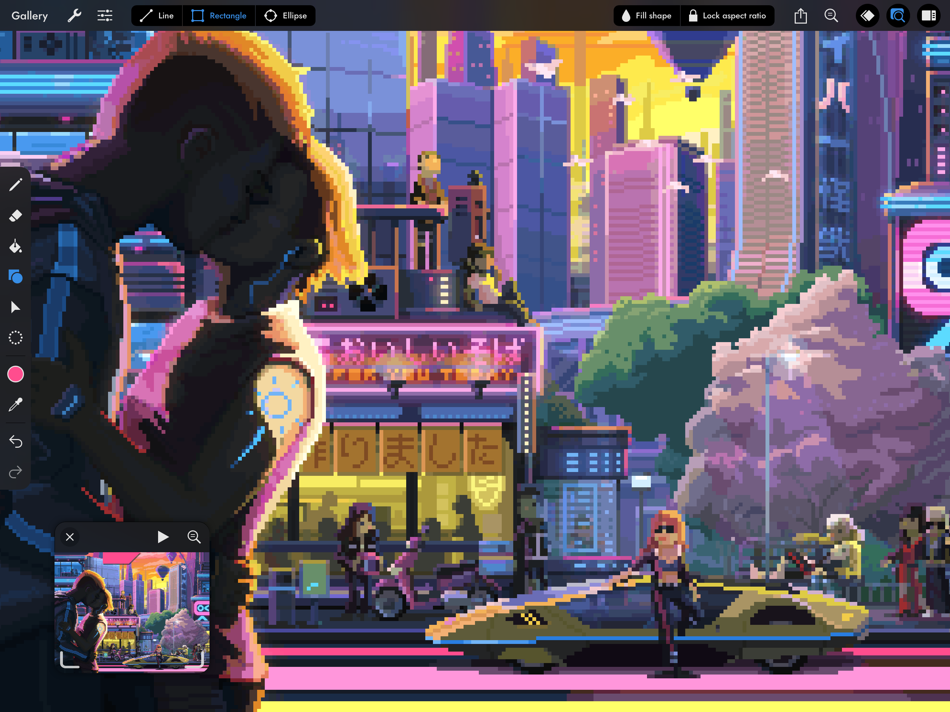
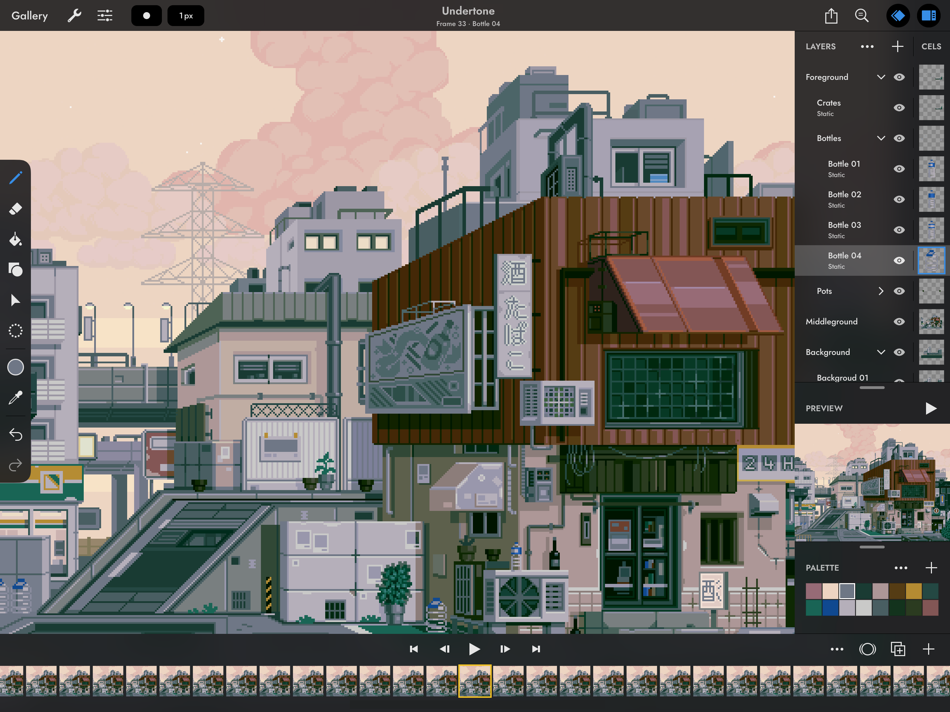


새로운 기능
- 버전: 4.6
- 업데이트:
- Pixaki 4.6 adds support for Apple Pencil squeeze gestures. There are also fixes for iCloud Drive issues.
If you’re enjoying Pixaki, please consider leaving a review — it’s a big help when you do.
Thanks!
Luke
가격
- 오늘: $20.00
- 최소: $20.00
- 최대: $27.00
가격 추적
개발자
- Rizer Creative Ltd
- 플랫폼: iOS 앱 (3)
- 목록: 8 + 6
- 포인트: 4 + 254 ¡
- 순위: 0
- 리뷰: 0
- 할인: 0
- 동영상: 0
- RSS: 구독
포인트
-

- 1 XeonstrcAp
- +1
-
- 1 Navy
- +1


순위
0 ☹️
목록
- Pixaki 4 Pro


리뷰
첫 번째 리뷰를 남겨보세요 🌟
추가 정보
주소록
- 웹사이트:
 https://pixaki.com
Pixaki 4 Pro 단축 URL: 복사됨!- 🌟 공유하기
- App Store
당신은 또한 같은 수 있습니다
-
- Pixaki 3 (Legacy)
- iOS 앱: 그래픽 및 디자인 게시자: Rizer Creative Ltd
- $24.99
- 목록: 2 + 2 순위: 0 리뷰: 0
- 포인트: 1 + 90 (4.0) 버전: 3.7.9 Pixaki is a powerful pixel art creation studio for iPad. It features many of the same features found in desktop apps such as custom canvas sizes, layers, animation, precise color ... ⥯
-
- Pixaki 4 Intro
- iOS 앱: 그래픽 및 디자인 게시자: Rizer Creative Ltd
- 무료
- 목록: 1 + 0 순위: 0 리뷰: 0
- 포인트: 1 + 33 (3.7) 버전: 4.6 Pixaki Intro is perfect for anyone getting started with pixel art, and a great way to try out the features found in Pixaki Pro. Pixaki Intro lets you create sprites up to 160 × 160 px, ⥯