
| 开发人员: | Rizer Creative Ltd (3) | ||
| 价格: | $20.00 | ||
| 排名: | 0 | ||
| 评价: | 0 我要评价 | ||
| 评论: | 0 发表评论 | ||
| 列表: | 6 + 4 | ||
| 积分: | 2 + 131 (4.1) ¡ | ||
| App Store | |||
说明

DRAWING
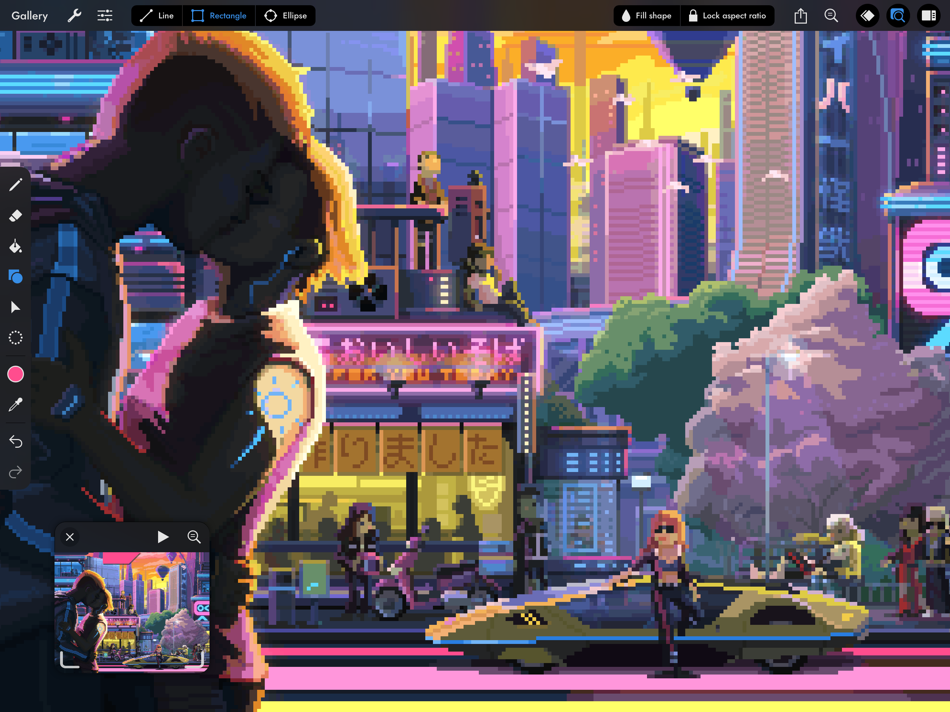
• Pixel perfect painting mode automatically removes double pixels when doing line art.
• Round, square, and matrix dither brushes.
• Line tool, which can be locked to isometric angles.
• Rectangle and ellipse tools.
LAYERS OF ANIMATION
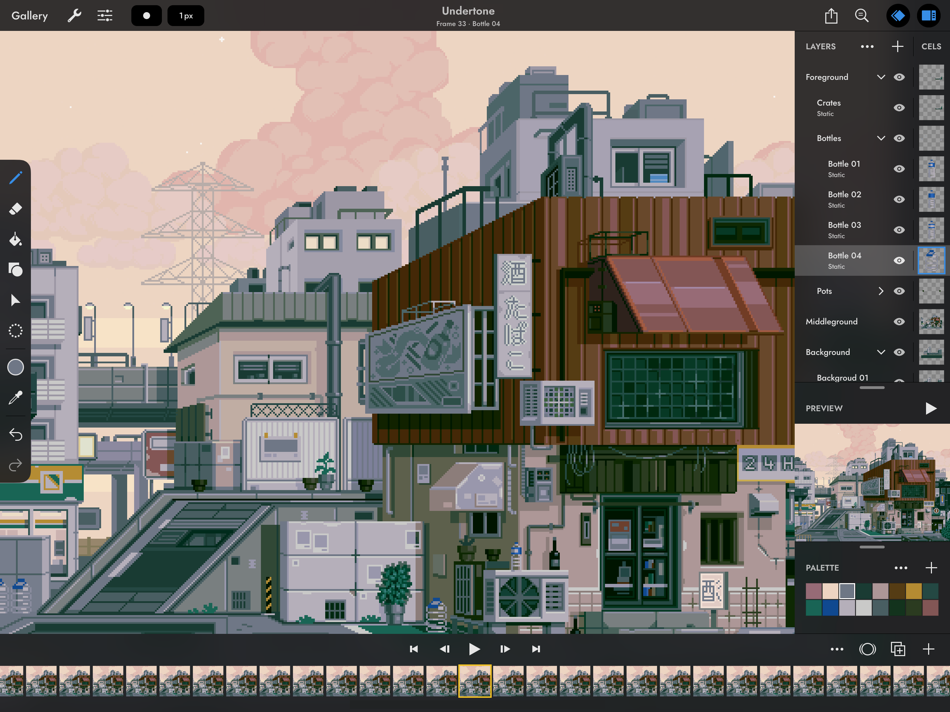
• Layers are shared across the whole project, which means every layer has its own timeline.
• Static image layers for background and foreground elements that are the same on every frame.
• 18 layer blend modes.
• Rename layers.
• Reorder layers and frames by using drag and drop.
• Scrubbable timeline.
• Advanced onion skin options.
• Select multiple layers or frames at once to quickly make bulk adjustments.
• Use high resolution reference layers to pixel over your sketches and photos.
COLOR
• Four color selection modes: a square picker with an infinitely scrolling hue slider, sliders for HSB and RGB, hex code input, and the project palette.
• Eyedropper to sample any color from the canvas.
• Bucket fill, with contiguous or discontiguous options.
• Color replace across the whole project.
SELECTION
• Freehand, rectangular, and color selection.
• Use the active selection as a mask.
• Cut or copy the selected pixels and paste them to any app that supports pasting images.
TRANSFORM
• Move without needing to select. Position the image on or off the canvas without clipping.
• Scale uniformly up and down, or squash and stretch.
• Rotate by any angle.
• Flip horizontally and vertically.
IMPORT & EXPORT
• Import any static image, or a GIF.
• Import and export Aseprite documents (requires iPadOS 13 ore newer).
• Import and export Photoshop documents (PSDs).
• Use magnification when sharing to upscale without the results looking blurry.
• Export as a single image or image sequence as PNG, TIFF, or JPEG-2000.
• Export animated images as GIF or APNG.
• Export QuickTime movies with H264 or HEVC codecs.
• Export as a sprite sheet, with configurable columns.
Screenshot artwork by Genuine Human, waneella, Chelsea Faust, and rachels_ham.
Find out more at pixaki.com.
Ad
屏幕截图


价格历史
- 今天: $20.00
- 最小值: $20.00
- 最大值: $27.00
可选
新版变化
- 版本: 4.6
- 已更新:
- Pixaki 4.6 adds support for Apple Pencil squeeze gestures. There are also fixes for iCloud Drive issues.
If you’re enjoying Pixaki, please consider leaving a review — it’s a big help when you do.
Thanks!
Luke
评论 (0)
成为第一个发表评论的人 🌟
开发人员
- Rizer Creative Ltd
- 平台: iOS 应用 (3)
- 列表: 8 + 6
- 积分: 4 + 254 ¡
- 排名: 0
- 评价: 0
- 评论: 0
- 折扣: 0
- 视频: 0
- RSS: 订阅
积分 (2)
-

- 1 XeonstrcAp
- +1
-
- 1 Navy
- +1


排名 (0)
0 ☹️
列表 (6)
- Pixaki 4 Pro


评价 (0)
抢先评价一下吧 🌟
其他信息
通讯录
 https://pixaki.com
 «Pixaki 4 Pro». 平台: iOS. 类别: 图形和设计. 开发商: «Rizer Creative Ltd». 首次发布: . 最后更新: . 目前价格: $20.00. 最低记录价格: $20.00 (). 最高记录价格: $27.00 (). 该条目尚未在 AppAgg 上获得评分或评论。 列表: 公开: 6, 私密: 4. 追踪点: 已确认: 2, 间接: 131. 商店: App Store. 店铺评价: 4.1. 投票数: 131. 可用语言: English. AppAgg 会跟踪 «Pixaki 4 Pro»的价格历史、评分和用户反馈。 关注未来折扣和更新: RSS. AppAgg 不托管应用程序或分发软件。 所有商标、徽标和屏幕截图均属于其各自所有者。
Pixaki 4 Pro 短网址: 已复制!- 🌟 分享
- App Store
Ad
类似
-
- Pixaki 3 (Legacy)
- iOS 应用: 图形和设计 来自: Rizer Creative Ltd
- $24.99
- 列表: 2 + 2 排名: 0 评价: 0
- 积分: 1 + 90 (4.0) 0 版本: 3.7.9 Pixaki is a powerful pixel art creation studio for iPad. It features many of the same features found in desktop apps such as custom canvas sizes, layers, animation, precise color ... ⥯
-
- Pixaki 4 Intro
- iOS 应用: 图形和设计 来自: Rizer Creative Ltd
- 免费
- 列表: 1 + 0 排名: 0 评价: 0
- 积分: 1 + 33 (3.7) 0 版本: 4.6 Pixaki Intro is perfect for anyone getting started with pixel art, and a great way to try out the features found in Pixaki Pro. Pixaki Intro lets you create sprites up to 160 × 160 px, ⥯