
ที่บันทึกไว้
เลือกชื่อที่จะแสดงในเมนูที่บันทึกไว้ของคุณ
เสร็จแล้ว
| ผู้พัฒนา: | HP Inc. (75) | ||
| ราคา: | ฟรี | ||
| การจัดอันดับ: | 0 | ||
| ความเห็น: | 0 โพสต์ความคิดเห็น | ||
| รายการ: | 1 + 0 | ||
| แต้มแล: | 10 + 151 (3.3) ¡ | ||
| Windows Store | |||
คำอธิบาย

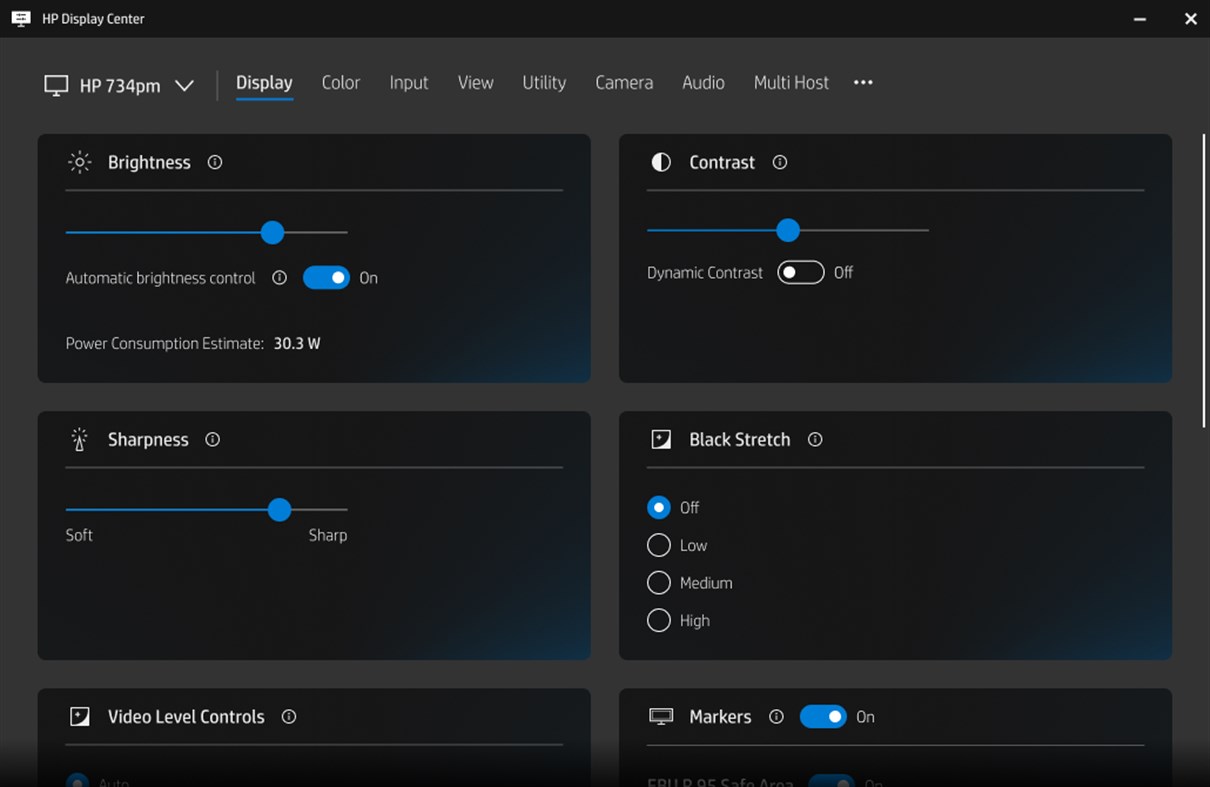
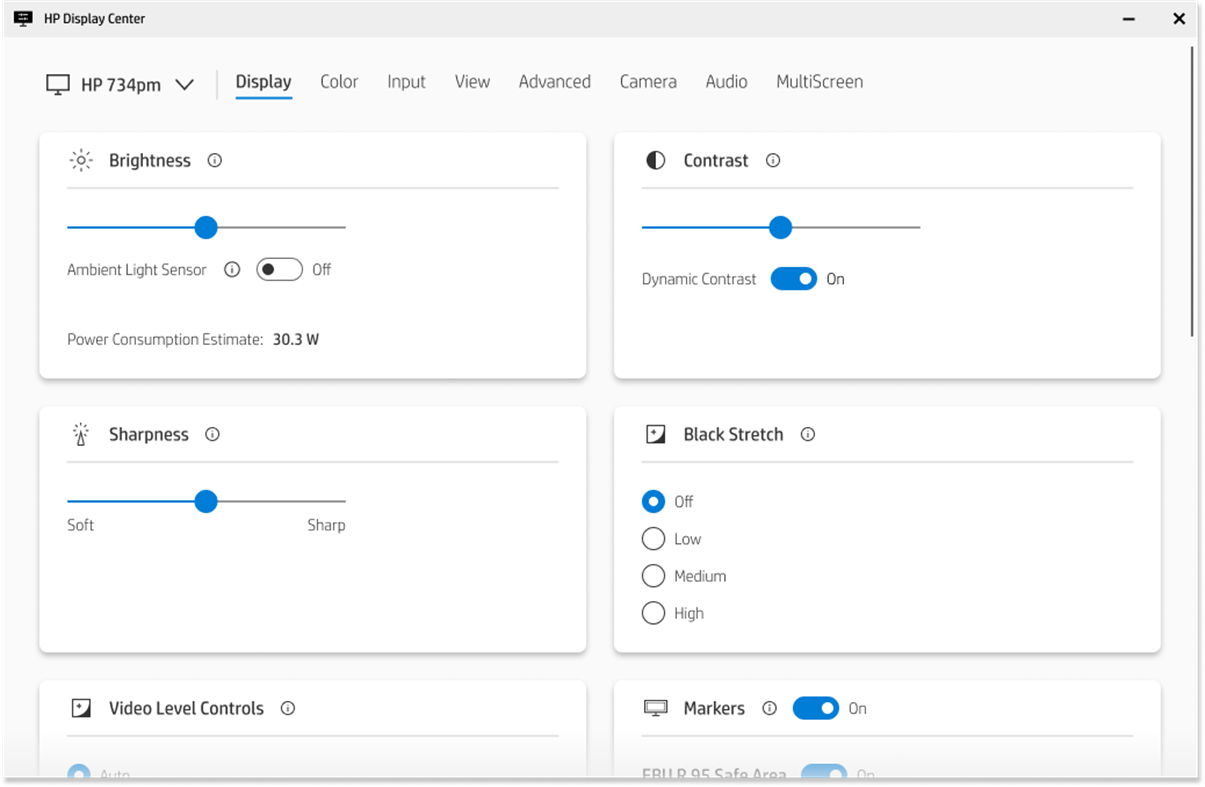
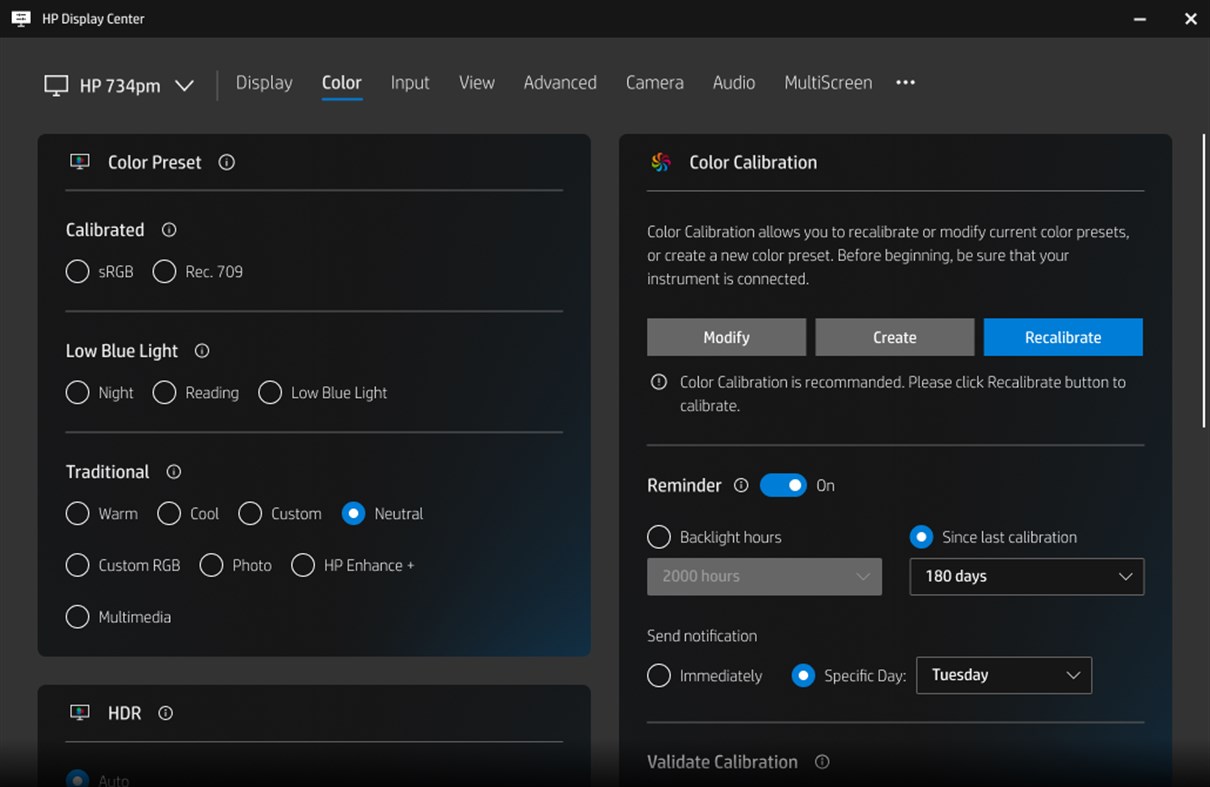
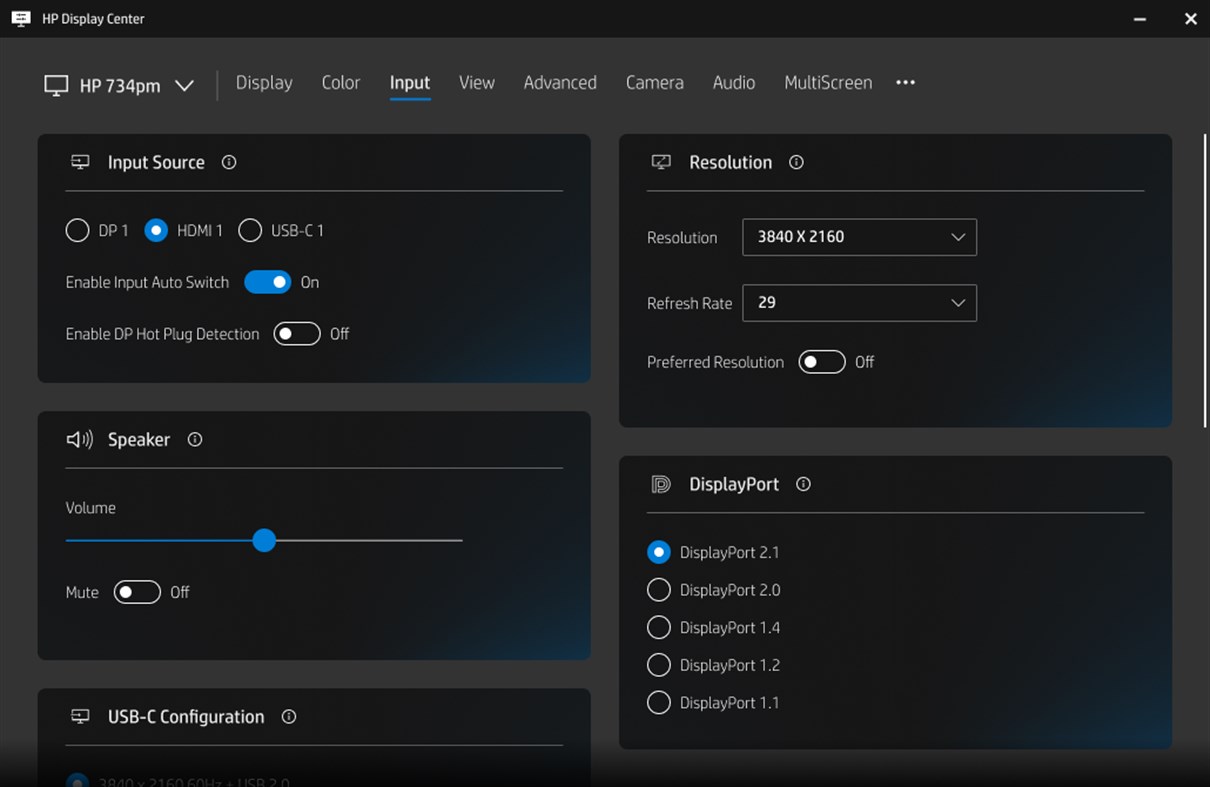
Personalize your display to meet your needs with front of screen adjustments, input preferences, and power savings controls. Easily adjust additional features like Camera, Audio, Color Calibration, and PbP/PiP settings to keep you fully immersed.
Ad
ภาพหน้าจอ
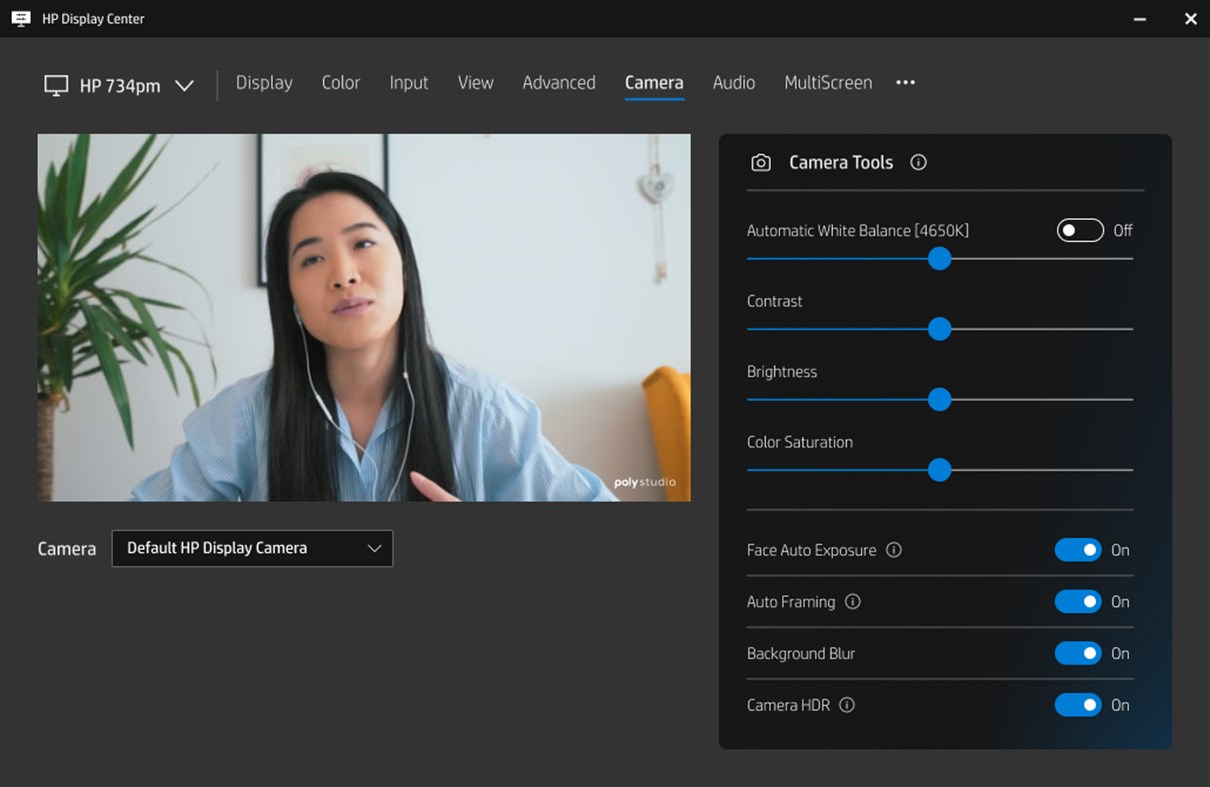
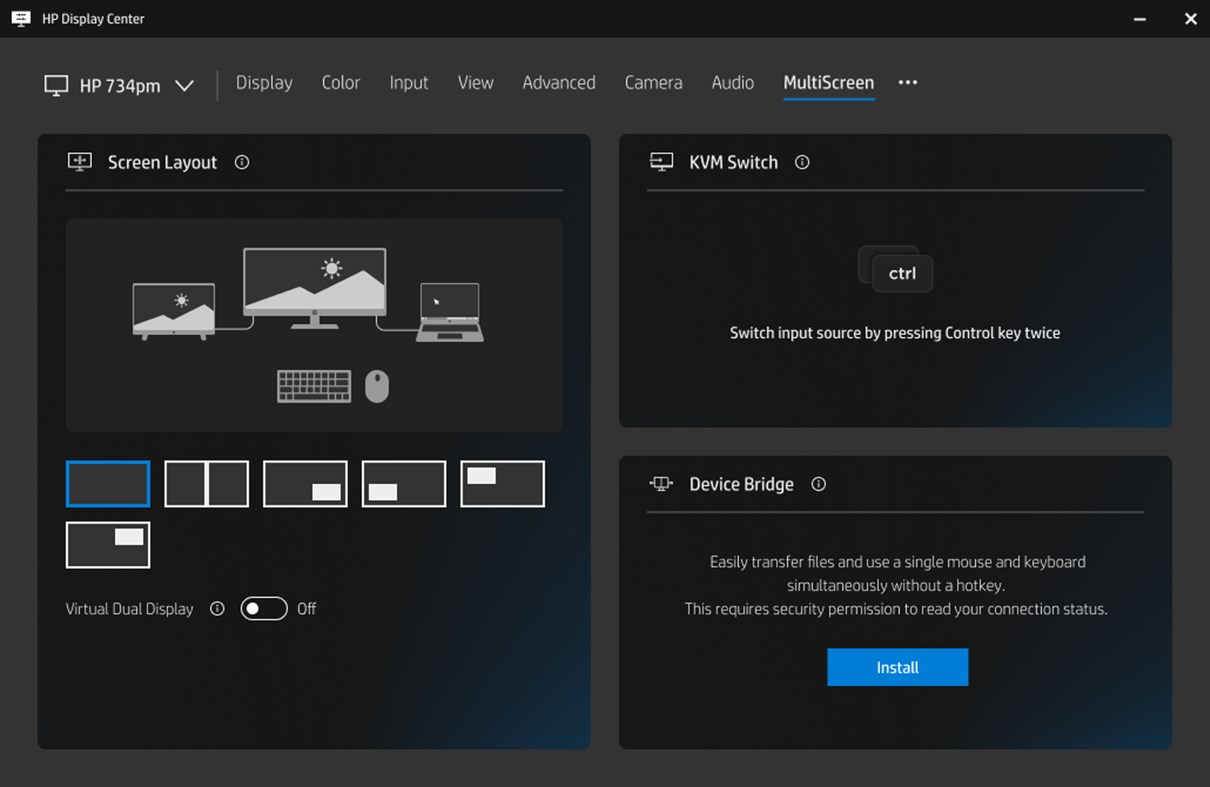
ประวัติราคา
- ราคาปัจจุบัน: ฟรี
- ต่ำสุด: ฟรี
- มากที่สุด: ฟรี
ติดตามราคา
ข้อมูลเพิ่มเติม
- วันที่วางจำหน่าย:
- หมวดหมู่:
Windows แอป›เครื่องมือและอรรถประโยชน์ - ระบบปฏิบัติการ:
PC - ขนาด:
42 Mb - ภาษาที่สนับสนุน:
Chinese,Dutch,English,French,German,Italian,Japanese,Portuguese,Russian,Spanish - การจัดประเภทเนื้อหา:
EVERYONE - Windows Store คะแนนโดย:
3.3(151) - เว็บไซท์:
 http://www.hp.com/
มีอะไรใหม่
- เวอร์ชัน: PC
- อัปเดต:
ผู้พัฒนา
- HP Inc
- แพลตฟอร์ม: Android แอป (34) iOS แอป (20) macOS แอป (4) Windows แอป (16) Windows เกม (1)
- รายการ: 88 + 14
- แต้มแล: 341 + 10,635,942 ¡
- การจัดอันดับ: 5 (2)
- ความเห็น: 0
- ลดราคา: 0
- วิดีโอ: 2
- RSS: ติดตาม
รายการ (1)
- HP Display Center

แต้มแล (10)
-

- 1 Sergey Ribakov
- +1
-
- 1 Neratoh
- +1
-
- 1 Azamat Zufarov
- +1
-
- 1 PEDRO BELO
- +1
-
- 1 Raul Rodriguez
- +1
-
- 1 Сергей Иванович
- +1






การจัดอันดับ (0)
0 ☹️
ความเห็น (0)
เป็นคนแรกที่แสดงความเห็น 🌟
«HP Display Center». แพลตฟอร์ม: Windows. หมวดหมู่: เครื่องมือและอรรถประโยชน์. ผู้พัฒนา: «HP Inc.». การเปิดตัวครั้งแรก: . อัปเดตล่าสุด: . ราคาปัจจุบัน: ฟรี. ชื่อนี้ยังไม่ได้รับการให้คะแนนหรือบทวิจารณ์บน AppAgg รายการ: สาธารณะ 1, ส่วนตัว 0. จุดที่ติดตาม: ยืนยันแล้ว 10, ทางอ้อม 151. ร้านค้า: Windows Store. คะแนนร้านค้า: 3.3. โหวต: 151. ภาษาที่ใช้ได้: Chinese, Dutch, English, French, German, Italian, Japanese, Portuguese, Russian, Spanish. AppAgg ติดตามประวัติราคา การให้คะแนน และคำติชมของผู้ใช้ «HP Display Center». ส่วนลดและอัปเดตในอนาคต: RSS. AppAgg ไม่ได้โฮสต์แอปพลิเคชันหรือแจกจ่ายซอฟต์แวร์ เครื่องหมายการค้า โลโก้ และภาพหน้าจอทั้งหมดเป็นของเจ้าของที่เกี่ยวข้อง
HP Display Center URL แบบสั้น: คัดลอกแล้ว!- 🌟 แชร์
- Windows Store
คล้ายกัน
-
- HP Accessory Center
- Windows แอป: เครื่องมือและอรรถประโยชน์ โดย: HP Inc.
- ฟรี
- รายการ: 1 + 1 0 0
- แต้มแล: 8 + 42 (3.3) เวอร์ชัน: PC The HP Accessory Center (HPAC) allows you to tailor the settings of your supported HP accessories to suit your personal needs. Use the software to customize programmable buttons to ... ⥯
-
- Display Switch
- Windows แอป: เครื่องมือและอรรถประโยชน์ โดย: Hereafter2
- $1.09
- รายการ: 0 0 0
- แต้มแล: 0 เวอร์ชัน: PC Give your computer displays a software power switch. Turn off all displays with one click, without messing with power plans. If you have a display without any physical power button, ... ⥯
-
- HP Image Auto-rotate Utility
- Windows แอป: เครื่องมือและอรรถประโยชน์ โดย: Portrait Displays
- ฟรี
- รายการ: 0 0 0
- แต้มแล: 0 + 4 (3.0) เวอร์ชัน: PC Use the HP Image Auto-Rotate utility software to work efficiently and accurately to view clinical data and non-diagnostic images. Use the Auto-rotate feature to view portrait images in ⥯
-
- Display Brightness Control
- Windows แอป: เครื่องมือและอรรถประโยชน์ โดย: Device Apps
- ฟรี
- รายการ: 0 0 0
- แต้มแล: 0 + 165 (1.5) เวอร์ชัน: PC Set the brightness of the display to a desired level. Your device will revert to its previous brightness setting/level once the app is closed. This app demonstrates the ... ⥯
-
- Display color picker
- Windows แอป: เครื่องมือและอรรถประโยชน์ โดย: Insyde Software Corp.
- ฟรี
- รายการ: 0 0 0
- แต้มแล: 0 + 13 (3.4) เวอร์ชัน: PC Use the cursor to select the color anywhere on the display and copy it to the clipboard. ⥯
-
- KYOCERA Print Center
- Windows แอป: เครื่องมือและอรรถประโยชน์ โดย: KYOCERA Document Solutions Inc
- * ฟรี
- รายการ: 65 + 3 0 5 (1)
- แต้มแล: 204 + 154 (4.0) เวอร์ชัน: PC KYOCERA Print Center is a utility app for KYOCERA printers that share a network connection with computers or tablets running on Windows 10 or later. With this app, you can do the ... ⥯
-
- Control Center 3.0
- Windows แอป: เครื่องมือและอรรถประโยชน์ โดย: CLEVO CO.
- ฟรี
- รายการ: 56 + 2 0 1 (1)
- แต้มแล: 430 + 124 (2.9) เวอร์ชัน: PC This app descript what features this notebook support. And user could launch other apps by clicking those icons. User can also switch the power mode via this app. ⥯
-
- Killer Intelligence Center
- Windows แอป: เครื่องมือและอรรถประโยชน์ โดย: INTEL CORP
- ฟรี
- รายการ: 14 + 1 0 5 (1)
- แต้มแล: 98 + 424 (2.0) เวอร์ชัน: PC Note: Killer Intelligence Center requires the Killer drivers and services to be installed. Killer™ Networking products deliver the network performance that enthusiasts and gamers ... ⥯
-
- TA/UTAX Print Center
- Windows แอป: เครื่องมือและอรรถประโยชน์ โดย: TA Triumph-Adler GmbH
- ฟรี
- รายการ: 17 + 3 0 0
- แต้มแล: 37 + 9 (3.7) เวอร์ชัน: PC TA/UTAX Print Center is a utility app for TA/UTAX printers that share a network connection with computers or tablets running on Windows 10 or later. With this app, you can do the ... ⥯
-
- MSI Center
- Windows แอป: เครื่องมือและอรรถประโยชน์ โดย: MICRO-STAR INTERNATIONAL CO., LTD
- ฟรี
- รายการ: 1 + 1 0 0
- แต้มแล: 3 + 8,024 (2.7) เวอร์ชัน: PC MSI Center is a brand new platform which will combine all MSI s exclusive features. Now you can find all your favorite features like Gaming Mode or Smart Priority in the Feature Sets ... ⥯
-
- LG Control Center
- Windows แอป: เครื่องมือและอรรถประโยชน์ โดย: LG Electronics Inc.
- ฟรี
- รายการ: 2 0 0
- แต้มแล: 17 + 2 (5.0) เวอร์ชัน: PC Description: It is a LG Control Center app provided with LG Electronics' computer products. Functions: It allows you to change PC settings, power options, Windows security settings, ... ⥯
-
- Microsoft Wireless Display Adapter
- Windows แอป: เครื่องมือและอรรถประโยชน์ โดย: Microsoft Corporation
- ฟรี
- รายการ: 2 0 0
- แต้มแล: 5 + 5,031 (3.1) เวอร์ชัน: PC Meet the brand-new companion app for your Microsoft Wireless Display Adapter. Personalization Name the adapter Change the adapter language Customize the display wallpaper (new) Fit to ... ⥯
-
- VAIO Control Center
- Windows แอป: เครื่องมือและอรรถประโยชน์ โดย: VAIO Corporation
- ฟรี
- รายการ: 2 + 1 0 0
- แต้มแล: 11 + 20 (2.3) เวอร์ชัน: PC VAIO Control Center is a Universal Windows Platform (UWP) application that can be used to set some VAIO performance settings easily on Windows PC of VAIO. ⥯
-
- WS Display Settings
- Windows แอป: เครื่องมือและอรรถประโยชน์ โดย: WizardSoft
- $4.99
- รายการ: 0 0 0
- แต้มแล: 0 + 7 (4.0) เวอร์ชัน: PC > Press `ALT` + `SPACE` to open the application menu WS Display Settings is a utility to save and apply Windows display settings (monitor positioning, resolution, refresh rate, display ⥯