
รายการโปรด
เลือกชื่อที่จะแสดงในเมนูรายการโปรดของคุณ
เสร็จแล้ว
| ผู้พัฒนา: | Samsung Electronics Co, Ltd. (232) | ||
| ราคา: | ฟรี | ||
| การจัดอันดับ: | 0 | ||
| ความเห็น: | 0 โพสต์ความคิดเห็น | ||
| รายการ: | 1 + 0 | ||
| แต้มแล: | 8 + 169 (3.4) ¡ | ||
| Windows Store | |||
คำอธิบาย

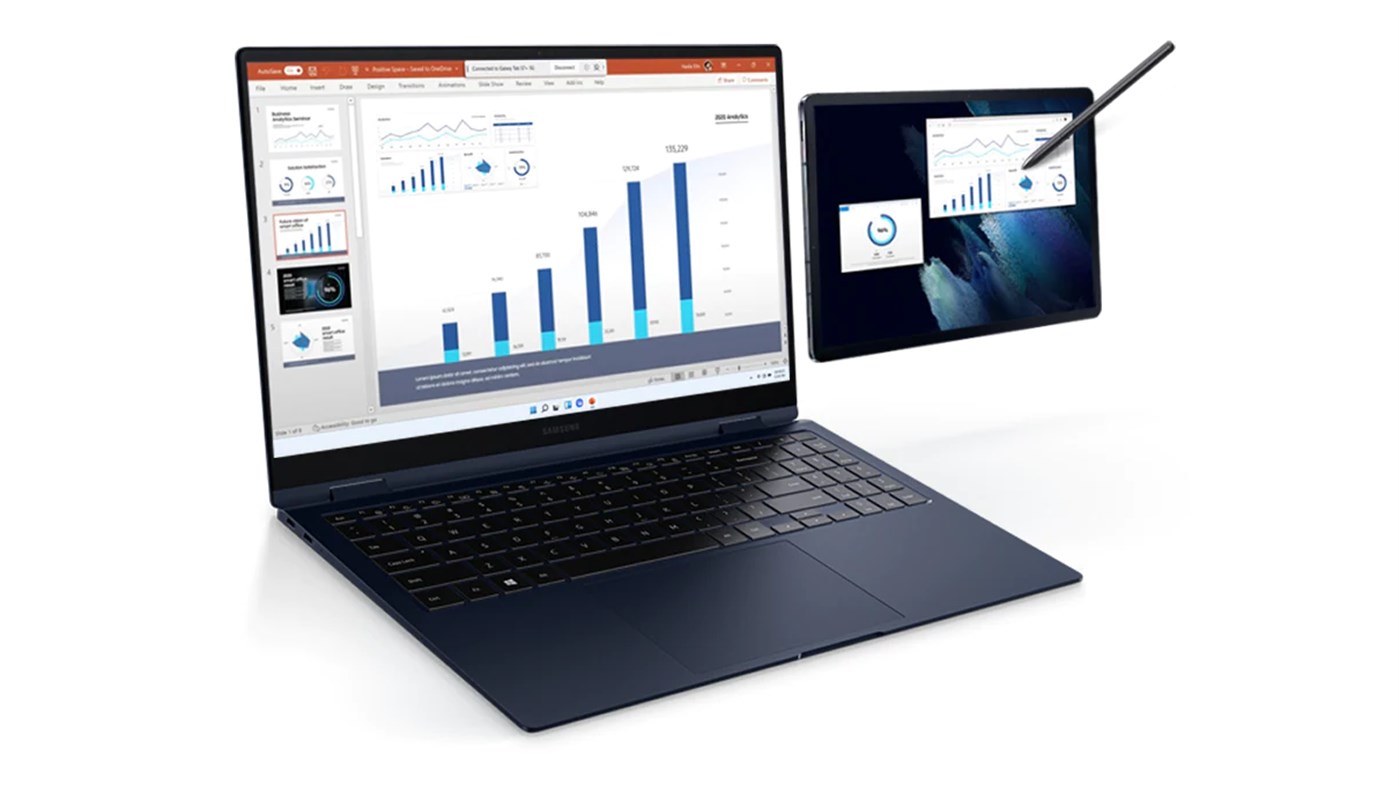
When you feel like your laptop screen is not enough, try expanding it with the Galaxy Tab.
Write and draw directly with the S Pen in a wider workspace, and express your creativity freely.
Install the Second Screen app on your PC for more convenient features.
1. Supports tablet screen ratio
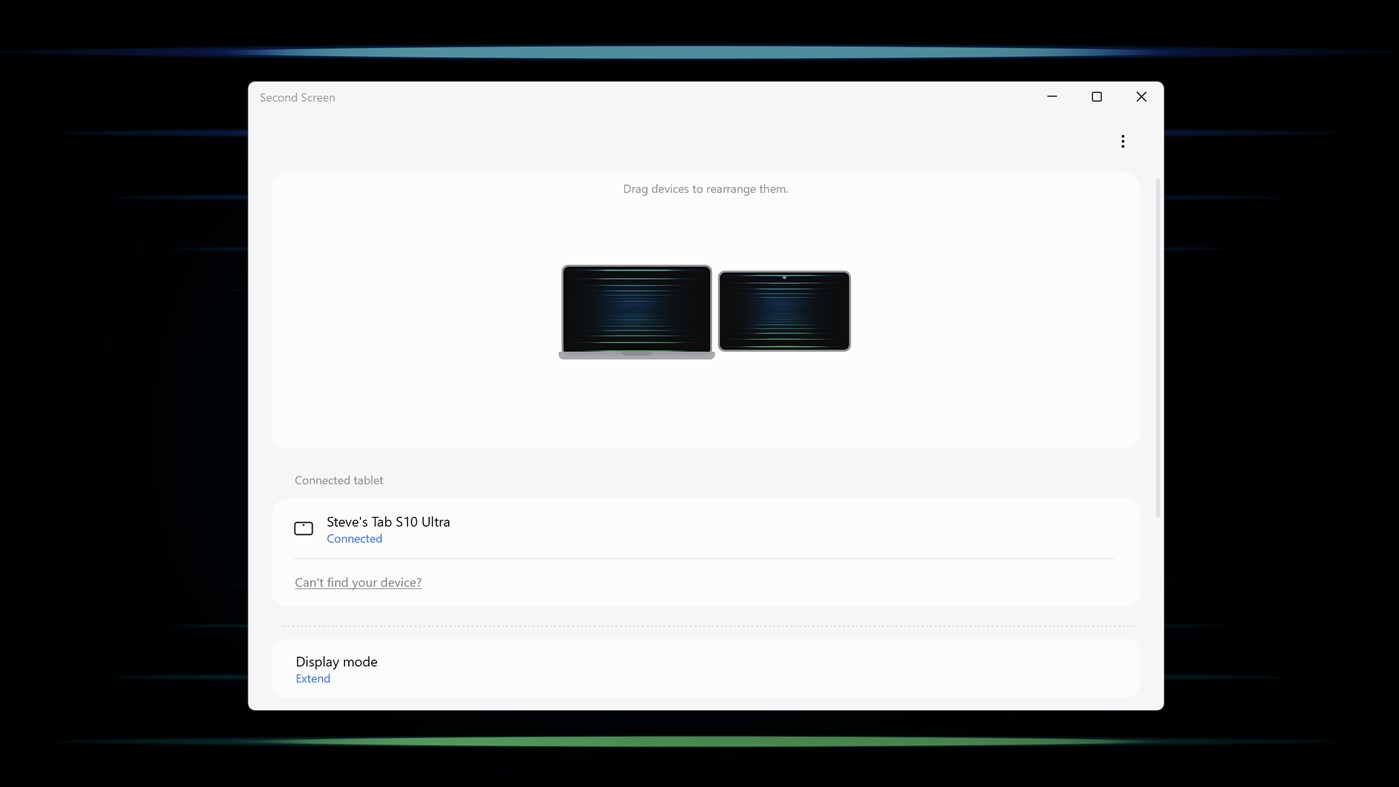
You can also display it as a full screen on your tablet for a wider screen.
2. Sync with the power settings of your PC
It syncs with the power settings and screen saver settings of your PC to give you the same experience as you would have on your monitor.
3. Auto connection support
When the tablet you last used is detected, it will connect automatically.
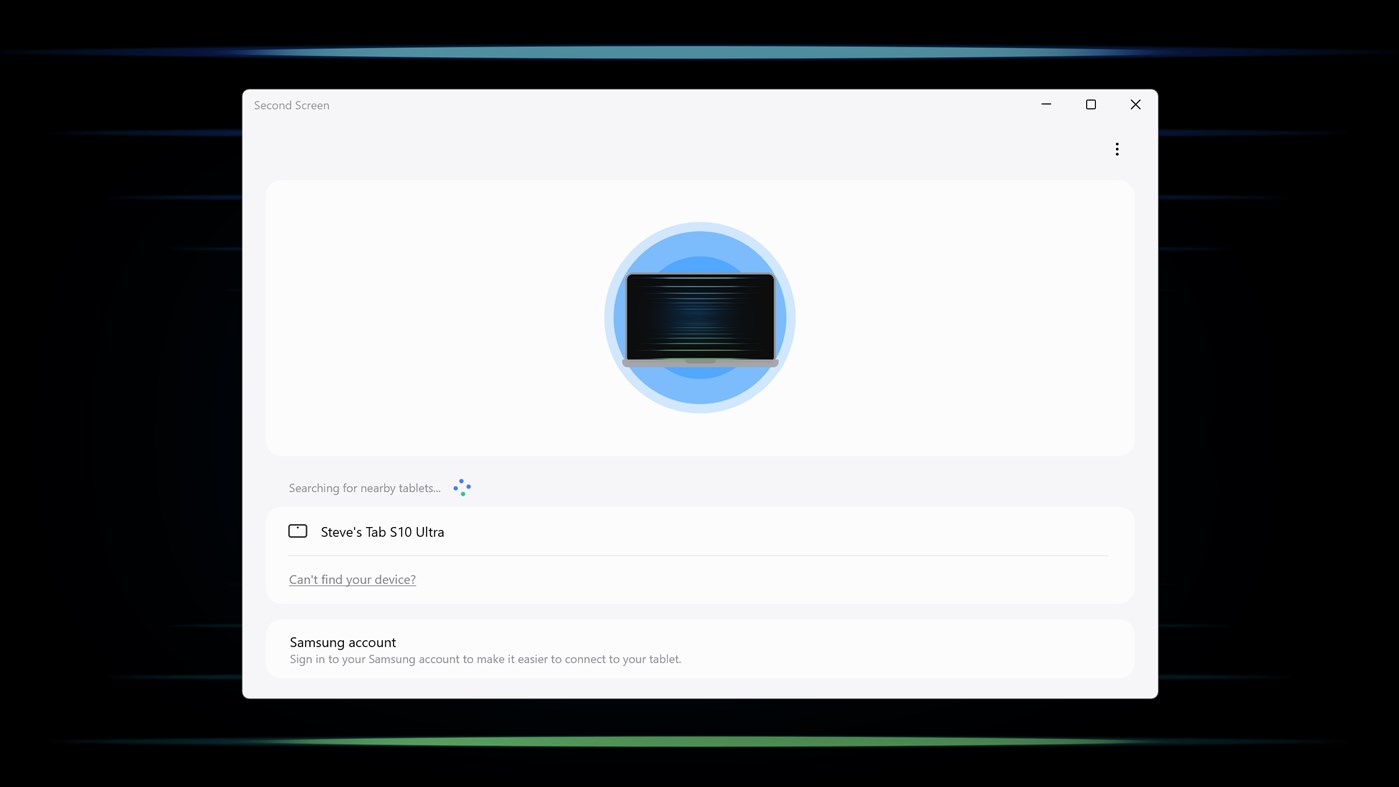
4. Easy tablet connection support
Expand the screen to a tablet without having to operate the tablet separately.
(* One UI 5.1.1 or higher Galaxy Tabs, Galaxy Books released from 2020 onwards, PCs/tablets must be logged in to the same Samsung account)
A product that meets the specific Second Screen support criteria is required.
* PC: Galaxy Books that are Windows 11 or higher
* Tablet: One UI 5.1.1 or higher Galaxy Tab S11, S11 Ultra, S10+, S10 Ultra, S10 FE, S10 FE+, S9, S9+, S9 Ultra, S9 FE, S9 FE+, S8, S8+, S8 Ultra, S7, S7+, S7 FE, Active4 Pro, Active5
Second Screen is optimized for Galaxy Book.
Depending on the model/manufacturer, there may be restrictions on some features and differences in usage.
Ad
ภาพหน้าจอ
ประวัติราคา
- วันนี้: ฟรี
- ต่ำสุด: ฟรี
- มากที่สุด: ฟรี
ติดตามราคา
มีอะไรใหม่
- เวอร์ชัน: PC
- อัปเดต:
ข้อมูลเพิ่มเติม
- วันที่วางจำหน่าย:
- หมวดหมู่:
Windows แอป›เครื่องมือและอรรถประโยชน์ - ระบบปฏิบัติการ:
PC - ขนาด:
88 Mb - ภาษาที่สนับสนุน:
Arabic,Azerbaijani,Chinese,Danish,Dutch,English,Finnish,French,German,Hebrew,Hindi,Hungarian,Icelandic,Indonesian,Italian,Japanese,Kazakh,Korean,Malay,Norwegian,Persian,Polish,Portuguese,Russian,Spanish,Swedish,Thai,Turkish,Ukrainian,Uzbek,Vietnamese - การจัดประเภทเนื้อหา:
EVERYONE - Windows Store คะแนนโดย:
3.4(169) - เว็บไซท์:
 http://www.samsungmobile.com/
ผู้พัฒนา
- Samsung Electronics Co Ltd
- แพลตฟอร์ม: Android แอป (147) iOS แอป (47) macOS แอป (1) Windows แอป (37)
- รายการ: 56 + 9
- แต้มแล: 282 + 42,573,982 ¡
- การจัดอันดับ: 4.9 (7)
- ความเห็น: 0
- ลดราคา: 0
- วิดีโอ: 12
- RSS: ติดตาม
รายการ (1)
- Second Screen

แต้มแล (8)
-

- 94 김재현
- +1
-
- 2 DANIEL Cadenhead
- +1
-
- 1 Edmund Lau
- +1
-
- 1 Thinnaphat Diprom
- +1
-
- 1 Warren
- +1
-
- 24 Sarra Ghouma
- +1






การจัดอันดับ (0)
0 ☹️
ความเห็น (0)
เป็นคนแรกที่แสดงความเห็น 🌟
«Second Screen». แพลตฟอร์ม: Windows. หมวดหมู่: เครื่องมือและอรรถประโยชน์. ผู้พัฒนา: «Samsung Electronics Co, Ltd.». การเปิดตัวครั้งแรก: . อัปเดตล่าสุด: . ราคาปัจจุบัน: ฟรี. ชื่อนี้ยังไม่ได้รับการให้คะแนนหรือบทวิจารณ์บน AppAgg รายการ: สาธารณะ 1, ส่วนตัว 0. จุดที่ติดตาม: ยืนยันแล้ว 8, ทางอ้อม 169. ร้านค้า: Windows Store. คะแนนร้านค้า: 3.4. โหวต: 169. ภาษาที่ใช้ได้: Arabic, Azerbaijani, Chinese, Danish, Dutch, English, Finnish, French, German, Hebrew, Hindi, Hungarian, Icelandic, Indonesian, Italian, Japanese, Kazakh, Korean, Malay, Norwegian, Persian, Polish, Portuguese, Russian, Spanish, Swedish, Thai, Turkish, Ukrainian, Uzbek, Vietnamese. AppAgg ติดตามประวัติราคา การให้คะแนน และคำติชมของผู้ใช้ «Second Screen». ส่วนลดและอัปเดตในอนาคต: RSS. AppAgg ไม่ได้โฮสต์แอปพลิเคชันหรือแจกจ่ายซอฟต์แวร์ เครื่องหมายการค้า โลโก้ และภาพหน้าจอทั้งหมดเป็นของเจ้าของที่เกี่ยวข้อง
Second Screen URL แบบสั้น: คัดลอกแล้ว!- 🌟 แชร์
- Windows Store
คล้ายกัน
-
- Screen Snip tool
- Windows แอป: เครื่องมือและอรรถประโยชน์ โดย: Gentle Dan
- $3.39
- รายการ: 0 + 1 0 0
- แต้มแล: 3 + 28 (5.0) เวอร์ชัน: PC Screen Snip tool, can capture any part of the desktop. In the lower left corner of the home page, you can see your settings menu where you can choose customization options such as ... ⥯
-
- Screen Record Master
- Windows แอป: เครื่องมือและอรรถประโยชน์ โดย: mtwus
- ฟรี
- รายการ: 0 + 1 0 0
- แต้มแล: 1 + 1 (1.0) เวอร์ชัน: PC Screen recording software is a powerful tool that helps users capture, record, and share on-screen activities. Whether you need to create instructional videos, demonstrate product ... ⥯
-
- Screen Measure
- Windows แอป: เครื่องมือและอรรถประโยชน์ โดย: William Heitler
- ฟรี
- รายการ: 0 + 0 0 0
- แต้มแล: 0 + 0 เวอร์ชัน: PC Screen Measure is a light-weight utility program for measuring the size and orientation of objects on your screen, or extracting values from data points on a displayed graph. Just ... ⥯
-
- Screen Video Recorder PRO
- Windows แอป: เครื่องมือและอรรถประโยชน์ โดย: Articent Group LLC
- $4.99
- รายการ: 0 + 0 0 0
- แต้มแล: 0 + 81 (3.8) เวอร์ชัน: PC Screen Video Recorder PRO is a powerful solution for your screen capturing needs. Our software combines robust functionality with a sleek, user-friendly interface, ensuring a ... ⥯
-
- Screen Torch Advanced 2
- Windows แอป: เครื่องมือและอรรถประโยชน์ โดย: dannyfst
- ฟรี
- รายการ: 0 + 0 0 0
- แต้มแล: 0 + 2 (3.0) เวอร์ชัน: PC "Screen Torch Advanced 2", is an handy torch program. It only uses devices' backlight. Brightness level and background colour are both changeable. (Over 100 colours available) - Simple ⥯
-
- Screen Recorder - Easy Capture
- Windows แอป: เครื่องมือและอรรถประโยชน์ โดย: White Moonlight
- * ฟรี
- รายการ: 0 + 0 0 0
- แต้มแล: 0 + 4 (3.8) เวอร์ชัน: PC Introducing "Screen Recorder - Easy Capture" In the fast-paced world of digital communication and content creation, having a reliable screen recording tool is indispensable. That's ... ⥯
-
- Screen Recorder - Record Audio, Capture, Edit
- Windows แอป: เครื่องมือและอรรถประโยชน์ โดย: Good Job Apps
- * ฟรี
- รายการ: 0 + 0 0 0
- แต้มแล: 3 + 54 (2.8) เวอร์ชัน: PC Perfect app to record and capture the screen in video formats. Screen recording of any app can be done in live application usage mode, like typing any message, record video calls, ... ⥯
-
- Screen Recorder Plus - Screen & Webcam Recorder
- Windows แอป: เครื่องมือและอรรถประโยชน์ โดย: Baronan
- * ฟรี
- รายการ: 0 + 0 0 0
- แต้มแล: 1 + 376 (4.5) เวอร์ชัน: PC Welcome to Screen Recorder Plus, your best companion for recording and sharing screen content. Whether you are creating tutorials, capturing exciting game moments, demonstrating ... ⥯
-
- Screen Recorder Pro.
- Windows แอป: เครื่องมือและอรรถประโยชน์ โดย: WindyWarmStudio
- $4.79
- รายการ: 0 + 1 0 0
- แต้มแล: 1 + 36 (4.9) เวอร์ชัน: PC Record your computer's screen with just one click! Screen Recorder helps you record video from the computer's screen. It's simple to operate and can record easily and internally. It ... ⥯
-
- Screen Mirroring - Mirror Android Screen to computer
- Windows แอป: เครื่องมือและอรรถประโยชน์ โดย: Cainey Studio
- $4.99
- รายการ: 0 + 1 0 0
- แต้มแล: 1 + 33 (4.3) เวอร์ชัน: PC This is a screen mirroring application. It can help you cast Android screen to PC and control mobile devices directly on computer. This tool can connect mobile phones and PCs quickly ... ⥯
-
- Screen Color Picker‘
- Windows แอป: เครื่องมือและอรรถประโยชน์ โดย: LiHe
- $0.99
- รายการ: 0 + 1 0 0
- แต้มแล: 1 + 4 (4.0) เวอร์ชัน: PC The application is a screen color picker. Drag the mouse to the point where you want to select the color, and the cursor and color value of the point will be displayed in the window ... ⥯
-
- Screen Replicator
- Windows แอป: เครื่องมือและอรรถประโยชน์ โดย: JairJunior.net
- ฟรี
- รายการ: 0 + 1 0 0
- แต้มแล: 0 + 0 เวอร์ชัน: PC Replicate your screen easily in another monitor. ⥯
-
- Screen Hide
- Windows แอป: เครื่องมือและอรรถประโยชน์ โดย: VitalVictor
- $1.09
- รายการ: 0 + 0 0 0
- แต้มแล: 1 + 0 เวอร์ชัน: PC This app hides a portion of display or rather locks it and makes itself unable to move, close, minimize etc. The app can set colour or image as its background as per user choice and a ... ⥯
-
- Screen Recorder Ultimate
- Windows แอป: เครื่องมือและอรรถประโยชน์ โดย: Hao Cai
- $6.99
- รายการ: 0 + 0 0 0
- แต้มแล: 0 + 7 (4.3) เวอร์ชัน: PC - Media Feature Pack is required for N versions of Windows 10 Screen Recorder Ultimate offers you a light but professional tool to capture screen and voice, or create video tutorials. ... ⥯