
| ผู้พัฒนา: | Lumen Digital (23) | ||
| ราคา: | * ฟรี | ||
| การจัดอันดับ: | 0 | ||
| ความเห็น: | 0 เขียนความเห็น | ||
| ความเห็น: | 0 โพสต์ความคิดเห็น | ||
| รายการ: | 1 + 0 | ||
| แต้มแล: | 1 + 0 ¡ | ||
| Mac App Store | |||
คำอธิบาย

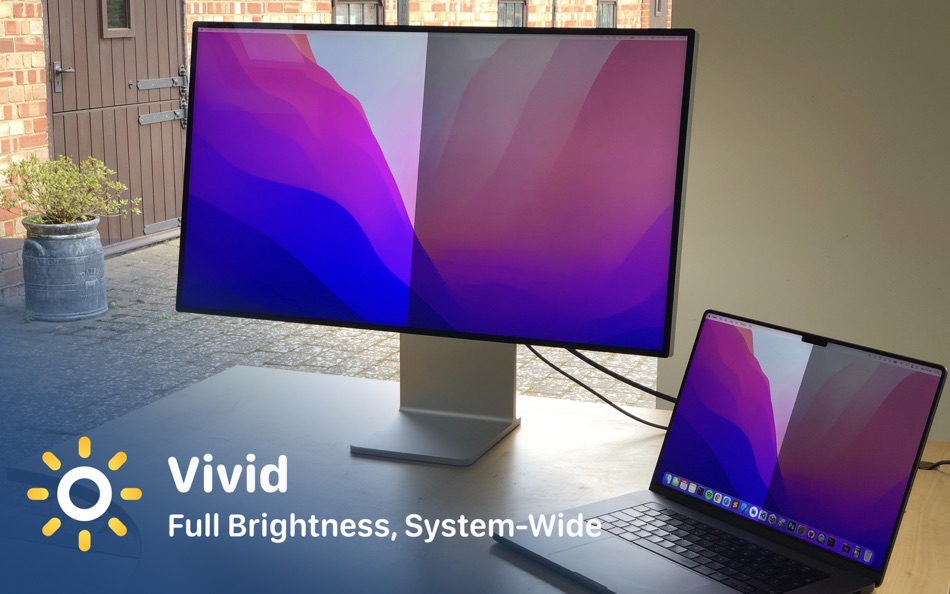
The new MacBook Pros and the Pro Display XDR have displays that can go up to 1600 nits of brightness. By default these levels of brightness can only be reached when watching HDR videos or by using Metal applications. Until now.
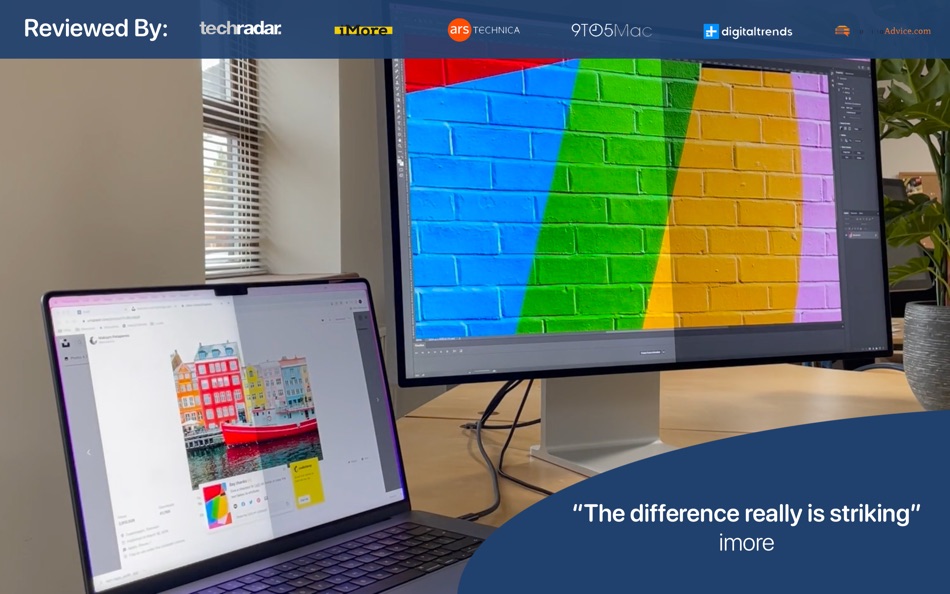
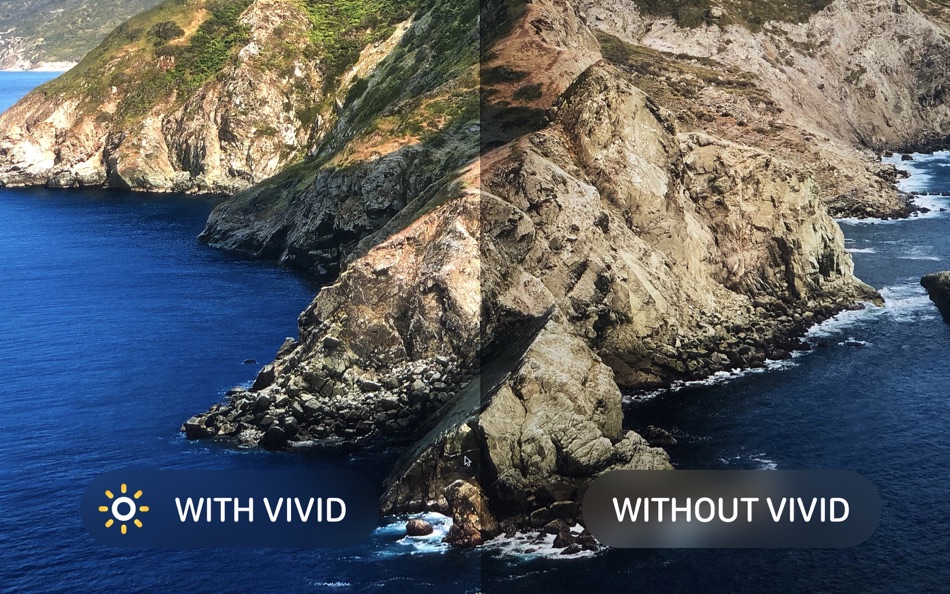
Vivid uses standard Apple APIs to allow users to make their screen more than two times brighter.
Supported devices:
- MacBook Pro with M1 or newer chip
- Any Mac using an Apple XDR Pro display
Please note: Vivid does not work with the Macbook Air display and does not work with Apple Studio display.
Ad
ภาพหน้าจอ
ประวัติราคา
-
* การซื้อภายในแอพ - วันนี้: ฟรี
- ต่ำสุด: ฟรี
- มากที่สุด: ฟรี
ติดตามราคา
มีอะไรใหม่
- เวอร์ชัน: 2.18
- อัปเดต:
- - Support for Apple Studio Display XDR
- Fixes for Mac Mini and Mac Studio with external XDR displays
ความเห็น (0)
เป็นคนแรกที่แสดงความเห็น 🌟
ผู้พัฒนา
แต้มแล (1)
-

- 1,344 first241
- +1

การจัดอันดับ (0)
0 ☹️
รายการ (1)
- Vivid - Double your brightness

ความเห็น (0)
แสดงรีวิวเป็นคนแรกเลย 🌟
ข้อมูลเพิ่มเติม
รายชื่อติดต่อ
- เว็บไซท์:
 https://www.getvivid.app
«Vivid - Double your brightness». แพลตฟอร์ม: macOS. หมวดหมู่: ยูทิลิตี้. ผู้พัฒนา: «Lumen Digital». การเปิดตัวครั้งแรก: . อัปเดตล่าสุด: . ราคาปัจจุบัน: ฟรี. ชื่อนี้ยังไม่ได้รับการให้คะแนนหรือบทวิจารณ์บน AppAgg รายการ: สาธารณะ 1, ส่วนตัว 0. จุดที่ติดตาม: ยืนยันแล้ว 1, ทางอ้อม 0. ภาษาที่ใช้ได้: English. AppAgg ติดตามประวัติราคา การให้คะแนน และคำติชมของผู้ใช้ «Vivid - Double your brightness». ส่วนลดและอัปเดตในอนาคต: RSS. AppAgg ไม่ได้โฮสต์แอปพลิเคชันหรือแจกจ่ายซอฟต์แวร์ เครื่องหมายการค้า โลโก้ และภาพหน้าจอทั้งหมดเป็นของเจ้าของที่เกี่ยวข้อง
Vivid - Double your brightness URL แบบสั้น: คัดลอกแล้ว!- 🌟 แชร์
- Mac App Store
Ad
คล้ายกัน
-
- Brightness Slider for Mac OS X
- macOS แอป: ยูทิลิตี้ โดย: ACT Productions
- ฟรี
- รายการ: 0 + 1 การจัดอันดับ: 0 ความเห็น: 0
- แต้มแล: 2 + 0 0 เวอร์ชัน: 1.2.6 With Brightness Slider you can adjust screen brightness from the menu bar, just like the sound menu provided by Apple, and with improved control over the dimming process. Using a ... ⥯
-
- Double Shot
- macOS แอป: ยูทิลิตี้ โดย: Wyatt Johnson
- $1.99
- รายการ: 0 + 0 การจัดอันดับ: 0 ความเห็น: 0
- แต้มแล: 0 + 0 0 เวอร์ชัน: 1.0.6 Double Shot is a simple utility that will keep your Mac from falling asleep or turning on the screensaver forever or for a certain amount of time! You can also enable Double Shot to ... ⥯
-
- Auto-Screen-Brightness
- macOS แอป: ยูทิลิตี้ โดย: 忠彬 田
- $0.99
- รายการ: 0 + 0 การจัดอันดับ: 0 ความเห็น: 0
- แต้มแล: 0 + 0 0 เวอร์ชัน: 1.0.6 Important tips: The app only works with laptop build-in screens. Auto-Screen-Brightness is a menu bar application that automatically sets the screen brightness based on your screen ... ⥯
-
- Fast Brightness Control
- macOS แอป: ยูทิลิตี้ โดย: Jose Antonio Jimenez Campos
- $3.99
- รายการ: 0 + 0 การจัดอันดับ: 0 ความเห็น: 0
- แต้มแล: 1 + 0 0 เวอร์ชัน: 3.0 With this App, you can control the brightness of your built-in display from the status bar. It's very useful if you want a more granular brightness control (100 different levels of ... ⥯
-
- ECS Brightness - 润眼智能调光
- macOS แอป: ยูทิลิตี้ โดย: Baofeng County Jixu Education Information Consulting Co., Ltd.
- ฟรี
- รายการ: 0 + 0 การจัดอันดับ: 0 ความเห็น: 0
- แต้มแล: 0 + 0 0 เวอร์ชัน: 1.1.2 ECS Brightness( Eye Care Smart Brightness) 润眼智能调光是一款实现显示器自动亮度调节的软件。 自然界的物体会随着阳光的强弱而变明或者变暗 始终对眼睛较为柔和 但大部分显示器的亮度却并非如此。 本软件通过检测环境光或外部亮度的变化 实现显示器的智能亮度调节 从而达到护眼的效果。 特点 - 支持多种数据输入方式 - 监听模式 ... ⥯
-
- Keka
- macOS แอป: ยูทิลิตี้ โดย: Jorge Garcia Armero
- * $5.99
- รายการ: 10 + 8 การจัดอันดับ: 0 ความเห็น: 0
- แต้มแล: 2 + 0 0 เวอร์ชัน: 1.6.1 Keka is a full featured file archiver, as easy as it can be. With Keka you can compress as many files as you want in a bunch of formats. Divide files and protect them with a password ... ⥯
-
- HomeControl Menu for HomeKit
- macOS แอป: ยูทิลิตี้ โดย: Pedro Jose Pereira Vieito
- * ฟรี
- รายการ: 2 + 3 การจัดอันดับ: 5 (1) ความเห็น: 0
- แต้มแล: 15 + 0 0 เวอร์ชัน: 2.15.1 HomeControl is the ultimate HomeKit companion on macOS. Manage and automate your smart home directly from the menu bar: check your home status, trigger scenes, adjust devices, or ... ⥯
-
- Gamepad Mapper
- macOS แอป: ยูทิลิตี้ โดย: Takahide Noro
- * ฟรี
- รายการ: 0 + 1 การจัดอันดับ: 0 ความเห็น: 0
- แต้มแล: 9 + 0 0 เวอร์ชัน: 1.8 Introducing Gamepad Mapper, the ultimate app that allows you to control your Mac and its applications using your gamepad or joystick, while simulating both mouse and keyboard inputs. ... ⥯
-
- Dim-Light
- macOS แอป: ยูทิลิตี้ โดย: Dylan Zaoui
- * ฟรี
- รายการ: 0 + 2 การจัดอันดับ: 5 (1) ความเห็น: 0
- แต้มแล: 8 + 0 0 เวอร์ชัน: 2.0.1 Dim-Light is the ideal solution to reduce your screen's brightness beyond the standard limits, providing optimal visual comfort even in low-light environments. Whether you're reading, ... ⥯
-
- BrightIntosh
- macOS แอป: ยูทิลิตี้ โดย: Niklas Rousset
- * ฟรี
- รายการ: 0 + 3 การจัดอันดับ: 0 ความเห็น: 0
- แต้มแล: 7 + 0 0 เวอร์ชัน: v5.4.1 Note: After a free three-day trial the app needs to be unlocked via a one-time purchase. This open-source application makes use of HDR capabilities of your MacBook Pro to increase the ... ⥯
-
- MouseCatch
- macOS แอป: ยูทิลิตี้ โดย: 缤 黄
- $1.99
- รายการ: 2 + 1 การจัดอันดับ: 0 ความเห็น: 0
- แต้มแล: 9 + 0 0 เวอร์ชัน: 2.9.1 MouseCatch is the ultimate shortcut tool that revolutionizes how you move your mouse on your computer screen. With CatchMouse, you can quickly switch your mouse to any position on a ... ⥯
-
- Dimmer – Dim your display
- macOS แอป: ยูทิลิตี้ โดย: Lovish Jain
- ฟรี
- รายการ: 0 + 1 การจัดอันดับ: 0 ความเห็น: 0
- แต้มแล: 9 + 0 0 เวอร์ชัน: 1.1 Dimmer helps you dim your display further without changing the actual brightness of your Mac or Monitor. A simple, reliable tool designed for comfortable viewing - no matter how many ... ⥯
-
- GammaDimmer • screen dimming
- macOS แอป: ยูทิลิตี้ โดย: THE LOW-TECH GUYS SRL
- ฟรี
- รายการ: 0 + 2 การจัดอันดับ: 0 ความเห็น: 0
- แต้มแล: 5 + 0 0 เวอร์ชัน: 1.2.1 Dim the brightness of all your screens without compromising color accuracy. Use handy sliders or keyboard shortcuts to keep the luminance of all your displays in sync. Works with iPad ... ⥯
-
- Camera Filters - Xamera
- macOS แอป: ยูทิลิตี้ โดย: Marko Hlebar
- * ฟรี
- รายการ: 0 + 2 การจัดอันดับ: 0 ความเห็น: 0
- แต้มแล: 9 + 0 0 เวอร์ชัน: 2.5.2 Xamera makes it easy to apply consistent camera filters, using any webcam, meeting app, or streaming platform. Protect your privacy during video meets, and remote work with Xamera. ... ⥯