
| ผู้พัฒนา: | Abdusodiq Saidov (27) | ||
| ราคา: | $19.99 | ||
| การจัดอันดับ: | 0 | ||
| ความเห็น: | 0 เขียนความเห็น | ||
| ความเห็น: | 0 โพสต์ความคิดเห็น | ||
| รายการ: | 1 + 2 | ||
| แต้มแล: | 18 + 0 ¡ | ||
| Mac App Store | |||
คำอธิบาย

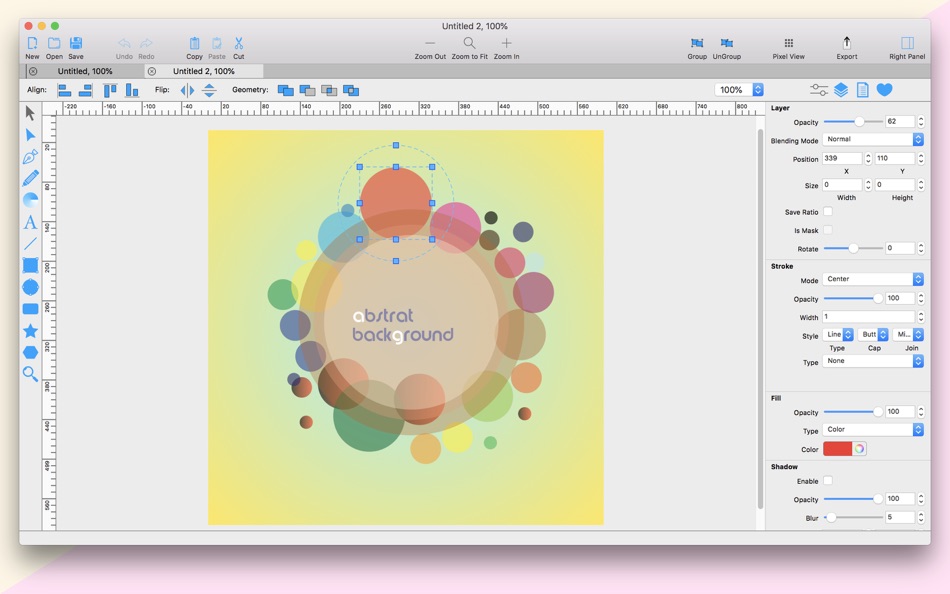
PrintLab Studio 3 has tools you need to create basic shapes. Create designs quickly and easily change styles.
Notable features:
- Layers
- Text Editing
- Multi-color Gradients
- iWork Style Color Picker
- Stroke features - Multiple Strokes: Outside, Center, Inside
- Multiple Fills
- Dimensioning
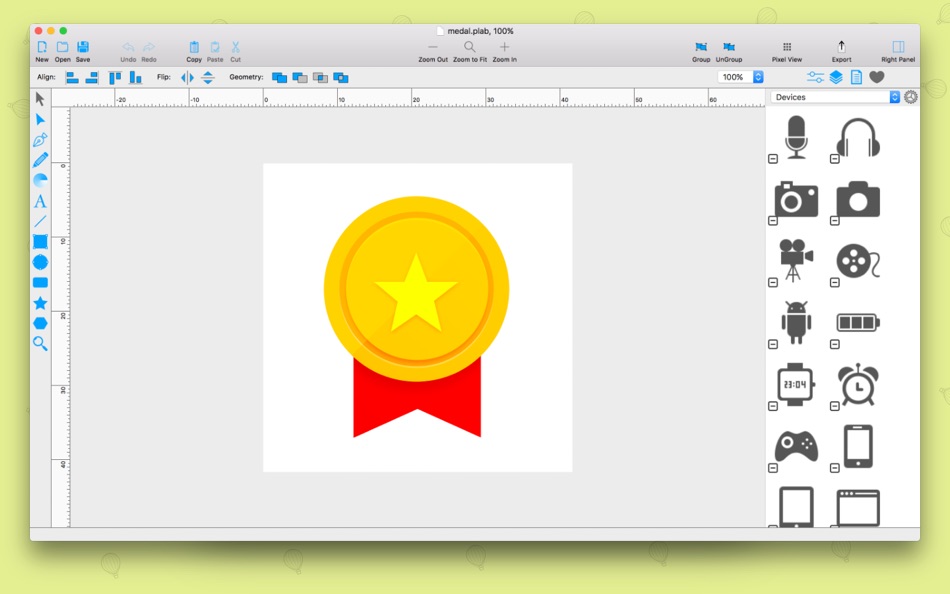
- Shape library - ready design elements
- Ready Templates
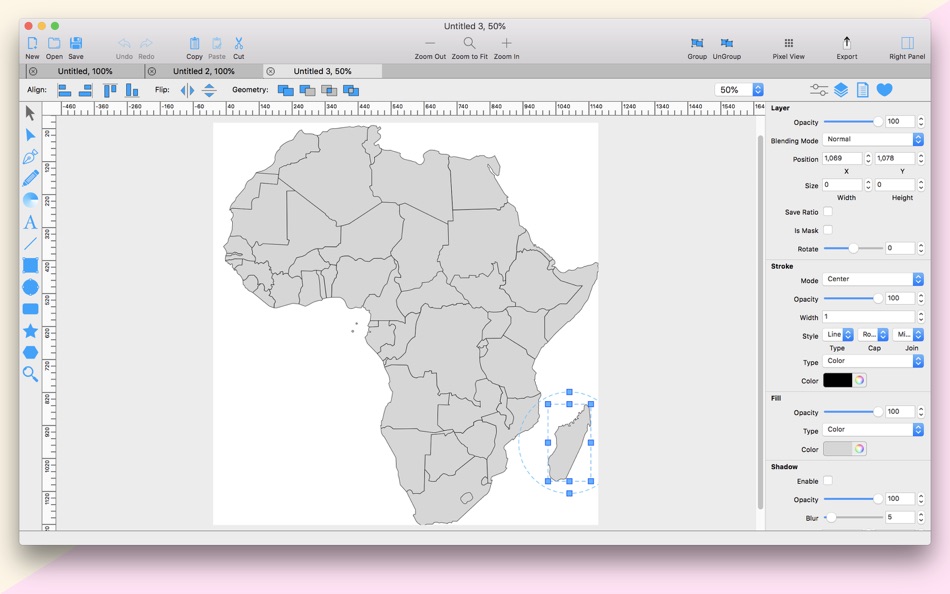
- Import SVG vector files
- Import CorelDraw *cdr vector files
- Import JPG, PNG, PDF, BMP files
- Import PSD, Ai and EPS files as bitmap
- Export as PNG, JPG and TIFF
- Export as SVG vector file
- Export as PDF file
PrintLab Studio 3 allows you import SVG files and edit them on macOS. After importing files you can:
- Rotate and Scale shapes
- Move Shapes
- Edit objects
- Add other shapes like Rectangle, Text, Oval, Star, Triangle or Custom shape with Pen Tool
- Change Colors
- Change Gradient
- Open Multi-Page files
- Change Stroke Width and Color
- Save as PNG, JPG, PDF, TIFF and SVG
- Save as PDF
Lightweight and Useful Productive App for every designer. If you have any ideas of feature requests, feel free to drop a message regarding your opinions by using our contact us page.
What's New in version 3.0:
1. Renewed and improved Interface
2. New .svg and .cdr file import library
3. Ready Design Elements - Shape Library
4. Pixel View vs Vector View
5. Object Blur Feature
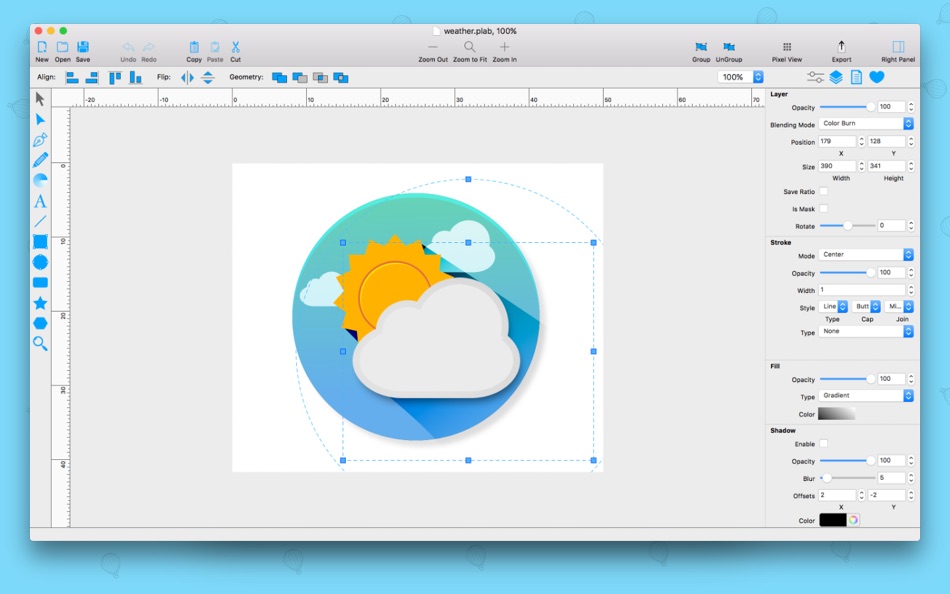
6. Object (layer) Blending Modes
7. Export to PDF file
8. Multiple Selection - select with mouse
9. Group Layers and move with Group
10. Snapping - snap to the center, left, right, top and bottom
11. New Introduction window
12. Tutorial about how to import .cdr files
Fixed or improved:
1. Document export Feature
2. Fixed bug object dimensioning
3. Fixed bug object change location
4. Fixed bug Right Panel Sections disappear
5. Ruler bug fixed for some users
6. Improved Geometry
7. Improved and fixed bugs for some users Union, Subtract, Intersect and Difference
8. Improved and fixed Alignments
9. New convenient drawing tool icons
10. Improved sub toolbar
11. Fixed bug object flipped when printing
12. Improved svg import
and many other bugs fixed. Have Fun!
If you need us you can find us at @BluetailTeam on Twitter, at facebook.com/BluetailTeam, or blue-tail.com/support/feedback/, we love hearing from you!
Ad
ภาพหน้าจอ
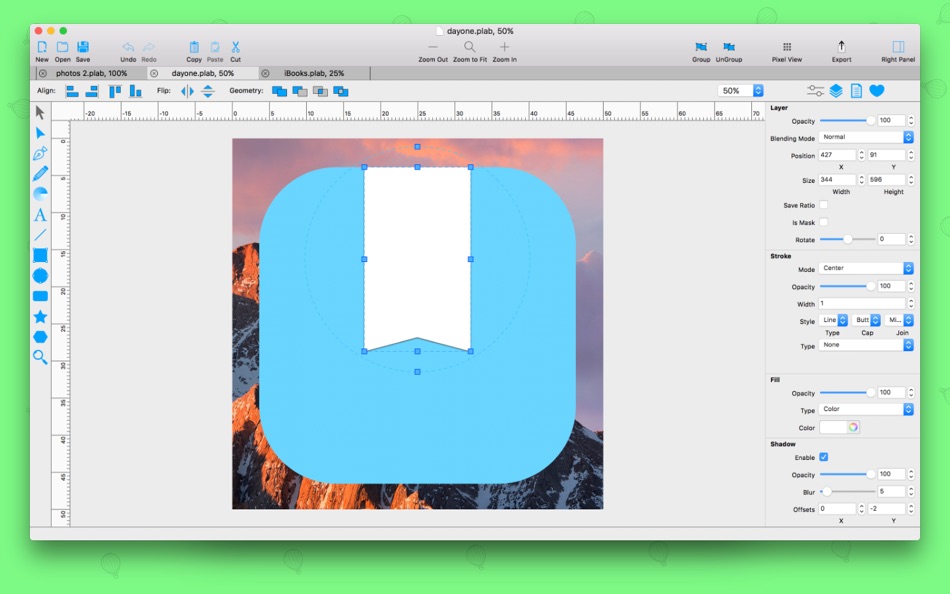
มีอะไรใหม่
- เวอร์ชัน: 3.0.2
- อัปเดต:
- - Window UI improvements and changes
- Updated new Ruler
- Import EPS, Ai files as image to your project
- Added 2 new Shape Libraries - Common Shapes and Some Fashion Mockups
- Many bug fixes and improvements
We are always ready to hear your opinions about our app. You can leave your comments.
ประวัติราคา
- วันนี้: $19.99
- ต่ำสุด: ฟรี
- มากที่สุด: $19.99
ติดตามราคา
ผู้พัฒนา
แต้มแล (18)
-

- 2 Lew
- +1
-
- 4,201 Brain_vv
- +1
-
- 2,065 Lu Chin
- +1
-
- 200 Attila Szucs
- +1
-
- 120 Bülent
- +1
-
- 35 Mustafa Bağcivan
- +1


การจัดอันดับ (0)
0 ☹️
รายการ (1)
- PrintLab Studio 3

ความเห็น (0)
แสดงรีวิวเป็นคนแรกเลย 🌟
ข้อมูลเพิ่มเติม
- เวอร์ชัน: 3.0.2
- หมวดหมู่:
macOS แอป›กราฟิกและการออกแบบ - ระบบปฏิบัติการ:
macOS,macOS 10.8 และสูงกว่า - ขนาด:
41 Mb - ภาษาที่สนับสนุน:
English - การจัดประเภทเนื้อหา:
4+ - Mac App Store คะแนนโดย:
0 - อัปเดต:
- วันที่วางจำหน่าย:
รายชื่อติดต่อ
- Facebook: BluetailTeam
«PrintLab Studio 3». แพลตฟอร์ม: macOS. หมวดหมู่: กราฟิกและการออกแบบ. ผู้พัฒนา: «Abdusodiq Saidov». การเปิดตัวครั้งแรก: . อัปเดตล่าสุด: . ราคาปัจจุบัน: $19.99. ราคาต่ำสุดที่บันทึกไว้: $0.00 (). ราคาสูงสุดที่บันทึกไว้: $19.99 (). ชื่อนี้ยังไม่ได้รับการให้คะแนนหรือบทวิจารณ์บน AppAgg รายการ: สาธารณะ 1, ส่วนตัว 2. จุดที่ติดตาม: ยืนยันแล้ว 18, ทางอ้อม 0. ภาษาที่ใช้ได้: English. AppAgg ติดตามประวัติราคา การให้คะแนน และคำติชมของผู้ใช้ «PrintLab Studio 3». ส่วนลดและอัปเดตในอนาคต: RSS. AppAgg ไม่ได้โฮสต์แอปพลิเคชันหรือแจกจ่ายซอฟต์แวร์ เครื่องหมายการค้า โลโก้ และภาพหน้าจอทั้งหมดเป็นของเจ้าของที่เกี่ยวข้อง
ความเห็น (0)
เป็นคนแรกที่แสดงความเห็น 🌟
PrintLab Studio 3 URL แบบสั้น: คัดลอกแล้ว!- 🌟 แชร์
- Mac App Store
Ad
คล้ายกัน
-
- Studio A.I. - AI Art
- macOS แอป: กราฟิกและการออกแบบ โดย: Stahl Labs
- * ฟรี
- รายการ: 0 + 0 การจัดอันดับ: 0 ความเห็น: 0
- แต้มแล: 0 + 0 0 เวอร์ชัน: 1.3.0 Turn your words into stunning art with Studio AI using generative AI! You just need to describe your image, pick a style and sit back for your idea to come to life. Let your creativity ⥯
-
- Studio for AI Headshots
- macOS แอป: กราฟิกและการออกแบบ โดย: Zaib Un Nisa
- * ฟรี
- รายการ: 0 + 0 การจัดอันดับ: 0 ความเห็น: 0
- แต้มแล: 0 + 0 0 เวอร์ชัน: 1.1 Studio for AI Headshots: Create polished professional headshots in seconds right from your Mac. Studio for AI Headshots makes it effortless to produce high-quality portraits for ... ⥯
-
- Verto Studio 3D
- macOS แอป: กราฟิกและการออกแบบ โดย: Verto Studio LLC
- ฟรี
- รายการ: 0 + 0 การจัดอันดับ: 0 ความเห็น: 0
- แต้มแล: 1 + 0 0 เวอร์ชัน: 2.5.1 Verto Studio 3D is an innovative, fully-functional 3D modeling program designed to rival over-complicated studio modeling programs. It strives to push the boundaries of what is capable ⥯
- สั่งซื้อล่วงหน้า
- Pixel Forge - Studio
- macOS แอป: กราฟิกและการออกแบบ โดย: 方俊 文
- ฟรี
- รายการ: 0 + 0 การจัดอันดับ: 0 ความเห็น: 0
- แต้มแล: 0 + 0 0 เวอร์ชัน: 1.0.0 Pixel Forge Studio Hardware-Accelerated Professional Batch Image Processor Export 10 4K images in under 3 seconds. No more waiting. This is the real speed of hardware acceleration. ... ⥯
-
- PrintLab Studio
- macOS แอป: กราฟิกและการออกแบบ โดย: Abdusodiq Saidov
- $4.99
- รายการ: 0 + 2 การจัดอันดับ: 0 ความเห็น: 0
- แต้มแล: 6 + 0 0 เวอร์ชัน: 1.8.11 PrintLab Studio is a Pro version of CDRViewer. - Convert CorelDRAW files into PDF documents; - Converts CDR to quality PDF files; - Doesn't need for CorelDRAW, PrintLab Studio creates ... ⥯
-
- JPG Studio
- macOS แอป: กราฟิกและการออกแบบ โดย: JPG Store
- ฟรี
- รายการ: 0 + 0 การจัดอันดับ: 0 ความเห็น: 0
- แต้มแล: 2 + 0 0 เวอร์ชัน: 1.0.0 Unleash your creativity with JPG Studio, the no-code NFT art generator. Transform your artwork into a full blown NFT collection with ease. Unlock a world of possibilities as each layer ⥯
-
- LumaNorm Studio
- macOS แอป: กราฟิกและการออกแบบ โดย: Mengjie Fan
- ฟรี
- รายการ: 0 + 0 การจัดอันดับ: 0 ความเห็น: 0
- แต้มแล: 0 + 0 0 เวอร์ชัน: 1.7.9 LumaNorm Studio is the first professional bioimaging processing and color science studio built native for macOS. It s designed for imaging professionals, core facilities, creators, and ⥯
-
- AI Cut Machine Design - Studio
- macOS แอป: กราฟิกและการออกแบบ โดย: Usama Daood
- * ฟรี
- รายการ: 0 + 0 การจัดอันดับ: 0 ความเห็น: 0
- แต้มแล: 0 + 0 0 เวอร์ชัน: 1.0 AI Cricut Design Studio is the ultimate macOS app for crafting enthusiasts, transforming your creative ideas into professionally designed graphics tailored for Cricut machines. With ... ⥯
-
- Palette Studio
- macOS แอป: กราฟิกและการออกแบบ โดย: Cederic Schmid
- * ฟรี
- รายการ: 0 + 0 การจัดอันดับ: 0 ความเห็น: 0
- แต้มแล: 0 + 0 0 เวอร์ชัน: 1.0 Create beautiful, harmonious color palettes for your design projects with Palette Studio. Whether you're a designer, developer, or creative professional, generate perfect color ... ⥯
- ใหม่
- Nano Prompt Studio
- macOS แอป: กราฟิกและการออกแบบ โดย: Muhlis Karaca
- $8.99
- รายการ: 0 + 0 การจัดอันดับ: 0 ความเห็น: 0
- แต้มแล: 0 + 0 0 เวอร์ชัน: 2.0 Nano Prompt Studio is a professional AI image and video generation studio built for filmmakers, visual storytellers, and creative professionals. CINEMATIC IMAGE GENERATION - Generate ... ⥯
- ใหม่
- Fluxforge Studio
- macOS แอป: กราฟิกและการออกแบบ โดย: Vincent GOURBIN
- ฟรี
- รายการ: 0 + 0 การจัดอันดับ: 0 ความเห็น: 0
- แต้มแล: 0 + 0 0 เวอร์ชัน: 1.0 Fluxforge Studio turns your Mac into a complete AI creative studio. Generate high-quality images and videos from text, train your own custom models, and manage your creative library ... ⥯
-
- SportFX Studio
- macOS แอป: กราฟิกและการออกแบบ โดย: CrowdScores, Inc.
- ฟรี
- รายการ: 0 + 0 การจัดอันดับ: 0 ความเห็น: 0
- แต้มแล: 0 + 0 0 เวอร์ชัน: 1.2.3 Dozens of customizable templates with dynamic scores, mascots, logos and more are all pulled from the ScoreStream servers in realtime. Capture the play on your camera and then capture ... ⥯
-
- Thumbnail Studio for Youtube
- macOS แอป: กราฟิกและการออกแบบ โดย: Hafsah Abid
- * ฟรี
- รายการ: 0 + 0 การจัดอันดับ: 0 ความเห็น: 0
- แต้มแล: 0 + 0 0 เวอร์ชัน: 2.0 Thumbnail Studio for YouTube makes creating professional, eye-catching video thumbnails on your Mac fast and easy. Whether you are a content creator, YouTuber, vlogger, or social media ⥯
-
- Separation Studio
- macOS แอป: กราฟิกและการออกแบบ โดย: Splash Colors
- $9.99
- รายการ: 0 + 2 การจัดอันดับ: 0 ความเห็น: 0
- แต้มแล: 15 + 0 0 เวอร์ชัน: 2.2.6 Separation Studio is powerful, easy to use color separation and artwork generator tool designed exclusively for Mac. Separation Studio is an application that allows you to create ... ⥯