
기술

It resides at the top of the status bar, allowing you to easily access multiple functions with just a click, without the need for complex operations.
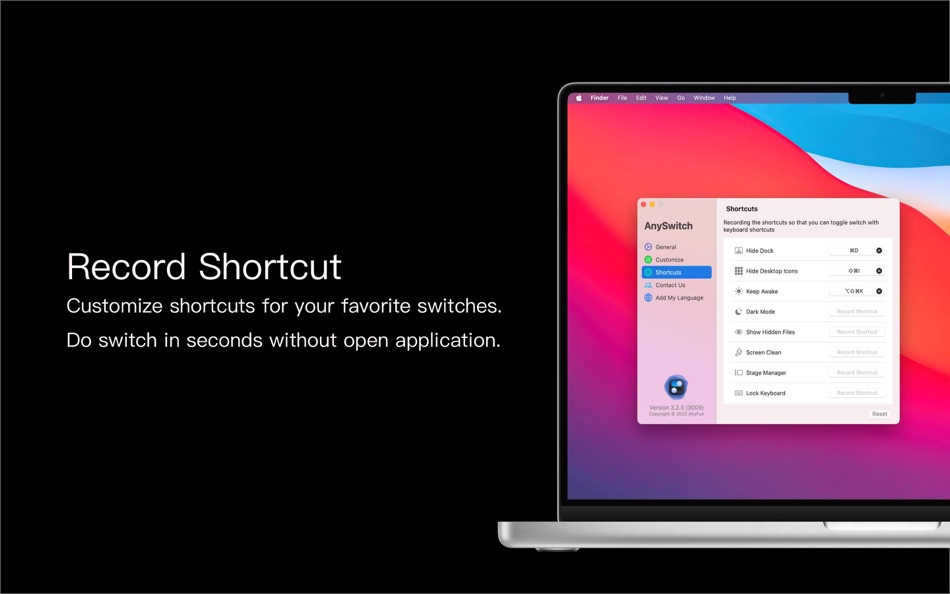
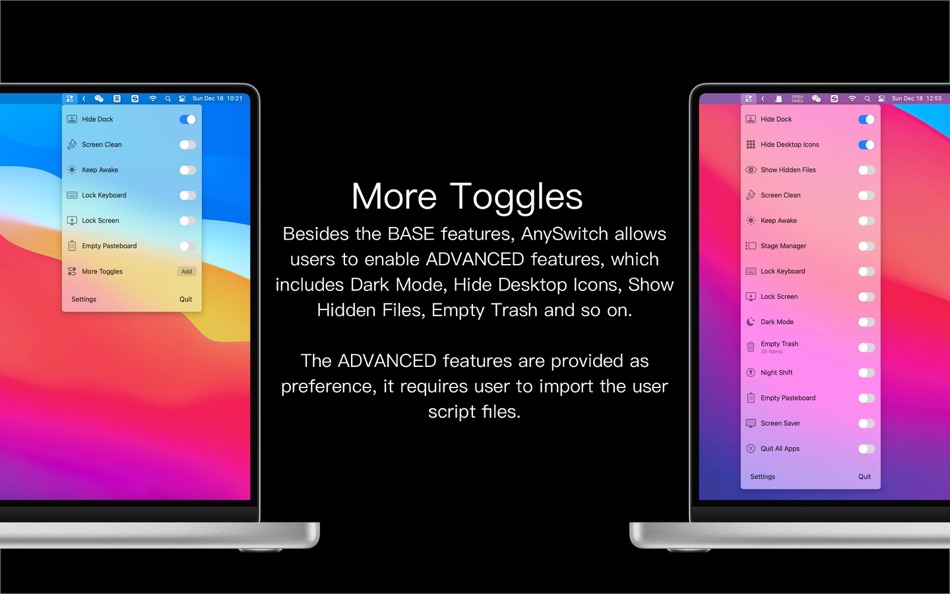
With AnySwitch, you can effortlessly record, lock the keyboard, toggle dark mode, hide desktop files, hide the Dock, activate Do Not Disturb, and more.
Let's take a closer look at some of its features:
【One-Click Recording】 Start sound recording with just one click.
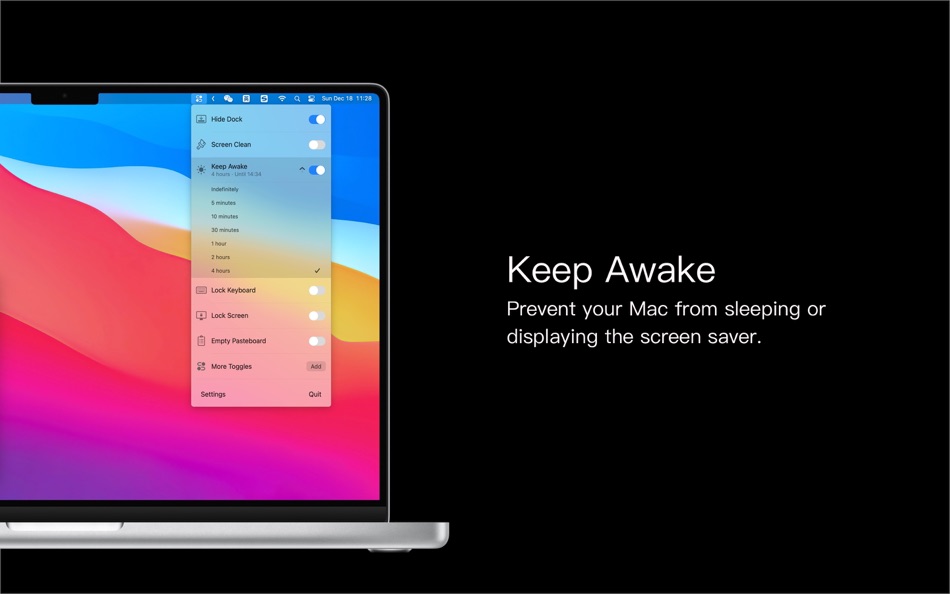
【Keep Awake】 Prevent the screen from dimming or turning off.
【Hide Dock】 Hide your Dock to keep your desktop neat.
【Dark Mode】 Easily switch between light and dark themes without opening the system settings for a more comfortable experience.
【Loaf Fish】 Loaf Fish is a installation interface simulator, faithfully accompanying you during your slacking off.
【Do Not Disturb】 Quickly enable silent notifications to reduce distractions.
【Hide Desktop】 Hide desktop icons for a clean and minimalist appearance.
【Show Hidden Files】 Easily display hidden files in the system.
【Lock Keyboard】 Quickly lock the keyboard to prevent accidental keystrokes.
【Screen Cleaning Assistant】 Dim the screen and lock the keyboard for easy cleaning.
【Clear Clipboard】 Quickly clear the contents of the clipboard to prevent sensitive information from being accessed maliciously.
【Stage Manager】 Easily control the enabling and disabling of Stage Manager.
【Night Shift】 Adjust the screen to a warmer color temperature for nighttime use.
【Empty Trash】 Permanently delete files in the trash with a single click.
【Lock Screen】 Quickly lock the screen, requiring a password to unlock.
【Close All Applications】 Close all running applications with a single click.
AnySwitch is the ultimate tool for enhancing productivity and convenience, simplifying and optimizing daily tasks. Download AnySwitch now to explore more features and experience powerful control over Mac settings and functions seamlessly!
Ad
스크린샷


가격 내역
- 오늘: 무료
- 최소: 무료
- 최대: 무료
가격 추적
새로운 기능
- 버전: 3.8.8
- 업데이트:
- * 'Loaf Fish' is available, faithfully accompanying you during your slacking off
* Bug fixes
댓글 (0)
가장 먼저 댓글을 남겨주세요 🌟
포인트 (3)
-

- 6 Timothy Fletcher
- +1
-
- 3,641 Dragon
- +1
-
- 1,344 first241
- +1



순위 (0)
0 ☹️
목록 (1)
- AnySwitch - Powerful switches
리뷰 (0)
첫 번째 리뷰를 남겨보세요 🌟
추가 정보
주소록
 https://www.anyfun.studio
 «AnySwitch - Powerful switches». 플랫폼: macOS. 카테고리: 생산성. 개발자: «小兰 汪». 첫 번째 릴리스: . 마지막 업데이트: . 현재 가격: 무료. 이 타이틀은 아직 AppAgg에서 평가나 리뷰를 받지 못했습니다. 목록: 공개: 1, 비공개: 0. 추적된 포인트: 확인됨: 3, 간접: 0. 사용 가능한 언어: Chinese, English, French, German, Italian, Japanese, Korean, Portuguese, Russian, Spanish, Turkish. AppAgg는 «AnySwitch - Powerful switches»의 가격 기록, 평점 및 사용자 피드백을 추적합니다. 향후 할인 및 업데이트 받기: RSS에서 확인할 수 있습니다. AppAgg는 애플리케이션을 호스팅하거나 소프트웨어를 배포하지 않습니다. 모든 상표, 로고 및 스크린샷은 해당 소유자의 자산입니다.
AnySwitch - Powerful switches 단축 URL: 복사됨!- 🌟 공유하기
- Mac App Store
Ad
유사 항목
-
- Any.do for Safari
- macOS 앱: 생산성 게시자: Any.DO
- 무료
- 목록: 1 + 0 순위: 0 리뷰: 0
- 포인트: 0 + 0 0 버전: 4.4.8 Easily manage your personal tasks, family projects, and team s work with Any.do for Safari. Trusted by +40M people. The world's #1 to-do list by WSJ, Any.do is trusted by over 40 ... ⥯
-
- Any to TXT
- macOS 앱: 생산성 게시자: 群群 刘
- $2.99
- 목록: 0 + 0 순위: 0 리뷰: 0
- 포인트: 0 + 0 0 버전: 1.4.1 Any to TXT: Batch converts PDF, DOCX, DOC, ODT, RTF, RTFD, HTML, Webarchive files into TXT files Any to TXT is a simple, efficient and fast way to batch converts Portable Document ... ⥯
-
- Any To Text
- macOS 앱: 생산성 게시자: 育平 姚
- 무료
- 목록: 0 + 0 순위: 0 리뷰: 0
- 포인트: 0 + 0 0 버전: 1.1 Any To Text is a tool for character recognition (OCR) and speech recognition(ASR). It include: 1. Picture to text 2. Screenshot to text 3. Voice to text ⥯
-
- Switch Browser: No copy-paste
- macOS 앱: 생산성 게시자: Vladimir Kucherenko
- $0.99
- 목록: 0 + 0 순위: 0 리뷰: 0
- 포인트: 0 + 0 0 버전: 1.2.4 A Share Menu extension that opens any installed browser with the page you're currently looking at. No need to copy-paste urls anymore. ⥯
-
- Any Image Converter Offline
- macOS 앱: 생산성 게시자: 通 张
- * 무료
- 목록: 0 + 0 순위: 0 리뷰: 0
- 포인트: 0 + 0 0 버전: 1.2.2 Already tested on the latest macOS 26 AnyConverter is a powerful and easy-to-use image converter, supporting over 70+ image formats. Convert images offline with lightning speed, batch ... ⥯
-
- Fast Switch - App Switcher
- macOS 앱: 생산성 게시자: 波 宁
- $2.99
- 목록: 0 + 0 순위: 0 리뷰: 0
- 포인트: 0 + 0 0 버전: 1.1 "Fast Switch" helps you switch between apps Super Quick. Press the right Command key and the designated shortcut, and you can instantly switch to your target app, or even launch it. ... ⥯
-
- OmniConverter - Any Format
- macOS 앱: 생산성 게시자: 惠源 赵
- * 무료
- 목록: 0 + 0 순위: 0 리뷰: 0
- 포인트: 2 + 0 0 버전: 2.1.3 Versatile Conversion】 OmniConverter is your go-to e-book conversion tool, seamlessly transforming documents between PDF, EPUB, FB2, RTF, TXT, CHM, MOBI, AZW, and DJVU. Whether it's ... ⥯
-
- Quick Search - Find Any Item
- macOS 앱: 생산성 게시자: 经纬 宛
- $0.99
- 목록: 0 + 0 순위: 0 리뷰: 0
- 포인트: 0 + 0 0 버전: 2.0 When you want to search for something you don't understand, will you open Google search; When you want to translate some words you don't know, would you think of opening a Google ... ⥯
-
- iPreview - Powerful Quick Look
- macOS 앱: 생산성 게시자: 晨姣 李
- $6.99
- 목록: 0 + 3 순위: 0 리뷰: 0
- 포인트: 1 + 0 0 버전: 2.5.0 This App solves the problem that some files cannot be previewed in macOS Finder, Quick Look, Spotlight, and provides many practical functions, such as Code Highlighting, Markdown & ... ⥯
-
- AnyCleaner - Powerful cleaner
- macOS 앱: 생산성 게시자: 小兰 汪
- 무료
- 목록: 0 + 0 순위: 0 리뷰: 0
- 포인트: 2 + 0 0 버전: 3.0.0 Do you have to turn off the computer to see the dust when you want to clean the screen? Do you experience pressing the keys accidentally when you clean the keyboard? This small tool ... ⥯
- -38%
- Counter Count-Track any number
- macOS 앱: 생산성 게시자: 永文 胡
- ▼ $4.99
$7.99-38% - 목록: 0 + 0 순위: 0 리뷰: 0
- 포인트: 0 + 0 0 버전: 1.3 Counter counting APP is a very convenient digital counting and statistics application, you can use this counter for use cases such as increasing counting, decreasing counting, ... ⥯
-
- GPU Benchmark: System Test
- macOS 앱: 생산성 게시자: Any Case Solutions
- * 무료
- 목록: 0 + 0 순위: 0 리뷰: 0
- 포인트: 2 + 0 0 버전: 1.3.10 GPU Benchmark is a powerful tool for testing the performance of your graphics processing unit that allows you to add variety of objects onto graphics card and evaluate how it handles ... ⥯
- 새로운
- LinkAIAssistant
- macOS 앱: 생산성 게시자: Rimantas Mocevicius
- 무료
- 목록: 0 + 0 순위: 0 리뷰: 0
- 포인트: 0 + 0 0 버전: 1.0.6 LinkAI Assistant is a privacy-first AI document search app that runs entirely on your device. Import your documents, ask questions in natural language, and get instant, accurate ... ⥯
-
- anyTranscribe
- macOS 앱: 생산성 게시자: Jiulong Zhao
- $4.99
- 목록: 0 + 1 순위: 0 리뷰: 0
- 포인트: 6 + 0 0 버전: v2.02 Copy any text from anywhere on your screen. No matter if it is selectable or not. All OCR processing is done on your Mac locally, no upload, no in-app purchase, no subscription, and no ⥯