
저장됨
저장됨 메뉴에 표시할 이름을 선택하세요.
완료!
| 개발자: | Andriy Konstantynov (1) | ||
| 가격: | * 무료 | ||
| 순위: | 0 | ||
| 댓글: | 0 댓글 게시 | ||
| 목록: | 3 + 3 | ||
| 포인트: | 14 + 0 ¡ | ||
| Mac App Store | |||
기술

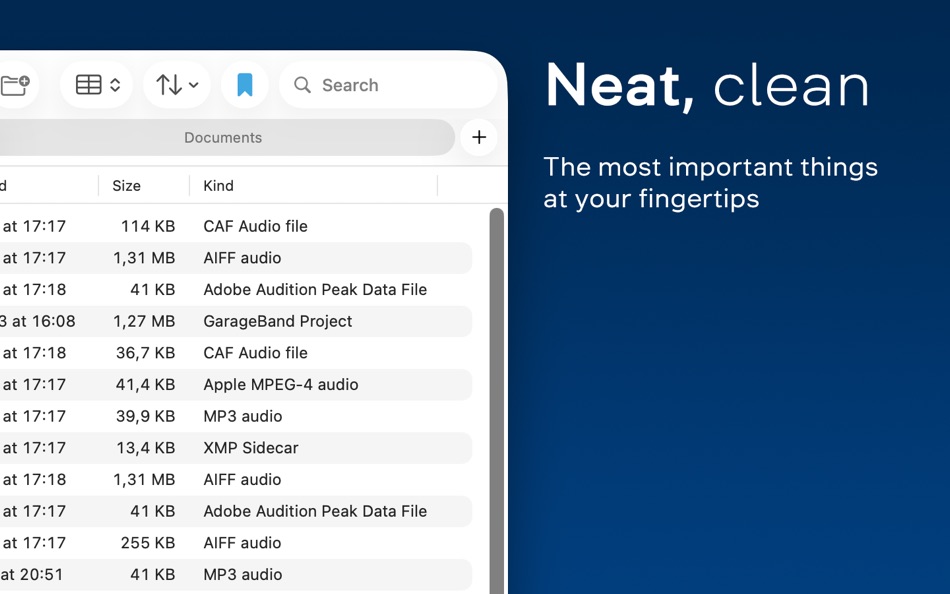
Clean, functional UI:
Get everything you’d expect from a file manager, with the most used functions brought to the top.
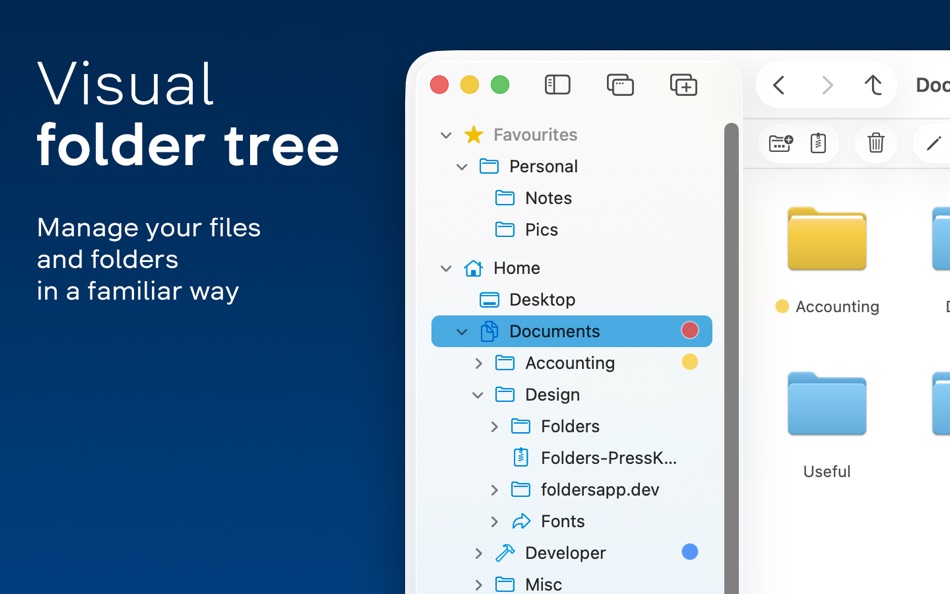
Easy navigation:
Familiar from other operating systems, the folder tree feels right where it belongs.
• Multiple windows and multiple tabs
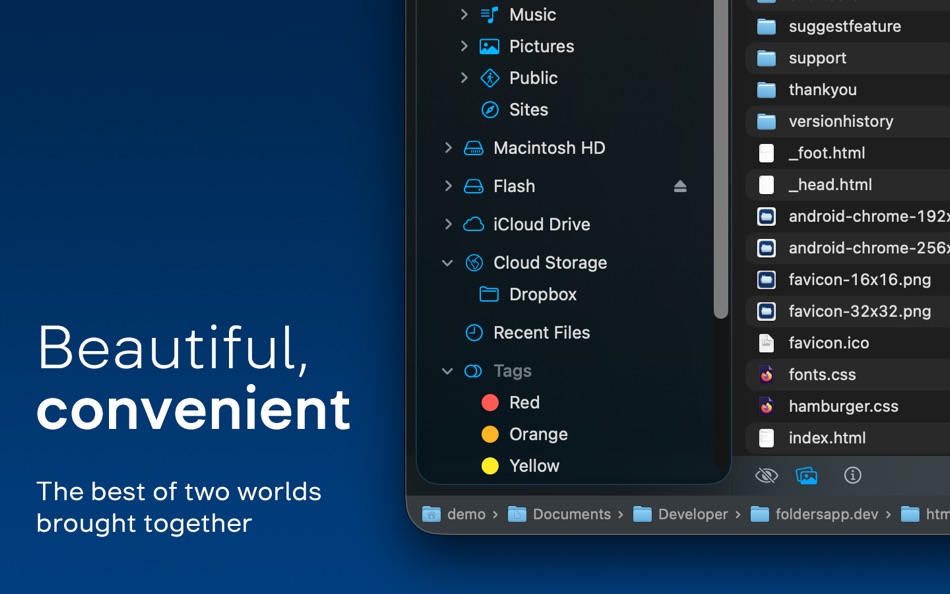
• Convenient access to your Home and iCloud Drive folders
• All your cloud storage in one place
• Expandable, rearrangeable Favorites
• Expandable folder symlinks
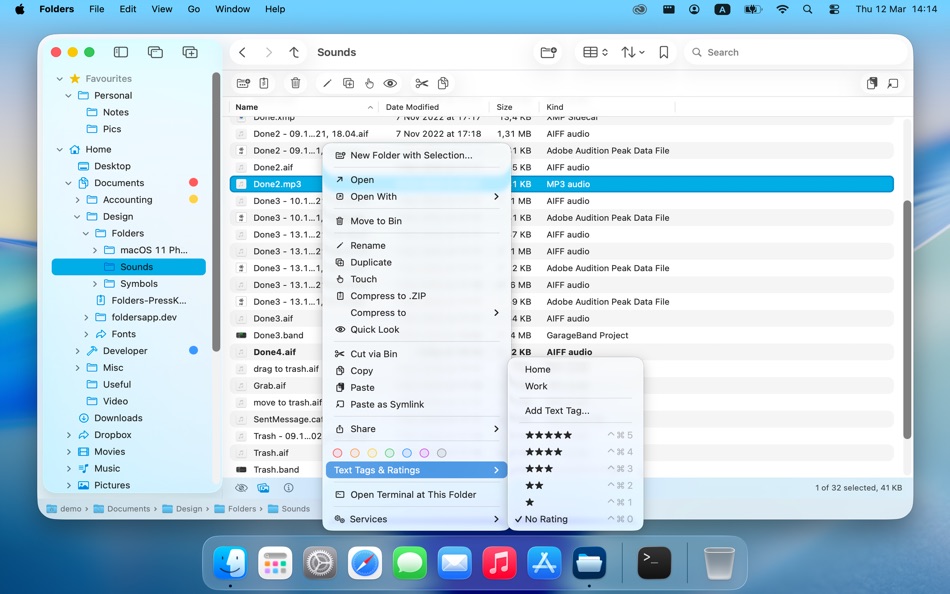
• Recent files, color tags, text tags, and star rating in the tree
Four consistently behaving file views:
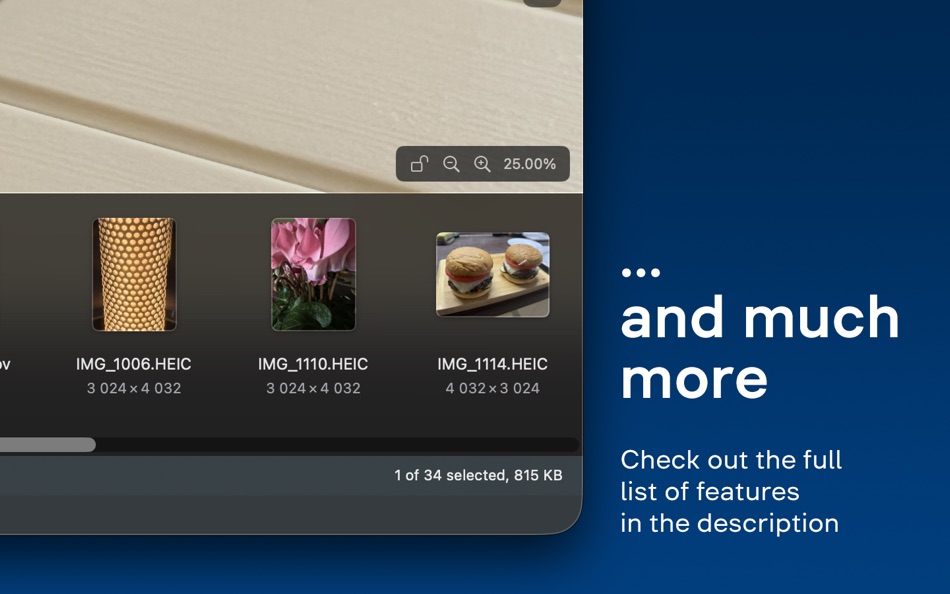
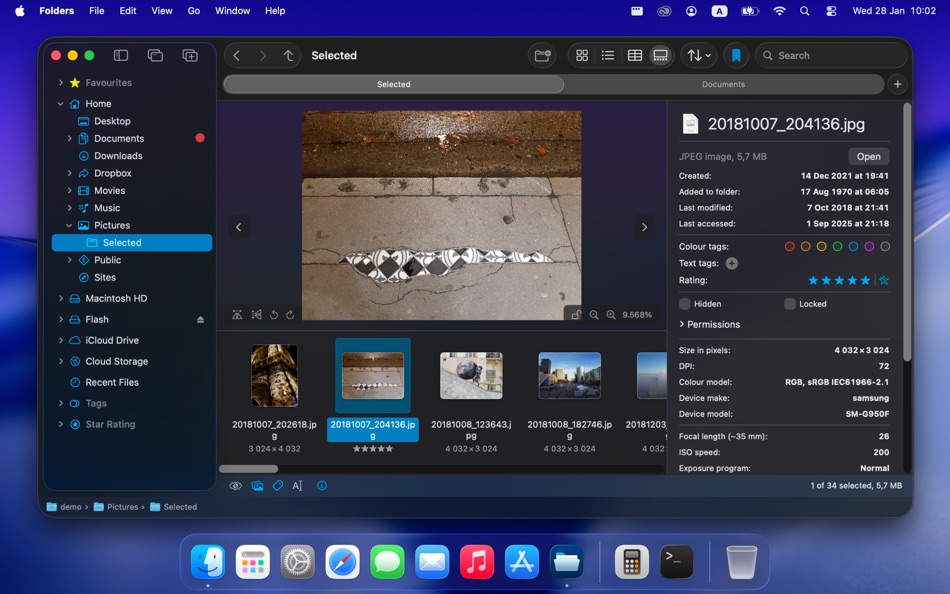
Table, List, Icons, and Gallery view.
• Full control over remembered view settings for individual folders
• “Folders first” or “Folders last” grouping
• File changes shown in bold
• Open files with Return key
• Quick Look preview
• Play audio and video files directly in Gallery view
• Text recognition with Live Text in Gallery view
Separate File Info panel:
• Built-in preview including audio and video files
• File details with EXIF and other metadata
• Set multiple color tags, text tags, star rating
File operations beyond basics:
• Cut / Cut via Trash with ⌘X
• Edit text files and perform basic operations on images
• Create an empty (blank) file or an office document
• Powerful Batch Rename
• Compare file properties on conflicts during copy/move with explicit option to merge folders
• Discover, mount, and re-mount network shares
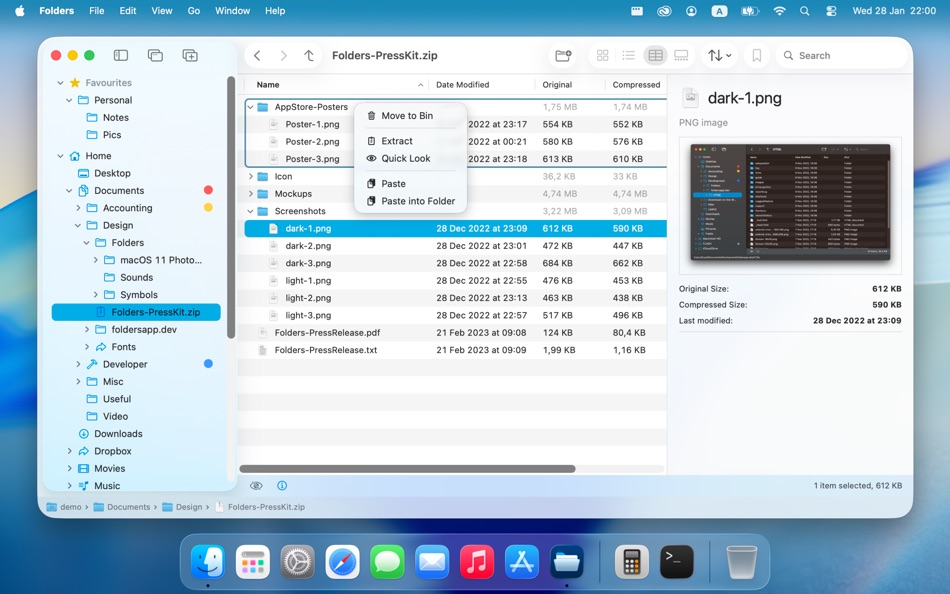
Create, browse, extract, and modify archives:
• Supports zip, 7z, rar (read-only), tar, xz, gz/gzip, zlib, bz2/bzip2, and lz4 formats
• Display archives in the folder tree
• Add, extract, or delete individual entries
• Preview entries without extracting
Comprehensive undo:
Undo any file operation including replacements and folder mergers.
Themes:
Change the main accent color of the app, the color of the top-level nodes or of all folders in the tree belonging to a specific category.
Universal app:
Runs natively on Apple silicon.
Lifetime license:
One-time purchase with no ads or subscriptions.
• Try Folders with a fully functional 14-days trial period + 3 more days with every update
Ad
스크린샷
가격 내역
-
* 인앱 구매 - 현재 가격: 무료
- 최소: 무료
- 최대: $7.99
가격 추적
새로운 기능
- 버전: 2.4.1
- 업데이트:
- • Column settings (order, width, visibility) in Table View are now saved separately for each folder with Remembered View Options
• In Table View you can now add optional columns with all possible metadata and EXIF properties
• Added a setting to choose between Cut via Trash and new internal Cut that mimics the behaviour of File Explorer (works only within Folders)
• Added the ability to slightly reduce UI font size compared to the default value
• Bug fixes and other small improvements
추가 정보
- 출시일:
- 카테고리:
macOS 앱›유틸리티 - 운영체제:
macOS,macOS 13.0 이상 - 크기:
7 Mb - 지원되는 언어:
Arabic,Bulgarian,Catalan,Chinese,Croatian,Czech,Danish,Dutch,English,Finnish,French,German,Greek,Hebrew,Hungarian,Indonesian,Italian,Japanese,Kazakh,Korean,Lithuanian,Norwegian,Polish,Portuguese,Romanian,Slovak,Slovenian,Spanish,Swedish,Thai,Turkish,Ukrainian - 콘텐츠 등급:
4+ - Mac App Store 개의 평가:
0 - 웹사이트:
 https://foldersapp.dev/
개발자
- Andriy Konstantynov
- 플랫폼: macOS 앱 (1)
- 목록: 3 + 3
- 포인트: 14 + 0 ¡
- 순위: 0
- 댓글: 0
- 할인: 0
- 동영상: 0
- RSS: 구독
목록 (3)
- Folders File Manager


포인트 (14)


순위 (0)
0 ☹️
댓글 (0)
가장 먼저 댓글을 남겨주세요 🌟
«Folders File Manager». 플랫폼: macOS. 카테고리: 유틸리티. 개발자: «Andriy Konstantynov». 첫 번째 릴리스: . 마지막 업데이트: . 현재 가격: 무료. 이 타이틀은 아직 AppAgg에서 평가나 리뷰를 받지 못했습니다. 목록: 공개: 3, 비공개: 3. 추적된 포인트: 확인됨: 14, 간접: 0. 사용 가능한 언어: Arabic, Bulgarian, Catalan, Chinese, Croatian, Czech, Danish, Dutch, English, Finnish, French, German, Greek, Hebrew, Hungarian, Indonesian, Italian, Japanese, Kazakh, Korean, Lithuanian, Norwegian, Polish, Portuguese, Romanian, Slovak, Slovenian, Spanish, Swedish, Thai, Turkish, Ukrainian. AppAgg는 «Folders File Manager»의 가격 기록, 평점 및 사용자 피드백을 추적합니다. 향후 할인 및 업데이트 받기: RSS에서 확인할 수 있습니다. AppAgg는 애플리케이션을 호스팅하거나 소프트웨어를 배포하지 않습니다. 모든 상표, 로고 및 스크린샷은 해당 소유자의 자산입니다.
Folders File Manager 단축 URL: 복사됨!- 🌟 공유하기
- Mac App Store
유사 항목
-
- File Manager For Dropbox
- macOS 앱: 유틸리티 게시자: Haroon Ahmad
- * 무료
- 목록: 0 0 0
- 포인트: 0 버전: 1.0 Take full control of your Dropbox storage with an easy-to-use file management app. This app lets you manage all files and folders in your Dropbox account from one convenient place. ... ⥯
-
- File Manager AI
- macOS 앱: 유틸리티 게시자: Ahmed Mohamed Ali Ibrahim Almansoori
- * 무료
- 목록: 0 0 0
- 포인트: 0 버전: 1.1 File Manager AI is a beautifully designed macOS file organizer that helps you clean up space, find large files, and manage your storage effortlessly powered by intelligent on-device ... ⥯
-
- MultipleDir - File manager
- macOS 앱: 유틸리티 게시자: Tien Thinh Vu
- 무료
- 목록: 1 0 0
- 포인트: 3 버전: 1.2 MultipleDir (File manager with multiple tabs, views) makes it easy to manage your files and folders. It provides fast and easy access to your hard disks, USB sticks, and other storage ... ⥯
-
- Advanced File Manager
- macOS 앱: 유틸리티 게시자: Cnnex Limited Company
- $17.99
- 목록: 0 0 0
- 포인트: 0 버전: 1.0.10 Discover the ultimate file management tool with Advanced File Manager. Designed to elevate your productivity, Advanced File Manager empowers you to search for files swiftly, declutter ... ⥯
-
- TSE file manager
- macOS 앱: 유틸리티 게시자: Delta-A Business Services GmbH
- 무료
- 목록: 0 0 0
- 포인트: 0 버전: 1.0.7 TSE File Manager is a dedicated macOS application for managing and exporting fiscal data generated by DeltaX POS systems. It supports the official German TSE (Technische ... ⥯
- -50%
- Beaver - File Manager
- macOS 앱: 유틸리티 게시자: Ron Yahav
- ▼ $2.99
$5.99-50% - 목록: 0 0 0
- 포인트: 1 버전: 2.2 Beaver gives you five essential file operations, available instantly from a keyboard shortcut or the right-click menu. Select files, press Option+Space, or right-click and open the ... ⥯
- 새로운
- TidyBox File Manager
- macOS 앱: 유틸리티 게시자: Naoki Kubo
- 무료
- 목록: 0 0 0
- 포인트: 1 버전: 1.0.1 TidyBox is a menu bar file auto-organization app for macOS. When files are added to watched folders, they are automatically organized based on rules. Create rules intuitively with the ... ⥯
-
- Commander One: File Manager
- macOS 앱: 유틸리티 게시자: Electronic Team, Inc.
- * 무료
- 목록: 2 + 2 0 0
- 포인트: 7 버전: 3.17.2 A high level of file management can be reached with the updated version of Commander One v3.0. Commander One is a free file manager created in Swift, has a dual-pane interface that ... ⥯
-
- Helm - Hosts file manager
- macOS 앱: 유틸리티 게시자: 金标 李
- $9.99
- 목록: 1 + 2 0 5 (1)
- 포인트: 10 버전: 3.2.0 Helm is a powerful and intuitive hosts file manager designed for developers, system administrators, and power users on macOS. It simplifies the process of editing, organizing, and ... ⥯
-
- Folder Rack – File Manager
- macOS 앱: 유틸리티 게시자: Ivo Wessel
- * 무료
- 목록: 0 0 0
- 포인트: 1 버전: 1.26 FOLDER RACK Manage your files and folders The Finder was always my most-used tool. However, there were many functions that I missed in my day-to-day work or that I would have done ... ⥯
-
- File Cabinet Pro
- macOS 앱: 유틸리티 게시자: App Tyrant Corp
- $29.99
- 목록: 0 + 1 0 0
- 포인트: 4 버전: 8.8.1 File Cabinet Pro is the file manager for the macOS menu bar. Quickly navigate to files without cluttering your desktop. Open, move, rename, compress, tag, trash, copy and paste files, ... ⥯
-
- File Vortex
- macOS 앱: 유틸리티 게시자: Walter Tengler
- $3.99
- 목록: 0 0 0
- 포인트: 0 버전: 1.3 File Vortex lives in your menu bar and turns file chaos into order. Drag photos, documents, and videos onto the floating vortex window they're instantly organized into date-based ... ⥯
-
- File Rename Pro
- macOS 앱: 유틸리티 게시자: Gavin Matthews
- * $12.99
- 목록: 1 0 0
- 포인트: 1 버전: 2025.3 File Rename Pro lets you rename a number of files quickly and easily, saving you time and effort. Drag and drop one or more files or folders from Finder onto the app and you're ready ... ⥯
-
- File Fairy
- macOS 앱: 유틸리티 게시자: David Lafortune
- 무료
- 목록: 0 0 0
- 포인트: 1 버전: 2.04 File Fairy is an intelligent macOS menu bar app that uses AI to automatically rename your downloads and screenshots. By analyzing file content including OCR for images and metadata for ⥯