ที่บันทึกไว้
เลือกชื่อที่จะแสดงในเมนูที่บันทึกไว้ของคุณ
เสร็จแล้ว
| ผู้พัฒนา: | Readwise, Inc (4) | ||
| ราคา: | ฟรี | ||
| การจัดอันดับ: | 0 | ||
| ความเห็น: | 0 โพสต์ความคิดเห็น | ||
| รายการ: | 2 + 2 | ||
| แต้มแล: | 6 + 543 (4.6) ¡ | ||
| App Store | |||
คำอธิบาย

______________________
“Reader has completely redesigned the read-it-later app. It’s gorgeous and blazingly fast. In many ways, it’s the Superhuman of reading — you won’t want to read anywhere else.”
Rahul Vohra (Founder of Superhuman)
“I spend my entire day reading, researching, & writing and Readwise is the reading tool I’ve been waiting for. The perfect complement to my writing workflow. Absolute game changer.”
Packy Mccormick (Author of Not Boring)
“The Readwise reading app is the first read-it-later app that enables a true workflow for serious readers. As an ex-Pocket /Instapaper power user, it's hard to imagine ever going back.”
Fitz Maro (Creative Technology Lead at Pinterest)
______________________
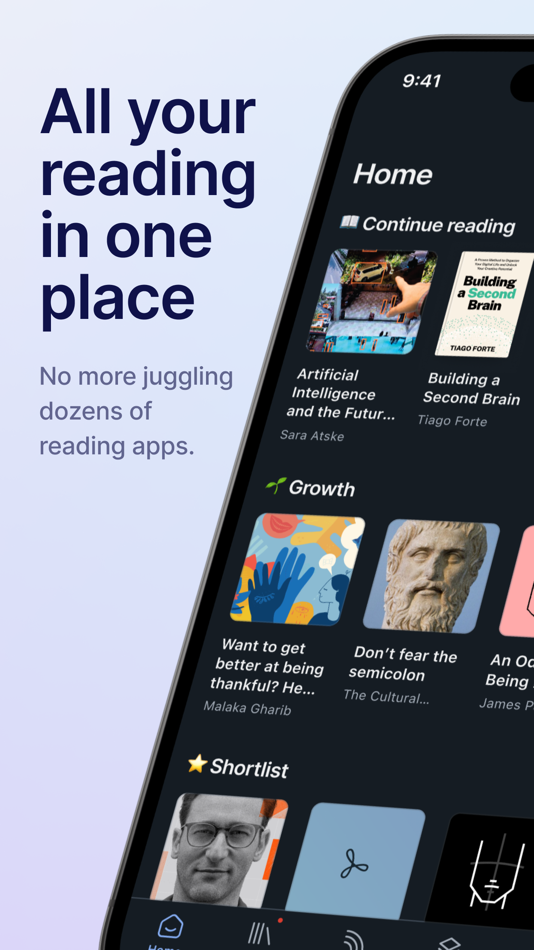
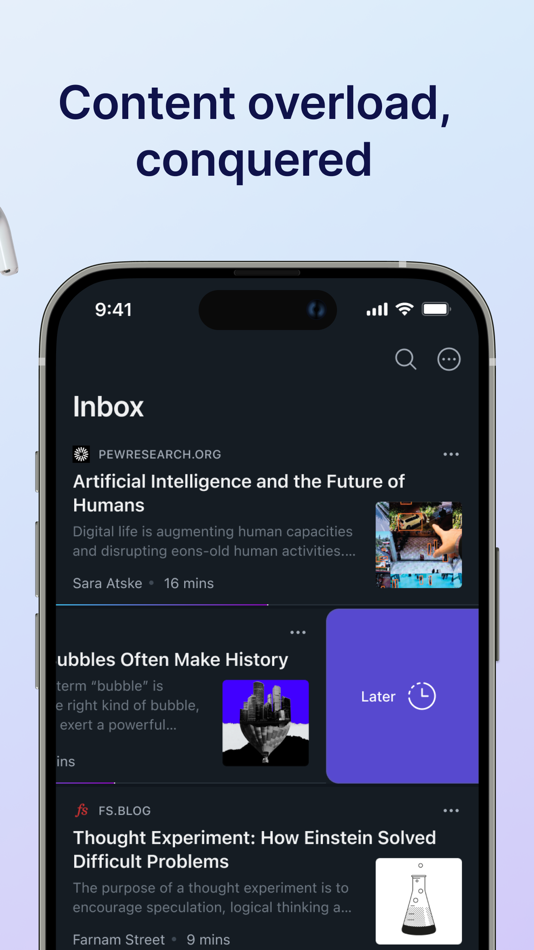
ALL YOUR READING IN ONE PLACE
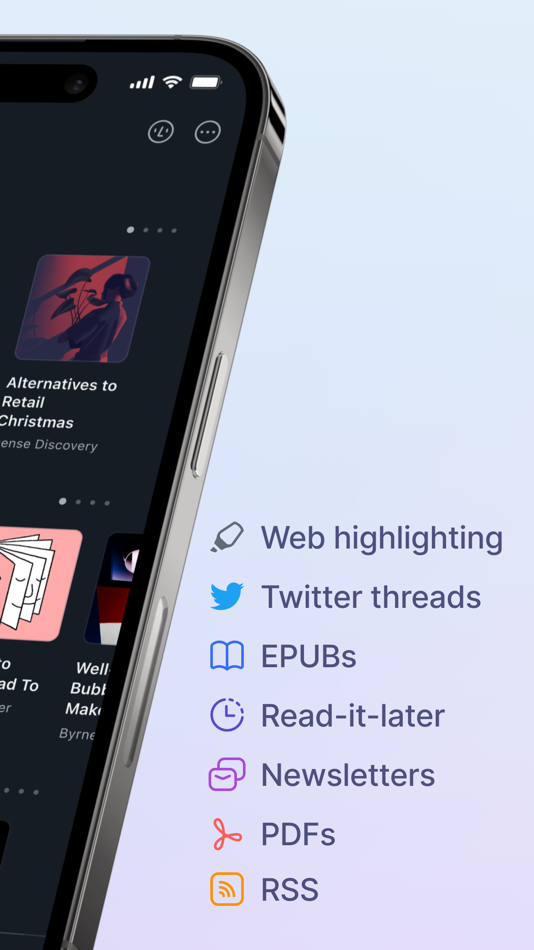
Stop juggling half a dozen reading apps. Reader brings all your content into one place including:
• Web articles
• Email newsletters
• RSS feeds
• Twitter threads
• PDFs
• EPUBs
You can even import your existing library from Pocket and Instapaper and RSS feeds from Feedly, Inoreader, Feedbin, etc.
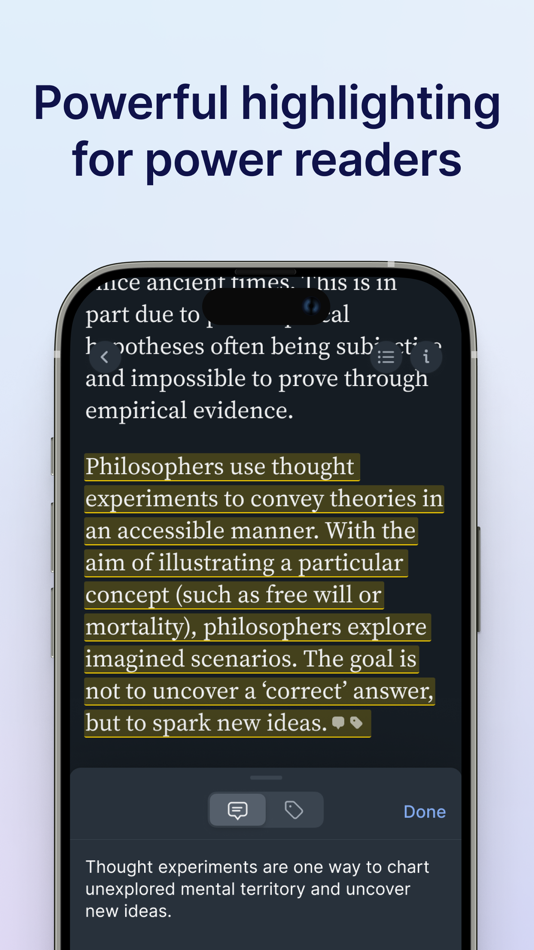
POWERFUL HIGHLIGHTING FOR POWER READERS
We believe that annotations are the key to getting more out of what you read. So we’ve developed highlighting as a first-class feature inside Reader. Highlight images, links, rich text, and more. On any device.
READER WILL CHANGE THE WAY YOU READ
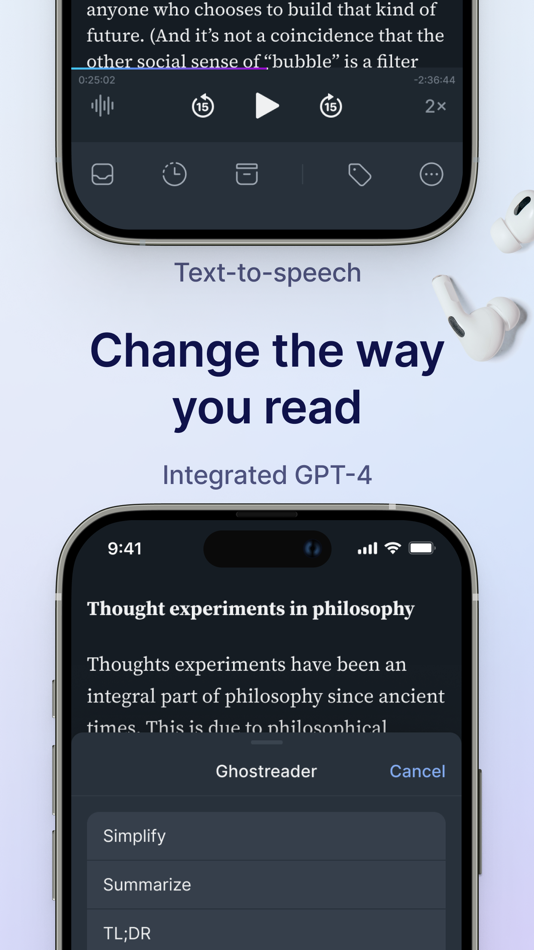
We’ve reinvented the digital reading experience to apply the power of software to the printed word. This includes TEXT-TO-SPEECH (listen to any document narrated with the lifelike voice of a real human), GHOSTREADER (your integrated copilot of reading enabling you to ask questions, define terms, simplify complex language, and more), and FULL-TEXT SEARCH (find whatever you’re looking for, even if you only remember a single word).
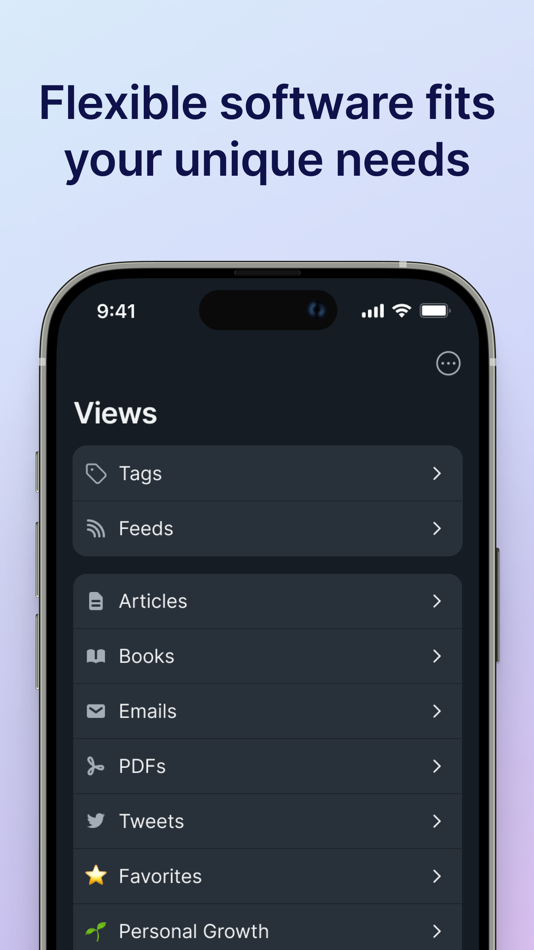
FLEXIBLE SOFTWARE TO FIT YOUR UNIQUE NEEDS
Your personal interests, your professional projects, your way of doing things — they’re unique. Reader is your home base for the varied documents in your life, customizable to match the way your brain works.
PDFs for work, articles for your newsletter, and ebooks for pleasure all live comfortably side-by-side. No more juggling dozens of apps.
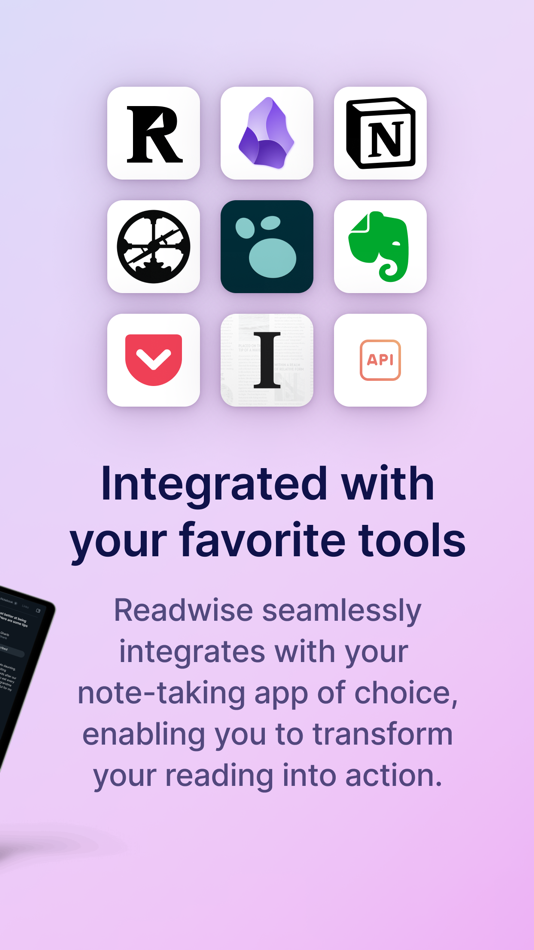
INTEGRATED WITH YOUR FAVORITE TOOLS
Your annotations should flow effortlessly from your reading app into your writing tool of choice. Instead you waste hours reformatting, reorganizing, and repeating. Reader eliminates this hassle. Reader seamlessly connects to Readwise which exports to Obsidian, Notion, Roam Research, Evernote, Logseq, and more
READ ANYWHERE, ANYTIME
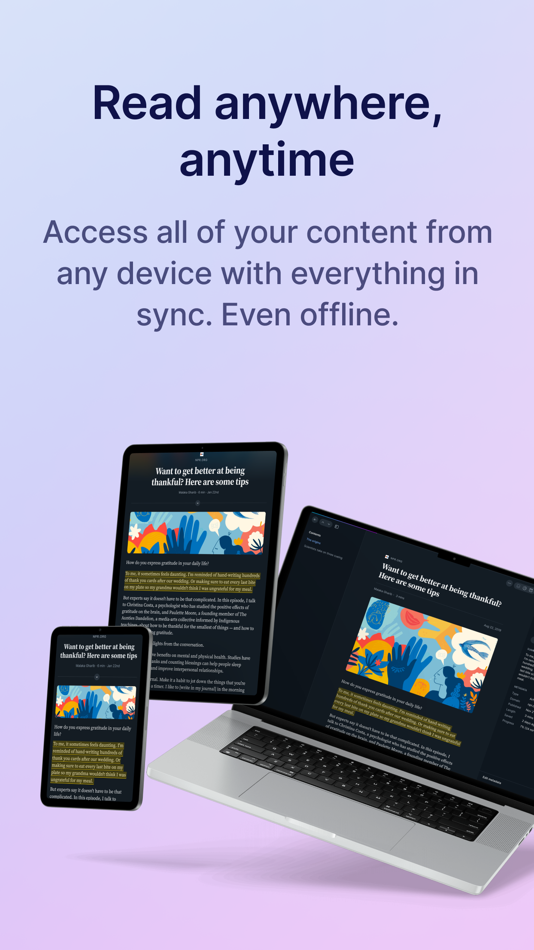
Access all of your content from any of your devices with everything in sync. Even offline. Reader syncs across all platforms, including a powerful, local-first web app and iOS. You can even highlight the open web with the Reader browser extensions.
______________________
If you’re not already a Readwise subscriber, you can get a free 30-day trial with no credit card upfront. At the end of the trial, you will not be charged unless you choose to subscribe.
Support: Check out readwise.io/faq or email us at hello@readwise.io
Terms of Use: https://www.apple.com/legal/internet-services/itunes/dev/stdeula/
Privacy Policy: https://readwise.io/privacy
Ad
ภาพหน้าจอ
ประวัติราคา
- วันนี้: ฟรี
- ต่ำสุด: ฟรี
- มากที่สุด: ฟรี
ติดตามราคา
มีอะไรใหม่
- เวอร์ชัน: 7.39.1
- อัปเดต:
- Fixed Podcast Routing — Mati fixed a bug where some Apple Podcasts URLs with extra query parameters (like ?l=) added via URL were being categorized as Articles instead of Podcasts.
Fixed YouTube Dates — Mati fixed an issue where newly saved YouTube videos were missing their published date.
Parsing Updates — Tristan, Rasul, and Krzys worked this week to account for a change in Twitter's API that briefly disrupted tweet and list imports. Krzys also improved how Reader displays tweets and X posts, as well as content from craft.do.
Previously:
Expanded Horizontal Pages — Mati fixed an issue where 2-column reading mode on large tablets had excessive padding. The columns now use the full available screen width in horizontal pagination + the XL width setting.
Fixed Highlight Navigation — Adam fixed a glitch with navigating to highlights using the notebook. Tapping highlights in the side panel should now take you to the relevant part of the document.
Fixed YouTube Subtitles — Mati fixed an issue where YouTube videos weren't displaying subtitles in Reader due to a change on YouTube's end. Affected videos have been reparsed.
Fixed Fullscreen Images — Arek fixed a bug where the comment and tag buttons would flash but not respond when viewing images in fullscreen mode, particularly in EPUBs.
Improved PDF Enhancement — Johannes tweaked what happens when a PDF's text enhancement fails. You'll now see a clear message with a "View as PDF" button to fall back to the original, rather than a loading animation.
Fixed TTS Jump Button — Mati fixed an issue where the TTS "jump to current position" button would reset to the beginning of the chapter when using horizontal pagination mode. It now correctly jumps to where the audio is playing.
Fixed Tap-to-Scroll — You can once again tap the status bar to scroll to the top of document lists on iPhones, thanks to Mati.
Fixed Image Loading — Arek fixed an issue on iOS where certain article images (specifically .svgz compressed SVG files) weren't loading properly in full-size mode.
Podcast Transcripts — share any podcast episode from Apple Podcasts, Spotify, or Overcast into Reader, and it will be saved as a permanent, highlightable transcript.
Sticky Tablet Sidebars — You can now keep sidebars open while using Reader on tablets. In documents, opening the table of contents or notebook sidebar shrinks the reading view, so you can still scroll and highlight text. In your Library and Feed, the sidebar stays open so you can browse documents with the same context you’d see on the web version of the app.
Better Offline Control — Choose which categories of documents to keep available offline from the offline documents section of the Account screen. A new status shows whether a location is currently downloading. Documents also now have more informative messages if they aren't available, which should be rare as long as you open the app for a few seconds to give everything time to download. Johannes also fixed a bug where the experimental offline caching feature could freeze interactive elements in the app.
Improved Action Sheets — Action sheets should now float nicely in the center of tablet screens, instead of at the bottom. Mati also got to the bottom of a glitch preventing highlight deletion and the action menu from working properly on PDFs. Artem fixed a glitch that caused some other action sheets not to show all their options. Arek fixed a bug where multiple bottom sheets could stay open at the same time. Using “find in document” and similar options should be easier now.
Our full ePubs v2 feature includes 10x+ better performance on books, a dedicated long-form reading UI, and so much more. Our goal is to have Reader be the best app in the world for reading books (in addition to other formats), and this project is a big step towards that.
ข้อมูลเพิ่มเติม
- วันที่วางจำหน่าย:
- หมวดหมู่:
iOS แอป›ประสิทธิภาพการผลิต - ระบบปฏิบัติการ:
iPad,iPhone,iOS 13.4 และสูงกว่า - ขนาด:
157 Mb - ภาษาที่สนับสนุน:
English - การจัดประเภทเนื้อหา:
17+ - App Store คะแนนโดย:
4.6(543) - เว็บไซท์:
 https://readwise.io/read
ผู้พัฒนา
รายการ (2)
- Readwise Reader


แต้มแล (6)
-

- 1,819 sam
- +1
-
- 29,620 Lance Eliakim Sotto
- +1
-
- 3,520 Jojo Gillera
- +1
-
- 2,346 Kras-s-savchiK
- +1
-
- 1 catty88 BL
- +1
-
- 2,045 Luciole
- +1




การจัดอันดับ (0)
0 ☹️
ความเห็น (0)
เป็นคนแรกที่แสดงความเห็น 🌟
«Readwise Reader». แพลตฟอร์ม: iOS. หมวดหมู่: ประสิทธิภาพการผลิต. ผู้พัฒนา: «Readwise, Inc». การเปิดตัวครั้งแรก: . อัปเดตล่าสุด: . ราคาปัจจุบัน: ฟรี. ชื่อนี้ยังไม่ได้รับการให้คะแนนหรือบทวิจารณ์บน AppAgg รายการ: สาธารณะ 2, ส่วนตัว 2. จุดที่ติดตาม: ยืนยันแล้ว 6, ทางอ้อม 543. ร้านค้า: App Store. คะแนนร้านค้า: 4.6. โหวต: 543. ภาษาที่ใช้ได้: English. AppAgg ติดตามประวัติราคา การให้คะแนน และคำติชมของผู้ใช้ «Readwise Reader». ส่วนลดและอัปเดตในอนาคต: RSS. AppAgg ไม่ได้โฮสต์แอปพลิเคชันหรือแจกจ่ายซอฟต์แวร์ เครื่องหมายการค้า โลโก้ และภาพหน้าจอทั้งหมดเป็นของเจ้าของที่เกี่ยวข้อง
Readwise Reader URL แบบสั้น: คัดลอกแล้ว!- 🌟 แชร์
- App Store
คล้ายกัน
-
 Reader
- iOS แอป: ประสิทธิภาพการผลิต
- โดย: The Augmented Text Company LTD
- * ฟรี
- การจัดอันดับ: 0
- ความเห็น: 0
- รายการ: 2 + 2
- แต้มแล: 15 + 3 (5.0)
- เวอร์ชัน: 1.2
- The iOS companion to the macOS Reader PDF viewer. Here you can read with no distractions and annotated, then work further with your documents back on your Mac using iCloud.⥯
-
- Dark Reader for Safari
- iOS แอป: ประสิทธิภาพการผลิต
- โดย: Dark Reader Ltd
- $4.99
- การจัดอันดับ: 0
- ความเห็น: 0
- รายการ: 6 + 7
- แต้มแล: 9 + 268 (4.3)
- เวอร์ชัน: 1.5.7
- Dark Reader is an eye-care Safari extension that enables night mode by creating dark themes for websites on the fly. It inverts bright colors to make web pages high contrast and easier⥯
-
- Reader's Bench: PDF & Notes
- iOS แอป: ประสิทธิภาพการผลิต
- โดย: Rohmiapps Inc.
- ฟรี
- การจัดอันดับ: 0
- ความเห็น: 0
- รายการ: 1
- แต้มแล: 3 + 2 (3.5)
- เวอร์ชัน: 1.6.3
- After reading, we must review what we have learned to assimilate it. Jotting down notes is essential during reading. We require not only handwriting capabilities on PDF documents but ...⥯
-
- Reader With Voice AI
- iOS แอป: ประสิทธิภาพการผลิต
- โดย: Oleksandr Oliinyk
- * ฟรี
- การจัดอันดับ: 0
- ความเห็น: 0
- รายการ: 0
- แต้มแล: 0
- เวอร์ชัน: 1.13
- Transform any book or text into captivating audio experiences with Reader With Voice AI the smart speech app designed to read aloud anything you love! Whether you're diving into an ...⥯
-
- QR Code Reader: Quick Scan
- iOS แอป: ประสิทธิภาพการผลิต
- โดย: Komorebi Inc.
- ฟรี
- การจัดอันดับ: 0
- ความเห็น: 0
- รายการ: 0
- แต้มแล: 1 + 156,044 (4.7)
- เวอร์ชัน: 4.0.2
- QR Code Reader for iPhone is a free and handy QR code scanner and reader app. [Features] - The camera starts automatically when you launch the app. - Scan images directly from your ...⥯
-
- Code Reader & Creator
- iOS แอป: ประสิทธิภาพการผลิต
- โดย: Hong Kong Delightful Limited
- ฟรี
- การจัดอันดับ: 0
- ความเห็น: 0
- รายการ: 0
- แต้มแล: 1
- เวอร์ชัน: 1.0.2
- Unlock the power of QR codes and barcodes with Code Reader & Creator! Whether you need to scan a QR code for quick access or generate a custom barcode for your business, this app has ...⥯
-
- Speedy Reader - RSVP
- iOS แอป: ประสิทธิภาพการผลิต
- โดย: Tran Duc Thu
- ฟรี
- การจัดอันดับ: 0
- ความเห็น: 0
- รายการ: 0
- แต้มแล: 1 + 2 (5.0)
- เวอร์ชัน: 2.0.6
- Speedy Reader Read Faster, Focus Better, Learn More Do you want to read faster and retain more? Speedy Reader uses RSVP (Rapid Serial Visual Presentation) technology to help you boost ...⥯
-
- WPD Reader - for WordPerfect
- iOS แอป: ประสิทธิภาพการผลิต
- โดย: RootRise Technologies Pvt. Ltd.
- $4.99
- การจัดอันดับ: 0
- ความเห็น: 0
- รายการ: 0
- แต้มแล: 0 + 119 (4.6)
- เวอร์ชัน: 3.0
- Do you receive Corel® WordPerfect® documents (.wpd, .wpt, .wp, .wp4, .wp5, .wp6) as email attachments on you iPhone and iPad? Are you having plenty of WordPerfect files that no decent ...⥯
-
- Spotxel® Reader
- iOS แอป: ประสิทธิภาพการผลิต
- โดย: Sicasys Software GmbH
- ฟรี
- การจัดอันดับ: 0
- ความเห็น: 0
- รายการ: 0
- แต้มแล: 0 + 7 (2.4)
- เวอร์ชัน: 2.2.2
- Spotxel® Reader enables reading and analysis of multiple samples in parallel in plate formats: + Capturing: Take picture of the microplate. + Reading: Detect and measure color signal ...⥯
- ใหม่
- Open MSG · EML Viewer & Reader
- iOS แอป: ประสิทธิภาพการผลิต
- โดย: OMER FARUK KIZILTUG
- * ฟรี
- การจัดอันดับ: 0
- ความเห็น: 0
- รายการ: 0
- แต้มแล: 0
- เวอร์ชัน: 6.2.2
- Open any MSG or EML email file directly on your iPhone, iPad, and Mac. Built for professionals and anyone who needs flawless email formatting and instant attachment extraction without ...⥯
-
- All Doc Reader & PDF Converter
- iOS แอป: ประสิทธิภาพการผลิต
- โดย: Awan Junction
- * ฟรี
- การจัดอันดับ: 0
- ความเห็น: 0
- รายการ: 0
- แต้มแล: 2
- เวอร์ชัน: 9
- Document Reader is an all-in-one solution designed to help you open, read, scan, and manage documents effortlessly on your iPhone. Whether you work with PDFs, Word files, spreadsheets,⥯
-
- All Document Reader Pro
- iOS แอป: ประสิทธิภาพการผลิต
- โดย: BRINDER SINGH
- ฟรี
- การจัดอันดับ: 0
- ความเห็น: 0
- รายการ: 0
- แต้มแล: 0 + 9 (4.3)
- เวอร์ชัน: 1.8
- All Document Reader Pro is your complete file opener, cleaner, organizer and converter for iPhone and iPad. Quickly view, manage, clean and convert documents, archives, spreadsheets, ...⥯
-
- PDF Reader 2025
- iOS แอป: ประสิทธิภาพการผลิต
- โดย: Jamie Maxwell
- ฟรี
- การจัดอันดับ: 0
- ความเห็น: 0
- รายการ: 0
- แต้มแล: 3
- เวอร์ชัน: 1.1
- PDF Reader 2025 is a fast, lightweight PDF viewer for iPhone and iPad. Horizontal swiping to move between pages Pinch-to-zoom for detailed reading Keyword search with match counts and ...⥯
-
- OpenDocument Reader - view ODT
- iOS แอป: ประสิทธิภาพการผลิต
- โดย: Stefl und Taschauer OG
- ฟรี
- การจัดอันดับ: 0
- ความเห็น: 0
- รายการ: 0
- แต้มแล: 0 + 874 (4.5)
- เวอร์ชัน: 1.35
- View and modify documents created using LibreOffice or OpenOffice on the go using the Document Reader & Document Editor! The file reader & document editor allows you to open files like⥯