
ที่บันทึกไว้
เลือกชื่อที่จะแสดงในเมนูที่บันทึกไว้ของคุณ
เสร็จแล้ว
| ผู้พัฒนา: | 超 程 (23) | ||
| ราคา: | * ฟรี | ||
| การจัดอันดับ: | 0 | ||
| ความเห็น: | 0 โพสต์ความคิดเห็น | ||
| รายการ: | 1 + 0 | ||
| แต้มแล: | 3 + 0 ¡ | ||
| Mac App Store | |||
คำอธิบาย

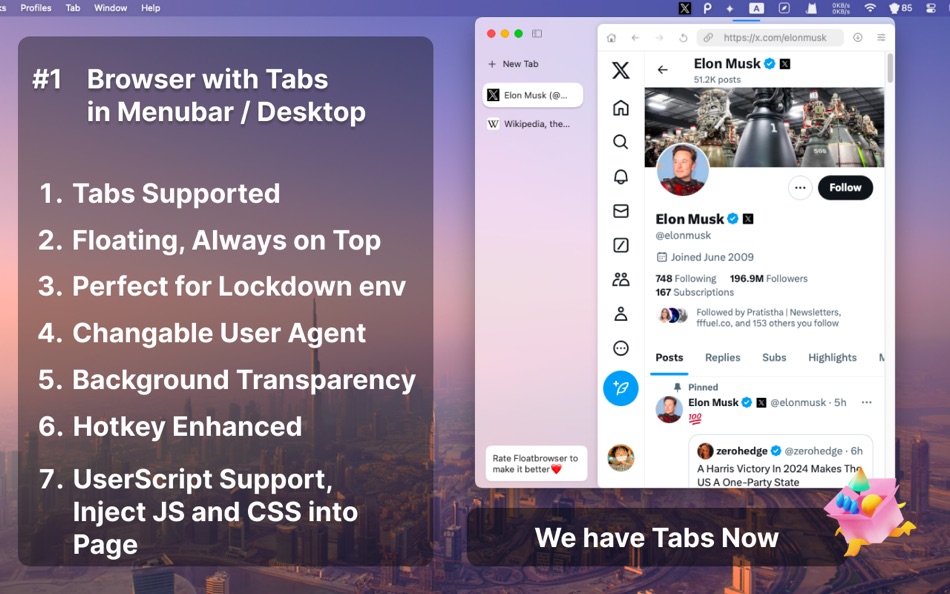
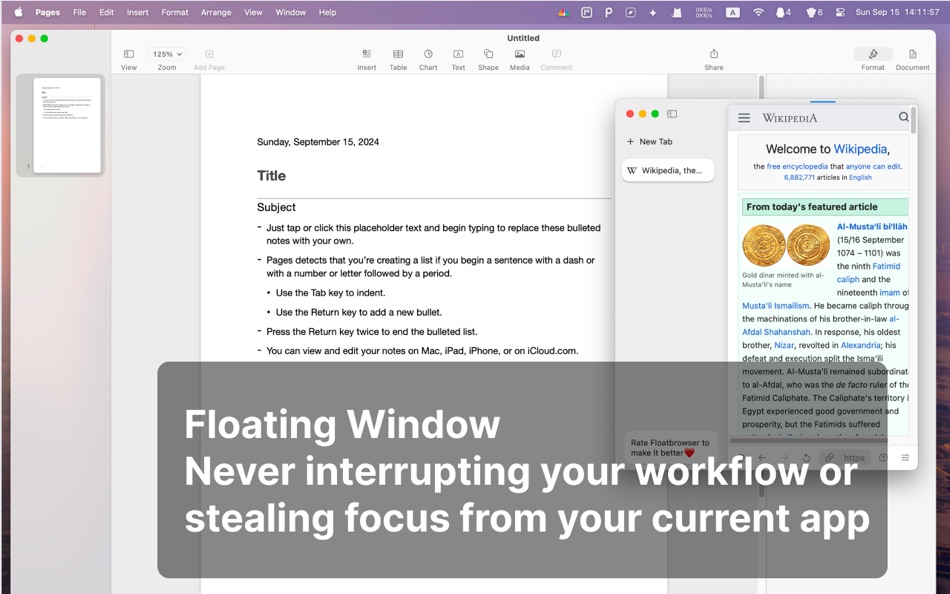
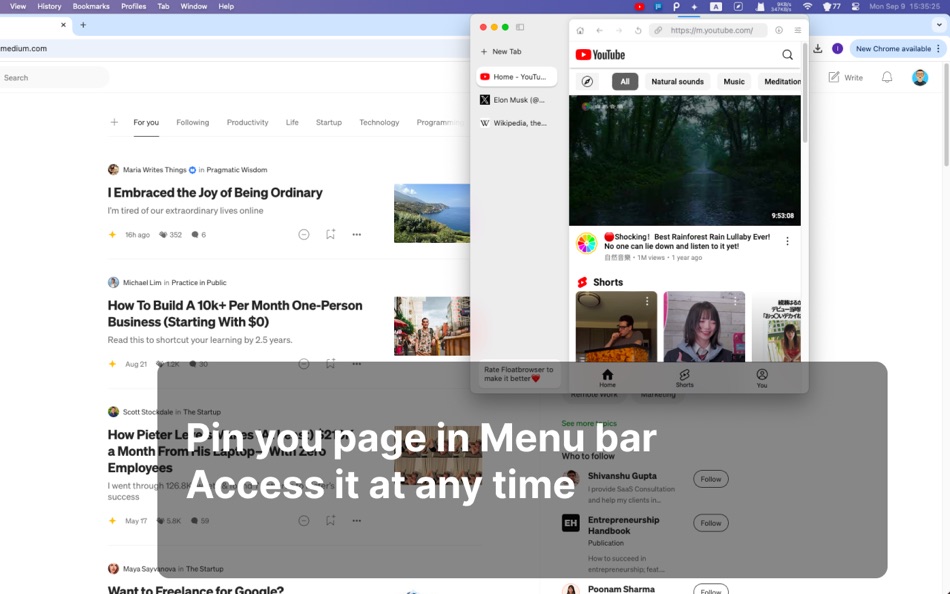
With FloatBrowser you could bring up a float window with hotkey, pin any web page in the menu bar, It will never de-focus your current app. Whether you're working, studying or watching youtube, FloatBrowser ensures you stay on top and focus your main task with a floating window.
## With Menubar Browser - FloatBrowser
1. Browse Without Losing Focus
Stay focused on your tasks while keeping FloatBrowser floating for quick reference—perfect for viewing research, documents, or websites without breaking your workflow.
2. Stay Connected
Chat with friends on WhatsApp, TikTok Twitter and Instagram, or catch up on YouTube and Hulu, you just need one click in the menu bar—all without leaving your workspace.
3. Monitor Real-Time Data at a Glance
Track stock prices, follow cryptocurrency movements, watch live camera feeds, or check your sales metrics—all within a floating browser window that’s easily accessible from your menu bar.
4. Stream Music in the Background
Enjoy background music from Spotify or YouTube Music while staying productive, without needing to switch browser windows.
5. Maintain Privacy Anytime with Private Browser
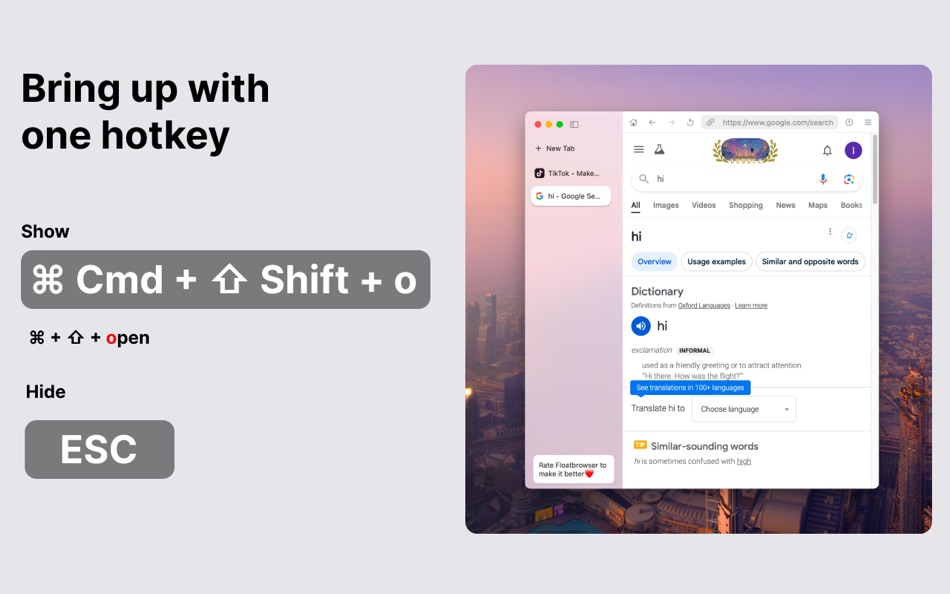
Browse the web with privacy is our priority. With a single hotkey of the ESC, you can hide the browser window. You can also adjust the window's transparency to keep your browsing discreet and private
6. Chat with AI with Ease
Access the popular Genius AI chatbot. Use floating window to chat with the AI, get instant responses, and return to your work seamlessly.
You could set a shortcut for the AI Chatbot and open the floating window directly with one hotkey.
## Menubar Browser - FloatBrowser Key Features:
1. Never Defocus from Current App for better UX.
2. Floating Browser Window
Pin FloatBrowser floating on top of other windows.
3. Pin Websites to Menu bar
Pin frequently used website to the menu bar for quick, fast and easy access.
4. Powerful Hotkeys
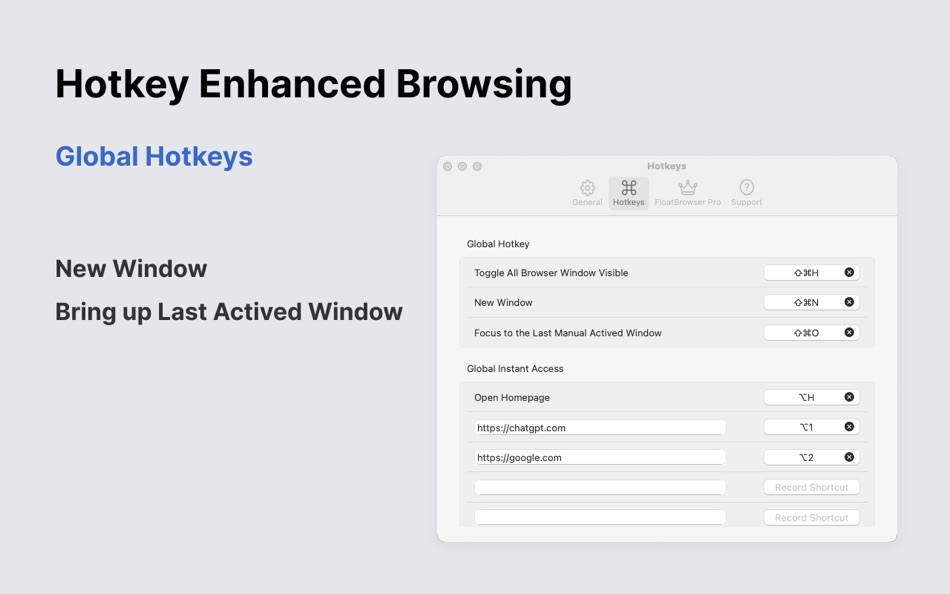
Bring up or hide the floating browser with hotkey.
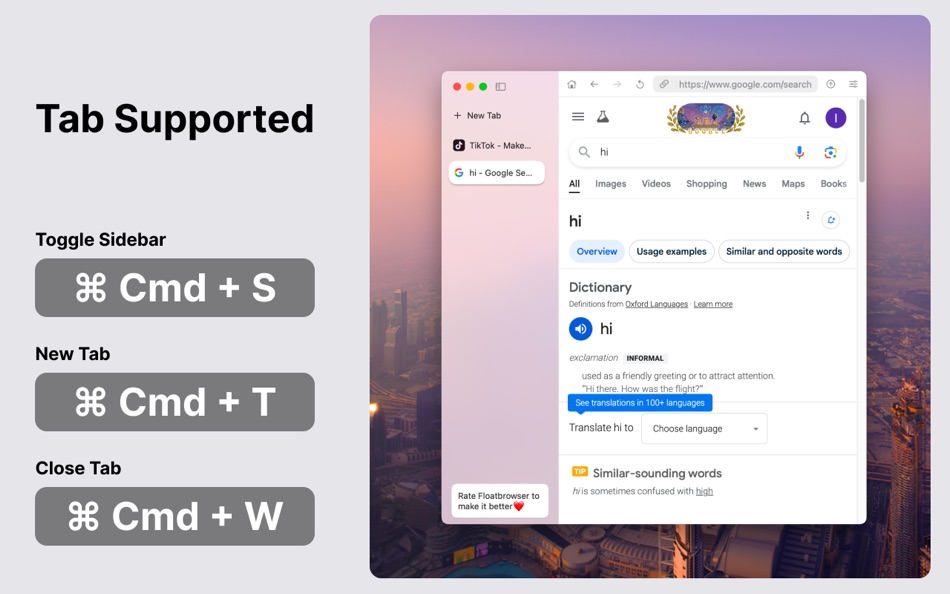
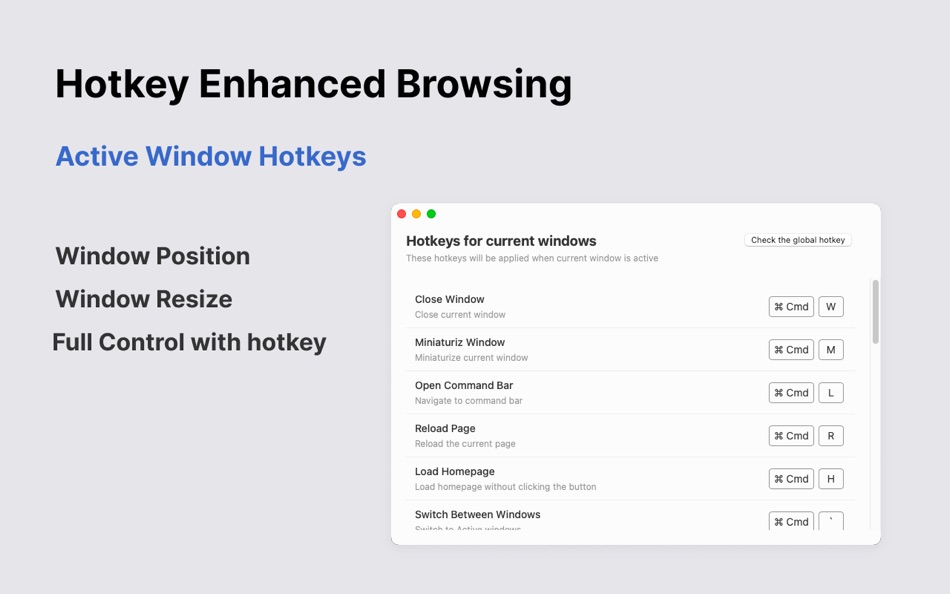
Create, close, resize, switch between windows, New Tab, Zoon in/out and reload the web page, just as your daily duckduckgo or safari web browser.
Resize or center floating browser window, Change floating window position, all worked with hotkey.
You can set hotkey for specific website to browse the web page directly and more fast.
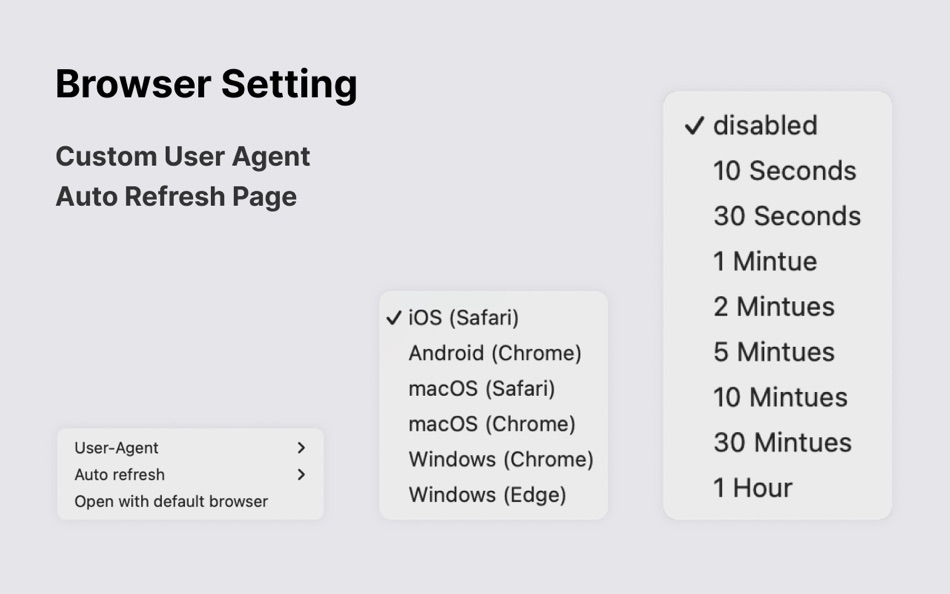
5. Auto-Refresh, Auto reload your pages
6. Change User-Agent
Change to open the mobile page or the pc page, no need to use your phone to open a mobile web page.
7. Transparent & Borderless Mode
Blend FloatBrowser into your workspace by adjusting transparency and removing borders, giving you a distraction-free experience and a total private browser.
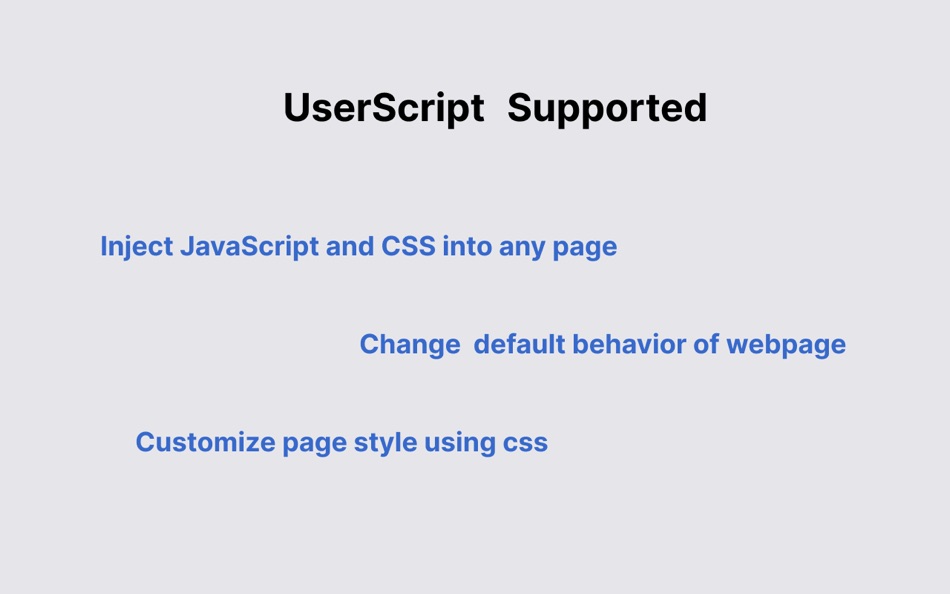
8. Support for User Scripts
9. Built for Fast Speed
With the native Safari browser engine, FloatBrowser delivers fast, smooth, and reliable browsing. Enjoy a seamless experience as you browse the web from your menu bar
We appreciate your feedback, Drop us a line whenever you have any questions, problems or suggestions.
Will be replied in 12 hours. Do let me know if you have any questions about the web browser features of Menu bar, Floating, Pin Webpage and so on.
Please reach out to us via "Send Feedback" button from the menu list, or your mail would be ignored.
Thank you.
Ad
ภาพหน้าจอ
ประวัติราคา
-
* การซื้อภายในแอพ - วันนี้: ฟรี
- ต่ำสุด: ฟรี
- มากที่สุด: ฟรี
ติดตามราคา
มีอะไรใหม่
- เวอร์ชัน: 0.32
- อัปเดต:
- Updates:
1. Remove Lockdown Browser related trademark and feature
2. Support hotkey ⌘+[ and ⌘+] to back or forward the page
3. Support default User-Agent. You could change the default user-agent in settings
Nex Version:
Vertical Tabs are coming backs
ข้อมูลเพิ่มเติม
 https://beauty-of-pixel.tech/floatbrowser/blog/
ผู้พัฒนา
รายการ (1)
- Menubar Browser - FloatBrowser

แต้มแล (3)
-

- 1 Ayisha Alsuwaidi
- +1
-
- 322 Mudu
- +1
-
- 661 IMO FUCASHI
- +1


การจัดอันดับ (0)
0 ☹️
ความเห็น (0)
เป็นคนแรกที่แสดงความเห็น 🌟
«Menubar Browser - FloatBrowser». แพลตฟอร์ม: macOS. หมวดหมู่: ยูทิลิตี้. ผู้พัฒนา: «超 程». การเปิดตัวครั้งแรก: . อัปเดตล่าสุด: . ราคาปัจจุบัน: ฟรี. ชื่อนี้ยังไม่ได้รับการให้คะแนนหรือบทวิจารณ์บน AppAgg รายการ: สาธารณะ 1, ส่วนตัว 0. จุดที่ติดตาม: ยืนยันแล้ว 3, ทางอ้อม 0. ภาษาที่ใช้ได้: Chinese, Czech, Danish, Dutch, English, French, German, Italian, Japanese, Portuguese, Russian, Spanish. AppAgg ติดตามประวัติราคา การให้คะแนน และคำติชมของผู้ใช้ «Menubar Browser - FloatBrowser». ส่วนลดและอัปเดตในอนาคต: RSS. AppAgg ไม่ได้โฮสต์แอปพลิเคชันหรือแจกจ่ายซอฟต์แวร์ เครื่องหมายการค้า โลโก้ และภาพหน้าจอทั้งหมดเป็นของเจ้าของที่เกี่ยวข้อง
Menubar Browser - FloatBrowser URL แบบสั้น: คัดลอกแล้ว!- 🌟 แชร์
- Mac App Store
คล้ายกัน
-
- browser Menu
- macOS แอป: ยูทิลิตี้ โดย: MAJID ALKALBANI
- ฟรี
- รายการ: 1 + 1 0 0
- แต้มแล: 4 + 0 เวอร์ชัน: 2.0 MBA Web Browser is a modern and efficient browser built for macOS, combining speed, simplicity, and security in one lightweight application. With a clean design and essential features, ⥯
-
- Browser Care
- macOS แอป: ยูทิลิตี้ โดย: Giovanni Maria Cusaro
- ฟรี
- รายการ: 1 + 0 0 0
- แต้มแล: 3 + 0 เวอร์ชัน: 4.1.8 Hundreds of users have chosen the Pro Version! Thanks to all! The perfect app to take care your browsers and free up space. Browser Care keeps your browsers clean and under control ... ⥯
-
- Browser Jumper
- macOS แอป: ยูทิลิตี้ โดย: 亦伦 谢
- $0.99
- รายการ: 0 + 0 0 0
- แต้มแล: 0 + 0 เวอร์ชัน: 1.1 Add the Browser Jump icon to your Safari toolbar, and with a single click on the icon while browsing any webpage, you can switch that webpage to display in Chrome. ⥯
-
- MenuBar Stats
- macOS แอป: ยูทิลิตี้ โดย: Fabrice Leyne
- $4.99
- รายการ: 1 + 1 0 0
- แต้มแล: 3 + 0 เวอร์ชัน: 3.9 MenuBar Stats 3, completely re-written, goes further than before. MenuBar Stats A quick view to your system health right in your menu bar or/and Notification Center. 7 advanced modules ⥯
- Ad
-
- MenuBar Hidden -Hide menu icon
- macOS แอป: ยูทิลิตี้ โดย: 玉 李
- $0.99
- รายการ: 0 + 0 0 0
- แต้มแล: 0 + 0 เวอร์ชัน: 1.0.2 MenuBar Hidden is a macOS app that hides the menu bar icon. As we open more and more apps, the content displayed in the menu bar becomes longer, making the menu bar very unsightly. ... ⥯
-
- Browser Wall
- macOS แอป: ยูทิลิตี้ โดย: Yukiya Okuda
- * ฟรี
- รายการ: 0 + 0 0 0
- แต้มแล: 0 + 0 เวอร์ชัน: 1.3 "Browser Wall" allows you to display any URL in full-screen easily. Equipped with features optimized for digital signage and information displays, it ensures smooth operation. Key ... ⥯
-
- MenuBar Timer
- macOS แอป: ยูทิลิตี้ โดย: Kais Karim
- $1.99
- รายการ: 0 + 0 0 0
- แต้มแล: 1 + 0 เวอร์ชัน: 1.3 Make every second count with MenuBar Timer, the ultimate menu bar timer app for macOS. Download it today and take control of your time. MenuBar Timer is your go-to timer app for macOS, ⥯
-
- Menubar Trimmer
- macOS แอป: ยูทิลิตี้ โดย: Patric Eckhart
- ฟรี
- รายการ: 0 + 0 0 0
- แต้มแล: 1 + 0 เวอร์ชัน: 1.1 With Menubar Trimmer, you can reduce the icons in your menu bar. ⥯
-
- Browser Grid
- macOS แอป: ยูทิลิตี้ โดย: Jan Chalupa
- ฟรี
- รายการ: 1 + 0 0 0
- แต้มแล: 0 + 0 เวอร์ชัน: 1.1 Effortlessly monitor multiple websites with Browser Grid, the browser that lets you create customizable grids of web windows. Ideal for keeping tabs on dashboards like GitHub, Jenkins ... ⥯
-
- Browser: App For Social Media
- macOS แอป: ยูทิลิตี้ โดย: Muhammad Ramzan
- * ฟรี
- รายการ: 0 + 0 0 0
- แต้มแล: 0 + 0 เวอร์ชัน: 2.2 All Your Favorite Social & Google Apps in One Smart macOS Hub Quick access Google services and top social platforms like YouTube, Instagram, TikTok, X (Twitter), Facebook, and more ... ⥯
-
- Menubar Stopwatch
- macOS แอป: ยูทิลิตี้ โดย: Luyi Zhang
- ฟรี
- รายการ: 0 + 0 0 0
- แต้มแล: 1 + 0 เวอร์ชัน: 1.0 A minimalist macOS menu bar stopwatch application with Shortcuts integration to start, stop and reset the stopwatch. ⥯
-
- 2FAS Auth Browser Extension
- macOS แอป: ยูทิลิตี้ โดย: Two Factor Authentication Service Inc.
- ฟรี
- รายการ: 0 + 0 0 0
- แต้มแล: 3 + 0 เวอร์ชัน: 1.8.0 2FAS Auth Browser Extension is simple, private, and secure: 1 click, 1 tap, and your token is automatically entered! Add 2FAS Auth to your web browser with our extension! Enter 2FA ... ⥯
-
- CPU & Memory MenuBar
- macOS แอป: ยูทิลิตี้ โดย: Noriko Inatani
- ฟรี
- รายการ: 1 + 0 0 0
- แต้มแล: 3 + 0 เวอร์ชัน: 1.4.0 It is recommended for you who do not want to place eyesores in the menubar! ⥯
-
- NinjaBrowser - browser mate
- macOS แอป: ยูทิลิตี้ โดย: 鹏 郭
- ฟรี
- รายการ: 0 + 1 0 0
- แต้มแล: 0 + 0 เวอร์ชัน: 1.0.2 NinjaBrowser isn't a browser itself, it's your browsing companion. With just one click, swiftly open the incognito window of your installed browser, eliminating cumbersome steps. ... ⥯