ที่บันทึกไว้
เลือกชื่อที่จะแสดงในเมนูที่บันทึกไว้ของคุณ
เสร็จแล้ว
| ผู้พัฒนา: | Xelaton Software (11) | ||
| ราคา: | $14.99 | ||
| การจัดอันดับ: | 0 | ||
| ความเห็น: | 0 โพสต์ความคิดเห็น | ||
| รายการ: | 2 + 1 | ||
| แต้มแล: | 0 + 0 ¡ | ||
| Mac App Store | |||
คำอธิบาย

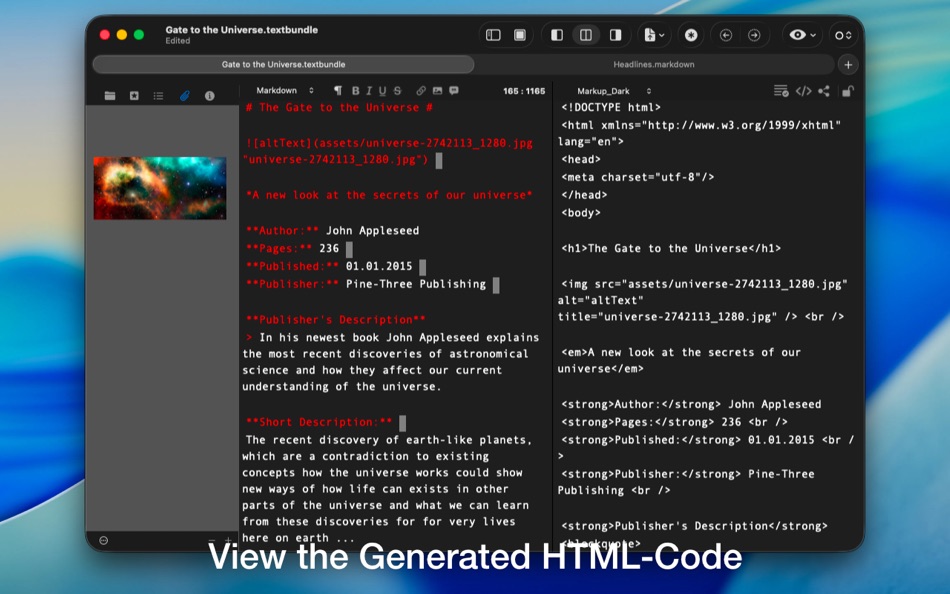
In addition to Markdown, it also supports MultiMarkdown, HTML, Textile, Wikitext, and BBCode.
# Key Features at a Glance
## Markup & Preview
* Support for various markup languages, including CriticMarkup
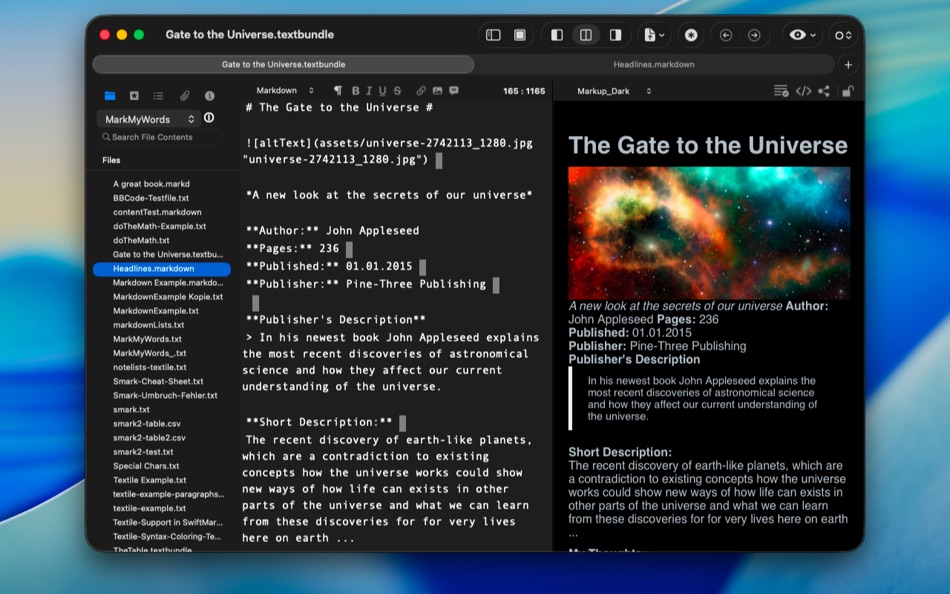
* Live preview of the formatted text or HTML code
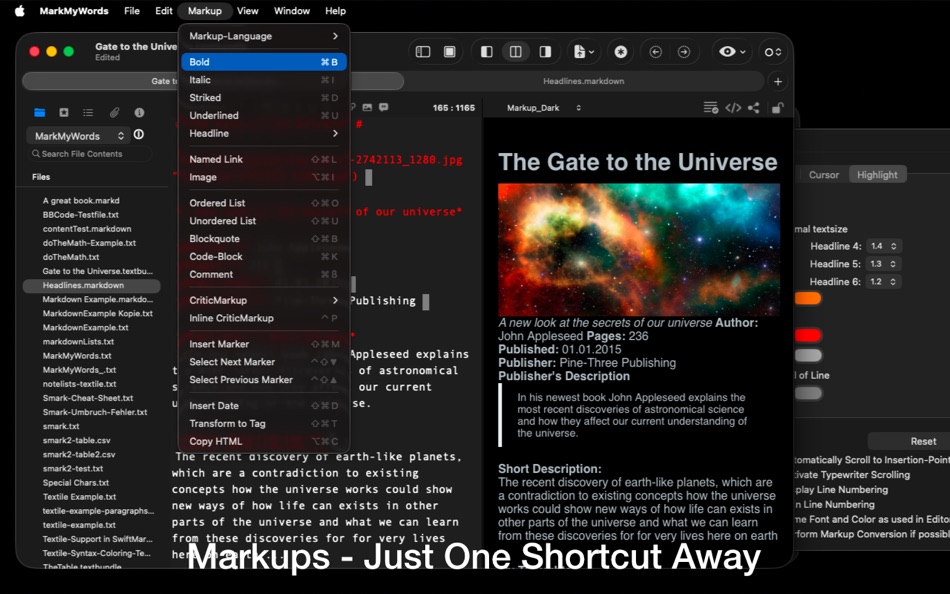
* Quickly insert markup using keyboard shortcuts or the formatbar
* Choose from built-in CSS styles or use your own for the preview
## Productivity & Organization
* Distraction-free mode for focused writing
* Sidebar with details, document outline, and textclips
* Automatic list creation, table tools, and textclip features
* Predefined save locations for quick storage
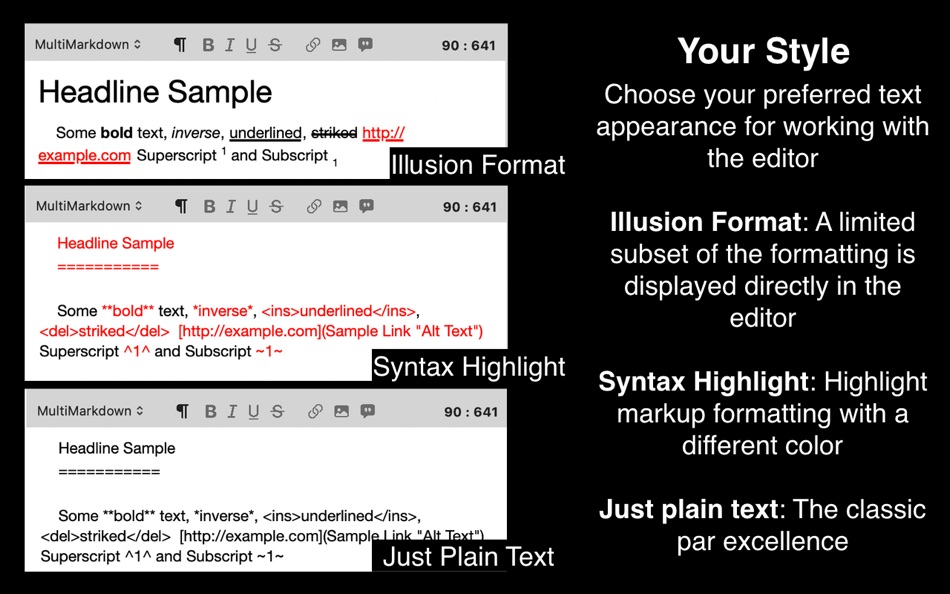
## Your Personal Style
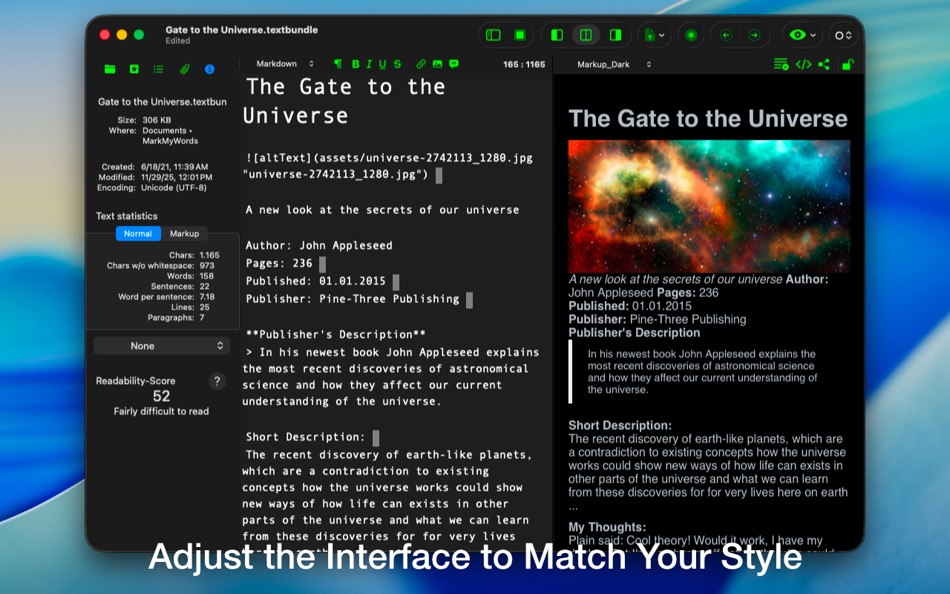
The editor is not only versatile in functionality but also flexible in appearance. Customize the font, color, size, and much more to match your preferred writing environment.
## Flexibility & Extensibility
* JavaScript-based plugin support for custom features
* Open file format — no databases or proprietary files
* Optional Textbundle support for maximum compatibility
* Customizable user interface
## Open File Format
All documents are saved as plain text by default — fully cross-platform and independent of databases. Alternatively, they can be stored using the Textbundle format.
## Text Clips & Automation
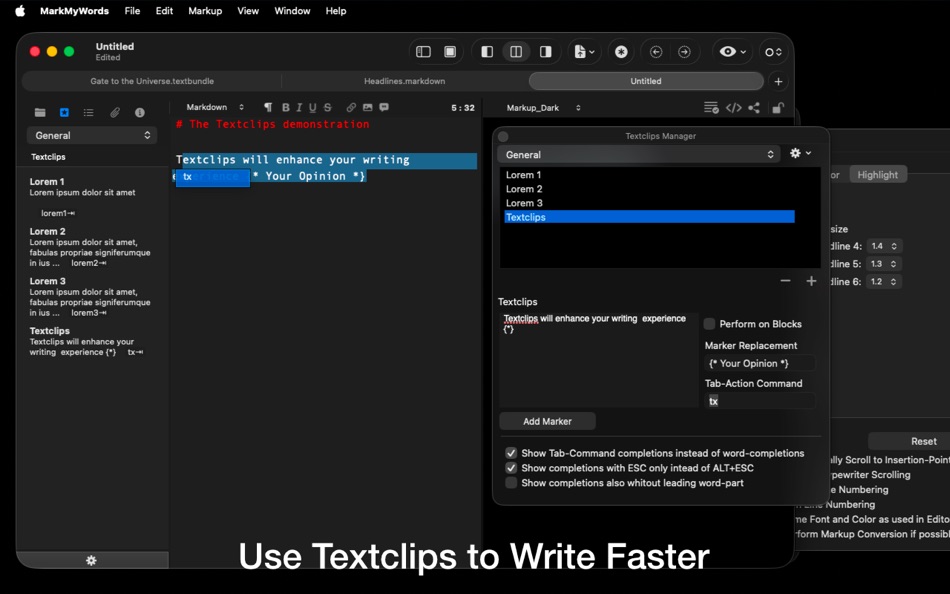
Save reusable text snippets and insert them instantly using keywords. Alongside automatic brackets, quotation marks, and table creation, this significantly speeds up your writing workflow.
## TextButler
Your assistant for text formatting. Whether you’re modifying selected text or applying actions when inserting new content from clipboard, TextButler lets you combine multiple editing steps into your own actions — making complex tasks effortless.
## Live Preview
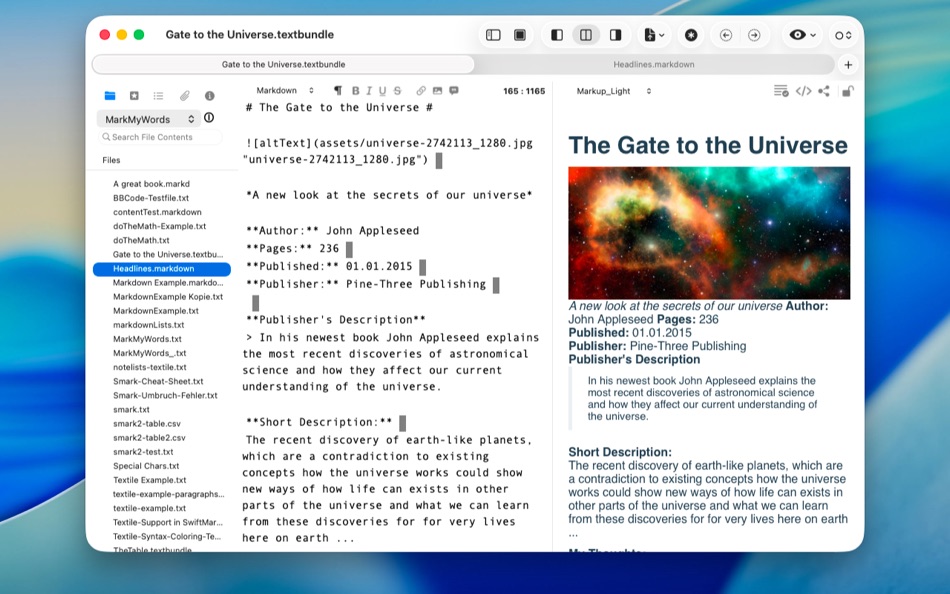
The live preview renders your text in real time using either the built-in CSS themes or your own design. CriticMarkup formatting is supported as well.
## Distraction-Free Mode
Distraction-Free Mode hides all menus so you can fully focus on writing. The editor in this mode can be customized independently from the main editor using a wide range of options.
## Sidebar
Convenient access to your documents: outline, assets, document details, and your full collection of text clips — all neatly organized in the sidebar.
## More Information & Support
Learn more about MarkMyWords at Xelaton.com, where you can also reach out through the contact form for support.
Ad
ภาพหน้าจอ

ประวัติราคา
- วันนี้: $14.99
- ต่ำสุด: $14.99
- มากที่สุด: $14.99
ติดตามราคา
มีอะไรใหม่
- เวอร์ชัน: 2.12.3
- อัปเดต:
- ## Improvements:
- Improvements when reading and writing Textbundle and Textpack files
- Layout of the TextButler interface adapted to the new window scheme of macOS 26
- Minor adjustments to the TextButler settings to improve functionality under macOS Tahoe
ข้อมูลเพิ่มเติม
- วันที่วางจำหน่าย:
- หมวดหมู่:
macOS แอป›ประสิทธิภาพการผลิต - ระบบปฏิบัติการ:
macOS,macOS 10.13 และสูงกว่า - ขนาด:
4 Mb - ภาษาที่สนับสนุน:
English,German - การจัดประเภทเนื้อหา:
4+ - Mac App Store คะแนนโดย:
0
 https://www.xelaton.com/en/Applications/MarkMyWords
ผู้พัฒนา
- Xelaton Software
- แพลตฟอร์ม: macOS แอป (11)
- รายการ: 2 + 1
- แต้มแล: 4 + 0 ¡
- การจัดอันดับ: 0
- ความเห็น: 0
- ลดราคา: 0
- วิดีโอ: 0
- RSS: ติดตาม
รายการ (2)
- MarkMyWords


แต้มแล (0)
0 ☹️
การจัดอันดับ (0)
0 ☹️
ความเห็น (0)
เป็นคนแรกที่แสดงความเห็น 🌟
«MarkMyWords». แพลตฟอร์ม: macOS. หมวดหมู่: ประสิทธิภาพการผลิต. ผู้พัฒนา: «Xelaton Software». การเปิดตัวครั้งแรก: . อัปเดตล่าสุด: . ราคาปัจจุบัน: $14.99. ราคาต่ำสุดที่บันทึกไว้: $14.99. ราคาสูงสุดที่บันทึกไว้: $14.99. ชื่อนี้ยังไม่ได้รับการให้คะแนนหรือบทวิจารณ์บน AppAgg รายการ: สาธารณะ 2, ส่วนตัว 1. ภาษาที่ใช้ได้: English, German. AppAgg ติดตามประวัติราคา การให้คะแนน และคำติชมของผู้ใช้ «MarkMyWords». ส่วนลดและอัปเดตในอนาคต: RSS. AppAgg ไม่ได้โฮสต์แอปพลิเคชันหรือแจกจ่ายซอฟต์แวร์ เครื่องหมายการค้า โลโก้ และภาพหน้าจอทั้งหมดเป็นของเจ้าของที่เกี่ยวข้อง
MarkMyWords URL แบบสั้น: คัดลอกแล้ว!- 🌟 แชร์
- Mac App Store
คล้ายกัน
-
 My Applications
- macOS แอป: ประสิทธิภาพการผลิต
- โดย: Sergii Kryvoblotskyi
- $0.99
- 0 0
- รายการ: 1 + 1
- แต้มแล: 6
- เวอร์ชัน: 1.0.2
- My Applications is a simple yet powerful applications launcher and categorizer. It shows all the apps installed on the system in a convenient way: grouped by vendors, categories, and ...⥯
-
- My Favorites
- macOS แอป: ประสิทธิภาพการผลิต
- โดย: Wise Tech Labs Private Limited
- $4.99
- 0 0
- รายการ: 0 + 3
- แต้มแล: 18
- เวอร์ชัน: 2.3
- Your Favorites at your Fingertips!! My Favorites is an incredibly handy app that allows you to bookmark your files, folders, web bookmarks, apps, text notes and color swatches that you⥯
-
- My Password - Manager
- macOS แอป: ประสิทธิภาพการผลิต
- โดย: Raffaele Di Marzo
- ฟรี
- 0 0
- รายการ: 1
- แต้มแล: 1
- เวอร์ชัน: 1.1
- With My Password you can save all your passwords in one app, without monthly or annual subscriptions. Manage login data to websites, bank credentials, pins, security codes and many ...⥯
-
- My Search Buddy
- macOS แอป: ประสิทธิภาพการผลิต
- โดย: David Liebovitz
- $9.99
- 0 0
- รายการ: 0
- แต้มแล: 0
- เวอร์ชัน: 0.3.2
- Find your files instantly. My Search Buddy pairs a high-performance Rust index with a native SwiftUI experience so you can explore projects, research archives, and cloud folders ...⥯
-
- My Keepass - Menubar Passwords
- macOS แอป: ประสิทธิภาพการผลิต
- โดย: Cacira, Inc
- $4.99
- 0 0
- รายการ: 0
- แต้มแล: 0
- เวอร์ชัน: 1.3
- A simple yet powerful KeePass password manager that makes your passwords easily accessible from the menu bar. Features: - Open KDBX database files - List of entries showing, title, ...⥯
-
- My Desktop Calendar
- macOS แอป: ประสิทธิภาพการผลิต
- โดย: 栋梁 周
- * ฟรี
- 0 0
- รายการ: 1 + 1
- แต้มแล: 5
- เวอร์ชัน: 1.1.1
- This is a calendar that can be placed on the desktop 1.You can set its size, color and even font 2.You can also set its transparency to make it less obvious 3.Not only can display the ...⥯
-
- My Files for Samsung Galaxy
- macOS แอป: ประสิทธิภาพการผลิต
- โดย: Raymond NG
- * ฟรี
- 0 0
- รายการ: 0 + 1
- แต้มแล: 3
- เวอร์ชัน: 2.2.0
- * The Easiest, Fastest way to Transfer Files between your Mac and Android Phone or Tablet. * Supports Popular Android Devices such as Samsung, Google, Sony, LG, Motorola, OnePlus, etc.⥯
-
- Snip My - Screenshot tool
- macOS แอป: ประสิทธิภาพการผลิต
- โดย: Mahtca Global S.R.L.
- * ฟรี
- 0 0
- รายการ: 1
- แต้มแล: 4
- เวอร์ชัน: 8.2.0
- The screenshot tool you ve been waiting for. Snip My makes capturing, editing, and sharing your screen captures effortless. Every detail is designed to boost your productivity and ...⥯
-
- Skitch - Snap. Mark up. Share.
- macOS แอป: ประสิทธิภาพการผลิต
- โดย: Skitch
- * ฟรี
- 0 0
- รายการ: 0
- แต้มแล: 0
- เวอร์ชัน: 2.9
- See something that sparks an idea? Use Skitch to snap it, mark it up, and send it on in an instant. Your bold ideas stand out even brighter with Skitch. People everywhere use Skitch to⥯
-
- On My Radar
- macOS แอป: ประสิทธิภาพการผลิต
- โดย: William Parry
- ฟรี
- 0 0
- รายการ: 0
- แต้มแล: 0
- เวอร์ชัน: 1.0.1
- On My Radar is the task manager that lives where you work right in your menu bar. No more switching between apps or losing focus. Your tasks are always just one click away. DESIGNED ...⥯
-
- Chronograph - My Productivity
- macOS แอป: ประสิทธิภาพการผลิต
- โดย: App Dev Academy Ltd.
- ฟรี
- 0 0
- รายการ: 0
- แต้มแล: 0
- เวอร์ชัน: 1.0.2
- Do more. Start now. Looking for combination of simple "To-Do" list and time tracker in one app? Then Chronograph app is for you! Download and start your free 30-day trial now.⥯
-
- Domain Manager
- macOS แอป: ประสิทธิภาพการผลิต
- โดย: My Web Kft.
- $7.99
- 0 0
- รายการ: 1
- แต้มแล: 4
- เวอร์ชัน: 1.2
- Stay in control of your domains. Never miss an expiration again. Domain Manager is built for individuals, freelancers, and small businesses who manage multiple domains and hosting ...⥯
-
- Rocket Calendar
- macOS แอป: ประสิทธิภาพการผลิต
- โดย: Mark Vitale
- ฟรี
- 0 0
- รายการ: 0
- แต้มแล: 1
- เวอร์ชัน: 1.3
- Rocket Calendar is a speedy, always-accessible calendar that lives in your menu bar. You can quickly check dates, navigate between months, and even copy the selected date to your ...⥯
-
- This week
- macOS แอป: ประสิทธิภาพการผลิต
- โดย: Mark Cornelisse
- $0.99
- 0 0
- รายการ: 0
- แต้มแล: 0
- เวอร์ชัน: 1.2.0
- What week number is it? Do you always have that question? Don't look any further. The current week number of this year now sits in your menubar. So there is no need to look it up in ...⥯