
ที่บันทึกไว้
เลือกชื่อที่จะแสดงในเมนูที่บันทึกไว้ของคุณ
เสร็จแล้ว
| ผู้พัฒนา: | Herve Noury (6) | ||
| ราคา: | ฟรี | ||
| การจัดอันดับ: | 0 | ||
| ความเห็น: | 0 โพสต์ความคิดเห็น | ||
| รายการ: | 2 + 2 | ||
| แต้มแล: | 9 + 0 ¡ | ||
| Mac App Store | |||
คำอธิบาย
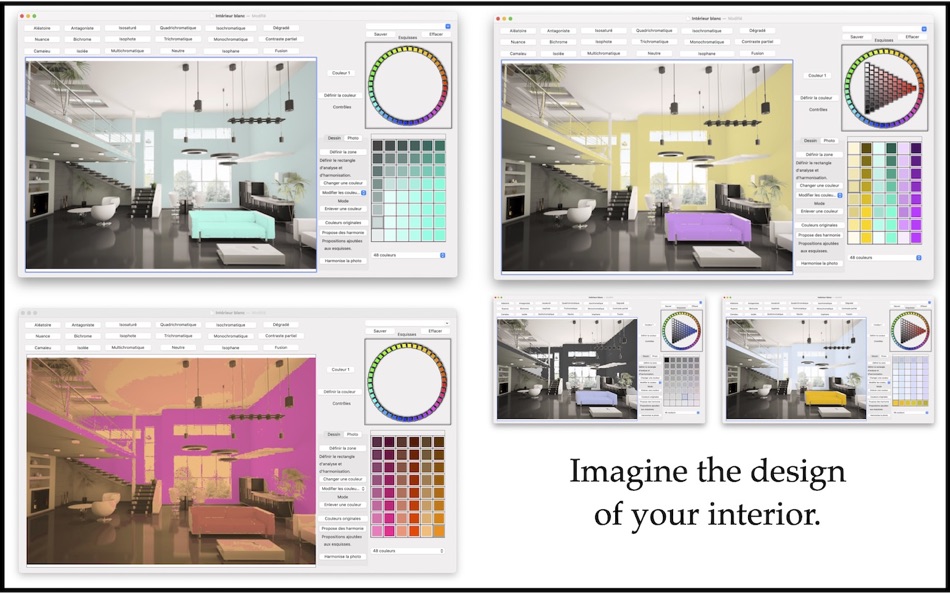
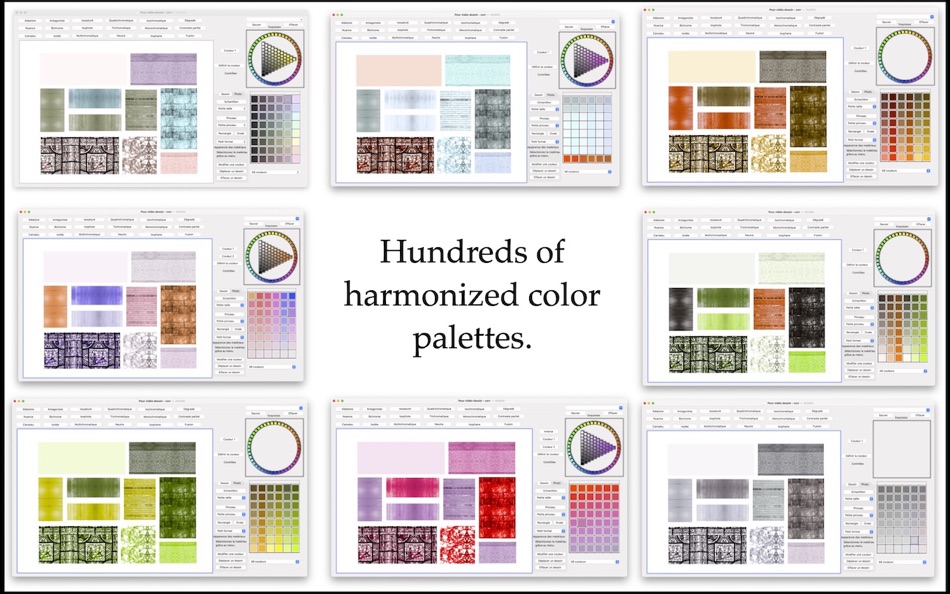
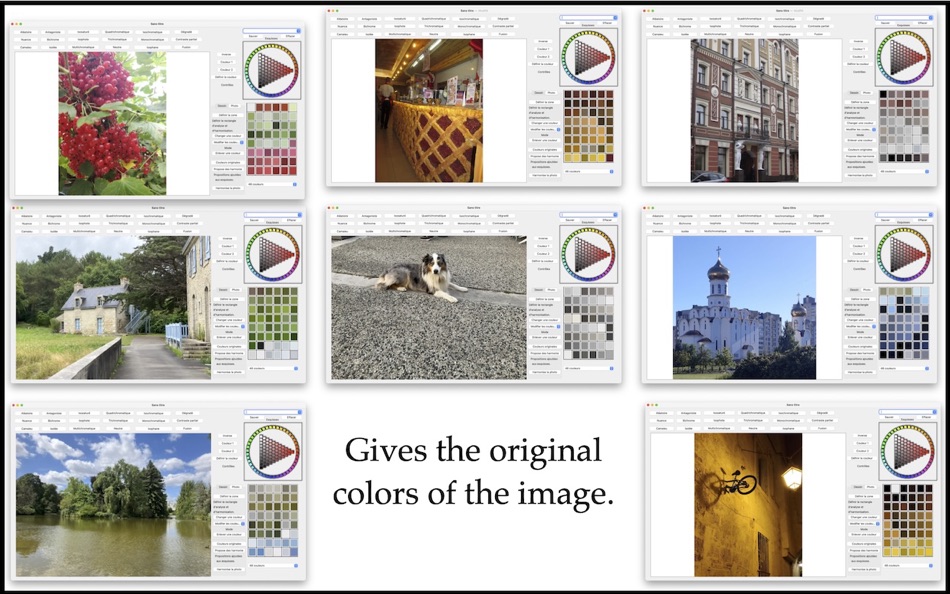
These palettes are automatically harmonized by the software using various methods. When you like a sketch, don't hesitate to save it using the "Sketch" menu. "Harmony of Colors" is designed so that you can quickly experiment with a large number of solutions, and with this menu, you can easily compare them.
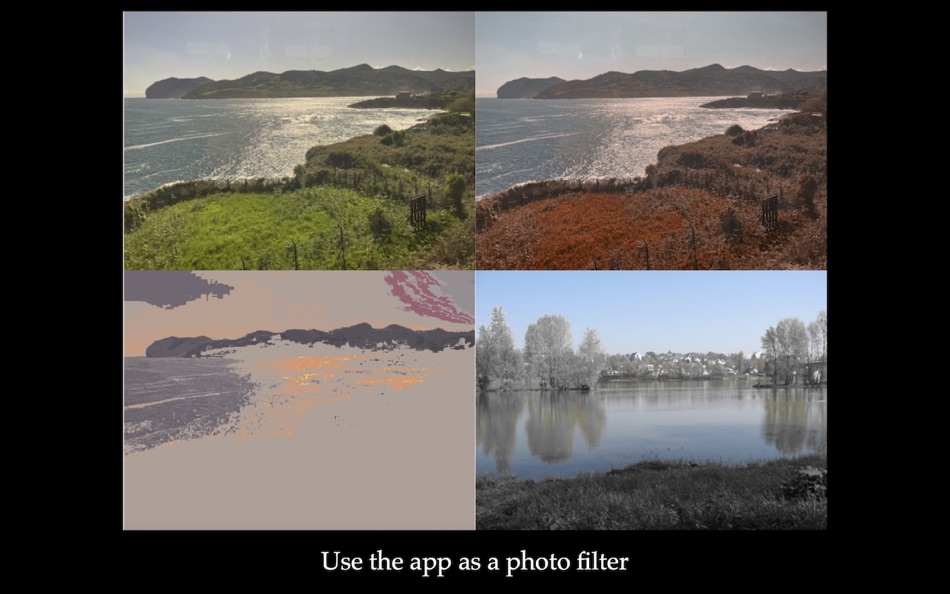
You can repaint over the photo with the colors from the palette: these layers sufficiently respect the brightness of the photo to preserve the textured effects. These colors change with the newly chosen palette: you can quickly test several ideas.
The software allows you to automatically harmonize the colors of your photo, across the entire photo or just a portion of it, or even modify the color of individual elements in the image: simply choose a color from the palette and click on the object you want to modify!
You can add drawings to the photo, including samples with material effects, to more accurately judge your harmonies in situ.
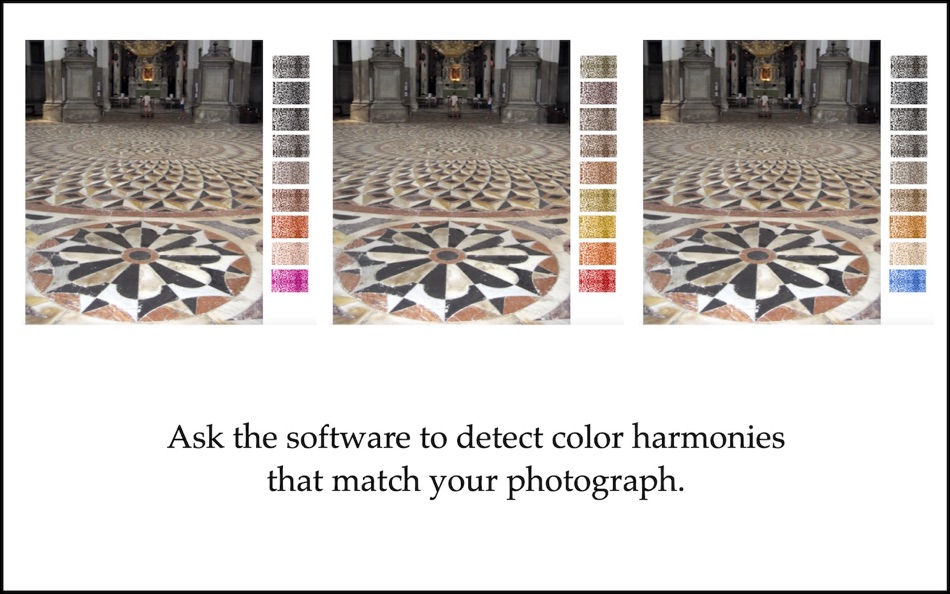
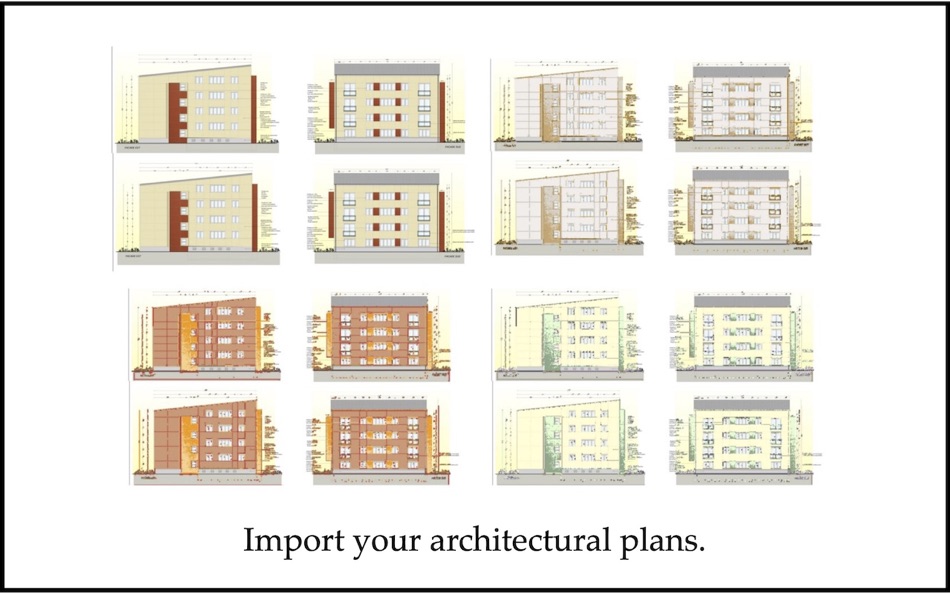
If your project needs to fit into a context, "Harmony of Colors" helps you find solutions. Take a photo of your project's location and set it as your desktop background. The software automatically detects different possibilities for harmonized palettes that match or complement the colors in the image. Often, the software offers a large number of palettes, which will undoubtedly stimulate your creativity and imagination.
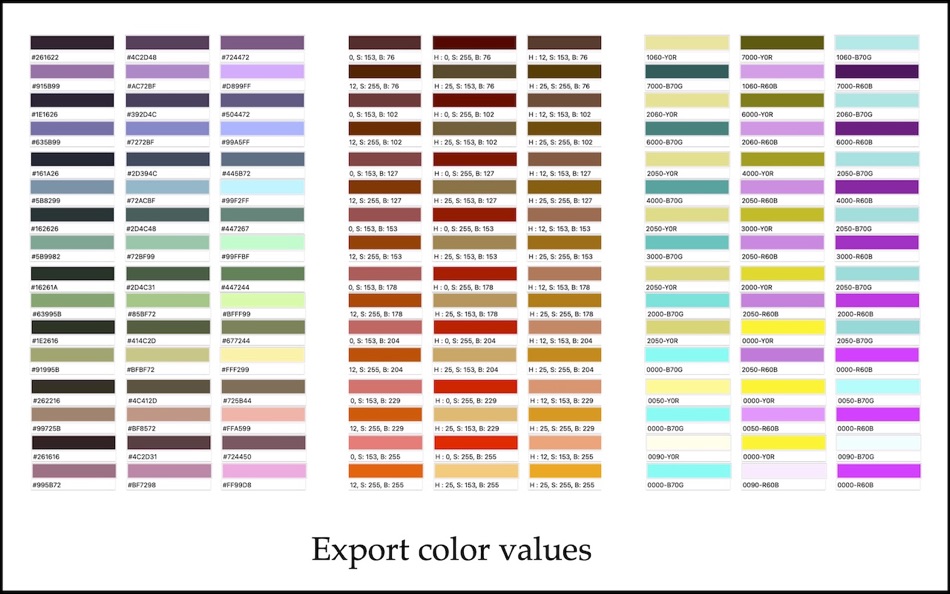
"Harmony of Colors" provides the RGB, HSB, CMYK, and NCS values, approximated by the current palettes. The software also allows you to export extended color palettes as digital files: act or acb.
"Harmony of Colors" is based on Dr. Larissa Noury's research in the field of architectural polychromy.
Ad
ภาพหน้าจอ
ประวัติราคา
- วันนี้: ฟรี
- ต่ำสุด: ฟรี
- มากที่สุด: $2.99
ติดตามราคา
มีอะไรใหม่
- เวอร์ชัน: 3.2
- อัปเดต:
- Changed the "Define the Zone" function: when you release the mouse, this function now remains active. The software no longer reverts to the "Rectangle" function.
ข้อมูลเพิ่มเติม
- วันที่วางจำหน่าย:
- หมวดหมู่:
macOS แอป›กราฟิกและการออกแบบ - ระบบปฏิบัติการ:
macOS,macOS 11.5 และสูงกว่า - ขนาด:
196 Mb - ภาษาที่สนับสนุน:
English,French,Spanish - การจัดประเภทเนื้อหา:
4+ - Mac App Store คะแนนโดย:
0 - เว็บไซท์:
 https://hervenoury.com/harmony-of-colors
ผู้พัฒนา
รายการ (2)
- Harmony of Colors


แต้มแล (9)
-

- 4 Matt
- +1
-
- 9,655 Pui Hang Choi
- +1
-
- 2,137 Lu Chin
- +1
-
- 227 Attila Szucs
- +1
-
- 2,940 Alan
- +1
-
- 3,703 Dragon
- +1


การจัดอันดับ (0)
0 ☹️
ความเห็น (0)
เป็นคนแรกที่แสดงความเห็น 🌟
«Harmony of Colors». แพลตฟอร์ม: macOS. หมวดหมู่: กราฟิกและการออกแบบ. ผู้พัฒนา: «Herve Noury». การเปิดตัวครั้งแรก: . อัปเดตล่าสุด: . ราคาปัจจุบัน: ฟรี. ชื่อนี้ยังไม่ได้รับการให้คะแนนหรือบทวิจารณ์บน AppAgg รายการ: สาธารณะ 2, ส่วนตัว 2. จุดที่ติดตาม: ยืนยันแล้ว 9, ทางอ้อม 0. ภาษาที่ใช้ได้: English, French, Spanish. AppAgg ติดตามประวัติราคา การให้คะแนน และคำติชมของผู้ใช้ «Harmony of Colors». ส่วนลดและอัปเดตในอนาคต: RSS. AppAgg ไม่ได้โฮสต์แอปพลิเคชันหรือแจกจ่ายซอฟต์แวร์ เครื่องหมายการค้า โลโก้ และภาพหน้าจอทั้งหมดเป็นของเจ้าของที่เกี่ยวข้อง
Harmony of Colors URL แบบสั้น: คัดลอกแล้ว!- 🌟 แชร์
- Mac App Store
คล้ายกัน
-
- Kasedral in COLORS
- macOS แอป: กราฟิกและการออกแบบ โดย: Fernando Soto
- $0.99
- รายการ: 0 + 0 0 0
- แต้มแล: 0 + 0 เวอร์ชัน: 1.0 KASEDRAL in COLORS es la herramienta definitiva para diseñadores que quieren dominar el color sin complicaciones. Basada en la regla profesional 60-30-10, esta app te ayuda a ... ⥯
-
- Color Picker: Stay in harmony
- macOS แอป: กราฟิกและการออกแบบ โดย: Mikael Sundell
- ฟรี
- รายการ: 0 + 0 0 0
- แต้มแล: 1 + 0 เวอร์ชัน: 1.1.0 Color picker is a powerful Mac application that simplifies the process of selecting and capturing colors from any screen. It boasts an intuitive color wheel visualizer, which assists ... ⥯
-
- Separation Studio
- macOS แอป: กราฟิกและการออกแบบ โดย: Splash Colors
- $9.99
- รายการ: 0 + 2 0 0
- แต้มแล: 15 + 0 เวอร์ชัน: 2.2.6 Separation Studio is powerful, easy to use color separation and artwork generator tool designed exclusively for Mac. Separation Studio is an application that allows you to create ... ⥯
-
- Color Studio
- macOS แอป: กราฟิกและการออกแบบ โดย: Paul Nettle
- $13.99
- รายการ: 1 + 0 0 0
- แต้มแล: 0 + 0 เวอร์ชัน: 2.8 Color Studio is a color selection tool on steroids. Here's a quick feature breakdown: - Color selection using a UI as intuitive and powerful as it is beautiful - Alpha channel support ... ⥯
- Ad
-
- Pixelmator Pro
- macOS แอป: กราฟิกและการออกแบบ โดย: Apple
- $49.99
- รายการ: 31 + 22 0 0
- แต้มแล: 22 + 0 เวอร์ชัน: 3.7.1 Pixelmator Pro is an incredibly powerful, beautiful, and easy-to-use image editor designed exclusively for Mac. With over 50 image editing tools, Pixelmator Pro has everything you need ⥯
-
- Pixen
- macOS แอป: กราฟิกและการออกแบบ โดย: Furnace Creek Software LLC
- * ฟรี
- รายการ: 1 + 2 0 0
- แต้มแล: 16 + 0 เวอร์ชัน: 6.1.1 Pixen is a native pixel art editor designed for working with low-resolution raster art, such as those 8-bit sprites found in old-school video games. Pixen packs all the tools pixel ... ⥯
-
- Hexo - Color Palette Manager
- macOS แอป: กราฟิกและการออกแบบ โดย: CARLOS FERNANDEZ PLAZA
- * ฟรี
- รายการ: 0 + 1 0 0
- แต้มแล: 7 + 0 เวอร์ชัน: 1.2.1 Hexo is the ultimate color palette management tool for macOS, designed for designers, developers, and creative professionals who demand precision and efficiency in their color ... ⥯
-
- Art Text 4 - AI Graphic Design
- macOS แอป: กราฟิกและการออกแบบ โดย: Belight Software, ltd
- * ฟรี
- รายการ: 3 + 3 0 0
- แต้มแล: 9 + 0 เวอร์ชัน: 4.5.8 Design eye-catching text based graphics, logos, postcards and greetings with Art Text - a graphic design app that powers up typography and lettering in your desktop publishing, social ... ⥯
-
- Typeface 4
- macOS แอป: กราฟิกและการออกแบบ โดย: Floor Steeg
- * ฟรี
- รายการ: 1 + 2 0 0
- แต้มแล: 8 + 0 เวอร์ชัน: 4.2.3 Typeface is a beautiful font manager that helps you pick the perfect font for your designs. Effortlessly organize your library with flexible tags and improve your design workflow by ... ⥯
-
- Master Dock
- macOS แอป: กราฟิกและการออกแบบ โดย: SECKIN SEFA DURASI
- * ฟรี
- รายการ: 0 + 1 0 0
- แต้มแล: 9 + 0 เวอร์ชัน: 1.9 MasterDock revolutionizes how you interact with your dock. Whether you're a power user seeking maximum productivity or someone who loves personalizing their workspace, MasterDock ... ⥯
-
- Sweet Home 3D Plan Your House
- macOS แอป: กราฟิกและการออกแบบ โดย: AI Photo Editor Lab SRL
- * ฟรี
- รายการ: 2 + 1 0 0
- แต้มแล: 7 + 0 เวอร์ชัน: 7.5.38 Since its launch in 2006, Sweet Home 3D has become a trusted choice for millions worldwide, with over 50 million downloads. Sweet Home 3D combines ease of use with professional-grade ... ⥯
-
- Palette Studio
- macOS แอป: กราฟิกและการออกแบบ โดย: Cederic Schmid
- * ฟรี
- รายการ: 0 + 0 0 0
- แต้มแล: 0 + 0 เวอร์ชัน: 1.0 Create beautiful, harmonious color palettes for your design projects with Palette Studio. Whether you're a designer, developer, or creative professional, generate perfect color ... ⥯
-
- Home Planner: Room Design 3D
- macOS แอป: กราฟิกและการออกแบบ โดย: Room Planner Ltd
- * ฟรี
- รายการ: 3 + 0 0 0
- แต้มแล: 6 + 0 เวอร์ชัน: 26.15 If you just bought a house or an apartment or want to decorate your existing property, we can help you do it easier, with less hustle and achieve better results in less time for the ... ⥯
-
- AI Color Assistant
- macOS แอป: กราฟิกและการออกแบบ โดย: Phantom Particle
- ฟรี
- รายการ: 0 + 0 0 0
- แต้มแล: 0 + 0 เวอร์ชัน: 1 AI Color Assistant transforms how designers and creatives discover color palettes by combining natural language with Apple Intelligence. Simply describe your design context in plain ... ⥯