
저장됨
저장됨 메뉴에 표시할 이름을 선택하세요.
완료!
| 개발자: | Henrique Bersani (19) | ||
| 가격: | * 무료 | ||
| 순위: | 0 | ||
| 댓글: | 0 댓글 게시 | ||
| 목록: | 1 + 0 | ||
| 포인트: | 1 + 0 ¡ | ||
| Mac App Store | |||
기술

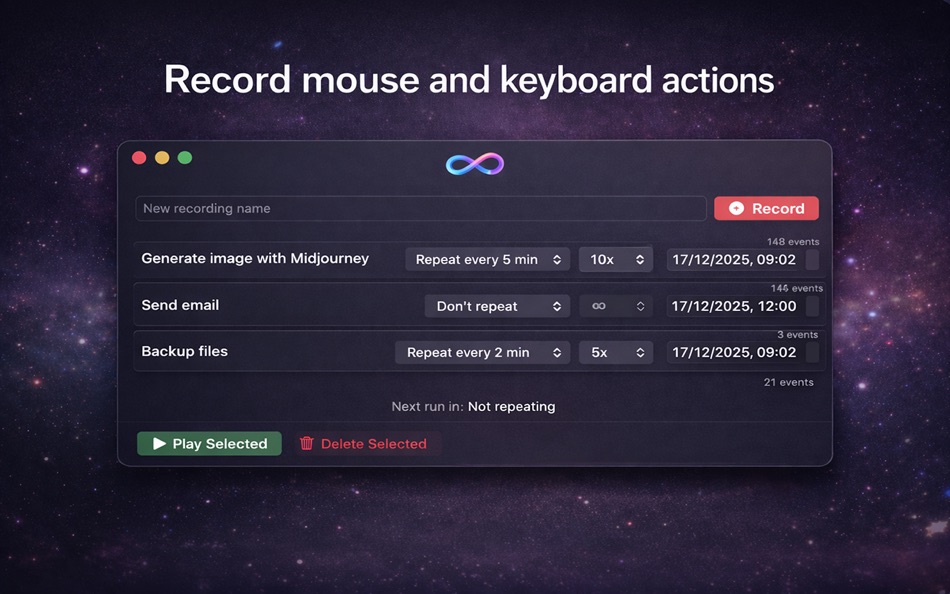
Use MacroLoop to automate repetitive tasks, trigger workflows at specific times of day, or let long-running actions continue while you’re away from your computer. Once recorded, your actions can be replayed precisely as captured, saving time and reducing manual effort.
With MacroLoop, you can:
• Record mouse movements, clicks, and keyboard input
• Replay recordings instantly or on a scheduled time
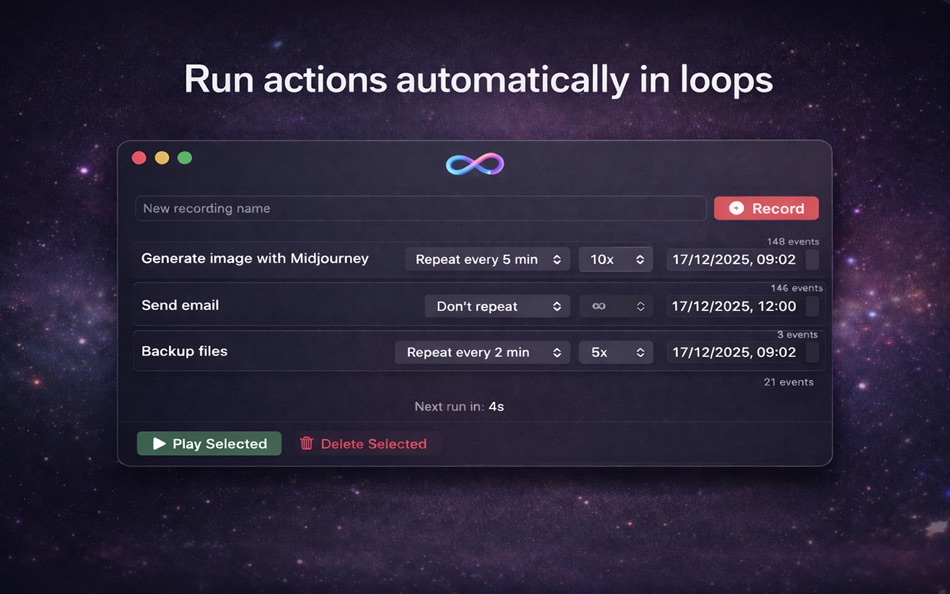
• Run actions in loops at custom intervals
• Limit how many times a loop runs or let it repeat indefinitely
• Automate tasks overnight or while you sleep
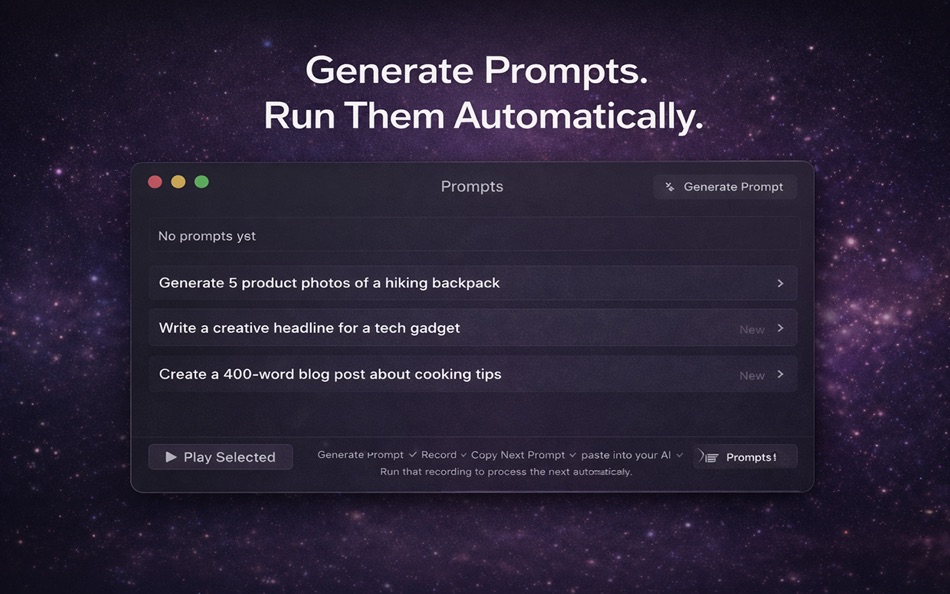
• Trigger long-running processes such as image or video generation
• Schedule actions to run at specific times of day
• Stop playback instantly with a keyboard shortcut
MacroLoop is useful for automating workflows such as content generation, repetitive software tasks, scheduled maintenance actions, testing flows, and routine computer operations that would otherwise require constant manual input.
All recordings and playback run locally on your Mac. MacroLoop does not collect or transmit user data and uses Accessibility permissions only to record and replay mouse and keyboard actions.
Terms of Use: https://www.apple.com/legal/internet-services/itunes/dev/stdeula/
Ad
스크린샷
가격 내역
-
* 인앱 구매 - 오늘: 무료
- 최소: 무료
- 최대: 무료
가격 추적
새로운 기능
- 버전: 1.2
- 업데이트:
- You can now set a custom number of repeat loops for your recordings. Choose exactly how many times you want your macro to replay.
추가 정보
개발자
목록 (1)
- MacroLoop

포인트 (1)
-

- 195 Brandon
- +1
순위 (0)
0 ☹️
댓글 (0)
가장 먼저 댓글을 남겨주세요 🌟
«MacroLoop». 플랫폼: macOS. 카테고리: 생산성. 개발자: «Henrique Bersani». 첫 번째 릴리스: . 마지막 업데이트: . 현재 가격: 무료. 이 타이틀은 아직 AppAgg에서 평가나 리뷰를 받지 못했습니다. 목록: 공개: 1, 비공개: 0. 추적된 포인트: 확인됨: 1, 간접: 0. 사용 가능한 언어: English. AppAgg는 «MacroLoop»의 가격 기록, 평점 및 사용자 피드백을 추적합니다. 향후 할인 및 업데이트 받기: RSS에서 확인할 수 있습니다. AppAgg는 애플리케이션을 호스팅하거나 소프트웨어를 배포하지 않습니다. 모든 상표, 로고 및 스크린샷은 해당 소유자의 자산입니다.
MacroLoop 단축 URL: 복사됨!- 🌟 공유하기
- Mac App Store
유사 항목
-
- Infinite Loop
- macOS 앱: 생산성 게시자: 翔 何
- $4.99
- 목록: 0 + 0 0 0
- 포인트: 0 + 0 버전: 1.1.3 Infinite Loop is a mouse cursor tool to help you improve efficiency. Main Features: - Cross your cursor. Move your mouse cursor from the right border of your screen to the left-border ... ⥯
-
- App for Google Search ®
- macOS 앱: 생산성 게시자: CODE LOOP LLC
- * 무료
- 목록: 0 + 0 0 0
- 포인트: 0 + 0 버전: 1.0.5 App for Google Search by Code Loop LLC The fastest, most convenient way to search Google (or any search engine you prefer) right from your Mac. Designed for productivity and built with ⥯
-
- Templates Hero - Designs for MS Word Lite
- macOS 앱: 생산성 게시자: Infinite Loop Apps
- 무료
- 목록: 0 + 0 0 0
- 포인트: 2 + 0 버전: 2.3 TemplatesHero.com - All the templates in the app and even more! Templates Hero - Designs for MS Word Lite is a collection of excellent 35 document templates for business and personal ... ⥯
-
- Looper & Replay for YouTube
- macOS 앱: 생산성 게시자: Yuriy Litvishkov
- $12.99
- 목록: 0 + 0 0 0
- 포인트: 0 + 0 버전: 1.0 Introducing Looper & Replay for YouTube Features: *Automatically replay videos *Set starting and ending times for replay *Light and Dark theme support *Best used with Adblock *Works ... ⥯
-
- Spark Classic – Email App
- macOS 앱: 생산성 게시자: Readdle Technologies Limited
- 무료
- 목록: 3 + 2 5 (1) 0
- 포인트: 10 + 0 버전: 2.11.58 This is Spark Classic. Since 2022, all new features have been added to the latest version, which is a separate application from this outdated version. To use the newest version of ... ⥯
-
- Floating Clipboard
- macOS 앱: 생산성 게시자: Ebey Tech LLC
- $1.99
- 목록: 1 + 1 0 0
- 포인트: 21 + 0 버전: 1.0 Features: -Clipboard history. -Auto fetching of clipboard contents (optional). -Float Window above other apps & windows (optional). -Fast & fluid type-based filtering. -Inserted ... ⥯
-
- CotEditor
- macOS 앱: 생산성 게시자: Mineko IMANISHI
- * 무료
- 목록: 3 + 4 0 0
- 포인트: 8 + 0 버전: 6.2.6 CotEditor is a light-weight, neat, yet powerful text editor designed for editing plain-text files such as web pages (HTML, CSS), program source codes (Python, Ruby, Perl, etc.), ... ⥯
-
- AutoClicker - Bot
- macOS 앱: 생산성 게시자: 向阳 杨
- * 무료
- 목록: 0 + 0 0 0
- 포인트: 0 + 0 버전: 1.0.1 Robot - Powerful macOS Automation Assistant Robot is an intelligent automation tool designed specifically for Mac users, helping you eliminate repetitive mouse clicks and keyboard ... ⥯
-
- Acorn XL
- macOS 앱: 생산성 게시자: Gabriel Roberts
- 무료
- 목록: 0 + 1 0 0
- 포인트: 7 + 0 버전: 2.2 Your deep-thinking executive companion private by design. Optimized for Apple M2 Silicon and newer computers with 16GB+ RAM Acorn XL is a personal intelligence that starts on your Mac ... ⥯
-
- FormulaCalculatorPro
- macOS 앱: 생산성 게시자: Klaus Mack
- * 무료
- 목록: 0 + 1 0 0
- 포인트: 5 + 0 버전: 1.2.2 FormulaCalculatorPro Professional Formula Calculations on Mac Create, manage, and calculate complex multi-line formulas with variables and loops perfect for technical, scientific, and ... ⥯
-
- MeetingMenu
- macOS 앱: 생산성 게시자: Up Hail, Inc.
- $9.99
- 목록: 0 + 2 0 0
- 포인트: 5 + 0 버전: 1.6.21 This all-in-one tool simplifies your meetings, placing every essential feature in your menu bar: meeting countdown timers, quick meeting launches, live camera previews, private ... ⥯
-
- Vidami for Safari - Desktop
- macOS 앱: 생산성 게시자: Utility Design
- 무료
- 목록: 1 + 0 0 0
- 포인트: 1 + 0 버전: 2.16.0 For owners of the Vidami Pedal: Unlock its power with this extension! Controls: Speed - press once for .75x speed, again for .5x speed, again for .35x speed, again for .2x speed and a ... ⥯
-
- MenuTimer menu bar tiny timer
- macOS 앱: 생산성 게시자: Pranoy Chowdhury
- * 무료
- 목록: 0 + 1 0 0
- 포인트: 4 + 0 버전: 27 MenuTimer is a 1-Click Timer. It's minimal, yet powerful. It does one thing and does it perfectly without any confusing bells and whistles. It stays in your Mac's menu bar and shows ... ⥯