
ที่บันทึกไว้
เลือกชื่อที่จะแสดงในเมนูที่บันทึกไว้ของคุณ
เสร็จแล้ว
| ผู้พัฒนา: | Foxit Software Inc. (3) | ||
| ราคา: | * ฟรี | ||
| การจัดอันดับ: | 0 | ||
| ความเห็น: | 0 โพสต์ความคิดเห็น | ||
| รายการ: | 1 + 1 | ||
| แต้มแล: | 4 + 27 (3.0) ¡ | ||
| Windows Store | |||
คำอธิบาย
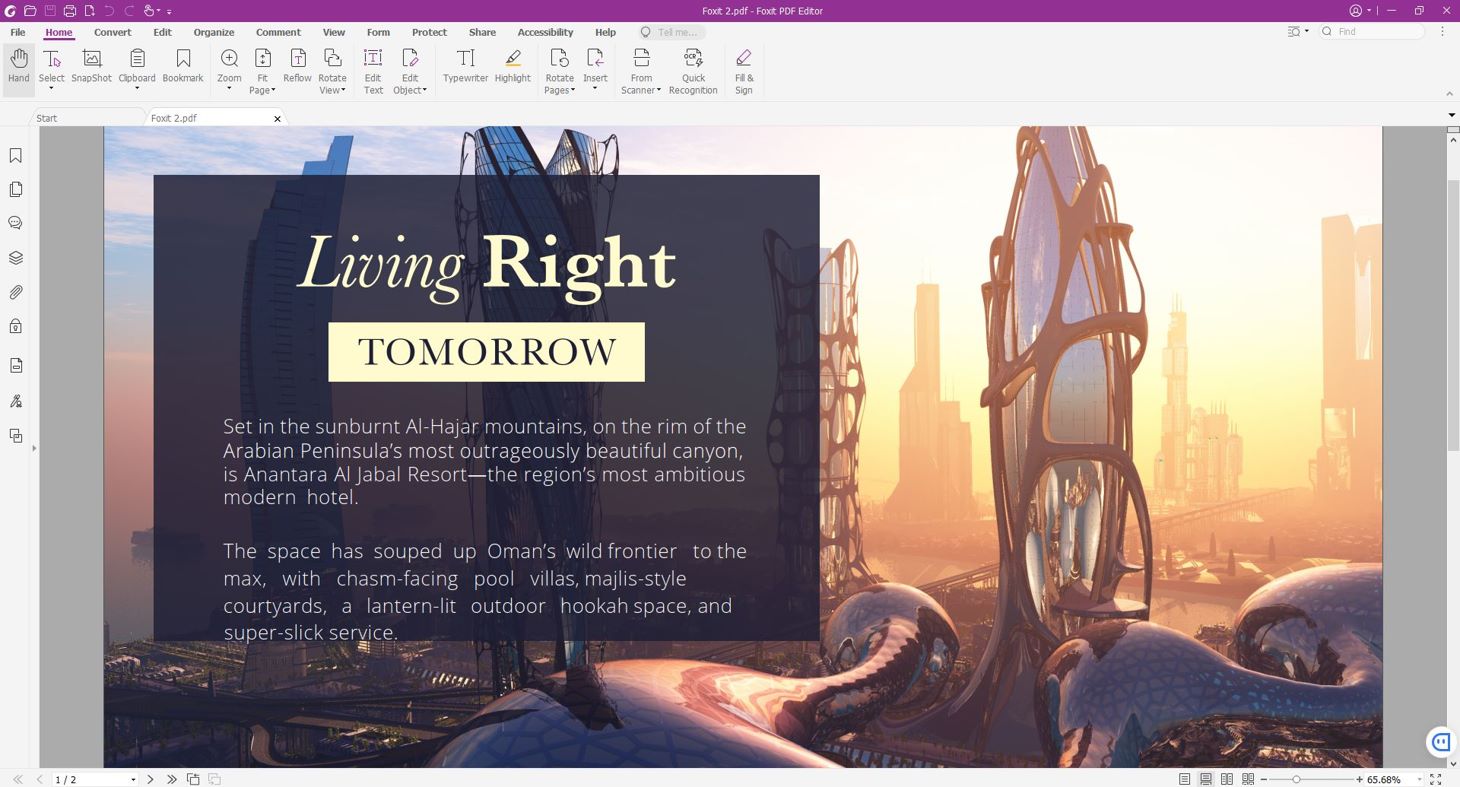
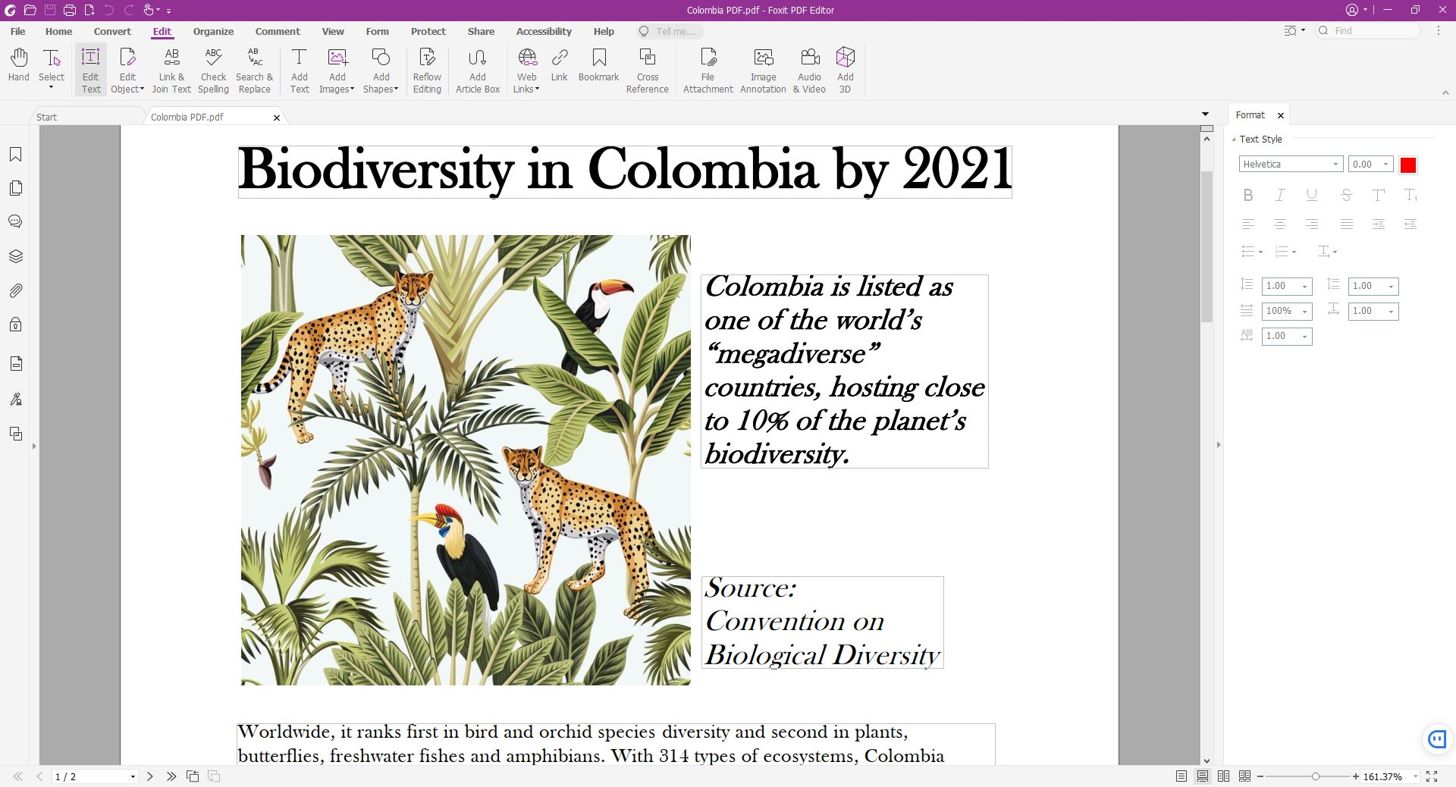
The perfect solution for knowledge workers to create, review, edit, manage, share, and secure PDF documents. Full-featured, easy-to-use, and a great value, Foxit PDF Editor is the ideal PDF solution for companies of all sizes.
Ad
ภาพหน้าจอ
ประวัติราคา
-
* การซื้อภายในแอพ - ราคาปัจจุบัน: ฟรี
- ต่ำสุด: ฟรี
- มากที่สุด: $159.00
ติดตามราคา
มีอะไรใหม่
- เวอร์ชัน: PC
- อัปเดต:
ข้อมูลเพิ่มเติม
ผู้พัฒนา
- Foxit Software Inc.
- แพลตฟอร์ม: Android แอป (2) Windows แอป (1)
- รายการ: 1 + 1
- แต้มแล: 6 + 211,635 ¡
- การจัดอันดับ: 0
- ความเห็น: 0
- ลดราคา: 0
- วิดีโอ: 0
- RSS: ติดตาม
รายการ (1)
- Foxit PDF Editor

แต้มแล (4)
-

- 146 No need
- +1
-
- 1 dv smis s
- +1
-
- 103 Chris
- +1
-
- 11,275 Simon Chan
- +1



การจัดอันดับ (0)
0 ☹️
ความเห็น (0)
เป็นคนแรกที่แสดงความเห็น 🌟
«Foxit PDF Editor». แพลตฟอร์ม: Windows. หมวดหมู่: ผลผลิต. ผู้พัฒนา: «Foxit Software Inc.». การเปิดตัวครั้งแรก: . อัปเดตล่าสุด: . ราคาปัจจุบัน: ฟรี. ชื่อนี้ยังไม่ได้รับการให้คะแนนหรือบทวิจารณ์บน AppAgg รายการ: สาธารณะ 1, ส่วนตัว 1. จุดที่ติดตาม: ยืนยันแล้ว 4, ทางอ้อม 27. ร้านค้า: Windows Store. คะแนนร้านค้า: 3.0. โหวต: 27. ภาษาที่ใช้ได้: Chinese, Danish, Dutch, English, Finnish, French, German, Italian, Japanese, Korean, Norwegian, Polish, Portuguese, Russian, Spanish, Swedish. AppAgg ติดตามประวัติราคา การให้คะแนน และคำติชมของผู้ใช้ «Foxit PDF Editor». ส่วนลดและอัปเดตในอนาคต: RSS. AppAgg ไม่ได้โฮสต์แอปพลิเคชันหรือแจกจ่ายซอฟต์แวร์ เครื่องหมายการค้า โลโก้ และภาพหน้าจอทั้งหมดเป็นของเจ้าของที่เกี่ยวข้อง
Foxit PDF Editor URL แบบสั้น: คัดลอกแล้ว!- 🌟 แชร์
- Windows Store
คล้ายกัน
-
- PDF Extra - PDF Reader, PDF Editor, Fill & Sign
- Windows แอป: ผลผลิต โดย: MobiSystems
- * ฟรี
- รายการ: 0 + 1 0 0
- แต้มแล: 1 + 945 (4.6) เวอร์ชัน: PC PDF Extra is the only professional PDF editor, reader, and converter you need. Create, edit, OCR, fill, sign, convert, annotate, and organize any PDF. Аdd pages, images, stamps, attach ⥯
-
- PDF Editor: PDF Reader,PDF Viewer
- Windows แอป: ผลผลิต โดย: finetuneapps
- * ฟรี
- รายการ: 0 + 1 0 0
- แต้มแล: 4 + 92 (4.1) เวอร์ชัน: PC Discover the ultimate PDF toolkit for Windows one app to view, edit, annotate, merge, sign, and protect your documents. PDF Editor: PDF Reader, PDF Viewer brings everything you need ... ⥯
-
- PDF Editor+
- Windows แอป: ผลผลิต โดย: Wuhan Net Power Technology Co., Ltd
- * ฟรี
- รายการ: 0 0 0
- แต้มแล: 0 + 43 (1.4) เวอร์ชัน: PC In the initial release, there may be bugs that cannot be tested. Please do not give us bad reviews. Welcome to contact us in time for feedback: windows-support@lafonapps.com Looking ... ⥯
-
- PDF Editor Ink
- Windows แอป: ผลผลิต โดย: User Camp
- * ฟรี
- รายการ: 0 + 1 0 0
- แต้มแล: 1 + 1,881 (4.0) เวอร์ชัน: PC Sign, annotate, and fill in PDFs for free with PDF Ink. PDF Ink lets you insert your signature, typed text, and ink into any PDF document. It also includes a fast, full-featured PDF ... ⥯
-
- PDF Editor Pro.
- Windows แอป: ผลผลิต โดย: HamLab
- $1.99
- รายการ: 0 + 1 0 0
- แต้มแล: 1 + 229 (4.7) เวอร์ชัน: PC This is a useful PDF editing application. It helps users review, Annotate, edit and manage PDF documents. It is fully functional, easy to operate and suitable for a wide range of ... ⥯
-
- Perfect PDF Editor
- Windows แอป: ผลผลิต โดย: soft Xpansion
- * $14.99
- รายการ: 0 0 0
- แต้มแล: 1 + 9 (2.1) เวอร์ชัน: PC Perfect PDF Editor is a power and user-friendly application for viewing, editing and creating PDF files across platforms and devices. The application can edit page content and create ... ⥯
-
- Real PDF Editor PLUS
- Windows แอป: ผลผลิต โดย: Xiaoya Lab.
- * ฟรี
- รายการ: 0 0 0
- แต้มแล: 0 + 1,521 (4.5) เวอร์ชัน: PC Compatible with Adobe Acrobat PDF, Foxit PDF, Xodo PDF, Polaris PDF, Google PDF and Drawboard PDF, Real PDF Editor PLUS is a useful tool that has almost all features you need to work ... ⥯
-
- Sonic PDF – Simple PDF Editor, No Subscription
- Windows แอป: ผลผลิต โดย: RoxyApps
- * ฟรี
- รายการ: 0 0 5 (1)
- แต้มแล: 1 + 12 (4.4) เวอร์ชัน: PC Tired of PDF apps that force accounts, subscriptions, and constant upsells? Sonic PDF is a simple, fast PDF editor for Windows designed to help you get your work done without friction. ⥯
-
- Speedpdf Editor - Easy-to-use PDF editor
- Windows แอป: ผลผลิต โดย: Beijing Spacewalk Technology Co., Ltd.
- * ฟรี
- รายการ: 0 0 0
- แต้มแล: 1 + 6 (2.8) เวอร์ชัน: PC Speedpdf Editor is an easy-to-use and full-featured PDF editor. Support one-click paragraph editing, bid farewell to tedious and time-consuming single-line editing. Automatically ... ⥯
-
- Digital Notebook — Smart Pencil Notes & PDF editor
- Windows แอป: ผลผลิต โดย: Appsprings LLP
- * ฟรี
- รายการ: 0 0 0
- แต้มแล: 4 + 961 (4.5) เวอร์ชัน: PC Digital Notebook is the best note-taking app to enhance your productivity! Take notes, draw charts and sketches, keep a diary, annotate documents - Digital Notebook allows to implement ⥯
-
- Trio Office: DOCX & XLSX Editor
- Windows แอป: ผลผลิต โดย: GT Office PDF Studio
- * ฟรี
- รายการ: 4 + 3 0 0
- แต้มแล: 7 + 54,636 (4.4) เวอร์ชัน: PC Trio Office is an all-in-one office suite. It's compatible with MS Office (Word, Excel & PowerPoint), Txt, Google Docs, Sheets & Slides, PDF and OpenOffice format for Windows. Edit ... ⥯
-
- PDF To Extract
- Windows แอป: ผลผลิต โดย: Danilo da Silva Cruz
- * ฟรี
- รายการ: 0 0 0
- แต้มแล: 0 เวอร์ชัน: PC PDF file reader with the functionality to extract pages. Have you ever had the frustration of having to deal with PDF documents for a long time when all you needed was to extract a few ⥯
-
- PDF Doc
- Windows แอป: ผลผลิต โดย: Ballard App Craftery
- * ฟรี
- รายการ: 0 + 1 0 0
- แต้มแล: 1 + 1,873 (4.3) เวอร์ชัน: PC PDF Doc is a tiny app that lets you open PDF, DOC, and DOCX files, convert documents to PDF, and annotate and sign Adobe PDF files. Sign and edit documents and PDFs with one simple ... ⥯
-
- PDF Suite PLUS
- Windows แอป: ผลผลิต โดย: File Format Apps
- ฟรี
- รายการ: 0 0 0
- แต้มแล: 0 + 9 (5.0) เวอร์ชัน: PC PDF Suite PLUS is a comprehensive PDF reader, editor, convertor and management tool. It enables you to view, create, fill, sign, convert, annotate and organize any PDF file. It also ... ⥯