
ที่บันทึกไว้
เลือกชื่อที่จะแสดงในเมนูที่บันทึกไว้ของคุณ
เสร็จแล้ว
| ผู้พัฒนา: | Ivan Obodianskyi (8) | ||
| ราคา: | * ฟรี | ||
| การจัดอันดับ: | 0 | ||
| ความเห็น: | 0 โพสต์ความคิดเห็น | ||
| คะแนน: | $23,900 | ||
| รายการ: | 0 + 0 | ||
| แต้มแล: | 1 + 8 (4.3) ¡ | ||
| +1 แต้มแล | |||
คำอธิบาย

Why Haptics Feedback?
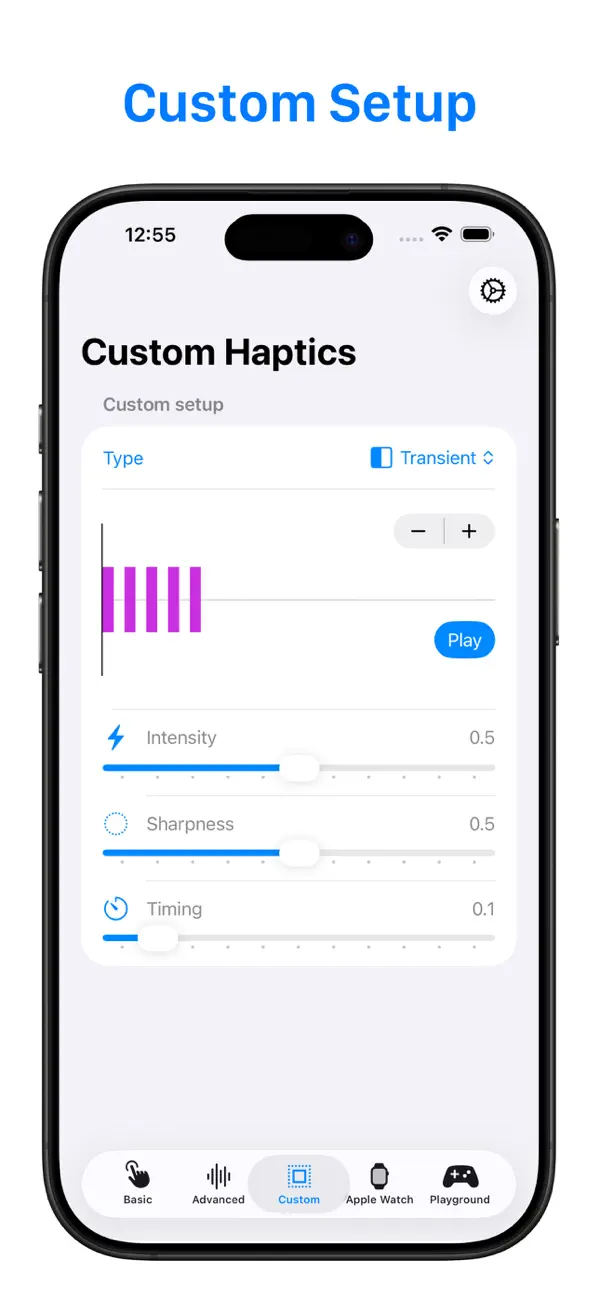
Haptics are an essential part of any modern app, enhancing user engagement by adding physical responses to actions like taps, swipes, or alerts. With Haptics Feedback, you can easily experiment with different types of haptic responses, see how they feel in real time, and get the code snippets you need to implement them in your own projects.
Key Features:
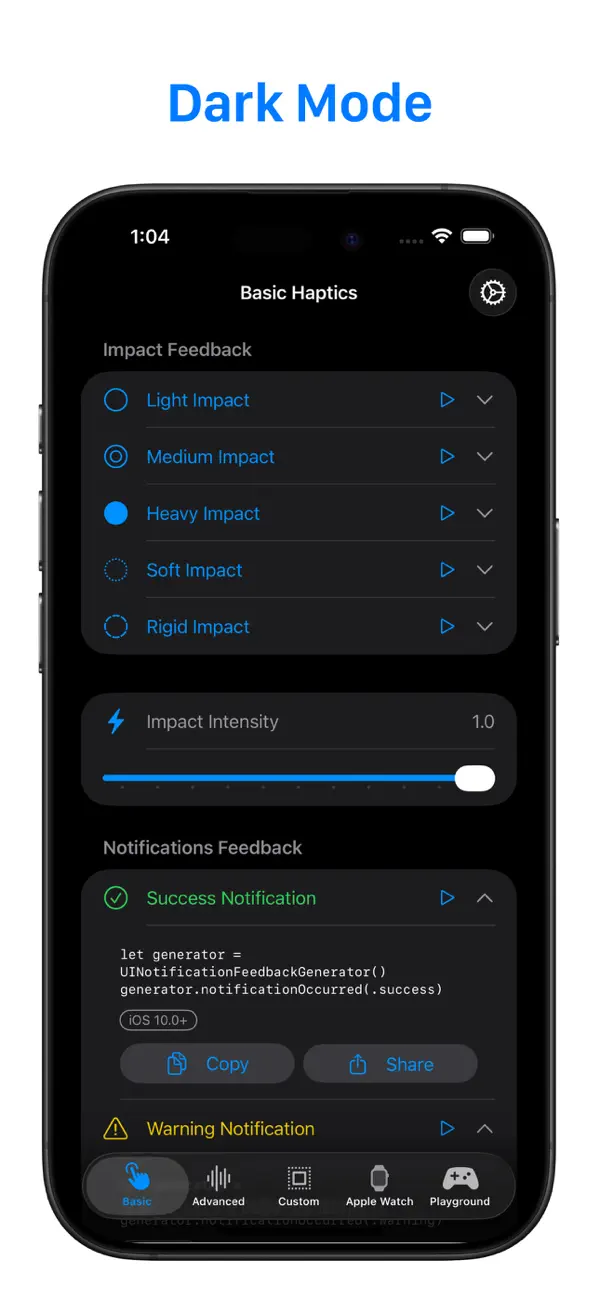
1. Comprehensive Haptic Testing:
Test the full range of haptic feedback types on iOS and watchOS devices, including:
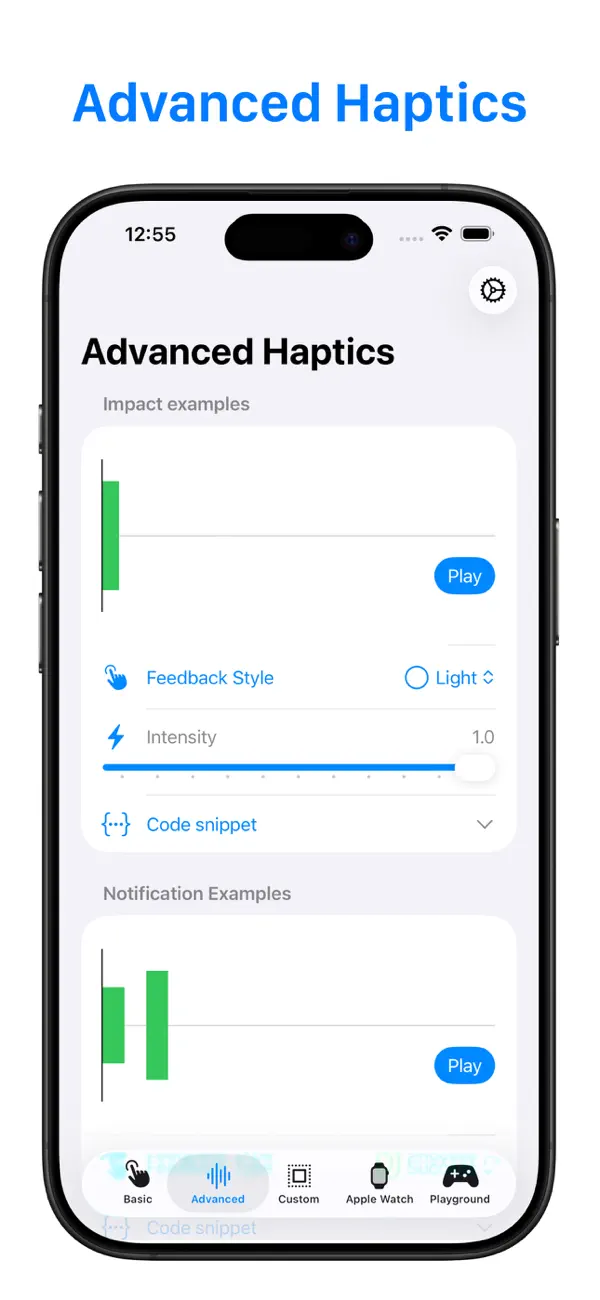
2. Advanced Haptics Visualizer:
For developers who want to dive deeper into the haptics design process, the Advanced View offers a powerful visual representation of the haptic feedback.
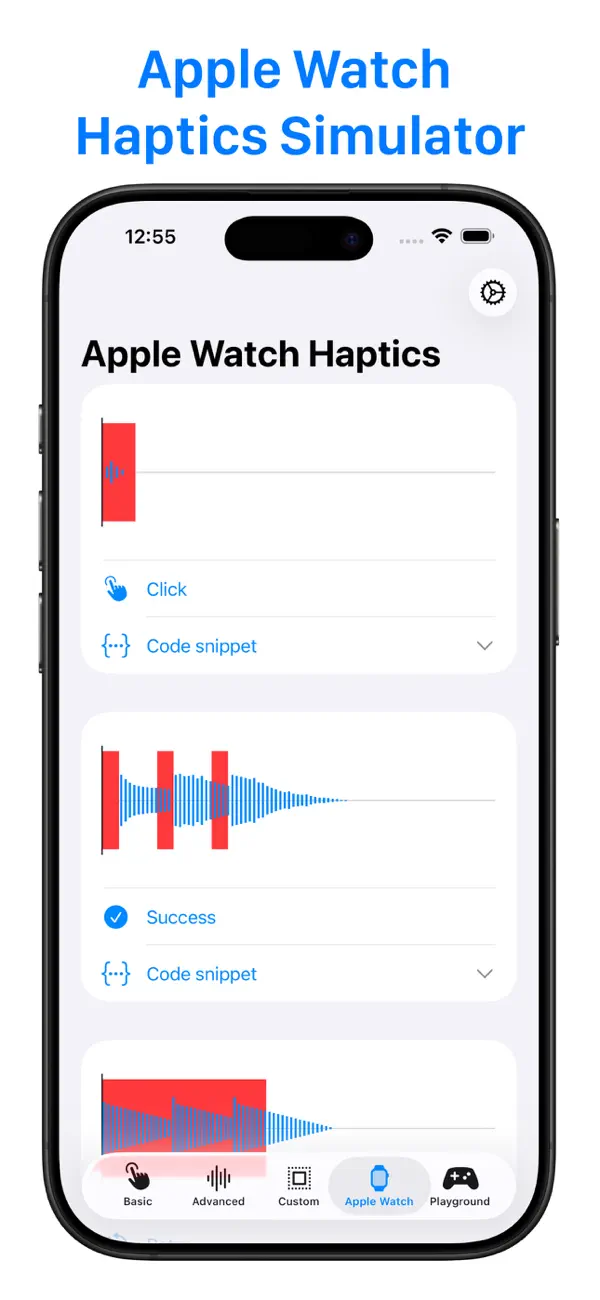
3. Apple Watch Haptics Testing:
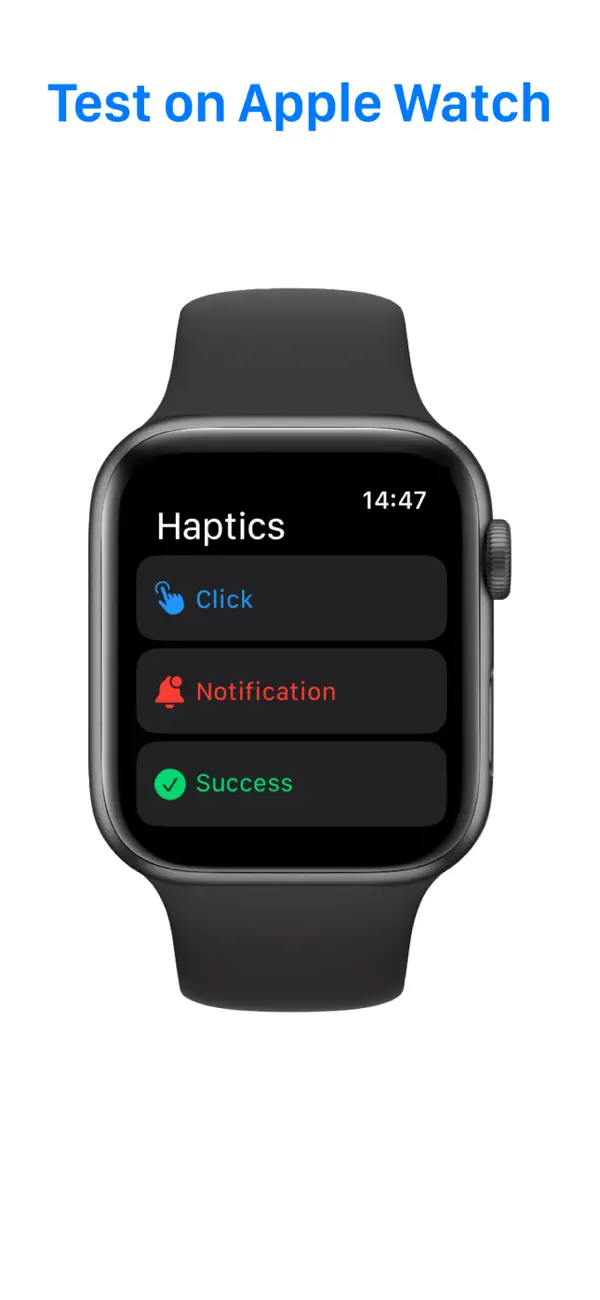
Designing an Apple Watch app or extension? Haptics Feedback offers a seamless way to test and adjust haptics directly on your Apple Watch.
Get hands-on with real-time feedback on your wrist.
Not wearing your watch? No problem! Use the built-in Apple Watch Haptics Simulator right on your iPhone to see how haptics would perform on the watch.
4. Developer-Focused Design:
Haptics Feedback is tailored specifically for developers, providing not only the tools to test and visualize haptics, but also the code snippets needed to implement them. Each feature has been designed to simplify the process of adding haptics to your apps, reducing guesswork and saving you time.
Who Is This App For?
- App Developers: Enhance the user experience in your apps by integrating perfect haptics that match every action.
- Game Developers: Craft immersive and tactile game experiences that pull players deeper into your game world.
- UX/UI Designers: Experiment with haptics to bring your interface designs to life and create memorable interactions.
- Tech Enthusiasts: Discover how haptic feedback works, experiment with different styles, and learn how to bring a professional touch to app interactions.
Why Haptics Matter
Imagine pressing a button in your app and feeling a subtle vibration that confirms your action, or getting an alert on your Apple Watch that not only makes a sound but gives you a tap on your wrist. These sensations create a more intuitive, engaging, and satisfying user experience. With Haptics Feedback, you can test these scenarios and make sure they feel just right before adding them to your app.
ภาพหน้าจอ

ประวัติราคา
-
* การซื้อภายในแอพ - ราคาปัจจุบัน: ฟรี
- ต่ำสุด: ฟรี
- มากที่สุด: ฟรี
ติดตามราคา
คะแนน AppAgg
คะแนนโดยประมาณของแอปนี้
$23,900
คะแนนที่สูงขึ้นมักหมายถึงสัญญาณบน AppAgg ที่แข็งแกร่งขึ้น
อิงจาก: 🔥 ความนิยม · ⭐ คะแนนจากผู้ใช้ · 🕒 ความสดใหม่ · 🏷️ ดีล · 🏬 ข้อมูลร้านค้า · 👥 กิจกรรมชุมชน
คะแนนนี้มีไว้เพื่อให้ข้อมูลเท่านั้น ไม่ใช่ราคาจริง ข้อเสนอขาย หรือการประเมินมูลค่าตลาด
URL แบบสั้น: คัดลอกแล้ว!
Ad
มีอะไรใหม่
- เวอร์ชัน: 2.3
- อัปเดตล่าสุด:
- → Code snippets for custom haptics
→ UI and Performance improvements
ข้อมูลเพิ่มเติม
- วันที่วางจำหน่าย:
- หมวดหมู่:
iOS แอป›เครื่องมือ - ระบบปฏิบัติการ:
Apple Watch,iPad,iPhone,iOS 16.0 และสูงกว่า - ขนาด:
22 Mb - ภาษาที่สนับสนุน:
English - การจัดประเภทเนื้อหา:
4+ - App Store คะแนนโดย:
4.3(8)
ผู้พัฒนา
- Ivan Obodianskyi
- แพลตฟอร์ม: iOS แอป (6) iOS เกม (2)
- รายการ: 0 + 0
- แต้มแล: 6 + 48 ¡
- การจัดอันดับ: 0
- ความเห็น: 0
- ลดราคา: 0
- วิดีโอ: 0
- RSS: ติดตาม
รายการ (0)
0 ☹️
- Haptic Testing: Developer Tool
แต้มแล (1)
-

- 18,744 cahiba7911@agenra.com
- +1

การจัดอันดับ (0)
0 ☹️
ความเห็น (0)
เป็นคนแรกที่แสดงความเห็น 🌟
«Haptic Testing: Developer Tool». แพลตฟอร์ม: iOS. หมวดหมู่: เครื่องมือ. ผู้พัฒนา: «Ivan Obodianskyi». การเปิดตัวครั้งแรก: . อัปเดตล่าสุด: . ราคาปัจจุบัน: ฟรี. ชื่อนี้ยังไม่ได้รับการให้คะแนนหรือบทวิจารณ์บน AppAgg จุดที่ติดตาม: ยืนยันแล้ว 1, ทางอ้อม 8. ร้านค้า: App Store. คะแนนร้านค้า: 4.3. โหวต: 8. ภาษาที่ใช้ได้: English. AppAgg ติดตามประวัติราคา การให้คะแนน และคำติชมของผู้ใช้ «Haptic Testing: Developer Tool». ส่วนลดและอัปเดตในอนาคต: RSS. AppAgg ไม่ได้โฮสต์แอปพลิเคชันหรือแจกจ่ายซอฟต์แวร์ เครื่องหมายการค้า โลโก้ และภาพหน้าจอทั้งหมดเป็นของเจ้าของที่เกี่ยวข้อง
Haptic Testing: Developer Tool URL แบบสั้น: คัดลอกแล้ว!- 🌟 แชร์
- App Store
คล้ายกัน
-
- AppIcon Maker - Developer Tool
- iOS แอป: เครื่องมือ โดย: Remi Herbiet
- $9.99
- รายการ: 1 0 0
- แต้มแล: 0 + 0 คะแนน: $4k เวอร์ชัน: 25.0.2 AppIconMaker is a streamlined, native iOS and macOS application that simplifies the complex process of creating app icons for Apple's ecosystem. Built with SwiftUI, this tool ... ⥯
-
- Ping Me (Developer Tool)
- iOS แอป: เครื่องมือ โดย: FiveIron Software, LLC
- * ฟรี
- รายการ: 0 0 0
- แต้มแล: 0 + 0 คะแนน: $3k เวอร์ชัน: 1.0.3 Ping Me gives developers two powerful tools: instant push notifications when scripts finish, and real-time progress streaming you can tail from anywhere. Push Notifications: Get ... ⥯
-
- Haptic Feedback Tryout
- iOS แอป: เครื่องมือ โดย: Michael Kuczera
- * ฟรี
- รายการ: 0 0 0
- แต้มแล: 0 + 0 คะแนน: $3k เวอร์ชัน: 1.1 Haptic Feedback Feel the Difference Explore haptic feedback on iOS with this interactive demo. Tap buttons to trigger different haptic types and patterns, and see how tactile feedback ... ⥯
-
- Developer-PRO
- iOS แอป: เครื่องมือ โดย: Gerhard Lentschik
- ฟรี
- รายการ: 0 0 0
- แต้มแล: 1 + 0 คะแนน: $1k เวอร์ชัน: 1.3 Developer Your ultimate companion for programming tasks! With Developer, you can effortlessly generate, convert, or explain code in over 20 programming languages, including Python, ... ⥯
-
- Developer Colour Palette
- iOS แอป: เครื่องมือ โดย: Thomas Coomer
- $0.49
- รายการ: 1 + 2 0 0
- แต้มแล: 13 + 2 (1.0) คะแนน: $6k เวอร์ชัน: 1.0.3 Developer Colour Palette helps you to choose, convert, organise and share the colours that you use for the projects that you are working on. Choose a colour using the built in colour ... ⥯
-
- Haptic Pro
- iOS แอป: เครื่องมือ โดย: Vedprakash Wagh
- ฟรี
- รายการ: 0 0 0
- แต้มแล: 0 + 1 (4.0) คะแนน: $4k เวอร์ชัน: 1.5 Haptic Pro - Design, Export & Test Custom Haptic Patterns, or create them from Music/Sound! Perfect Haptic Feedback Design for Designers and Developers Haptic Pro bridges the gap ... ⥯
-
- Haptic Strings
- iOS แอป: เครื่องมือ โดย: Thuy Gia Nguyen
- ฟรี
- รายการ: 0 0 0
- แต้มแล: 1 + 0 คะแนน: $1k เวอร์ชัน: 1.2 Haptic Strings is a small audio haptics experiment that turns your iPhone into a guitar string simulator for designers and developers. Swipe across a string and you feel a custom ... ⥯
-
- Developer Tools Pro
- iOS แอป: เครื่องมือ โดย: Mohammed Aadhil
- $4.99
- รายการ: 1 0 0
- แต้มแล: 1 + 0 คะแนน: $7k เวอร์ชัน: 4.0 Developer Tools Pro is a comprehensive utility app for developers, providing over 100+ essential utilities for data conversion, formatting, encoding, and analysis all in a single, ... ⥯
-
- Developer-Tools
- iOS แอป: เครื่องมือ โดย: Mannon Wallace
- ฟรี
- รายการ: 0 0 0
- แต้มแล: 0 + 0 คะแนน: $760 เวอร์ชัน: 1.1.0 Developer Tools helps you test servers, API calls, clients, and more. For each GET/POST request, it displays the JSON response in a user-friendly viewer. The JSON viewer supports all ... ⥯
- -33%
- Developer Browser Pro
- iOS แอป: เครื่องมือ โดย: EyeOS Store Inc.
- $1.99
$2.99-33% - รายการ: 1 0 0
- แต้มแล: 0 + 0 คะแนน: $8k เวอร์ชัน: 1.1 Developer Browser is a focused web viewer designed for inspection and troubleshooting. Load any URL (or search from the address bar) and review what the page returns and what it does ... ⥯
-
- Developer AI
- iOS แอป: เครื่องมือ โดย: Yolleg Ltd
- * ฟรี
- รายการ: 0 0 0
- แต้มแล: 3 + 9 (4.4) คะแนน: $27k เวอร์ชัน: 1.42 Introducing an innovative AI-powered app designed to revolutionize the way you generate source code. This app harnesses the power of artificial intelligence to automatically create ... ⥯
-
- Developer Tools: Exabox
- iOS แอป: เครื่องมือ โดย: Alberto Malagoli
- ฟรี
- รายการ: 0 + 3 0 0
- แต้มแล: 7 + 1 (2.0) คะแนน: $2k เวอร์ชัน: 4.0.2 Exabox puts over 30 essential developer utilities in a single offline app. Stop searching for random websites every time you need to format JSON, decode Base64, generate dummy data, or ⥯
-
- Developer Tools - Tooly
- iOS แอป: เครื่องมือ โดย: Basile Cornet
- * ฟรี
- รายการ: 0 0 0
- แต้มแล: 3 + 0 คะแนน: $4k เวอร์ชัน: 1.0.5 Tooly is an all-in-one toolkit designed to simplify and accelerate your development workflow. Whether you re a software engineer, a web developer, or a designer, Tooly provides a ... ⥯
-
- Haptic Helper
- iOS แอป: เครื่องมือ โดย: Alexander Kozlowski
- ฟรี
- รายการ: 0 0 0
- แต้มแล: 0 + 0 คะแนน: $720 เวอร์ชัน: 1.8 "Haptics engage people s sense of touch to enhance the experience of interacting with onscreen interfaces." This app provides a simple demonstration on the different Haptic ... ⥯
คุณอาจชอบ
ดูล่าสุด
อัปเดตล่าสุด:
โอเปอเรเตอร์การค้นหาที่คุณสามารถใช้กับ AppAgg