
| ผู้พัฒนา: | Alessandro Gimenes Ferri (55) | ||
| ราคา: | $0.99 | ||
| การจัดอันดับ: | 0 | ||
| ความเห็น: | 0 เขียนความเห็น | ||
| ความเห็น: | 0 โพสต์ความคิดเห็น | ||
| รายการ: | 1 + 1 | ||
| แต้มแล: | 5 + 0 ¡ | ||
| Mac App Store | |||
คำอธิบาย

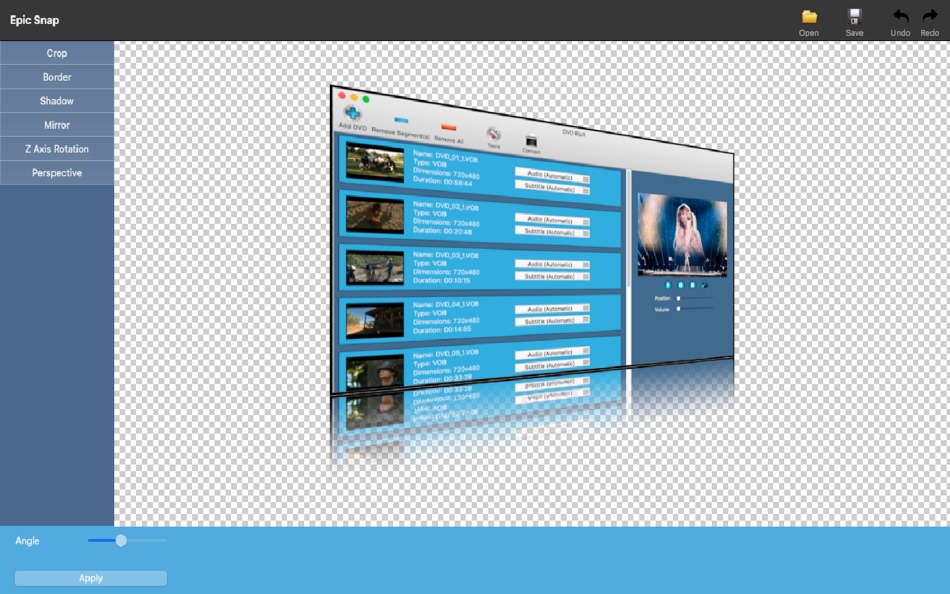
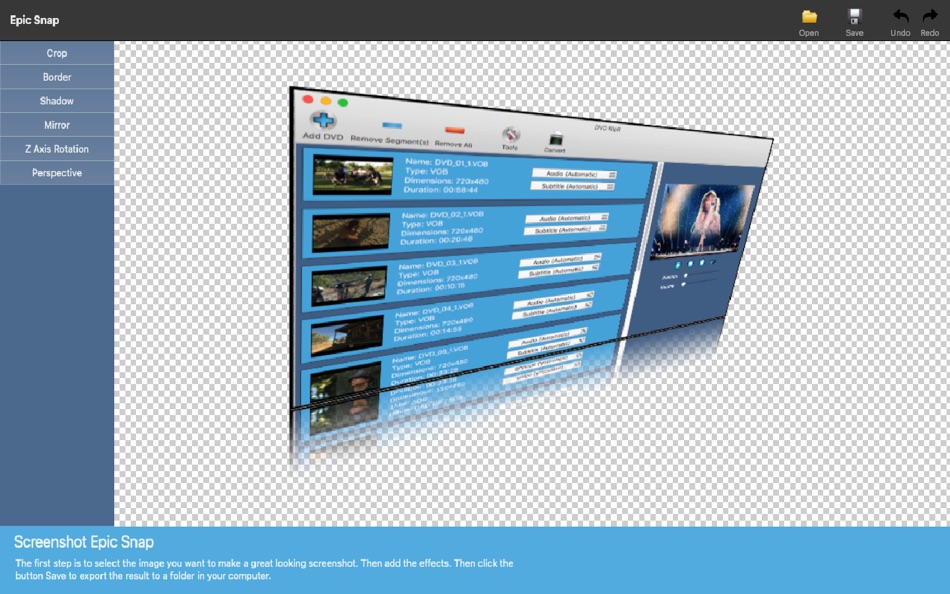
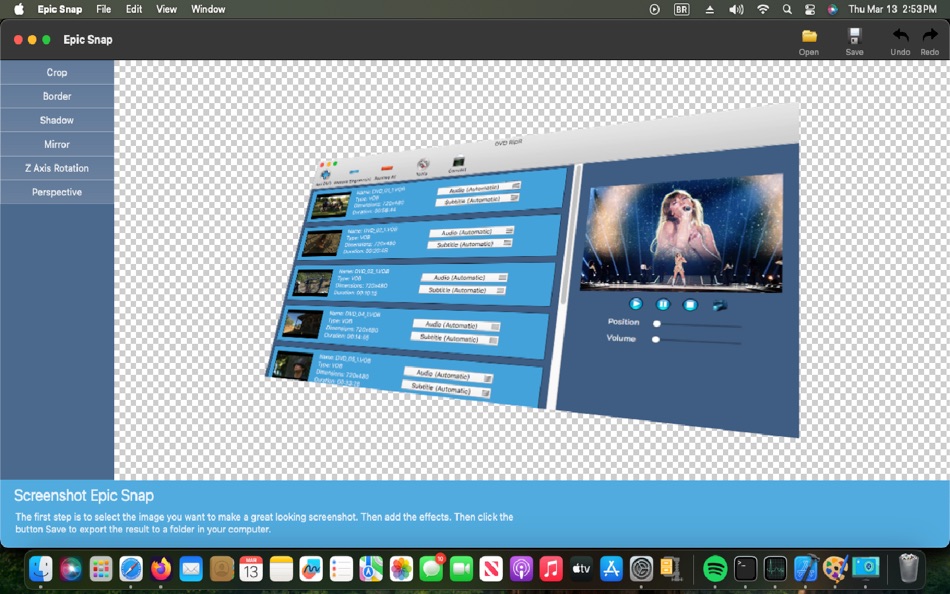
Make your products stand out with our Smart Snapshot Enhancer—the ultimate tool for transforming basic product screenshots into eye-catching, professional-grade visuals that drive more sales. Whether you're an eCommerce seller, marketer, or entrepreneur, this app ensures your product images look polished, engaging, and ready to convert.
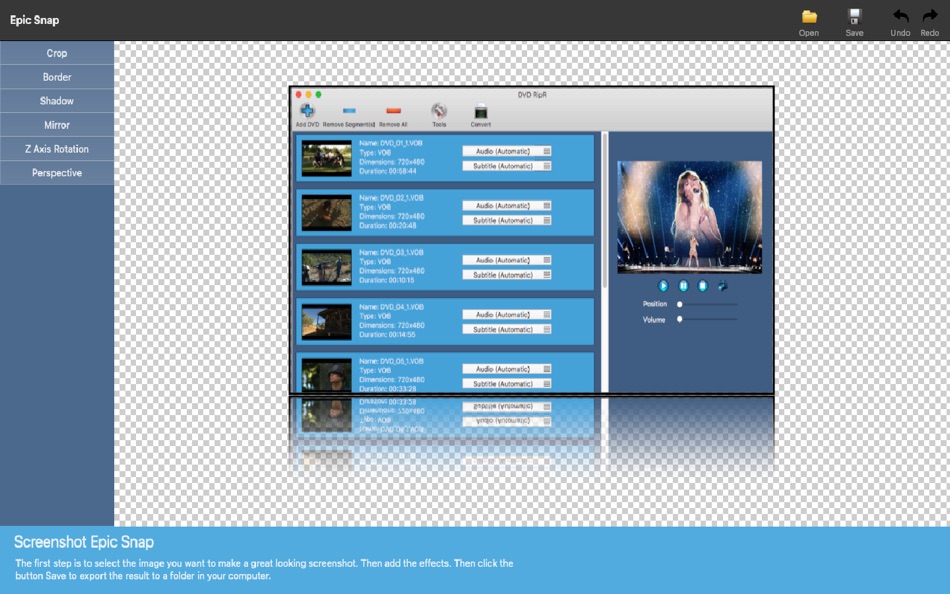
Instant Makeover – Enhance dull screenshots with sleek backgrounds, shadows, and lighting effects.
Professional Styling – Apply high-quality filters, reflections, and branding elements for a premium look.
Boost Sales & Engagement – Capture customer attention with visually appealing product images.
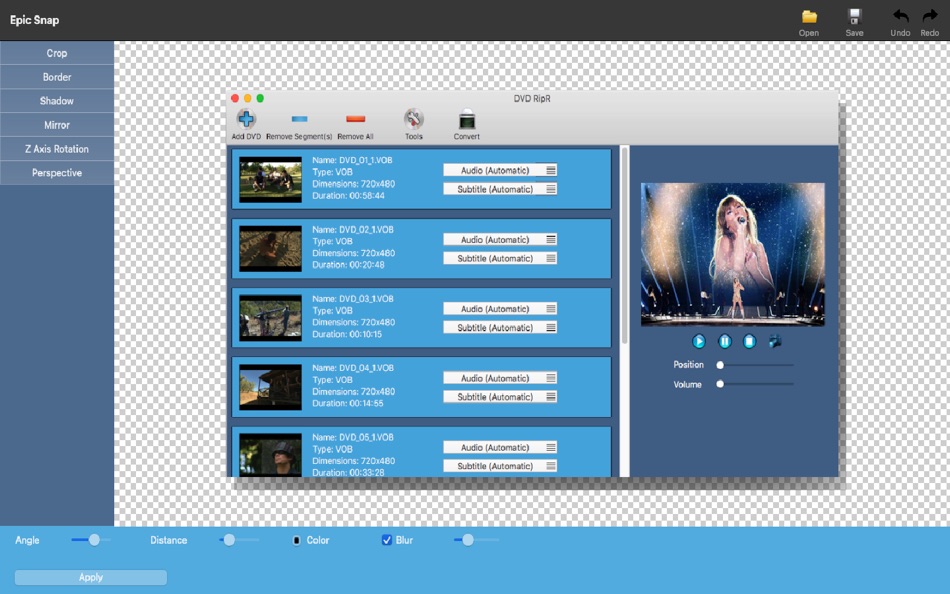
Easy Customization – Adjust colors, layouts, and effects to match your brand identity.
Fast & Effortless – Create stunning product snapshots in seconds—no design skills needed!
Make your products impossible to ignore—upgrade your screenshots and increase sales today!
Ad
ภาพหน้าจอ
ประวัติราคา
- วันนี้: $0.99
- ต่ำสุด: ฟรี
- มากที่สุด: $9.99
ติดตามราคา
Ad
ผู้พัฒนา
แต้มแล (5)
-

- 445 J-Unit
- +1
-
- 1,105 眰恦(眰恦)
- +1
-
- 2,358 Kras-s-savchiK
- +1
-
- 11,042 Simon Chan
- +1
-
- 2,810 Alan
- +1


การจัดอันดับ (0)
0 ☹️
รายการ (1)
- Screenshot Editor Lite

ความเห็น (0)
แสดงรีวิวเป็นคนแรกเลย 🌟
ความเห็น (0)
เป็นคนแรกที่แสดงความเห็น 🌟
ข้อมูลเพิ่มเติม
- เวอร์ชัน: 4.52
- หมวดหมู่:
macOS แอป›เครื่องมือ - ระบบปฏิบัติการ:
macOS,macOS 11.5 และสูงกว่า - ขนาด:
2 Mb - ภาษาที่สนับสนุน:
Arabic,Chinese,Danish,Dutch,English,Finnish,French,German,Greek,Hebrew,Hungarian,Italian,Japanese,Korean,Polish,Portuguese,Russian,Spanish,Swedish,Turkish,Ukrainian - การจัดประเภทเนื้อหา:
4+ - Mac App Store คะแนนโดย:
0 - อัปเดต:
- วันที่วางจำหน่าย:
«Screenshot Editor Lite». แพลตฟอร์ม: macOS. หมวดหมู่: เครื่องมือ. ผู้พัฒนา: «Alessandro Gimenes Ferri». การเปิดตัวครั้งแรก: . อัปเดตล่าสุด: . ราคาปัจจุบัน: $0.99. ราคาต่ำสุดที่บันทึกไว้: $0.00 (). ราคาสูงสุดที่บันทึกไว้: $9.99 (). ชื่อนี้ยังไม่ได้รับการให้คะแนนหรือบทวิจารณ์บน AppAgg รายการ: สาธารณะ 1, ส่วนตัว 1. จุดที่ติดตาม: ยืนยันแล้ว 5, ทางอ้อม 0. ภาษาที่ใช้ได้: Arabic, Chinese, Danish, Dutch, English, Finnish, French, German, Greek, Hebrew, Hungarian, Italian, Japanese, Korean, Polish, Portuguese, Russian, Spanish, Swedish, Turkish, Ukrainian. AppAgg ติดตามประวัติราคา การให้คะแนน และคำติชมของผู้ใช้ «Screenshot Editor Lite». ส่วนลดและอัปเดตในอนาคต: RSS. AppAgg ไม่ได้โฮสต์แอปพลิเคชันหรือแจกจ่ายซอฟต์แวร์ เครื่องหมายการค้า โลโก้ และภาพหน้าจอทั้งหมดเป็นของเจ้าของที่เกี่ยวข้อง
Screenshot Editor Lite URL แบบสั้น: คัดลอกแล้ว!- 🌟 แชร์
- Mac App Store
คุณอาจชอบ
-
- Screenshot Connect
- macOS แอป: เครื่องมือ โดย: Eliott Morgensztern
- ฟรี
- รายการ: 0 + 2 การจัดอันดับ: 0 ความเห็น: 0
- แต้มแล: 1 + 0 ความเห็น: 0 เวอร์ชัน: 1.1 Screenshot Connect is the best app to create app screenshots ready for the App Store. Drag and drop images, rotate and move the device, add text, export and it is done. For each ... ⥯
-
- Screenshot Master for Apps
- macOS แอป: เครื่องมือ โดย: NBApps
- * ฟรี
- รายการ: 0 + 1 การจัดอันดับ: 0 ความเห็น: 0
- แต้มแล: 1 + 0 ความเห็น: 0 เวอร์ชัน: 2.1.2 Focus on building great apps, not designing screenshots. With Screenshot Master, you can finally create your app screenshots for the App Store easily and quickly. Drag and drop your ... ⥯
-
- Screenshot Creator
- macOS แอป: เครื่องมือ โดย: BRIDGETECH SOLUTIONS LIMITED
- * ฟรี
- รายการ: 0 + 0 การจัดอันดับ: 0 ความเห็น: 0
- แต้มแล: 3 + 0 ความเห็น: 0 เวอร์ชัน: 1.86 Create beautiful, engaging, screenshots for your apps and maximise your downloads. Screenshot Creator makes it easy for you to design your own professional-looking screenshots that ... ⥯
-
- Screenshot Prep
- macOS แอป: เครื่องมือ โดย: Md Yousuf Ali
- ฟรี
- รายการ: 0 + 0 การจัดอันดับ: 0 ความเห็น: 0
- แต้มแล: 0 + 0 ความเห็น: 0 เวอร์ชัน: 1.0 Why Screenshot Prep? Compelling screenshots are critical for app conversion. Screenshot Prep gives you the tools to frame your app in the latest devices, add catchy marketing text, and ⥯
-
- Editor Usage for Cursor AI
- macOS แอป: เครื่องมือ โดย: Inside Internet
- $3.99
- รายการ: 0 + 0 การจัดอันดับ: 0 ความเห็น: 0
- แต้มแล: 0 + 0 ความเห็น: 0 เวอร์ชัน: 1.3.2 Effortlessly track your Cursor AI editor usage with our powerful menubar app, designed to keep you informed and in control of your requests. Whether you re a heavy user or just want to ⥯
-
- Screenshot Mockup for Appstore
- macOS แอป: เครื่องมือ โดย: Collins Cheruiyot
- ฟรี
- รายการ: 0 + 0 การจัดอันดับ: 0 ความเห็น: 0
- แต้มแล: 2 + 0 ความเห็น: 0 เวอร์ชัน: 2.3 Appstore Screenshots Generator is a powerful and user-friendly app that empowers app developers and designers to create captivating and eye-catching screenshots for their mobile ... ⥯
-
- ScreenShop - Screenshot Maker
- macOS แอป: เครื่องมือ โดย: Eilon Krauthammer
- ฟรี
- รายการ: 0 + 1 การจัดอันดับ: 0 ความเห็น: 0
- แต้มแล: 2 + 0 ความเห็น: 0 เวอร์ชัน: 1.03 ScreenShop is the easiest way to create professional-grade, high quality screenshots for your app in the App Store. Never worry about App Store screenshot sizes anymore. Create your ... ⥯
-
- WYSIWYG HTML Editor
- macOS แอป: เครื่องมือ โดย: Wicher B Donga
- $22.99
- รายการ: 0 + 0 การจัดอันดับ: 5 (1) ความเห็น: 0
- แต้มแล: 0 + 0 ความเห็น: 0 เวอร์ชัน: 26.1 WYSIWYG HTML Editor just got a major upgrade. You can now work seamlessly with: - HTML and CSS - JavaScript - React and JSX - Vue - Alpine - Markdown or any combination of these in a ... ⥯
-
- Py Editor for Python
- macOS แอป: เครื่องมือ โดย: Andromeda Corp LTD
- * ฟรี
- รายการ: 1 + 0 การจัดอันดับ: 0 ความเห็น: 0
- แต้มแล: 2 + 0 ความเห็น: 0 เวอร์ชัน: 26.0.1 Python Editor is a native macOS application that lets you write and run Python code instantly, with no installation or configuration required. Python 3.11 is embedded directly in the ... ⥯
-
- Xliff Editor
- macOS แอป: เครื่องมือ โดย: SweetP Productions, Inc.
- $19.99
- รายการ: 0 + 2 การจัดอันดับ: 0 ความเห็น: 0
- แต้มแล: 0 + 0 ความเห็น: 0 เวอร์ชัน: 3.3.2 Xliff Editor - its fast to load, easy to use, and has a low memory footprint. Did we forget to mention Inline tag protection, Search & Replace, Regex search, Fuzzy search, intuitive ... ⥯
-
- Mermaid Live Editor
- macOS แอป: เครื่องมือ โดย: Omer UCEL
- $4.99
- รายการ: 0 + 0 การจัดอันดับ: 0 ความเห็น: 0
- แต้มแล: 2 + 0 ความเห็น: 0 เวอร์ชัน: 4.1 Transform text into beautiful diagrams with AI-powered assistance. This professional diagram editor supports Mermaid syntax to create flowcharts, timelines, user journey maps, charts, ... ⥯
-
- Brackets JSON Editor
- macOS แอป: เครื่องมือ โดย: junichi nakamura
- $2.99
- รายการ: 0 + 0 การจัดอันดับ: 0 ความเห็น: 0
- แต้มแล: 0 + 0 ความเห็น: 0 เวอร์ชัน: 1.4 Brackets JSON Editor is simple and easy-to-use JSON editor. You can edit the JSON data displayed in the outline. ⥯
-
- JSON Editor for SSEM DEV
- macOS แอป: เครื่องมือ โดย: DongSeop Kim
- ฟรี
- รายการ: 0 + 0 การจัดอันดับ: 0 ความเห็น: 0
- แต้มแล: 0 + 0 ความเห็น: 0 เวอร์ชัน: 1.0 JSON Editor is a web-based tool to view, edit, format, and validate JSON data. Features: Tree view and code view modes Syntax highlighting with Ace Editor JSON validation and ... ⥯
-
- RESX Editor
- macOS แอป: เครื่องมือ โดย: Oebele Beetstra
- $1.99
- รายการ: 0 + 0 การจัดอันดับ: 0 ความเห็น: 0
- แต้มแล: 0 + 0 ความเห็น: 0 เวอร์ชัน: 1.0 When you make use of Visual Studio for Mac to build multi-platform apps with Xamarin Forms, you can make them support multiple languages by adding so called RESX files. A RESX file is ... ⥯