
Zakładki
| Deweloper: | mindigest (3) | ||
| Cena: | * Za darmo Nowa | ||
| Wynik: | 1110 Srebro | ||
| Rankingi: | 0 | ||
| Komentarze: | 0 Opublikuj komentarz | ||
| Listy: | 0 0 | ||
| Punkty: | 0 | ||
| +1 Punkt | |||
Podsumowanie
Beaver Compare to aplikacja od mindigest z kategorii „Narzędzia programistyczne”.
Nowość, wyszła , więc jesteś wśród pierwszych.
Wejście za darmo, ale sklepik w środku jest otwarty.
Microsoft Store jest wbudowany w system Windows, więc instalujesz w kilka kliknięć.
Wynik AppAgg to 1110. „Srebro”, i to wcale nieźle.
Kategoria wiekowa „EVERYONE”, więc nadaje się też dla dzieci.
Zna 2 języki, ale polskiego jeszcze się nie nauczyła.
Nikt w AppAgg jeszcze jej nie ocenił. Pierwsza ocena może być twoja, i to od razu.
Ten deweloper ma w AppAgg jeszcze 2 aplikacje. Warto zajrzeć.
Chcesz dowiadywać się o aktualizacjach i nowych aplikacjach przed innymi? Obserwuj dewelopera albo subskrybuj kanał RSS. Powiadomienia push przychodzą w aplikacji AppAgg Alerts na Android i iOS.
Inne platformy 0
 | Beaver CompareWindows Store1K SrebroWindowsZakupy w aplikacji | Za darmo |
Na razie tylko w tym sklepie.
Historia cen 0
- Aktualna cena: Za darmo
- Minimum: Za darmo
- Maksimum: Za darmo
Własny kanał na stronie głównej
Zrzuty ekranu 7
Opis
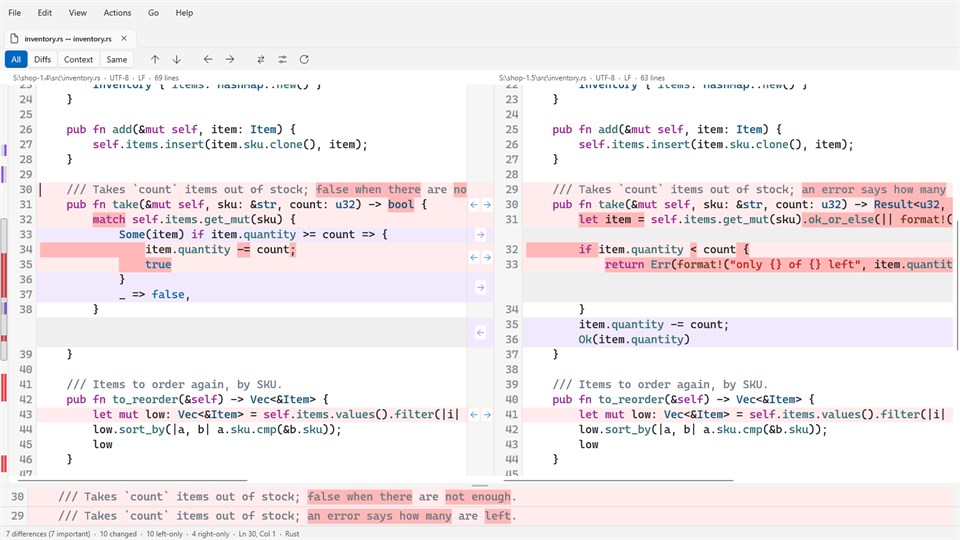
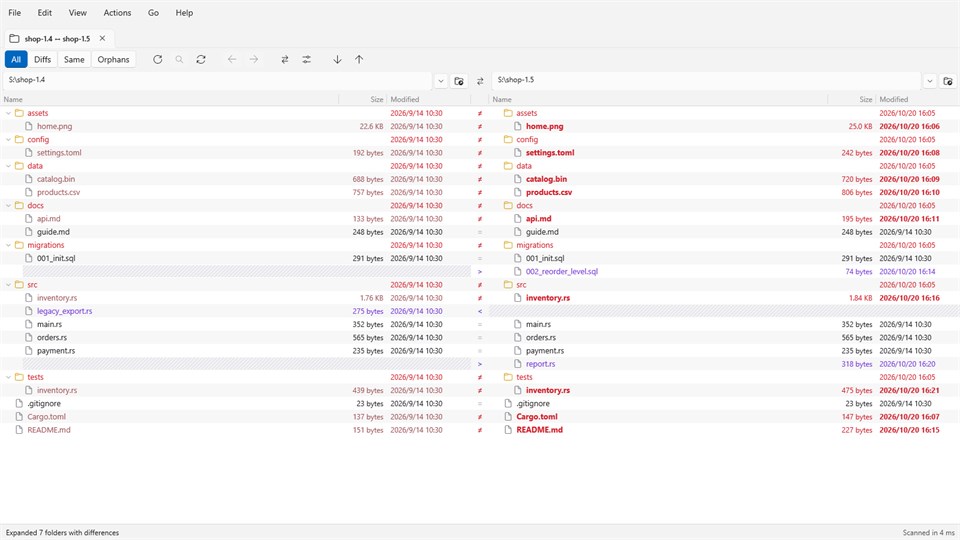
Beaver Compare puts two versions of your work side by side: text files, whole folders, CSV tables, images and binary files. It shows every difference down to the character, lets you copy changes from one side to the other, and merges three versions into one.
TEXT
• Lines line up side by side, and the characters that changed inside each line are marked. A detail pane shows long lines in full.
• Edit either side, copy changes across with one click, undo, and save in the file's own encoding, byte order mark and line endings.
• Syntax highlighting for 26 languages, from C, C#, Java, Python, Rust and Go to JSON, XML, YAML and Markdown.
• Comparison rules: ignore case, white space, line endings or comments; mark text as unimportant with regular expressions.
• Find, go to line, word wrap, and views that show only the differences, with or without context.
• Opens files with millions of lines and stays smooth while you scroll.
FOLDERS
• Compare by size and modification time, or by content. Filter by name, and keep your options as presets.
• Copy, move, rename and delete right in the comparison. Deleted files go to the Recycle Bin.
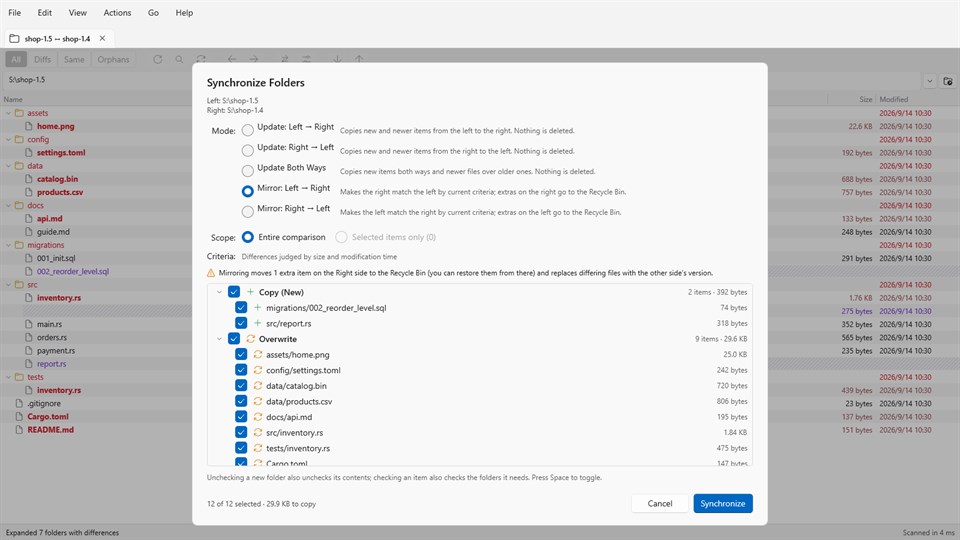
• Synchronize with a preview: update one way, update both ways, or mirror. Only the plan you previewed runs, and every step checks the files again before it touches them.
MERGE
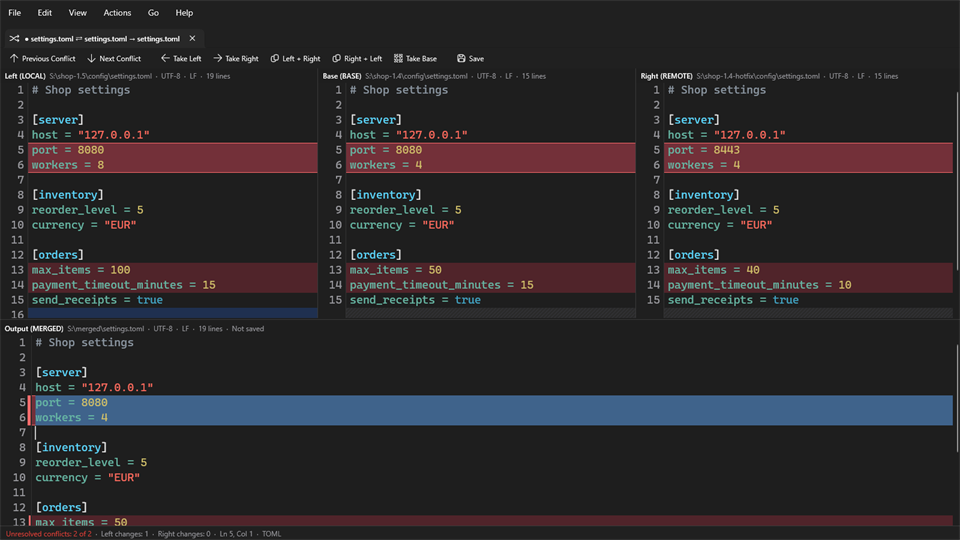
• Three-way merge: your version, their version and the common base, above a result you can edit. Changes that do not conflict are merged for you; step through the conflicts and take left, right, both or the base.
• Works as git difftool and git mergetool. The bvc command opens comparisons and merges from the command line and tells git whether the merge was finished.
MORE COMPARISONS
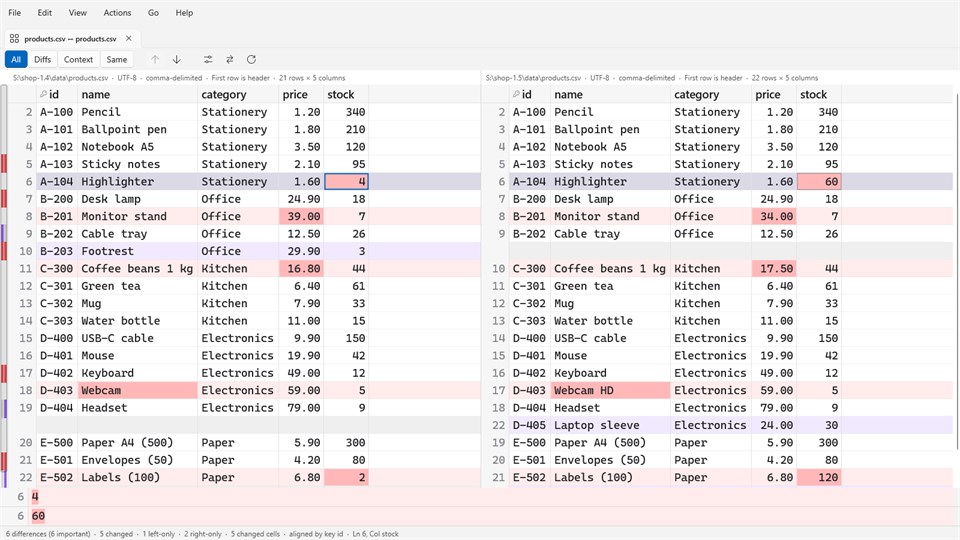
• Tables: CSV and TSV files cell by cell, with rows matched by key columns, ignored columns and a numeric tolerance.
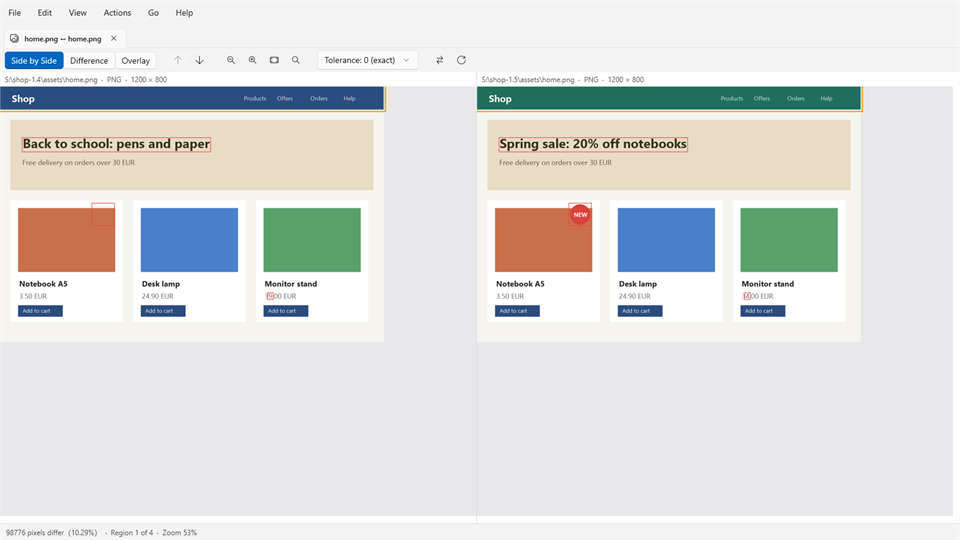
• Images: side by side, as a difference image or as an overlay, with a colour tolerance.
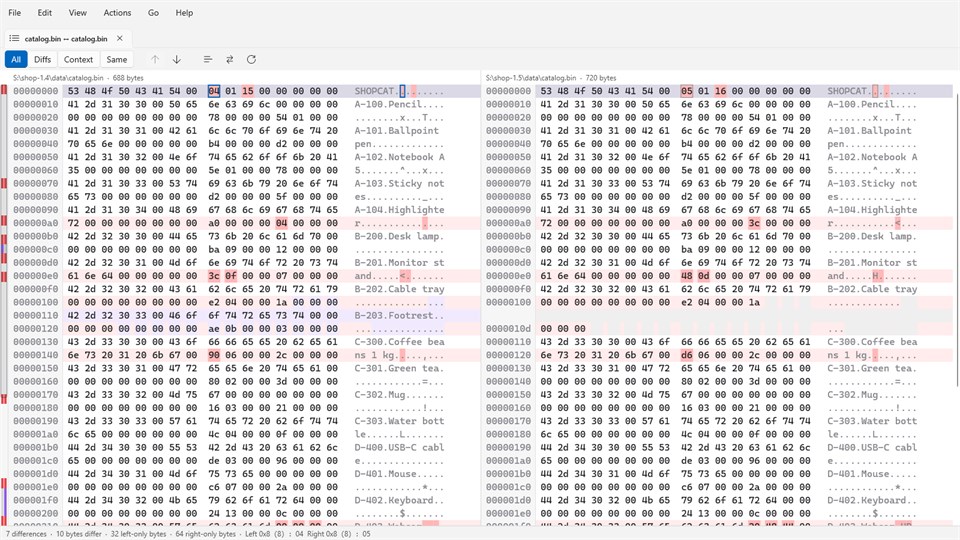
• Binary files: a hexadecimal comparison that lines up inserted and deleted bytes.
• HTML reports of text and folder comparisons.
AT HOME IN WINDOWS
• Compare from the File Explorer context menu: two selected items at once, or pick a left side first and compare it with something else.
• Files that change on disk are reloaded on their own.
• Tabs, saved sessions, dark and light themes, English and Simplified Chinese.
YOUR FILES STAY ON YOUR PC
No account and no analytics. Beaver Compare never uploads your files. It goes online only to download your license when you activate it with an activation code.
TRY IT FREE, BUY IT ONCE
Every feature is free for 30 days from the first launch. After that, Beaver Compare stays useful for viewing: you can still open comparisons, see the differences and export reports, while saving and file operations need a license. It is a one-time purchase, not a subscription. Licenses are sold on our website; one license is for one person on up to 2 computers, Mac or Windows.
Od dewelopera
Listy 0
-
 Beaver Compare
Punkty 0
-

- +1 Punkt

Rankingi 0
-
- Twoja ocena
Deweloper 3
- mindigest
- Obserwujący: 0
- Platformy: Windows Aplikacje (3)
- Promocje: 0
- Listy: 0 0
- Punkty: 0
- Rankingi: 0
- Komentarze: 0
- Filmy: 0
- RSS: Subskrybuj
Co nowego
- Wersja: PC
- Ostatnia aktualizacja:
Dodatkowe informacje
- Data wydania:
- Kategoria:
Aplikacje na platformę Windows›Narzędzia programistyczne - System operacyjny:
PC - Rozmiar:
106 Mb - Obsługiwane języki:
Angielski,Chiński - Klasyfikacja treści:
EVERYONE - Windows Store Ocena: ¡
0 - Witryna internetowa:
 https://www.mindigest.com/compare
Wynik AppAgg
Szacowany wynik AppAgg dla
Beaver Compare
Deweloper: mindigest
Wyższy wynik zwykle oznacza lepsze rezultaty w zakresie wskaźników śledzonych przez AppAgg.
Na podstawie: popularności · ocen użytkowników · świeżości · promocji · danych sklepów · aktywności społeczności
Przeliczane codziennie na podstawie aktualnych danych AppAgg.
Komentarze 0 ¡
Udostępnij
Beaver Compare Krótki URL: Skopiowano!- Windows Store
Może Ci się również spodobać
- Aplikacje na platformę Windows
- Nowe Aplikacje na platformę Windows
- Promocje Aplikacje na platformę Windows
- Popularne Aplikacje na platformę Windows
- Rankingi Aplikacje na platformę Windows
- Komentarze Aplikacje na platformę Windows
- Listy Aplikacje na platformę Windows
- Punkty Aplikacje na platformę Windows

