
Zakładki
| Deweloper: | Ctr-L (11) | ||
| Cena: | * Za darmo Nowa | ||
| Wynik: | 830 Srebro | ||
| Rankingi: | 0 | ||
| Komentarze: | 0 Opublikuj komentarz | ||
| Listy: | 0 0 | ||
| Punkty: | 0 | ||
| +1 Punkt | |||
Podsumowanie
C Ftp to aplikacja od Ctr-L z kategorii „Narzędzia programistyczne”.
Świeżynka, wyszła . Jeszcze pachnie nowym kodem.
Wejście za darmo, ale sklepik w środku jest otwarty.
Microsoft Store jest wbudowany w system Windows, więc instalujesz w kilka kliknięć.
Wynik AppAgg to 830. „Srebro”, i to wcale nieźle.
Kategoria wiekowa „EVERYONE”, więc nadaje się też dla dzieci.
Mówi w 54 językach, w tym po polsku.
Używasz jej? Twoja opinia będzie tu pierwsza.
Ten deweloper ma w AppAgg jeszcze 10 aplikacji. Warto zajrzeć.
A tak przy okazji, ten deweloper ma teraz 3 produkty w promocji.
Chcesz dowiadywać się o aktualizacjach i nowych aplikacjach przed innymi? Obserwuj dewelopera albo subskrybuj kanał RSS. Powiadomienia push przychodzą w aplikacji AppAgg Alerts na Android i iOS.
Inne platformy 0
Historia cen 0
- Aktualna cena: Za darmo
- Minimum: Za darmo
- Maksimum: Za darmo
Własny kanał na stronie głównej
Zrzuty ekranu 5
Opis

Take control of your files, servers, and cloud storage with C FTP, a modern file transfer and management application for Windows.
Whether you manage websites, upload project files, maintain remote servers, or organize files across different locations, C FTP gives you the tools you need in one clean, efficient workspace.
ONE APP. MULTIPLE CONNECTIONS.
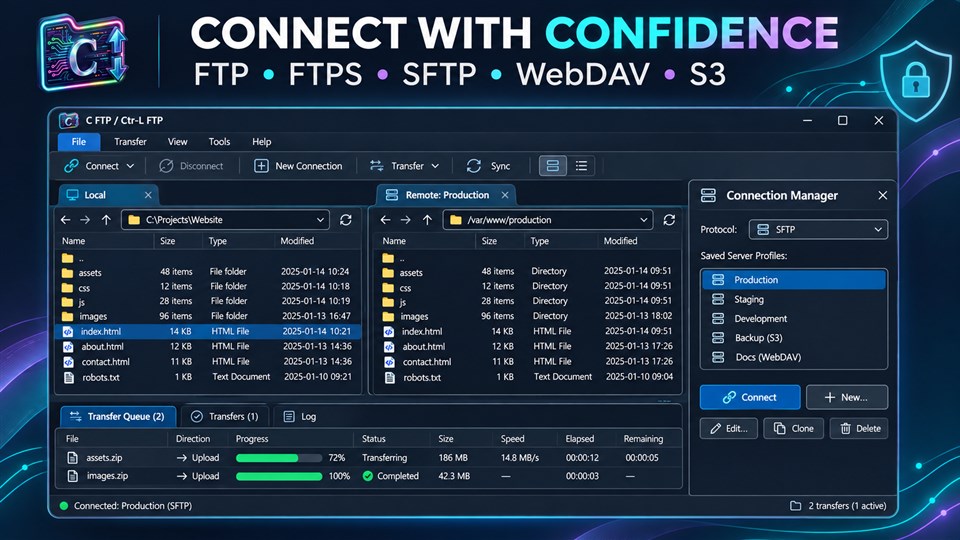
Connect to your files using popular transfer protocols:
• FTP — Standard file transfer connections.
• FTPS — Secure FTP with explicit or implicit TLS.
• SFTP — Secure file transfers over SSH.
• WebDAV — Access compatible remote storage over HTTPS.
• S3 — Work with compatible object storage services.
Choose the connection type that fits your server and manage your files from a single desktop application.
A BETTER WAY TO MANAGE FILES
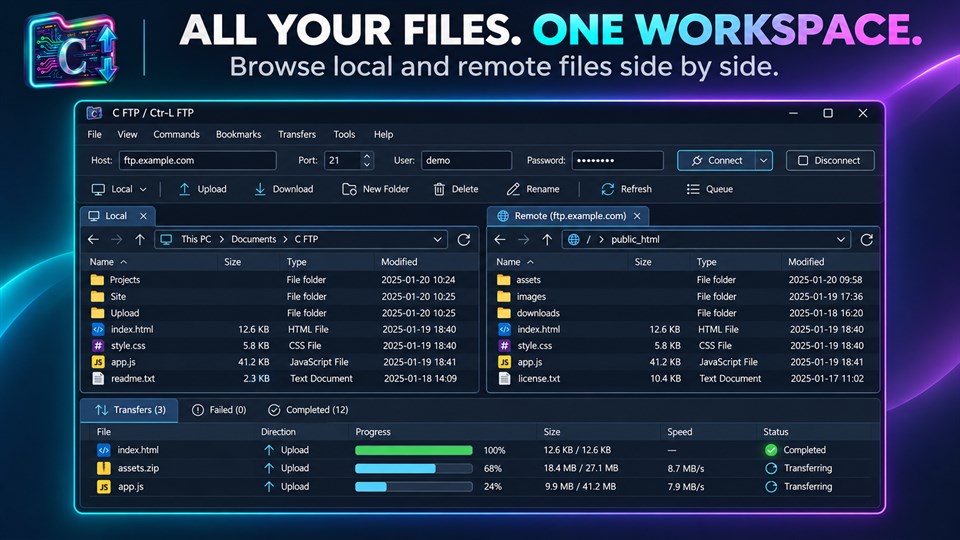
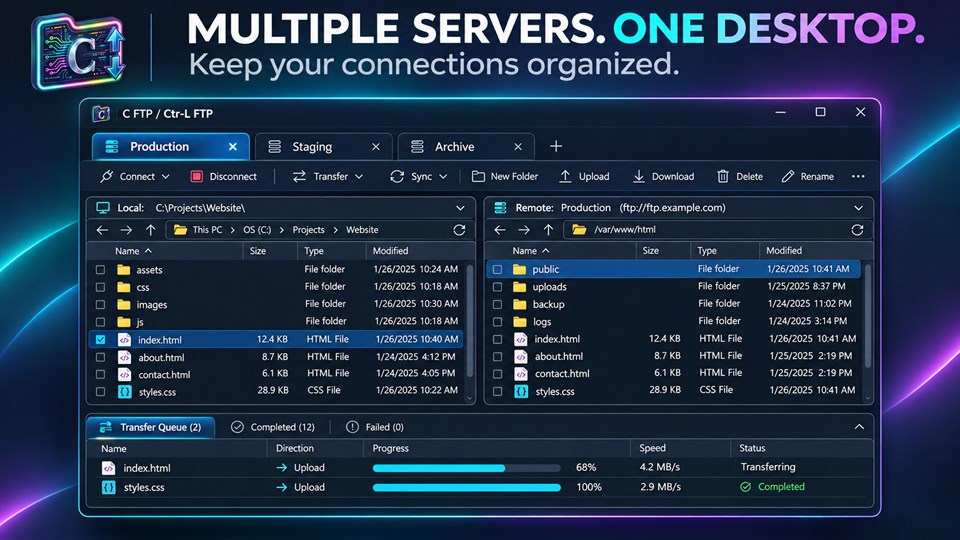
The dual-pane file manager puts your local and remote files side by side, making everyday tasks faster and easier.
Browse folders, upload and download files, create directories, rename items, move files, and organize remote content without constantly switching between windows.
Drag-and-drop support helps simplify transfers, while multiple connection tabs let you work with different servers from one place.
STAY IN CONTROL OF EVERY TRANSFER
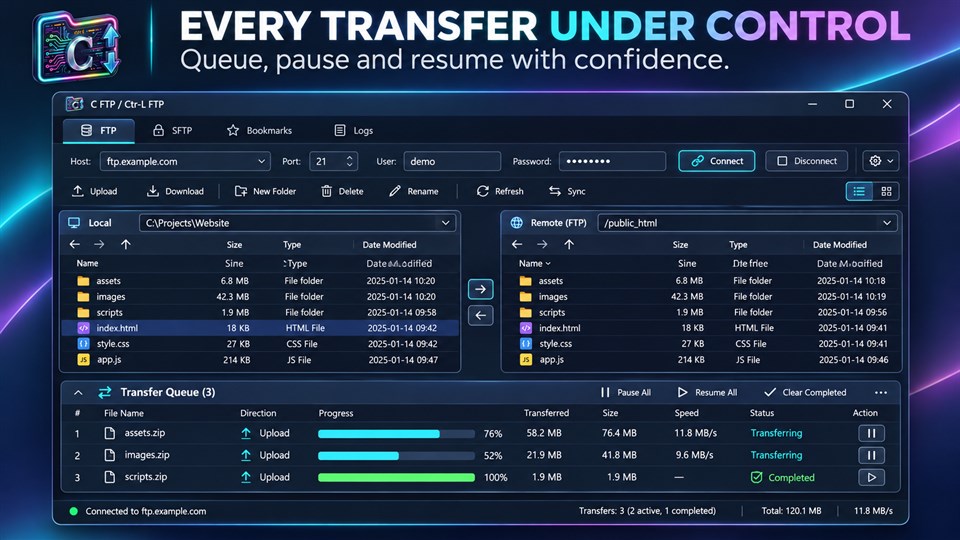
C FTP provides practical tools for managing file transfers:
• Transfer queue with progress information.
• Pause and resume controls for supported operations.
• File conflict handling when destination files already exist.
• Options to overwrite, resume, rename, or skip conflicting transfers.
• Transfer speed controls.
• Support for multiple server connections.
From everyday file uploads to more demanding transfer workflows, C FTP is designed to keep your work organized and manageable.
YOUR CONNECTIONS, READY WHEN YOU ARE
Save server profiles and bookmarks for quicker access to frequently used locations.
Import supported connection configurations from FileZilla, WinSCP, Cyberduck, and OpenSSH to simplify moving to C FTP.
Secure connection options help you choose an appropriate protocol for your server. Supported Windows credential storage helps protect saved authentication details.
DESIGNED FOR EVERYDAY PRODUCTIVITY
C FTP combines essential file management tools with a clean, modern Windows interface.
• Convenient local and remote folder navigation.
• Multiple connection tabs.
• Directory comparison tools.
• File and folder management.
• Flexible transfer controls.
• Multilingual interface.
• A workspace designed for efficient daily use.
FREE TO GET STARTED. PRO WHEN YOU NEED MORE.
Download C FTP for free and access its file management features with BASIC.
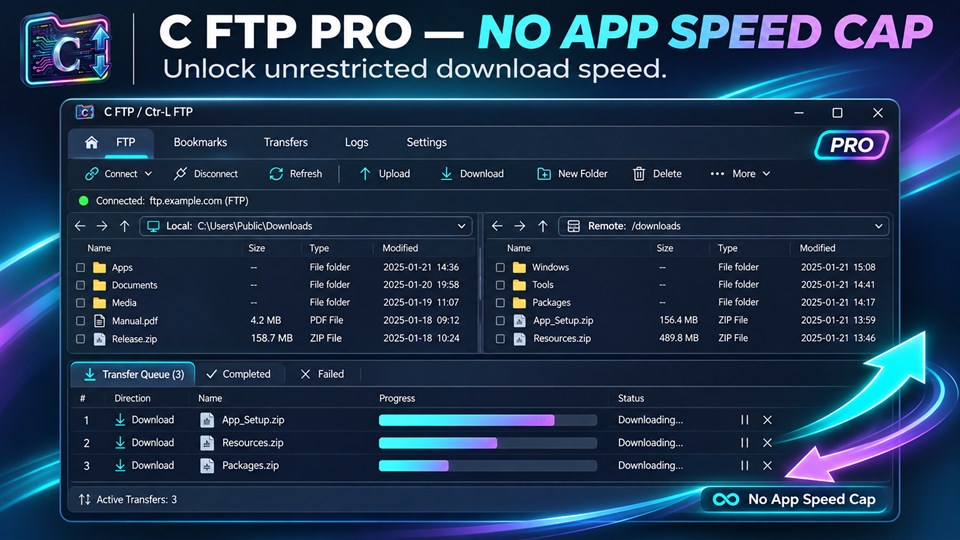
For transfers without an application-imposed download speed limit, choose the optional C FTP PRO annual subscription.
PRO removes the BASIC download speed cap while your subscription remains active. Actual transfer speeds depend on your internet connection, server, and network conditions.
C FTP gives you the flexibility to start free and upgrade when you need faster transfers.
C FTP — Your files. Your servers. Your workspace.
Od dewelopera
Listy 0
-
 C Ftp
Punkty 0
-

- +1 Punkt

Rankingi 0
-
- Twoja ocena
Deweloper 11
- Ctr-L
- Obserwujący: 0
- Platformy: Windows Aplikacje (11)
- Promocje: 3
- Listy: 0 0
- Punkty: 0
- Rankingi: 0
- Komentarze: 0
- Filmy: 1
- RSS: Subskrybuj
Co nowego
- Wersja: PC
- Ostatnia aktualizacja:
Dodatkowe informacje
- Data wydania:
- Kategoria:
Aplikacje na platformę Windows›Narzędzia programistyczne - System operacyjny:
PC - Rozmiar:
113 Mb - Obsługiwane języki:
Polski,Albański,Angielski,Arabski,Bengalski,Bułgarski,Chiński,Chorwacki,Czeski,Duński,Estoński,Filipiński,Fiński,Francuski,Grecki,Gruziński,Gudżarati,Hebrajski,Hindi,Hiszpański,Indonezyjski,Islandzki,Japoński,Kannada,Koreański,Litewski,Macedoński,Malajalam,Malajski,Marathi,Niderlandzki,Niemiecki,Norweski,Ormiański,Pendżabski,Perski,Portugalski,Rosyjski,Rumuński,Serbski,Suahili,Szwedzki,Słowacki,Słoweński,Tajski,Tamilski,Telugu,Turecki,Ukraiński,Urdu,Wietnamski,Węgierski,Włoski,Łotewski - Klasyfikacja treści:
EVERYONE - Windows Store Ocena: ¡
0 - Witryna internetowa:
 https://ctr-l.com/
Wynik AppAgg
Szacowany wynik AppAgg dla
C Ftp
Deweloper: Ctr-L
Wyższy wynik zwykle oznacza lepsze rezultaty w zakresie wskaźników śledzonych przez AppAgg.
Na podstawie: popularności · ocen użytkowników · świeżości · promocji · danych sklepów · aktywności społeczności
Przeliczane codziennie na podstawie aktualnych danych AppAgg.
Komentarze 0 ¡
Udostępnij
C Ftp Krótki URL: Skopiowano!- Windows Store
Może Ci się również spodobać
- Aplikacje na platformę Windows
- Nowe Aplikacje na platformę Windows
- Promocje Aplikacje na platformę Windows
- Popularne Aplikacje na platformę Windows
- Rankingi Aplikacje na platformę Windows
- Komentarze Aplikacje na platformę Windows
- Listy Aplikacje na platformę Windows
- Punkty Aplikacje na platformę Windows

