
Zakładki
| Deweloper: | Dhiva-Labs (9) | ||
| Cena: | Za darmo Nowa | ||
| Wynik: | 710 Srebro | ||
| Rankingi: | 0 | ||
| Komentarze: | 0 Opublikuj komentarz | ||
| Listy: | 0 0 | ||
| Punkty: | 0 | ||
| +1 Punkt | |||
Podsumowanie
Poznaj CrossShell, aplikację od Dhiva-Labs z kategorii „Narzędzia programistyczne”.
Nowość, wyszła , więc jesteś wśród pierwszych.
Za darmo, bez reklam i bez zakupów w aplikacji. Tylko ty i aplikacja.
Microsoft Store jest wbudowany w system Windows, więc instalujesz w kilka kliknięć.
Wynik AppAgg to 710. „Srebro”, i to wcale nieźle.
Tylko 16 megabajtów, zmieści się nawet na zapchanym dysku.
Kategoria wiekowa „EVERYONE”, więc nadaje się też dla dzieci.
Mówi tylko w jednym języku i nie jest to polski.
Nikt w AppAgg jeszcze jej nie ocenił. Pierwsza ocena może być twoja, i to od razu.
Ten deweloper ma w AppAgg jeszcze 8 aplikacji. Warto zajrzeć.
Chcesz dowiadywać się o aktualizacjach i nowych aplikacjach przed innymi? Obserwuj dewelopera albo subskrybuj kanał RSS. Powiadomienia push przychodzą w aplikacji AppAgg Alerts na Android i iOS.
Inne platformy 0
Historia cen 0
- Aktualna cena: Za darmo
- Minimum: Za darmo
- Maksimum: Za darmo
Własny kanał na stronie głównej
Zrzuty ekranu 5
Opis

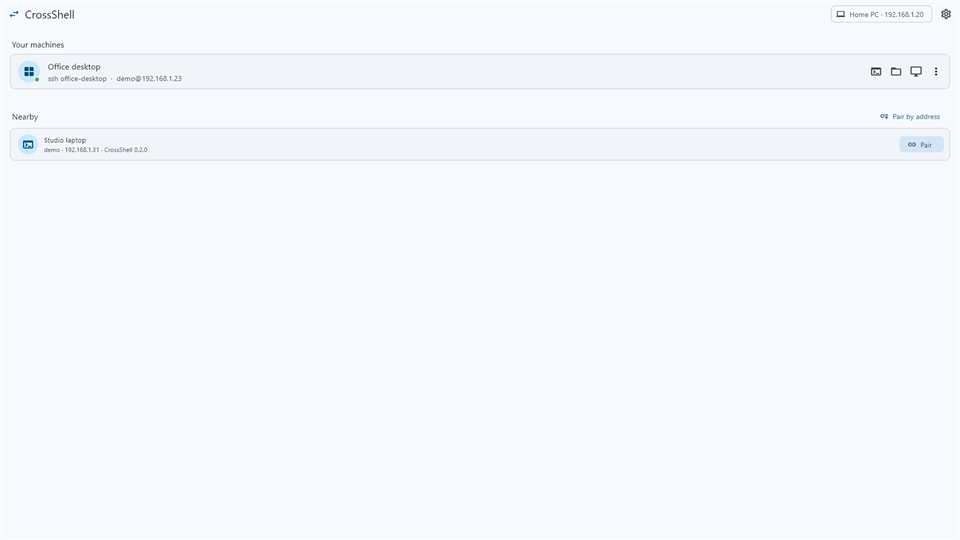
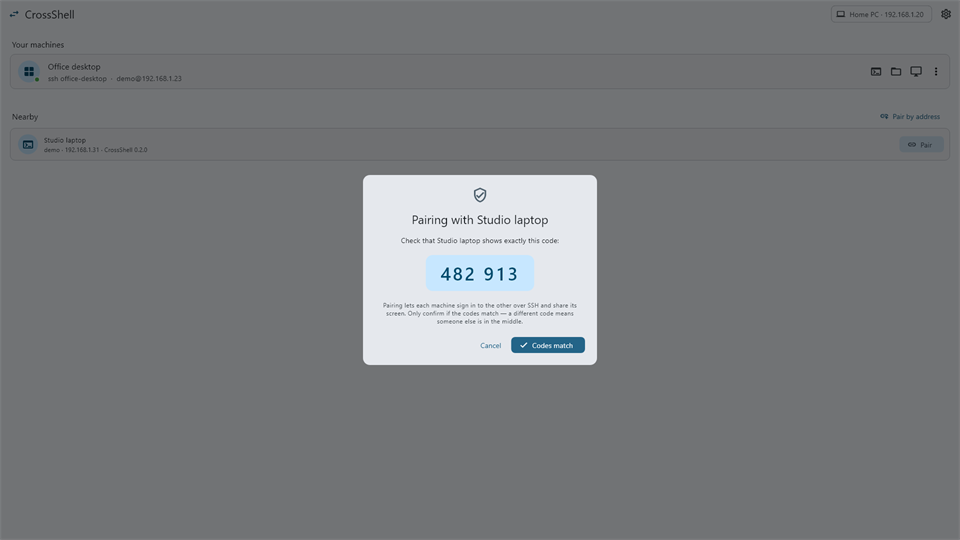
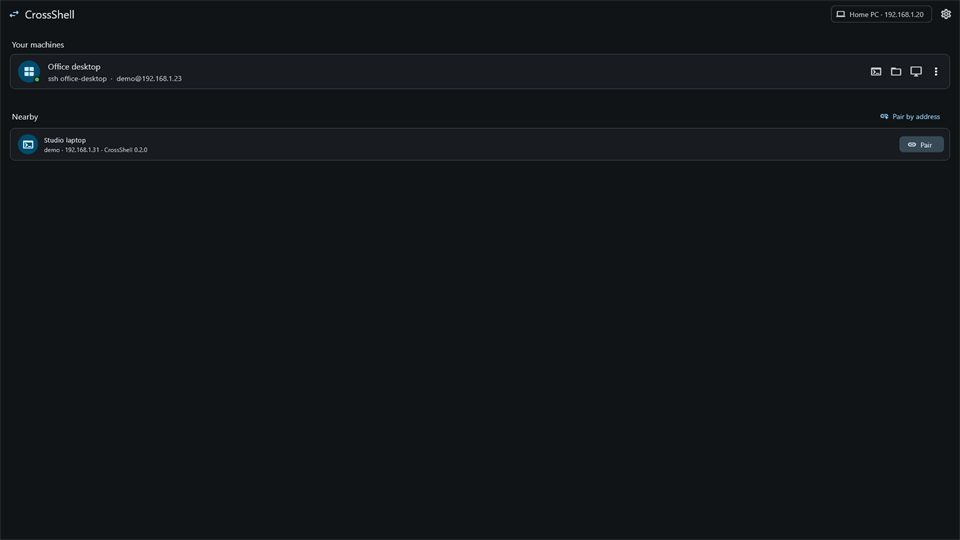
CrossShell connects your own computers on the same local network: Windows to Windows, or Windows to Linux. Pair two PCs once, by checking that both screens show the same 6-digit code, and each can then reach the other over SSH.
WHAT YOU CAN DO
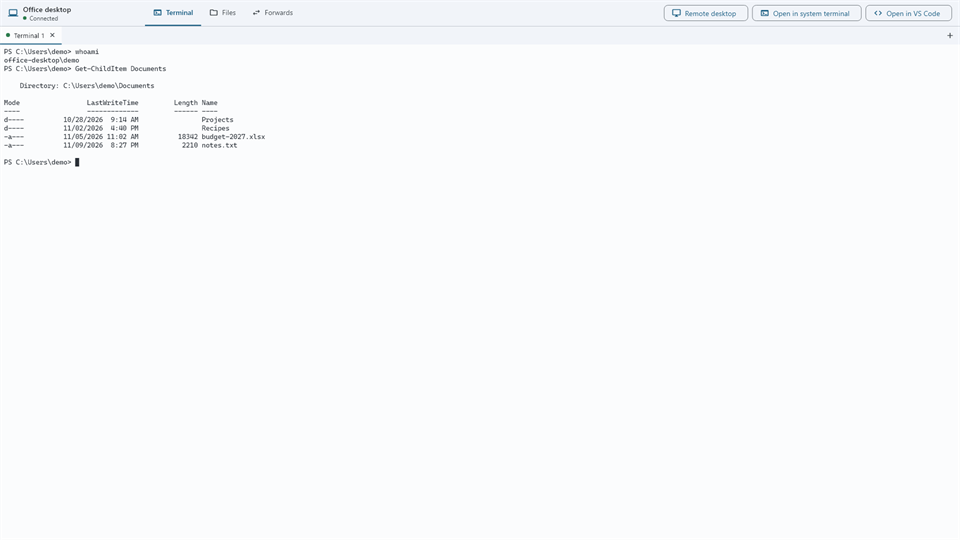
• SSH both ways: a terminal on the other PC, in tabs, and "ssh " from any terminal, VS Code Remote-SSH, git or rsync
• Files: a two-pane file manager to copy, rename and delete files on either PC (SFTP)
• Port forwards: reach a port on the other PC from this one, or the other way round
• Remote view and control: see the other PC's screen and use its mouse and keyboard, or view only, with clipboard text shared both ways
UNATTENDED ACCESS, ONLY FOR PAIRED PCs
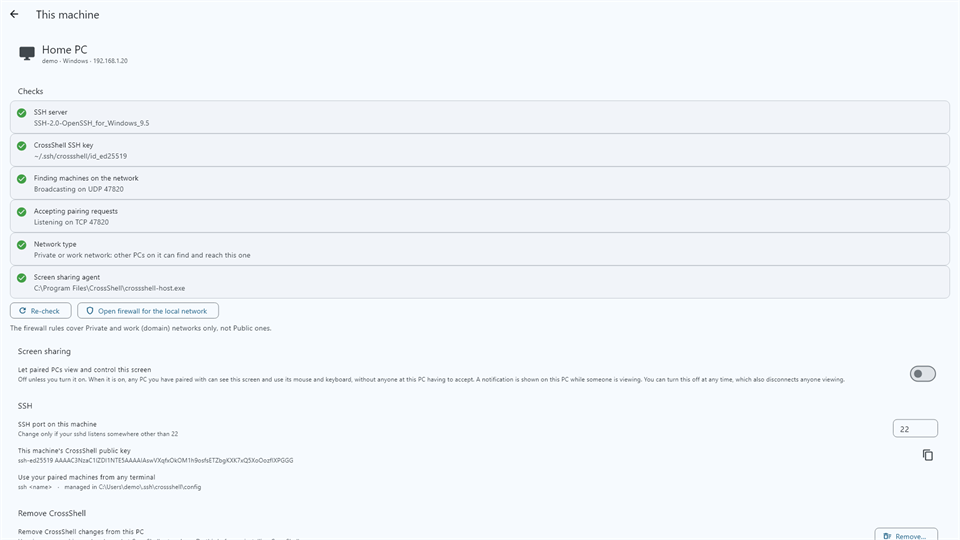
Screen sharing is off until you turn it on under This machine. When it is on, a PC you have paired with can view and control this screen without anyone at this PC accepting each time. While someone is viewing, this PC shows a notification ("Your screen is being viewed and controlled from ..."), and CrossShell shows a banner with a button to disconnect them. Turning screen sharing off stops it at once.
WHAT IT CHANGES ON YOUR PC
Setting up the SSH server takes one administrator prompt and:
• installs and starts Windows' OpenSSH Server optional feature (the sshd service, set to start automatically)
• adds three firewall rules, "CrossShell SSH", "CrossShell Discovery" and "CrossShell Pairing", for the local subnet on Private and work networks only
• can set OpenSSH's default shell to PowerShell, if no default shell was set
Pairing adds the other PC's key to your SSH authorized keys (for administrators, to Windows' administrators_authorized_keys, with an administrator prompt) and adds an Include line and a crossshell folder to your ~/.ssh. Starting screen sharing from the other PC creates a scheduled task, "CrossShellHost", that runs the sharing agent in your desktop session.
"Remove CrossShell changes from this PC" on the This machine page undoes all of this before you uninstall: it unpairs every PC, deletes the scheduled task, the firewall rules and the keys CrossShell added, removes CrossShell's SSH files and settings lines, and puts the default shell back if CrossShell set it. It leaves the OpenSSH Server feature installed, as you may use it for other things; you can remove it in Settings, System, Optional features.
PRIVATE BY DESIGN
• Local network only. No account, no cloud service, no telemetry. To connect across the internet, put both PCs on a VPN and pair by address.
• Everything between paired PCs (terminal, files, screen, keyboard, mouse, clipboard) goes through SSH, with keys exchanged when you pair.
• While open, CrossShell announces itself on the local network every 3 seconds so your other PCs can find it: the computer name, user name and a random ID, unencrypted, readable by other devices on that network.
LIMITS
• Windows' secure desktop (UAC prompts, the lock screen, the sign-in screen) can't be shown or controlled remotely; the viewer says so until it goes away.
• Windows that run as administrator can only be controlled when the sharing agent itself runs with administrator rights.
• Pairing and discovery need both PCs on the same network, set to Private (not Public) on Windows.
• The built-in terminal does not support input methods (IME) or dead keys; use "Open in system terminal" for those.
Od dewelopera
Listy 0
-
 CrossShell
Punkty 0
-

- +1 Punkt

Rankingi 0
-
- Twoja ocena
Deweloper 9
- Dhiva-Labs
- Obserwujący: 0
- Platformy: Windows Aplikacje (9)
- Promocje: 0
- Listy: 0 0
- Punkty: 0
- Rankingi: 0
- Komentarze: 0
- Filmy: 0
- RSS: Subskrybuj
Co nowego
- Wersja: PC
- Ostatnia aktualizacja:
- First Microsoft Store release.
• Screen sharing is now off until you turn it on, with a plain explanation of what it allows.
• New "Remove CrossShell changes from this PC" action.
• Firewall rules now apply to Private and work networks only, and CrossShell tells you when your network is set to Public.
• A notification on the shared PC while it is being viewed.
Dodatkowe informacje
- Data wydania:
- Kategoria:
Aplikacje na platformę Windows›Narzędzia programistyczne - System operacyjny:
PC - Rozmiar:
16 Mb - Obsługiwane języki:
Angielski - Klasyfikacja treści:
EVERYONE - Windows Store Ocena: ¡
0 - Witryna internetowa:
 https://github.com/Dhiva-Labs/CrossShell
Wynik AppAgg
Szacowany wynik AppAgg dla
CrossShell
Deweloper: Dhiva-Labs
Wyższy wynik zwykle oznacza lepsze rezultaty w zakresie wskaźników śledzonych przez AppAgg.
Na podstawie: popularności · ocen użytkowników · świeżości · promocji · danych sklepów · aktywności społeczności
Przeliczane codziennie na podstawie aktualnych danych AppAgg.
Komentarze 0 ¡
Udostępnij
CrossShell Krótki URL: Skopiowano!- Windows Store
Może Ci się również spodobać
- Aplikacje na platformę Windows
- Nowe Aplikacje na platformę Windows
- Promocje Aplikacje na platformę Windows
- Popularne Aplikacje na platformę Windows
- Rankingi Aplikacje na platformę Windows
- Komentarze Aplikacje na platformę Windows
- Listy Aplikacje na platformę Windows
- Punkty Aplikacje na platformę Windows

