
Zakładki
Wybierz tytuł dla tej zakładki.
Zakładka zapisana
| Deweloper: | LEVELHARD (3) | ||
| Cena: | Bezpłatny | ||
| Wynik: | 1500 Złoto | ||
| Rankingi: | 0 | ||
| Komentarze: | 0 Opublikuj komentarz | ||
| Listy: | 0 + 0 | ||
| Punkty: | 0 + 13 (2.5) ¡ | ||
| +1 Punkty | |||
Zrzuty ekranu
Reklama
Opis

Free, offline, no account, no ads, no telemetry.
FIND WHAT YOU WROTE
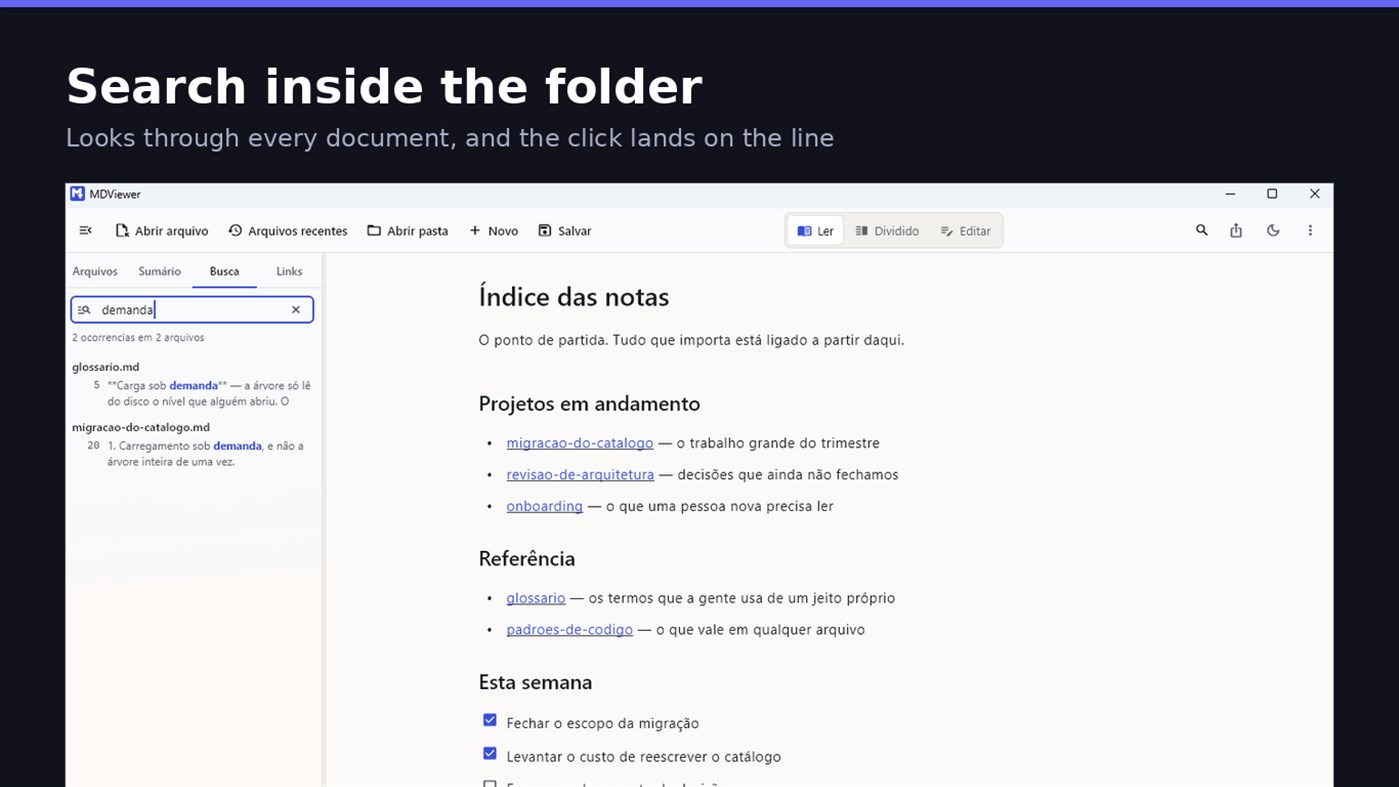
Search by content across the folder with Ctrl+Shift+F: MDViewer looks for the term inside every document, shows the snippet with the word highlighted, and clicking takes you to the file with the line already selected. Filter by name finds the file even in a subfolder you never opened, showing the path to it.
LINK YOUR DOCUMENTS TOGETHER
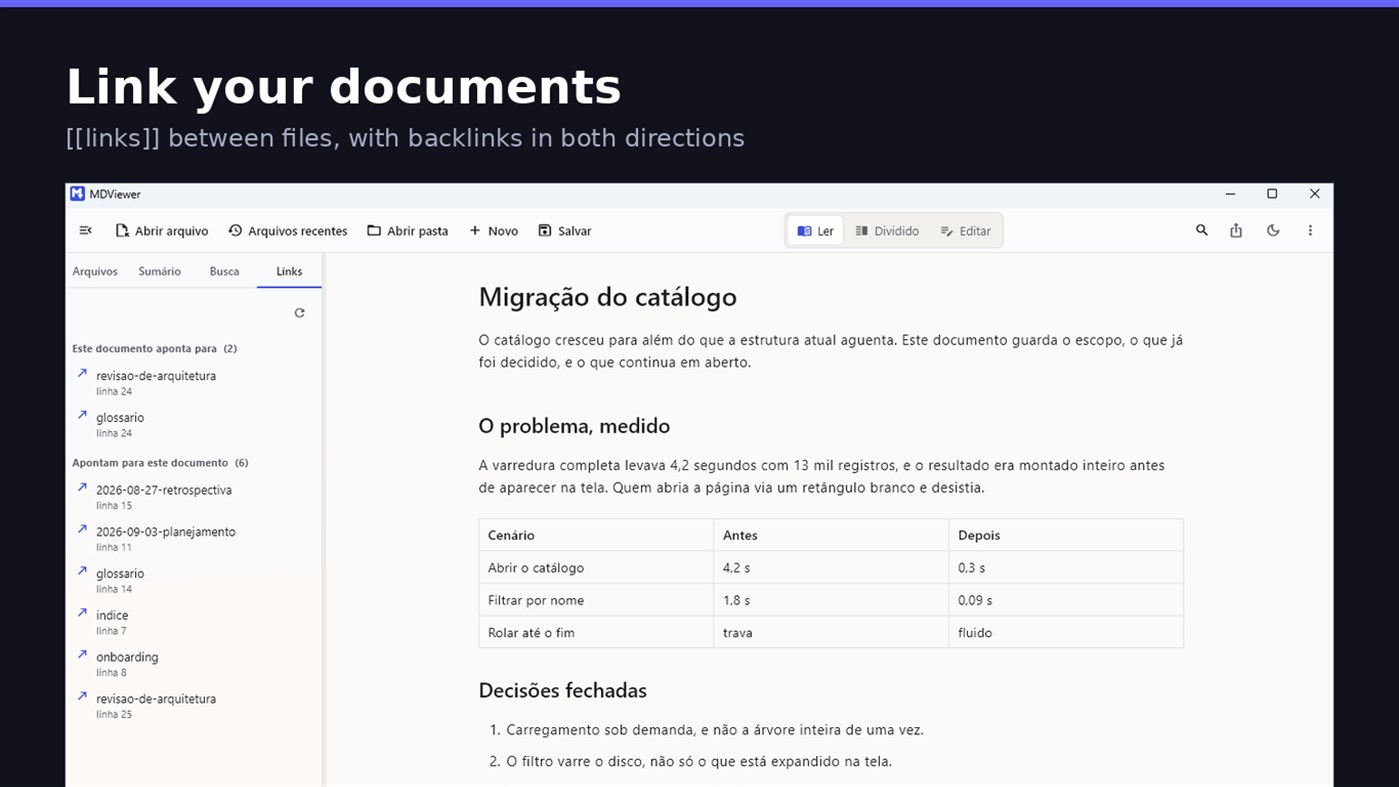
Write [[document-name]] and it becomes a clickable link. [[document#section]] jumps straight to the section; [[document|the text you want]] shows your own label. The Links tab shows both directions: where this document points, and who points to it, and a backlink takes you to the exact line where the link was written. A link to a target that does not exist is marked, instead of silently doing nothing.
READ
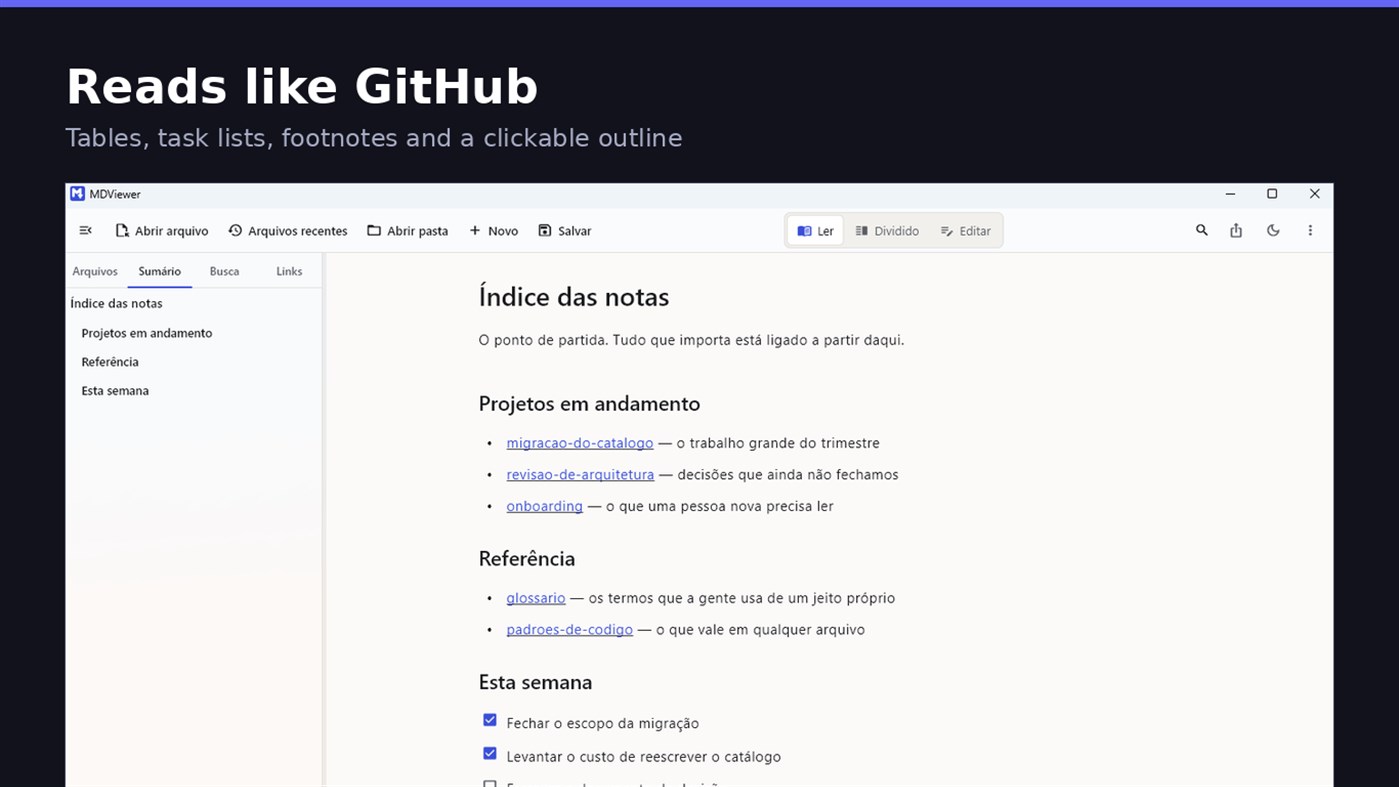
• GitHub Flavored Markdown: tables, task lists, strikethrough, footnotes and code blocks
• A reading column with a comfortable width, instead of text stretched across the screen
• Clickable document outline, to jump between sections
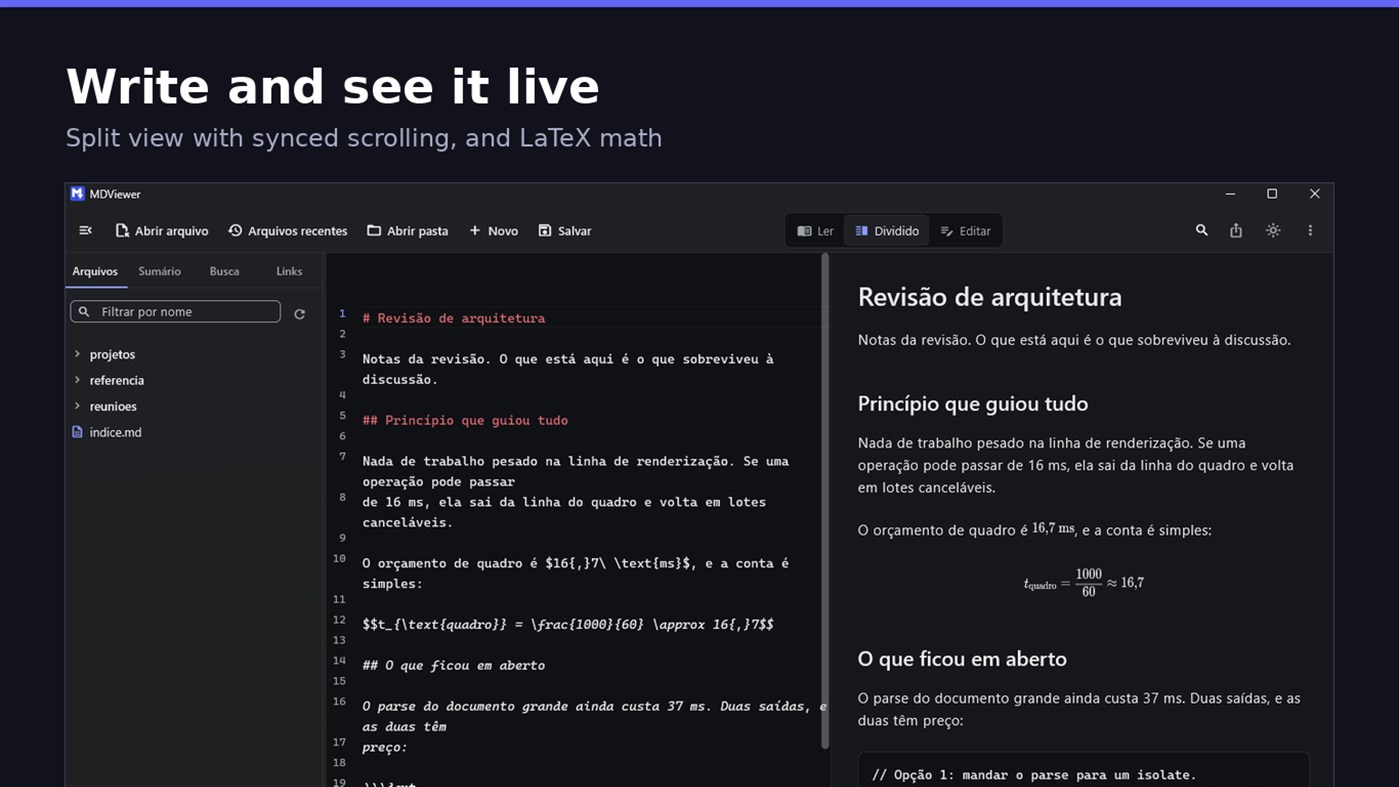
• LaTeX math
• Task checkboxes you tick with one click, written back to the file
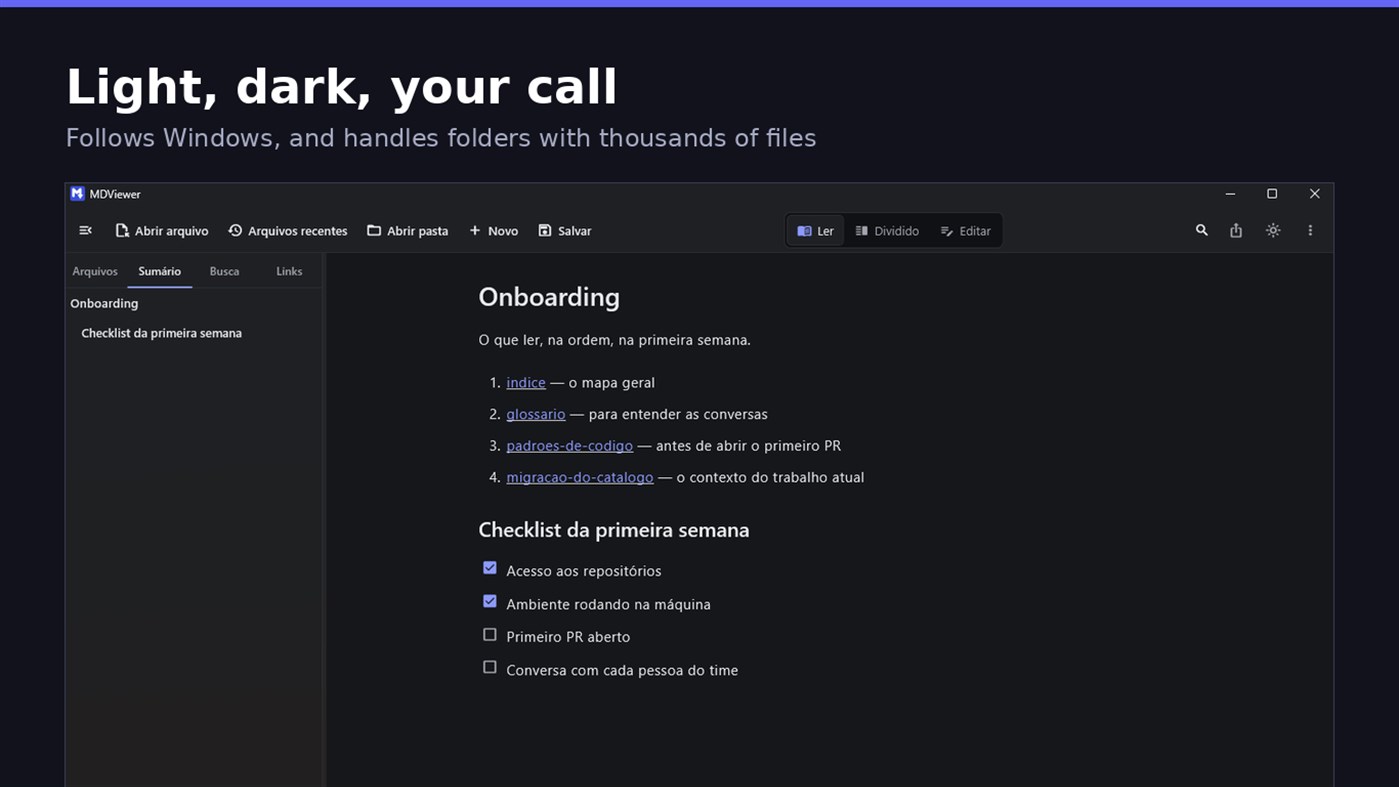
• Light and dark themes, following Windows
EDIT
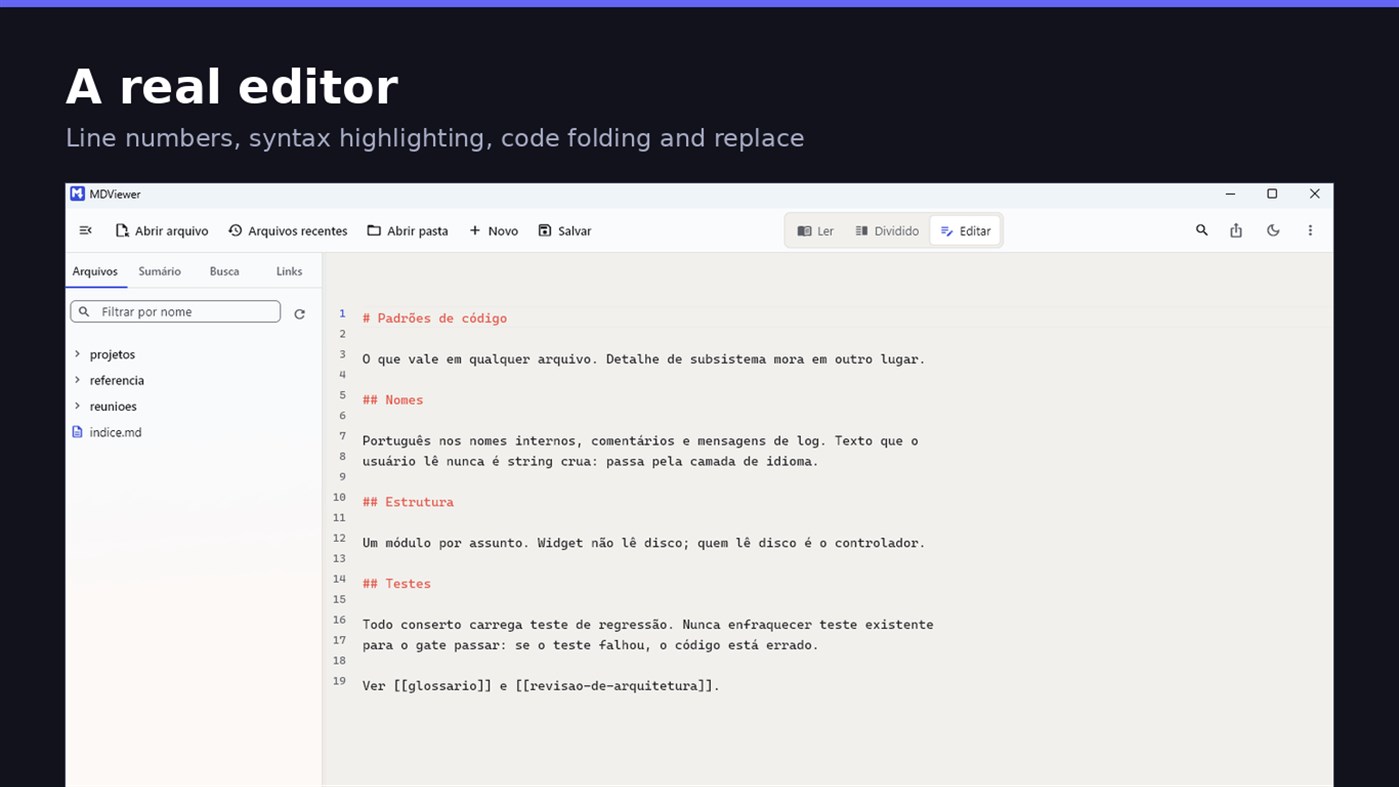
• Editor with line numbers, syntax highlighting, code folding, undo and redo, find and replace
• Split view, text on one side and result on the other, scrolling together
• Draft saved automatically, and recovered if the app closes without saving
• A warning when the file changes outside the app
• Nothing is written to your file unless you say so
HOLD UP UNDER LOAD
In a folder with thirteen thousand documents, MDViewer opens without freezing the screen. The folder tree loads on demand and skips .git and node_modules. Search, filtering and the link index run off the rendering thread, in batches, and are cancelled the moment you keep typing. This is measured every release, and the app logs any operation that goes over the frame budget.
FIT INTO WINDOWS
• File association for .md, .markdown and .mdx, with its own document icon
• Single instance: a second file becomes a tab, not another window
• Document tabs, and a taskbar dot while any document has unsaved changes
• Taskbar progress while exporting PDF
• Mica background on Windows 11, with the reading area always solid
• Drag and drop a file or a folder onto the window
• Export to HTML and PDF, and print
• Interface in Portuguese, English and Spanish
PRIVACY
MDViewer has no account, uploads nothing anywhere, and works without an internet connection. There is no remote telemetry: the log stays on your machine, and the app has a shortcut to open its folder.
Made by LEVELHARD.
Inne platformy
| MDViewerWindows Store1K ZłotoJesteś tutaj | Bezpłatny |
Na razie tylko w tym sklepie.
Historia cen
- Aktualna cena: Bezpłatny
- Minimum: Bezpłatny
- Maksimum: Bezpłatny
Monitoruj ceny Dodaj do listy, aby otrzymywać powiadomienia o promocjach e-mailem lub push
Listy 0
0
- MDViewer
Punkty 0
0
Rankingi 0
-

- Twoja ocena

Komentarze 0 ¡
Skomentuj jako pierwszy
Deweloper
- LEVELHARD
- Obserwujący: 0
- Platformy: Windows Aplikacje (3)
- Promocje: 0
- Listy: 0 + 0
- Punkty: 0 + 13 ¡
- Rankingi: 0
- Komentarze: 0
- Filmy: 0
- RSS: Subskrybuj
Nowości
- Wersja: PC
- Ostatnia aktualizacja:
- This version makes the editor easier to use and reading more complete.
• Command palette (Ctrl+Shift+P): type what you want to do, like "pdf" or "theme", and see the key for each command.
• Formatting toolbar in the editor, and a key for every format: Ctrl+Shift+1 to 3 headings, Ctrl+Shift+7, 8 and 9 lists and tasks, Ctrl+Shift+Q quote, Ctrl+T table.
• The editor understands Markdown: Enter continues the list, Tab builds the sublist, and pasting an address over text creates the link.
• Mermaid diagrams drawn in reading view, in light and dark themes, with no internet.
• Select and copy text in reading view.
• Chinese, Japanese and Korean with the right font, on screen and in exported PDFs.
Dodatkowe informacje
- Data wydania:
- Kategoria:
Aplikacje na platformę Windows›Narzędzia programistyczne - System operacyjny:
PC - Rozmiar:
20 Mb - Obsługiwane języki:
Angielski,Hiszpański,Portugalski - Ocena treści:
EVERYONE - Windows Store Ocena: ¡
2.5(13) - Witryna internetowa:
 https://levelhard.com.br
Wynik AppAgg
1500
Szacowany wynik AppAgg dla
MDViewer
Deweloper: LEVELHARD
1500 Złoto
Wyższy wynik zwykle oznacza lepsze rezultaty w zakresie wskaźników śledzonych przez AppAgg.
Na podstawie: popularności · ocen użytkowników · świeżości · okazji · danych sklepów · aktywności społeczności
Przeliczane codziennie na podstawie aktualnych danych AppAgg.
Odznaka na stronę:  Skopiowano!
Krótko
MDViewer Krótki URL: Skopiowano!- Windows Store
Na AppAgg możesz śledzić aplikację „MDViewer” od LEVELHARD, przeznaczoną na platformę Windows. Kategoria: Narzędzia programistyczne. Wynik AppAgg: 1500 (Złoto). Punkty AppAgg aplikacji — potwierdzone: 0; pośrednie: 13. Listy publiczne z tą aplikacją: 0. Użytkownicy, którzy zapisali ją na listach prywatnych: 0. Użytkownicy AppAgg nie ocenili jeszcze tej aplikacji. Potwierdzone punkty rejestrują przejścia do sklepu zalogowanych użytkowników AppAgg. Punkty pośrednie opierają się na danych sklepów. Dwa liczniki pokazują liczbę publicznych list i użytkowników, którzy zapisali aplikację lub grę na listach prywatnych. Aplikacja ukazała się po raz pierwszy . Ostatnia aktualizacja aplikacji: . Aplikacja jest obecnie dostępna bezpłatnie. Aktualna ocena aplikacji w Windows Store: 2.5. Liczba głosów: 13. Aplikacja jest dostępna w następujących językach: Angielski, Hiszpański, Portugalski. Sprawdź historię cen, dodaj aplikację do listy lub obserwuj dewelopera. Śledź przyszłe oferty i aktualizacje aplikacji przez kanał RSS. AppAgg nie przechowuje ani nie dystrybuuje tej aplikacji. Wszystkie znaki towarowe, logo i zrzuty ekranu związane z aplikacją należą do ich właścicieli.
Może Ci się również spodobać
- Aplikacje na platformę Windows
- Nowe Aplikacje na platformę Windows
- Promocje Aplikacje na platformę Windows
- Popularne Aplikacje na platformę Windows
- Rankingi Aplikacje na platformę Windows
- Komentarze Aplikacje na platformę Windows
- Listy Aplikacje na platformę Windows
- Punkty Aplikacje na platformę Windows

